Finding Your Right Fit Clients On LinkedIn
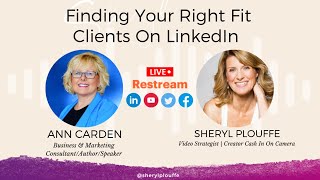
Ann Cardon walks through LinkedIn's search filters, Events, and Sales Navigator to find high-ticket clients. She recommends building a curated list of 50 to 100 ideal prospects using advanced filters like revenue and industry, then initiating authentic conversations rather than blasting larger pools.
Chapters
All the clients that you love to work with, who get results, who do the work, who actually then turn around and shout your name from the rooftops, right? The ideal clients that you want in your business are out there. Today, we're going to explore how to find them specifically on LinkedIn. Ann Cardon is here with us. She's a business strategist. She's a LinkedIn expert. She knows all things LinkedIn. So, Ann, so great to have you here. On Cash In On Camera. I know we're going to do some screen sharing. I think we're going to dig in. We're going to do a little demonstration of how we can find those people. Like, why is LinkedIn such a great place to find not only right-fit clients, but especially people who have high-ticket offers?
Yeah, so I love LinkedIn because it is the number one business platform. And what a lot of people don't realize is LinkedIn is a search engine, just like Google or YouTube.. And so it is, it's really high profile. And it actually, if someone Googles your name and you have your LinkedIn profile optimized in the right way, it will come up at the top of Google. It will come up typically above your website or right under your website. So it is a really important digital asset. Even if people, I always tell my clients, even if they're not going to be on LinkedIn or that's not their playground, maybe their clients, that's not where their ideal clients are. You still need to optimize that profile. It is a free resource. So why would you not add that to your digital footprint? But here's some great statistics. There are 810 million people, business people on LinkedIn. There are 71 million decision makers and 90% of Fortune 500 companies are on LinkedIn. I mean, these are great statistics. And the statistics that I love is LinkedIn The people on LinkedIn have 2 times the buying power. So think about that.
Oh, that's great. Yes. How has LinkedIn changed in the last 3 years? Let's just speak about it from the perspective of the pandemic, right? That's sort of before pandemic, after pandemic. What kind of changes have you seen yourself on the platform in terms of the quality, let's say, of people that are there?
Yes. I mean, I, first of all, I think it grew, if I remember these stats right, grew by 210 million people or 200 million people between, uh, I believe it was, uh, '20 and '21. So like coming out of the pandemic, so everyone kind of figured out, okay, wow, if we can't do business the way we always did before, this is where we need to be. Um, so it's really important that, that people understand that it is such a robust platform, but it And the way that I've seen it change, besides just more and more people there, I've seen it kind of loosen up a little bit. So I've been on LinkedIn for many years, and for a lot of years it's been a fairly stuffy platform.
I'm just going to say, you know, that's not me.
Yeah, it actually— I was going to bring it up. It kind of started out, you know, for recruiters and for people looking for jobs and companies that were looking for employees. But it has definitely evolved. And the thing that I love about LinkedIn now is they, they're adding these amazing tools that are going to, that are so relevant for all of us trying to build our brands on social media. You know, like they came out with the lives. I think that was, they came out with it in a beta a couple of years ago, but they rolled it out live this year for every, I think for everyone. They rolled out creator mode. They rolled out the audio feature. You know, Clubhouse was a big thing for a while, and then they rolled out the audio feature. Excuse me, I'm gonna do my best to get through this.
I know you're not feeling well, so I'm just gonna fill the gap here.
But I said a lot of—
and it's such a trooper. She's like, I'm gonna come on the show and I'm gonna share my insights regardless of the fact that I'm a little under the weather.
So I apologize for this. I am going to do my best. Um, but you know, they've added all of those features that the, the event— oh, the live stream. So now you can live stream the events, all of those features. Are pretty incredible. And even if you look at like the LinkedIn events feature, LinkedIn is really pushing that out. They're pushing the events out because it's a new feature. So they really want to promote it. And so when people say they want to come to your event, it shows up in their email. It reminds them. Facebook doesn't do that. It doesn't show up in your email. So that's a really great feature. The other thing that I love is you can invite 1,000 people a week to your LinkedIn event. On Facebook and other platforms, it's like 500. So you get double the exposure. So that's one feature. The other thing that I didn't talk about is behind your— with Creator Mode, behind your profile, you can put a video. So when people click on your profile picture, a video can come up and you can be kind of sharing a little bit about yourself and what you do and just kind of getting people to know you. So they have all of these really cool features. They've added a link feature where now in your headline you can now customize and you can add a link that people can click on. That's all new. So there are just a lot of things that they have rolled out that have happened even in the course of the last year or 2 years, and they just continue to make the platform better. And I, you know, anyone looking for professional clients or HighLevel clients, business clients, that are in the professional space, LinkedIn is the place to be, in my opinion.
And I think at some point I'll probably have to have you back to talk about how do we actually approach people on LinkedIn in terms of how do you get their attention, how do you actually start that conversation and start the relationship with them. That might be a separate thing. What we want to focus on today is actually finding the right fit clients. So if you're able to and willing, would you share your screen with us? And then maybe we'll go and take a look at LinkedIn, and we can even just— you can ask me for a fictitious person that we could look for, and let's show and demonstrate just how easy it is to find right-fit clients on LinkedIn. I think that would be a fascinating thing to do because, as you pointed out, you know, if we have people with high buying power there, if we have decision-making people there, yes, you know, that's That's a great thing to, to know and to consider when, when looking at LinkedIn.
Yeah, I mean, one thing to know is that you can use the free version of LinkedIn, which everyone should at least be optimizing their free version, but you can also use the paid version, which is Sales Navigator. There's also a premium version. Most of my clients are either in Sales Navigator or they're using the free if they're not looking for a lot of people. So the main thing too with LinkedIn is really understand the strategy you're going after. So if you're trying to get to maybe, you know, high-level CEOs, that's gonna require a different strategy from working or like going after professionals that are going, they're hanging out there, they're showing up in your feed, they're very active on LinkedIn. And so it's really important before you do anything on LinkedIn is to really understand who, what you are trying to accomplish there, who you're trying to reach, and then positioning your profile for those people with— make sure it's really relevant to the people that you're trying to attract. So whether that's for speaking, maybe you want to, you know, you want to get more speaking engagements, that's one way to use it. You want to grow your podcast, that's another way. So know what your end goal is before you do anything. That I just have to say that first. Otherwise you will burn up a lot of time and energy and even money if you don't have that dialed in.
Yeah, absolutely. Always take a strategy-first approach. You don't want to really start— again, if you want to just sort of swirl around and waste time and you're one of those people who's stuck in the cycle of just being busy for the sake of being busy, have at her. But that's not what we're talking about here. We're talking about strategy that actually leads to business, right? We're talking about business building activities here. Yes.
Where people are showing up in your inbox, right? They're connecting because they're like, wow, you wanted to connect with me. So all of those things are— that's the foundational work that has to be done. And it is missing for a lot of people. They think they have it dialed in, or they think they've done a really good job with that. But I don't think I've worked with a client yet that we couldn't just really ramp that up and make it even more powerful, strengthen that positioning. On LinkedIn. So they really did stand out as the authority and the expert, but they also look different from everyone else. They don't look the same. Um, so all of those are pieces, the foundational pieces that need to be in place. Otherwise, you won't be able to reach your clients. That's just a fact. They won't connect with you. You just won't get that traction on LinkedIn. So if you don't have that first, it's not going to go anywhere.
Makes sense. Can you share your screen? Do you see the button at the bottom of your of your screen that says screen share.
Yes, let me give this— okay, it's not giving me— it's coming up. Do I need to share it in a window?
Uh, you should be able to, to click on the button. If it doesn't work, we can talk through it, that's fine.
But, um, oh, hold on here. Oh, I see, I got it. Okay, okay, great. Yeah, now I'm going to have to—
so just open a LinkedIn.
Let me get there. Some of these messages. Okay, no problem. Some of the stuff that's going on—
probably the message I sent you.
I had several in there, so— okay. All right. Yeah. Who— what would you— who would you like me to walk through? I mean, I can walk through my own, I can walk through yours. What would you like?
Well, I mean, let's just say— let's try and pick like a certain type of— or I should ask you, Anne, Would we want to start with a search of a type of person? Is that how we can go about finding? So for example, let's say I'm in a business and I'm looking for, I'm looking for agency owners. Yes.
So if you don't have the paid version, this is the best way to do it. So figure out what kind of agency, insurance agency.
Yeah, sure. Let's do insurance agency.
Sure. Okay, you could just type it in up here. And then here you're going to get people that come up that are first, you're going to see people in your local market, which is not a bad thing. I always say it's great to connect with people locally because they're much more likely to connect. And then you also, you don't know where those relationships will go. So that's a really important thing. But if you notice here, all of these say owners. Now I did not put in owner, I could have, but all of these say owners. The other thing is these tabs up here, you can use these filters. You can look for people, you can look for people in a particular job, you can look for groups that have your ideal clients where they would be, you can look for specific companies. So there's all, you know, there's events where a lot of times you can find your ideal clients in events. Let's just say, for example, I want to look for insurance agency events because I know that when people, they're either going to, they're going to be interested in what's going on with insurance agencies. And so these are all ways that you can find your ideal clients. One thing about the events though is you need to click on it and say you want to attend before you're able to see who else is coming. So if you find an insurer, if you find an event and you click attend, now I'm going to be attending this event.
Let's, uh, you didn't expect that today.
Yeah, that's okay. I, uh, so now you can see, I now get to see all of the people that are attending this event, and I could reach right out to them and say, oh, I see you're, you know, you're attending the XYZ event. So these are all ways to kind of open the doors. Also getting into events with people. Anytime you have things that, that you have in common or you can talk about, it's going to always open that conversation, which is really what you want to do on LinkedIn. Think about it very much like networking in person. If you go out and you network in person, what would you do? You would want to know about them. You would want— you would say hi, you wouldn't, you know, and, and so you wouldn't start selling. And so you have to treat it the very same way. So this is one— this is how you do the free search, which is what a lot of people have. So let me clear that.
And while you're doing that, I also want to mention that for our listeners of the podcast who are saying we can't see what you're referring to right now, just go back to my YouTube channel at some point and watch this episode where we talk about this around the— we started around the 12-minute mark where you can scrub through and go to the 12-minute mark and you'll see the demonstration that Ann is doing right now. So those— that's for our listeners of the podcast. For those who are watching the video, of course, they can see what we're talking about. What I love about what you showed there is I think with LinkedIn there are so many different features that sometimes we don't see them. So for example, you pointing out the different tabs at the top, the filters, the locations, the people, the groups, etc. And as you said that, I thought, how is it I've never seen that before?
Right. One thing, there is a trick to that too, Cheryl. You do need to be on your own home page to get those tabs to come up. Um, yeah, and, and so that's one thing. And if you are listening to this, there, there are tabs right in the search at the top search, not in your browser, but at the top search bar, uh, on LinkedIn, at the very top of your profile. That's where we were putting in the target audience. And then right below that is where all these different tabs come up and you can click on those. So that's one way. The other thing, the other great way to use this is if you look, when I clicked on this event, for example, you know, now I can go right in and message this person because we're both co— we're attending the same event. So it opens this up and, It just makes it so easy for people to just connect.
And well, now you have a reason. Yeah, you have, you have a reason and there's context and it isn't fabricated. It's not artificial. It's legitimate. Hey, I'm excited to be attending this event. Looks like you're attending too, Nancy. So great to, you know, look, looking forward to seeing you there. Maybe they'll have some breakout rooms.
We don't know. Absolutely. Yes. Yeah. And so there, those are those. That's just one way. To really use the free version. But you can search, you know, you can search people. If I, I mean, if I want to search, let's just say chiropractors, um, same thing. Here they are. It's going to pull up your location first, and then there are some other people here that are second connections. Typically you're, you're going to see a first and second connections that will come up And just to explain that, a second connection is Cheryl is connected to someone that I'm connected to, and so that person now becomes a second connection. Yeah, if that makes sense. So this is a way then that you can go and connect with these people that, you know, come up, and you need to have a relevant message to connect with them and why you're connecting with them. And this is where optimizing your profile and all of that comes in. But when you have all of that dialed in, I mean, there's not a more robust platform on social media, period, that can do this for you. Go ahead.
I was just going to say, and you know, when, as you're doing this, I'm thinking if we just spent an hour, we just blocked off an hour in a calendar and said, I'm going to spend an hour of targeted time looking and researching and finding my right fit clients on LinkedIn. You're going to end up with a pretty good list after 1 hour.
Yes. You— I always say build your dream list of 50 to 100 people. Yes. That could be partnerships, that could be companies you want to reach out to, that could be individual people. So those are all, those are all ways to use LinkedIn. Another great way too is let's just say I'm searching a company. I'm just going to search. I'm just going to stay with something that I know local. State Farm in, I'm just going to do St. Louis, Missouri. So this is another really cool feature about it as well. Now you're going to see agency and advisors and other people come up so you can start seeing the employees as well. And sometimes this, it's pretty easy to get to owners on LinkedIn, But sometimes not being able to get to high-level CEOs, for example, you can actually see, okay, who are— who's employed at this company that I know that could maybe make that introduction for me to the right person? So that's another way to use LinkedIn, and people are very used to doing that on LinkedIn. I connect people all the time. They'll reach out to me and say, Anne, do you know so-and-so? I don't personally know them, but I'm happy to make that introduction, and then I give that person— I reach out to that person in their inbox and I say, so-and-so has asked to meet you there, and I give them the reason, and I would love to connect the two of you. Would that be okay? Sure, no problem. That's another way to use it, and a lot of people don't think about it that way as well, right?
So the way that you've been demonstrating it so far has been through the organic free methods, correct? You did hint that there is another way to find your right fit clients, maybe through the paid Sales Navigator platform.
Yes. So, uh, I can go into Sales Navigator if you want me to. Um, the thing that I love about Sales Navigator— and I do have a YouTube video out there as well where I break this all down, although it has changed a little bit, I think, since I did that video— but the cool thing about Navigator, and it is paid, it's I think it's like $99 a month, but it is well worth it if you're really serious about growing your business on LinkedIn. And the great thing is if you think about going to buy a list of your ideal clients from a list broker like The Revenue and, you know, who those people are, you're going to pay money for that. But in LinkedIn, you get to actually go in and just curate your list, which is really nice. So if you're looking for companies, you're gonna use the accounts filter. And the thing that's really cool about this, especially if you're working in the corporate space or you're looking for those bigger companies, this is a really great feature. And a lot of SaaS companies and sales companies use this, but you can actually search companies by revenue, which is really cool. Oh wow. So you can put in how much revenue. So let's say you're looking for companies that are $20 million minimum to, let's say, $500 million.
And you have a variety of different company attributes there that you can— like a filtering process, it looks like.
Yes, yes. And you can even pull up the industry. So let's say I only want, uh, technology companies. There's all kinds of technology, so pick your lane. Um, you know, do you want Do you want technology information? I'll just pick this one. Sure. Excuse me. And here you go. And there's 17,000. Now this is too big of a list. So if what I recommend is, again, depending on how many people you're looking for, if you're going to just do connections and you're gonna build up your connections with the right people, you can curate a list of about 1,000. But if you're gonna actually do physical outreach to people and make that connection and then have that conversation with them or share something of value with them, you wanna build a list of about 100 of your perfect ideal people. That's gonna be, that way you're bringing it down to bite-sized chunks and it will just make it so much easier. But here's some other cool features. So you would wanna put the geography. So I would wanna put like where the headquarters is. Let's just say I'm just going to pick California since it popped up here. I could even put in the city and be more specific. So now there's 1,500 results that fall into that 20 million to 500 million range. California and what else did I put in? And technology. So then you're just going to hit, you know, if you, you can go down and you can actually view all of these profiles. And you can save the leads. That's one way to do it. The other way to do it is you can hit Select All. Let's say— this is a cool feature too— let's say you did— you can't go through and, and actually look at all of these at one time because it's a lot. You can hit Select All. Now this is a feature they just changed. You do have to go down to each page, which it used to not be that way. Now you have to go to each page and you have to hit Select All, but then you can save the search and you can call it something. So I would say, you know, this was California, um, tech companies. I didn't spell that right, but you know, you get the drift. Uh, 200 million. So anything that's going to help you remember that list, whatever I— whatever it was I searched, you would save the search and then you could go in at any time you would find that search. Here's your saved searches up here. I have a lot of them.
And then you can pull that back up and remind yourself of the searches that you've done previously, which allows you then, depending on what your offers are, you might have maybe 2 or 3 different kinds of avatars that are perfect for what it is that you do.
Yes.
Then you can have those various lists.
Absolutely. So that is how you can— that's how you can use the Navigator feature. Um, oh, the other thing I didn't show, let me go back. So that was how you search companies. Um, hold on, I want to show— I'll show something else here really quick. Um, let me go back and search. I wish I would have saved that now, but let's— I'm just going to pull something up here again. Let's say I'm going to search companies that are $5 million to $50 million. Okay, and we'll just pick a headquarters again. Um, and the other thing is you can do this, you know, it can be international, you can choose all of North America. That's just going to be too big, but, um, we'll choose Orange County, California. Okay, what you can do is look here, it says all employees. This is the cool feature. So you can actually go into this company and look at all the employees that are on LinkedIn, and you can see who you know. Look, I have, for example, 26 shared connections with Ethan here, so I could reach out and have a conversation with Ethan. I have 76 with Lonnie, and Lonnie works at this company. So those are all backdoor ways to get maybe to the right person. The other thing you can do— so that's a feature I kind of forgot to show you there. I love that. Yeah, it's a pretty, you know, again, this is It's such a robust platform. It's such a robust way to, to use this in your— hold on, I got to get out of this now.
And the filtering ability there in terms of, I mean, really picking any combination of filters will give obviously different results.
Absolutely.
You can get as— and you would likely want to be as granular as you possibly can to bring down that number. And I can't help but to think, and just in terms of strategy, and I know you help people with, you know, getting the high ticket, ultra high ticket people and building businesses, $500K, million plus, etc., is that if you crunch your— if you know your own numbers, like if you know that you're trying to build, let's say, I don't know, a million dollar— you know, you want a million dollars in revenue, let's just say. And your high ticket offer is $10,000. I mean, just do the math. You don't need to necessarily have, you know, a million people on any of these lists. You just, you need a smaller number, right?
But you can, right? It really does come down to your business. Yes, it does come down to your business. But the thing I, the reason I definitely recommend Navigator to my people is because they would have to go pay for a list anyway.
That's right.
And the thing is, this is fast. So time is money, right? I know a lot of people say time is not money, but in the big scheme of things, we want to leverage our time. So when you have Navigator and you can build multiple lists and you can do this, let's say you're running a workshop for chiropractors, you can go and target them, invite them to your workshop, and then next week you want to— and this is just obviously a weird example, but next, next week you want to run a workshop for marketers, you go in and you build a list. You don't have to keep going to buy lists from people and trying to sit there. When I showed you the free version, you saw it's kind of tedious and there's no way to really save the list. In here you can actually save the list, and that's just a huge feature. The other thing I didn't show— so what I showed you was the company side, the accounts. Um, so that's a really great feature for people that are looking to get into companies. But you can also search leads by job title, seniority. So let's say you are just looking for, um, let's say you want owners or you want VPs. You can search a few people at a time here if you want to. Um, you can even put in CEOs if you want to do that. Yeah, that's great. And then you can search what type of company, what type of industry, again location. Um, you can even search if you want people, uh, what connection are they to you. So let's say you just want to search first-degree connections, second-degree connections. Here's another cool feature. I showed you how to search groups earlier. You can actually search members in a group, uh, that fall into the category of what you're looking for. So It is, it's the only platform that offers this kind of search engine and this kind of targeting. There's not another platform that offers this kind of targeting. Now they have changed it just a little bit. It used to be even more detailed, but they have changed it, but it's still extremely powerful. So I hope that helps.
This is really helpful. It's really helpful to see the example. And again, just a reminder to those who are listening to the podcast, come back to the YouTube channel, check out this episode with Ann. Finding Your Right Fit Clients on LinkedIn is the title, so that you can see the demonstration that we've just been speaking about. And what I love about this too, Ann, is that, you know, you don't— and I think one of the things that we're seeing right now in social media in general is just this, this fragmentation.
People are diluted.
They're kind of like trying to be something on all platforms.
Why?
You don't need to. You can, you have all the business that you need is on one platform really. And I guess my question to you would be, do you even use other platforms?
I actually do. And I do think I was, so I just want to speak to this. I think it's a really good point because things are getting busier and the platforms are getting busier and the pandemic pushed a lot of people onto social media that were not there before. I am a big believer you spend your time on the platform where you're going to get the most traction. So where are your ideal clients? That's where you're active. That's where you spend your time. However, once you get that really working, it's smart if you still want to grow your business to now add on another layer or another platform. You can repurpose all of your content and everything you're doing. Like, I went live this morning on LinkedIn, but I was also on 5 other platforms. We're doing that right now, right? So leverage your time, repurpose your content, be on all platforms, but don't be on all platforms, if that makes sense.
Yeah, I know what you mean.
Don't spend all your time there, but be there, be everywhere, because you don't know how people will come to you. So this is part of your marketing strategy. But once again, know who you're trying to target, have the right things in place so that you're not burning up your time and wasting time. But, you know, I haven't tapped into TikTok. And for the reason being, the people that I'm working with, the very high-level people that want high-end clients, they're mostly on LinkedIn. Now, I do get people from YouTube. They, they will, you know, come across my YouTube because that's also a search engine, and they'll see my videos, and they'll— and so I do get people that book on my calendar from YouTube. I do get business from Facebook, but only because I've been on Facebook for a lot of years. But for the most part, most of my business comes from LinkedIn. And so that is where I make sure that I'm very— I'm consistent on all of my platforms. Those three, those are the main three for me. Instagram, I'm very sporadic because to me those are a lot of fitness people and people selling courses and small little programs and just not my people. So I have a presence there. I'm not super consistent with it. And I don't really care. But, um, but the main three, you know, Facebook, which I, I think is also kind of going away, quite honestly.
There are major changes going on. I just actually put the, the, the last finishing touches on a new video where I talk about that, right, about how Facebook and Instagram are changing, dying. I mean, it's different, and we can actually really feel those changes happening. So one thing that I I, like you, and I'm really going to be focused on LinkedIn. I am always going to be on the, on the YouTube side of things. I absolutely love YouTube. And I think it's really going back to the basics and looking at how am I actually going to build my business? You have to connect with people. Yeah, you have to find a way to connect and network and build your database. Who do you have access to? Who do you know? And that's all what LinkedIn is about.
So yes.
It's been fascinating to watch this demonstration. I know that you have an event coming up in early 2023. Can you tell us about that?
I do. Thank you for asking. So I am running a 3-hour free virtual workshop where I am training some of my newer clients on how to add a high-level, high-fee mastermind to their business. And, um, I invite, typically invite other people into the room where their business is in the right place. There is an application process, so I don't charge for it because, but it is gold. We work on it. It's a workshop. I could charge for this for sure. I have people get incredible results right out of my workshop, but I don't charge, but you do have to be in the right place and there is an application process. I mean, we kind of put you through, you fill out the application, If that looks like a good fit where the strategies will apply to you, your business is in the right place, and you get an invitation, we actually get on a call with you. We, you know, we make sure we feel like it's going to be a fit because we want to keep the— we really want to keep the standard of the room very high. These are my clients, and I record these and they go— my, my clients get the recording, other people do not. They have to be there live. So We're very selective about who we let in the room and we keep that capped. We don't let a lot of people in, but that is coming up January 10th. So if a high-level, high-fee mastermind is something you want to add to your consulting, coaching, or professional service business to scale it into multiple 6 and 7 figures, then you can go apply at expertinyouworkshop.com. And that's January 10th coming up, but it will fill before then. So don't wait until January 10th. To get a spot, to get a seat at the table, so to speak. But that will— that is going to be from 2:30 to 5:30 Central Standard Time.
So amazing.
Yeah.
And the last thing I want to ask you, you've shared so much value here, um, is what is something that's working for you? It's a tip, a tool, a tactic, some type of technique, could be related to LinkedIn or not, that's really helping you to market yourself for the year we live in.
Yes, I would say so. A couple of things. If I'm, if I'm talking about LinkedIn, LinkedIn events are great. So I highly recommend LinkedIn events and I livestream on those events as well. The thing I love is, like I said, you can invite 1,000 people a week if you want to do that. But don't even be afraid to schedule events out because if you schedule an event one week out it's really hard. People aren't sitting on LinkedIn. They're not sitting there like they are on Facebook in groups, right? So you do have to give it some time for people to be able to accept your invitation. And I do typically schedule them a week out and then, or 2 weeks out. My event coming up in January, that's already scheduled on LinkedIn in the event section. So, you know, the event section or the event feature is just a really, really powerful feature that I highly recommend. And if you're going to go live, do it as an event because then LinkedIn really pushes it out. If you just show up live on the platform, you're kind of at the mercy of who sees it. So it's, it's a better feature to use it live. So right now that is my number one way, but then we also do outreach. I, I don't want to just— I— people think, oh, if I do this, they'll just come and they'll come into my inbox. Yes, you will get that, but you also have to do outbound. You have to connect with the right audience, build the right audience, curate the right audience. That's what all that list building stuff that I showed you was about. So you have to do the work.
Yeah, you do have to do outreach. You have to have a strategy for how are you going to put yourself in front of other people. And I think it is a combination of both, right? You want to show up in the world and you want to be on the content side and you want to be there, hey, look at me and here's all the value that I provide. But then also being proactive about going out there and actually putting in some time and connecting with people. So makes a lot of sense.
Yeah.
Wow, we covered a lot and I just so appreciate the time that you've spent here. And I know that we're the better for it, especially to have seen the demonstration. So if you are listening to the podcast, go back to my YouTube channel. Check out this episode, Finding Your Right Fit Clients on LinkedIn with Ann Cardon, and you will be able to see the demonstration for yourself. And thank you so much for spending time with us on Cashin' on Camera. We really appreciate it.
Thank you for having me. It was my pleasure.
More from Sheryl



From 'agreeable' to 'ruthless mentor' to 'strategic sparring partner' #substack #shorts







