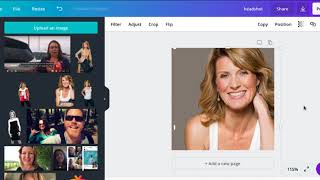
Sheryl Plouffe shows how to change your profile picture background in Canva to match your brand colors. Hire a Fiverr freelancer to remove the original background, then upload the masked image to Canva and recolor it to any shade you want.
Chapters
If you have an existing profile photo and you want to change the backdrop color, I'll show you how to do that and what resources to use to do that. First, though, before we do that, let's talk about profile photos in and of themselves. One of the biggest tips I can give you is make sure you use the same profile photo across all of your brand platforms: LinkedIn, Twitter, Facebook, Pinterest, wherever the case may be. Make sure that you're using the same one. I had a client recently I was working with who had different profile photos on all of her platforms, and it was confusing because people didn't know if it was indeed the same person. Because think about people who don't know you yet, and you could be potentially confusing them. What's interesting about this is that I can now come in here and change the backdrop to my brand colors. Green is not my brand color, but this is, as you saw in the previous slides, as is the purple, as is the gray. This is my palette of my new brand. My old brand color was a sort of a magenta color. So what I did here was I went to Fiverr and I found someone who could take my existing photos and cut out my picture. So let me just take this out for a moment and show you what I did. So this picture as an example, and then I can just pull this down because I don't want to have that gap at the bottom. See where my legs are cut off? So I can now take this photo and do this. And create an entirely new— now I wouldn't, I wouldn't use this photo for my profile because this is too far away. But you can certainly use it for other purposes. So what I did choose was this photo for that reason, because this photo is much, much closer up. And what I did was I even, you know, brought this up to a much larger scale so that again, my head's not cut off at the top. But you can see here that I've done this. Now I could also go back in here and change this to whatever color I want. If I want it to be blue, I want it to be I want orange, whatever the case may be, depending on my brand color. But what I did was I went to Fiverr, and you just have to text me or message me, and I can send you the exact person who did this for me on Fiverr. But this is called masking. So they can take an existing photo and cut out the person and leave and get rid of the backdrop. So I hope that's helpful for you. Some of my clients have asked me about this. I'm going to share this video with them, of course, but I thought it would be helpful for you to see how that's done as well. Feel free to follow me on social media @sherylplouffe and visit my website, sherylplouffe.com, for some freebies, including our 5-star rated free 7-day video challenge. Have a great rest of your day and talk soon.