Passive Recall: Techniques for Keeping What You Learn
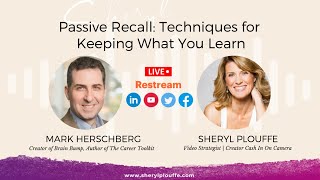
Mark Hirschberg created Brain Bump, an app that sends you daily reminders of key ideas from books, podcasts, and workshops without requiring you to study. Instead of flashcards you have to review, it delivers tip cards as pop-ups at times you choose, or right before you need them, like before a networking event. QR codes on books and slides let you instantly add a creator's tips to get reminders later.
Chapters
a way for you to retain all of the nuggets of wisdom that you have gained from all the seminars you've attended, the conferences you've traveled to, the books that you've read. This is a great episode for you if you've ever wanted to have that, because we have the solution today. Mark Hirschberg is with us today to talk about this, because it's important for us to have what we're calling passive recall. And, uh, Mark, so great to have you here on Cash In On Camera today to explain the concept of passive recall and how we can have techniques that would help us to retain and keep the things that we learn. So great to have you. How did you get started into this whole world?
Well, thank you for having me on today. My background is multifaceted. I have been building tech startups since the '90s, but I have also been teaching since the early 2000s, teaching at MIT for over 20 years. And one of the things that I found is as soon as my students finished the class, as they walked out of our final class together, I could see the information just falling out of their ears. And to be honest, the same thing happened to me whenever I finished that final at the end of the semester. Done. Information was lost. And I know from reading lots of books how often I'll read a book, I'll say, this is great, this is so helpful, and then I forget it. So when I wrote my book, I said, I want to help people remember this because where you read information isn't where you need information. We read and learn sitting at home or in a seminar or at the gym as we're listening to a podcast like this, but we need that information at some time and place later, and we often don't retain it. So that's how I came upon the problem and fortunately had the experience to be able to solve it.
All right, so when we talk about the title of this episode here is Passive Recall, explain to us what that means, especially the passive part of this. How is it that we've come to term this as passive recall?
One of the best proven techniques for learning is something called spaced repetition. Now, that's a fancy name for when we were in school, and we read the chapter and the test was in 2 weeks, we'd look at the chapter again or we'd check our notes. We would space out over time our exposure to the information. We're all familiar with this, we've all done it. A very common way to do this is flashcards, just look at the thing over and over. Now, there's plenty of flashcard apps out there and there's plenty of ways to take notes, but the problem is we don't actively go back and use it. You've probably used a flashcard app when you were learning a language, or if you were studying for your SATs or maybe MCATs, but that's about it. We don't, as adults, go back and say, that was a really interesting book, I'm gonna take notes and look back at again. Most people don't even take notes, and if you do, you don't come back to it. So what we needed was a way where you could expose people to those notes, to that information, in a way that didn't require proactive— oh, I gotta go open the app, I've gotta use it. And so with the Brain Bump app I created, it's like a combination of a book summary app, a flashcard app, and a daily affirmation app. So it's a summary app. It takes the key ideas from not just books but also podcasts, talks, classes, blogs, whatever source we get into the system It is like a flashcard app in that it takes that information and puts it into individual flashcards effectively. Not question answer, just here's what you wanna remember. It's like what you highlighted in a book or an audio clip from the podcast. So as a key takeaway, we've got little tip cards with that. But then the daily affirmation piece comes in because you don't even have to open the app. You can, and there are times you will want to open the app to get things, But you can set it up so each day at a time you choose, you get a daily reminder. So for example, if you are a new manager and you just read this book on management, say, okay, there's all this stuff I have to remember. What if at 9:00 AM each day as I walked into the office, I just got a little reminder, little popup on my phone. It's not annoying me cuz I'm expecting it. I wanted it then and only comes when I set it. 2 seconds a day, I get a little pop-up. All right, there's some good management advice. I'll remember. Swipe it away and you're done. And so you don't have to take any proactive steps. You just glance. Done. 2 seconds a day. But seeing it over and over gets that spaced repetition and gets you that top of mind. So it stays relevant.
So I want to give an example. So, for example, I have written chapters in a variety of different books over the course of time. And in many cases, those chapters are going to be about, you know, video and showing up and visibility and consistency and things of that nature. Let's say I've written a chapter in a book and it's about being consistent with video, for example. You're saying that one of the techniques to keep and retain that nugget of wisdom would be, in this case, to use the app to be able to send reminders of yourself to be consistent with that specific action.
That's right. So something that you would otherwise read once and then it fades away and you forget, if you see it a couple times over the coming weeks, you're more likely to remember it. It moves from your short-term memory to your long-term memory, where now it's just, it's part of who you are. You don't have to be reminded. The other way you can use it is for just-in-time, and it might be I'm about to do a video. You had all these great tips. What were they? I'm gonna open the app and pull up the tips right now on the spot and just flip through it 10 minutes before I go through the video just to remember. Oh, smile, right? That's, you know, that's a tip. I gotta remember a smile. Okay. Good thing I remembered that right before I came on. The example I often use, I have networking tips from my book. You read that sitting at home. But you need that 2 months later when you're at the conference. So what if you can pull up the app, everything is tagged, all the tips are tagged, things like hashtags. So you say, well, I need networking tips and you hit that tag and now you get a bunch of networking tips that you flip through 2 minutes before you walk into the room and now you're ready to network.
I can think of so many cases where we need information reminders tips at hand for various actions that we're about to take. So, in my world, that would be speaking or conducting a podcast interview. So, using the podcast example, if I'm teaching, let's say I'm teaching other people to create podcasts, I might be able to say to them, okay, here are the steps that you want to remind yourself of before you interview your guest. And those things could be fed to them through the app.
That's exactly right. I have my own podcast checklist of turn off the phone and turn on your lights and do things. And you can have it as a single, here's everything you need, single tip. Here's your 7 things, or it might be 7 different tips. It's however it's set up, but you've got all the information that you can pull up when and where you need it. And this is the key. If you think about most of how we engage with information, Email or social media, this stuff gets pushed out by the brand or by the creator of the content. They push it out at sometime this afternoon, tomorrow morning, when they think, well, the algorithms tell me this is my best bet. And they push it out against their whole audience. And some of the audience says, great, but most say, this isn't relevant to me. You've got great tips on how to do good podcasts, but it's 9:30 in the morning. I've got meetings. I'm not doing a podcast till next week. This isn't relevant. And so what Brainbump does is it inverts how we access content so we can pull content to us when and where it's relevant. So the audience, the users of the Brainbump app, they pull what's needed when it is going to be most useful. From the brand standpoint, by the way, and you can see on the screen for those watching the video, you can see an example, some of the screenshots. You can see the tip card. Now all the tips come with the source, with the brand, the book that's from, the podcast that's from. And so you'll see the brand and associate the brand with it. So brand creators, you get that recognition as well. Not only are they retaining your advice, they're going to see your brand over and over, and that's going to build that brand trust and recognition, which is why you put out the content in the first place.
We live in a world where there is content overload. There is so much coming at us. Do we run the risk, Marc, of almost having too many tips coming at us? Do we run the risk of sending too much information or tips our way that it confuses us?
Great question. Unfortunately, yes, we do. If you think about the standard corporate training, They say, oh, we're going to send you to leadership training or communication training or whatever it is. You're going to go off for this 2-day training session. Say 2 days intensive, you're taking lots of notes, you're doing all of this, and then you're done. Think about music or sports. We don't say, well, you're on the basketball team, so we're going to send you to a 2-day basketball clinic, and for 2 days you're going to do some intensive training. And now you're done. No more training for the rest of the year. You got everything you needed. What more would we possibly do? Of course not. You actually have to now do it over and over. And in fact, that's where you, you get practice, right? That's where it builds up the muscle memory. And if you just hit people with too much at once, you can't retain it all. So what Brain Bump does, we're still doing this 2-day seminars cuz we can't fly you somewhere for 15 minutes a week each week. You're still gonna get those 2 days of training, or you read the book over a week or 2 in kind of a concentrated session, but then we space out the reminders of that information over time, and that's what's gonna help you retain it because you first got that fire hose, but then breaking it into smaller pieces, that adds to the retention.
I wanna give you a scenario. I have a workshop that's coming up. And this workshop, we have a variety of different topics. But let's just say, for example, the workshop coming up is our Speak to Get Clients workshop. And so, we bring people in for 2 solid days where they're learning how to speak to get clients. But there is some follow-up that needs to happen after that event for, let's say, the next 30 days in order to flesh out all that they've learned, would they be able to use these concepts and this app to do that and to get reminders of certain actions they need to take over the course of the next 30 days?
Absolutely. What you as the content creator would do is put the advice, the key points onto the server, as well as reminders of things to do. And you might have that tagged reminder so they don't look at that after they're done. You can tag them however you want. You put the key ideas and the reminders onto the server. The really beautiful thing is that you get a special QR code and link. So whenever I do my talks, on the final slide where I say, thank you, here's my contact information, I've got this great QR code. And so I tell everyone, in order to help you remember everything we've just done in this workshop, just pull out your phone, snap that QR code. The first time they snap the QR code, they don't have the app, so it redirects to a page, the one you showed a few minutes ago, showing the website. And it says, here you go, and you can download from the Apple Store, Android Store. So they're gonna have a special QR code they snap that takes them to this page, and I just click the link for Apple or Android to download the free app. And then once the app is installed, they scan that same QR code again. And by scanning that QR code again, the one that's unique to you and your content, they instantly add your content, your tips to their app, and it sets up the daily reminder unless they choose to turn it off, which they can. And so now they're going to get every day a reminder of some of what they learned. So it helps them retain it, or a reminder of remember to fill out this worksheet and send it to us for a review, or however it works with you. So something that I think we didn't say before is that you, the content creator, put the tips in there so the app users— you don't even have to take the notes. Obviously you can for certain things, do whatever works for you, but the content creator does the work for you. So as an app user, hey, it's already done, it's already here, it's already set up for you to make it very easy.
It's great. I, I just think the concept is awesome because we see a lot of people that are, you know, out doing speaking engagements They have a podcast. They're sharing lead magnets. They are trying to put their intellectual property out into the world. But I can see use cases for this. And there's obviously a variety of different ways to use this particular app to do this. But the most important thing here to understand is that we need to be able to retain the information that we're gathering from various sources. And having them at hand is so important. I have a lot of great books behind me here. And in some cases, I write in the margin, like I write in the margin, I highlight. But those things are sitting on a shelf. And for me, in the moment, to be able to go and recall that, I have to go get the book. I've got to find the spot where I highlighted it. I know that there are apps out there that help you to also highlight digitally, but that's limiting too, because you still have to go back and find the place in the book where you highlighted that specific point.
Exactly. When I give the example of those networking tips as you're walking into an event, in theory you could have my book on your Kindle. You may have highlighted certain things, but you're not going to say, oh, right before I walk in, let me open up the book again and let me try to flip through the highlights and find the right things. They're not tagged, they're not organized. And really, the design of the app, we said it's about passive recall. The app is designed to really minimize the amount of work you have to do. So remember, you don't even have to put the content in because the content creator, the speaker, podcaster, or author, has put the content in for you. We will roll out some options in Q2, Q3 of 2023. If you want to add your own additional stuff, you can. That's coming up. But you will get content for free from the content creator so you don't have to create it. And remember, you don't even have to open the app to see it. We do as little effort as possible to get the benefit of learning and engaging with the content.
I think as a creator, we're always looking for ways that we can stay top of mind with people. And I can see this being a use case for that as well. Just this idea of staying in front of people and staying top of mind. That this might be a way to show your expertise, to show what authority you have and your subject matter, um, subject matter expertise, be in front of people on a consistent basis.
That's exactly how it helps the content creators, the people with brands. We have people who put that QR code into their books. I built the app after my book came out, went to print, so we unfortunately don't have— I just have a reference Go to the website, but people have the QR code in the book and in the introduction to their book, they'll say, as you read this book right now, snap that QR code, go install the app, get our tips, and you've got the tips as a companion as you're reading the book to help you retain it. When we do the talk, I mentioned how I put the QR code at the end of the talk. I'll of course debrief with the client a week later, and what I consistently hear is Your talk, your workshop is incredible. Normally people go to it, they say, oh, that was nice, and then they're done, they move on. But you know, I'm hearing all of our employees, they're still talking about the topics you raised. And it's not that my topics are so much better than everyone else's. It's that I am sticky because every day since they have been reminded. And so I keep talking about, they remember not only the content, they remember me, the brand. And so it helps build brand trust, especially going back to the book example. The book, of course, is not how most people make money. The book is that entry point to then build up the brand trust to something higher. And now they're seeing you even when they're done with the book, they're still engaged with you and your content and recognizing the value you provide.
I am a person who appreciates innovation. I love technology. I love smart ideas and smart strategies. And this is one of them, Mark. This is really a brilliant tool. And I think about our— the people that we serve, be it coaches, clients— sorry, coaches, consultants, and clients, but also speakers, authors, experts who could really benefit from this from a creator's perspective, in addition to the people that they serve. Right. So it's really on both sides of it. So it's really brilliant what you've created. And congratulations on Brain Bump. How do people learn more about it and get the app?
You can go to the website brainbumpapp.com. So just go to brainbumpapp.com, and from there you can follow the links. Either click the links if you're doing it on your phone, or snap the QR code if you're looking at the website on your browser. And that's going to take you to the app stores where you can download the completely free app. There's also a 90-second video, so if you click the video link, we have a 90-second explainer video that's going to walk you through all of the features on Brain Bump and seeing how the tip cards work, seeing things like we have links that will click through so you can go to the website. We have an awesome social media share. So if you like a tip, you're an app user, you like a tip, you can share that tip. And for content creators, not only can they share your tips— we know people love sharing quotes— we have a way where they can format. It looks really pretty. It will have your branding there. It will have your cover art of of your podcast or of your book. So your brand and your name get shared along with your quote. And in fact, if you include your, your social media handles, you get tagged in that as well. So you can see all these features, all the functionality at the brainbumpapp.com website.
Mark, this has been great. I want to ask you one last question, and that is, what is a tip tool, tactic, or technique. It might be Brain Bump. It could be something else that's really helping you to market yourself and to market your app these days.
Brain Bump has certainly been phenomenal for marketing my other content, my book, my speaking, because once people engage with me, hear about— some people hear me on a podcast, they say, okay, well, I don't know if I want to buy the book yet. I'm going to get his stuff on the Brain Bump app and check it out. But now they're seeing me over and over and they get reminded of who I am and the brand and the value I deliver to them because every day they see a good tip. And I've had people telling me they've been doing this now over and over. Every day they look forward to getting that tip. So Brain Bump has been a great resource for really building my engagement with my audience.
Mark, this has been really great. Thank you so much for coming on the show today and sharing, uh, these techniques for keeping and retaining what we learn in books, podcasts, social media, stages of all kinds, conferences, seminars, etc. And having this at hand, it makes a lot of sense. Thank you so much for being here and sharing your tips today.
More from Sheryl



From 'agreeable' to 'ruthless mentor' to 'strategic sparring partner' #substack #shorts







