Resizing Videos For Facebook And Instagram
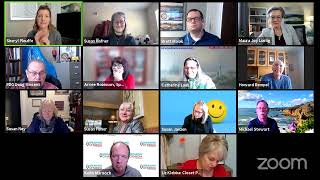
In this live training, video strategist Sheryl Plouffe walks coaches, consultants, and solopreneurs through the strategic reasons for resizing video content for Facebook and Instagram, emphasizing the advantages of square (1:1) aspect ratios on mobile feeds. She contrasts square, landscape (16:9), and vertical (9:16) formats, explains how mobile real‑estate, captioning, and branding affect viewer engagement, and demonstrates how to repurpose a 16:9 recording into square or vertical versions using tools like ClipScribe and Camtasia. The session also covers platform‑specific recommendations (Facebook, Instagram, LinkedIn, YouTube), discusses cropping versus envelope‑wrapping techniques, and highlights style choices such as headline space and logo placement. Throughout, Sheryl promotes her March 2021 Go Live Challenge, offers a limited‑time discount, and outlines an affiliate commission opportunity for participants. The talk concludes with a Q&A on technical details and a reminder to book further consulting.
Chapters
I'm excited to have you all here today. Sheryl Plouffe here, video strategist. If you're watching on LinkedIn Live, welcome. Doing a lot more on LinkedIn lately, so I'm really excited to be broadcasting live to LinkedIn. If you're watching on YouTube, welcome. Subscribe to the channel. New videos every Thursday. If you're watching on Facebook, either in the group or on the page, welcome, welcome, welcome. This is Cash In On Camera, and I help coaches, consultants, entrepreneurs, and solopreneurs to increase their influence, income, and impact. With video. And we do that through a couple of different things. One is we have the coaching and training side of what we do. And then we also have the virtual video production side of what we do. So every Wednesday at 3:00 PM, I go live on this platform. I'm using Zoom because this is our community that we're building here. And so if you are here and registered for the live training on the Zoom, you are here with me in real time and you can ask questions in the chat. If you are watching on another platform and the way I'm broadcasting this all out is through stream. That's how I'm able to broadcast this out to multiple places. I always go back and take a look and do our best to take a look at all the comments there. So if you're watching on Facebook or elsewhere, leave comments, ask questions. We're happy to support you to grow your business and be able to help you get more visibility and exposure in your niche with video. So before we get started today, and today we're going to talk about video sizing specific to Facebook and Instagram. And before we get going, though, what I would love for you to do the chat. Those who are watching here live on Zoom, I would love for you to type in the chat which size of video do you tend to do the most of. So if you are doing videos, do you tend to do square videos? Do you tend to do vertical videos? Or do you tend to do landscape videos the most? If you can answer that question, I would just be curious to know how many of you kind of gravitate to one size or another, one aspect ratio or another? I'm just curious to know before we get into this chit-chat today. Landscape, landscape, landscape.
Okay, cool.
Yeah, square usually, Maura says.
Awesome. Okay, great.
So we're going to just talk about that. I have my iPad set up here on the side, so I'm able to share my screen and draw a few things for you today. So we're going to get in, get into that. So that's awesome. Before we do that, I do want to do a bit of housekeeping and also a special announcement, something that may be of interest to you. I know some of you here on the call are joining us for the March 2021 Go Live Challenge, and we have—
whoop, whoop, whoop—
we have made a few changes. And it is interesting and exciting for you because the changes are to your benefit. What we are doing is I'm, I'm putting like all my eggs in that basket. In other words, I'm taking training and courses and I'm really jam-packing that Go Live Challenge full of not only the challenge, but also some resource materials and course materials into that one place going forward. So what that means is, yes, it means that the price is increasing. It does mean the price is increasing. But here's where it gets interesting. We're also opening up opportunities for those of you who go through the challenge and get, you know, get out there and go live. There's an opportunity for you to apply to become someone who promotes it on our behalf and earn up to 70— well, earn 75% commission on those referrals. So do the math. If the challenge costs $100, and you earn a 75% commission for people who sign up through your link. If you love the challenge and you go through it and you get great results and you want to promote it to your network, you earn $75 per registrant. So just start doing the math in your own head if you're looking for an extra source of income. The reason why we're doing that is because we feel like— and we haven't done a really good job of this, in my opinion, to this point— we want to be able to reach more people. And we see that the way we are going to do that is by asking you to help us. But you should be rewarded and compensated for helping us reach more people with this challenge. We really feel strongly that we are on to something great. A lot of you have been doing the— have done the challenge. I am just thinking of you, Maura. I just gave an example before we started this live today. Like, you had, I think it was 2,200 video views that you previously didn't have, you know, and now you have got your coaching program and like all these awesome things are happening. So, We really want to support you to not only do the challenge, we think it is best for you to go through the experience. What we are doing in February, so if you are watching this on the replay, I am sorry, I never do discounts. But if you are watching the replay sometime in the future, there is no discount available. But if you are watching live in the month of February 2021, we are doing a 50% off discount for this month. So, how you are going to take advantage of that for those of you who are not already, haven't already done it, it is going to be 50% $50. And what you'll do is you will email us at community@sherylplouffe.com. And then we're going to send you because the link is not— I don't want to put the link out publicly because then if someone's watching this replay in the future, they click the link, it doesn't work, then they're calling. So it's better for us to just— we're just doing this right now. Just email community@sherylplouffe.com and then we'll send you the link because it's a special link and then you'll be able to register for the Go Live Challenge in March 2021 at $50. And then you're also going to get really a whole bunch of training and the course materials, which I've previously, uh, was selling for $2,000. So you're going to get all of that included in, in that challenge. So this would be a great, great time. I know Susan's going to be joining, Arvie's joining, a whole bunch of you are coming on. So yay, excited to have you. We have already— gosh, I want to say already 20-some-odd people who are doing it. So we're really excited. We'd love to have you join us. OK, so that's the housekeeping. Let's talk about these video sizes. I'm going to admit to you that there is one specific aspect ratio that I want to do more of. And the reason why is because it, it takes up more real estate on the screen. And any of you, you can unmute yourselves if you have a guess. Who wants to guess what aspect ratio that is while I'm setting up my iPad? One of you can unmute and take a guess as to which of the aspect ratios between square, vertical, landscape.
Good guess, good guess.
16:9.
Yeah.
So 16 by 9 is vertical, right?
Oh, sorry, 9 by 16.
Okay, yeah, no, say yeah, 9 by 16 is vertical, right? Well, good guess. Um, I personally believe, and this is something I want to do more of myself, I don't know that we have been doing, um, a lot of this.
I'm just going to make sure I'm—
do you see my iPad screen on the computer right now. You are seeing that, Liz?
Yes.
Okay, okay, because this is the first time I'm using this little— I got a new iPad and the little stylus and everything. So, um, what I wanted to show you is this. Actually, I think if I— so on the screen, uh, what you're seeing are a variety of different aspect ratios. The one that takes up the most real estate in, um, in feeds, generally speaking, we're talking specifically about Facebook and Instagram today. I just wanted to preface that for Instagram and Facebook, the one that you really want to be doing more of is square.
I'm actually marking this up properly, right? So it's this one here. Am I marking that up? It's square, right?
These, these are the examples of the square that you can see. So square, square, Like that. Now what's interesting is that now a lot of you responded in the chat that you do a lot of 16 by 9. So 16 by 9 is this one, right? This is 16 by 9. It's 16 this way and 9 tall. That's like your, your— and it even tells you here on the bottom. This is a screenshot that I did from ClipScribe, actually, and it tells you underneath with the icons, and if you know your icons well, you'll know that we're talking about Facebook, Instagram, Twitter, YouTube, LinkedIn, and IGTV in this case, that the— your, your 16:9 is really, um, universal, I guess, in that sense, in that it can be used on any of these, on any of these platforms, which is, which is pretty cool. But as we take a look at the other aspect ratios, we can see here that In the case of this square here, it's a 16:9, but it's wrapped in an envelope that turns it into a 1:1 or a square aspect ratio. Now, you know, with our virtual video production service, we take a 16:9. We— that's what we do. We take a 16:9 and then we turn it into a square. A vertical like this and this one. That's what we do. And you— but you can emulate these for yourself if you're DIYing it with a Clip Scribe, as an example, or a Kapwing. But the point being here that with regard to Facebook and Instagram, the— whoops— the, um, the square aspect ratio takes up more real estate. So let me show you what I mean.
Let me go back over to my notes here that I'm going to mark this up.
Let's pick a nice color.
Let's pick purple.
OK, if this is the phone, right? And keep in mind that most people, right, the majority of people are watching videos on their mobile device. And this is the case now for many years. I'm not saying everyone, I'm saying the majority of people are scrolling through their phone. So if this is the phone and you are, let's say, on, you know, Facebook here, you know, here's a 16:9 video, right? So this would be like a 16:9 and what it would look like, how much real estate it would take up on the screen as you're scrolling through versus a square which would be more like this. So looking at these two, which takes up more real estate?
Right?
It's not that this is bad. It's not that— it's not that this is bad. It's just that this takes up more real estate. So it's just something to consider and something to think about. If the majority of people are on their phones, if the majority of people are scrolling through the feed and they're looking for that video or the piece of content that's speaking to them and then make them want to stop the scroll. And that's really our— what we're all trying to do is stop the scroll. You may want to consider creating more square videos. Not that bad. It's not that 16:9 is bad. I do a lot of 16:9, and I'm just telling you this because this is something that I personally want to do more of. I'm, I'm seeing, um, I'm seeing the benefit of doing more square videos. It's why we include it in our virtual video production package. But if you're DIYing it, then, you know, the square aspect ratio jumps out on the feed, especially on Facebook. Now, the other advantage to doing more square videos is that that's the size that you likely would prefer to have or would be better to have for the Instagram feed, because the feed being like the profile, the actual Instagram, like when you go to Instagram, you see all the squares, right? Those are squares. So your video now fits perfectly within that square. You can post videos that are like aspect ratio 4:5 instead of 1:1 in an Instagram feed, but it will be you know, cut off like a little bit, you know what I mean? So it's— it's— I like the idea of doing more square, and that's just something I'm implementing. I thought I'd share it with you today and give you some sense of why I'm actually going to be doing more of that in 2021. Questions about that?
So you're shooting it vertically or horizontally, but then you're editing it to make it square?
You can, yeah, it's easier to— and it's not say easier, it's more common to record it in 16:9 and put it in a square. But you can record it vertically and also put it in a square. It, it could mean, um, it would mean— and I don't do a lot of it, I'm just thinking, I'm just thinking about ClipScribe, like for DIY. And if I take— because ClipScribe, as an example, which is the tool that I use and recommend to resize your content and to do the transcription and to turn it into a video meme and brand it and all of that. Do a lot of recording in vertical format, but if you— but it does give you the option. It does give you the option to upload your content in either or. So, I'm actually going to experiment with that a bit more, Maura, and find out. But you can record in vertical and upload it, and it will give you those layout options like I showed you on the screen. It's just that it's going to be taking it and cutting it off.
Yeah, so Cheryl, ClipScribe is an app that we have on our phone so that we're video— we're taking the video and editing it all in the same place.
No, um, it's a desktop thing. Okay, so ClipScribe is a thing.
So create the video horizontally usually. And then bring it over to your desktop and edit it in ClipScribe there.
Yeah, in fact, let me see if I can bring it up and let's just go through that.
Oops, I got the wrong thing here. Clip— ClipScribe. Let's just take a look.
While you're pulling that up, I would think that the benefit to doing it horizontally is then you have vertical— you have space top and bottom where you can brand or write whatever. If you're doing it vertically, you're going to end up with that space on the side and it's not going to be as legible. You don't need people turning their heads sideways to try and read.
Right.
Yeah, that's a great point, Liz. And when you have— so if you have a, again, a 16:9 landscape horizontal 16:9 video, you're, as in the example I just showed, you're wrapping it into a square envelope. It's more— the layout is something that people are more accustomed to seeing on social media, this meme style that has a headline, like you said, Liz, a space at the top to put a headline, but also a space at the bottom to do— to show the transcription, if that were the case, that you wanted to show that transcription. One of the things we do too is like we also like to have a little space where we could put a logo. So it gives you that, that framework or that layout to— that's conducive to that. That is a great point. Awesome. So I'm just, um, oh, it looks like they might be having a bit of maintenance or something here, so I don't think I'm going to be able to show it. But, um, but I'm going to experiment a little bit more with that. If I take Clipchive and I were to shoot a video in vertical format and upload it, does it give me the same layouts, and does the layout envelope change? I don't— if I'm taking a vertical video and I'm putting it into a square envelope, what I suspect happens is that it's just going to squeeze that in and cut off the top, the bottom. Or I can squeeze that in and like you said, Liz, there would be space on either side. Well, that's not really conducive to putting a headline. I'm good. I guess if you got really creative, you might want to put a headline sideways or something like that, but It's not what we're accustomed to seeing, which, who knows, it could be an advantage to be doing something different. But, but those are, you know, those are some thoughts and ideas around aspect ratio, sizing of videos. You know, we, we start talking about YouTube, and specifically YouTube, you know, that's a different animal. Those are definitely horizontal landscape 16:9 videos, with the exception of YouTube Shorts, which are vertical videos. And that's something new that's happening over on YouTube. But generally speaking, yeah, you want horizontal on YouTube. That's really the, the universal sizing that you'd want. But when it comes to Facebook and then Instagram— and Facebook owns Instagram— you know, a lot of people use those two social platforms, you know, together in many cases, or have campaigns if you're running ads, if you ever decide that you want to run ads. You know, it's just something to think about that those two platforms kind of go well together. And you could, you know, be creating content. Ideally, you'd create content and have them in all aspect ratios, because that's— that gives you the most usage of the video. That's why we provide that in our, in our service, because you want to be able to have the square, the vertical, and the horizontal. But if given a choice, maybe you have limited team, limited time, whatever, then think about the square. I think the square is quite, um, it's quite exciting, and especially for Facebook and Instagram and how you could leverage that, that content. Even if you recorded in a 16:9, to wrap that in a square gives a lot of flexibility to add branding, add headlines, add captions, and then be able to get more— takes up more real estate on the feed as people are scrolling through on mobile. Um, The only disadvantage to square from a desktop perspective in terms of viewing experience is that, um, depending on how they're viewing it, there may be bars on either side. I think, I think if you put a square video on Facebook that— I have to double-check that, but I'm pretty sure you'd see bars on either side on desktop, not on mobile, but on desktop.
I believe that's the case.
What about LinkedIn?
LinkedIn, let me just look at my little cheat sheet here. LinkedIn is, in my view, LinkedIn is all about like more, more the horizontal. It's kind of more the YouTube kind of thing.
Let me just take a look here at LinkedIn.
You know, so ClipScribe here talks about the 16:9. Also square. It is recommending the 1:1 square for LinkedIn, and that's it.
Those two.
Oh, and yes, so square or 16:9. Yeah, for, for LinkedIn, I tend to— this point, I have tended to do the 16:9 on LinkedIn, but I may well, as I personally do more square videos going forward, I'm going to experiment with that. I'm going to put more square videos on LinkedIn and see if that— see if, if it does something different.
Does it pop?
Does it stand out? Does it make people want to view that video or that content more because it's taking up more real estate? I don't— I'm not convinced that as many people on LinkedIn are viewing it on their mobile as with Facebook. Okay, I still think LinkedIn is very much a corporate— I'm at my desk computer type of viewing experience. So that may be something to consider as well.
Yeah, great questions.
Okay, so I'm just going to go over here in the chat.
Yes, questions?
So yes, uh, Facebook is, as you described, the last upgrade, uh, they started putting bars on each side of a square, uh, graphic. So you're correct there. I just assumed that if I were going to take a 16 by 9 and make it square, I would crop on both sides. I know you're talking about putting headers and footers, but you haven't mentioned that way of doing it. Do you recommend against that?
No, I see what you mean. That would require— it does require a little bit more editing, but I will show you something. Let's talk about that. Actually, it's a great point. So let me go to my notes.
Okay, so let me share my screen. That's a good point, Doug.
So one other strategy, um, are you seeing my screen?
Okay, yep. So on screen here, hang on a second, it just has to think. Hopefully, I can get this to work.
So, while this is thinking, what you can do is you could record—
I'm going to stop the share. This doesn't seem to be working.
You could record your video, Doug, and this especially works for the talking head video, right? This isn't necessarily going to work as well in all situations, but let's say it's just like, you know, us, like coaches and consultants, people who are selling their expertise and their thought leadership and that sort of thing., and I'm doing a talking head video. So, I'm just going to show you by example here. I'm just going to sit back a little bit further. I'm not going to get so close. I'm going to sit a little bit back, a little further. Let's say I was recording my video like this, and I'm like, da-da-da-da-da, and I'm talking, talking, talking. There's a lot of space over here, and there's quite a bit of space over here because I've pushed, pulled myself back. What I could do then is I could take that video and I could crop this side and this side off and just leave the square. Do you see what I'm saying? I'm trying to draw this on the screen. So I could leave that, and that, that could be my video. That would require cropping and editing it to that dimension. So it's not necessarily as much taking the whole 16:9 and wrapping it in a square envelope, it's actually cropping the video itself to a square. So that's another way you could do it. Is that what you meant?
Yeah, that to me would be a higher quality end result because then, then you're getting your total graphic on the screen. You're not shrinking it down to take room for those bars.
It's a, it's a style question too, Doug. So it's more like, because to Liz's point, what maybe Liz really likes to have, that I— she really wants to have space for or a headline. Maybe Liz, to Liz, especially in Liz's world with its all style and color, and maybe it's really important for Liz to have some place to put her brand colors. So it could be more important to her than you, um, where she wants to have that color. And so she wants to have that envelope type of, of look, you know. Whereas for you, Doug, you might say, you know what, I really don't, um, I don't really want to have a headline or anything. I just want to have me on screen. And maybe you decide that I'm going to actually get the transcription put on the video.
Like, my— well, everybody, it's all subject to one's own taste and what they're trying to achieve. I understand that there's no one perfect way. Everybody has to pick what's best for them. But generally speaking, that stuff you're talking about is usually in an intro or an outro, or if you're explaining something and you put on a product, you may have some some overlays. But yeah, it's up to each person's own judgment and what their personal preference is, for sure.
Yeah, it has to do with the style, your style choices. It also has to do with what kind of video is it? You know, what is the intent? What is the video being used for? So that, you know, because each— when you create a video, there's a lot of elements that you could add into a video or you could keep it really simple. It could still— it could really be one person on screen if it's a 1-minute video. For Instagram as an example, it could be one person talking on camera for the duration with very few bells and whistles. By contrast, you could have a 1-minute square video for Instagram that has a ton of bells and whistles and lots of action and lots of movement, lots of elements of music and graphics and B-roll and everything.
Great, great point.
Love that. Arvie, did you have a question? No, okay, I just thought I saw a hand up somewhere and I just wanted to make sure. Was it Liz?
Hi, Liz.
I did.
I'm sorry, I throw in another question out there, but so if what you were talking about to Doug in the sense that making sure you embed, um, your script in there, because I'm trying to remember, you mentioned it last time or the time before about how most people, particularly watching on mobile, are watching without sound.
Yeah, I don't know the latest stat for 2021, but it was around 82% of people.
So if you're counting on them to hear you and that be the impression, we have a problem.
True. Yeah. Which, which is, I guess, another reason why I love the idea of captions and, and of having subtitles on a video. Like with YouTube, you can put them on or off, but you know, having captions on a video embedded on the video that cannot be taken off and on are very advantageous, and that's something that can be done with ClipScribe.
Cheryl, you can share a screen. Why don't you pull up one of your cute little ClipScribe videos and just give us a quick—
Well, I just tried, but it looks like they're doing some type of maintenance. There's a big red bar at the top. Let me try again. Let me see what's going on.
Let me see.
It just says our third-party upload service is currently down for image and video uploads.
Okay, so what percentage of the time do you use ClipScribe versus Camtasia?
Yeah, these two tools are used for different purposes. So ClipScribe is a tool that's going to help us with the repurposing and resizing and in particular the transcription of the videos, whereas Camtasia doesn't really do that. Camtasia I have done it the long way. Trust me, you don't want to do that. Camtasia is really more of an editor that allows you to— you can certainly resize it, but you'd be doing it kind of the long way, right? The idea with ClipScribe is that it's a platform that makes that process easier to be able to repurpose, but they're used in different ways.
Well, editor in what sense? That you're able to input or insert different images and put an end image and stuff like that? You can't do that in ClipScribe?
No, you can do branding. You can certainly— in ClipScribe, you can add, um, you know, headlines, logos, um, progress bars. You can add text, captions, and things like that. But can— let's say, let's say you were making a video for YouTube and you really wanted to have an end screen element You'd need to edit that into the project. That's not something ClipScribe would do.
Yeah, yeah, yeah.
So it's, it's— yeah, they're used for different purposes. Now, can they be used together? Yes, they can. Like, you could take— you could, you could edit a video in Camtasia, like edit the actual project, export it, and now upload that to ClipScribe and turn it into all the different shapes and all the different aspect ratios and add those elements like the progress bar, the logo. Like, you could do all that, but it's a two-step approach.
Okay. Yeah, got it. Yeah, great questions.
Okay, so questions, comments, queries? I'm trying to, trying to keep these, these trainings to— these trainings and Q&As to 30 minutes. And, and you know, this is a challenge for me because I like to talk, and I see that it's 3:31, so I want to be mindful of your time. Final call for any questions about this, okay? Um, can I see with a show of hands on the screen, is this helpful? Show me with hands on the screen if this is helpful. Okay, good. All right, good, good, good, good. Now, I'm not saying it's easy. I'm not saying it's easy, but I am saying that these are some considerations. These are reasons why you would want to consider resizing video in the first place. Why just— why not just take a video and just slap it onto every platform? Well, all the platforms are different. Now, your platforms of choice may not be the same as mine or Maura's or Michael's, and that's fine. That has to do with strategy. So, depending on what your strategy is and what platforms you want to really dominate on will determine what kind of videos you need to be making. Or repurposing. So, those are ways that we can help you figure that stuff out as well. So, you can go to CherylPlouffe.com. There are a whole host of resources there, including a button that you can book 60 minutes of my time with me. But I do want to leave you with the thought that March 2021 is not that far away. And if you want to join us for the Go-Live Challenge and get a sizable discount, then community@CherylPlouffe.com is the email address to write to and just say, hey, Hey, I heard Cheryl has this promo. You don't have to— it doesn't have to be a long email. Just say, hey, I want that link and we will send it to you and we'd love to have you in the challenge. Like I said, after the challenge is done, there will be an opportunity for those of you who've really done the work and really participated in it to join us to promote it and then you could earn as a result. So, we just want to put that out there. This is something new that we're doing. Really want to leverage your audiences, because we know that you have a lot of people who could benefit from something like this as well. But we also want to reward you for those referrals. We really appreciate you being part of our community. Susan, did you have a question? You're just saying peace out? Susan's like, peace out. OK, cool. All right. Thank you so much for being here. If this is helpful for you and you think your audience would benefit, please share this with them to your networks. And we'll see you again here next week, same Same bat time, same bat channel.
Thank you so much for being here.
Thanks, Cheryl.
Bye.
Have a great one.
Bye. Bye.
More from Sheryl



From 'agreeable' to 'ruthless mentor' to 'strategic sparring partner' #substack #shorts







