Video Coaching Calls using Calendly and Zoom
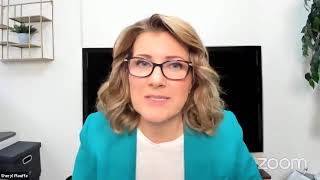
Sheryl Plouffe shows coaches how to set up video calls using Calendly, Zoom, and Restream.io. Video coaching builds stronger rapport and lets you share screens, record sessions for testimonials, and repurpose content. She walks through integrating payments, automating reminders, and scaling your scheduling workflow.
Chapters
I think we're live. OK, great. Welcome. Two days before Christmas. I am so happy that you're here. I'm not expecting to have massive audience today, to be honest with you. But you are the diehards and you're here and I'm loving it. So, Cheryl here with you. If you're watching the replay, if you're watching on YouTube or maybe LinkedIn or Facebook, welcome. For those of you who are new to me, my name is Cheryl Plouffe. I am a video strategist. Every Wednesday at 3:00 PM Eastern time, I take time out of my calendar to do a specific training on a tactic, a tool, a strategy that's going to help you, the offline authority, to build your business online. How we do that around here is largely through video. So today's topic is video coaching calls. So this is going to be specific for those of you who are coaches and consultants who either want to sell or give away coaching calls, whether that be as fulfillment, you know, to programs and services that you're already offering. You could also use these video coaching calls to bring in prospects. Maybe you want to use them for sales calls. So let me say that from a coaching perspective, you can coach in a variety of different ways. You know, you could coach in person if we were in the position where we could do that, you could definitely meet people for coffee at Starbucks and have coaching consultations and coaching calls with people live in person. You could also do coaching calls on a telephone, you know, and that works fine. You know, that works well. There is nothing wrong with doing coaching calls on the phone. Some people prefer to do that. But I am going to say that doing your video, your coaching calls on video is just taking it to the next level and building that relationship and that connection that you ultimately really want to build with your prospects or, or clients. So video, just like how we're doing here, you're seeing me, I'm able to see you, and we can build a stronger connection. But there are some other advantages to doing video coaching calls versus doing phone coaching calls. Some of which, especially if you're using the Zoom platform as we are today for these live trainings, one of the advantages is that I can share my screen, you know, so I can now show and demonstrate things to my client or prospect. So maybe I'm using it to, you know, I want to teach something and it's on my computer. Maybe I've created a document, maybe, and it's something that hasn't been shared yet. And I want to be able to present that to my client. For the first time on our coaching call. You know, that would be a great way to do that. You share your screen on Zoom and share that with them. You can also send documents through this tool as well. You're able to— in with video coaching, you're able to, if, if it warrants it, you may be able to even do some role-playing. So let's just say you're doing some type of, of of coaching, like in the, in the space that I'm in, which is largely, you know, video and communication and speaking on camera, I could— let's say, Ruben, you were my client in this case— I could say to you, Ruben, hey Ruben, why don't you pretend that you're on a video right now, and how would you introduce yourself? And then I'm able to watch you do it and give you feedback and give you coaching on your performance in that particular case. You see, you're not able to do that if you're doing your coaching calls on the phone. So just lots of different reasons why I think video coaching calls are, are pretty awesome. You're able to, especially in this platform, you're able to record the call. You know, the only thing I would say about Zoom is, and what I have found is because I do so many of them, I have had to upgrade my account So you get like— I have the Pro account with Zoom, and then I have to pay, I think it's $40 a month extra to have extra recording room in my account. That is one thing if you're going to be using Zoom video coaching calls, you know, you want to record them, you're going to have to make sure that you have enough room to be able to capture those recordings. That was the only thing that I have found. You know, it is an extra cost. But again, presuming that you have more clients who you're coaching, you may well be able to, you know, offset that $40 a month cost, obviously, with that. So just a great, you know, resource there to be able to share, not only record the calls, but then be able to share that link with your, with your client and say, okay, here is the, here is the link to the recording of our call so that they could watch it again if they wanted to. Maybe you were doing a tutorial where you're sharing your screen and you were showing something step by step, and that client wants to be able to review that and wants to be able to look at it again to, you know, go through. Liz, thank you so much for your patience. We're going through a bit of a growing pain with the, with the links. We're, we're going to stick with Zoom for the Wednesday weekly. Thank you so much. Um, another thing to think about with, with record— and I'm using Zoom as the example here because I think it's the tool that we've all gravitated to, are most comfortable with, are most familiar with— but it could even be another video conferencing tool that you use to do your video coaching calls. But I want to also be thinking about this from the standpoint of creating content. If your client who you're coaching agrees— and I would be mindful of asking for permission and kind of getting a release from them that they're okay to be part of you using their footage in the creation of content. But when you record a client coaching call, you are able to then take that recording and then create content from it. Maybe you want to create, um, a video where a portion of what you taught, you want to extract from that recording to create a tutorial for YouTube. As an example. So, it's a way for you to leverage the content, the coaching that you're doing, and create content from it. You could also gather testimonials. So, Ruben, I'm going to pick on you again, but let's say you are my client and we were talking and you loved the call. At the end of the call, I might say something to you like, Ruben, would you mind just telling me what your experience working with me today has been like. And then Ruben on camera says, oh, Cheryl, I'm gonna make this— I'm gonna make it positive. Hopefully it is. Um, but Ruben says, oh, Cheryl, I really enjoyed this call today. My biggest takeaway was learning this, learning this, learning this. Thank you so much. Great. Well, I've recorded that now, so with his permission I could say, well, Ruben, would it be okay if I use that as a testimonial to help in my own marketing, to help bring more people into the work that I do? And hopefully Ruben says yes. So it's a great way to use— now you can't do that necessarily with a phone coaching call. You could get the audio, but the video is so much more powerful. So lots of different reasons and advantages over why you might want to consider doing video coaching calls rather than phone. Right? Same is true of doing your coaching calls in person. If you're doing them in person, that can be great, but you don't have— unless you set up a camera and you record the entire call, the entire conversation, you know, that's one of the advantages, I think, of using video conferencing tools to do those coaching calls is because it's all happening right in front of us. So just some reasons why you might want to think about doing video coaching rather than than phone. I just want to open it up to questions. If there's any questions you may have, post them in the, in the chat. If you're here in the interactive portion on the Zoom, post them in the chat, and I'll come back and take a look and make sure that I capture all of your questions around this topic today. We're talking about video coaching calls. I'm actually going to walk you through and share my screen, ironically, since I just mentioned that, I'm going to share my screen and show you some tools, some integrations, and some things to consider that would allow you to do video coaching calls using some of my favorite tools. I'm really going to show you how I do it and some scenario-based situations that could even help you to make more money in your business. So do let me know in the chat.
One other thing that can be done is they can save the chat. So if you put those links in there, they can save that for themselves.
Yeah, yeah, I love that. Because if you're sharing, presumably if you're on a coaching call, and you know this more because you do coaching as well, right? You're sharing, you're, you're kind of giving your all and you're giving your best stuff to that client in that moment. And we're using the example of probably more of a private coaching call at this point. But if you're providing all these things, I know I do that a lot. So if, if I'm on a call and it's like, oh, you know, that person Ruben says, I don't know how to do this. I might say, oh, you know what, Ruben, I did a video about this on YouTube. Let me go grab the link. And then I'll go grab the link, put it in the chat. So Ruben has it right then and there. And to your point, Maura, this is a great thing to do at the end of the coaching calls to say, hey, make sure you save that chat. So now they can save that, and they click on the three little dots at the bottom. Or they could just copy and paste it. But yeah, then that's a great resource for them to be able to, to save it. It's a good point. So, um, the thing with, um, let me show you how, uh, I've done some integration, some of the tools that I use. Show of hands on the screen if that's what you want to see, some behind the scenes, like the innards of, of the, of the machine. Um, let me just go and make sure I'm sharing the right thing here. I want to make sure I've got the right screens up so this doesn't get confusing. Okay, so with coaching, you— so you, you've— whether you've, um, yeah, you brought a client on and that client you want to meet, maybe it's— maybe you meet regularly once every week, let's just say. The best tool that I have found— and there are other tools, there is Acuity, other scheduling tools that you can use. I know that in my CRM, Dubsado, there's a scheduling tool there. However, I have used Calendly for a long time and I love it. I don't see any reason to switch. It does everything that I need it to do. It integrates with the tools that I know and love, and so I use it. If you use a different scheduling tool like Acuity or what's the other one? There's TimeTrade, I think is another one. They all work great from my understanding. I just have been using this for a long time and I'm not, I'm refusing to have shiny object syndrome. I'm like, this works for me, I'm sticking with it because I have other things I need to worry about. So let me share my screen with you and I'm going to show you, you know, on the backside of Calendly. Now, I am on the— I had to look this up before this call today. I'm on the premium. Yes, I'm on the premium plan, which I think is $144 a year. And I used to be on the pro plan, which was $96 a year. Gosh, I mean, if that's not the best $96 I've ever spent, I don't know what is, because I have pretty much— I don't even know, I've probably done hundreds of hundreds of calls, you know, with this tool. The cool thing about it is that it integrates with different tools. So if your email service provider is Mailchimp, you can see here that it does integrate with that. Maybe you wanted to integrate with your Gmail, which I do have it set up to integrate with my Gmail. The ones that does integrate with Facebook Pixel. So if you are, you know, you can pixel the people who book calls with you and that could be advantageous as well. The ones I want to draw your attention to are Zoom. So you can integrate it with Zoom, right? And it would just walk you through the process of— obviously you have to have a Zoom account. I have the Zoom Pro account. So presumably, and I don't know this for certain, I'm not sure if you— when you have the free Zoom account, if it would integrate with Calendly. I think it has to be at the Pro level, if memory serves me. Um, so you would integrate with, with Zoom, and then you're going to want to integrate with— and I've done it, I think integrated with PayPal as well as Stripe. Because I use Stripe in addition with Kajabi. I use Stripe, so I have both a Stripe account and a PayPal account. So I have integrated it with both. You may only have PayPal, and that's fine. You can integrate it with PayPal. So the cool thing about this, and let me show you an example, that I can now create different types of events that people can book with me. Including clients, right, for the coaching calls. And if I wanted to— now, where's the one where I charge? I think it's this one. So you can even set up your coaching calls to have people pay for them. So if you have that integration piece set up, I can go down here and I can say I'm going to charge for this coaching call. It's, uh, $204. This is mine, it's $247, and it's set up with Stripe where I accept this on Stripe. So a person who's using this link to book their call with me would have to pay $247 in order to capture that, that, um, that call meeting. You don't have to set them all up to charge. If you have been, for example, maybe you have a coaching package. One of the things I love to do if I'm selling a coaching package, I will often, if not always, include private coaching calls with me in the package. So I don't need to charge for those calls because they're all included in the package. So in that case, I create an event on Calendly where there's no charge, it's just a link, and I can make it specific to that coaching program. And then I would send that link to those clients and say, hey, you know, book your calls with me and here's the link. So, so that's how I do that. So you can either do, um, paid calls or free calls using that system with those integrations, and you can conduct those calls in a variety of different ways. So let me show you what I would do. So let's just use our, um, this one as an example. It says, you know, what event is this? And in this section here, in the location here, I'll edit this so that you can see there are a variety of different options that you can choose. You could say, oh, this is going to be an in-person meeting. If this, if this were Starbucks, then you would say this is going to be an in-person meeting. Oh no, this one's going to be on a phone call. I'm using Google Meet. I'm using you know, was it GoToMeeting and some others here, or Zoom. So there's where that Zoom integration comes in. So when someone books this, they're going to get the, um, information that they need to be able to, to join you on Zoom because it's integrated with your account. Not every call has to be that way. You could set it up so that— let me use an exothermic— this one here, for example, um, you know, this one's booked. I, because I use Restream to do these types of calls, I like to use the, um, Restream.io because these calls, these 30-minute calls with Cheryl, I just happen to know they're not group coaching calls, they are individual private calls. The advantage for me to use Restream, let me see if I can show you actually, is that there's more branding capability there. So let me show you what I mean. Let me see if I can get there really quick. Enter Live Studio. I wonder if it will show you here graphics. Um, can I show a background? I'm not, I'm not sure if it's actually going to show you because I'm, I'm streaming this out right now. So I'll show it to you anyway. So this is the, this is the behind the scenes of my, of my studio in Restream.io. I have this tool set up to conduct my coaching calls with private clients because I like, I like, I can still share my screen, I can still, you know, do a variety of different things that I do on Zoom, but I just have more branding capability over here. I can have more fun with the graphics. It is a little limiting on Zoom. And in this particular case, you know, I might like to have different captions, different graphics. I still have a chat here. So there are some things that I, you know, like about this. But that's just a personal choice. Go ahead, Maura. Yeah.
What about sending out reminders about appointments? Is there anything that way you can help us with?
Yeah. So Calendly will do that for you on your behalf. It all has to do with the settings in there. The same is true, I believe, of Restream. You just have to go into your settings and customize what you want that experience to be like. So, for example, with Calendly, you can set it up so that your clients receive email reminders, text reminders, but you have to set it up so that it does that. You know, there's toggle buttons and specifications that you need to set up so that they get those reminders. But yeah, absolutely. That's the beauty of using this scheduling, a calendar scheduling tool like that, and integrating it with your video conferencing platforms is they now all start to talk to each other and take care of a lot of that automation on your behalf, as opposed to you doing manually, which you could do. I mean, you could have a Zoom and then have, you know, hey, you know, I'm going to send you my link and you can do it all through email and back and forth. But when you are growing, which hopefully that's what you want to be doing, is growing the number of clients that you're serving, that becomes a not necessary but also a nightmare, right? So you want to be using these tools to help you automate as much as you can. Now the thing with, you know, again, for me with Restream, I'll use it for one-on-one calls, or, or, or I could do it, uh, I could use that platform for groups of up to 10. I can have up to 10 guests in using the Restream.io tool to conduct my calls, coaching calls with Restream. With Zoom, you do have the ability to have, uh, I think it's up to 100 people. So, you know, so if you had a group coaching program with 100 people, you know, then— and I believe that is at the pro level of Zoom.. So you, you know, you, you could do that. You could have a coaching group, group coaching program, have up to 100 people and use Zoom to conduct that. That's pretty neat. So just some considerations. I think it comes down to really deciding, okay, how do I want to package these coaching calls? How do I want to sell them? And then knowing what you know about how you want to sell them, then you would set them up with these tools appropriately. You know, so for example, I'll give you a real life example. Back in— I don't even know what month it was. It was probably around July or August was when I started getting a lot of requests. People wanted to get on an hour call with me. You know, like a lot of people like, I just need an hour of your time. I need to know how to do this. I need to know how to do that. And I had to start charging for it. You know, so it's like, hey, let's, let's do this. So what I did was I really created a whole stream of income just by using those tools that I just showed you and connecting Stripe to it, charging $247 for that call. But the beautiful thing is, and I could still send it to people now, I could say, you know, hey, I do have a 1-hour, 60-minute call that you can pay for time with me and we'll use it to, you know, do whatever it is we need to do. Here's the link. And that's all you have to send. You just send that link. I'd say I'd send that link to Irene, and Irene would go, okay, cool. And then she would get the link, she would open it, she'd click it, and it would show my availability on my calendar, which I have already determined what I'm— where I'm available, where I'm not available. And she'd say, oh, I see Cheryl's available on Friday January 8th at such and such at 4 PM. Oh, that works with my schedule. Okay, cool. She'd click it and it would walk her through. What's your name? What's your email? Da da da. Oh, how do you want to pay for the $247? And then she'd say, oh, I'll choose PayPal. Okay, cool. Click, click, click. And then it's done. You know, so it's really simple for even the client to be able to, to, to book that time with you as opposed to the whole back and forth, back and forth. When are you available? I don't know. When are you available? I don't know. I'm busy. It just makes that whole process so seamless. So I think, um, you know, from a video coaching call perspective, so many advantages over doing it on the phone from a connection perspective. And then the next step of that is amazing tools that are designed to integrate with each other to make the process of booking those calls seamless. On your behalf and on behalf of your client. Questions, queries, concerns. Okay, Liz says Acuity. Okay, did I mention Acuity? I'm not really— I know the name, but I am not as familiar. So Liz says Acuity changed my life. Love to hear that. That's awesome. And I presume, Liz, that Acuity, similar to Calendly, right, it's able to do a lot of the heavy lifting for you to help you make, you know, get those coaching calls on the books, whether they're free or paid. So that's great. Brett says, what are the benefits to integrating Zoom with Calendly? I think, Brett, it's just more from the perspective of getting these tools to talk to each other so that you're not having to manually do that back and forth, back and forth. They're talking to each other and linking up the appropriate links on your behalf, and, and that's, that's amazing. Um, Reuben, I see you asked me a private question. I'll have to— I'll get back to you. Quality recording. Okay, okay. So questions about this? Well, I'd love to know what scheduling tools you may already be using. Liz is using Acuity.
How much do they charge?
Acuity? Acuity?
Yes.
I don't know. Liz, if— can you come on? Do you know how much they charge for Acuity? I think it's like $10 a month. I think it's $9.99 a month, and it has really— it is literally, like she said, it's been life-changing. That's great.
That's dirt cheap.
It's— yeah, I think it's $9.99 a month or something. So affordable. Yeah, like, it's It, I agree with you, Liz. It's life-changing for a coach or consultant whose business it is to talk to people and book calls. Like, that's really what your business really is, is talking to people and coaching them. So you have to get your scheduling really dialed in. You've really got to get these tools. Like, if you're doing it, it's okay. I think in the early stages, if you are getting your first 1 or 2 clients, you know, that's manageable. You can certainly get on an email and book one client in it. You're at the early, early stages. But when you start to grow, it becomes a thing where you have to have tools like this.
You can— I use Keep by Infusionsoft and I set up all my appointments in there. And then I also have the free casual version. So they give you one appointment free. But what I haven't set up is the reminders and the follow-ups. And I've been doing that part manually. And I'm going to explore to see whether Keep now has something in a sort of a reminder function, and if they do, great. Otherwise, $10 a month sounds really good.
You know what, Maura, I believe Keep is a very smart, robust tool. I would be shocked if it didn't have that in there.
I would look— I'm going to check that out today.
Thank you for pointing this out. Grow or Keep Pro or Infusionsoft?
I have Keep Pro. I had Infusionsoft for 2 years, then I switched to Keep Pro for the last year. But, and so you've got tasks. Yes, tasks, of course. But I'm wondering if there's something within the appointment panel function that allows you to automatically send up the reminder, set up, send out reminders. So I'm going to check that out. Yeah.
And if it— and if Keep integrates with Calendly, even the free version, Let's, let's actually take a look, you know. So if I go into—
I did not see it there. No, scrolling through the options, I was looking for it and I didn't see it.
So here's where— so let's say I'm just using, you know, this event as an example, uh, the 30-minute call. If I go down here to— now this is something new, uh, that I have seen recently in Calendly. Again, I have the Pro version, so I don't know if you see this in the, in the free, but they're doing these workflows now in Calendly, which is interesting. I haven't explored that yet, but it's something new. But this notifications and cancellation policy, um, so here, this is the section, right? Would be like email confirmations. Your invitee will receive an email confirmation with links to create their own calendar event, blah blah blah blah blah. Email cancellations, email reminders. Um, I could have even follow-ups after the call if I wanted to. And I can set up text reminders.
Yeah, what I really want is the reminders, both text and email, like your call is on such and such at such and such time, like tomorrow, 24 hours or whatever.
That's going to be this section here. So it'd be like, reminder, um, 30-minute call with Cheryl at 2 PM on January 8th. Hey Maura, this is a friendly reminder that your 30-minute call with Cheryl. Yeah, that's where— that's— and you can set it up. This is kind of neat too, how many times you want that reminder. So if you want it sent 24 hours before, an hour before, and you could even set it up to be, um, before you do this, right? And then make sure you save. It's just not in the free version of Calendly. That may be the case. Yeah, I, I don't— I haven't had the free version forever, so I don't know. But, you know, if you are— I think it's just like anything, any of these tools, like, you know, Calendly, Zoom, da da da da, you get so many features for free and they dangle the carrot and go, you want this? But it's, in my view, it's always been worth it. It's always been worth it to upgrade to that You know, that next level. OK, maybe we don't have to go to enterprise level on these tools, but going up that next step from free to like the pro or free to that like next step, I have— I cannot think of a tool where I have upgraded to the next step and it hasn't been worth it and saved myself tons of time and frustration and overwhelm. So I can't say enough about the tools. And also the fact that they integrate with each other. I mean, that to me is what's fabulous about these things, that they talk to each other, you know. So I think, you know, if you are selling your time, you're selling your advice, you're selling your expertise, which is essentially what coaching is, you really got to dial in the scheduling and fulfillment side of those coaching calls. And what does that look like? What are the tools that are going to work best for you? And making sure that you're getting into the backend of them and making sure that they're integrated. Because sometimes it's a case of you might not even know, let's say, Brett, you know, you have Calendly and you might not have even known it integrates with Zoom. Right. And then you're like, oh, that's going to save you tons of time. So one of those things where it's like you don't know what you don't know type of thing. I just heard that it also connects, uh, connects to Outlook. Not that anybody besides me is still using Outlook, but I still do. So, um, I was going to look into that as well. Yeah, absolutely. Yeah, I need to run, but I'm sorry.
No, don't— Are you going to have a call next week?
Uh, you know what, I think, um— Oh, look at you! Look at you. Yes, I'm planning to have a call next week. Okay, I am. Uh, what is the topic next week? I, I can't remember the topic right off the top of my head, but I have it planned.
So it better be something Christmasy or New Year's Eve.
I don't think it is. Um, planning something about planning. Biggest Scrooge in the face of the planet. I don't know, I'm not— I like Christmas, I do. We don't go crazy, but thank you so much for being here. I really appreciate your time to jump in. I'm again, you know, it's that time of year where it gets busy, so I'm not expecting massive crowds, but if you definitely want to come in next week and join us and bring your— I guess you'll have to bring Maura your New Year's hat, you know. Okay, I'll hold you to that.
Well, if I do it, everybody else has to for that. Oh my goodness. Let's have some fun.
That's right. That's right. Well, you know, I'm excited. I think, listen, I mean, 2020, crazy year. I'm excited for like a fresh start. I'm working a lot now to the end of the year, the next 8 days, just to tie up all the loose ends of 2020 and just be like, I just think I need to mentally start fresh and go, OK, all right, 2021, let's do this.
Just before getting on this call, I created a short video. Thank you for all your training. And the video was on the topic of, uh, like, what does your dream vacation have to do with setting you up for success in 2021? And it was around, well, what's your idea of a dream vacation? Is it an escape? Is it something with a beach, or do you look forward to a destination where there's culture, cuisine, exploration, uh, history? And depending on how you answer the question, that tells me how your year's going to go. Interesting. Because if you need to escape from the tedium and the overwhelm, then it's time for some self-care. It's time to create mini vacations on a daily basis so that you never want to run away from your life. You always want to run to something exciting to add as a cherry on top.
Love that. Is that on your— where is that video found?
I haven't published it yet. I literally just finished it.
Well, I'll watch for it. Thank you. Yeah, I love it. That's great. Maura, I'm so proud of you. I'm so proud of all the work that I see you putting into your videos and I'm reminded of a call we had maybe a year and a half ago, and it was a different scenario. And I just love seeing the growth that you've had and the work you've put in, you know, to do it.
Well, Cheryl, you're a real servant leader. The fact that you provide us with this forum every week and you figure out ways to add value to our lives, and then you also, you know, have your wonderful paid programs in addition to this. With you, it's always yes and. So thank you for all that you do. And I look forward to continuing to show up.
Thank you. I appreciate that. That warms my heart. Thank you so much. Well, I would say, you know, give— if you don't already have a scheduling tool like that, you probably need, especially if you want to grow or if you have a set number of clients right now where you're finding you're doing a lot of manual work. Let these tools do some of the heavy lifting for you. If you already have those tools, look into the recesses of it, look at those integration pages, look at the tools, look at the levels of the things that you have, and maybe you'll explore or, or uncover a relationship between these tools that you've not already set up to be able to help you save time, save energy, maybe even save money depending on the situation. But that's what, that's what I see the advantage of these video coaching calls of being, because when you get really good at using these tools and you can bring in more clients.
It's not just that, more people, they make you look more professional too.
Absolutely. Yeah. Thank you so much and have a merry Christmas. Really, the bottom of my heart. It's been so much. I mean, this, despite it being a crazy year, I've really enjoyed and still enjoy doing these Wednesday trainings for you. And, um, and if you have any, you know, ideas for 2021 you know, send me a text 226-917-2038. I'll put this in the chat real quick here.
But, and also, you're launching the next challenge January 2nd, aren't you?
Yeah, we're starting a challenge. Um, so the challenge is open for registration, and, uh, we do them at the beginning of every month. So some of you have done the challenge, maybe you need to do it again. Do it again. You might have to do it 5 times.
That's okay. Questions.
You want fresh questions? Oh, you know what, I could probably come up with some fresh questions.
All right, game on.
Okay, okay, cool. Um, but the challenge is, in our view, the momentum builder. It's the thing that gets you off the couch. It's the thing that's going to be like, okay, make that decision, challenge yourself to do 1 minute a day for 30 days, and I promise you that if you do that, you're going to you are going to feel differently inside. You are going to not feel like, oh, man, I feel overwhelmed. I am not doing the things I need to do, as opposed to, look at me, I am doing it, I am doing it, you know, and it is exciting. So, if you are interested to know more, just text me, 226-917-2038. We also have a whole bunch of other resources. Another thing you can do is we have a Community Manager. So, you can go, you can email community@sherylplouffe.com if you're just kind of at that point where you're like, I don't even know who this Cheryl girl is, um, but what is she all about and what does she do and what are the free resources that she offers and has, we can send them to you. So feel free to, you know, email community@cherylplouffe.com. Happy to do that as well. Ruben, um, I'm not sure I know the question, but let's connect and maybe I can answer that question for you. Hi, Theresa, nice to see you. Liz, thank you so much for being here. Appreciate it. All right, so if you have any questions, please reach out to our team, reach out to me. We'd be happy to help you with more resources. And I will be doing a call next Wednesday, and I hope to see you then. Merry Christmas. You are magnificent. Merry Christmas, honey.
We love you.
Thank you, I love you too. Have a great rest of your day and Merry Christmas. Happy holidays. Bye. Bye.
More from Sheryl



From 'agreeable' to 'ruthless mentor' to 'strategic sparring partner' #substack #shorts







