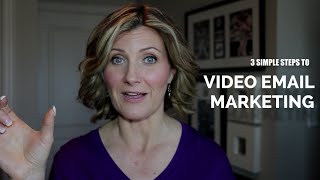
Sheryl Plouffe shows how to add video to email campaigns. Forrester research found videos boost click-through rates by 200-300%. Record a short clip under one minute, host it on YouTube or Vimeo, then embed a clickable thumbnail image in your email that links to the video.
Chapters
Hi, I'm Sheryl Plouffe, national TV broadcaster and video marketing expert for entrepreneurs. I help entrepreneurs and business people, coaches, consultants to make really simple videos very much like this one, where I teach them how to do it without having to have everything perfect, without having to write scripts, memorize text, do retake after retake, or read from a teleprompter. So that's what I do, and in today's video I want to talk about video email marketing. There's a great statistic from Forrester that says that when marketers include a video in an email, the click-through rate increased by 200 to 300%. So think of what that can do for your business. So for those of you out there who are building an online business, you may have already taken some courses on online marketing, so you kind of know the basics of how it works. And typically what you'll do is you'll create a free gift in exchange to get someone's email address. Once you get that email address begins a whole other another conversation, and really a relationship-building process with your prospective clients, customers, and the like. So in that email marketing campaign, or simple— some people like to call it a funnel. I don't really like that word, but in any case, that campaign, if you use video in the email marketing campaign, it's going to get you much more engagement. There are also statistics that show that if you use the word video in the subject line, that it completely skyrockets. So it's a very powerful medium. But some people are unsure of how to use video in their emails and how that actually works. So I wanna talk about 3 different points today and really more of the process of how you would actually go about using video in an email. So the first step is to record the video. You can record the video however you like, whether it be on your smartphone, it can be on a DSLR camera or a compact system camera like what I'm using right now. It can be a digital camera, obviously has to have the capability of recording HD video, so record the video. I, of course, being a major proponent of putting your face on camera, so let's presume you do that. You are going to create a very short video, likely no more than a minute, in an email. Record your short video. It can be a thank you, it can be just giving somebody maybe a little bit more information. You want that personal touch, that's really what you're trying to do in an email, so it can be kind of a glossary a synopsis, if you will, of what's being discussed in the email, but you gotta keep it really short, preferably less than a minute. And also include a call to action. So at the end of that video, what do you want people to do? Maybe there's a link below where people are to download their free gift from you, or what have you. You want to include the call to action in the video, and that's really your opportunity to create connection with your audience. The second point is You take that video and then you have to host it somewhere. It has to be hosted somewhere. I often talk to people who shoot video on their iPhone and then they're kind of not sure what to do with it next. They're usually missing that hosting part. What does that mean? It means that you'll upload that video to a host like YouTube, which is free, or a paid host like a Vimeo, or like what I use, which is Wistia. So really it depends on what you want to do. I personally believe that it's better to do it in the paid host for email because people have already opted in to you at that point. Where I like to use YouTube is more on the front end, which is enticing people to come and join your list. That's how I view it. You may see it a little bit differently, but in essence, what really needs to happen is you have to host it somewhere. So if you're, you say you're hosting it on YouTube, you upload it to YouTube, to your channel, and you could maybe even have it unlisted, but you want to get that link. That's really the important part. You want to host it somewhere and get the link for your video. Okay, so that's step number 2. And then step number 3 is you're going to embed that in your email. Now, to this point, there are some services out there that help you to actually have the email right in your— or rather, the video right in your email, but it costs a lot of money. What I would suggest if you're starting out with video email marketing is that you will embed this in the email with an image. So you want to get a, a screen capture, an image of some sort, presumably the thumbnail of the video or something that looks like a thumbnail that will entice people to want to click it. It can have maybe a little symbol with a video arrow on it or something like that that's very clear that people are to click that image to see the video, but you'd include that image in the email and then build the link in so that when people click that, it takes them to wherever it is you have it hosted— YouTube, Vimeo, or Wistia in this particular case. So that's really the process: record the video, host it somewhere, and then embed the email in— or rather, the video in your email. Video email marketing is a very powerful medium. Most people don't go to the length of including them in their emails, so if you start doing that you're going to stand out heads above the rest and above your competition. I've used it personally too and have noticed definitely, definitely more engagement when I include a video in my email marketing. So try it. I hope you enjoyed this video. If you know someone who could benefit from these tips, please share this video with them. And if you want to connect with me and learn how we can maybe work together further, I also have some links that you'll see below if you're watching on YouTube, but certainly watch for the links somewhere on this page If you're watching on a mobile phone, you'll have to close the video out, but you'll find the links here either to book free time with me for a consultation, you can download my free PDF, or you can join me on my live masterclass webinar. Thank you so much for joining me. I'm Sheryl Plouffe, and I hope you have a fabulous day. I'll see you in the next video.