extraordinary-artemis reviews the Logitech Blue Yeti USB microphone, covering its weighted base, headphone jack, and four pickup patterns: cardioid for single voices, omnidirectional for all directions, bidirectional for interviews, and stereo for instruments. The reviewer recommends a foam windscreen to cut breath noise.
Chapters
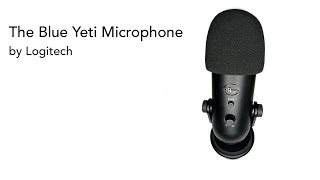
Today we are reviewing the Blue Yeti microphone from Logitech. So let's get started. Today we're looking at the Blue Yeti microphone from Logitech. It's a great microphone for those of you who are just kind of starting out, especially for PCs, gaming, Zoom calls, etc. Out of the box, it comes standard with this nice weighted base. It's adjustable with a tilt here. The microphone itself comes with a headphone volume, instant mute. So if you have to mute with, you know, dogs barking or something in the background, you can go ahead and just click that quick and it'll turn off. It is plug and play. So you simply connect one end of the cord to your computer, plug the other into your microphone like so. It also has a connection jack for a boom as well as your headphone jack to plug in your headphones. A couple of notes about the microphone before we look at the back. Blue Yeti does advise it is pretty sensitive, so you want to make sure you're not only using the right control on the back, which we'll see in a minute, but also be aware of your surroundings so that if there's a lot of outside noise— lawnmowers running, dogs barking, etc.— chances are high that this microphone will pick it up. I myself choose to use this foam filter to help filter out any hissing from my voice, you know, air noises, etc. It works great. Now for the back of the microphone, you can see that it has a gain control here. It also has 4 different settings, and to help explain those, I'm gonna pop in here the little chart that Blue Yeti supplies. The 4 different settings are your cardioid mode, which is really designed to be used for just a single voice. You've got your omnivoice, which is picking up sounds from all four sides of the mic. The third one is your bi-directional mode, which is designed and best used for instances where you might be doing an interview, might be participating in a podcast, etc. It's going to pick up voices from both sides of the mic. The last one is the stereo mode. That's really suggested for when there's instrumental music in the background that you want to pick up, whether it be, you know, people playing instruments or whatever. It helps translate the sound into a stereo type of mode. Bottom line, it's a great unit, especially for those of you just starting out. The Blue Yeti microphone from Logitech.