What's new in Laravel - Taylor Otwell
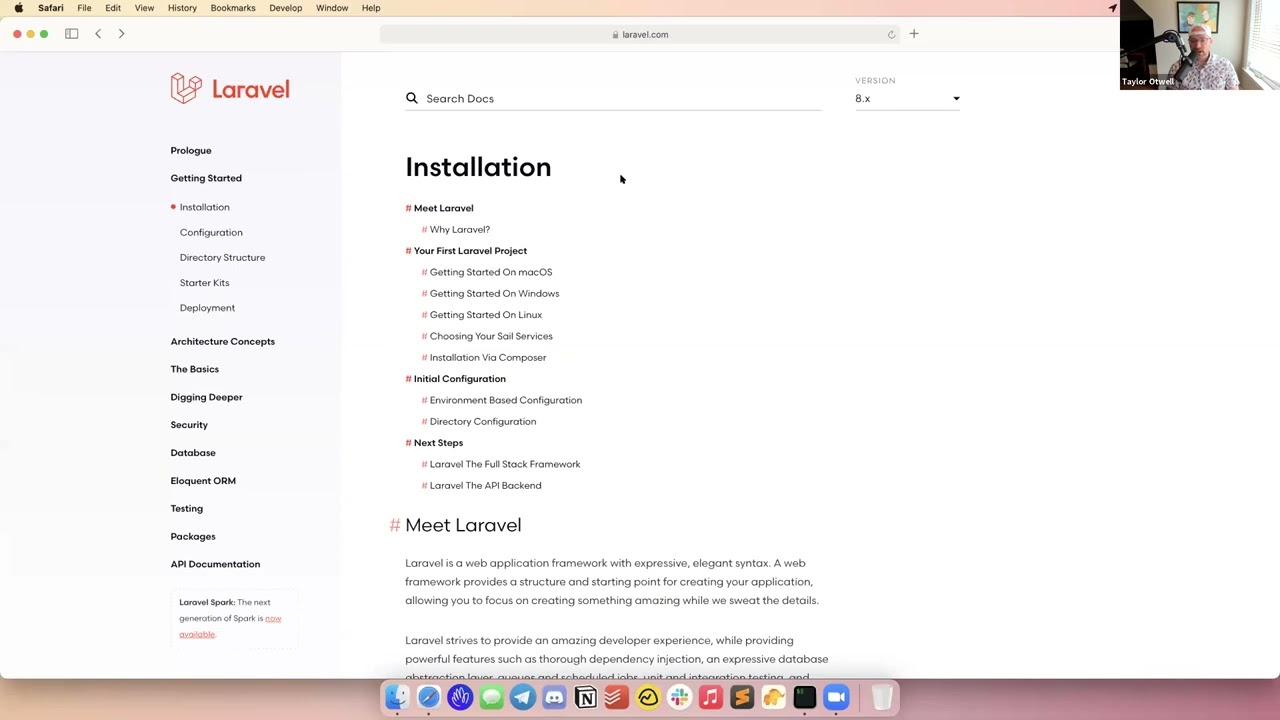
In this Laracon Online presentation, Taylor Otwell walks the audience through a series of recent Laravel updates and upcoming roadmap items. He begins with a logistical announcement that Laravel’s release cadence has shifted to a single major release per year (with minor releases every Tuesday), explaining the benefits for developers and showing how features like parallel testing were back‑ported to a minor release. He then demos several framework components: - Laravel Sail now lets developers pick which Docker services to spin up and adds a new MeiliSearch service with a Scout driver, demonstrated by building a searchable movie model. - Laravel Breeze receives an Inertia‑based scaffolding option, shown by installing Breeze, running hot‑reloading assets, and customizing the generated Vue components. - Laravel Cashier gains metered‑billing support for Stripe, enabling usage‑based subscription plans. - Two new Eloquent casts – `asarrayobject` and `as_collection` – are introduced to simplify working with JSON columns, illustrated with routes that modify array data without triggering PHP’s “indirect modification” error. - Fluent JSON testing (contributed by Claudio Decker) provides a chainable API for asserting JSON structures, including security‑focused checks for unexpected fields. - Parallel testing (Nuno Maduro) is highlighted as a way to halve test suite runtime. - A new ThrottlesExceptions middleware (by Paris Mahultris) lets jobs limit the number of exceptions they can throw within a time window, with live demos of throttling and max‑exception behavior. - Finally, Otwell unveils Laravel Octane, a first‑party package that runs Laravel on Swoole or RoadRunner for extreme performance. He explains the trade‑offs of long‑lived PHP processes, shows configuration, worker management, hot‑reloading, graceful worker recycling, and benchmark results comparing traditional FPM to Octane. Throughout, he thanks the event sponsors, especially the platinum sponsor Vehicle, and acknowledges the Laracon Online organizing team. The talk blends community updates, technical demos, and forward‑looking performance work.
Chapters
Again, platinum sponsor, could not do it without them. We will see how this goes. I'm playing a video from the keynote. I'm optimistic. I did test it.
Let's see.
Here we go.
Vehicle strives to be the best Laravel development team in the world. We're a Canadian dev shop located in Southern Ontario, specializing in Laravel, Vue, and other JavaScript frameworks. Our 50-person dev team works with other tech firms to help them build exceptional web and mobile applications. We act as an extension of our clients' team, working with them to ship clean, maintainable code. Our goal is to make you look like a superstar to your stakeholders. Here's how we deliver on that promise. Our foundational values are caring and growth. We seek to provide a caring environment enables our team to focus on growth. This in turn allows us to deliver for our clients. We are one team with our clients and we share in their successes. We take pride in our strategic work mindset, adapting agile practices to get the job done. Our normal engagements consist of 2 dedicated developers working week in, week out as a direct extension of your internal team. So what does working with us look like? We have daily Slack communication with your team. We collaborate with you on weekly or biweekly sprint planning. We provide demos and retrospectives at the end of each sprint. We work with your team to have collaborative PR reviews. We have daily mobbing sessions and pair programming to ensure we ship high-quality code. Overall, we work as an integrated part of your team. Our goal is to make you look like a superstar. We love giving back to the tech community, so if you'd like to know more about us, be sure to check out our podcast where we talk about Laravel, Vue, and the many other technologies that we use. We organize Laravel, PHP, and JavaScript group meetups in our community. Find us on Meetup. Also be sure to attend conferences. We usually bring our entire team to Laracon. But enough about us. We want to learn about you. We would love to have a conversation and learn about what you've been working on. We're also giving away your choice of an iPhone 12 Pro or a Google Pixel 5. All you got to do is hit that green email opt-in button or book a call with us to be entered into our draw. We also wanted to mention a big thank you to everyone who helped organize Laracon Online this year. You can visit our website at www.viacool.com or send an email to go@viacool.com. We look forward to hearing from you, and thank you so much for watching.
All right, awesome.
Thank you. Thank you again to Vehicle. And go check them out over in the digital swag. You can just click that button to sign up to talk with them further or to schedule a time to talk with them and enter to win their contest as well. So thanks again, Vehicle. All right.
Let's see.
Let's see if Taylor's in the tornado bunker or not.
He's coming.
There he is. Looks like he's still in his boring office. That's all right though. All right, man, well, take it away.
All right, let me, let me stop the share.
There you go.
All right, I am attempting to share. Am I sharing?
Yep, you're good. All right.
Hey everybody, uh, thanks for joining us at Laracon Online. Um, hopefully next year we'll be able to do an in-person Laracon, but this has been a really great, uh, way to stay in touch with everyone and let a lot of people attend these kind of events that might not otherwise be able to. Thanks to Ian and Eric and the rest of the Userscape-based Laracon Online team for making this thing happen. They put a lot of work into this and thank you to our sponsors as well for helping fund this event and letting us do such a great thing for the community. All right, so as you may know, I'll just be covering some of the recent stuff that's been going on in Laravel, some just sort of community things and logistical things as well as new code that's landed in the framework over the past few months and even the past few weeks, showing it off to you and talking a little bit about what we're working on for the future. The first thing I wanted to talk about is not anything code related, but it's more of a, one of those kind of logistical things that I mentioned. We have recently changed the Laravel release cycle. Typically at a Laracon Online like this in the spring, I would be talking about the upcoming features in a new major release. But we recently changed the release cycle to be once per year, so that means we do one major release per year, typically late in the year like September, October. So that means there's a few reasons for that. You know, one, it makes your life easier because you only have to upgrade your application once per year instead of twice per year. Also, it, it forces kind of us to think about any new features we want to add and try to implement them in a non-breaking way and bring them to you sooner, which you can see an example of that with the recent parallel testing feature that was originally going to be a Laravel 9 feature, which would have been the next major release. But instead, we just kind of fixed up some of the minor breaking changes and shipped it out with just a minor update in Laravel 8. And, you know, so just because we switched to a yearly release cycle, it doesn't mean, it doesn't mean that we're not always shipping cool new stuff to you. We actually ship new stuff every week on Tuesday. We make new patch releases or minor releases weekly every Tuesday, and that includes all the pull requests that were merged kind of over the previous week. So that being said, you can expect Laravel 9 in September of this year. Around that timeframe. And then you could of course expect Laravel 10 the next September and so on. So that gives you a nice kind of steady release cycle that's a little bit more calm than in the past because the framework has matured. You know, we don't always have a lot of big breaking changes to make. We don't need to make them as often as we used to. All right, so let's jump into some of the improvements that have been made to the framework between these release cycles. The first thing I wanted to jump into was some improvements to Laravel Laravel Sail. So if you're not familiar with Sail, Sail is a Docker environment for Laravel that we sort of create and maintain ourselves here at Laravel. And we worked hard to make it really easy to get started on pretty much any operating system. So whether you're on Mac or Windows or Linux, there are clear instructions here for how to create a Laravel app and run it using Sail. And previously when you installed Sail, you sort of got all of the services that Sail offers by default. default. So for example, you got, of course, a PHP kind of application server, you got MySQL, you got Redis, you got memcached, you got— what else— MailHog, maybe Selenium for running Dusk tests. But we recently made some changes to Sail, myself and Dries Vintz, where you can now choose what services you want to install when using Sail, as well as a new service addition to Sail, which is MileySearch. MileySearch is a kind of easy-to-use open-source search database that MileySearch also offers a Scout driver for. Scout is our first-party Laravel package for doing full-text search against your Eloquent models. And I just kind of want to show you what that looks like to use and to use to be able to choose your services in Sail. Alright, so I have a Sail app here. See right here, right here, exactly. And before I get started, I'm actually going to shut down my local databases that are running locally because otherwise the Docker, the Docker databases will conflict with those. I'm also going to shut down my local nginx. All right, so let's all go ahead and just open up this app here. You can see this is pretty much just a standard Laravel app. I've got some routes in here that we'll look at in a second. But to install Sail, I'm just going to run artisan sail install. And when I do this, you can see here I get this new menu of what services I would like to use in my application. So for this application, let's use MySQL, Redis, and MileySearch. All right, so now when I run that What that's going to do is it's going to create a Docker Compose file, and within this file you will see entries for the services we selected. And of course, the first entry is sort of the Laravel runtime, which is kind of PHP itself and the Artisan server. But then you'll see the other services we selected. So there's MySQL, and if we go a little bit further down, there's Redis, and if we go a little bit past that, there is MileySearch. This file tells Docker what services your application needs to run. It also takes care of mapping the ports between your machine and the Docker machine. Everything is pretty straightforward. All right, so to start Sail, we just need to run sail up, and that will start up the Sail environment using Docker. All right, and it looks like it's running. And to access a Sail site, all you need to do is go to localhost. Oh, I don't even have a route at the root. All right, so localhost/search, which is the route we're going to be using. All right, now to kind of show you how MileySearch works just really quickly, I have a movie model that is searchable. And like I said, I am pulling in a MileySearch Laravel Scout driver. This is a driver that's offered by the MileySearch organization. Now I've also got a database seeder that is just going to load— let's make this a little bigger— that's just going to load some movies into the database, some that you may recognize, and then I'm just going to make 5,000 random movies that just kind of have gobbledygook in the title and description. All right, so to do that, I am going to go to a new terminal window, and first what I want to do is sort of flush out any existing movies I may have had in my search index. So I can do that using I can say sail artisan scout flush, and what this does is it runs this artisan command within the existing Sail environment. So it's not going to run this artisan command on my local machine, it's going to run it within Sail. And then I'm going to give it the model name app/models/Movie. All right, and then I'm going to artisan or sail artisan migrate fresh seed to recreate the database and reseed it. Now this seed operation is going to take a second, but for every movie it is creating, it is inserting a record into MileySearch. And since we're inserting 5,000 individual movies, that does take a few seconds within Docker and to seed it all into the database. All right, and so once this is done, what we can do is back in our routes, you can see I've got the search route. Now when we POST to this search route, it's just going to run movie search with whatever the search query string was and return back the listing of movies that it found in the MileySearch database. All right, let's see if that is done. It is done. So let's go back to our application in Safari. And now, like, if I search a string that was in our seeded movies, like baseball, I should see results there. And you can see I get 2 results really quickly. And the nice thing about MileySearch is it even has sort of like you know, misspelling protection. So if I do like this, if I misspell outfield, I should still get the result for Angels in the Outfield. Now there should be a lot of like other movies. So if I search some random string that I know Faker generates, you can see I get a lot of results and I can like search on this string right here. And you can see it's a really quick search database for full-text search and across your Eloquent models. All right, so that is MileySearch in Sail. Check that out if you haven't already. It is a pretty cool little tool for Searching your Eloquent models. All right, so that wraps that up. And now that I'm kind of finished with Docker, I think I will start back up my local nginx here. So I'm going to shut down that Docker environment. Go ahead and go back to my databases and start those up. Once it finishes, start, start. sudo brew services start nginx. All right, so that should be started. Go back to Safari. All right, so we're back and ready to go. All right, so that's some of the improvements to Sail. Now, uh, switching gears, there's also been some improvements to Breeze. We now offer an Inertia version of Laravel Breeze. Breeze is kind of our featherweight authentication scaffolding for Laravel that gives you a basic authentication system where all of the controllers, all of the routes, all of the views are exported directly to your application. There's sort of no hidden vendor code or anything like that. So it's really great for people who like to, one, customize the authentication experience in Laravel. It's also great for people who are learning Laravel because they can install Breeze and see right off the bat controllers and routes as sort of an example scaffolding that they can see how Laravel works, how queries are made, and things like that. So let's go ahead and try out the new Inertia version of Breeze, and I'll kind of show you how it works. So I'm back here at my terminal. This application that we're viewing behind my terminal in Safari is in this directory. So I'm going to check out a Breeze branch here. And let's go ahead and composer require laravel/breeze. This will install the Breeze package really quickly. And then once that is installed, we can run artisan breeze install and then --inertia for the Inertia version. That is going to install some stuff as well. Once that is done, you can see down there at the bottom it tells me to run npm install and then npm run dev or some compile my assets in some way. So I'm going to run npm install to let those compile. I'm going to kind of refresh my database. And before we kind of jump into viewing it in the browser, I want to show you the code for this. So if I open Sublime and go to this project, Now, like I said, Breeze exports a lot of stuff to your application. So if I go to HTTP controllers auth, you can see I have controllers for things like logging in or verifying email. And I can just read through these controllers here and kind of see how it works. I can tweak the behavior and just kind of get an idea of what Breeze is doing in my application and customize it to my needs. All right, so Now that that's there, we are ready to— I'm going to run npm run hot to run kind of a hot reload service when I run Mix. And now I'm going to go to the dashboard.vue. So this is the page we'll be seeing when we log in. Let's wait. Okay, it looks like that's ready to go. Let's refresh the page. Okay, we now have login and register links, so we should be able to just make a new user here. And we're logged in. And if I pull up that Sublime Text, and I should be able to edit this. So right here, you're logged in. Hello Laricon. You can see it should just hot reload when I change this file, which it does. One of the really great benefits of using Mix. And so there we go. We've got an Inertia-based scaffolded authentication platform scaffolded out. Inertia is a really nice way to work with Vue and Laravel without a lot of the complexity of client client-side routing and building an SPA. And I was just talking to Jonathan today about some really killer new features he's bringing to Inertia soon that I'm sure he'll be excited to tell you about at a later time. All right, so that is the Inertia version of Laravel Breeze. I'll go ahead and close that out, shut that down. Nah. And kind of get back to where we started here.
All right.
All right, so Inertia Breeze. Um, Cashier. This is something I'm not going to demo, but I wanted to point out to you, uh, Dries and, um, Benjamin Doe recently contributed metered billing support to Laravel Cashier. Um, as some of you may know, Laravel Cashier is our billing package that works with Stripe, and we also have a Paddle version. If I go here to the Stripe documentation, there is a section on metered billing. So metered billing support has landed in Laravel Cashier thanks to their work on this feature. And so what this lets you do is imagine you were building like an email service where customers pay $10 a month if they send between 1 and 10,000 emails, and they pay $30 a month if they send between 10,001 and 50,000 emails per month. And each month their usage kind of resets and you rebill them based on what they sent. That month, so the plan is kind of dynamic. It's not fixed month to month; it depends on their usage. That's what metered billing allows you to do with Laravel Cashier. So when you subscribe to a metered billing plan, you can later report their usage or increment their usage at a later time, just right off your user model. So again, I'm not going to walk through demoing an entire metered billing application, but I wanted to call this to your attention because I think it's a cool new feature for Cashier that people have wanted for some time. Unless you build some kind of different model. Models of subscription products. Alright, so that is meter billing in Cashier. Next, I wanted to show you some new casts that are available in Laravel Eloquent. So I'm sure many of you have used casts in Eloquent before. There's like the array cast, the JSON cast, the datetime cast, and, and so on. And 2 new casts that I've added are as_array_object and as_collection, and I kind of want to show you how they work and why I've added these to the framework. All right, I'm going to jump into— not that window. I'm going to go to my Laracon online project and open that up in Sublime. Um, and I'll open up my routes file and we'll kind of start digging into this. Hopefully this is large enough for you. Might be too big. Um, I have a user model here and I have 2 columns on this user table. Um, that sort of contain arrays of data. They're both text columns. One is permissions and one is options, just so we have something to play with. And if I look at the user model, if I go down to my casts, you'll see that permissions is using the plain array cast that has existed in Laravel for a long time. And don't get worried, these array and JSON casts are not going away. These are not going anywhere, so you can continue to use them without fear or worry that we're going to take them from you. But I wanted to show you some of the interesting limitations of using this array cast sometimes that you may have run into actually in your own applications. So we can demo it by looking at these routes. So remember that permissions is an array cast, and in this route I'm going to find the first user, and then I'm just going to try to add something to that permissions array, something like update post, and then I'll just try to save the user. And I can access this application at laragononline.test/arrays. That wasn't right. Con online test slash array. That's right. And you can see you get this strange error called indirect modification of overloaded property permissions has no effect. You may have run into this before, and basically what it's PHP is telling you is you have to keep in mind that when you use eloquent attributes, they're sort of magically resolved through the magic underscore underscore get method that PHP lets you put on your objects. And so you're basically trying to set the this sort of virtual property that doesn't actually exist on the object. And PHP doesn't really know what to do with that because this property isn't real, so to speak. So that's why you get that error. And so to work around that error, what you usually have to do is like you have to set the whole attribute, if that makes sense. You have to set permissions as a whole. You can't just inline add something to it. So if I want to update permissions, I need to set the entire array. Um, and this should work fine. So if I run that, you'll see that that runs and I get the JSON back and I can see that the permissions was updated. And that's fine, it's just a little bit inconvenient sometimes. And not just inconvenient, it's just a little bit unexpected that you wouldn't be able to do that. So what the array object does is let you do exactly that. So I'm going to go ahead and reset the database to get rid of those changes. And if I go down here to the array object route, This is using the options property, which if you'll remember was the as array object. And now some people have asked, why is it as array object and not as array? And that's because as array object or array object is actually a literally a built-in class to PHP called array object that comes with PHP. It's built into sort of the PHP language, and that's what it's converting your JSON column to as a PHP array object. And so what— when we do this, when we use this options, we can actually not only set things inline on the array object, we can dig in even to nested properties like I'm doing here and say userOptions.role.name or userOptions.role.years and save the user inline like that. And we shouldn't get any errors when we do this. So if I hit this array object route, you'll see that that worked fine and role is set correctly. Make that a little bigger. Role is set correctly. I like this little JSON extension. If you're using Safari, this extension is called JSONPeep, and it lets you view your JSON in this nice formatted way. And it also puts this cute little monkey icon here so that you can view it in the regular way too, and he covers his eyes. All right, so that's a cool little extension. Okay, so as you can see, we were able to update the array object just fine. All right, so what are some of the caveats to using array object instead of just a plain array cast? Well, there's, there's a couple caveats. caveats you should be aware of. Let's go ahead and hit this route and we're going to find the user. We'll set these values again and then we'll just dump out what user options even is. So user object— array object to array. And you can see that it's an instance of this array object. Now this Eloquent CAS array object, that just extends the built-in PHP array object that I was showing you earlier on the PHP documentation. So The reason I wanted to show you this is you can't feed an array object to something like an array_map because it's not an array and that expects an array. So you need to be aware of that. And what you can do is if you need a plain array of the array object, you can just say userOptionsToArray. And now if I call this, I should just get a plain PHP array now from that array object. You can also If you have a function that, you know, instead of type hinting array here, if you type hint iterable, that will also work. So a lot of times if you have a column with an array cast and you're passing it to a function, you may have in the past type hinted it to array, but in the future if you're using as array object, you can just do iterable, which will cover an array or an array object, and then you can just, you know, loop through these like normal. And that will also work fine. The iterable type has been built into PHP for some time now. I can't remember exactly which version that came out with. And lastly, if you need a collection of the array object, you can just call collect on the array object and you will get a collection instance. Of course, collections are a really useful feature of Laravel. So that method is just provided as a convenience mechanism for you to get a quick collection. All right, uh, as_collection. We won't spend a lot of time on this, but this is sort of another piece of the puzzle. So remember this permissions column we were messing with before, which is a plain array? Let's go ahead and change that to as_collection. This is kind of the same concept as, um, the array cast. You know, we have a plain collection cast, but it doesn't necessarily let you do this kind of inline array addition or operation without throwing that strange error. So now I've updated permissions to ask collections. We'll refresh our database, and when we pull this first user, we can just add something to that collection and return the user. And if I hit that ask collection route, that should just work as expected. So you can see the, the value is added to the permissions collection. All right, and then if we try to just get the collection, and we'll die and dump or dump and die to show what it is. Let's go ahead and hit that route and you can see it's an instance of collection. All right, so that is the as_collection cast. Both of these casts just make it a little easier to work with arrays of data coming from your database. All right, so those are those new casts. Next, I want to show you Fluent JSON testing. This is a feature that was contributed to the framework recently by Claudio Decker. You may also know Claudio from a lot of his contributions work on the Inertia library with Jonathan Rinnick. And the TestResponse class in Laravel now offers you a new fluent way to inspect and make assertions against your JSON. So I've got a few routes here that we'll just kind of work through in order and I'll show you how it works. So this first route right here, beginning on line 985, just returns a simple array of data. So, you know, pretty much the most basic JSON response you could possibly get. And if we open up our tests file, we have a test for that route here. And you can see that I just call the route and then I call assert_json, but this is the new addition to the framework. I can just pass a callback or a closure right here into assert_json, and I'm using a short closure here. And this receives an instance of Illuminate\Testing\Fluent\AssertableJson. And from here I can make fluent assertions on the state of that JSON string or the state of that JSON data where with really simple methods like where the ID is 1, where the name is Taylor Otwell, and so on. And then I can also assert that certain fields are missing. For example, I might always want to assert that I never see a password field in this response because that would be obviously a major security flaw in our application. All right, so I can just run this test and you can see that it is green right there. Okay, so let's go down a little bit more. Oh, before we do that, I wanted to show you there's also a whereAll shortcut. So instead of saying where, where, where, you can just say where all and feed it an array of attributes, and that will kind of be the same thing as these 3 where calls. All right, this next test— make it a little bit bigger— test that prevents you from accidentally exposing sensitive attributes. All right, so this is kind of a similar setup. I'm calling the route and then I say where ID 1, where name Taylor Otwell, and then I want to say these 2 fields are missing, password and secret. So that all looks actually pretty good, but you'll notice that when I run It actually fails. And if I scroll back up here to the exception message, it says unexpected properties were found on the root level. And it shows me that this had a role property that I didn't interact with or inspect in any way. So you might be thinking, hmm, why would you throw an error just because I don't say anything about it? And this is sort of a security mechanism built into the Fluent JSON testing stuff where a lot of times— well, not a lot of times, but maybe you have a developer on your team that accidentally adds a new field or exposes a new field on the model. And all of the tests pass because this assertion was technically correct, but now you've accidentally exposed sensitive data in the response that you didn't really catch with your test because it's not testing that. So the Fluent JSON assertion stuff, it will warn you if there's fields present in these JSON arrays that you didn't inspect or interact with. So, so there's a couple ways to fix that. So I could say where role is developer. Like we did before, that should get it to pass. But sometimes you have multiple fields and you don't really care about these extra fields. So what you can do is just say etc. All right, and when this is on here, this should pass as well. So what that says is basically I want to inspect these things, but I also don't care if there's other unrelated fields on this JSON object, just pass anyway. All right, so that's what the etc method does. Um, test making assertions against a JSON collection. So if we go down to our next route, you can see I'm returning sort of an array of arrays. So if we hit this JSON collection route, you can see I just get a couple developers, me and Dries, and we can make assertions against that. So this looks similar, but we're going to call the route. I'm going to say that the JSON has 2 results within it here, and then I can dig into the first result using this first method and then make similar assertions to what we did up above, where I can just assert on the ID, the name, and the pass— or the password's missing and so All right, and so if I run that, that will pass as well. All right, so that's kind of how you can assert against arrays of arrays of JSON data. Now there's also sometimes you return JSON data that's kind of scoped or has— it's kind of an associative array where maybe you have some metadata up here and then you have the users nested within this key, and then we've got multiple developers down here in the response. The Fluent JSON testing also lets you work with that where I can call the route, I can say it has a meta key, it has a users key with 2 items in it, in it. And then I can say has users.0. I can use dot syntax to kind of dig into any of these arrays. I'll dig into the first user and then make some assertions against the structure. In this case, I'm just showing you, you can just assert that a column exists or an attribute exists on the JSON without making any assertions at all about its value. So I can just say has ID, has name, missing password. And that will— that should pass. Now instead of saying users.0, there's actually a shortcut to saying that the users has 2 users and jumping into the first user in one sort of call. So I can say has_meta, has_users_to, and then pass a closure as a 3rd parameter which receives the first user in the collection, and then I can make assertions against that. So here I'm saying it has all, has all of these attributes, it's missing password, and has— I don't care if it has any other fields on the response. Okay, and again, that test passes. So that's just a shortcut for jumping into that. Um, all right, so that's the Fluent JSON testing stuff I wanted to show you. The next thing I wanted to show you, um, sort of related testing, and again, uh, this came out, um, I think back in late January, and it was developed by Nuno Maduro, which is parallel testing. And we won't spend a lot of time on this because I'm sure a lot of you have read the blog post and already seen it. But you can see right here I have a slow test that sleeps for 3 seconds before it makes some assertions. Then I have another test class that also has a slow test that sleeps for 3 seconds and then makes some assertions. And you can see, like, if I were to run artisan test against this, my tests will run slowly. And at the end, we'll be able to see how much time they took. You can see it took a little over 6 seconds. But if we do artisan test parallel, it will run those tests in parallel. And then we'll get a result here, and you can see it took about half the time. It took 3 seconds. So if you haven't played with parallel testing, go ahead and check that out. And thanks to Nuno for working on that. That is available in Laravel 8. And also the fluent testing stuff, the JSON stuff I just showed you, is also available in this week's release. And for example, if I go to laravel.com and jump into the docs and go to the testing docs, HTTP test, there is documentation for fluent JSON testing already out there on the website. So you can check that out if you All right, so the next feature I wanted to show you in this application is a new middleware for throttling your job exceptions. So jobs in Laravel, of course, Mohammed did a big talk on those earlier this morning. This middleware was contributed by Paris Mahultris, and it basically lets you throttle the amount of exceptions you want to allow your job to throw over a given time period. So an example of this might be your job communicates with a third-party API, that API goes down, and now you're throwing lots of exceptions from that job while the API is down. There's not much you can do about it but wait for it to come back up. But one thing you could do is throttle the job to only allow a certain amount of exceptions per minute or per 10 minutes or whatever, and then it will be retried again later. This is a great middleware to solve that problem. So in this test route, I have a test job, and if we jump into that class class and scroll down to the middleware section, you can see that I'm returning a new ThrottlesExceptions middleware. I'm using PHP 8's named arguments here to make this a little readable— more readable. But I'm saying I want to allow 10 attempts within a decay minutes of 0.25. You can actually pass sort of a fractional minute. So in this case, just 15 seconds. I want to allow 10 exceptions per 15 seconds. And Up here I'm saying I only want to let the job continue trying for a maximum of 30 seconds after it was first queued. So that is kind of time-based retries in Laravel's queues. And up here in the job, we are going to write to the log, sleep for 250 milliseconds, and then throw a runtime exception— something went wrong. Now you'll notice I'm throwing this runtime exception and I have this exception commented out. Now down here in the when method, I can say when I want this middleware to apply. Calling this when method is not required, it's just optional, but I can say I only want the throttle exception throttling to take place when the exception is an instance of RuntimeException. So as long as this callback returns true, the throttling will take place. All right, so we can kind of try this out here. I'll go here and reset the database and start up a queue worker. And we can go ahead and fire that job. What was the route? Throttle exceptions. All right, so if we hit that route throttle exceptions dispatch, we'll see— we'll actually see 11 attempts. So it tried 10 times, and on the 11th time, the middleware caught it and then throttled it. You can see I don't see any more jobs processing right now, but after about 15 seconds has elapsed, we should see 10 more attempts of the job. So there they go, there's the next 10 attempts. And now the next time it attempts, it actually probably should fail because we said we only want to allow the job to be attempted up to 30 seconds since it was first queued. So next time this comes through, let's see what happens here. Okay, so there it was, it failed. So that's how that middleware works. I'll go ahead and stop that guy. That's how that middleware works. Now let's go ahead and look at that when thing again. So in this case, let's look at what happens if I just throw a regular exception. Now you can see up here on the job I said max exceptions 3. Now this means any unhandled exceptions that weren't part of that kind of throttle middleware stack, we only want to allow 3 of those to ever happen before we fail the job. So this is an exception we totally are not expecting. We're not not handling in any way, we want to fail after 3 attempts. So here I've got throw the exception. If we restart our queue worker again and I dispatch the job again, we see 3 attempts and then a failure. Okay, so that is how you can use this new throttle middleware in Laravel 8, and that is again available in this week's release. I think it was actually made available a couple of weeks ago. So check that out and hopefully it makes your life a little easier in dealing with some of these exception situations. All right, so next I want to talk about some stuff that I've been working on kind of for the future, and that is Laravel Octane, which I have teased a little bit on Twitter. So we will hit that route and pull up this beautiful Laravel Octane logo that Kaneko has made for us. And we'll start talking about it. So, you know, as I've been thinking about what to work on in Laravel, I've chatted with a few people and, you know, just over time as a framework matures, there's sort of less and less kind of big things to work on. You know, we have a queue system, we have a nice ORM, we have a nice routing system, we have all these nice packages. And, you know, you really need to get creative to come up with cool new stuff to work on. You need something like a Laravel Livewire, you know, something really outside the box. And, or just kind of meat and potatoes packages like packages that read spreadsheets or send emails and things that kind of just flesh out the ecosystem with those sort of everyday things you need to do with a framework. But one thing we kind of agreed upon with the friends I was talking to was that it's always fun to just try to make things faster. And to be able to run Laravel faster is always a popular thing to work on, right? Developers love speed, whether we need it or not, we love speed. Just because our application doesn't need it doesn't mean we don't want more of it. We're kind of— developers are bad about sort of prematurely optimizing things or worrying about scale that we don't need. But, you know, it's what we do. It's kind of what we like. So I've been exploring ways for us to run Laravel faster, to run Laravel at extreme speeds. And that's kind of what my goal is with Laravel Octane. And so I'm going to give you a little bit of background and a little bit about information about how PHP works and sort of alternatives for running PHP. And then we'll see Octane itself. Typically, when you run a PHP application using something like NGINX or FPM, with FPM, the whole framework is rebooted on every request. And in some sense, that's great because it's one of the really nice things about PHP itself, because the share-nothing architecture of PHP and FPM is nice because you don't have to think about managing state across requests. You don't have to think about memory leaks necessarily very hard. even if you have a memory leak, it doesn't matter that much because it's going to be freed after the request is over. And requests, you know, usually take milliseconds. Even slow requests are measured in milliseconds. Now the downside of this is, of course, that we have to boot the entire framework on every request, and every route has to be registered, every event binding has to be registered, every container binding has to be registered, every, you know, every view namespace has to be registered. Everything has to be registered from scratch. You kind of have to build the world on every request. And run through all your service providers and so on, which you may have seen in previous talks. It's a lot of wasted work on every single request, and it's not necessarily slow work. You know, it's not like talking to a database or calling an API, but it's just, it's unfortunate that we have to waste all of that work on every request, and it sort of adds framework overhead to your application that you wouldn't otherwise have in other environments. And now, of course, the performance of Laravel is fine for the majority of applications. You know, it's handling many hundreds of requests per second. And you can easily handle hundreds of millions of hits per month using a standard Laravel setup without even using something like Laravel Vapor or a serverless technology, just using Forge and a couple servers, you can handle hundreds of millions of hits per month. But like I said, developers love speed. So if we wanna minimize framework overhead, we need to boot the application once, kind of keep it in memory, and then feed it requests as they come in really quickly and kind of reuse the existing router, the existing bindings in the container we already have. And thankfully there's tools that help you do this already in the PHP ecosystem. There's tools like Swoole. Swoole is a, like it says, a coroutine kind of async programming framework for PHP. It also offers an HTTP server. Swoole is, you know, like I said, not only an HTTP server, it's kind of a whole toolkit for doing asynchronous programming and other other, you know, scalable scale-related things in PHP. There's also a tool called Roadrunner, which is an application server for PHP that's written in Go. So what it does is it starts up your PHP application and keeps it in memory, and then a Go web server receives requests and feeds them to your application. It, it offers that same HTTP server functionality as Swoole, but it doesn't offer the same sort of coroutine toolkit. It's, it's more focused, more granular on just serving your application, and it also doesn't require you to install a PHP extension to use. Swoole does require you to install the Swoole PHP extension on your environment to use it. So, you know, some people are swayed away from it because of that. So, you know, those are 2 tools that can make our life easier, can, can we can integrate with to run Laravel faster. What are some of the gotchas to running your application in this way? Well, before each request, we kind of need to clear out any state that may have accumulated from the last request. So things like queued cookies or sessions or, you know, configuration changes. Even when you call the config helper in Laravel and you change a configuration value during one request, you probably don't want that configuration change to bleed over into the next request. And maintaining all of that can be a lot of work. And you also need to think about things in your own application. For example, if you're adding to an array, a static array on every request, like a static property on a class, Each request that comes in, that where the application is kept in memory, is going to keep adding to that array. And eventually you're going to have kind of a memory leak on your hands. So those are things you need to think about. And I don't think that we as a community, we as a PHP world, need to be scared of those kinds of things. Other ecosystems have to think about those kind of things. That's not unique. That's just the nature of running your application in this way. And in fact, you know, if you think about it, we already run our Laravel applications, most of us, this way when we run a queue worker. When you run PHP PHP artisan queue work, your application is booted once, is kept in memory, and it's fed queue jobs off of the queue, just like something like Swoole or Roadrunner would do. And, you know, we're not scared of that. We all do that. So there's no reason to sort of get, you know, all shaky and scared about running our web requests in the same way. We're already used to doing this. You can already have memory leaks in your queue workers. You can already do things incorrectly in queue workers. It's something you need to think about. And so we just need to think about the web layer of our application In the same way, when we're using Octane, we boot the application once and we just keep feeding your requests really quickly. So now there's already been— the framework itself needs some state resetting after each request. Like I said, we need to clean up any configuration changes you did. We need to, you know, give a new instance of the container to the view factory. We need to make sure a new instance of the request is bound in the container so that if your controller method type hints the request, you get the current request, you don't get a previous request. There's actually a lot of things that we need to think about in the framework level when doing this. And there's been a couple of packages that have integrated with things like Swoole and Roadrunner that have attempted to do this. But I really thought it would be best if we could just take control of this in a first-party official way and say, hey, we support running on Swoole and Roadrunner, and we're going to kind of own the process of resetting the framework to make sure we can keep it up to date. And we can also not duplicate work across these different packages of supporting different application servers like Swoole and Rotarunner, we can do it in one unified package that is first party. We can keep it up to date with changes we're making to the framework. And I've been making small tweaks to the framework over the past few weeks where I can let— I can reset the framework a little easier, where these other integrations were having to resort to kind of hacky implementations. No fault of their own, because we didn't have easy ways to clear out some of the state after each request. But by fine-tuning it as the owner of the framework, I can make things a little bit easier for us and then not have to duplicate this work for all these different application servers. And that's what I've tried to do with Octane is, is offer a single unified package for running Laravel at extreme speeds using things like Spool and Roadrunner. All right, so enough talk. What does it look like to use? Let's jump into it. I have an Octane application here. I'm going to go to Octane app, fire it up. I close out these other things. All right, so if I hop into my composer file, let's just make this big for a bit. I am requiring Laravel Octane, just a package, and Octane ships with its own configuration file where I can state the default server that I'm going to be using to serve my application. So out of the box, we support Swoole and Roadrunner seamlessly using the same CLI, using the same config file and everything. There's a few other configuration items here, and an important section is this event section, this listener section. Where we can specify different things we want to happen at different points in the Octane lifecycle. So when a new worker is starting, that's going to be handling requests, when a request is received, when a request is handled, when a request is terminated, and finally if an error occurs, and when a worker is stopping or shutting down. And a lot of stuff happens in this request received. This is where we prepare the application for the next request. This is actually running all of the built-in state resetting that Laravel has to get your application ready for the next And then when a request is terminated, we can flush out any temporary container instances. And optionally, you can disconnect from your database. You don't have to do this. It will make your performance a little slower if you do this. And optionally, you can collect garbage at a certain megabyte threshold. So down here, I am setting a threshold of 50 megabytes. When this listener is enabled, we will run the gc_collect_cycles function built into PHP to collect the garbage if our memory is over that threshold. So we won't, we won't do it on every requests, but every so often we'll run the garbage collector because otherwise it may not run in a long-lived PHP script. All right, so that's the configuration file. So how do we use it? I've got some simple routes here, and let's go ahead and split this. All right, so to use it, I'm going to come to the command line, and all I have to do is run artisan octane start, and I'm going to specify the number of workers that I want to be handling my requests. I'm going to specify 8 because That's how many kind of CPU threads are on my machine, but you would adjust this based on your machine. If you're on, for example, like a DigitalOcean server with 4 CPUs, you might run 4 workers. All right, so we are going to run that. You can see worker processes are started. And now to access it through— access the application through Octane, we actually need to go to localhost port 8000, just like if you were kind of running the php artisan serve server, and it works in the same way. So if I go to localhost port 8000, Now we are accessing this application through Octane. We are browsing using Swoole, using workers, and everything is good to go. Now what if I want to run a Roadrunner server? Again, I said it was a unified package that supports both. We can just do php artisan octane start, and I can just override that server with Roadrunner workers 8. All right, that should be started. And again, if I hit this, you can see that that is still working fine. All right, so that is how we start it. Now what about if we, um, one thing I want to show you is that if I start this server again, let's go back to Swoole, uh, php artisan octane start workers 8. All right, if I start these Swoole workers speakers again, and I load this page and then I go to the code and I change this to Hello World, you'll see that it doesn't change.
And you'll—
that's because we loaded our application into memory and we're just continuing to serve requests from it. So it's not really picking up on these changes. And again, it's that queue worker mindset, right? If you make a change and make a deployment, you have to run artisan queue restart. It's similar with Swole. So for example, I'll open up another terminal window and just run artisan octane reload. And you can see that said reloading workers, and you can see some new workers kind of fired up over here. And if I go back to Safari now, I get hello world. All right, so again, if I remove this, it doesn't change. I have to restart the server. Right here, and then it will change. And that's kind of inconvenient, right? You don't really want to do that all the time while you're building your application. So what I actually did is build a hot reloader that works unified across Swool and Roadrunner using Chokidar, which is actually a Node library. So if we run artisan octane start workers 8 --watch. All right, now we have our worker process started. Let's go ahead and put this over on this side. And now if I return hello world, save that file, you can see application change detected, restarting workers, and it will reload that worker. And we can just kind of keep working here. So we will change that, and then if we hit that, you can see it's already updated. So hot reloading is built in for both Swool and Node-REDder. Really nice. All right, I will close that out. Let's see, what have we covered? All right, so what about performance? First, maybe we should test this kind of using NGINX and FPM. So to do that, I'm actually going to enable opcaching, which I don't have enabled on my local machine typically. I'm going to jump into my php.ini file, find the opcache section. Here it is, opcache enable, change that to 1 to turn that on. And then I need to restart services, restart PHP, which is going to restart FPM. All right, let's just make sure we can hit this Octane app test. I've got a hello world route that just returns a string of hello world. And to really kind of, you know, grease things up, maybe we do a composer install node-dev -o to remove all those dev dependencies, optimize the autoloader, artisan config cache to cache our configuration. Let's make sure it still works. And now we should be able to benchmark this a little bit. So I can use the work tool for 4 threads at like 50 concurrent connections and http/octane-app.test. I haven't done this while Zoom is running, actually. I'm not sure what the performance implications of that will be, but we'll run this test for 4— for 10 seconds. And this is just using PHP, and we got a lot of non— or a lot of like error responses there. Octane app.test try hello world. Again, I haven't done this using Zoom. I'm not sure what the performance implications of using Zoom will be. Hopefully not too Too bad. All right, 399 requests per second, almost 400 requests per second. So, you know, not bad. That's actually, you know, quite a few requests. If you're handling 400 requests per second, you're actually handling, you know, millions of hits, millions and millions of hits. Let's try the Swole version. So let's go ahead and start up php artisan octane start workers 8. Now I'm going to do a new option here, max requests 1000. So what this does is this works on both Swoole and Roadrunner through the unified CLI. When the application is processed or when a worker has processed 1000 requests, it will gracefully cycle itself and a new worker will come out. So what that is, is like if you have any like hard to track down memory leaks or maybe memory leaks that are in even a third-party library that you don't have control of, you can say that I want to restart, gracefully reload a worker after it's handled 250 requests or 1000 requests. And that will just sort of cycle things out and keep things fresh. All right, so I'll start Octane up. I'm going to open another terminal window. Let's just make sure we can kind of hit this port 8000. Hello world. We get hello world. All right, and let's give it a shot benchmarking it. So we'll run the same test here.
8000.
Hello world. I think that looks right. And you can see those workers cycling as they kind of churn through those requests, you know, thousands of requests coming in. All right, and we handled 6,281 requests per second there, so quite an improvement. Again, I have opcode caching enabled on the CLI, so we got a huge improvement there. removing all of that framework bootstrapping, all that extra stuff. So really, really nice. And again, your results may vary based on your machine, based on your— and this is a 16-inch MacBook Pro. Of course, you know, if you're on a VPS, you may have shared resources, your CPU may be throttled. Even if it starts working really hard, they might think you're a cryptocurrency miner or something. So yeah, your results may vary. But let's go ahead and close that out. And then, you know, to wrap up, I think there's so many cool things we could do with Laravel Octane. And there's so many more ideas actually that I want to implement in Octane. And I'd love to get a beta in your hands in the next few weeks. I'm sure you have ideas of your own. I think we could take this so much further with, you know, all kinds of cool stuff, web dashboards, all kinds of cool things to view stats about your Octane server, stuff like that. And I don't want us to be afraid of running Laravel applications this way. I want to push forward. And as a framework say, hey, we endorse this, we're going to really push the limits and keep Laravel fresh and interesting at least, and do cool stuff. And like I said, I think there's more cool stuff we could do. So to wrap up, I want to show you one last idea I had, which is Octane Route. And, you know, sometimes when I've built applications, I don't know about you, but I've had like one endpoint or 2 endpoints that I just needed to be blazing fast, like because they get a lot of traffic. So for example, like in Forge, this is something like the SSL renewal endpoint. Or the the database backup endpoint where Forge customer servers let us know that their database their database backup has completed, and that gets a lot of traffic, and it gets traffic at like all at the same time, kind of because a lot of times people have their database backups on crons, and they all fire like on the hour. And so we're getting a lot of traffic in these sort of hourly intervals, and we want those those particular endpoints just they needed a little bit extra speed. You know all the speed we can milk out of them, very little framework overhead at least to get. that extra amount of performance. So what Octane Routes let you do— you would definitely not build your whole application using Octane Routes, but it lets you specify an endpoint that doesn't go through any of the router stack, it doesn't go through any of the middleware stack, it just bam, as soon as we see a matching URI, we send you only the request. We don't even invoke it using the container. Now within here, you can still use any Laravel services. The application has been reset for you. But you must respond with a Symphony HTTP Foundation response or an Illuminate response. And again, you do not go through the middleware stack at all. This is a very kind of short-circuited route to get extreme performance. All right, so let's kind of see what we can do with that. Hopefully we can get some good results. I will start up Octane again. Workers 8, max request 1,000. All right, start that up. Let's see if we can hit this route using curl localhost:8000/octane hello world. All right, so let's go ahead and give this a shot. We'll run the same tests localhost:8000/octane and let's see what it'll do. All right, so churning through workers as we handle thousands of requests, short-circuiting that middleware stack to get extreme performance. After 10 seconds, we got 16,000 requests per second through that stack. We're operating at warp speed here. So if you need a route with just a little bit of extra juice, you want zero overhead on your application, you can register that as an Octane route for some crazy performance. So that's what I've got so far of Laravel Octane. Again, there's so much more I want to do with Octane. I've got so many more ideas for cool stuff. that probably would blow your mind. And we may have to do a follow-up talk in another month or so to show some of the new stuff. But again, I'd like to get a beta out for this in the next few weeks. It's not going to be one of those things that I kind of wait until it's 1.0 to release. I want to get this in your hands. Let us start working on it together and see what ideas you have. And that's Laravel Octane. Thanks for listening to this Laracon talk. I'll turn it back over to Ian, and I'll be in the Discord, the official Laravel Discord in the Laracon channel to chat if you want to chat more. Thanks.
All right, great job. I know everybody's gonna be excited about that. I like the warp speed. Want the warp speed?
Warp speed.
Warp speed.
Operation Warp Speed.
That's what I'm here for. Exactly.
It's a theme.
All right, see ya.
All right, thanks.
More from Taylor

Everything New with Laravel and Cloud | Taylor Otwell Keynote at Laracon US 2026


In conversation with Taylor Otwell: The India Comeback - Hosted by Vishal Rajpurohit
Introducing Laravel VPS & Major Updates to Forge | Laracon Keynote 2025 (Taylor Otwell & Team)

Introducing Nightwatch for Laravel | Taylor Otwell & Jess Archer Keynote at LaraconAU 2024

Laravel Cloud, Inertia 2.0, VS Code Extension, & OSS Updates | Taylor Otwell Keynote | Laracon US


Taylor Otwell "Laravel Herd, Laravel 11, Laravel Folio, Laravel Volt" - Laracon US 2023 Nashville