Pro-Tips: How I Use Backtesting to Gain an Edge in the Market
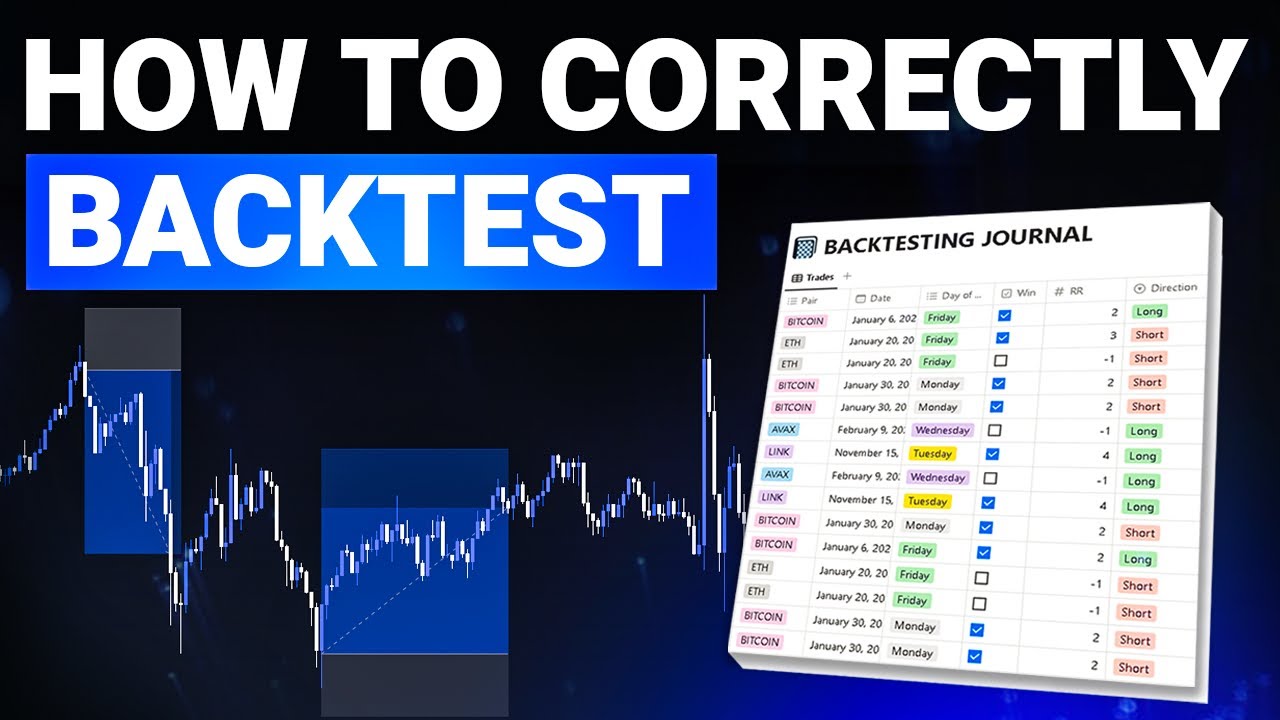
In this tutorial, The Art of Crypto walks viewers through a detailed, step‑by‑step backtesting workflow using TradingView’s replay mode. He begins by emphasizing backtesting’s value as a “cheat code” that compresses years of market experience into daily practice, noting that professional traders run thousands of backtests before live deployment. The guide is organized into a six‑step process: (1) zoom out on any chart to get a broad view, (2) start on the monthly timeframe to pick a random historical date, (3) switch to lower timeframes (15‑minute, 5‑minute, 1‑minute) depending on data availability and the trader’s style, (4) identify key market structures on the chosen higher timeframe—order blocks, fair‑value gaps, liquidity zones, premium/discount areas—and mark them, (5) drill down to a lower timeframe to execute a simulated trade, using keyboard shortcuts to control replay speed and candle navigation, and (6) record the outcome in a custom trade‑journal spreadsheet that automatically calculates R‑multiple, cumulative profit, win‑rate, and average R per trade. Throughout, he demonstrates how to adjust replay speed, use shift‑arrow navigation, and interpret market maker manipulation. He stresses the importance of repetitive practice, honest recording of losses, and using the backtest to develop a feel for market dynamics that would otherwise take days to observe in real time. The video concludes with a promotional call‑to‑action for his paid mentorship program, Trading Ascension.
Chapters
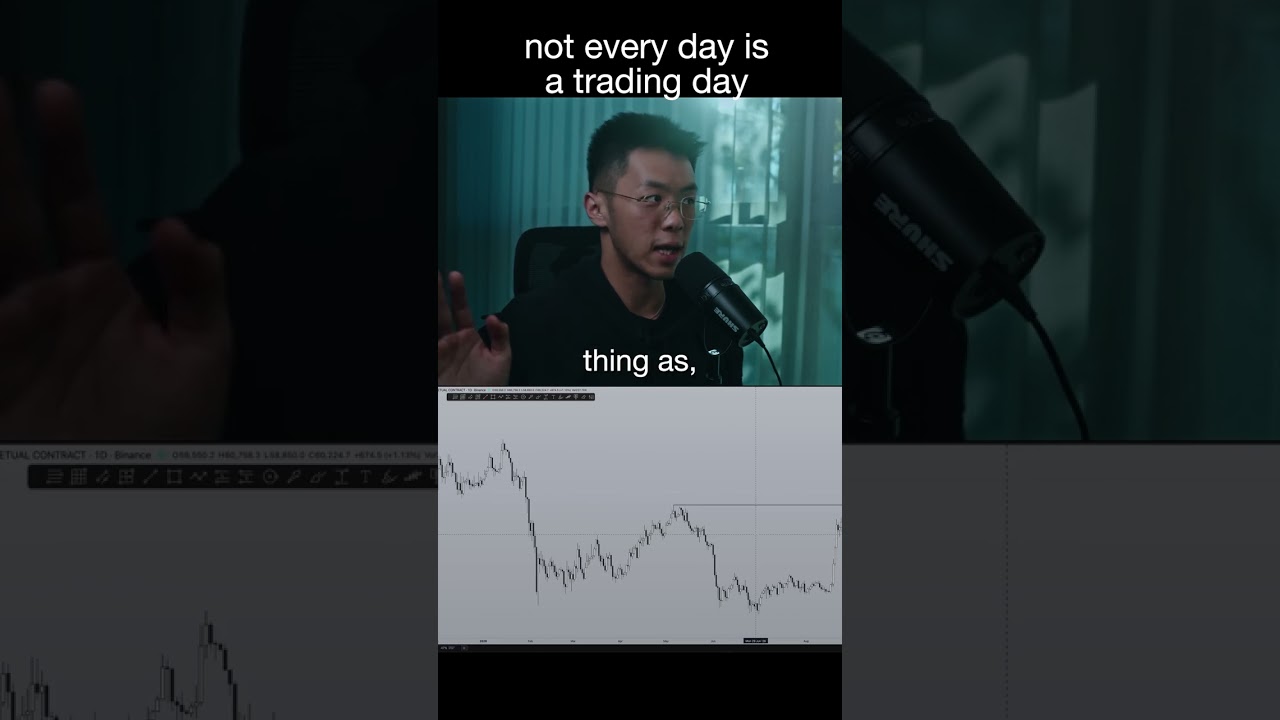
All right, what's up everyone? Welcome to the backtesting guide. In this video, I will show you the step-by-step process of how you can best approach backtesting because a lot of people tend to get confused about this part. Oh, backtesting. Oh, I guess I just click on replay mode and come here and like start trading. But to be honest, you already know what's gonna happen next, and that sort of defeats the purpose of backtesting. So I am going to give you step-by-step how I would approach backtesting for maximum results because the power of backtesting is the fact that it allows you to get, you know, condense 10 years of trading experience down into just a month, pretty much, as long as you backtest every day religiously. In my opinion, this is the best cheat code that you have at your disposal during your development as a trader, because trust me when I say that even for smart money traders, before they bring any strategy to a live market scenario, they will have done at the minimum 1,000, 10,000 backtests just to prove that this thing works. And there is also another saying that if a strategy does not work in a backtesting scenario, it will not work in a live testing, or rather live trading scenario. So that is the importance of it. So if you've already read the document— in fact, I will just pull up that document— I have broken it down into like a 6-step process. I will input the link to that Google Doc down in this video below, but you should have came to this video through that link, so it doesn't really matter. So step 1, I mentioned zoom out horizontally. Now in this step, it doesn't matter if you are on a 1-hourly chart or if you're on the Hourly chart, whatever, right? Just zoom out. Just to put it in perspective for you, I will zoom out on the one-minute chart just to prove that this works. And then step two, go to the monthly chart. That is going to be M, right? Now at this point, you will have no idea what the price is actually doing. Like it just looks like one big line to you. Yeah. The only thing you can see and the only thing I want you to pay attention to is the date below there. Check it out. Look at the date that's below. Right. So now what I want you to do is pick a random date. Now before you do, you want to come onto your trading view on this side here. You will see this replay button. The moment you click it, it will allow you to go back to a point in time and trade, and allow you to trade as though as it was a live scenario. So now you pick a random date and then just click, left-click, and now you can zoom in, right? I still wouldn't recommend going, you know, all the way up, but at this point you can actually just look at the chart as it is because you are already in backtesting mode. And notice here, look at the date, it says October 1st. You know nothing about what's going to happen next. And this is the beauty of starting out on the monthly chart because chances are there are very little of you that actually going to be trading on the monthly chart as your higher time frame. In fact, it's actually pretty counterintuitive to use the monthly chart as your higher time frame when you are backtesting, because simply put, there is not much data in terms of the monthly chart right now in the backtesting mode. Objective that you're trying to achieve here is practice. How are you going to practice? On the lower time frames. Now, do you need to go all the way down into 1 minute to practice? No. In fact, you probably won't even have the opportunity to go all the way down to the 1-minute chart. So Right now I am on a premium account. All right, that means this is the highest level of TradingView, and I'll show you what happens. Like, first let's start off on the 15-minute, right? We go into the 15-minute, we still have data all the way back to October of 2022. I believe on the 15-minute chart you have data all the way back to like 5 years or even 10 years. Now I could be mistaken, but I am on the premium plan and I have much more data compared to every single other plan. Now if I try to go under 5-minute, it should still be available. Now on a 5-minute chart, you have candle data dating all the way back to 1 year for most of the, like, the larger pairs. This one is Cardano. It is a pretty large pair. Now watch what happens if I go to the 1-minute chart. See here, data point unavailable, right? So if you are trying to trade on a 1-minute chart to get practice, let's say you want to be a scalper, let's say you want to be an intraday trader, then you're definitely going to want to go to a much shorter time frame. For example, if I click on replay now, As of the time that I'm filming this, it is June 2023. So let me just try going back to, let's say, March 2023. If I go into the 1-minute chart, that's going to be available, right? So if I'm not mistaken, you have data on a 1-minute chart dating back to at most 6 months. Now here's another pro tip. Every time you want to go further back, like zoom further back, you don't need to exit replay mode and then go back into replay mode. What you can do is simply click on this button here and it will allow you to go further back. So let's go back to January 2023 to see see if we still have access to the 1-minute chart, and we do. All right, so we have proven that on the premium account, right, this is— might not be applicable for, you know, any other account, but at least on the premium account you do have 1-minute candles dating all the way back 6 months, which is absolutely crazy if you stop to think about it. How much data do you need to store on these servers in order to get access to this much data? But anyways, most of you are going to be safe on the 5-minute chart. This is only for those that want to practice Day trading, you will realize that if you're trading on an intraday basis, the 1-minute chart is the timeframe, like the go-to timeframe, because it allows you to spot all of the order blocks. It allows you to spot all of the fair value gaps. And you will find that in the 1-minute chart, at least compared to the 5-minute chart, things move a lot more cleanly. And you'll find that the manipulation is a lot easier to spot. And also order blocks tend to be respected more, fair value gaps tend to be respected more, and this and that. And also 1-minute chart allows you to refine your entry the most. For example, you would miss this entry on a 5-minute chart, right? For example, it just allows you to narrow down your stop loss the most, thus allowing you to get the largest risk-reward ratio. Anyways, I have deviated quite a bit from what I was supposed to say. So essentially, just repeat the steps monthly once you narrow down a certain time frame. Now you start with step 4, which is go into whatever time frame that you are supposed to use as your higher time frame, or that the higher time frame that you want to practice on. Now, if it's on the daily, then it's on the daily. If it's on the 1-hour chart, then that's on the 1-hour chart. So you just do everything that you've been taught to do. For example, if you are taking my course, then I will teach you how to mark out— look for the areas of liquidity, right? Look for the fair value gaps, look for premium discount, look for key order blocks. For example, that is buy side liquidity that price is currently trading between. So price is currently trading between this point of liquidity and that point. Now, could it go higher? Yeah, so I'm going to mark out some other higher points of liquidity. And then now going into the short-term time frame, let's say I think that the markets are going to go up from this point. Then, um, you know, just assuming, right? Just assuming, because this sort of kind of looks like bullish market structure. But then again, uh, you did just form a lower high here, right? So the high— so maybe it's a lower low. Either way, let's say, uh, I was thinking that I want to go short, right? So I mark out my short-term, you know, short time— like short area. If the price returns back to this order block, for example, then I go short. Or I could even use that block right there. So if the price does return back to here, then I go short, right? So if I, let's say I'm trying to go long, okay, then I see a fair value gap over here. Not only that, but if I draw a fib from here to here, that's the 0.705. So that adds up. So perfect. And now that you've marked out your key levels, right, this is step 5, go into the lower timeframe to execute. Let's say I want to execute on the 5-minute chart. I've already marked out these timeframes. Now let's narrow it down, right? Within this order block here, how can I narrow it down to? Oh, I see a fair value gap there that has already been filled. But either way, you know, just let it play out, right? Trade as though you would in a live scenario. Now this here, the way that I'm moving these charts at the moment is by pressing Shift and arrow right. Shift and right arrow. You can also do it from here, right? This will move it forward by one candle, this button here. If you press this button here, it'll just play, right? And the speed of which it plays— now you might think this is pretty fast, but the speed you can adjust it by pressing this button here. I am on the maximum speed at the moment, But you can go to, let's say, 0.3%, like 0.3 times the normal speed. So what this will allow you to do is literally you don't even have to press a single button. You can just let this keep on playing. It's moving slow enough where you can look at the chart, try to react in real time, like, okay, oh, this chart is doing something now. And then, all right, it's maybe aiming for this liquidity level. All right, it's taken it. Now I start looking for a short. And then, all right, I'm gonna wait for the displacement. This is what going really slow allows you to do. And this is also a good way to get some practice. So perhaps you can say that is the displacement. All right, price traded back into the order block. I am now going to go short. I'm going to target over there for 11 to 5— sorry, 11 to 1 risk to reward ratio. This is how you can practice that as well. But of course, you can also move it back. And again, if you want to manually move the chart, then it's Shift+Arrow+Arrow. And those are the tips. And then, like, for example, after you've taken multiple trades— oh, so this is how I calculate the trades. So what I will do on the backtesting guide is I will give you a link to a trade journal that we made that'll make it easy for you to, you know, backtest essentially. So all you do is, for example, that was the trade idea that I had. Clearly that was a loser, right? So all I simply do is, all right, uh, let's say I risk 1% of the account here. All right, -1R. I will go into the trade journal and just click there, -1R. In fact, I will pull— I will pull up to the trade journal so that I show you what I mean, right? So this is how it's going to look like. Um, we will probably change this. So this is how it's going to look like, right? We made this from scratch. Okay, I have paused the video there. Uh, I'm back now because I realized I used the wrong journal, right? V3 is more for, you know, when you're live trading or when you're forward trading, uh, or paper trading. This is when you use V3. But if you use V1, this is my favorite backtesting journal because I don't really give a shit about the date. I don't really give a shit about the pair because it's going to be the same pair. But the beautiful thing about this, this setup Up here is that, for example, there, right? I lose a trade. So all I need to do is come here, right? I click on one R, right? Because that is how much you're risking. For example, if you are risking two percent on your account, then that would be two. Or if you're risking zero point five percent of the account, that will be zero point five. And then all you have to do is outcome. Most of the case, I want you to just practice with one, right? To start things off. So we're just going to stick with one. So Let's say the outcome, I lose this trade. That is minus one R, minus one. Bam! It automatically calculates the profit. It automatically calculates what is your balance. It automatically calculates how many R that you have cumulatively acquired. So for example, on this backtest here, I have acquired cumulatively over the course of twenty to thirty trades. Thirty trades. I have let's see one hundred R, and this will allow you to understand your profitability. For example, how many total R you have gotten. What is your P&L? Since like your gain on the account from where it started, see starting balance here is $5,000. Risk R means that by default it's set to 1%. So let's say that now I win this trade. Let's say I go long on this order block here and I win this trade. So just gonna move that. Let's say that's 5.5R, right? Let's say this trade is a win. So I'm just gonna come into here, right? The outcome, I just put 5.5 and it'll automatically calculate how much I made on this trade. So over time, you're going to get exact, you know, statistics. You're going to get the amount of wins, the amount of losses, how many R that you made, and you can average that down to the average R per trade. For example, right now I have taken 30, 30, 31 trades, right? 32 trades, sorry. So 32 trades divided by 232 R divided by 32, that is an average return of 7 R per trade. So just an example of how you can use to calculate your profitability. And then so you just repeat this process, you know, if you think like at this point, okay, like price just returned back to this bullish order block while targeting a higher area, you know, for example, and then you follow your strategy. Let's say your strategy only asks for you to go for 3R, right? So you set this trade, see if that trade is a success. All right, that trade is a success. You come back here, you press 1, you press 3, boom. It even tells you if it's a win or if it got stopped out. Beautiful, right? This is the simplicity, right? There is beauty in simplicity. And let's see, all the numbers change. Anyways, this is how I would approach backtesting. If you have any backtesting guide, this is exactly how I would do it. And after a certain amount of trades, of course, you start going back onto your high time frame, right? Just like you would on— just like you would on a live scenario. So for example, after I've taken, you know, blah blah blah, how many trades, when I spend too much time on the lower time frame Yeah, I get confused because too much time spent in the details is going to make you miss the big picture. So to return back to the big picture, boom, I come back to the one-hour chart. Okay, liquidity has been taken out. Is it possible that it's going to go for this one, or is this, you know, bullish market structure and that it's going to form a higher high here? All right, if it forms a higher high here, then I'm going to mark out a couple of levels that I can use to go bullish. For example, if it returns here, I'm going to buy, and then boom, target there. And then I will also set a short-term target here, and then I come back onto the 5-minute chart And then you play back out, right? Blah blah blah blah blah. Whatever happens, that way you can trade. So every few trades, zoom out so that you can reevaluate, and boom! You are now a master backtester. Now here's just one tip I can give you from experience: the people that progress the quickest across the board, any of my students or anybody else that I've seen online, friends, whatever—the more you backtest, the better you're going to get. Why? Because you're going to get a lot of reps. What do I mean by that? The more you backtest, the more market situations you're going to see. You know how if you were trading a 5-minute chart real life, you would have to wait literally days for a trade to play out? And yet in backtesting mode, you can see exactly how the price action is playing out. For example, you can see how this manipulation happens. We have a key level here, right? That was the liquidity level that we set earlier on the 1-hourly chart. And then now if you come onto the 5-minute, you can see how the market makers create a range here before, like, to induce liquidity, right? To induce people to get impatient and start going short here. Before they take out all of the buy stops, and then now they're going to reverse it, right? Watch what happens. Boom! Take out all of the sell stops, and bam! You can see from just from backtesting, in just a few seconds, you have witnessed a market situation that would usually take a whole day to play out. That is the power of backtesting. The more you backtest, the better you're going to get, and that is the simple fact of it. In the homework, I'm going to tell you to, you know, for example, backtest 10 or 15 times, but you should, and it is highly recommended that you do this more if possible. If you can, if I tell you to do 10 backtests, you do 20. Boom, that's your gain because you are going to be improving so much faster than everybody else. Just one final tip, please be honest with yourself. There is no reason to sort of fabricate backtesting results. If you lose, then you lose, right? It's a learning experience. That is part of trading. If you can't even stomach a loss in a backtesting scenario, which is the lowest stake that you're ever going to get in the world of trading, then I'm telling you right now, do not touch live funds because you will lose all of that money because you are someone that cannot accept taking a loss. And yet even the best traders, including myself, only have a 50 to 60% win rate, and that is fine. I still make a ton of money with a 50% win rate, as I've shown you in the risk management video. So please be honest with yourself. This is all training. Remember, you are training to become the best trader that you can be. And so be honest with yourself. Take the loss, take the wins. Don't fabricate things, right? Don't be like, oh, the price is coming down here. Oh, I'm magically gonna suddenly put a trade here, and wow, look at that. Like I can show people now I have 1.27, but did you actually get that win? Can you do this in a live testing scenario? Probably not. So this is the best tool that you have at your disposal for developing as a trader. Please do not lie to yourself and take this seriously. Trust me, if you take this advice, you will be— you'll be surprised at how quickly you're growing. Anyways, this is the guide on backtesting and how I would approach it. If you enjoyed this, let me know. Hope this helps. Cheers. Now, if you're at this point of the video and you're still watching, it's clear that you're someone who's serious about their improvement and serious about making trading work. If you've been struggling with making trading work for you, maybe it's a bit too complicated, there is way too much information, or maybe you can sort of see what's happening on the charts but you struggle to turn those ideas into proper trades with profits, or maybe you want to get started trading but you just don't really know where to start, Then I'm here to tell you that Trading Ascension, which is my private mentorship, takes on 8 students per month. And if you're interested in taking a proven step-by-step fast track to getting to $10K per month trading, or simply to make huge progress in your trading, then I invite you to click the link in the description box below, and I'll see you inside Trading Ascension. Bye-bye.