Digital Marketing for Event Planners — by @TodMaffin
Tod Maffin argues that event planners should measure success by AIS (Attendees In Seats), not vanity metrics like likes. He walks through tools like Tradeable Bits for audience segmentation, AdEspresso for multivariate testing, and Zapier for workflow automation, while stressing the need to keep the human element intact.
Chapters
I come at digital marketing from a sort of unique perspective. I've been in the game, as I mentioned, since night— well, since before '98. '96, when Netscape was the only web browser and it was a gray background because you couldn't do anything else but gray. And we've sort of changed along the way. Metrics have become very important. Everyone gets obsessed with how many likes you have and how many followers you have. And just to tell you sort of where I sit on the whole business thing is the only metric that I care about is AIS. Has anyone heard of AIS? Metric AIS? Stands for asses in seats. That's the only metric you should care about when it comes to digital marketing, because digital marketing is marketing, right? It's the exact same thing. All you should care about is how many asses are we getting in the seats of our conference? How many sponsors are we getting? How many trade show people, how many exhibitors are we getting? You know, those are the metrics that count, and those are the metrics that I'm going to show you that can hopefully change with some of these tools. Please don't get hung up on things like likes and followers and all this kind of stuff. You know, it will drive you to infinity, and as I'll show you in a moment, Facebook especially is just cutting that right, right down. So I'm gonna show you some pretty interesting stuff. In the last year, we've really sort of moved digital marketing toward more of automated, so I'm gonna show you some of the more automated digital marketing tools, which will take time away from the kind of the day-to-day stuff that you've probably been doing before. And I'm not talking about the stuff you already know, like scheduling your posts on Hootsuite and things like that. This is stuff you probably haven't seen before. The concept of a fan CRM. We'll talk a bit about multivariate testing. I mentioned the automated stuff and then retargeting. Does anyone use retargeting right now? Okay. This is— that one's going to blow you away. I mentioned it last year as well, but it's still really important. However, first of all, the bad news. So you're probably familiar with Facebook. Facebook is very simple. You know, there are two pages, right? Pepsi and Coca-Cola. You come along, you click like on Pepsi's page. And you click like on Coca-Cola's page, you will begin to see content from Pepsi and Coca-Cola, right? Here's what happens is as, if you continue to engage with only Pepsi, right? You click like, you comment, you share. If you only take action on Pepsi's content, eventually you will start to see less of Coke's content. And if that keeps happening, you will eventually see nothing of Coke's content. This is why maybe your Facebook page for your conference, if you let it rest for 6 months or 8 months between events, you might have 5,000 people who like your page and you realize this isn't, I'm not gonna get any traction. Like, you know, we've got 10,000 people who like our page, but only 2 ever comment, and it's my mom and my husband. You know? So why is that happening? It's because of this thing called EdgeRank, right? When Facebook started, there was no filtering in the newsfeed at all. If you liked a brand page, or you friended a friend, anytime they posted something, it would show up on the newsfeed. This is how Twitter works today, right? If you follow someone on Twitter, you get this big unfiltered stream of content from Twitter. That's okay if you like that, you know, some people don't. So when Facebook started, you could reach 100% of your fans, right? So if your conference Facebook page had 1,000 people who clicked like on your page, we call those fans. If you had 1,000 fans, then theoretically all 1,000 were being shown your content. Every time you push something out, posted an update, posted a photograph, an event, something like that, all 1,000 of those, 100% of those would see it. And then Facebook did this. They cut it down to about 16%. So now, this is what we nerds refer to on Facebook as organic reach. So then reach is the number of people, unique people, who are seeing your content. So now if you've got 1,000 people who like your page, only— hang on, I'm not very good at math— 160? Very few, essentially, is what I'm saying, people will see your content, right? So that was up until about a year, not even a year ago, maybe about 6 or 7 months ago. And now, for those of you who have weak constitutions, you may want to avert your eyes from the screen because now organic reach looks like this. For every 1,000 people who like your page, your conference page that you've maybe poured your heart and soul into, that you're posting religiously because nerds like me told you to, 3, 4, 5 posts a day, and you're coming up with it, you've hired a digital agency and they're working and stuff. For every 1,000 people, only 20 of them, less than 20 of them are seeing it. Why is this happening? This is happening for two reasons. The reason that Facebook will tell you and the reason that they won't. The reason they'll tell you, they claim, is, well, you know, everyone's— there's a potential from the time you log off until the time you sign back on again, there's theoretically a potential on average of about 1,500 updates. You think about all the pages you've liked, all the friends you have, all of those posts. If it were to show you, there's 1,500. So it says, you know, we're gonna whittle it down to about 200 or 300 so that it's more manageable. Here's the real reason. They want you to pay, right? They want you to give them some money to boost posts, right? Which is basically saying, this post, I want to go on the newsfeed of everyone who likes my page, or at least a certain chunk of them anyway. So they're making a ton of money, and that is making a lot of digital marketers at agencies like mine kind of panic a little. My company works with a number of organizations. We have a shopping center practice. We've got a number of shopping centers. I was just looking at Kildonan Place. Anyone from Winnipeg here? So Kildonan Place is one of our clients, great mall, and they have like 15,000, 16,000 fans, and on average maybe 200 people of those are seeing their posts. It's nothing that we're doing wrong, it's just the way Facebook is. So what I want to do is walk you through some tools to bypass that, to get around that, so that in your digital marketing— and we're not just going to talk about social media because I actually think It's grown beyond that. We're gonna talk about some more in-depth tactics, and my goal is that you walk away with stuff that at least you have one or two ideas that you can start implementing right away. And I promise you will see an increase in your AIS metric, and you can tell people what AIS ends up with later. So first, let's talk about this concept of a fan CRM. So there used to be, and there still are, you know, a lot of people who will use these standalone Facebook apps, or sometimes they're contest apps. You've probably seen these where You go to Facebook and it says, "Enter to win a free pass to the conference." And you go to the page, and if you don't already like that page, it says, "Wait a minute, you have to like our page before you can enter." Have you seen that? Yeah. And then you click, and you like the page, then it gives you the form. So you fill out the form, and then if you're kind of a prick like me, you then unlike the page. And you roll your, you know, your mustache. "Haha, I fooled you." Well, that doesn't happen with most people. Here's the downside, by the way. Less than about 2 weeks ago, Facebook has turned off this, what we call, like gating. You can't even do that anymore. Well, they're shutting it down in November, but they don't want you to do that anymore. But these things that were behind the like gate were these apps, and they were most commonly used for contests. You know, enter this and we'll give you, you know, you'll win an iPad. Please don't give away an iPad. Biggest mistake people make on Facebook, I swear, with contests is they're like, we'll give away an iPad. Well, you know who you're gonna get entering your contest? People who want iPads. You don't want that. You know, you want people who will attend your conference. So give away something that is beneficial to the conference. Give away tickets. Give away a discount of floor space or whatever. So we've had these sort of standalone Facebook apps, and sometimes they would do things, you know, so, you know, you would— what would you get out of those things? You'd get a like, because you would like-gate it. And that's okay. But once they like you, can you— can they see your content? Well, no, probably not, because now it's down to 2%. Something else you sometimes will get out of an email address, 'cause these are forms basically, right? And there's all sorts of different contests. You know, one of our clients is the Grey Cup, so we're running this thing, we're putting 9 different cover images, one for each team in the CFL, and basically saying, you know, upload your, make this your cover image. And it's, I should have had some examples in here, but it's like, you know, if you roar for the Lions, you know, or I'm cheering for the Alouettes or the Riders or something like that. Riders fans are crazy, by the way. Yeah, see, look at them, they're already. We've had them isolated on this side of the room though, just to keep things safe. So you get some things out of it, right? An email address. But would you ever use it? You know, a lot of people don't even use that information. They collect— or else they'll get like a contest app and they'll run it and they'll get a few likes and they'll get some email addresses out of them. And will they ever do anything with it? I don't know, maybe. But even if they do, it kind of stands alone here. And then a month later they run a photo contest. And now you've got another bucket of data with stuff. And then you run— and then you ask people to, you know, enter a contest for giveaway or whatever. And you've got a third bucket of data and they don't talk to each other. And there's a much better way of doing this. And it's through what is being called a fan CRM system. Lots of companies have this. The one that— I shouldn't say lots of companies have this. A few social media companies have this. Platform providers, right? The one that I like is called Tradeable Bits. Vancouver-based company. So here's how it works. So now you set up any app. And now these work for— you can post the link from Twitter. They work on your webpage. They work in Facebook. They're not really Facebook apps, although a lot of them A lot of people see them in Facebook. So you create— because the goal here, right, is to get qualified leads, to convert them to registrants. If that's the goal you're going for, maybe it's sponsorships, maybe it's, you know, but for the most part, this kind of broad thing is more for registrations. So we create a poll, something that gets a little bit of content from these people. So what do we get out of it? Well, we get their email address. If they are on Facebook, we can also— because if we use the Facebook permissions, we can also pull stuff out of their record. So you see, uh, whenever you enter these, you maybe had this yourself, you go to enter a contest or something and it pops up and it says, hang on, before you do it, you have to authorize this app. And this app wants the following information: your name, your friends' names, your bank account number, your cat's name, you know, it wants everything, right? That's where we get that information. So these apps now are becoming smarter. You can say to Facebook, I want to collect their email address, I want to collect their birthday, if they make it public, and people can choose not to, you know, but most people will just say yes. And I want to collect their interests. These are things that they like, because we're gonna, in a second, we're gonna pull it all together and use it to target people. So let's just say that we've just run that one poll app, and it's a, "What topic do you want to see at our next conference?" You know, so all it is, all that they fill out is their email address and a little box of, "Here's the topics that I want to fill out," right? You automatically get their interest, their birthday, all that stuff from Facebook, and it begins to now populate this wider thing. Remember previously when you had a bunch of kind of separate apps, separate contests running? You would end up with these pools of data, kind of little buckets of data everywhere that weren't connected to each other. So now we've got this one record of me, one person who's interacted with you. Then maybe the next month you decide to run a contest. You ask Facebook for a little bit more information. Maybe you say, you know, I want to get information about their age and their gender, and you put that information into the record. Now you're beginning to build a profile of me, a potential registrant. And then you add comments. You can even have comments on your website that go right into this. So you find out from them, let's say, their education, right? You get Facebook to pull this information and you pull it all into the CRM. So instead of it being one little bucket of data here, bucket of data there, as you go through the year marketing your event, you begin to pull more information in. And you end up with a fan record, which can be used for phenomenal targeting, which I'll show you in just a second. This is what it looks like, by the way. This is what my fan record— I've only done a couple of things, but you can see that I've done 4 activities, I have 301 friends, All of them now are reachable. It automatically pulls. So you can do a search. You can say— in fact, you see these tags here are contests that I participated in. So when it comes to this cover photo for the Grey Cup, so it's gonna say, show your pride, you know, support your team, make this image your cover photo, you know, your main image on Facebook. Of course, people are gonna pick the team that they cheer for, and as soon as they install it, it says, share this with your friends. All of their friends that do this, we begin to build this information. But when they select, let's say, the Riders, it now puts a tag in their record that says this is a Riders fan. And we've got that information moving forward. So we can then extract all of it. We can say, you know, show me the most engaged people who have indicated that they're Riders fans. They don't have to have indicated by going to a forum and saying I'm a Riders fan. We infer that because they chose that image, right? So you can pull all sorts of stuff like that out. Find out who your most active participants are across all your social networks, across all of the polls, across all of the contests that you run in one basic area, the people who are most influential, You get, you know, if you're a data nerd, you get all sorts of data. And then, like I say, you can run a search. So let's say that you are an event marketer and you're running an event for people who, let's say it's a medical conference in Ontario, right? So now you ask your database, show me people in Ontario who've participated in any app with the word medical in there in Ontario. Now, how did medical get in there? That's something they voted on. That's something they chose in a photo contest. That's something they uploaded. You know, any of these ways to kind of pull that information. So then you collect this big database of people, of potential leads. The fun part is what you do with it, right? You can do anything with this thing. Of course, it's got lots of things. I mean, one of the, one of the most effective ways, at least on Facebook, is to create what Facebook calls custom audiences. So you create your own bucket on Facebook. You know, as most of you already know, you can create an ad and you can say, I want to target just people who like my page, so it'll show it to more. Or I want to target friends of people who like my page. Or you can do it by interest as well. You can say, I want people who are interested in medicine or nursing, kind of like we're doing here. But then you only get people on Facebook. The value of a fan CRM system is you get it whether they— if they've entered this data through a Twitter contest, if they've used it on the web, if they've accessed it from Google+, if they've come across it on Facebook, anything. It comes into this one thing. And then you export that database. So you go to the search, and you say, show me the most engaged people. They have to have participated in 2 apps of ours, and they have to be interested in medicine, and they have to be in Ontario. And you'll get a list of, you know, well, let's say 200 people. Then you take that 200 people, and you upload that list to Facebook, and you say, "These are the people I want to reach." Are you following me so far? I have had 7 cups of coffee this morning, and I'm high on Sudafed, so some of this might not make a lot of sense. That's why I think— this is why everyone in the front row just kind of backed up a little. Oh, he's sick. Great. I'm not sick. So that's custom audiences, right? One of the other cool things is then you can take those email addresses, because remember, every time you collect that information, you invite them to your Facebook page. This is free to do on Facebook. We do this all the time with our clients. One shopping center in Nanaimo, Woodgrove Centre, is a client of ours. They have an email list of, you know, more than 10,000 people. So we took that list, uploaded it to Facebook, and now everyone who's— now that's an opt-in list. That the people who've already indicated that they want to receive information from Woodgrove Center, you know, promotions and things like that, they get a little notification on Facebook or in their email that says, "You've shared your email address with Woodgrove Center. They'd like you to like their page." So you can do it that way as well. Yeah? Yeah, the question is, how do we get this database populated, really, full of people? And it's by them participating in these apps. So whether it's a take a poll, you know, if it's an enter a contest, if it's a photo thing, maybe it's a change your cover image. Any of these apps, and there are— on Tradeable Bits platform, there are 40 or 50 different apps. Photo contests, you know, comment boxes. Anything that kind of gets engagement. So you pull that information in. How do you get them to know about the app to do this part? You market it. You send it out on Facebook. So one thing to do— I mean, it kind of sounds like it's a bit— Like it's a bit of a chicken and egg thing. You know, you want to build more audience on Facebook, so you go to Facebook to do it, right? But that would be a candidate to promote a post, to put a bit of information, put some money behind it to get it. But these apps all work Twitter, they work web, they work mobile as well. That's the real benefit of this kind of thing. So you get all this stuff. You can then, of course, take it, email it, you know, integrate it with your own CRM system or your ERP system. It works very well. The concept that we're moving toward is less reliance on a single platform and more reliance on your network. And your network can come through Twitter, can come through Facebook, right? So you want to build this up, and then you'll— and as people participate in it, you get more and more information about them. Can be used incredibly market— incredibly tight. And with custom audiences, it can be a small group. You— there was a time, I think they've cut this off now, but there was a time when you could target one person with ads on Facebook. And when I was courting my wife, I did that, 'cause I'm creepy. I followed her around for a week with ads. "Hi, Jocelyn. Hi, Jocelyn." Cost me like $4 for a week or something like that, you know. But that's one email address that I uploaded to Facebook, and I said, "This is the person I want to target." I think now the minimum is 200 people. But if you got 200 people out of this, you know— And remember, this database can be merged with anything else you've got. You know, if you've got an email list of past attendees and so on, we'll talk about that in just a moment. So, as I mentioned, tradablebits.com is the site that has the fan— CRM. The thing that I like about Tradeable Bits, I don't usually promote specific product names, but the thing that I like about Tradeable Bits is that all the data is stored on Canadian servers. So if you are a government organization or a Crown corporation where that's important because of the US Patriot Act, blah blah blah, that's an issue. Yes? I have a question. What about if you said that people then had to opt in to accept that we generate information from all these different sources? Yes. So the question is if people say no to that permissions form on Facebook when it comes up, can you still get their information? Is that the question essentially? Can you still download the app? Can you still, oh, can the user still use the app? No, no. So you've seen, you've probably seen these before, right? Where you go to enter a contest or something and the little box pops up and says this app wants your interest, your birthday, and if you say yes, you're in. If you say no, it just bounces you out. But in our experience, more than 95% of people will agree to it. Most people will. It's really, it's kind of amazing. People get more concerned though with security risks, and people were not allowed to help you much with Castle. I think that's a problem. Not really. So the question was more around Castle, which I'm sure you've all been through the wringer CASL, the anti-spam legislation, still it all comes down to that form, right? So you're still perfectly allowed to send people commercial emails, you just need their consent, express or implied. But you gotta express consent with these forms, so on the entry form for something— But not for getting reached out to for something that's not required. Absolutely you do, absolutely you do. Because on that form, like I said, you know, you've got a little checkbox that says, do you consent to let us send you electronic messages? That covers you. It doesn't say, is it okay to send you emails, but we won't touch Facebook. Just say commercial emails, do we have your consent to do that? They check yes, they're in. You can send them stuff on Facebook. Facebook itself is not specifically within CASL, like it's not, the issue is when Facebook generates an email. So you can send someone a LinkedIn invitation, and if it just stays on LinkedIn, you don't need the express consent for that. If LinkedIn generates an email inviting them, that's when it comes down. Although there are some rules around, you know, if you meet someone at a trade show and they express an interest in your company, that's CASL, that's implied consent. So there's some, but believe me, CASL is a 5-hour webinar, we'd be here forever if we covered that. But the short answer is, you get their consent in the form. You have to do that, otherwise you're, you know, you're right, you're not compliant. So the next thing that I see people misuse in digital marketing all the time is they will take one post, or they'll take one ad and they'll put it out there and they will not test. And there are so many good tools out there that people don't know about that will help you test these ad sets a lot easier. So you don't know whether ads are working or not. Here's an example. I was running a contest for just my own business. So I said I'm giving away an audit. I thought this worked well. You know, generally speaking, we know that photos with a colored border, red or yellow, convert better. Not always, but most time. A human face smiling, looking directly into the camera is always higher converting. But I wasn't sure— you can see the categories that I use— but I wasn't sure whether that ad or this ad would convert better. Now, this was before Facebook added the rule that says you can't have more than 20% text in your image. So beware of that if you're creating content and you want to post it, you want to make an ad out of it, like in other words promote it, even if it's just a still status update that you're promoting with a photo attached, if that photo has more than 20% text in it, they will bounce it out. They'll reject it. But so I wasn't sure which one would convert better, so I ran two different versions. I ran a photo version up at the top, and I ran the graphic version. And the way I did it in Facebook is you create the ad. It's kind of a pain, actually. You create the ad, and then at the very bottom it says create a similar ad. So it just duplicates it. And then I thought, well, I'm not sure whether whether I should be paying for clicks or per impression. So I ended up with 4 ads running at the same time, right? I had a graphic version that was on clicks, that was paying for clicks, and a graphic version that was paying for impressions. There's different ways of bidding essentially for these things. So this is a good way of doing it, but a little unmanageable because we usually recommend you test at least 21 variations of the ad, which would mean if you're going to do it manually, you'd have to go through the ad and create it 21 different times, you know, and that's— no one wants to to do that. So what are you changing? You're changing the headlines or the call to action to your event. Maybe it's, you know, get tickets now, tickets running out, you know, you don't want to miss this, those sorts of things. You're not sure which one will convert better. You can change everything. You say, here's a base ad. Okay, Tyre is a client of ours. We didn't actually— this is not a real ad campaign, but gives you an idea. So here's the base ad, but you can change the body copy, you can change the headline, You can change the body copy radically. I actually think this would work, personally. I actually think this would convert pretty well. But, you know, if you were to do it manually each time, you don't have time for this. You're running your event, right? So how do you do it easier? There's a number of great tools out there. The one that we use is called AdEspresso. Espresso like the coffee. Ad, A-D, espresso.com. They're not free services. But they're reasonably priced, and here's how they work. Instead of you creating them one after another after another, is you just put in— this is some work that we did for Veteran Affairs Canada— so we just put in the 3 headlines you want, the 3 ad bodies you want, and the 3 images you want, and this system will automatically upload that to Facebook and begin to give people various versions of it. It's important that you do this. Because you don't know what's gonna resonate. So you run different variations, you run it for, you know, until you've got a significant body. You know, if you're targeting maybe 20,000 people in your category, you know, you run it for 4 or 5 days, it should probably give you enough data. You pause the— and it'll actually— this platform is really cool. It'll give you like a little champion logo for the ones that are performing well, and you just pause the underperforming ones. So then you know. And here's the other thing that a lot of people don't— kind of an advanced nerd tactic that a lot of people don't do— is that you don't need to do it for advertising necessarily. You can use it to determine which post is going to generate the strongest reach and strongest engagement. You do it by running them as ads, but they're not really— you just run them for a short time to figure out which one converts best, and then you take the ad off and you post it organically, right? You post that one for free. So it's kind of a test, you know, so you can figure out, you know, is an image of a bunch of people at your conference going to convert better? Or is an image of a happy young woman smiling holding her badge going to convert better? Or is an image of, you know, the Caesar salad that you serve at lunch going to convert better? We don't know, but test it, right? It's all about testing all the time. So as I mentioned, a couple of things that we use. It's important that you use photos that match the target demographic. So if you've got a photograph of— if your event largely, you know, is attracts men aged 45 to 65, white males, then that's the photo you should be using in the ad. We do run yellow and red borders around photos. You've probably seen this as well. We test this every 3 or 4 months. It still works. You still get more clicks just by putting a little— in Photoshop it's called a stroke. You just put a little, and those two colors for whatever reason work. And you've probably seen these, right, in ads in the sidebar. And it's a good thing, kind of got this red border around it. It's just for whatever reason it picks it off the page. Here's another thing. If you have your clicks on Facebook, we're talking about Facebook ads for the time being. If you've got those clicks going offsite to your conference website, you might think that's a good idea. And it is from a conversion point of view, right? So let's say it goes to the ticketing page, to the registration page of your delegates. But you will pay more than twice per click because you're sending people out of Facebook. Does that make sense? You know, so if you were to send people within Facebook to a Facebook page, to a Facebook ad, you pay a lot less for it. Why? Because Facebook wants to keep everyone on the same page, so they discount it heavily if you keep them within Facebook. So here's what you do. It's kind of a secret trick. You install a Facebook app. The only thing this app contains is your website, and these apps are sometimes called HTML They're called something called iframe. Any app provider you're used to using— ShortStack, North Social, Woobox, Tradeable Bits— all of these platforms that people use for these Facebook apps have got one of these. They're usually free. And all it is is it's like a donut hole. It's just a big hole in a Facebook page. So people click on it from your Facebook page or a link. It's still within Facebook and it's just a big hole. And you say, in this hole, put my website. So when people see it, they're seeing your website. They're on your registration page, but it's got the Facebook frame around it, if you're following me, that makes that, it's got that frame, which Facebook says, oh, people are inside Facebook. But they're, and they are, kind of. But they're secretly on your page as well. So we do that trick quite a bit. You know, don't just advertise to kind of build brand awareness. That's the worst possible metric, objective rather. I want to build awareness. So? Don't you really want asses in seats? Awareness is a goal toward something. You know, we want to build awareness because then those people will buy tickets. Then those people will buy sponsorships. Then those people will be on our trade show floor. So awareness itself is not a tactic. So we want to collect some things like that. And then I mentioned before, you know, split test everything. Everything. All your ads. And even your organic contest by using a limited amount of ads., you will get better results. And by the way, if you're taking notes furiously, that address up at the top, whoops, that address in the top right, does, I'll have all of the slides as well, so you'll be able to download it. You can do that now. So, let's talk about a really cool one, which is retargeting. Has anyone heard of retargeting? How many of you have heard of it? Retargeting is really cool. Retargeting is like, imagine that you're going, imagine that you've got this, that you're out You know, at a dinner party or something, and you're bumping into some guy, and you know, what do you do for a living? He says, I manage conferences. What do you do for a living? The guy says, I run an OK Tire store, or whatever. And you go, oh God, yeah, I gotta get winter tires. And he says, well, you should come by the shop. You go, yeah, yeah, I'll do that. And then you forget. And then the next day, you're at the post office, and you run into him again. And you're like, oh hey, tire guy. Oh God, I gotta go in there. And he's like, yeah, anytime. And then you forget, 'cause you have lives. And then the next day you're at the bank and he's in the lineup at the bank and he's just standing there smiling. You're like, "Oh my God, you're following me around everywhere." That's retargeting. And so you may have experienced this. The people who do it really well are web apps like Hootsuite and Buffer and Sprout Social and CRM systems. I guarantee you go to any one of these systems, go off, click a couple of these pages, of their pages on their website, then go back to Facebook and you will see ads for them in Facebook. So what they've done is they've got a little cookie, they've got a little bit of code on their webpage. That tracks you. It puts you in a little bucket that says you've been to my website before, and then you can start appearing in people's news feeds. You can appear on the web, but only people who've been to your website before, right? And we know that's a great target. So if you've got an email marketing list and you say, hey, we've just announced— excuse me— we've just announced that, you know, we've got this great keynote speaker is going to be coming, you should click here to see more information. And if they click there, Then you trap them. They don't know they're trapped, but then you've got them, right? Then you can follow them around the web, Facebook, Twitter, with ads about this keynote speaker or about your event. I run these all the time. My ads have appeared on the New York Times website. Down at the bottom there. There's one. Oops, this goes to that slide. My ads have appeared on the CBC's website. And when I was at the, um, on the New York Times website, I had a friend call and say, like, "Dude, you must be doing, like, really well. How are you affording the New York Times?" You know. But I'm not buying it from the New York Times. I'm buying it from another provider. So the way these networks work is kind of like hotels, you know. So the Intercontinental here, it knows it's not gonna sell 100% of its room. Well, maybe 70%. This weekend, you know, this week, but it knows that most of the time the hotel's not gonna sell 100% of its room inventory. So it takes about 30% of its inventory, sells it at a huge discount to the Pricelines and Hotlines of the world, they mark it up a little bit and off-sell it from there, right? It's the same system. They do it with media sales as well. So this is essentially what's going on here. New York Times is not gonna sell all of its ad inventory available space out at 100% of the rate, so it takes about 30% of it, just like hotels, and they offload it to these retargeting companies who mark it up a little. But the really cool thing is the only people who ever would have seen my ad on the New York Times are people who had been to my website previously. So you follow them around. It's really, really powerful. I have a friend who works in Saudi Arabia, and she sent me a screenshot of my ad on an Arabic language knitting website. She's like, "Why are you advertising to Arabic knitters?" I'm like, "I'm not. I'm advertising to you because you went to my website." Right? You follow me? So I mean, and the really cool thing about it is you can track different locations. So if someone's gone to the registration page, they're in one bucket. If they've gone to your exhibitor page, they're in another bucket. And you follow them with different messages. If they've gone to your conference website and they go to the exhibitor page and they poke around there and then they leave it alone, you can now follow them around the web. "Hey, want to be an exhibitor?" 20% off if you do now, or whatever your call to action is. You could show up in the Facebook newsfeed. Remember, even if they don't like your page, we can force it in. We jam it in without their consent. Sorry to the castle people. No. So this was— this one really bugged me. So a little while ago I was speaking in Los Cabos, Mexico, and so before I went, I checked out the website of the hotel, and it's this one down in the bottom right called Barceló. And then for like about 3 or 4 months afterwards, especially with, like, on news stories about how crappy the weather is in Canada. Their ad was everywhere. Everywhere. Why? Because I went to their website. So retargeting is incredibly powerful and it's cheap because you're not buying run-of-site, right, as they say. You're buying just the group of people that you're doing it. We use a couple of companies for it. One is called AdRoll, the other is called Perfect Audience. Those are the two leading ones. They're really easy to use. Basically, this is the banner we want to use, this is the image, this is the text. You can even daypart it, which you can't really do that effectively on Facebook, but you can do it through here. So you can say, you know, I only want this ad to go during business hours. Which, you know, is not really all that important. A lot of people get hung up on that and they say, well, you know, it's a business audience we're going for, we should have it in business hours. People are people. If they're at 9:30 at night on a Saturday, they're still the same person, they're still probably going to attend your conference, so. Important to do. So retargeting is really powerful and quite inexpensive. Quite inexpensive. How do you pay? Is it by appearance or is it by number of people? Ah, yes, it's the same kind of system as Facebook. So it's like an auction system. So you can either pay for the number of impressions, CPM, which is cost per thousand, or you can pay by click. It depends on what your goal is, you know. I mean, if your goal is conversions for registrations, then pay for per click, because then you know almost to the dollar. In fact, if you have— there's also this thing called conversion code, right, where you can, you can track conversions. You can track on your website whether someone's bought something or not. So if they actually go to your website and they purchase a registration, you send a little message back to either Facebook or one of these services and you say, we just got $99 in revenue. So it'll then say, okay, you've spent $112 in advertising, but you've earned $8,000 in revenue. From that ad. So you can track it that way. If what you're really doing, if you're a larger organization and you're just going for brand awareness, you don't really care if people click, then I recommend just do cost per impressions. But you know, give people enough information that they don't have to click as well. I mean, you can see here on my ad, I've got my toll-free number in there because I'm happy if people don't click. I just want them to call me. And if they click, it would cost me a couple bucks. And I'm cheap. So I'd rather just give the information there. So, and you can put anything here, right? You know, you put your website address to your conference, you know, brand awareness, or in the case of conversions, you do it by clicks. So retargeting is very powerful. So that's third. The fourth thing that I'm going to talk about is what I mentioned earlier about the sort of everything is becoming more automated to save you a lot of time. There's a great series of tools that are coming out. This is what you used to have to do to promote content back to Facebook, to promote content on Facebook, is you would post your content and then you'd boost it, right? You give Facebook a little bit of money and it would automatically go through. And as long as you didn't have more than 20% text, it would blast it through as an ad. It would get on more people's newsfeeds or it would put it as an ad in the bottom right. And that was manual, right? You had to do that each time. There was a time where you could just say, I want to automatically promote all my posts. Posts, but Facebook turned that off. There's a way around it, which I'll show you in a second. But that's not— even that wasn't a very good way of doing it, because not all your posts are worth it, frankly, right? I mean, if you're running a pretty engaged Facebook page and you might post 3 or 4 times a day, knowing that very few people are going to see it organically, right? You post 3 or 4 times a day, not all of them are going to be winner posts. You might say, you know, I want— I only really want to promote the post. I only want to spend money on posts that go to our website. Or that talk about tickets or registrations. Or maybe you say, I only want to promote posts that have got, that have picked up some engagement. You know, they've got a lot of likes and they've got a lot of comments. So what you used to have to do up until a few months ago was look for those manually, right? So you'd remember, okay, I'm posting a thing about registrations, we should put some money behind this post, and that way it'll get to more people on the newsfeed. You know, you can target other people, you can target your, the fans of competing conferences. You can do that as well. So automated paid reach is something that's just sort of come around in the last 2 or 3 months or so. So here's an example of a post that we did for Kildonan Place a few days ago. I kind of hate myself whenever we come up with this kind of content, because I want to do like really on-target material for these shopping centers, like on brand, you know, like I want to do, you know, like, you know, here's some job postings from the retailers and here's these great sales and And then you post something like this and it'll get like 100 likes. And you're like, "Oh my God." We've had a number of people on our team, the person who's responsible for the retail category, Geneva, was on vacation. I thought, "Oh, what the heck, I started the company, I should get my hands dirty on content again." So while she was off, I was posting, I was working on Woodgrove Centre, which is an Animo shopping center, and Oakridge, which is another client of ours in Vancouver. So I was doing the content, and man, I thought I was doing so good. I'm like, you know, finding out, like calling the client. I'm like, hey, what happens if someone loses their keys? Yeah, no problem, go to guest services, we'll get them out. Like, that's awesome! I make a post about that. Yeah, wait, lock your keys? No problem, we'll fish them out for you. You know, leave your dog in the car? No problem, bring your dog in today. It's cool, it's air-conditioned, and we'll waive the whole rule. You know, I thought I was just killing it, man, with like really good on-target, on-brand, on-message content. And I was getting like 2 likes, 3 likes. And then Geneva came back and and posted a photograph of someone that had painted the rider, the Rough Rider, on the fingernails, and they said, the logo, and said, "Would you ever do this?" 100 likes. I was like, "Oh my God, the world is going to hell." So every once in a while, the fun ones do convert. I hate to say it. And so this one converted. So this is what we did is we set up with Kildonan Place this automated system. Where would it— now, I show you this one to warn you that this one would have gotten, and indeed did get, rejected by Facebook eventually because it contains more than 20% text in the image. However, here's a dirty little secret that no one else will tell you. They approve them automatically for about 2 or 3 hours. Then a human reviews them. Then they turn it off. So you can get through a couple of— actually, really, if you've got something you really want to do, just don't tell them I told you this. We never had this conversation, but— You know, it's possible. It's possible. So I basically wanted to set up for Kildonan Place this thing that's automated, right? I said I want it so from now on if a post begins to get engagement, right? If there's some social proof, if it's resonating with people organically, automatically put some money behind it. Or if it's a link, I don't care what the engagement is, if the link is to Kildonan Place's actual website, automatically promote that one as well. This is really powerful for you. It's a set it and forget it. When Robin Williams died, we went the day after, we discovered that he had crashed this high school grad ceremony a couple years ago in Winnipeg, and we thought it was an interesting human interest story, so we posted it on Kildonan's page, and it began to pick up steam. So this— I think it got 20 likes or something, which was the threshold that we had set. And as soon as it got 20 likes, this system kicked in and automatically— and you can set up the budgets, and we've actually got different groups. You can see that it was a total budget of $20. I cut it off at about $12 or so, 'cause I think it had done its job. We reached 16% of Kildonan Place's fans and 16% of competing malls' fans, which you can read as competing conferences or associations that are, you know, you just create these buckets. Here's a bucket, and it's called malls in Winnipeg that are not Kildonan Place, and call it competing malls. Here's a bucket called other conferences in my area. Here's a bucket called associations where we usually get a lot of registrations. You create these buckets and then automatically do it. And so you can exclude, you know, you can do all sorts of stuff. This is what the backend, and forgive me, I know it's kind of small print, but you can see here what I've done is I've said, okay, I don't want you to just promote whenever it picks up steam. You know, let's say that I've got a post out there about come to our medical conference, right? And it's really, I'm gonna go to this side 'cause I feel like I've been ignoring all you people over here. Over here. Hi, good morning. Hi. Over here in the discount seats, I think. So I want to create this bucket of people that are likely to attend my medical conference, right? So you can create a little bit of a bucket first. So we'll call it medical staff. Their location has got to be Ontario. Their education level should be college grad. They've got to have a degree in medical or nursing. And I create that as a bucket. And Facebook— well, this system called Woobox says there's 26,000 people in that bucket. That's a good size. You want to reach for about 10,000, 5,000 to 10,000 is fairly good. 26,000 is a perfect number. It's a good meaty size. And you create that bucket once. And then I can give it rules, right? Then I just say, from now on, as long as the following stuff happens. So here are the conditions which will trigger automatic posting. So it'll take— and what we're talking about, again, remember, we're talking about a post that you post organically, right? For free on your Facebook page. And only ones that get some traffic, that get some engagement, will it automatically put some money behind, because we know those are performing well. They've got interest. Here, as long as the ad will be triggered as long as it goes to your conference website, or if it has 50 likes, or if 20 people have commented on it, or if it contains the word tickets or registration. If any of those things happen, if I use the word registration on any Facebook post, automatically put money behind it and send it to this bucket of people. Following me? Yeah. Oh, blank faces. Yes? Yes? No? Uh-oh. I think I may have lost some of you. We will plod along ahead and do questions later, I guess. So, really powerful essentially. And then you basically set up a budget per ad. I made this mistake. I set up $1,000 for a client as a budget. We were doing this as our— so we comp them the money. And I thought that this— the way this system worked was it was $1,000 over— because I said I want to spend $1,000 over 60 days for all of the ads. And what it did was every time an ad triggered, it gave it a $1,000 budget. And then I— yes. And then I tuned in one day and like one had spent like $250. Hey, great engagement and traffic, of course. You know, getting a lot of people like, okay, I see, this is per ad. I get it now. No, but you can say, you know, I don't want it as an ad in the bottom right. I only want it to appear in the newsfeed, or I only want it to appear in the newsfeed for people that are using smartphones. And then every time it triggers an ad, it will send you an email. This is one that I just got this morning, or no, a couple of days ago, last week, 31st. This is an older one. So this is a post that we did for the Grey Cup. An ad has been triggered, the following posts have been promoted on your business page. It just happens automatically. And why did that one get triggered? This was the actual post. It got triggered probably because it had a lot of engagement. The trigger was probably a certain number of likes, maybe a certain number of comments. Something triggered it. And then of course you get all sorts of stats. So this is one of the things where digital marketing is really kind of helping. It's moving more toward an automated type system, you know. And this can help enormously. So the system that we use for this is called Woobox. These are their prices for it. It's based on how many fans you have. So it's reasonable, you know. If you've got 10,000 fans, 20,000— less than 20,000 fans, it's $29 a month. And it handles all that. And then it has all these contesting apps as well. It doesn't have the fan CRM system that's TradeableBits, but it has similar sort of functions as well. So that's 4. Are we on 4? That's 4th? 3rd? 4th. Automated paid reach. I also want to talk a bit about automated actions, which a lot of people aren't using at all. And there's 2 websites that are really cool. One is called If This Then That, and one is called Zapier. Zapier is the business version of If This Then That. So If This Then That, it kind of started this whole process. You know, there's lots of web apps that are out there. There's Google Docs, and there's email, and there's Twitter. And this company called If This Then That decided that they would be the middleman, that they would link those two. They'd say, you know, what if we could say anytime something happens on Twitter, like anytime there's a— let's say I'm searching for the phrase "iwshow." Anytime that happens on Twitter, I want to create a spreadsheet. I want to put it in a spreadsheet automatically. So it connects those two. It basically— it's the middle person. You can connect all sorts of different things. And If This Then That is named that way because that's how you set it up. If this happens, then do that. So if I post something to Facebook, then automatically post it to Twitter. Don't do this, but you can see this is how this works. Anytime I favorite a YouTube video, automatically put that video in my Dropbox. Anytime there's an email weather advi— anytime there's a weather advisory, email it to me. People have been using this awfully creatively. In the last federal election in the US, it was monitoring the political news feeds and it said, if Romney wins, then phone me and tell me to get to Canada. Thousands of people had this on. I actually literally have this bottom one engaged currently. So every day this system checks the Center for Disease Control, and if it detects the word zombie, it will send me a text message. Has not been triggered yet. You know, anytime that there is a significant earthquake in Canada, anytime— I've got these really cool lights in my house that you can change color. They're called Hue lights. You've got an app that controls them and everything, and It's really cool. But if I get a specific— this is my wife's email address— if I get an email from my wife, blink all the lights in my office red. You know, you can do that. It's just a way of connecting. If I said— if I put it— if I email the word rainbow— please don't do this, by the way— if I email myself the word rainbow, all the lights in my house start to change colors and everything like that. You can monitor everything. You know, you can even connect these devices, these wristbands that monitor your activity, they monitor your sleep. You can even connect those. They're incredible things, really. They track everything. They track all of your activity. They track what your sleeping pattern is like over time. They track everything you eat. You can log it. You just basically, if it's packaged food, you just scan the barcode and it automatically knows what you eat. It puts it into a database. Everything you eat, everything you drink, everything— oh shit, sorry, hang on a second. That's the wrong slide, sorry. Just a second. There we go. Okay, so if it detects— here's another— I'll get to the business application of this in a moment, but I just want you to sort of see the connection. So for instance, if I don't work out, if it detects that I haven't worked out in 2 days, it will email me a photo of a fat guy as inspiration. If it detects that I get less than 4 hours, it automatically sends my wife an apology. 4 hours of sleep. And it puts it in. I only got 2 hours and 33 minutes of sleep last night. And there's the little chart. Of my sleeping activity. And you can put it, you know, you can connect it to your calendars. And I've got things like, here are some of the recipes that I've got. So if the Canadian dollar and the US dollar reach par, then I get a notification on my iPhone. Whenever a friend of mine posts on Instagram, it pushes that out. I get the weather texted to me at 6 o'clock every morning. If it starts to, if it's gonna rain in the next hour, it's, you know, so all sorts of stuff like that. Email me the rainbow, log all my meals, and so on. However, That's all for fun. There is a business side of this as well, and the business application is called Zapier. And this is the automated action side. Zapier, Z-A-P-I-E-R, is the business version of IFTTT. They're different companies, but they do the same thing, right? So you basically connect your different business apps together, and it looks like this. Something happens in app 1. Let's say that you are doing a webinar to promote your conference. So something happens. What's the event that happens? Let's say someone becomes an attendee, they actually show up for the webinar. Zapier notices the change and then it does something in App 2. App 2 can be anything. Add them to your mailing list. And it's really simple. So here's, here's what it looks like. You just say, this is what I'm looking for to happen, and when that happens, do this. So here's the example I gave you, right? If you run GoToWebinar, then my apologies, it's not a great system. But still, GoToWebinar, you know, a lot of people use it. So if someone becomes a new attendee, they show up to a webinar, you can have it do anything, any of 300 things, send it to different applications. So in this case, MailChimp, which a lot of people use for their email list, add them to a mailing list. So I don't have to go— now again, castle people, right? Make sure that on the GoToWebinar form you've got that opt-in. But you can do pretty much anything. So in this case, I've got it connected to Gmail and LinkedIn. So in my email, if the first time I get an email from someone, a new unique sender, the first time I get an email from someone, it will automatically send them a LinkedIn invite. I've connected those two. You start to see how it can work for business? I've got this for this cool little app on my iPhone called FullContact. It is a business card scanning software. You've probably seen these before. There's Been plenty of them. And what they've traditionally been is you take a picture of the card and then it tries to decipher through, you know, text-to-data analysis. It tries to figure it out. These always work horribly, especially realtor cards. I don't know if you've seen what realtor cards look like, but they're full color, big huge head, fancy graphics, but no computer could ever decrypt it. So what FullContact does is it actually sends it off to a human being. So you take a picture of the front and back and a human being somewhere in the world, probably not Canada, types in all the information, looks at the card, types it all in. So I've got that app connected to LinkedIn. So if you give me your business card at the end of this, when I go back to the hotel, I'm gonna take a picture of it, and within a minute you will get an invitation from me from LinkedIn. An automatic invitation. So it connects those two. Anytime a client of ours posts something on Instagram— so the way you would read this is anytime our conference, our conference uses— well, you can use it in two ways. Anytime we post something on Instagram, if you're trying to track what your social media firm does, or anytime a hashtag with our— we know that for Twitter and Instagram both use hashtags. Facebook does too, but not very well. Anytime we see, let's say, #IWShow on Instagram, then do this with it. And this can be anything. In this case, I've got it going to Squiggle. Squiggle is our team interoffice chat system. So anytime a client posts a photo to Instagram, we're all alerted in the channel. We all get a little notification of it. But this can do anything. So if you are, let's say, IW Show, let's say you're running this actual conference, you could be automatically searching Instagram for hashtag mentions of #IWShow. And then what do you do with it? Whatever you want. That's the second part. You know, have it email it to yourself. Have it log it in an Evernote notebook just to keep it for posterity. Automatically tweet it. Whenever it detects a photo, tweet it back out on your account. This is the great thing about this sort of automated actions, is it's look for this, and if this happens, then do this automatically with it. So a couple of other ones. Search for a specific phrase on Twitter. So again, a hashtag. Or maybe search for a particular person, you know. And then do anything you want with it. Send it to a Google spreadsheet. Put it in Evernote. Send you an email. Add it to an RSS feed if you're into RSS stuff. This one I use Pushover, which is a a notification on your iPhone, so it pops up a notification automatically. Anytime we, on our Facebook page, we do this for clients all the time just as a record of things, anytime we post something on Facebook, automatically create a spreadsheet, like a row on a spreadsheet. So if our client says, you know, a year and a half ago, didn't you post something about blah blah blah? Well, good luck finding that in Facebook. But I just open up that spreadsheet because it's doing it automatically. It's just, Zapier is just always running. Like little robot chimpanzees. Oh, that was a horrible analogy. It wasn't even an analogy. It was like a bad metaphor. Oh, the Sudafed is kicking in. So, you know, it's automatically running. We do this for Twitter as well. So anytime there's a mention of our client's handle, it automatically goes into a spreadsheet. And here's one that's cool. Anytime someone checks in using Foursquare to your conference, What do you want to do? In this case, send you an email. So now you know, "Hey, someone just checked in." You get an email. You know, or maybe make an RSS feed, or maybe tweet it out. "So-and-so just checked in." And you can change the text of it as well. Like that LinkedIn invitation, for instance, that I've got connected to my business card, it's not just a generic thing. It actually will— because it's got all of the business card, it's just a database, right? They're putting the information so that I take the photograph and it's, you know, Julie Smith at ABC Corp. And so the person who's typing it in, first name Julie, last name Smith, company this. So it's just a series of fields in a database. So in my automated LinkedIn invitation request, it says, hi, first name, it was great meeting you at, or it was great meeting you from, company name. Hope things are well in city. I mean, I don't go that far, but. But you can say, hey, Julie. It'll automatically put it in. So here's just a couple of the ones that we have running for our clients, just to give you an example. So Oakridge Centre is a big shopping centre in Vancouver, a client of ours. They use the hashtag #OakridgeStyle. So anytime there's a search, we've got a constant search running for this hashtag. Anytime anyone mentions Oakridge Style, we just log it in a spreadsheet. And then we can do— and by the way, the data you get is phenomenal. It's not just putting the tweet. It's putting the tweet, the name of the person, their handle, how many followers they have. How many people they follow, what the last retweet post was, what their Klout score was. I mean, you get an enormous amount of data on this thing if you're a data nerd. Any time the Grey Cup posts a YouTube video to their YouTube channel, we get notified in Squiggle, our chat system. Any time my wife tweets, it goes to my phone. Any time we create an invoice, we post that as well. Any time a client posts something on Instagram, it goes there. Any time a client views a quote, if we're prospecting, right? And we've sent a quote out for our services. As soon as the client views that quote, it— because that system called Quote Roller is connected to Zapier. So I've just made the connection. I've just said, if you notice that the client has viewed that quote, do this with it. And this can be anything. In this case, it posts it to Squiggle, posts it to our chat room. But I could have it send me an email. I could have it if I wanted to. I wouldn't do this, but I could have it anytime a client views a quote, tweet it. John Smith, ABC Quote, just viewed our quote for $74,000. You know, you could put that in. I wouldn't recommend it, but you could. So those are the 5 that I wanted to talk about, right? So fan CRM system is more— is critically important to build a broader database that you've got stuff from just not just Facebook. You know, you've got a single record. Automated tools are so strong, especially automated paid reach. And I've got a couple of bonus ones. One bonus one. Here's another thing that's really cool. Automated follow-up emails. I don't know how many times you've had this experience where you've said, oh, you know, the person says, "Yeah, well, we really would love to be an exhibitor at your conference, but we just, our marketing budget's gone. We bought a bouncy castle and that's where our money went." So you say, "Okay, well, I'll follow up with you next year." And do you? I don't know, maybe. If you're really good at Outlook, you know, or you got a really good note-taking system. So what I do is I have automated follow-up emails. This landed me a client just last week. I can't say the client name yet. Major newspaper, major daily newspaper. And I was pitching them last year. And they said— and we'd gone all the way down and we were really close to winning the contract. And then at the end they said, "Oh, you know what, sorry, head office." just called in. They're gonna do it internally. We're really sorry. So I said, okay, no problem. I'll check in with you in a year. A year to the day, I sent her an email. Hi. And I'll show you how this works in a second. Just thought I'd check in. How's it going with your internal team? Do you need any help? She's like, oh my god, I'm so glad you emailed. They suck. So hopefully we'll get that client, right? So here's how it works. You just send an email, a regular email, right? Hi Dave, sorry to hear your trade show budget got depleted by that unwise bouncy castle investment. I'll contact you again next year to see if you might be interested in our event then. So now look at the top two lines. So there's their email address, but it's the BCC line that makes all this work. 10months@followupthen.com. This works for all email systems: Outlook, Yahoo, Gmail. Those poor suckers still on Hotmail? Works on that as well. Yes, I judge you. Yes, I judge you. So, and this works phenomenally well. So you just literally BCC 10 months at Follow Up Then and hit send and don't think about it ever again. Don't log it in Outlook, oh, I have to remember, because you just create this massive task list. And 10 months to the day, this email will pop right back into your email box again. It just shows up. It's phenomenal. Or you can use it to remind you of certain things. You can send yourself an email with the date. Doesn't have to be relative, it can be a specific date. June 21st at followupthen.com. It's just the time, the day that you want it to come back at followupthen.com. And then when it shows up, you know, here's the email, and you can postpone it. So when it shows up after 10 months, you say, I'm really busy, bounce this forward 3 days. Yeah, send it to me later, or send it to me in 15 minutes, or send it to me in another month, or 6 days from now. You just click that link and it goes away out of your head. It works really, really well. So you can— here's, you know, it understands all sorts of things. 4 weeks, 5 months, 6 years. I don't know if we'll all still be using email in 6 years. There'll be something else. Or you can have specific days and times. It understands things like next week. You can have it even recur— you can say every first of the email. So if your boss, you know, requires a report from you every email, you just— or every month, you just email yourself everyfirst@followupthen.com and it will every first of every month, it'll just put that email back at you. You can even actually, if you've got Outlook or Google Calendar, you can even add it as a separate calendar and it will show you where on your calendar, where those emails are gonna come back. So you can look across your calendar week and you can see, oh, tomorrow I've got 3 emails that are gonna be coming back into my inbox. If you choose to. It's free. They do have a paid service that gets you a little bit of branding and things like that. I actually use one that's specific to Gmail. Called Boomerang. And I like Boomerang a little bit better because it's more integrated. So here's an example of it working. So first of all, you track it so you can tell whether or not they've read it. And then I say I want to be reminded of this at a specific time or at any of these things. And you can set these custom ones up, but in this case I'll say I want it at a specific date and time. So I want it to be on February 14th at 2 in the morning. I don't know why. And then I can hit send now. And then, and here's the cool thing is with these things, you can also say, oops, you can also say, um, only return this to my inbox if I have not heard back from this person. That's the most powerful, right? So you've got all these options. Bring it back to my inbox, mark it as unread, do all these things, add a little reminder tag to it. This is my CRM system. I don't have a CRM system for my business. And we manage medium to large size companies. And I don't have a CRM. I don't have like a put into a database, how good is this lead, any of that stuff. It's all, I just do it by email. If I have a, you know, someone's interested in having me speaking at their conference or something, and I get a lead, I'll send it to the agency and send it to Speaker Spotlight. And I'll just send it and I'll put a little 2-week timer on it. And I'll say, if I don't hear back from the agency after 2 weeks, bring this back to my in my email box. Usually they get back to me within a couple of days. They say, "Yes, it's a go." "No, it's not a go." But if I don't hear from them for 2 weeks, it just pops back in my email automatically. So you can use this in any number of ways. But think about the power of this thing for, you know, for big-ticket stuff. You know, like event sponsors. Say, "Yeah, you know, we're really thinking about doing it. Can you give me about 6 weeks and I'll know my budget will be then?" You say, "Yeah, no problem. 6 weeks." Click. And it's out of your brain. It takes a second. You don't have to log it or anything. You just say, if I don't hear back from this person in 6 weeks, return it to my inbox. Powerful, powerful tool. One more bonus. I know I promised you 5, but you're going to get 7. This one's just for fun. There's a great— I don't know about you, but I spend way too much time on Gawker. Does anyone read Gawker? Gawker's horrible. I'm a horrible person. Gawker is like a snotty, gossipy, like really I'm a horrible person for liking this site. But I'm on it way too much during the course of the day because I have no life. So there's this really interesting plugin. Now this is more just for fun than anything else, and it's called StayFocusd, and it will block you from these sites. It has a whole category of them. So if you're trying to get work done, and it'll automatically block you from Facebook, it'll block you if You just think about the ones that you've— or else it's got a category called time wasting sites and it knows all of these things. The Onion, Upworthy. Oh my God, we should all be blocked from Upworthy, you know. And it just says block this whole category for a certain amount of time. And if you try to go to these pages, you get this. And it is unhackable. They have this thing called the nuclear option which will actually rewrite the host in your system files. Like, even if you reboot your computer, it will not let you in. You are locked out. And you can say, "I wanted the whole site or just certain things. I want it to start right now. I want it all websites. I want it only for these websites or whatever." But let's say that you've blocked, you know, let's say that you've blocked Gawker for 8 hours, and then someone says, "Did you know that Gawker is covering your conference?" And you have to get on. They have a workaround for it. And the way that you do it is they give you this randomly generated paragraph of text and you have to retype it, letter for painstaking letter. And if you miss one character— and in fact, now I know what some of you smartasses are thinking, "I'm just going to copy and paste it." And if you do, it catches you. No, no, no, no, no, no, no. We're on to you! So, uh, so that one's just more for fun than anything else. Anyway, that's all I have really. I wanted, I would want to just do, uh, for 10 seconds tell you a bit about, and I have copies of this for all of you. This is a book that I've written that's coming out, uh, in October. Um, the concept behind the book is that it's, we, you know, we use all this business technology, uh, Facebook, emails, call center technology, And the more business technology that we use, the more humanity we remove from the process. And so myself and my friend Mark Blevis, who's my co-author, wrote this book. It took us 18 months, more than 18 months of research. Talked to all the top business leaders about how to infuse humanity back into business without losing the digital benefits. You know, so you've probably been— I mean, what, gosh, this just happened to me the other day where I was on the phone to my cell phone provider, and I know that Complaining about your cell phone provider is like Canada's national sport, you know. It's like hockey, lacrosse, and bitching about your cell phone provider are three national sports. So, you know, have you had this experience where you get on the phone and the robot says, you know, "Please enter your phone number." So you enter your phone number, then it puts you on hold for like 5 minutes. And then you get the "Your call is very important to us" message, right? And then it puts you on hold for another 5 minutes. And then you finally get an operator. What's the first thing they ask you for? Your phone number. You know? So the book is kind of about that sort of stuff. It's— which is not to say don't use technology, but here's how to infuse business humanity with it. Obviously, there's presentation. Be happy to chat with you about it if you want to bring this to your event.
More from Tod


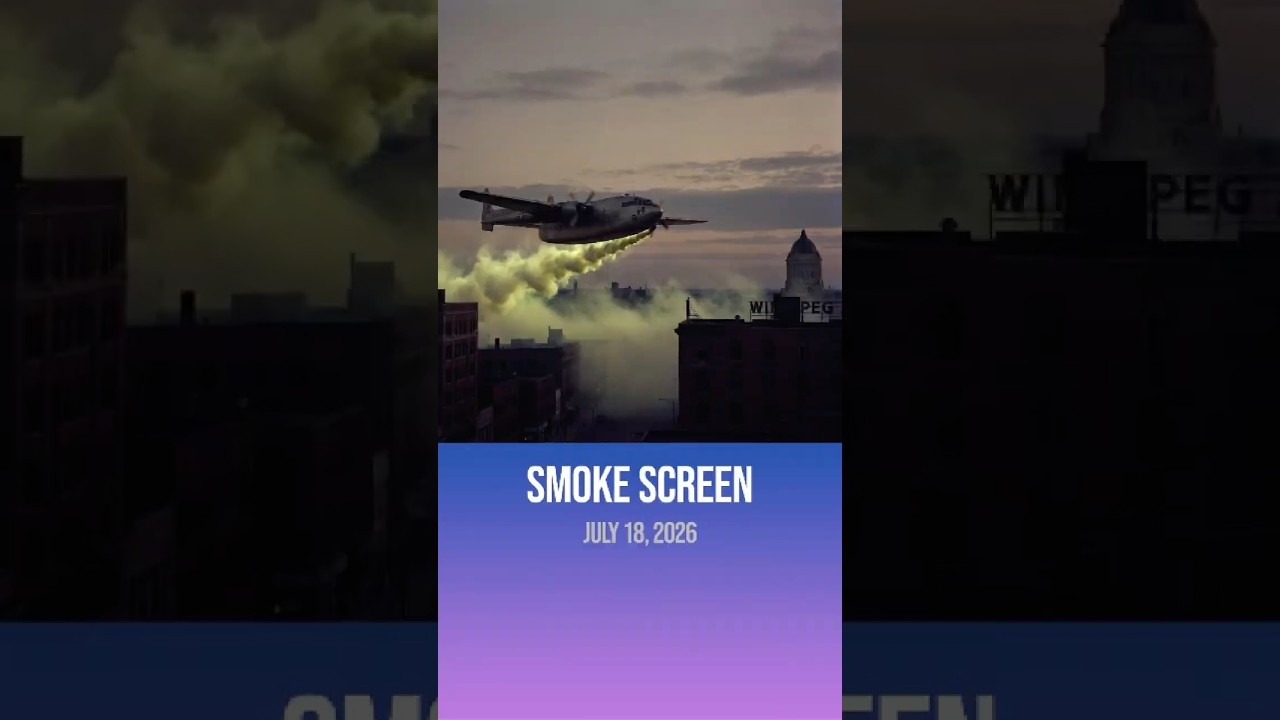
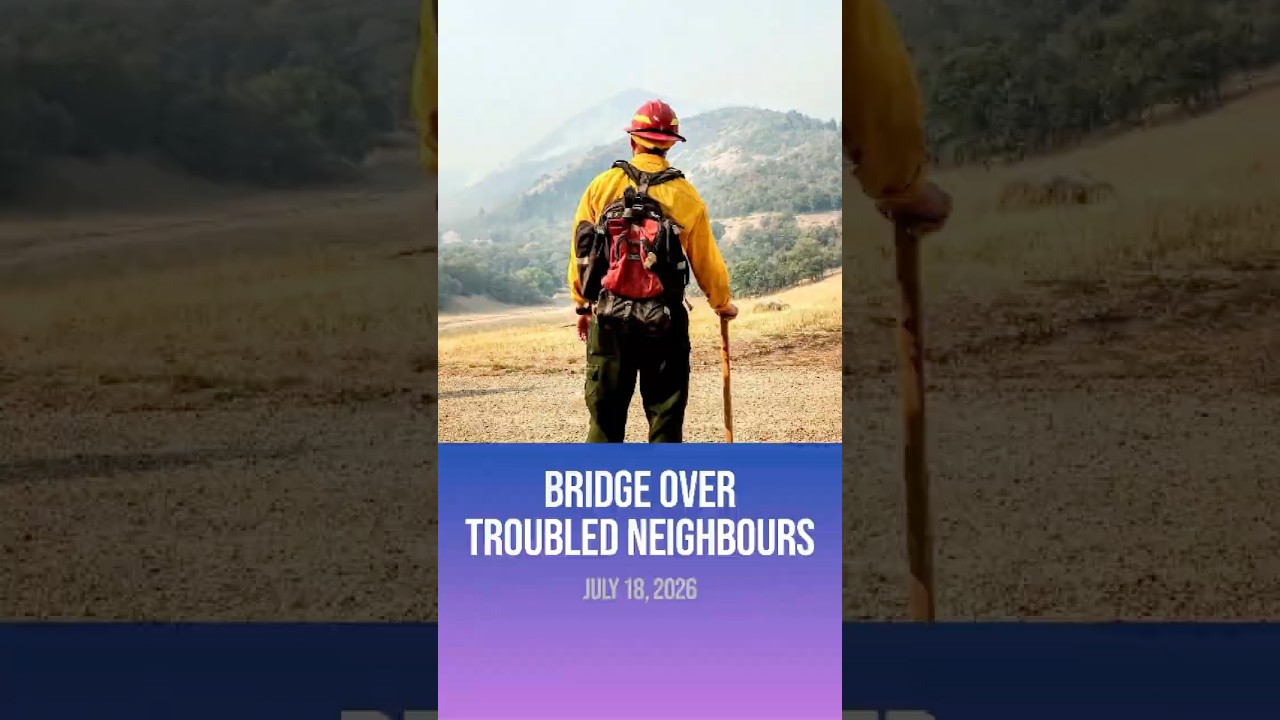
Ten times Canada helped the U.S. with its wildfires, instead of whining about the smoke.