Val Nichols walks through streaming a Zoom meeting directly to a Facebook group using Zoom's Live on Facebook feature. You'll select Share to Groups, pick your group, then use Facebook's Live Producer to add a title and description before going live. Remember to record in Zoom and check the stream on your phone first.
Chapters
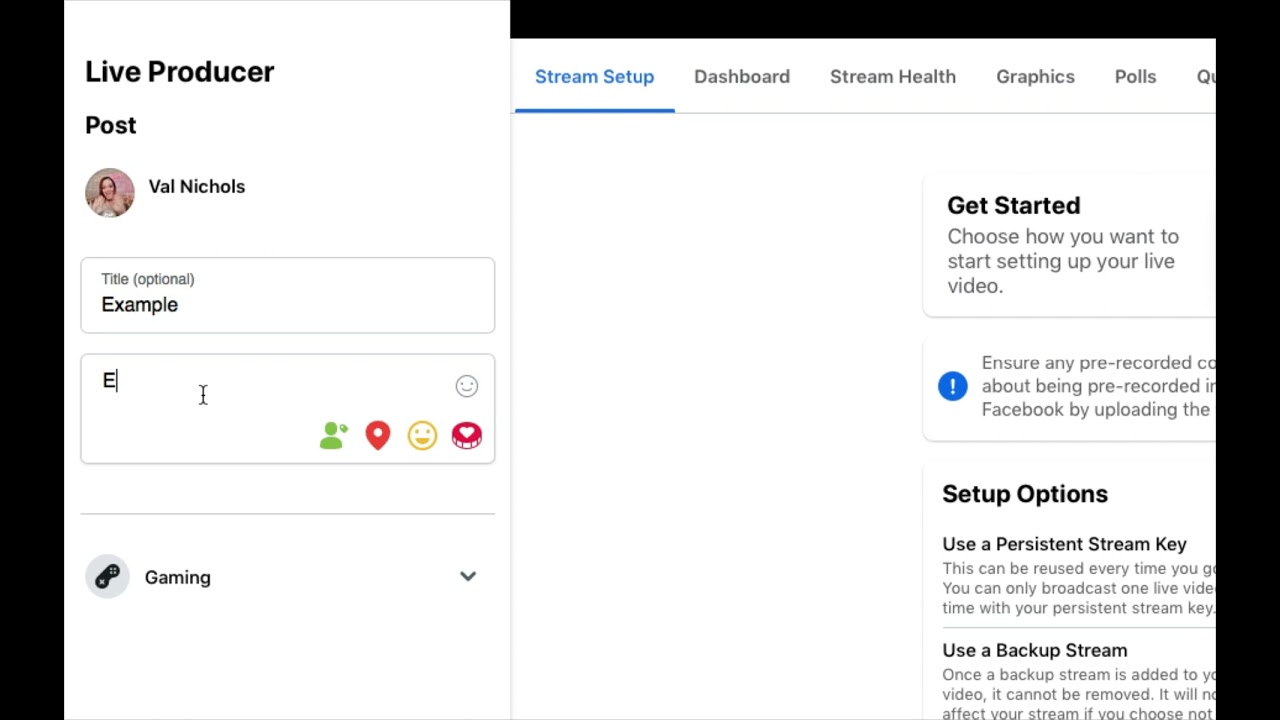
Today we're going to talk about how to stream from Zoom into your Facebook group. First, open up Zoom. Then on the bottom right-hand corner, you are going to see a More button with 3 dots. Go ahead and click on Live on Facebook. This will bring up Facebook in your separate browser. The box saying Choose Where You Want to Post will pop up. Click on Share to Groups. Once you do that, search for your Facebook group, A Convergence of Ideas, in the group bar. It will pop up. It's blue and— or it's purple and yellow. Click on A Convergence of Ideas. Click the Next button on the lower right-hand corner of the box. A screen will pop up saying that Zoom is linking it to Facebook Live. It is preparing your live stream. Now the Facebook production screen will pop up. It's a little bit slow and a little bit annoying. You will go to the upper left-hand corner where it says Live Producer. You will put in the title and the description. The title can just be Live with So-and-so or Day 3 of the Summit. Put in a short description just saying something like, we are going to talk about chiropractic and allergies, or something like that. Then below that, there will be a blue button that says Go Live. Click on that. It is on the bottom left-hand corner. Facebook will do its thing again. It will prepare the live. As soon as it's ready, it will pop up on a screen that shows you live in the Facebook group, just like this. You did it! Yay! So go ahead and check the stream by pulling it up on your phone, and don't forget to press record on Zoom. You've got this!
More from Val

Kind of Chic to Treat Your Business Like An ACTUAL BUSINESS | ADHD & Business Creator Val Nichols

ADHD Creatives Make The Best CREATORS! I Can't Wait To Show You How! ADHD Content Creator Val
ADHD Creators Never Apologize For This! Be Too Much | Val Nichols ADHD Creator & Entrepreneur #adhd
Fidget Toys for ADHD! What do you think? What do you think is the BEST Fidget toys for an Adult?!
Social Media For Business | Content Pillars | Val Nichols ADHD Business Coach

Your 'TOO MUCH' energy is actually your highest paying brand ASSET In Your Business