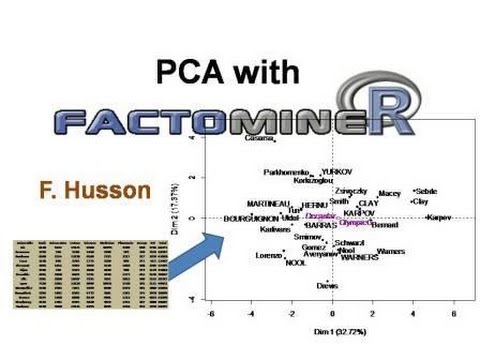
In this tutorial, the presenter demonstrates the graphical capabilities of the FactoMineR R package using a Principal Component Analysis (PCA) on the Decathlon dataset. The dataset includes 12 quantitative variables (10 event results, rank, points) and a qualitative variable indicating competition (Decastar 2004 or Olympic Games 2004) across 41 athletes. The speaker explains how to designate active, supplementary quantitative, and supplementary qualitative variables, and how to include supplementary individuals. After running the PCA, the summaryPCA function is used to display eigenvalues, inertia percentages, individual coordinates, contributions, and squared cosines for both active and supplementary elements, as well as variable loadings and qualitative category statistics. The bulk of the video focuses on customizing the two default plots—individuals and variables—by adjusting label size (cex), shadows, colors based on qualitative groups, transparency (unselect), and selective labeling based on cos² thresholds, contributions, or specific names. Additional tricks include enlarging the graphics window for long labels, modifying title and axis label sizes, and exporting the figures to PDF, JPEG, or PNG for use in presentations, noting PowerPoint compatibility issues with transparency. The presenter notes that the same graphical options apply to other FactoMineR analyses such as Multiple Correspondence Analysis (MCA), Correspondence Analysis (CA), and Multiple Factor Analysis (MFA).
Chapters
The purpose of this video is to show the graphical module and the graphic capabilities of FactoMineR. So first I load the FactoMineR package and I will present the graphical module in PCA. So to do this, I use the Decathlon dataset and here is a summary of the dataset. So in this dataset, there are 12 quantitative variables: the results for 10 events of the decathlon, a quantitative variable corresponding to the rank of an athlete, and the number of points obtained for the decathlon. And there is also a qualitative variable which corresponds to the competition the participants participated. So either Decastar 2004 or the Olympic Games in 2004. And there are a total of 41 individuals. So I'll do a PCA on this dataset and I put the results in the— the outputs in the object res. So the dataset is decathlon. I will assume that the variables 11 and 12 are supplementary quantitative variables. And the variable 13, the variable competition, is a supplementary qualitative variable. And thus the axes, so the dimensions of PCA, are built with 12— with 10 active variables, the first 10 variables. So just for this example, I put supplementary individuals, so individuals 1 to 5. And it is not necessary to do this in this analysis, but I do it to show the possibilities graphic of FactoMineR. So therefore the PCA is built and the outputs are in the res object and then 2 graphs are drawn: a graph of the variables and a graph of the individuals. So I will come back just after on this graph and first what we can do when we perform a PCA is to summarize the results using the function summaryPCA that can be called with just summary. So I write summary.res, and I have the results. So I will extend a little bit the window to see all the results and do the analysis again. So first we have the command, the command line, then there is a table with the eigenvalues, the percentage of inertia, so the percentage of variance associated with each dimension, and then the results on individuals. So by default the first 10 individuals, and so we have the distance of the individual to the center of gravity of the cloud, the coordinate on the first dimension, the contribution to the construction of the first dimension, and the quality of representation evaluated by the squared cosine. Then it was the same for the second dimension, so coordinate, contribution, and cosine, and then the third dimension. So by default there are 3 dimensions and one may require more dimensions using the argument ncp for number of components. So the default is 3 but it may be equal to 4 or 5. Then we have the results for the supplementary individuals. So again the distances, the coordinates, there is no contribution since these individuals do not contribute to the construction of the dimension, and then the quality of projection with the squared cosine. Then we have the results on the variables: coordinates, contribution, cosine squared, squared cosine on the 3 dimensions, and then the supplementary quantitative variables with coordinates and cosine. And supplementary qualitative variables: we have the results for each category of the qualitative variables, that is to say the category Decastar and Olympic Games, So we have the distance to the category, to the center of gravity, the coordinate, the square cosine, and a test value which is between -2 and 2 most often. So the value 2 corresponds to the quantile of a normal law. If the value is greater than 2 in absolute value, it means that the coordinate is significantly different from 0. So for instance, the category Decastar is significantly different from 0 and is negative. And for the Olympic Games, the coordinate is significantly positive. So if I want the results for all the individuals and not just the first 10, I'm going to put number of elements equal inf, inf for infinity. And so we will see the results for all the elements, so all the individuals, all the supplementary individuals. And all those variables and so on. So here are the summaries of the results. So you can also write the results in a file, the file essay.txt. So the results are written in a file which is saved where I am working on R. So that's for the summaries. And now we can go back to the graphs. So there is a graph for the individuals by default. And a graph of the variables. Therefore, we will interpret these 2 graphs together. So for the graph of the individuals, active individuals are in black and supplementary ones in blue, and in pink we have the categories of the qualitative variables. So here there is a single qualitative variable which has 2 categories, but otherwise we could have all the categories of all the variables. So we can see that the labels of the individuals do not overlap. So the program places the labels in a way that labels overlap as little as possible. But if there are many individuals, it may be there for some overlaps. So how we can improve this? I will make a new graph to show that. So I create a new device and I make a graph of the individuals. So the graph of the individuals appears here, and since the window is is smaller, we have some overlap. So first I can enlarge the window a little bit and do the analysis again, do the plot again. So we see that the labels overlap a little bit less. Another little trick is to write the labels using a smaller font, so using cex= 0.8 for example. So we will use a smaller font And we see that the labels overlap very little, so the graph is more readable. We can see that for Bernard on the axis, it is not very pretty, so we can say that we want a small shadow by putting shadow= TRUE to have a small shadow on individuals. So Bernard was shifted. For Schoenbeck, we see a small shadow and read more the label on This small shadow is interesting, but if you want to edit the graphics in PowerPoint, there are squares with shadows which can be difficult to manage. So if one wants to recover the graph as it is, it is advisable. If you want to rework the graph, it is not advisable to use a shadow. Other graphics possibilities: I can color the individuals according to the qualitative variables, which is the 3rd variable. In the graph of individuals, individuals are colored in red when they participated at the Olympic Games and in black when they participated to the Decastar. This is another graphical option. I can also delete supplementary individuals, for instance, to have a graph without supplementary individuals. To do this, I use invisible ind.sup. Therefore, supplementary individuals become invisible. The graph is drawn with only active individuals and categories of qualitative variables. I can also remove at the same time the supplementary individuals and the categories of the qualitative variables. So I have a graph with only active individuals. Also select the individuals for whom I want labels. So I will select individuals who have a square cosine greater than 0.7. So I have a graph with individuals who have a square cosine, that is to say a quality of representation greater than 0.7 on the map. So I want to build individuals who have a square cosine less than 0.7 have their point which is drawn in transparency and has no label. So I can play on the degree of transparency putting unselect= 0. I do not have transparency and therefore the color is the same for unselected individuals and the other but they have no label. So the graph is little clearer and there will be less overlap by instance between labels. We may put unselect= 1 so there is a complete transparency and points are undrawn. When there is transparency, for instance with 0.7, graphs can be saved in files as JPEG, PNG, or PDF. But if I want to copy and paste this graphic in PowerPoint, for instance, the transparency is not supported by PowerPoint and the dots disappear. So this can be a problem. And to avoid this, you can write unselect equal a color, for instance, a gray color using gray 70. And the endpoints are this time drawn in gray and the graph can be copied and pasted directly in PowerPoint. So for the selection, I selected with the cos² greater than 0.7. I can also make the graph with the 5 individuals who have the greatest cos² for both the active individuals, the 5 active individuals that have the highest cos², and the 5 supplementary individuals who who have the highest cos². Rather than working on the cos², one can work on the contributions and select the individuals who have the largest contribution, and therefore there is obviously no more supplementary individuals since supplementary individuals do not contribute to the construction of the dimension. We see that individuals who have the largest contribution are the more extreme individuals. You can also select with the names of the individuals. I will select the individuals Clay and Karpov that particularly interest me in this example. So the 2 individuals are drawn and the other individuals are drawn with transparency. I can select the first 5 individuals, the first 5 active individuals, and the first 5 supplementary individuals. It is also possible to select the individuals you are interested in and therefore to build a list of individuals you want to draw. So this is the possibilities for the graph of the individuals. We can now go to the graph of variables. Here we see the graph of variables with a graph quite clean without too much overlap. It can happen that the variables have long labels. So in this case, it is advisable to enlarge the window and do the graph again. So to do the graph again, I specify that I want the graph variables putting choice= var. Again, it is preferable to put a small shadow, so I can put shadow= true. And the graph will be clearer. So as for the individuals, I can select variables using select= contrib 5. I see the 5 variables that have the highest contribution. These are the 5 variables. You can also select the variables according to their square cosine. So those are the graphical options. Do not hesitate to increase the window size if you have very long labels. Also, do not hesitate to use a cox= 0.7 which will enable to have labels that overlap a little less. And after, you can play on the size of the title using serixmain= 1.8 and the title is written in bigger. serixlab= 1.5, the labels of the axes is written bigger. So that's a kind of tricks that you can use to have clearer graphics. Once again, to save the graphics, I do Files, Save As, PDF or JPEG or PNG according to the format you want to use. Everything I have said here for PCA is valid in the other programs such as Multiple Correspondence Analysis or Correspondence Analysis. This is very useful when you have textual data with a lot of words or a lot of texts. To have the possibility to select and to better visualize the graph. It is also possible to use it in multiple factor analysis. So here is for this brief presentation of the graphical menu of FactoMineR.