0:03
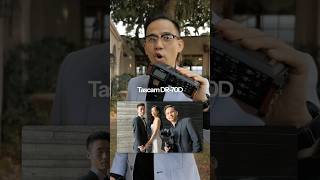
Use a Tascam DR-70D with a microphone splitter to record the ceremony mic while it feeds the live console. Mike the groom and officiant as backups, and connect the recorder to a power bank so you don't lose battery mid-ceremony.
Use a Tascam DR-70D with a microphone splitter to record the ceremony mic while it feeds the live console. Mike the groom and officiant as backups, and connect the recorder to a power bank so you don't lose battery mid-ceremony.
I'm using this Tascam DR-70D.
Make sure to lower the volume. Once you lower it, you can unplug it. So what we want is the cleanest audio coming from the mic straight to our recorder. We don't want to bypass here. This is a microphone cable that goes in here. This is the microphone signal that goes into the splitter and it splits the signal from the microphone. One goes to the mixer, which is going to project the sound to the audience. This side is going to go to my recorder and it's going to record straight from the signal to the splitter to my recorder. We also mic up the groom and the officiant as backup audio. We want different sources of audio just in case the audio fails. We have backup audio. I'll also connect this to a power bank. So this way I don't have to worry about the battery dying.
But your job as you're viewing this ceremony today is to commit to be intercessors for this family.