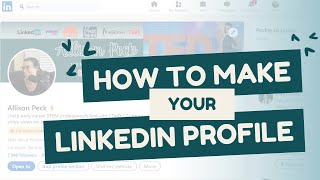
Alli Peck shows how to build a LinkedIn profile from scratch. Use the headline formula "I do X for Y using Z," add a professional photo and banner in Canva, then fill out Experience, Skills, and Recommendations. Write daily for collaborative articles to get Top Voice status.
Chapters
This is the LinkedIn 101 video. If you have a LinkedIn, great, follow along. If you don't, it is free to create one. You do not need a premium account. That's what this little gold badge is right here. I would recommend you get one if you're job searching. But I've never seen any evidence that it actually helps you like get recognized more or appear in more searches. I think all it does is it allows you to see who's looked at your profile with more detail and it also shows that you're a premium member. I don't think that's so valuable. So it allows you to message people also that have set their profile to only allow messages from premium members. I believe so if you want to. I think it's $60 a month, don't quote me, but we're going to go over in this video, everything that can be on your LinkedIn profile should, should not be on your LinkedIn profile. And why. Okay, so starting at the top we've got the profile photo and the COVID photo. So when you start a LinkedIn profile you will have the default banner here. I think it's gray, it's got a little light gray wave through it. There is no excuse for you not to have a custom one like this. So if you are familiar with Canva, you know I've talked about that in a bunch of previous videos. I'm a huge fan. Again, you can get it. There's a free version. So if we come over to Canva here, If you search LinkedIn banner in the template section, the free ones that don't have the little crown here, the little pro thing, let's say you like. Hmm, this one looks nice. All right, we're going to do customize this template. We're going to put my name, maybe we put what my title is or if you're a software engineer, your skill like PI. If you want people to be know you by your Python skills, you could put Python programmer or whatever. You don't have to have your phone number in. In fact, I really wouldn't. And, and then you don't even have to have your email or your social media. Just this is totally fine. You can change the colors here. You can add, let's see, you can search in elements and you can find a little pencil. You can make it white or gray, whatever you want, you can add to it, you can change it, but this is how you save it. So you do download and we're going to do as a png. Okay. Oh, it contains premium content. Okay, maybe don't add a pencil. That's all right. Okay, so we're going to download it as a png. Okay. That is downloaded now. We're going to come back to LinkedIn here. And the way you edit it is you click this edit button and you upload that photo that you just downloaded. If you want to make a custom profile picture, guess what? Canva also has templates for those. And I just searched LinkedIn profile photo. So again, what you can do is you can click one that you like, customize this template. And I would not say ready for employment. So I'm going to delete that. And instead of this picture here, you can click upload here and upload a picture of yourself. I have chosen a random one. I've put it in here. You can change this color any color you want. You can have it be a gradient. That's pretty cool. You can take this picture and you can remove the background by clicking Edit Photo. Background remover. Oh, no, you have to have Pro account for that. I highly recommend getting the Pro account for the background remover. But that's okay, you don't have to. So if you like this as your profile picture, again we're going to click Share Download, download it as a png and then you can add it as your profile picture. I think you click this and do add photo. Okay. Profile pictures should be professional looking. Bonus points if you're in a suit or, you know, if you're a biologist in your lab coat. Whatever is like relevant to the job. If you're a technical program manager for a construction company, maybe you have your hard hat on. Anything to demonstrate that you're the person for the job. So I want people to know about my podcast. So I have my podcast mic in here. It's just have a photo that demonstrates something you want people to know about you without you saying it out loud. So be intentional about it. Okay, moving on. This is the headline. So when you search for people's names on here, you can search Alex Freeberg. So if I do this, I believe the headline shows up. So your headline is important. It doesn't show your experience down here. It doesn't show what city and state. Oh, it does show your city and state, but it doesn't show like much more about you besides your headline where you are your followers. So you want to be really intentional with your headline. You can use AI to help you create this or you can use a formula that I like that is I do X with Y. I Do I accomplish X for Y using Z? I make videos for. I make sales videos for CEOs using Premiere Pro, so they go viral. That's an example. I do X with Y for blank. I write python code for medical device companies to better the world, whatever it may be. Make your statement impactful. If you're job searching, you can say that, too. If you really want people to know that you're job searching, you want a role, you can say open to. Open to software engineering opportunities in Texas. Okay, let's move on. So this element here is the top voice on LinkedIn badge. There are two types. There's one type that's invite only, that's a blue one, and that's just general LinkedIn top voice. Very impressive to have that. A little less impressive and a little different is the yellow Top Voice badge that I have. So. But it's still pretty cool. And I'm going to tell you exactly how you can get it in like three weeks. Okay, so I'm going to come over here to this tab over here. Maybe you've seen these on LinkedIn, maybe you haven't. These are the collaborative articles. So if you go to LinkedIn.com Pulse topics home, you can also Google LinkedIn collaborative articles. You can also search on LinkedIn for them. But the homepage looks like this. Whatever you want the Top Voice badge in, maybe it's IT services. Maybe you want to be a top voice in engineering. Click over here on the right, the topics, and there's a ton of them. If you do see all topics, you can search. So let's say you want to do Top voice in engineering. On your profile, click Engineering. And I want you to bookmark this page. You're going to come back to this every single day for two or three weeks or until you have the Top Voice badge. The way you get it is you contribute to one of these articles every single weekday. So you click on one, this one. What are the most effective ways to manage your supply chain in a lean construction project? Maybe you're an expert in that, you know all about lean manufacturing. You're going to scroll down and you're going to find a paragraph. So on the left is the article, different sections of the article, and on the right are contributions that different people on LinkedIn have made. So it's kind of cool, like a collaborative article. I believe they're written by AI, and then real humans on LinkedIn contribute to them. Now you can click say, identify and align with customer value. I know so much about that. I'm going to add my perspective. You can use ChatGPT to write this or you can write it straight from the regular old heart. But whatever you do is up to you. Add your perspective. One tip I have for anyone starting with this is and then give give one perspective. You can share your opinion on here. You can share a prediction you have for the future. You can add a tip that's not already in here. You can contra. You can disagree with this and say actually I think it's this instead, here's why. Whatever it is, try to keep it appropriate. Try to keep it relevant to this and keep in mind that anybody can see this contribution. It will show up on a linked feed for anybody in your network that you have contributed to the article. So just keep that in mind when you're writing this. Then you click add and do that for a different article every day for a few weeks and eventually you will see this on your profile. All right, let's move on. These are pretty self explanatory. When you edit your profile here you can add different things that you talk about. I believe if you have creator mode on that's down here, you can. If you plan to post a lot, you don't have to. I don't think it helps in the job search that much to have creator mode on. It does help to post, which we'll talk about in another video and then have your city and state here. All right, coming down here. So featured articles. If you've ever had a LinkedIn post that you really love that you did, you can feature it up here. If you have a newsletter, you can feature it up here. If you have a post that's gone viral, you can feature it up here. I have a couple of all of those. And I also have a post here about what I'm all about. My story, my mission, my values. That way, if I'm job searching, any recruiter can come on my page and read that and go, oh, I like her or oh, she doesn't seem right for our company. Okay, coming down here is activity. So we'll talk in another video how you can post on LinkedIn some resources I have for you. So we'll skip this section for now, the about section. We're also going to talk about this in the next video. How to leverage AI to help you write your about section. Okay. Experience section. So you have the option if you click edit here you can edit any of these. If you edit them and you scroll down, you can add a description that is bullet points and bullet points and Bullet points. You can even copy and paste the bullet points from your resume. I would suggest doing that. I choose not to have any bullet points under each one because I'm not job searching. And it would just be. It would make my profile very, very busy because I have a lot of experience. I have a lot of jobs that I have here. So if you're at the beginning of the career, of your career, I highly recommend putting some of the bullet points from your resume for each of these. That would look really nice, especially when you're job searching and you want people to know, like, maybe they don't have access to your resume yet because they've never met you, but they're just scanning your profile. Okay, you can put your education down here. Put the years of graduation, any licenses and certifications that you have, you can put them here. Some of them you can search for, and they'll have the actual icon. I don't think I uploaded the icon for these. I think Academy X is recognized by LinkedIn. If your license and certification is from an establishment that's not recognized on LinkedIn and they don't have a little profile photo like this, totally fine. All right. If you've ever done any volunteering, I love that they have the volunteering section. I think somebody who volunteers shows that they are selfless, they're compassionate for others, they are smart about how they spend their time. They want to help people. It shows so much about a person. That may be true, maybe not. But if you want to have a volunteering section and you want to volunteer and put this on here, I love that. I love seeing this. Okay, we've got the skills section. You can add your skills here, and people can endorse you. So, for example, this is an old friend of mine, Zara. She and I have worked together. She has endorsed me for biomedical engineering. That's basically her saying. Yep. I've worked with Allison in the past. I know she's good at biomedical engineering. We both went to Cal Poly together. We got our degrees together. She's like, yep, I endorse her for this. I. I second her. I second that she has that skill. So 22 people have said that. I know MATLAB. 43 people have said, I know biomedical engineering. If you want, you can go around and endorse people that you know for skills. Chances are they may do it back to you. That's how I got so many on here, is I did it for other people, they did it for me. It's kind of an unspoken thing on LinkedIn. You can also ask people, previous colleagues. Hey, I'm really trying to beef up my LinkedIn profile. Would you mind endorsing me for skills in my profile? Here's the link. It would mean so much to me. Also, we'll talk about networking later on. If you're networking, this is something that's free and easy that you can offer people, hey, I'd love to endorse you for some skills. You know, can we do a quick chat? So this is something that you can give as a gift to somebody else if you know that they have that skill. Okay, last thing I'm going to say about LinkedIn profile is my favorite section, the recommendation section. Okay, so you can give recommendations to people you have worked with in the past. This is kind of like endorsing people for skills, but way more detailed and it shows the date, the relationship, their company, who they are, their title. So you can give somebody a recommendation. I believe when you go to somebody's profile, it says other here and you can click or more or other. And you can click that button. It says give a recommendation. So you can do that on anybody's profile. They have to read it first and agree to put it on their profile. So you can't just write a terrible recommendation for an enemy and it shows up on their profile. No, they'll get the notification that you made one. They'll read it, maybe you made a spelling mistake and they'll ask you to redo it, whatever, but they have the option to let it show up or not. You can ask previous co workers for this. Again, same with skills. You can say, hey, I'm job searching right now and I would highly recommend you do this. A bunch of people you've recently worked with message them, hey, I'm job searching right now. I'm really trying to get some recommendations on my profile. Would you write about, you know, briefly, about the time we work together? It would mean so much to me. You can do that. You can also give recommendations. Just like the skills section up here. You can just randomly give some love to somebody and just write a recommendation. Chances are they'll write one back. Sometimes they won't. That's okay. But that's one way to get one. I've probably given 15 and I've received nine. So that just. That's my ratio. Like, I've given this much, I've received this much. That's all right. We give more than we get. And then languages, okay, that is LinkedIn profile 101.
More from Alli
Change Your Career Without Leaving Your Job: Podcast Episode with Darcy Eikenberg