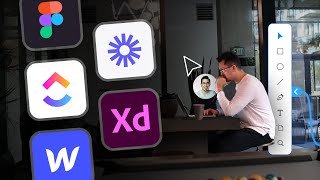
A designer walks through seven tools that shaped their UX workflow: PageFlows for competitive analysis, Loom for video walkthroughs, Adobe XD or Figma for design, VWO for A/B testing, ClickUp for team docs, and Webflow for interactive portfolios. Each tool handles a different stage of the design process.
Chapters
Like a rock star needs his guitar, a UX designer needs their tools. Tools that help them do great UX design work. Tools that make clients and users happy. So today we're going to talk about some tools that will help you become the ultimate UX design rock star. And special shout out to my first sponsor of the channel, Loom. More about them later. First up, PageFlows. I'm a huge fan of PageFlows. This tool isn't free, but trust me, it's worth it. It's helped me during the competitive analysis step of my design process. I'm able to watch a large library of screen recordings on the user flows and design patterns of products like Airbnb, Spotify, Coinbase, and much more. Sometimes clients want me to design the Uber of yachts or the dating app for dogs, so being able to view screen recordings of exactly how certain features work at established companies like Uber or Tinder is super helpful. I don't have to test out features myself. Instead, I can watch a video, take notes, and present my findings and my recommendations to the client. This great way to see the industry standard of certain design patterns and user flows. If you're interested, there's a coupon code link down below. Next up, let's talk about the sponsor for today's video, Loom. I started using Loom a couple months ago and I've been a huge fan. So how do I actually use Loom in my UX design process? Well, there are times where I need to share my designs or other work with clients, and a 30 to 60 minute meeting would be overkill, too much, but an email would be too little and it could lack important details. And both of these options are so time-consuming and time is money. So instead I record in Loom. For example, during the prototyping step of my design process, I create individual Looms for each user flow and share with clients and developers. Questions about how the user signup process works? There's a Loom for that. Questions about how the user purchases a product? There's a Loom for that. And there's other really cool features like being able to take notes or draw while recording or even comment and react with emojis directly within Loom. So if you've ever received any value from my videos, show Loom some love by signing up using the link down below. Alright, this video would be incomplete without sharing a user interface design tool like Adobe XD or Figma. I'm personally an Adobe XD user and I love their prototyping features, but Figma is great too. Specifically, I'm a big fan of their huge library of community files and resources, and I've heard a lot of great things about their FigJam product where you can actually collaborate with others and brainstorm in a really fast and easy way. Whatever you choose, just be nice to the other guy. VWO. Okay, so I I just became aware of this user testing tool about a month ago and it looks awesome. Sometimes I need to test different variations of my designs. I've had clients that want to figure out how to get more user signups or which product page leads to the most purchases. And yes, I've even had clients that want to figure out what button color gets the most clicks, blue or dark blue. Whether it's an A/B test, a multivariate test, or a split URL test, VWO seems like it has you covered. If nothing else, I recommend just checking it out. Click up. Every great UX designer doesn't work alone. They often work in teams and collaborate with others. I've been using ClickUp for about a year now and it's been a wonderful ride. I've tried Asana and I've tried Trello and ClickUp wins in most of my use cases. It's definitely not perfect, but it's pretty great. I've been able to successfully create centralized documentation for my designs, user research, feature definitions, and user flows. I've also created a super easy process for users or clients to submit bug reports when my designs go through development. And most importantly, I've been able to stay organized and easily collaborate with clients, developers, project managers, and more. ClickUp is definitely jam-packed with features. I strongly recommend testing this tool out for yourself. Webflow. Webflow has a special place in my heart. Although there are simpler website builders, Webflow is the best one I've seen. You can get super creative when creating your portfolio and stand out as a UX designer by creating amazing interactions, beautifully designed animations, and a completely custom site. I've seen some super impressive websites from amazing designers who've built on Webflow, so I'm actually planning to make more more content around Webflow because I'm such a big fan. So stay tuned, my friends. So if you're trying to teach yourself UX design, I actually created a self-taught UX design guide that will help you on your journey. I broke it down into 7 simple steps, and you'll definitely want to stick around for step 6 and step 7. You can watch it next here.