Product Designer Portfolio: Complete Guide
A guide to building a product design portfolio that lands jobs. Use a ChatGPT prompt to find a niche problem combining your passions with market demand, then build your site in Framer with case studies that show metrics and impact. Real examples from designers at OpenAI and Google show how a clear problem statement and target audience make portfolios compelling.
Chapters
That's a great portfolio. But what's a great portfolio, really? Is it a place to show off, create cool animations, and convince everyone that you're actually Batman? Or another possibility: is it a place to get us clients, get us hired, and help us level up as designers? And what exactly does a great product designer portfolio look like? What type of projects should you include? What website builder should you use? And how much does visual design actually matter? Well, that's exactly what we'll be covering in this video, along with case study ideas, free templates, and how to use AI tools to help you create the greatest portfolio of all time. And all you have to do in exchange for this valuable video that I've put in hours of dedication and hard work to is like and comment, "You're literally Batman," because I'm obviously him. Obvi— obvi— Above all else, a great portfolio makes clients and hiring managers feel confident that you're solution to their specific problems. So let's actually review some product designer portfolios that I think do exactly that. I'm going to compare two very different portfolios, and they're both great in their own way. First, let's check out Maddie's portfolio, who's currently a product designer at OpenAI and previously Stripe. Now, I know what some of you might be thinking. This is a great portfolio. There's only text and nothing else on it. And compared to Dawson's portfolio, Maddie's portfolio seems incomplete or empty. But I want us to go back to how we defined what makes a great portfolio earlier in this video. A great portfolio simply makes clients or hiring managers feel confident that you're the solution to their specific problem. There was something about Matty's portfolio that made hiring managers at OpenAI and Stripe think, yes, this person is worth interviewing. Same thing with Dawson's portfolio when hiring managers at Google viewed his portfolio. The question we should be really asking ourselves when creating our portfolio is what problem do we want to solve and how do we show that we're great at solving that specific problem, like Semih— Semih— Semih— I'm sorry, I'm totally pronouncing your name wrong. I apologize in advance. Semih, who helps companies with their design systems, or Addison James that helps companies create interactive mobile interfaces, or Jacob, who helps companies build augmented reality experiences. See, every great portfolio here has a clear target audience with a clear solution to their problem. So what problem should you solve? That's a question only you can answer. You have unique interests, skills, and experiences that I have no idea about. And instead of giving you generic advice, I'm going to come out and say I can't help you here. But, but good ol' Alfie can, aka ChatGPT. I like to call ChatGPT Alfie. It's kind of my thing, you know. I'm going to share a prompt that will help you figure out what problem you should solve as a product designer. Specifically, a prompt that considers your specific passions or interests, A, and B, the demand or industry need. I'm a product designer working on my portfolio and I want to stand out to clients and hiring managers by focusing on solving a specific problem. Can you help me figure this out based on the following? 1. Passions and Interests. Here's where you want to list the areas of design or industries that you're most excited about. I've listed some examples here with the help of ChatGPT of some really solid examples like designing for AR or VR and immersive experiences, if that's something that you're really interested in, or AI tools that enhance creativity or productivity. Like personally for me, that's what I'm doubling down on. I love thinking about how software is changing, the way we interact with software is changing because of all these AI tools. That's something that I'm personally really interested in, or even futuristic interfaces for autonomous vehicles, mobile and wearable device interfaces, tools that support creators like Notion or Canva. Actually, let's remove Canva from that. I don't know why that's there. It's fine. It's a joke. It's a joke. And you can actually use ChatGPT to help you come up with more examples to see what you most are interested in and what you are most passionate about. And 2 is industry demand, like AI-driven products like ChatGPT or Midjourney. You also got e-commerce UX for platforms like Shopify or Amazon. You got collaboration tools for remote work like Figma or Slack and tons of other industry-like needs that you could potentially focus on. And again, these are just some suggestions. You can actually use ChatGPT to help you figure this out. The next part of the prompt is ignore my current experience. Assume I'm willing to learn whatever it takes to showcase my skills. Here's what I need from you. 1. A specific problem to solve. What kind of design challenge should I address that would showcase my ability to meet the needs of top clients or hiring managers? 2. A project idea for my portfolio, a clear, actionable concept that I can include in my portfolio to demonstrate my skills and creativity. 3, how to present it. And 4, which is the most important part, a YouTube video title and outline. Help me craft a compelling video title that highlights my project and attracts potential clients or hiring managers showcasing my expertise in solving this problem. Make sure the suggestions are realistic, aligned with my interests, and aimed at impressing potential employers or clients. Keep it specific, practical, and inspiring. Boom, baby. That's, I mean, ChatGPT for the win. So fun fact, I actually used ChatGPT to help me create that prompt. GPT inception. Yeah, we're getting weird. We're getting weird. But on top of this prompt, I actually want to share some real examples of concept projects that we could all learn from. This is a YouTube channel called Concept Central, and there's so much to unpack here. Let's check out their YouTube redesign video. Wow. I mean, this, this is incredible. Like, like, you know that you've also thought about bringing back YouTube messages. I mean, I've thought about this as well, you know. Just the beauty of this video, and I know what you might be thinking, This video looks really, really cool, but like, I can never create something like that. Pause. Just, just pause for a second here. I want you to imagine you create a redesign of ChatGPT or Gmail or whatever problem space that you're interested in. Imagine you create a case study for it, explaining your thinking, using design principles like visual hierarchy, chunking, minimizing cognitive load. And then imagine you make a video about it. Maybe it's not as fancy as this Concept Central's video, but imagine your potential client or hiring manager watching that video and reaching out to you for an interview. That's the purpose of what a portfolio is all about. By crafting a strategy with AI and using social media to market yourself, you'll have a competitive edge that most designers couldn't match. And for more inspiration on the type of conceptual redesigns you can do, check out Juxtapose's Spotify redesign video or Hyperplex's redesign video of Netflix. And I actually want to share a tweet by Brett from Design Joy, somewhat of a controversial designer, but his most controversial take, according to him, is that fake design concepts will get you hired over real design projects any day. Your imagination can literally run wild. You aren't limited by stupid corporate decisions. You have full and total control. This is a hill I'll die on. So after you have a general idea of the problem you'd like to focus on, you can also ask ChatGPT ChatGPT to give you a list of companies or specific clients. Then you can search up product designers who work at those specific companies to study their portfolios. Are their portfolios relatively simple or highly interactive? Do they have beautiful visual design? What sort of projects do they include on their portfolios? These questions should help guide the specific decisions you'll make with your own portfolio, because I'm not just giving generic advice. Seriously, like, this type of shit is way too nuanced, and I'd rather teach you how to answer these questions versus give you some general answer that might not even apply to you. So now for one of the most popular questions I get asked, which is, what website builder should I use for my portfolio? So for context, I've actually used WordPress, I've used Squarespace, I've used Wix, I've used Webflow, and I've used Framer. And if you've seen my videos in the past, you'll know that I'm very obsessed with Framer for a lot of reasons. I love Framer because it's super straightforward to use and it's really powerful when it comes to creating interactions, responsive layout, and it feels super familiar to tools I use all the time like Figma with this canvas-based approach. Like, I'm not trying to relearn a whole new tool. Like, if I could leverage the things that I've already used as a thing that I'm newly using that feels familiar, like, yes, I want to use that. Thing. And fun fact, I'm actually moving my own portfolio from Webflow to Framer after 4 years of using Webflow because things are just way easier to do. For example, in Webflow I had to use custom code and tons of variables to create light mode and dark mode on my portfolio, which is insane. This literally took me like 2 days to do. And with Framer, that feature was already built in. All I had to do was click on this button. I also downloaded the Chrome extension Wappalyzer, which allows me to see other designers' portfolios and like what tools they sort of use to build their portfolios. And I was pretty impressed to see Framer being used like all the time, like Dawson's portfolio from Google, Framer, Ethan's portfolio from Apple, Framer, Jacob's portfolio from Apple, Framer, or Addison's portfolio from Meta AI, Framer. And this is one of the reasons why I've partnered with them so much on my channel. Because I'm genuinely a fan. And yes, they also might have called me Batman, which is like the easiest way to get me to do anything. All right. All right. So for those of you that are choosing to use Framer, what's the best option to get started? Well, you got 3 options. Option A, you could use one of the hundreds of quality templates they have, or B, you can create something from scratch right in Framer. Because again, it's really familiar with Figma. So you actually don't even need to use Figma and then create it on Framer. You could just design straight on Framer, which I think is really interesting. And then option C obviously is that you can take any designs that you have from Figma and import it using their Figma to Framer plugin. I'm not a fan of option C. I would either choose between option A or option B. If you don't have much time, I just use a free template like this one that has super cool interactions with beautiful typography. The only thing I'm not a fan of is their case study layout, and maybe this design wouldn't really work for the client or industry that you're after. But another good one is this one, which is very clean and simple, and it actually has a really great case study layout that focuses on metrics and impact, which I think are highly underrated and I rarely see on product designer portfolios, especially juniors. Uh, definitely include something like this in your case studies. Another A very clean free Framer template is this one. It's very simple, but I love the subtle transitions and typography. I also typically like more simple and minimal templates that I can then customize later. And I gotta share one of my favorite free templates, this one. I like it for product designer portfolios specifically because of the sidebar that makes it feel like a piece of software, not just a website, which is exactly the type of thing that I want to be designing anyway. So let's talk about case study structure. Customizing the templates to match your style is one thing, but what about customizing your case studies in the most effective way? Well, there's a couple of case study layouts that I like a lot. For example, let's take a look at Ben Martin's case study format. At a glance, he has a clear headline, image, and project context that is super scannable and easy to read if you're in a rush, which, by the way, most hiring managers and clients are not spending tons of time on your portfolio. They're spending like maybe a minute, maybe 2 minutes on it. That's exactly the sort of thing that you want to be thinking about. He highlights the outcome of the project up front, which again, super smart. And if we could take a look at Dawson's portfolio, it has a very similar format, clear title, project context, outcomes, role. And one of my favorite case studies to look at is Perry's Google Stadia project, which has again a similar format. Amazing visual design and aesthetics, proving that you don't actually need to choose between beautiful visual design and actual content. Also, I got to give some credit to Webflow's case study structure. Specifically, I like how they highlighted metrics and impact upfront in their case study preview cards and within the hero section of their case studies as well. Then immediately after a test testimonial from their client with a sticky card on the left that you can navigate to on different parts of the case study to actually get in touch. So that's solid, that's really good. And if you want to see some more examples of portfolio websites from designers who've worked at places like Apple, Meta, Google, and other top tech companies, you can watch this video next, or, or this one. Both of them are pretty good. Until next time, Batman out.
More from Andres


Claude Design, meet Aqua Chat (anyone else obsessed with Aqua UI 👀) #claude #design @claude #ad
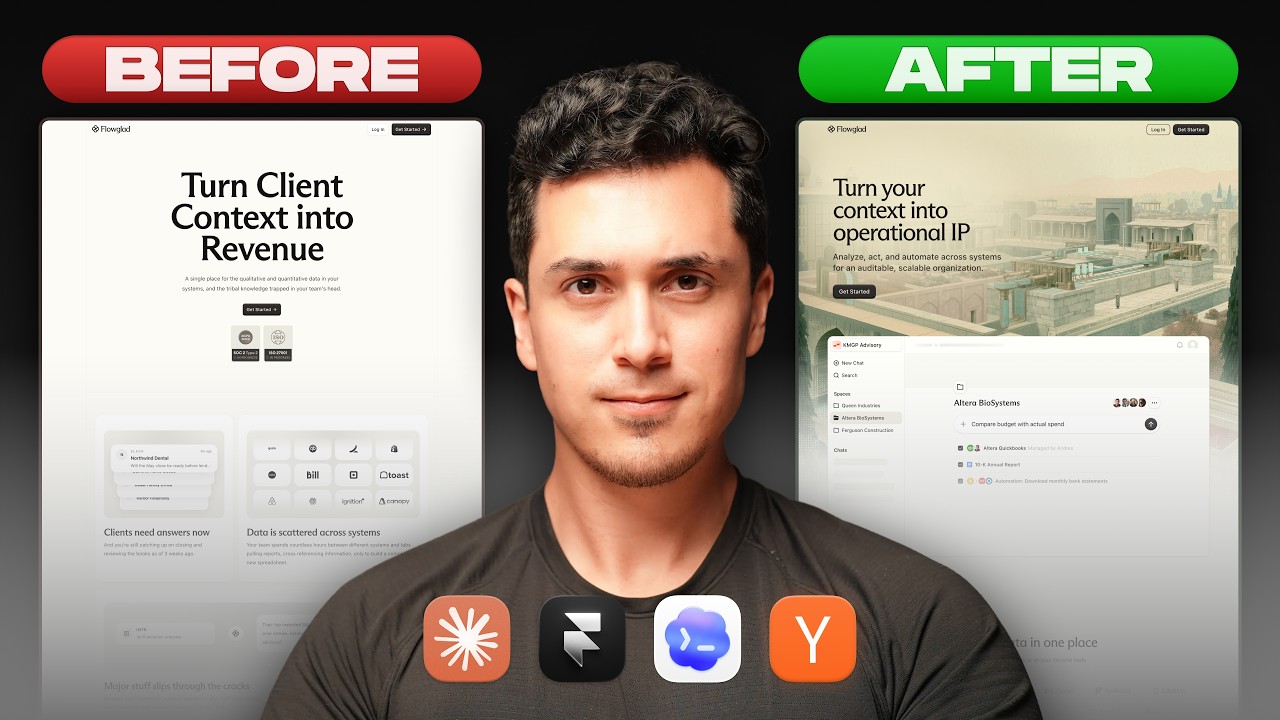
Website redesign for the coolest Y-Combinator startup everrrrr 😏#framer #webdesign #ad


Break barriers by letting Framer agents' break points 😏 #webdesign #framer #framerpartner