2hp Turing Machine tutorial, for humans
A YouTube tutorial by Sam demonstrating how to use the 2hp Turing Machine eurorack module to generate melodies and patterns. He explains related modules (clock/MIDI, sequencer, quantizer/scales, and "voice" sound modules), walks through patching signals, adjusts Turing Machine parameters (length, probability, amplitude/range), and shows how to shape and randomize a patch to create musical results.
Chapters
Hey, got a lot of positive feedback on the last video on Marbles. So I want to do a little explainer video on another way to have your EUOREC module create melodies or patterns for you. And that's using a module called Turing Machine, and I'm using 1x2 HP, but there's other companies that make them and Marbles itself is kind of a really fancy Turing machine. So I'll explain Turing Machine and then we're going to make music with it. So I'll also be using a little sequencer to generate triggers, signals to generate sounds, and a quantizer to make everything map to a scale. And then we need something to generate music.
Right.
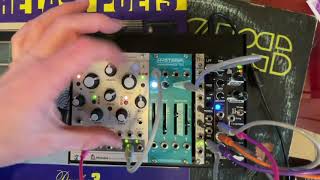
So I'm using what's called a voice for that. Normally in eurorack, when you are making music for the sound generation, you're typically going to create, use a thing called a vco, an oscillator, which is something like this, that's to generate notes. Then you're going to use an envelope generator to decide the amplitude shape of the thing. You know, like when you tap the keyboard, does it come out tick, tick, tick, or does it come out T T or in some other shape? And then we'll use an amplifier to apply the envelope to the notes each time a note is being created. So that's three modules and a lot of cables and takes up a lot of space. Right. So being lazy, today, we're just using what's called a voice. I've got two of them over here, the 2hp plug, which sounds really pretty, and I've got another video for that. And also I've got a drum machine voice here called Bissimilis Iteritas Alter. I'll be using that today. And the difference between a voice and an oscillator is that with a voice you just need the one module and it does everything for you. So you don't need an envelope generator and an amplifier or vca. It's all in there. So that makes life a little simpler, in our case, a little cleaner. So that's what we're using today. I'm bringing in a clock using this MIDI module. So it's getting the clock signal from Ableton.
And.
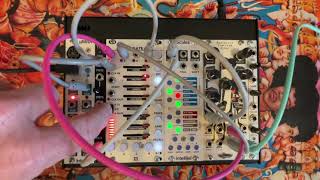
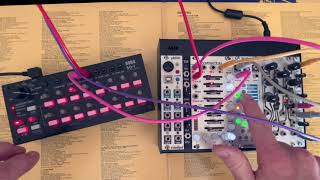
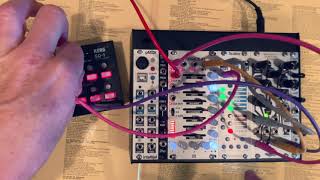
And what we're going to do is we're going to make a little patch and see how we use the Turing machine. So the first thing we do is we're going to send the clock into our sequencer, so into the clock in. And then we need to send a clock signal over here from the sequencer to Trigger our Turing machine. And we need to do one more. We need to also send these triggers into the thing that's going to generate the noise. So our drum machine. And then to start getting music, we need to get connect this whole thing to our mixer or our sound system. So here we go. So it's already creating. It's already starting to create notes, right? So what we have now is. But what it's not yet doing is it's not yet sending the notes from. It's not just getting node information from our Turing machine. So we'll take the output from the Turing machine and we'll stick it into the pitch over here. And now we're starting to create notes. Doesn't sound great yet, though. One reason it doesn't sound great yet is that this is totally unquantized. We're not applying any kind of scale to it. So I don't like that. I like things to come out a little bit more musical. So the first thing I'm going to do is I'm going to send everything through the scales quantizer. I'll explain that a little bit later. Basically, what I'm going to do is I'm going to send the notes that Turing machine generates into scales, and then I'm going to quantize them to A, B, C, D, E, F, G, a minor scale. And I'm going to send that into. I'm going to send that into our sound units, into the drum machine that we're using as a synth. So here we go. So the way Turing machine works is think of it as a sequencer. So a series of notes, for example, four or eight. And it's going to randomly generate them by. Think of it as rolling the dice. So the first thing we're going to do is we're going to decide how many Our tray, so to speak, with notes. How long do we want that to be? How many steps do we want in our sequence? Over here, if we set it all the way counterclock, there's only one tray, one note in our tray. Over here, there's 32. If we go all the way clockwise, most of the time when we're creating electronic music, we'll like a sequencer to have maybe four steps or six or eight, maybe 16. Over here, we're probably at 16. So here we're probably around eight. So now I'm creating eight steps. There's a little tray with eight notes in them. And now we're telling Turing machine, hey, how often do you want to roll the Dice and put new stuff in there. If we go on probability all the way counterclockwise, then it's constantly bringing new notes into the system. And if we go all the way clockwise, it's not bringing anything new into our tray of notes, so to speak. So it's not rolling the dice at all, it's just repeating. So if you listen to this sequence, it's just repeating the same notes over and over. Sounds like it's about maybe 8 notes or 10 notes our sequence. So we can even make it smaller, right? We can make it shorter. Now it's super boring, right, because no new notes are coming in. So we can let some new notes in. Every other note is going to be a new note. So it's going to. There's like a 50% chance that it rolls the dice and puts brings in a new note into our sequence of four steps or so. And if we like what we hear, we can just freeze it. Not very interesting. Right, so let's not do that Right now then, over here. Amplitude is. What this is, is the range of notes that are being. It's in eurorack speak, it's 0 to 5 volts. And we know that the standard is called 1 volt per octave. So when we say it's a 5 volt range, that means a 5 octave range. So in this fully clockwise position, it'll roll the dice and bring out notes. Voltage that can be all the way across five octaves, which is a lot. You know, that tends to be a little bit hard on the ear when it's randomly generated. So maybe we'll do this, this will be more like one octave. So now let's see, we can find a little sequence that we like. I'm just turning the knobs and I'm waiting for something interesting to land. That sounds alright, we'll do that for now. So we're. So now we've got our little sequence completely frozen, right? Like because it's probably all probabilities all the way clockwise, no newts are coming, no new notes are coming in. So it's just repeating the sequence over and over again. So we let that run. Now the next thing we might want to do is to make this thing sound better is let's go ahead and find a scale that we like. Right now the scale we're using that we're quantizing this against is the minor scale, right? A, B, C, D, E, F, G. With the Intelligence scales module I can change my scale. And these are the banks, these buttons on the left. Here, this fifth one over here, that's the World Bank. And then over here got a bunch of scales. So let's just try a scale and see if we like what we hear. So basically right now I'm fishing for a scale I like. These are the world scales. I'm going to mix it up a little bit over here, let in some new notes, see what happens.
Sam. That.
Let's take a look at the notes that are in here. So we got ourselves Flight 2, and here's our B and our C, right? A, B, C, D, E. We've got a D flat. Get rid of the D flat. D, E, F and the G. And one of the things that's great about the. One of the reasons I like the Intelligent module is that it shows you the notes that are allowed and you can just play around with that. So, for example, my flat two over here, I could just get rid of it. So now there's not going to be any more flat twos. I can bring it back later. Like now it lights up right as it's generating a note. So it gives me creative control to play around with the sequences. Even if I'm freezing it on the Turing machine, I can mix it up by just changing the notes that are allowed on the scale. There's another sequencer that's really popular in your rack called Rene that gives you similar capabilities. I really like this. So that's something to look out for. So now the last thing I want to do is go ahead and play around a little bit with how we're using the synth. I'm going to use another sequence over here on our sequencer and I'm going to send into the decay to just mix things up a little bit. Watch this. So what we're doing here is I'm in a mode. I'm in a mode that's called 2 2. The varigate has three different modes. One of them is 4cv, where it's going to send out note information on each of these four tracks. The other one is four gate, where it's going to send on off triggers, gates, so to speak, on each of the four tracks. And the other one is 2 2, where tracks 1 and 3 are going to send out note information CV, right. And the 2 and 4 are going to send out gate information. So that's the mode I'm in. So I'm using a gate to trigger the Turing machine and also to trigger the drum machine. But I'm using a note to send out voltage to the decay on our drum Machine on our little synthesizer. Right? So that's track one. And now I'm going to play around with that a little bit to mix things up some.
SAM.
The other thing I can do is let's take a look at. Let's take a look at the thing that's triggering our drum machine. That's track two. So let's go track two over here. And I'm going to now do some repeats. That'll. That'll mix things up a little bit too. So watch this. I'm on repeats for track two. I can skip a few by turn the probability on some of these things off. I can set the probability to like 80% or 50%.
Sam.
I'm playing around with my.
Sa.
I'm playing with the. I'm sort of randomizing the decay to mix things up and make it more dynamic.
Sam.
Well that's really fun. You see, I'm juggling the deck a little bit. I'm still getting the note information out of the drum machine. But now it sounds like there's like a snare in there too. The kick is coming from ableton. That's just 909 kick or something. Now just have three notes coming out. Mix things up a little bit. Bring the four back in flat two. My four. I got a six. What is that? Another six. Here's my six. That's cool. Play around with the dick. Sky. Okay, off to safe.
Sam.
Now let's see what happens if I throw this modulation of the decay. If instead we send all that on the attack. Since we're getting so much fun over here, let's see if that messes things up. That's working pretty good. See what happens if we. But this is really fun. Sounding pretty good. Let's get rid of the five. So all I got now is a.
1.
A, B, C, D, E, F. I got a 1, a 4 and a 6. Bring the 2 back. Bring the 5 back. Bring the 7 back. Oh, the 7 really changes the mood, huh? So let's get rid of the. Let's get rid of the six. I'm playing with the attack, right? Since that's the one that's giving us so much, I'm gonna just right now this is a random sequence, so I'm going to make it go normal. Just have a little bit more control of what's going on here. Back to nodes. Seems like this over here. What's this called? I think this is more for something right very fm, right? It's a very aggressive jarbles up the sound. So we're gonna do it like one note. Keep bringing in new sounds. Maybe a little bit more. A little bit. A little bit more note range.
Now.
Lock it again.
Sa.
Maybe we'll play one more time with the trigger on our drum machine. That's track two. Those repeats, you know, Whole bunch. Maybe play with a probability.
Sam.
I've lost the plot, so I'm kind of waiting for something interesting to happen. This definitely happens to be me. There's usually takes me maybe 10 minutes of playing around until I really land in a groovy spot. And then I keep jamming. And then at some point, I don't know if it's me that runs out of ideas or one way or another, it just sort of loses the plot and it's no longer interesting. So I just hit that point. So I'm probably gonna wrap up.
Sa. It.
More from Bart


Techno jam on Subsequent 25 & eurorack (2hp Turing Machine, Varigate, Intellijel Scales)