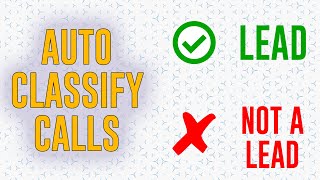
A new default call-type filter in Phone Number Settings automatically marks incoming calls as leads or non-leads. Set it once to skip manually reclassifying technician and vendor calls as non-leads every time they call.
Release Notes.
Highlights.
We have the new default call type filter in Phone Number Settings, so you can now configure tracking numbers so that any phone call that comes in through that tracking number is by default marked as either a lead or not a lead. Why is this helpful? Well, you can create a phone number that is specifically for your technicians and vendors to call into the office office on, and then you mark that phone number as not a lead by default. And that means when your technicians and vendors are calling into the office, you don't have to worry about reclassifying those phone numbers. They're by default going to be marked as not a lead. That is super helpful and saves a ton of time. This one's a y', all, because number one, it's super helpful and it affects everybody. But number two, because it's another one of those things that was already a feature, but it was gated and it really didn't need to be. So now it's not. So to everybody who is in charge of reclassifying calls at your company, we saved you a good chunk of time there.
Howdy, y'. All. Hey, thanks so much for watching. Mighty kind of ya. If you want to check out the full Release Notes video, here's a link to it right around here. Or if not, here's another video I think you might enjoy. I'm just going to sit here and stare at you until you pick one. That's right. Go on. Okay. Interesting choice.