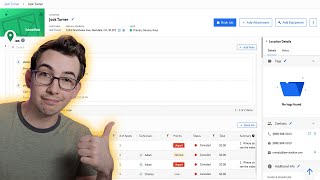
Walkthrough of Phase II redesign for customer and location pages. New sidebar shows tags, contacts, and customer details like lifetime revenue and payment terms. Navigation breadcrumbs let you jump between customer and location views, and the header collapses to save space.
Release notes, highlights. Okay, so this is what we're working with. Now. The first thing I want to point out is that the customer and location pages now have different graphics that show up here in the upper left hand corner. So that's the customer graphic. But if we go to the location, you'll see that it's a different graphic and a different color, which makes the customer and location pages much easier to distinguish at a glance. Very handy. That's something I've heard people mention forever, that it's really hard to tell which page you're on just really quickly, and that should definitely help. Now also, we have this kind of breadcrumb trail up here. So we see that I'm under the Jack Turner location, but I can click back right here into the Jack Turner customer page that I was just on. Another cool thing is that this little default customer icon here, I can hit Add photo here and upload my own custom picture. Now, the next thing that's probably pretty obvious is that a lot of the information that used to live in the header now lives in this new sidebar over to the right. So we've got two tabs here, details and notes. Under details, we've got tags, contacts, and additional info. And these sections are collapsible, and we can hit the edit pencil right here to make some changes. Now we've also got this really nice new customer summary section. So we can see the lifetime revenue from this customer, what balance they have due, what payment terms we have applied to them, and how overdue their balance is if they have one, as well as the credit available on this account. Plus, up here in the header, we have a customer since piece of data that tells us what year this customer started with us. I'll also point out that this sidebar on the left here is now collapsible. So you can collapse that and give yourself some more horizontal space to work with. And when you have it collapsed, you could leave it collapsed. And then when you move your mouse over to it, it shows up for you. And then when you move your mouse away, it collapses by itself again. And you can also collapse this customer details panel here on the right. You do that by just clicking the header here, and then with both of those panels collapsed, you really open up a lot of horizontal space here. The customer details panel doesn't just pop back up when you hover over it. So when you want to see it again, you just give it a click and it'll show back up for you. Very handy. You'll also notice that as we scroll down, this header kind of shrinks down, but it stays floating. And it kind of does the same thing where it tells me what customer I am on. And if I kind of hover up there, it expands to give me some more information. Now up here at the top, I have buttons to add a payment method. I can add a new location. And on the location page, those action buttons are book a job, add an attachment, or add equipment. And then from this kebab menu, that's where I can collect a payment, create a project email, or print statements, or switch to the old design if you must, but I wouldn't. I think this one's much better. And by the way, that little modal pop up that shows up on the call booking screen, that has been updated with this new design as well. You know that little pop up that doesn't have to pop up automatically if you don't want it to, right? We all know about that setting because we all watch all of blue Collar Nerd's videos, right? Hey, thanks so much for watching Mighty kind of ya. If you want to check out the full release notes video, here's a link to it right around here. Or if not, here's another video I think you might enjoy. I'm just gonna sit here and stare at you until you pick one. That's right. Go on. Okay. Interesting choice.