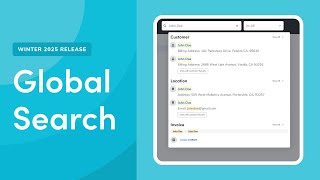
ServiceTitan's Global Search finds records across the platform from one search box, tolerates typos, and shows recent searches. Use Ctrl to open it, browse results with Tab or mouse, or go to Advanced Search for filters.
You. Let's take a look at an overview of the new Global Search function in Servicetitan. With Global Search, you can quickly find your search records from anywhere in Servicetitan. You no longer have to go to a separate page to search. Global Search helps you to quickly search across multiple categories and fields with a single search box. It can handle typos and misspellings, allowing for a smoother search experience. You also have quick access to your recently searched items. Let's take a look at a walkthrough of using Global Search. To access Global Search, use the Search bar in the main menu or press Ctrl on your keyboard. Search for the record you want. The system shows all available options. Use your mouse or press Tab on your keyboard to browse the results. Click View all to view more results from a specific category. You can also click Advanced Search to go to the search screen, where you can fine tune results using filters and additional criteria. Now that you've seen how to use Global Search, see our supporting documentation to dive deeper into Global Search.