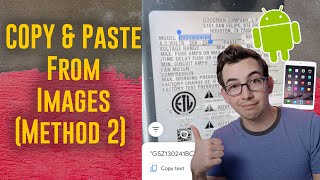
Sam shows how to use Google Lens to copy text from images on older iPhones, iPads, and Android phones. Open the Google app, tap the camera icon, capture the text, hit Copy Text, then paste it where you need it. It's slower than iOS 15's Live Text and needs internet, but it works on devices that don't have it.
Questions this video answers
The Google app (tap the camera icon to open Google Lens).
Yes — the presenter states Google Lens requires an Internet connection to work.
Swipe the thin black bar at the bottom of the screen (bottom swipe).
Use a four-finger swipe across the screen to go to the last app.
What's going on, everybody? So I recently put out a video showing off a new feature in iOS 15 called Live Text and you guys were really receptive. You seem to really like that video. But there was a downside, a limitation to Live Text, which is that it's only supported in newer Apple devices. If you'd like to know exactly which Apple devices, check out that last video. In the video itself, I tell you which iPhones are supported. And then in a pinned comment below the video, I tell you which iPads are supported. This seems bright. Is this a little bright? I'm gonna tone this down. Boop, boop. Yeah, that's better. So anyways, a lot of you came to me and you said, but Richard, my devices, they're so old. I'm not sure why. You're decrepit in this picture that I painted when the device was old. But yeah, a lot of you came to me saying your devices were too old to support it or you used Android devices. Well, good news, there is an alternative and the alternative is called Google Lens. So a lot of Android devices come with this pre installed. Just look for Google Lens on your device. With some Android phones, it's built into the native camera app and with some Android phones you might have to download it. It's a little inconsistent on Apple devices. It is built into the Google app. So just go into the app store and search for Google and download the Google app. All right, let's head outside and I'll show you how to use it. Hello. So we're back outside now with this method, first thing I need to do is open the Google app and then I need to tap on this little camera icon here. That will open up the camera and you can see it says Google Lens there at the top. So now I can point this at our data plate here and tap on it and it will start recognizing the text. It will take a little freeze frame and recognize the text. So from here I need to select the text that I'm trying to grab and I can hit click Copy text. Then I need to go back over to the app I'm trying to paste into. In this case, it's Service Titan on an iPhone. The easiest way to do that is just to swipe the very bottom of the screen where that thin black bar is, and that will take you over to the last app on an iPad. You can do that exact same thing, but you use a four finger swipe across the screen to do it. Then I simply paste it in, swipe back over. Now I need to grab my serial number. I didn't quite quite. Oh, maybe I did. All right, there we go. Select it, hit copy text, swipe back over and paste. All right, so that is how to copy and paste from images using Google Lens. There are a few compromises from doing it that way. Number one, of course, you do have to switch back and forth between apps versus with live text, you can do it straight from the text field that you're trying to put the text into. Another downside is that it does require an Internet connection in order to work. So if you're in an area with spotty connection, you might not be able to get it to work. Whereas with live text, that all happens on device. So it will work whether or not you have Internet connection. And I personally find it a little bit more finicky when trying to select the text. Just seems a little bit more difficult to actually get it to pick the text that I'm trying to get. I still personally think it's easier than manually typing it out, but I could see how somebody would disagree with me there. By the way, you can also use Google Lens to scan images that you've already taken. By the way, you can also use Google Lens to scan pictures that you've already taken. So you can copy and paste out of that. To do that, you would just hit this button in the lower corner here and then that will open up your photo library. And if you notice these little blue dots, that's Google identifying objects. It can also identify objects and then look those up on Google. So like, if you were wondering, I wonder what kind of plant this is or whatever, stuff like that. Anyways, that's all I got for today. Be sure to hit, like, if you liked the video and found it valuable, be sure to subscribe to this YouTube channel. If you haven't done that already, hit that bell icon so that YouTube notifies you. Anytime I upload a new video and leave me a comment down below and let me know what you think. Appreciate it. Peace. Sam.