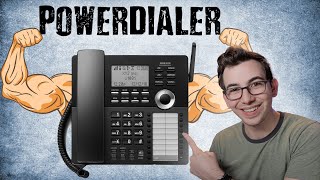
Phones Pro released Power Dialer, a tool that automates outbound calls for customer service teams. The video walks through setting up campaigns, assigning users, and how the dialer works during calls to boost efficiency.
Release Notes Highlights we have the Power Dialer. So Power Dialer is a new Phones Pro feature and it allows you to automate outbound calls for CSRs to maximize call volume. So with Power Dialer you can create campaigns similar to how you can create campaigns in Marketing Pro. So just like with Marketing Pro, you can do an unsold estimates campaign, expiring memberships, aging equipment, idle account, or other. For this example, we'll just choose other and do a test campaign. Then you would select or create your audience. If you're already using Marketing Pro, then all of your Marketing Pro audiences will carry over, so they'll be here for you to select. Then you can assign users so you decide who's going to be doing the calling. So we'll assign this campaign to this csr. Then you can choose which page you want to show up for your CSR while they're making these calls. We'll use the Job Details page for this example. You also have a box to input instructions if you want to give your CSR some specific instructions or more insight as to why they're making these calls. Once that's done, you'll see that campaign added to our activecampaign section. And then we would toggle the switch at the top to actually turn the Power dialer on. So once that is toggled on, the assigned CSR will be able to enter Power Dialer mode. You can also see here we have a frequency setting so we can choose how many days we want to wait before contacting the same customer. You can also drag in additional campaigns. So if there's something sitting down there in inactive campaigns that you want to drag up and make active, then you can do that. Simply drag them up. If the same CSRs are assigned to multiple campaigns, then they will be queued up for them based on how they're ordered in this list. So once the campaigns are added and the Power Dialer switch has been turned on in the Phones Pro modal for the CSRs, they'll see this new Power Dialer mode section where they can click Start Dialing. They can also click that same button to exit Power Dialer mode. So basically what this does is it automatically dials out to customers for your CSRs based on those campaigns. So if you have an expiring memberships campaign, then that is going to be a big old list of customers whose memberships are about to expire. The CSR can click Start Dialing, pick up the phone and it's going to start dialing out to one of those Customers. CSR takes care of business and then once the customer hangs up, it's going to dial out to the next customer. Now there is a setting called the power dialer post wrap up time that's found in the dial pad settings. And that setting adjusts how long the power dialer waits before it starts dialing out to the next customer. So you probably do want to put in some padding there to just give the CSR time to do some quick wrap up work and just gather their thoughts before it starts dialing out. The CSR can also click that blue call bar and that's what's going to take them to whatever page you specified in that campaign setting. So in this example, clicking that blue bar will take them to that specific customer's job page. So once either the customer or the CSR hangs up, they'll see this wrap up window and that'll have a countdown to when it's going to dial out to the next customer. The CSR can cut that short if they are ready to go before the timer runs out. So this is a really cool feature that's going to make outbound calling a whole lot more efficient. So if you've got phones pro and you need to drum up some work, try the power dialer out. I think it's going to be a very powerful tool for you if you really don't need to drum up some work. H vac people I know. I'm posting this video in the summertime. I know you're busy, but don't forget, fall always comes back. Better be ready for it. Hey, thanks so much for watching. Mighty kind of ya. If you want to check out the full release notes video, here's a link to it right around here. Or if not, here's another video I think you might enjoy. I'm just going to sit here and stare at you until you pick one. That's right. Go on. Okay. Interesting choice.