ServiceTitan Forms: Unlocking Efficiency Beyond the Basics | Podcast Ep. 20 | Mastering ServiceTitan
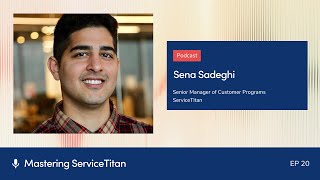
Podcast interview (host Josh Liu, guest Sina Sadegi) explaining ServiceTitan Forms: what they are, common examples (arrival checklists, debriefs, before/after photos), benefits over paper, and advanced features — conditional logic, auto-tagging, alerts, and Titan Exchange. Practical advice on adoption, change management, reporting via the 'form submissions' dataset, and ServiceTitan community programs (Ignite, Ember, Spark).
Foreign welcome to Mastering Service Titan, where we get expert advice from power users. I'm your host, Josh Liu, and today I'm joined by Sina Sadegi, the senior manager of customer programs here at Service Titan. So he manages the Ignite Ember Spark programs here at Service Titan. And a fun fact, he's actually been at Service Titan for seven years, which is pretty awesome. So, Cena, welcome to the show.
Thanks for having me. Josh, I'm a big fan of you. Big fan of the podcast. So much appreciated for having me on.
Of course I'm embarrassed it's taken this long to get you on the podcast. I don't know why it slipped my mind, but you are beloved by our customers and I'm excited for this episode. So today we're going to dive into everything forms. It was awesome that you brought this up. When we talked in our pre interview, I was like, what feature do you want to talk about? And you were like, I love forms.
I do love forms.
That was like the most passionate, nerdiest answer ever. But it hasn't been covered yet, so I'm excited to go into it. For those who have never heard of forms or aren't using them at all, can you just give us a baseline understanding? Like, what are forms in servicing?
Totally. So forms are a way essentially to capture information from both the office side and the technicians. It's also something that can be sent to customers if you want it to be a customer facing form as well. So at its core, it's essentially just a way to capture information.
Got it. Can you give me some examples of maybe some common forms that customers like to use?
Totally. So arrival checklists, debrief forms, a missing price book item form, before and after pictures of an install. There's so many great examples of forms that we've sort of heard over the years.
And what are some of the benefits of forms? Like why should anyone use this feature?
When you're thinking about pen and paper and where did I put that form? I got to go filing through my cabinet to see where this form is. Now all of that is inside of Service Titan. You can search for forms, you can report on forms and think of it as a really easy way to make sure technicians are following SOPs. If you got something customer facing that you want to give to your customer, you can do that as well.
When you meet with customers, what percentage of them do you think are not using forms at all? And what. What are they doing instead?
That's a great question. Luckily, it's not that Many anymore. I think when I first started seven years ago, that number was a lot higher, probably around the 40% mark. Luckily, today, I'd imagine it's 10 to 15%. And honestly, they're still using pen and paper, which just grinds my gears, Josh. I just cannot stand that because we've got efficiencies, you've got service Titan. We, we've solved this problem. We no longer need pen and paper.
Okay, so if you're out there listening, you're like, dang, I'm, I'm one of those 10%. I'm embarrassed. What would you say to help them get off pen and paper? I know change is hard. Maybe they got a file cabinet with years of this information. Do they just get rid of all that? Like, how do they bite the bullet and just switch over?
Change is absolutely hard. First thing I would say is loop into your technicians, into this conversation, get buy in, because they're going to be the ones filling this stuff out. Same with the office side. If you got some office forms, like a CSR call recording form, get their buy in as well. I think that's some of the hardest parts of change management is somebody's just telling me what to do. But if you bring in your technicians, bring in your office staff into the conversation, have them help you build the form, it just makes everything a lot more cohesive and you get a lot more buy in that way.
So that's the basics of forms. It sounds like most people are using it and understand that there are some aspects of forms that are beyond the basics. Some advantages, advanced features. There's four that I wanted to talk about. Conditional logic, auto tagging alerts, and lastly the Titan exchange. But let's start with conditional logic. Can you share with us what conditional logic in forms is?
Conditional logic is one of my favorite things inside of forms. Back in the day, you just used to have one really long form to sort of capture everything. Maybe it was a debrief form that was just pages and pages long. And honestly, technicians would get frustrated because some of the questions don't apply, but they still had to go through and fill it out. Conditional logic allows you to make that form efficient, allows you to optimize that form and hide questions you don't want shown unless a specific answer is given. So, for example, let's say it's a debrief form and one of the questions I have for my technicians is, did you capture payment? And if they say no, then I can have another question pop up that says, why? Why did you not capture payment information. So no longer do you need to have these extremely long forms. Now you can make them more efficient and really hide things you don't want technicians filling out unless they give you a specific answer. So conditional logic truly is one of my favorite things in service item.
That makes sense. Why is it called conditional logic? It may seem like just off the surface level. Yeah, it makes sense. But I just wanted to dive into that just in case no one understands what that is.
Yeah. So really it's the conditions, right? The conditions of the answers that you're giving. So based off of that, the system has the logic to say, oh, they answered no, let's pop up this other question. Or they said, yes, we can skip that next question. Let's go to the next one after that. Think of it as like an efficient way to optimize your forms and using the system's logic, based on your conditions. That was a good one by me. Oh my goodness. I'm proud of myself for that one.
Yeah, it sounds like there that if then logic. Right? So it's like if they answer this, then show these next five questions. But if not, you don't have to show them at all. That way technicians aren't scrolling through, oh, I don't need to answer this. Or N A, N A, like no, no, no, no, no. And it wastes a bunch of time and they don't want to fill all that out.
That's right. If then logic. It's really amazing. And there's some. And logic in there as well. So yeah, you're totally right.
So if someone just has basic forms and they're listening and they want to try out conditional logic, where would you recommend they start?
I would say go in your next environment. That's going to be a place for you to test things out and not break or mess with your go environment, which is your live environment. So go into next and then go inside of forms and then up in the very top, right when you're creating a form, there's going to be a button called Add conditional logic. That is where the magic happens. That's where people can hide things, show things. And there's some other functionality that we'll get into later in this episode as well, inside of conditional logic. But that's a great place to start. And if you don't want to start from scratch. Titan Exchange also has some conditional logic forms that you can actually grab. But again, that's a sneak peek for later on in the episode here.
Perfect for conditional logic. Can you go into an existing form and then add conditional logic in there or do you have to create a brand new one with conditional logic?
Not at all. If you've got an existing form and a debrief is a great example. Talk to your technicians about what are some of the things that you just don't have to answer on every single job. We can build in some conditional logic to an existing form and you're going to make your technicians very happy.
Do you think a good way to identify which form to do this with is just find out which forms your team hates the most first.
That's a great way to start. Which forms are the longest and which forms do technicians dread doing? Because, oh, I already know this is going to be 10 minutes to fill out this form because it's going to take me so long. That's a great place to start.
Okay, cool. Now how about auto tagging? This sounds like a pretty fancy feature and you mentioned there's like a new version and an old version.
Yeah, absolutely. So auto tagging the old version I'll sort of start with. So this has been in the software honestly since I've been at Service Titan, where if a form is completed, it can tag the job, customer or location. It's always the big three for tagging. They've added some functionality with conditional logic where now based off of a specific answer inside of the form, you can auto tag the job, customer or location. So a really good example of this is a house built before 1980. Inside of the form. If a technician answers yes, this house was built before 1980, we can auto tag that location with home before 1980. Or maybe it's a debrief form and we need some follow up. If the technician answers yes, we tag that job with follow up. So the dispatcher knows I need a follow up with this customer. It's great.
I've got a dumb question here. When would you want to tag a job versus a customer versus a location?
Think of jobs as specific for that specific job that they're going to. So a technician, it's really a one time thing I would say is going to be tagged at the job level. If it's something like a gate code, if it's something like the customer has pets, those you can tag at the location level. It applies to any technician going to that location. A customer tag, that's really going to be for something that's specific to the customer. So maybe it's a military customer and we want to thank them for their service. Maybe it's an elderly Customer and they don't get email, so we need to call them. Those types of things are customer specific. So job, location and customer. The big three is what I call them.
Okay. And for those people who want to start auto tagging, maybe they. They're tagging things manually from forms. Where would you have them start?
Funny enough, auto tagging. The new version of auto tagging based off of specific answers is also in conditional logic. So once again, another reason why it's one of my favorite features in Service Titan. But yes, inside of the actual conditional logic is where you can set up that tagging for specific answers.
Got it. So you can say if they answer this, then tag it with this.
Exactly. Based off of specific answers, Josh. No longer the whole form. It's based off of a specific answer.
Okay, very cool. So conditional logic, you say, hey, if they answer this question, show them these questions, or if they answer this question, tag them with these tags.
You're getting it. You're getting it, Josh. Exactly.
Now moving on to another more advanced feature within forms. Alerts.
Yes, alerts. A really good use case for an alert is a missing price book item. So let me backtrack a little bit and say what an alert is. So you can actually have this system, email or text or both. Anyone inside your company, if a specific form is completed. It's a really efficient system, a really efficient feature. So if I'm a technician out in the field and I have a missing price book item that I just can't find in my price book, it doesn't exist. I can have a form that I fill out in the field. I fill it out and say what's missing that's emailed or text to the price book owner. They get that email or text, they update the price book in real time. And then I as the technician just download my price book and I've got that updated item that I can now add to my estimate or my invoice. So think of alerts as a way to communicate without actually picking up the phone to call or texting someone. The system can just sort of automate that for you based off of those completed forms.
Very cool. It's almost like setting up like a notification or something that you can send to people on your team. Where do people go to find alerts.
Inside of your settings? There's two different alerts. So the one that you're going to be looking for is under integrations and alerts, not to be confused with the dispatch board alerts that you can also set up. So integrations Alerts in settings.
Okay. Integrations, alerts. Awesome. When it comes to these more advanced features, do you think most of the people listening are already using them or are these the ones that are kind of hidden away that haven't been found?
I think conditional logic, I think most people know it exists today and are using them. Especially because our technicians are like, we need to make this more efficient. There's gotta be a better way to do this. Auto tagging based off of specific responses is fairly new. So I would say that's something to look into for customers if you've been on the system a while, because that was a huge efficiency gain. Most folks are probably using those. And then alerts I'm sure everyone is using at this point because it's been such a long feature that's been inside of this system for so long. But if you aren't, again, like you said, think of it as a notification to really just make life easy, perfect.
And last but not least, Titan Exchange.
What is this Titan Exchange? This is another one of my favorite things inside of service Titan. A lot of times we hear, I don't want to start from scratch. Is there somewhere I can just pull something into my account? And that is what Titan Exchange is. It has a library of different things like forms, reports, dashboards, tags. There's a ton of stuff you can grab from Titan Exchange and literally just pull them directly into your account. One caveat to that is you must subscribe to the library's first first. There's some different networks that are out there. There's residential, there's commercial. So first thing I would say is subscribe to the network. That applies to you and your business. If you do both commercial and residential, subscribe to both, it doesn't hurt to have both in. Then you go to your library and you can just start pulling things directly into your account. And I checked before this, there is conditional logic forms also inside of Titan Exchange. So if you don't want to start from scratch, just go and grab the one that's inside of Titan Exchange and then you can just build it and modify it accordingly to your company's needs.
That's amazing. Where do those forms come from? Are they other customers who've made best practice forms just were generous enough to share?
Obviously we have a ton of data, but of course our customers play a part into the data that we have and we're super thankful for that. But I don't want customers to think that, hey, we published a form service guidance, just going to take it and, and Give it to everyone else. That's not the case. There are forms that we think are best practices that apply to a majority of customers and they're fairly generic forms, which is what we would want. We want you to sort of customize it, make it your own. We just want to give you a head start.
So these are best practice forms of where people kind of give you a starting place and then exactly them to.
Make some adjustments, make some adjustments, make it your own. Maybe that form didn't have conditional logic and we need to add it to that. Maybe there's an alert that I need to set up and add to this form that I pulled from Titan Exchange. It's really just a hedge start and then you customize it and make it your own.
That's awesome. So one other thing I want to mention is reporting earlier when you were talking about some of the benefits of forms is being able to report on some of this information that's captured. Can you talk a little bit about how customers take that next step in getting value from the information they're collecting?
Absolutely. So again, at its core, forms is just sort of capturing information. And when I first started at Service Titan seven years ago, the only way to search for form responses was to use the search function, download it to Excel. And now we're outside of the system. And Josh, we always want to stay inside of the system if possible. So luckily, shout out to our reporting folks. They've added a new data set called form submissions. So now I can easily look up any form based off of a state of that form essentially was that form completes. If I'm looking for a specific customer's form, I can do that in there as well. But now everything is inside of the system. So again, if you're an OG and you used to have to export all these results out into Excel, luckily everything is inside of the system. So that way you as the customer, you got everything in one place and all that information, whether it's a follow up form, whether it's a debrief form, whether it's before and after. Because I want to see if my technicians are actually taking those before and after pictures. That's just a really easy way to search en masse with that form submission data set.
Do you have any examples of some reporting people can play around with when they're looking at their forms data?
I would just say create that report. And I do believe custom reporting is a package feature. So just an FYI on that, but go inside of there and literally just use the form submissions Data set and just start to play with it. What's really cool about the form submission data set is it's dynamic because obviously different forms will have different questions and different answers. The system will automatically update that report based off of the form that you are looking for. So my best advice is just play with it.
So you're saying I can make a report and then if something changes later on with the form, that report will automatically update?
Yes, it's going to update because it's dynamic. So as you change the form itself, maybe you've added a question and you hit that run again, it updates. Or maybe I change my form from the debrief form. Now I want to look at before and after Pictures performs. I click that run button, it updates because it's dynamic.
Very cool. Wow. The power of software.
The power of software technology, baby.
That is so cool. I had one idea pop into my head for those. Maybe they're not using conditional logic or maybe they just want to review their forms. Do you think reporting on like, let me look at which forms are most commonly not completed, do you think that's a good way to approach?
Totally, yeah. And I would also say just have a conversation with your technicians. I'm sure they will be more than honest with you about saying, these are the forms we just don't like to fill out. It takes too much time, it's not efficient. And again, I think that goes back to the buy in as well, where it's sort of killing two birds with one stone type of situation where not only am I going to get their buy in but but I'm making this form more efficient. And they had a piece into that.
That could be a good action item for people listening today is just send a group message to maybe a few technicians or office staff and just say, hey, which forms do you guys hate the most? Just open up that can of worms.
Yeah. Or even in your next team meeting, if you're running a technician meeting, say, hey, you know what, we know some of these forms are a bit long and we want to make sure y' all are more efficient. Which forms do we need to condense?
Yeah, it sounds like such a quick win that you can do within service titan.
Yeah, it's a very quick win. It doesn't take a long time. And once you get the hang of conditional logic, it's fairly easy to set up and repeat those processes for multiple forms. So I, I'd imagine a lot of people will go in and be like, oh, this is easier than I thought. And then all of their forms are now going to be conditional logic because it's just so much more efficient.
That sounds perfect. On the flip side of the coin, we've been talking a lot about the benefits and whatnot. I'm curious, since you've met with so many customers, have you heard of any stories of people who've completely messed up this process? And can you give us those warnings of like, hey, when you do these things, don't do this. Don't make this mistake?
Oh, yeah. The biggest mistake I see with conditional logic is actually the very first part of setup. So first thing you're going to do when you're creating a form that you want to have conditional logic, create all the questions first, every single one of them. So if you want to have 10 total questions and hide five of them, you need to create all 10 questions first. So there's my first pro tip. Then when you go into actual conditional logic at the very top, you're going to see a place where you can hide, that is, where you can hide those other five questions that you want hidden. And then below that, then you start to build in your conditional logic with your if then statement. So make sure you create all your questions first. That's my biggest pro tip. And the biggest thing I see, customers sort of like, oh, dang it, I need to go back and create more questions.
Another question on this topic. Do you have any examples of customers who've completely messed up forms? Like, maybe you're. You were in a session and one customer is just like, wow, I don't know if you've ever seen an account this bad before. What has happened in that situation?
Luckily, the forms, it's not too. I shouldn't say it's not too easy to mess up, but forms are so basic in what they do. The added functionality really helps with efficiencies. The biggest thing I see people is just not using forms using pen and paper. That I think is the biggest mistake people make with forms. You've got a beautiful system in Service Titan that sort of makes this more optimized, makes it more efficient. It makes it reportable and searchable, and you're still out here doing pen and paper, going to your cabinet to find that form from three years ago. Please make your life easier. You use Service Titan, you bought Service Titan. Use it to its fullest extent.
What about all those files? What do you do with those? You don't burn them, do you? Do you just leave them there for reference and just make a day where you just switch over and hey, starting in 2025, it's digital. Anything before you got to go to the archives, like, what's the approach for. For those folks?
That's a good question. I think it depends on your business. Usually I would say, I think it's like you keep three years of paper if you've been doing it just to have that on file. Three to five years, I would say the max. But then, yeah, set a point of Jan.1, we're going to be going completely paperless. And then that is sort of your starting off point.
It's perfect timing. New year, new me.
Exactly. New year, new me. And I don't know about you, but when I was in college, at the very end of the year, we'd light up all of our homework, torch our textbooks, and it was sort of like, oh, my goodness. So maybe that'll be something for in four years from now, all of you can sort of jump into a meeting. Hey, today's the day we're getting rid of all the paper because we got our data inside of Service Titan.
I hope somebody has a big metal trash bin and burns a bunch of forms and tags us on Facebook. Amazing.
Exactly. Please be safe if you're going to do that. We're all just like, we're just sort of messing around here. But please be safe if you really are going to do something like that.
Yeah, this is all for informational purposes. We're, we're not doctors. Just we don't play them on the Internet. So, yes, last question here. So people, if they're listening, they love these ideas if they want to take form to the next level. Any other resources you can recommend?
Totally. So blue collar nerd. Our very own blue collar nerd, Richard Kohberger, created a fantastic video video on YouTube on conditional logic. That's probably going to be my biggest piece of advice, is watch that. The other thing I'll do is sort of selfishly shout out Spark Sessions. One of the things we talk about in Spark Sessions is forms. And that's a great way to sort of get ideas from other companies of what they're doing or if they're even nice enough, sometimes they'll literally just share the form with the customer, which is super amazing. So watch Blue Collar Nerds video and then join Spark Sessions if you haven't already, to sort of get ideas from other customers. Inside of Service Titan.
If you're listening and you haven't heard of a Spark Session, maybe you're living under a rock. What is a Spark Session and where do people Go to join.
Yeah. So Spark Sessions is a group based discussion program. So every month we'll get together, it's for 11 months and it's a free program. Let me mention that it is free to join. And once a month for 11 months we will come together and we'll discuss a different topic. So one month might be forms, one month might be memberships, the next month might be dispatching. Think of it as a way to sort of have a group discussion with other non competitor companies. So that way you can see what they're doing, get advice not only from the Service Titan side, but you can also ask business questions. Obviously it's the new year, so hiring is a big topic of discussion in sessions. Think of it as a way to have your own best practice user group inside of Servicetitan that's free. You just join Spark and you essentially have these conversations with other customers. And did I mention it's free?
I think you did. That is amazing. I'm always shocked at people who just aren't aware of these resources. And so yeah, we'll link everything in the description in today's episode. If you're interested in joining a Spark session, click that link and join for 11 months. You also mentioned like Ignite, Ember, how do all those different programs work together?
Totally. So Ignite is our most basic program. This is really targeted for newer customers who sort of just got the system. So Ignite is a six week program. Once again, it's free, where we will sort of walk you through the foundation of your workflows, your foundational workflows of using Service Titan to make sure you're using it correctly. You'll do that for six weeks, then you're going to graduate into Ember Sessions. Ember Sessions is all around titanvisor, which is another one of my favorite features. So Titan Advisor shows you how much of the software you're using and how well you're actually utilizing it. And inside of Ember we will hit plenty of different features inside of Titan Advisor and the main goal of that is to obviously increase your Titan Advisor score, increase your usage of the system, and again make sure you're using those best practices that Titan Advisor has sort of identified. And then once you go into Ember, you can graduate into Spark Sessions. And one thing I'll say is all three of those programs I just mentioned are completely free. And let's say you're someone who's been on the software for five years. You don't need Ignite, you don't need Ember. You can just jump directly into Spark. Same thing with Ember. If you're like, I've already got the basics down. I just want to jump into, increase my Titan Advisor score and learn more about Titan Advisor. You can absolutely just jump straight into Ember.
We may have to do a full episode just to deep dive into Ignite Ember. Spark. Talk about some customer highlights and stories. That would be really fun one day. Oh yeah, asking you live here to get you trapped into coming back on the show.
I'm happy to come back, but yeah.
Other than that, this was an amazing episode. Any last words, closing statements for those listening today?
Use the software to its fullest extent. Ask plenty of questions about how and why specific things are done. And then obviously our episode today was on forms. So please use forms. Don't use pen and paper anymore. And then use conditional logic. It will make your life easier, it will make your technician's life easier, and it's really just going to make everything more efficient.
Amazing. Thank you so much for coming on the show and we will catch you all on the next episode.
Thanks for having me, Josh. Have a good one, y'. All.
More from Bill



Capturing the 80%: How SmartAC’s Gen-2 Targets Non-Membership Homeowners | Podcast Ep. 296

Build better customer data with every booking in ServiceTitan | TAD Tune-Up Series

The Biggest Change for Roofers Coming From Other Roofing Software to #ServiceTitan?


