The Field Mobile App at Scale: Lessons From a 1,000-Tech Rollout | Podcast Ep. 90
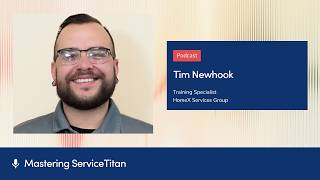
Tim Newhook deployed ServiceTitan's Field Mobile App to 1,000-1,250 technicians across five brands, achieving 86% usage. He shares a three-phase rollout strategy, four technical issues that needed fixing, and three features that drove adoption: tap-to-pay, equipment scanning, and integrated financing.
Chapters
Phase 1, train the managers. Phase 2, pilot with your champions. And then Phase 3, roll it out to everyone. And that way you have techs that have already been using the app and you have champions and they can say, hey, you know, this guy's been using it for 3 months now. If you have any questions, call this guy.
Welcome to Mastering ServiceTitan, where you get expert advice from power users I'm your host Josh Lew, and today I am joined by Tim Newhook, the training specialist at HomeX Services Group. You may recognize the name. Tim was on about 8 months ago at Pantheon, and back then we were talking about them just testing out the Field Mobile app. Now they have rolled it out to a lot of technicians. We'll get into some of the numbers, and so we're going to talk about how that process was and any learnings. And so Tim, welcome back to the show.
Thanks for having me. I saw your email come through and I was really excited, so I hopped right in and you know, jumped on the opportunity. So happy to meet with you again.
Yeah, I saw your LinkedIn post, I think is what made me reach out. I was like, oh my gosh, they rolled it all out. And so actually to kick us off, maybe just to share the numbers that are insane, can you share a little bit about maybe HomeX Services Group, how many technicians you have, and then what are the rollout adoption stats that you just saw in this morning?
So at HomeX, we have between all of our divisions, we have, uh, residential, commercial, and construction divisions. So between all of our technicians, we have about somewhere between 1,000 and 1,250 technicians. It's quite a bunch. You know, not every single technician uses ServiceTitan 100% every day just because we're still migrating our construction techs into ServiceTitan. It's a little bit more of a, of a project than we had anticipated, but that's okay. But they still hop into like light commercial service work sometimes, and they at those times will have to use ServiceTitan. So even they got trained on it too. I'm happy to report that Home Ec Services group overall is at an 86% adoption rate, which is amazing. I checked that number this morning after not having checked it for a little bit just because I've had some other projects going on. So seeing that number after a few weeks of not seeing it for a little bit, you know, revisiting it was like amazing. I was like, oh my God, I'm so happy to report this. So shout out to our two top platforms, Haller at a 90% and our Princeton Air Group in New Jersey, they're at a 92%. So it's great to see those types of numbers across the organization. So nice.
Yeah, it's super impressive. And for people who don't know, this is the new Field Mobile app. So the adoption is everyone migrating over from the old version. And so those numbers are super impressive, especially for 1,000 to 1,200 or 1,250 technicians. That's a huge ship to steer.
Yeah, it's crazy. Yeah.
And then since, uh, we spoke also, I think last time at Pantheon, you had 5 STCU certifications under your belt and you're now at 7. And so you did all that at the same time.
ServiceTitan's gonna make another one so I can do number 8.
What was the experience like, um, going through those last 2 certifications? Any advice just real quick for people interested in that topic?
Yeah. Um, the last 2 that I got, they were the Intact certifications. So we use Intact for our accounting software. I don't normally touch that side of the business, but I have to dive in here and there just to see certain things or help people out with certain aspects and of certain projects and stuff. So it just helps me learn so I can dive in easier to certain parts of the business. And it was funny, some of the questions on there stumped me a little bit because I'm not an accountant, so. Um, I went to the people, you know, at HomeX that would probably know those questions and they were able to help me out, answer those, those questions that I was, uh, just missing to, to, to pass. So it was great that the certifications are kind of set up in a way that you can use resources around you that let you pass a test with real life experience. So it was great that I was able to kind of pull people in and it was also a way for me to get people to. Realize that there are service certifications for their part of the business. We've gotten other people to start doing their inventory certifications. I've gotten 2 finance guys on the Intact certification. So it's just like engaging people and learning about the software so we can use it to our fullest potential. So it's great to see that across, across the network.
That is so impressive that you did that all while rolling out Fuel Mobile Lab to like that many technicians. We will get into all the tips there, but any quick tip that you can mention for those interested in STCU and pursuing more certifications?
I, I think the best way to approach an STCU course in general is treat it as if it's like secondary education. Like, I wasn't paying for the course and I wasn't paying for the certification, but I treated it as such because I use ServiceTitan 5 days a week. I might as well know what the software is and how to use it so that way I can help others around me and help everyone, you know, grow with the company. So treating it as, as like a continuing education course is the best way to have that mindset. And taking an hour each day to obtain that certification is what it, is what it took for me. And I feel like that's a great piece of advice to give anyone that's, you know, just signing up and they're like, oh my gosh, how am I going to get through 3 different rounds of a certification and all these quizzes and all this material? Just take an hour each day and just get through as much as you can. Some days you might just get one, you know, one section done. Some days you might get 3 or 4 done. That really depends on the, the sections, your pace, but giving yourself the, the time is, is the most important thing and treating it as it's gonna be something that, you know, launches you to, to more, to more successful and greater things is, is another way to look at it too.
So. Yeah, before we started recording, you were saying that A lot of people, they might have not have time during the day, you know, with all their responsibilities. And you were doing this after work, right? When you got home, putting in the extra, extra time.
It's like as if I was gonna go home and go to school after, after I worked for 8 hours a day, right? Some, some technicians, they go and do their apprenticeship after school. Some people, they go and do continuing education for a degree or, you know, a doctorate, whatever, you know, after work. I just chose to. Invest my time in a service chain. So, and you know, here we are today. So it was nice.
That's awesome. Uh, STCU, I'm sure is a whole other topic we can save for an additional podcast maybe one day.
Of course.
Uh, let's dive into Field Mobile Apps. So we wrote, you guys rolled this out to 1,000+ technicians. Can you first walk me through just the high-level different phases and how you approach the strategy of, of rolling this out?
Making sure that we were strategic in the rollout was really important because we have 5 super brands. We have, you know, Gem, Haller, Universe, Princeton, and now Magnolia. We had to make sure that everyone was educated on using the app. Everyone knew why there was a new app coming out, all the great features that were with it, so that way people can get excited about using it. Change management can be really difficult, but if you approach it in a strategic way, and you highlight the benefits of why the change is happening, it kind of outweighs those moments where, you know, there might be a bug here and there or the app crashes because it hasn't updated fully yet. You know, something, something happens along the way, but you can say like, oh, that feature is so cool. And that's what makes you excited to keep going back and trying it again and again and again. Our strategic approach, we made sure that the managers were educated on the app first. So what I did was I set up meetings with all the platform leaders, all of our super brands, and we made sure that the leaders of the organization knew that there was a new app coming. You know, it was kind of inevitable, like ServiceNow was saying, like, you know, we're going to flip to this new app and we, we can't say no. Like, you know, let's, let's, let's just go, right? I educated them a little bit how to use it, just walk them through like a basic, you know, workflow of a call. And then I highlighted the scanning, the Tap to Pay, you know, the Tap to Pay is huge because it's the smaller credit card processing fee, which is amazing. So all those really great benefits is really important to highlight. So I did that first with the managers. Another big takeaway is all these new features, all these pro products that are coming out, they're going to integrate better with FMA, for example, FieldPro. So if we want to roll out FieldPro, we have to get our field staff on FMA so that way it just works properly, right? So making sure that that message was brought to the managers and the leaders of the platforms first helped cascade the message to the techs a lot easier. After that first phase was completed, after we, you know, just made the initial announcement, we then set up pilot groups with the leaders of the platforms. So some of our brands, some of our platforms, we have just like they do like one specific trade. So our Clarkstown office in New York, for example, they do just HVAC. So it was easier for us to set up a pilot for that group because they don't have as many trades. But a group like Jim, we did 2 weeks of sessions at 3 different branches from 6:00 AM to 9:00 AM, Monday through Friday. Like it was a big overhaul to get everyone in the room, you know, and it was only getting everyone in the room for like a quarter quick hour and just getting everyone logged in and going over a quick call because you don't want to make it overcomplicated when you're talking to the techs about this new app because that's what's going to make it more discouraging to use if you're a technician, right? Because you just want to go out in the field and you just want to work. With that pilot group, we were able to establish kind of like champions of the new app and knowing that we were going to have to deal with, you know, bugs and glitches and things like that that were happening along the way. We were intentional on how we chose the pilot groups so that way we chose technicians that were comfortable using technology and they can see past the bugs and glitches that might, that might have been happening. They can report them and make sure that they were getting to the right place, myself, and we can get them reported and fixed. And that way we can keep the momentum going when it came out, when it came to releasing this, this new app to them. So after we trained the pilot groups, That was the time that we went back to all the platforms. So the pilot groups, the second phase, I guess you could say the pilot groups phase 2, that was me going to the platforms and physically training the technicians how to use this app. Phase 3, I went back to the platforms and we did the same thing just with all the technicians. Our platform Haller, they actually were able to— we were able to actually train their managers and they did the training themselves to their teams. That was very helpful. So shout out to Haller for that. They're one of our bigger brands under the HomeX umbrella. So it's great that we had that support. I'm local to JEM, so I just took on that workload myself just to make things easier for the team at JEM. And so I went to JEM and I worked along with someone at JEM named Gohar, and he helped put together groups for me and he attended the trainings with me and he learned how to use the app too. And now he helps me day to day. Seeing if techs have issues. He does some trainings now, some of the technicians, to get them on board with some of the different initiatives we're doing, like forms and stuff like that. So it's great to see that we're getting people involved to, I hate to say it, but kind of clone myself to spread the training culture, right? If we don't train our techs how to use the app, they're going to have a difficult time and we're not going to make money. So it's really important for us to be able to educate and have more people educate, you know, not just one person. So it's great to see that. So phase 1, train the managers. Phase 2, pilot with your champions. And then phase 3, roll it out to everyone. And that way you have techs that have already been using the app and you have champions and they can— you can say, hey, you know, this guy's been using it for 3 months now. If you have any questions, call this guy because they might feel more comfortable calling another technician than calling someone in the office about that, about the app. So, you know, just making sure that you set it up properly to make sure it works best for your business is how it's going to work for you. Wow.
There are so many lessons embedded in all of that. I mean, first with the leadership and cloning yourself, getting managers on board so they know what they're talking about, leading with what's in it for you, for the technicians. We'll dive into some of the successes later, but tap-to-pay equipment scanning, financing for the residential techs. Like you led with that and they're really excited about those features and benefits. Yeah. So that getting them on board and, and yeah, so many, so many lessons there. Let's go into a little bit of the details of some of these highs and lows. You know, no rollout goes perfectly smooth with no issues, especially with new technology.
You don't say, Josh. And so yeah, let's talk a little bit about some of those battle scars from the, the last, uh, few months here.
Um, sure. In last time we spoke, there were some challenges and hiccups. POs, deposits, permissions, and logging in are the 4 that we wanted to touch on today. Uh, which one should we start with?
I think the, the username is a, is a really good one because that's one of the last things I discussed with you. And it was funny because I was saying to you that I don't know how I forgot it. So with that one, one of the biggest challenges that we quickly found was that you have to, on the login page, you have to use your username. Not either your username or your email. So some technicians were trying to log in with their email, it wasn't working. It stumped me for a little bit, and then we realized that you have to use your actual like technician username from your profile to actually log into ServiceTitan. So, oh, to FMA at least. So just something that we learned there very quickly. And as technicians would log in, sometimes we would have a technician that would just log in on their own accord because they wanted to just try it out. They would reach out to me and be like, hey, I can't get logged in the FMA, I'm using my email. I'm like, did you attend a training session? I don't remember seeing you there. And he was like, no, I just wanted to try it out. Like, thank you so much for taking the initiative. Just use this username and I'll just, you know, give it to them. But it was, it was great to see that we had some techs actually trying it out on their own accord. The other biggest one, and I think I was really quick to tell you this one, was the, the purchase order situation that we had. So FMA wasn't creating the extension for a purchase order from a mobile-created purchase order properly. It would normally be like -101. And we have a large centralized purchasing department at Home Ec Services Group that buys for all of our, all of our brands. So technicians can call into a POQ and they can get purchase orders created for them when they have to go get emergency parts and material. They would call in and they would be providing a Office-created purchase order number. So I got a quick phone call from the director of purchasing. Becky, if you're listening to this, hi. She called me very quickly once we were rolling it out to a couple different platforms. I think we were about halfway through phase 2, like through the pilot, where she reached out to me and said that the extensions on the mobile purchase order was not populating correctly. So We did some quick research, we found some examples, we got that to our CSM and they were actually able to update it actually pretty recently in update 18. So it was great to see that they took our feedback and they quickly fixed it. And that makes me feel more trusted in using the app itself and like spreading the good news about the app because I'm like, hey, if there's any issues, let me know, I'll tell ServiceTitan and they're going to fix it for us. So it's great that we saw that firsthand.
Got it. So the logging in one, that one's one that affects users today. That's the note. They have to log in with their username. Yeah. The PO one, um, so the issue was they were creating POs on mobile, but then the code made it seem like they were creating it in the office and you couldn't really distinguish office versus mobile. And they have since fixed that one.
Yep. They recently fixed it. And I, I just got like the word that it was fixed. So it's great to see that everything is, is working out. So that's good. Perfect.
Thank you, Tim, and people like you for addressing those issues for everybody else so they don't have to.
It was so small and so minor, but then when they brought it up, I'm like, oh my God, like we gotta make sure we look at everything next time that we have something like this happen. So it was, it was a good, it was a really good lesson to look at every single aspect of, of, of the, of the app in general.
Right. And how about deposits and permissions? What were the hiccups there?
So there was an issue that also recently got fixed with update 18. We love update 18. So Comfort Advisors, they use an external quoting tool called OnCallAir, but it integrates with ServiceTitan. So when customers want to go through with a new replacement, they would sign in OnCallAir, and then we'd have to take the deposit in ServiceTitan for an estimate that was sold for later. But the Comfort Advisors, they couldn't take deposits, so they'd have to do an overpayment on the invoice. To credit the customer profile to move the deposit on the install job later on. Same workflow as a deposit, but it just confuses the, the person in the field, to be honest. So we had to just kind of make a workflow guide for the Comfort Advisors so that way they had some tools and resources to do that overpayment on the invoice. But with update 18, we can now go back to collecting deposit on a sold estimate, and the Comfort Advisors actually like I've seen them be like, oh, we can take deposits now? Okay, I'm gonna go back into FMA. So it's great to see that, that one little feature, now that it's turned back on, it's making it easier for people to want to adopt to the app. So it's good.
Perfect. And then how about permissions?
So FMA comes with a whole bunch of new permissions that you really have to make sure you're looking at because they sometimes update and you might not realize it. Going back and looking at permissions for FMA is really crucial. I had one technician reaching out to me and saying that he couldn't add a note to, to the job. So I would send them screenshots, videos, everything, just making sure that he had all the resources that he needed to add a note. But then like the 5th technician from the same company reached out to me and he said, hey, I can't add a note. And I'm like, there's no way. So I looked at permissions real quick with our, with our our internal team in IT, and it turns out they didn't have the note permission. So we changed that role and we got that fixed. And everyone that was mad at FMA for not having the notes feature loves FMA now. It's another one of those things where it's like we got to make sure all of our T's are crossed and our I's are dotted so that way everyone can use the app as they need to.
Yeah, thank you so much for being so open to sharing some of these. And it's good to dispel the myths. You know, if people heard, oh, deposits don't work or like POs have issues, like now they are fixed., so rest assured. And then the permissions one is a good note just for everybody adopting FMA to just make sure to check through those, um, if people are having issues in the field. Because I remember you were saying last time we talked, you're like, what the heck, the notes is right there, just click the notes. And they're like, no, I actually don't have it, let me screen share and show you. And so we figured out, um, that it was from the permissions. Yeah, cool. So those are some of the, some of the battle scars and along the way, and I think that's just comes naturally with, you know, every software will have bugs and there's so many workflows and use cases. And you guys are a great test 'cause you have residential, commercial, construction. Like there's so many use cases to test through. Sure. What were some of the biggest wins or successes or like positive feedback that you've heard from the teams?
It's great just to see that FMA is helping technicians in general just feel more comfortable using technology. We are a technology-forward company at HomeX Services Group. We try to utilize as many pieces of technology as possible. That help our technicians and our field staff succeed every day. We have tools like Conduit, we have Interplay, we have all these different things that are available to our technicians and our field staff to just, you know, excel their performance and, you know, outshine, you know, the competitors and all that good stuff. But seeing them adapt to FMA has helped me see advances in their technology comfortability. Just overall. For example, I mentioned Interplay. With Interplay, it's a company-wide LMS that everyone has access to, field staff, office, pretty much everyone in the company. But it uses our Microsoft login through SSO to activate an account and all that stuff. So now that we have multi-factor authenticator and all that good stuff with ServiceNow that came out, technicians just feel more comfortable hearing You know, you have to get your authenticator out, you have to sign in with SSO. It's just like those terms that technicians are like getting used to hearing and having to use on a daily basis. Seeing them feel comfortable using those tools is amazing. We are driving Interplay usage as much as we are with FMA and Conduent and FieldPro. So seeing them being able to log in really easily because of their use with ServiceTitan is really cool to see. Another thing that I thought was actually really cool, in FMA to send estimates, you have to click the send button in the top right on the present screen, and it's like a square with an arrow, and that's just like a general share or send button that you would normally see on iOS or, you know, on Teams or something. So I came up with a great idea to educate technicians to FaceTime me on Teams, and if they have questions with ServiceTitan and they're stuck in the field, hop out in the truck, FaceTime me, and I taught them how to share their screen with that same button that they use in ServiceTitan to share an estimate so they can share their screen with me and I can help walk them through any issues in the field like real time. So I can be like, hey, click that button, you know, add this task. But it's really cool to see them. I'm like, oh, this guy's calling me. I got to take this phone call. A tech wouldn't call me at 2:00 in the afternoon just to say hi. So I answer the phone. We share the screen and, and he asks me what's going on. And it's really cool that I'm able to help troubleshoot in real time with the techs so they can, they can keep moving.
Those are two great examples of like a spillover effect, like the, the share button, the SSL, like two industry common tech things. And now they can get familiar with those things in other tools and technology in their life at work and personal life. Yeah. So super cool.
I forgot to mention this. I'm a gamer. I, I play video games on the side. Like I, I have a PS5. I travel for a living, but I bring my PS5 with me everywhere I go. And I realize that a lot of the techs that I work with on a day-to-day basis, they're also a gamer or they also have Facebook on their iPhone or whatever, and they're using these tools every day. And you have to like relate to that. I'm like, hey, you probably play video games, right? Like you play a PS5. When you log into PS Network, do you have to get a code sent to your phone and then you type it in your PS5? And they're like, yeah. I'm like, Same thing with ServiceTitan, same thing with Interplay. Like, we're doing the same exact thing. If you can get into your PS5, you can get into, you can get into ServiceTitan. So like, just relating it to something outside of work to make it feel more comfortable is, is like one of the ways that I get techs to realize that it is easy. You just, you just gotta like, you just gotta work through it.
That's it, basically. Yeah. So it's a beautiful analogy, a beautiful example there too. Any favorite features? I know quickly we mentioned like tap-to-pay, equipment scanning, and financing for the residential service techs. Like, how did they react to those features and highlights there?
Yeah, so the tap-to-pay was like a massive, a massive thing. The cool thing about tap-to-pay, especially at HomeX, is that we were able to kind of pilot tap-to-pay in, in Kudorva and the old app. And then because we had technicians testing that, that allowed us to have those techs be more excited and be like, hey, we're gonna have even more features in the new app. And they're like, what? No way, what kind? So like we already had some techs testing tap to pay going into FMA. So that was cool that we already had those techs on that. But just like phase 3 during the actual rollout to all the technicians, being able to communicate tap to pay and seeing their reaction like, oh my God, tap to pay is like the easiest way to, way to do payments. We can do that now. And now I have techs reaching out to me and being like, can we do Zelle payments? Can we do Cash App payments? I'm like, maybe in the future, just not right now. So like, I'm like, I'll submit your feedback to ServiceSight. But seeing them getting excited over an easier workflow is really cool. And then you have the managers in the back being like, yes, use it because it's a cheaper credit card processing fee. And the techs are like, we don't care, it's easier. So like everyone's just excited for it and it's, it's like really cool. That was one of the biggest ones. The equipment scanning was, was really cool to show live too. Some of the trainings I would do, I would do it like in a warehouse with a screen put up with a projector, like really, really like raw. Like, hey guys, we're doing it. We're, we're getting the app in, go get your tools and go use the app. Like it was very like, is, is cool. But, um, I would grab a furnace that was dead in the warehouse and I would pull it over and I would actually like live do an equipment scanning. Some sessions I would be like, hey, can someone go, can someone go take like a plate off of a furnace in the warehouse real quick? And you'd have guys being like, be right back. And they would run and go get it. And because they really wanted to see the scanning happen and they would run back with the plate, with the door or whatever. And I would scan it and you'd see them all like, oh my God, like, it's, it's so cool. But that just got them like amped to use it. And then with the financing integration, finding financing is something that we really promote at HomeX as a company in general, just because it's, it's another way to pay. So it's another way to help a customer that's in need is to provide a financing option, right? We've already been pushing it for you know, at least the 3 years I've been here with the way that FMA integrates the financing feature in ServiceTitan, it allows the— so we use GreenSky for our, our integration and it requires the technician to copy the application ID and put it into the invoice as a payment method once the job is complete. With the integration with FMA and how it integrates with ServiceTitan and GreenSky now, it pulls in that application ID automatically. So it makes it a lot more easier for the techs to just, just do work with financing and servicing. And that makes it easier for them to want to actually use the tool because it's just easier to use. And you'd have some guys being like, well, I forget the application ID and I'm not going to remember it, so I'm not going to do financing. I'm like, well, now it does it for you, so use it and see how it works like tremendously for you. So it's, it's great that we can like make things better. To make the lives of the technicians easier. 'Cause if we don't have technicians and if we can't make things easier for them, I wouldn't have a job and none of the people I work with would have an opportunity either. So it's just, it's really important that we take care of them so they can take care of our customers and we do our part to support that whole process. And this is my way of doing it by helping them use Service Sign.
Such good examples. And I remember last time we talked to you, you said that before with the financing, they would have to copy it from GreenSky, paste it to like a notes app then open GreenSky or open ServiceTitan and then paste it into ServiceTitan. But sometimes they would forget, it's like a different part of the workflow. And so now that takes all that out of it, uh, makes financing so much easier. For equipment scanning, um, how did they do it before? Did they just manually have to type in the model and serial number?
Yep. They would just write it all out in the, the, into the add equipment fields in ServiceTitan, and they would just type everything manually. I had a, like a workaround workflow where the techs could like take a photo and copy and paste from the photo in their Photos app. But this just makes it like 10 times easier for them.
Right. And then for tap-to-pay, previously, how were they taking payments? Was it using a card reader or like something else?
Card reader was available. We just didn't have them at HomeX. I'm glad we did not because now we have tap-to-pay. So we didn't really have any of the card readers available, but the techs would just do it manually, unfortunately.
Oh, they would just type it in.
Yeah, they would type it in their phone.
It's like a higher rate, it takes more time.
Yep. The techs could send a payment link, so sometimes they would do that and the customer could do it over their phone themselves, but typically the techs would just type in the credit card information.
Gotcha. Okay. So yeah, 3 huge wins for technicians and it all covers the theme. I'm going to quote David Erickson, who was on the podcast 8 months ago at Pantheon. He's one of the product managers for Field Mobile app. And he said, usually, you know, when people build mobile apps, they want you to spend a lot of time in the app. That's like a metric that they measure. Like time in the app is a good thing. More time better. Yeah. But for Field Mobile App, it's the opposite. They want you to spend as little— they don't want you to be in the app for a long time. Get in, get out, get the job done so that the technicians can focus on what's in front of them, you know, with the customer, with what they're working on. And so tap-to-pay equipment scanning, the financing just shows how you can reduce that time in the app and keep them, you know, interacting with the customer or with their job much faster. So super cool to hear those wins. And it's, it's like you're giving away the playbook here a little bit too. For those who want to roll this out, those are the features you want to lead with and tell people, hey, don't you hate manually typing it in or having an error? Like, don't you hate manually writing the equipment down? Or what if something's wrong? Copy and pasting the finance, like, that goes back to your first point of when you led with what's in it for them.
Yep, 100%. If you outline those positives right away and you just, you showcase the highlights of what they're about to use, it just makes it more engaging and more exciting. So it's great stuff.
I want to, uh, talk about this topic about just like advice for implementation next. I mean, we have the phases. I love your examples of like, hey, can a technician go run and get the plate? Like those little tips are really cool. Do you have any other advice for implementation on like change management, getting people involved, resourcing and support?
Yeah, really just making sure that everyone that is involved in the day-to-day of the technician is educated on how to use FMA so that way everyone knows how to use it. For example, I have warehouse teams that go through FMA training so that they, that way they know how technicians add materials to the invoice so that the materials that they use on the job get replenished in their truck. So if the warehouse staff knows how that works for the tech, it just makes it easier for everyone to kind of keep each other accountable to get that stuff completed so workflows stay consistent. And really just making sure that everyone is on board and everyone knows that a new app is coming is also very important.
How did you convince all the managers and the office staff to learn FMA? Because I can imagine someone in the office being like, why do I need to learn this mobile app? Like, there's so much to it. That's like the technicians' world. How'd you convince the managers and leaders to learn?
With the phase 3 of the rollout, when I had all the technicians coming in for the meeting, I would have coordinators and dispatchers coming into the sessions as well, so that way they were educated on the app as well, and they can be kind of like champions and cheerleaders for their technicians using the app. Because you have parking lot chat, you get technicians being like, "Oh, this app, I can't get it, I can't figure it out." And then you can have a dispatcher being like, "It's really not that hard. What do you need help with?" And they're educated to know how to get that technician through whatever they're facing. I also have resources available for us on our internal LMS Interplay. I made 13, a series of 13 videos going over each kind of workflow of FMA using our terminology and our business units and job types and that kind of stuff. You know, ServiceTitan provides great learning material for someone that's just entering ServiceTitan, but then you have users that are used to seeing a specific business unit or a job type. And they watch an academy video and they're like, well, why don't I have that job type? Or why don't I have that business unit? And then you have to explain things. And not that it's bad to explain things, but just seeing a training guide that has the same type of content that you're going to see on a daily basis just helps it easier for them to navigate that content. So we have specific content, you know, with our business structure in there. Providing those resources and getting those people engaged, the coordinators, the dispatchers all involved is really important. And those office teams, they also have access to those Interplay tools as well. So if their teams of techs are having a specific issue, for example, payments, and they don't know how to take a second form of payment if the customer is trying to do two separate payment types, the dispatcher can go on Interplay, watch a minute and a half video that I created that walks them through how to take a payment, and they can just tell the tech real quick without having to make all these different phone calls to the training team to figure out how to take a payment in ServiceTitan, basically.
Yeah, it's cool how many additional resources you provided and then just pointed people at. So it is in a way like cloning yourself along the way too, like in a digital way.
Yes.
Alongside like all the managers getting educated.
I need to shout out Jen D'Ambra from Home Ec Services Group. She's the Chief Technology Officer. For the past like 3 years I've worked at HomeX, I, I'll say the past 2 years, 'cause, 'cause the first year I was like really learning and getting myself involved. For the past like 2 years, she's always made this joke that I have to clone myself. So I've been thinking of ways that I can do it without a machine. So Jen, if you're listening to this, I'm, I'm trying.
And clearly doing an amazing job at it. I mean, I was telling you last time I talked to her, you were so humble. You're like, you make it sound so easy. Oh, we just rolled out. FMA to 1,200 technicians and, you know, had a few hiccups, but we worked through it. And, um, yeah, it's just very inspiring. Any other last bits of advice or implementation? Like maybe imagine someone's listening and they're like just about to roll out FMA or, or maybe they're like just looking at FMA for the first time and preparing. Anything else that we missed or tips that you can give them?
Really just like stay focused on the end goal. That's, that's the, the biggest thing. This app isn't going to go away. It's the future and it's only going to get better for you and your team as long as you just stay engaged and you make sure the updates are happening. The updates are huge. Like every week or couple days even, there'll be an update to the app and you see significant improvement every single time it updates. So just staying true to your dedication into getting everyone on the app is, is really important. So just stay focused, stay positive. You know, there might be some hiccups in the road and you might have some days where you have 50 techs calling you at once because they can't figure out how to add a note and you just have to add the permission in. Just stay true to the course and, and know where to, to navigate and pivot when you need to. And, and you'll be successful.
Amazing. So, Tim, I know you're already taking on a bunch of other stuff to bring to Home Ec Services Group. What is next for you guys? What are you working on now?
So currently I'm actually— I'm actually in New Jersey today. Just rolled out 10 Comfort Advisors to FieldPro. So we're currently in the middle of our FieldPro rollout to Home Ec Services Group. We're starting out with our Comfort Advisors first and doing a small pilot with our service techs. So we can see how those service techs not only just use the note-taking feature, but also the BlueOn capabilities. One of the repeated questions that I get from technicians is, can we get BlueOn? You know, can we get the license? And I just have been telling them for a little bit, I'm like, just hold off, hold off. ServiceNow has an integration coming. Like, we're going to have it, we're going to have it soon. And now we have access to FieldPro and the techs have access to BlueOn. You know, when I do a tech rollout of FieldPro, it's cool to see. I'll pull up the calculations in FieldPro and Atlas, and I'll have the technicians like kind of walk me through like, what should I put for this number and what should I put for this number? And we'll see a calculation come up on the screen and they're like, oh my God, I need to make sure I use that. So like, it's cool to see, you know, the future of technology and how it can help the techs evolve. But seeing the excitement along with that is also like really, really cool. We're also looking at AdCap. Look, I'm becoming an AdCap master right now. I've gotten a lot of gotchas, a lot of best practices from a lot of different people. So I'm learning a lot about it and I'm excited to start that journey with, with the, with the company. You know, we just are getting our bearings in with DispatchPro. So we're, we're already using DispatchPro across all of our brands, but we're really trying to make sure we get those like fine-tuned details in there, like the skills and all that kind of stuff. Um, so that's a, that's another project in itself, which is a, which all ties into AdCap and, you know, all that other stuff.
Wow. There is so much that you're constantly working on. We'll have to do a follow-up once you roll out FieldPro and share all the learnings, the gotchas, the, the highs and lows of that as well. This has been so helpful. Um, thank you so much for sharing and being so open about the challenges and successes along the way and the lessons. So, um, Yeah, thanks so much for, for coming back on the show.
Yeah, I, I love talking about ServiceTitan. I love, you know, helping people with it and, you know, help watching people succeed by using it. So glad to, to share the success and, and talk about what's helped us along the way and see how it can help other people as well.
Beautiful. Yeah. Thanks, Tim. And thank you everyone for listening. We'll catch you on the next episode.
More from Bill



Capturing the 80%: How SmartAC’s Gen-2 Targets Non-Membership Homeowners | Podcast Ep. 296

Build better customer data with every booking in ServiceTitan | TAD Tune-Up Series

The Biggest Change for Roofers Coming From Other Roofing Software to #ServiceTitan?


