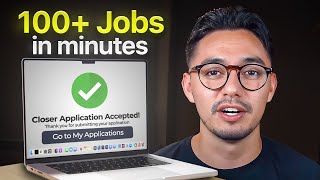
In this instructional video, Alex Beck (presented by Braden Hirsch) reveals an AI‑driven, high‑volume outreach system for securing high‑ticket remote sales positions in 2026. The method combines free or low‑cost tools—Facebook Ad Library, Instagram, Chrome extensions Snov.io and Growman IG, Google Sheets, Loom Pro with Loom AI, and email‑blast platforms Instantly or Kit—to automate 90% of the prospecting, personalization, and follow‑up process. The workflow starts with sourcing companies that run ads (tech, SaaS, fitness, etc.) via the Facebook Ad Library and Instagram, extracting decision‑maker emails with the extensions, compiling a clean list in Sheets (including first‑name commas for AI variables), creating a single Loom video script, then using Loom AI to generate individualized video variants for each prospect. Instantly’s AI‑enabled email sequences insert personalized name and video links, delivering a three‑email campaign at scale. The presenter backs the approach with multiple success stories (e.g., individuals earning $14‑$33k commissions) and market context, arguing remote sales will grow 100× by 2030, especially in tech/AI SaaS. He also debunks myths about remote sales, warns against “offer stacking,” and emphasizes volume over luck. The video concludes with links to a free 5‑hour course, scripts, spreadsheets, and email copy for viewers to replicate the system.
Chapters
There is a lot of information about the best way to find a high-ticket sales job. And heck, I mean, I've even made a video on the topic about the best way to find a high-ticket remote sales job in 2025 going into 2026. But what I just discovered might make every other method irrelevant. Okay, so I have tested it for a couple months and I found a way to make AI do 90% of the work for you. And listen, I understand the whole AI thing. It always sounds too good to be true, but I am telling you, I have helped well over 100 people find a remote sales job the hard way, and I have never seen anything like this. So in this video, I will be breaking down the new way to find high-paying remote sales jobs using AI, and I won't withhold a single piece of information, I promise. Now, there is a couple tech and software tools that we'll need in order to make this work. I'm going to go through it one by one, and then I will tell you why we're going to use each these tools. So number 1 is the Facebook Ad Library, which is a website. Number 2, we will be using Instagram. From there, we have 2 Google Chrome extensions that we'll be using that are free, okay? Snov.io and Growman IG. You need to download these as an extension to your Google Chrome web browser. From there, we have our last 3 tools, which is Google Sheets for organization, and then we have Loom Pro with Loom AI. You need the Loom AI. You do get a 2-week full, trial, or it is $20 a month afterwards. And then you have Instantly or Kit. This is our email blast software. Both give you a free trial as well, meaning, hey, if you buckle down with this the next 7 days, you will be able to utilize all of this for free and book a ton of interviews for yourself. And the reason why— this is the exact flow that we're about to follow. You're going to start at the top here. Number 1 is we need to source remote sales opportunities to apply to. How we're going to do that— we're going to use the Facebook ad library, and we're also going to use Instagram. Now remember, Remember, I'm gonna show you how to use all of these tools in the exact flow right now. What we're gonna use are these Google Chrome extensions. So for example, if we find an online fitness coach on the Facebook ad library who's running and scaling with a ton of ads, we're gonna use Snov.io on his website to extract the emails of the people who own that domain. And then from there, we are going to add it to our list. Now on the flip side, we're gonna do the same thing with Instagram. We're gonna search up Alex Hormozi on Instagram, and then we're gonna use Growman.io IG to extract his email from his Instagram account. And then from there, we'll do the same thing. We will add him to our list. Finally, once we have a list of 50 different companies and people using these two methods, we're going to utilize Loom AI to create a customized video that we will blast to all 50 people using Instantly. Now, objection alert that may be popping up for you. Hey, Alex, you know, does that mean I'm gonna have to create 50 damn customized videos and then send out 50 different customized emails. That's gonna take a year's worth of my time. No, it's not. That's why we're using AI. We are literally gonna record one singular Loom video that I will show you, then click on a couple buttons and it's gonna stem it off into 50 different videos using that one singular Loom video that we created. Not only will I show you exactly what to say on the Loom video, I'm gonna show you a recording of a Loom video that I sent out to 50 different companies. Lastly, we're gonna use the AI feature in Instantly. And then what that's gonna do is allow us to send one singular to 50 different people, and that one email is going to be customized for each of them. Sounds crazy, I know, but I'll show you how to do it. Finally, I am about to screen share a full walkthrough of this method and how to do it. But before that, I do want to cover a newsflash. Now, the reason why this is important, it's going to give you a lot of context and cover a lot of misconceptions that I've heard about the remote sales space or the high ticket space, depending what you call it. Number one, the first thing I want to cover is that, you know, remote sales has changed my life and dozens and dozens of other people's people that I've worked with, like Tony, who collected $400,000 for the month of September. If you do the math, on average, you earn 10 to 15% commission of what you collect. So he made some pretty good money. Or like Trey, who's 18 years old, and we just landed him a role at alexhermosi.com. Or even Joseph Suarez. Joseph came from a corporate background. He was in politics in Canada for the past, you know, decade. He came into the remote sales space in July. We landed him a role by August 1st, and by the month of September, he earned $16,000 in commission for the month of September. Or even like Samuel. Samuel earned $14,000 in commission in his second month in remote sales. And the list goes on and on. I could talk about Jay, who did $33,000 in commission last month, or Malik, who did $27,000 in commission last month. And the reason why I say this isn't so that you get convinced to, you know, work with me and my sales training and placement agency, but it is to share that the remote remote sales industry is not dying and it's never going to die. It's only going to 100x by 2030. But according to ChatGPT, it will increase 23.4% year after year. And no, remote sales does not equal selling a course for some coach or selling some consulting program. Yes, those roles exist, but in fact, the largest remote sales industries right now is tech sales, SaaS sales, selling AI. I mean, Oracle, which is one of the biggest tech companies in the world, utilizes remote salespeople. And I'm sure you could imagine tech sales, SaaS sales, AI sales. It is only going to 100x over the coming years. Now, another point, remote sales does not equal commission only. Yes, those roles exist, but roles that give you a strong base salary plus commission on top of that exist as well. You know, a typical account management role could pay you upwards of $250,000 per year plus commission on top of that. I have a buddy of mine. His name is Will Maxwell, or, you know, @willmaxwell on Instagram. So shout out to you, bro. But he works for a tech company that is based out of San Francisco and he lives in Australia. Now, I am not going to tell you the exact amount that Will makes, but let's just say these numbers are pretty damn accurate. So remote sales is here to stay. It is going to be an industry that's continuously growing over the coming years, especially with the online business space, the tech space, the SaaS space, the coaching and consulting space. Continuously growing. And the last piece I want to mention is offer stacking sucks. Whoever says to, you know, stack multiple sales offers at once, they're lying to you. And for reference, all that means that it's a great idea to sell multiple sales offers at the exact same time. I mean, could you imagine selling for a real estate marketing offer plus a fitness offer at the exact same time? It would be a shit show. I mean, if I had 8 calls booked into my calendar and had to go from speaking to a real estate agent, then to speaking to someone who wants to get their fitness correct, going back to speaking to another real estate agent, my day would be a mess, my brain would be a mess, and so forth. You know, the goal with remote sales and being a closer or a setter is to sell for one offer, one company where you could learn, earn, and grow. And beyond that, if you didn't know, you know, sales is kind of like playing a sport. A lot of it is being in flow state. And so it's so much easier to be in flow state if you're speaking to the same prospect essentially over and over again throughout your day. So don't offer stack. Now let's dive into it. I'm going to go ahead and screen share my screen and walk you through this entire process. Beautiful. So I have all of my tools open up in the top tabs here. I have the Facebook Ad Library, Instagram, Google Sheets to stay organized, Loom and the AI feature in Loom in specific. And then I have Instantly open up as well. So again, this is the flow that we're about to follow and it starts at the top. We're going to source remote sales opportunities using the Facebook Ad Library and Instagram. Now on the Facebook Ad Library, will we use Snov.io, which is a Google Chrome extension, which you could see here. That way we could extract the emails for these websites of companies that sell an online-based offer that uses remote sales reps. So for example, we'll use Snov.io on acquisition.com. And what that's going to do is give us a list of 10 emails of all the highest-level executives on the team that we could then add to our list. Send a customized Loom video to and blast them with a 3-email sequence. On the flip side, we'll do the same for Instagram. We will use Growman IG. That way we could extract the emails of people's Instagram accounts that own an offer and do the same thing, add that to our list, blast them with the Loom video, and then send a 3-email follow-up sequence. So starting off, we are going to use the Facebook ad library. And like I mentioned earlier, remote sales does not mean that you're selling a, you know, course or consulting program or selling for a marketing agency. So the first thing I searched up was cybersecurity software. The two filters that I always have on is just all ads and then ads running in the United States. From there, a ton of companies are going to pop up that are currently scaling their online offers using Facebook or Instagram ads. So the reason why we're using Facebook Ad Library for context is all these online businesses that are raking a ton of money, they have consistent lead flow because they understand how to run profitable ads. And so the way you find the good ones tends to be the companies that have multiple ads running at once. And so as you could see, High Score Jobs has 2 ads running. Wallet Blockade has a ton, even though I believe that is an e-commerce site. You know, we have companies like the Digital Dentist that's selling IT solution to dentists in specific that has 1, 2, 3 ads running and maybe a lot more if we did some, some research on them. Now I will say when using the Facebook ad library, every once in a while some random stuff pops up like Northwest Bank. I really doubt they have some type of online offer that we could sell. But, you know, a company like Digital Dentist most likely has a $10,000, $20,000, $30,000 IT cybersecurity offer that they're selling to dentists in specific. And you could do the same thing with whatever niche you're interested in selling in. So if I were to reopen this up, you know, let's say maybe I do want to sell some type of fitness coaching offer because I'm really into fitness and I feel aligned with that niche. You could scroll through and find online creators that are selling some type of fitness offer. Here's one called Dr. Fit Coaching that has 5 ads running. They're most likely scaling pretty hard. They are niched down for doctors. Doctors, did you know that 50% of us are overweight? We constantly tell our patients about the health risks of being overweight, yet a lot of us have 20 to 50 pounds to lose. So if you're not aware, you know, here's one offer for dentists. Here's another for doctors. The riches are in the niches, right? So for example, Gym Launch did so well well because they were an offer that was based around gym owners. Meaning just because this is branded as a fitness coaching offer for doctors doesn't mean that it's a bad offer to sell. And so both of these examples, I am going to go ahead and open up this company. From there, their Facebook is going to open up, and then I am going to open up their website. As you can see with looking at their website, there's already an area where I could book a call, AKA book a free consultation, AKA meet with one of their closers who's going to try and close you on a fitness program if you're a doctor. From here, what I need to do, it's super simple. We are going to open up Google Extensions and then click Snov.io. The email, the person who owns this website, who is most likely the offer owner, and I am going to assume it is this bald guy here on the right, immediately pops up. So we already have this guy's email and his name is Dr. Hamada. So I am going to copy this guy's email. I'm going to get added to to my Google Sheet. I'm also going to add his first name with a comma after his name. This is really important that you put the comma, and I'll show you why. It's going to help us with the AI feature in the future. And then I will also add his website and his company name, Dr. Fit Coaching. And from there, I am going to continue to do that and add as many people as possible on my list using Facebook Ad Library just by searching niches that I'm interested selling it. So if you're interested in selling a tech offer, a SaaS offer, a marketing agency offer, some type of B2B coaching, fitness coaching, an e-commerce offer, you know, maybe you're really into meditation or hypnosis. Yes, there's offers out there that exist with that. I can't guarantee they're good ones. You need to vet them on the interview, but you could easily search up whatever niche you're interested in. Ads will pop up of companies who are selling. We could open up their website just like the digital dentist. This, then go to snov.io, and then boom, here's all of the people who are on the team that are listed within this domain. And I could essentially copy and paste all of these emails and then go ahead and paste them over to my Google Sheet, right? And you would want to do it in a list in a single row going down and then blast an email to them later, which I'm going to show you how to do. But just to show you how powerful the snov.io tool is, now, I mean, let's just see how powerful the snov.io tool is, right? I mean, I searched up acquisition.com. Let's go ahead and click on it. And just like that— don't hate me, acquisition team— I'm trying to find good sales reps that are super dedicated to, to go and apply to your guys' company so you can make more money, right? But just like that, all these emails come up of people who are high up on the acquisition.com team that we could send a customized email and video to and let them know, hey, we'd be a great fit for working with your your team. If interested, watch this video and respond back to this email. Now, this is where I mentioned earlier, use this tool for good, you know, don't be disrespectful and use it for evil because that's how tools like this end up getting banned from the internet. But if I am interested in applying to acquisition.com, of course you could always do that on their website or blast them on LinkedIn, but I'm just going to copy their emails and then go ahead and paste them into our just like this. But I need to delete this add to list, and we could go ahead and save these to email blasts, which I'll show you how to do soon. And there we go. This is essentially how my list would look like. And then I would continue doing this by searching up companies on the Facebook ad library. Now we could also use this tool for Instagram, and the way we use that is using Growman IG. And so what you'd want to do is search up up somebody who follows a lot of online businesses, online coaches, online consultants, and so forth. So if you don't know this guy, I just shouted him out. Maybe you'll get some followers from this. Eddie Cumberbatch. I don't really know him. I don't know him personally at all, but I do know he is very big on growth operating. He was basically teaching people like, hey, instead of running your own online business or offer, pair with a creator and help them scale their offer. I could guarantee out of all of his followers, a good percentage of them will be online coaches, consultants, creators, online businesses that are selling a high-ticket offer that need remote sales reps to sell their offer. And so the tool I'm going to use for this is Growman IG. Now, the caveat I'd say with Growman IG— remember, use these tools for good, not for evil. The caveat with Growman IG is that you need to use it on a burner account. It could get your Instagram banned. But if you click on this extension here, it is pretty insane. If we press go, I'm going to let this load for the next 5 minutes. It's going to give us the names of all of his following along with the emails and the phone numbers of those Instagram accounts as long as it's public on their account. All right, I gave this about 5 minutes to load and there's still a lot more followers or people that Eddie follows that needs to go ahead and load. And this isn't foolproof, you guys. As you can see, some people do not have it public. That doesn't mean it needs to be public in our page where we could find it, but there's a setting in their Instagram account that they need to check this box off in order for it to come up as not public for their email and their phone number. And a lot of people don't know about this. So there's so many people like Justina Fitness Coach here who just has their email directly available for us to access where we could go ahead and add this to our list and then go back and search up her Instagram and add her Instagram them to our list. Realistically, the only 3 things we need in order for this tool to work is first name with a comma, their email, and their website. Now I did take the time of doing this for another creator as well. I have no idea who he is, but he's listed as a growth operator. I used this tool on his following as well, and a ton of people came up that we could go ahead and add to our list. But let's say in a case where, you know, maybe Jatz came up and he has 236,000 followers here, uh, he clearly has an online based offer, I could safely assume by the amount of followers he has, he's definitely making really, really good money, at least a couple six figures per month. But maybe his email doesn't come up. What do we do? We could go ahead and copy his name, search it up on Instagram, which it came up here. Here's his following, here's all his content. Let's just click on his website and then use Snov.io. And just like that, his literal email came up on his website using Snov.io. And this is something that we could go ahead and copy. I could already paste it here. Here's his email, here's his website. And then I added his first name with a comma. Remember, everybody needs a comma after their first name because it's going to help us with the AI tool. Now, if I were looking for a sales role, I would spend 60 minutes doing this, right? I put headphones on, maybe play some music, drink some coffee, and spend 60 minutes using the Facebook ad library. And then Instagram to create a list of 50 different companies and a list of emails that are connected with those companies that I could send a customized video to. Now, once your list is fully created and looks like this, here is my list. Here's a ton of companies. Here's the first names of all these emails along with their websites. I am going to go ahead and come over to Loom and create a customized video. Now I am going to show you the exact customized video that I recorded. But for anyone watching this, for you watching this, I will hand over the script for what I say on every single Loom video that I send out to companies when I'm interested in applying with them. This has worked for me and dozens of other people marvelously. The second thing I'll give you is this Google spreadsheet, which is honestly super simple to use. And then I'm going to give you the exact copy that I use for these email sequences that I'm going to show you how to put together. Just click on the link directly below this this inside of the— let's see, the description, it's going to look like this. Add your information and it'll get sent to you via email. If you don't want to do that, you know, watch this video and copy and paste stuff as you go. But here is the Loom video that I created, and then I'm going to show you how to branch this off into 50 different videos. Here it is.
Hey, what is going on, team? My name is Alex Beck. I saw an advertisement that your company was running on Facebook ads, and I wanted to let you know that I am super interested in possibly working for you guys as a remote closer. I have a ton of experience in the space and I would be a huge asset to your company. I know a little bit about myself. Again, my name is Alex Beck. I am based out of Los Angeles, California. I have about 5 years of remote closing experience. I collected over $10 million in sales for various companies like Alex Hormozi, Iman Gadzhi, along with quite a few other names. I know if you give me the shot and brought me in to an interview, I would be a huge asset to you and your company. Like I said, I saw your website, I saw your Facebook ad. You know, I felt really aligned with what you guys were doing, so I am looking forward to possibly speaking here and potentially joining your company.
That's it. That's my Loom video. It's pretty simple, pretty straightforward. Obviously, hey, if you haven't collected $10 million in sales like I have, you know, you could say something different. I just use this Loom checklist that I created. On top of that, there's a lot of reference here on the second page that breaks down what to say if you have sales experience, but also what to say if you don't have sales experience. So I know I mentioned that I'd give you the sheet, I'd give you the scripting that I use for the Loom videos and then also my email sequence and the opt-in. I'll also include this as well. If interested, just put your info. It'll get emailed to you right away as soon as you put your info in. But that's my Loom video. If you need to replay it, just rewind this video. That way you could re-listen to my Loom video. But the next step of what we're going to do is use Loom AI. And why this is so cool is we're going to go ahead and copy every single first name of the people that we are about to email. And then we're going to go back to Loom and click Add an Audio Area. Variable. We're gonna click on what we want to change. So in the beginning I said, hey, what's going on team? I'm gonna go ahead and click on team and then copy and paste all of the names that we want to change this video into. And so all this is going to do is branch this singular video into 50 different videos depending on the amount of names that I put, and turn it to where team in that that first sentence will now be substituted with their name using my voice using AI. It's super, super cool and it works surprisingly well. Okay, so after we get all of these names copy and pasted here, we do need to make sure there's no duplicates, which is just what I went through and fixed. As I mentioned, it's going to change the highlighted word of what you said into all of these copy and paste and branch it into however many videos this is. It's also going to customize the title of the Loom into closer intro, for name. All we're doing is substituting it for the variable, and the variable that we're substituting it for is the name of all of these people that we're emailing. So let's click, and it's gonna branch it off into 38 Looms. And here it is, in a matter of seconds, you could see all of these videos loading where here is my original video. These are the exact same videos except it changed the title and also changed the sentence and also changed the word team for the person's name that we are about to email. And there it is, in a matter of seconds, all these videos have been turn from one singular video into 38 or 37 different videos with customized titles and a customized intro. So let's look at one of them, for example, and we'll look at Cameron. Let's go ahead and watch the intro and see how it looks.
Hey, what is going on, Cameron? My name is Alex Beck. I saw an advertisement that your company was running.
So that was it. That was the only change that was made, right? The title got customized in the intro. So instead of saying, hey, what's going on, team, it is, hey, what's going on, Cameron? And I didn't record the video, it just substituted the variable using AI. So let's watch it again.
Hey, what is going on, Cameron? My name is Alex Beck. I saw an advertisement that your company was running on Facebook.
There it is. Obviously, listen, it doesn't look perfect. The fact that it's only one word that's changed, honestly, most people are just going to think it's some type of video glitch or video lag. The fact of the matter is, Cameron, it's using my exact exact same voice. And it's more so the thought, the gesture, the attempt, and the hunger that you have for the fact that you're able to find these people's emails, send a customized video, send multiple customized emails and follow-up emails to where the fact that there's a lag here at the beginning of the video is not going to matter at all. Now from there, our last step that we got to do before we set all of this up is we need to copy— this is where a little bit of manual work. So we got to copy the Loom video and then go ahead and paste it next to their name. So here is this one. Now give me 5 minutes here. I'm gonna go ahead and get all of these looms that were customized pasted next to their name. Alright, so my list is pretty much complete. I have all of the company names for the companies that I sourced via Facebook ads and Instagram. I have the first names of all the emails that I'll be blasting. I have a customized loom video that was created for each one of these people, and I also have all of their emails and all of their websites. Pretty simple, right? Now remember, the whole goal with this is volume. Volume negates luck. I would rather apply to 100 companies at once in a blast, 100 emails, because chances are we are going to dramatically increase our chances to land an interview and land the best possible remote sales role. Now that we have this done, we are going to go ahead and go to Instantly.ai, and this is completely free for the first 14 days, so you don't need to pay a single dollar. And we're going to set up a 3-email campaign to send out all of these customized emails and all of these customized Loom videos. Now that I created my free Instantly AI account, this is exactly how I'm going to use it. I'm going to go to campaigns. I will press add new and then, you know, maybe we'll call it closer campaign. From there, let's click continue and go to leads. Let's click add leads. And then from there enter emails manually. And then all we're going to do is go ahead and go to the emails from our sheet, click Command+C, go back to Instantly AI, paste all of the emails here. Now when we press import emails, we should have a list of 41 emails according to Instantly. And the last thing we need to do with each of these leads, which is like the only manual work, is we need to add multiple variables. So the first variable we need to add is the name. And then from there, the variable value will be their actual first name. And then the last thing we'll add is their website, which will actually be the Loom video that we created. So instead of adding their website, let's just go ahead to Leila Hormozi's email and the customized Loom video that I made her. Press copy, then go back to Instantly.ai, paste our Loom video for the website variable. From there, we're gonna press save, and we're gonna do that for every single email that we have inside of Instantly AI. Now, the reason why that's important is when we go to sequences and we type up an email, which here is an example of an email that I would send, and let's kind of space it out here so it looks a little bit nicer. What we are gonna do is add variables. That way we only need to type one email and it'll send customized to every single person. And so the first variable that we'll select is their first name. And the last variable we'll add in is their website, AKA our customized Loom video. And so now, as you could see, the first email that's going to get blasted to everybody at the exact same time will say, hey Layla, or hey Alex, hey John, depending on the variable that we added for the first name. And then we'll have our email email copy saying to check out the customized video that we made for them. We like their website, we like their Facebook ad, we feel like we'll be a huge asset to their team. And then at the bottom will be the customized Loom video that will get added onto the email. Now the last thing I need to do is add a subject line. So my subject line would look, you know, something along these terms. You could even use ChatGPT, that way it could create the best subject line with the highest open rate. And then from there I would 2 more steps, meaning 2 additional emails that get sent after this one, 24 hours after the previous. And so what this all looks like is, you know, we created a list of 50 different companies. We got 50 emails associated with those companies. We got everybody's first name from their email and added a comma after. And then we went over to Loom and created 1 video and turned it into 50 videos, customized videos, and paid and then we pasted the link of each Loom video next to the person's name. And lastly, we came to instantly.ai to upload all of these names here. And lastly, we came to instantly.ai, we copied every single email and then pasted it inside of here. So we have an entire lead list of all these emails and we added a customized variable for each lead with their first name and the customized Loom video that we made. For everybody. And the last piece is that we went over to sequences and made an email using the variables that will swap between each lead that we sent. That way we don't need to type 50 separate emails. Instead, we typed one email and just swiped out the variable for each first name in each Loom video. And then once we turn our campaign on by pressing resume campaign, it is going to blast these emails to everybody on our list. Now obviously I didn't type out the copy for all 3 of these. Listen, you could type out, you know, email copy pretty easy. You don't really need my help for that. If you do, like I said, I'll toss the email copy in that link in the bio that you could add your info in. But that's it. That's the entire method. If you send out these emails, I guarantee you'll get a 50% response rate, if not a little bit more, because this is a completely untapped method. Everyone is so used to getting their Instagram DMs blown up or applying on websites or LinkedIn and so forth. Nobody has really been creative enough to send customized videos. That's what companies want to see. I've hired a ton of salespeople in the past. We want to find people that are hungry, gritty, willing to put the work in and ultimately have company buy-in, right? So sending a customized video, letting, you know, a company or a sales manager know, hey, I'm super interested in working with you guys. I am super aligned with your company. I would be a great asset and here's why, is a great way to show all of those features and get brought in for an interview and get hired right away. It is that simple, you guys. Please use these tools for good and don't be like 90% of people on YouTube who just sits on their ass and never implements information. Actually utilize what I just showed you. That way you could land a, you know, high-paying remote sales job where you're making the income and you have the freedom that you're looking for. And obviously finding the job and, you know, landing an interview is just a piece of the puzzle. You still need to be able to properly vet the company, ace the interview, and then be good enough to actually retain this high-paying remote sales job. Then on top of that, you need to progress your skill set. That way you could actually become the remote closer who's earning $20,000, $30,000, $40,000 per month. So lucky for you, that is exactly why I put together a 5-hour free course course that covers exactly that. It will appear somewhere on the screen or in the description below. And as always, I appreciate you for making it this far. Once you learn to sell, you will never starve.
More from Braden


How She Quit Her 9-5 and Now Makes Money From Anywhere in the World (High-Ticket Sales)