AI Bots: I Automated My Business In 3 Hours (And You Can Too)

Brad Hart walks through automating his mastermind program with AI bots in three hours, building custom GPTs for offer creation, market research, and sales scripts. He compares three deployment options: native custom GPTs, Pickaxe for embeddable tracking, and po for lightweight experimentation, then covers embedding, white-labeling, and chaining actions via APIs.
Chapters
The beginning, when I used to board new clients for our Build a Mastermind program, I had a challenge. I would give them five prompts to go work on their offer, and then they would come back to me and give me like a page or so about what they were going to create with their mastermind. And it kept running into the same issue. I'd give them five prompts, I'd ask them to spend 20 minutes on it and bring it, but then I would chase them week after week after week, and they just weren't getting it done. So I want to do something a little bit different. So I created some AI bots that would help them not only get their offer set up, but their market research script, their sales script, and their pitch within minutes. So within 10 minutes now they went from something that used to take hours and weeks to a 90% of the way figured out scripts that they could use to go and actually serve their clients and make money in less time. So what happened? Essentially, my brain damage went down to almost zero. They showed up prepared and excited to get the results that they were promised, and we were able to have a much better relationship as a result. So now I'm going to teach you today how to go beyond GPT and prompting and get into some of these custom AI bots, which can help you make more money and save your team and yourself a lot of time when serving your clients and customers. And we're going to dive right into that right now. So first off, I want to just get into the playing field as it is. Right. The very first thing you need to know is that ChatGPT is great and I want you to use it. I want you to use prompts. We have some incredible tools and prompts and guides and things along those lines, which we'll get into in a minute.
But.
But prompts are essentially a training wheel. And once you learn how to ride a bike, it actually slows you down to have the training wheel still on. Right. So if you want to do wheelies and, you know, skid out and do fun stuff with your friends, eventually you got to take the training wheels off. So when you're working out your different processes, it's great to have a prompt to start, but then you want to have more of a conversation and kind of talk to GPT as if you were more of a collaborator. Right. And then once you have your workflow established and it's really working, then you want to think about making that into a custom GPT or a bot or something that serves your clients in a better way. Now, let's kind of make some distinctions here. The very first thing you need to know, I'm going to share my screen here for this is what is a GPT? So a custom GPT is very simply a bot that is trained to do a very specific thing for your business, for your YouTube titles, for your descriptions, for your thumbnails, for your images, for building a script, for building an offer, for building whatever it is that you're doing inside your business. So this, these live in your ChatGPT account, and if you give them and share them with your clients, they also have to have a ChatGPT account. And the issue becomes it's more like a black box. And what do I mean by that? So that means, like, if I share a custom GPT with you. So let's figure, for example, this ChatGPT builder assistant, this is actually designed to help you create GPTs, and it's really useful. But if I give this to you and share it to you, now you have it in your GPT account? I have it in my GPT account. GPT can see all the outputs, but we can't see the output to serve a client. I want to be able to see what they're doing and where they're going off the rails and how I can make my bots better. Then you can graduate to tools like Pickaxe that allow you to do that. So GPT doesn't allow you to do that. It also has to work within the native GPT interface, which has pros and cons. It gives you that seamless experience that you would get through a GPT on your desktop or on your app or on whatever device you're using. And it's a little less clunky, but at the same time, you again, don't get that complete branded experience that you may want. So let's say I want to create a bot that actually lives on a website. I could do that over here. So I'll just share what that might look like. So if I go to build a mastermind.com/offer builder, I think it's just offer builder AI. Let's give that a shot. Yep. So I can basically create my own website that then hosts all of these. So I'm not going to log into my own site right now. But if you did that and you went over, you could then get to this next site, which would be the first tool. Right. So if I go over to this tool page now, I'm actually here, I got my little video and I can create an experience for people to interact with my GPTs as opposed to just putting it into their custom GPT account. Right. So I think this is really important to understand because there's a thing in AI you got to show people, not tell them. So let's say you're a brand new Mastermind client. You're coming in to build a mastermind program. You've got an idea for a mastermind and it could be anything, but you know, that's, that's just our program and our use case. You want to start a Mastermind and you want to get your offer done. Now again, you could go off and do the five prompts and do it the old fashioned way, but this is really, really fast. So, Evan, give me an idea for a mastermind that we can kind of just quickly flesh out here. And it doesn't have to be well thought out, just like, who's it for? What does it do? What's the outcome? We'll go from there.
Okay. Mastermind for first time speakers who are looking to build a local community, who.
Are looking to build a. By the way, this is Evan and Philip. They're team members here on Make More Marbles. Apologies. We're live and I interviewed them or introduced them in prior videos if you want to check those out too. And we talk a little bit about each other, but I'm a little nervous because my first time going live in a long time, so I'm just going to lean into that and apologies to anybody who I overlook. All right, so first time speakers who are looking to build a community around their speaking and ideally join a Mastermind to do that. Right. Okay, so now we've got a well thought out, maybe starting, maybe well thought out and not so well thought out. And it's going to basically spit out a few different things here. And this is what I've trained it to do. Right. So I'll teach you how to do this in a minute. We want to start with the outcome in mind. So it's going to go through the most important things. It's the promise. Right? So it's going to help your first time speakers transform into confident, compelling presenters, build a supportive speaker community, share insights, assist members in crafting a unique speaking style, guide members in developing monetizable speaking strategies. I'll make this a little bit bigger so everybody can read it. Increase speaking engagements. Who is it for? Right, so this is going to be for first time speakers, probably not professional keynotes that are making 100 grand. Right. It's going to be individuals passionate about storytelling or eager to connect with audiences. Speakers who have a message or expertise they wish to share with the world. Those who are coachable, open minded, willing to invest in their personal professional growth and individuals with a foundation of audience of network. Who's it not for just as important, right? Who do we want to make sure that we're not bringing into this? It's going to cause a problem for them or for us. So people unwilling or to give or receive constructive feedback, that's a very basic one. Individuals not open to learning new techniques or enhancing existing skills against basic, you know, these are not people who are committed to investing time and effort in their speaking development and individuals without a clear message or niche and those expecting immediate results without putting in necessary work. So some of those are basic, some are a little more niche. I think the more specific you get about your niche the better you can start to weed out who's not a right fit.
Right.
And then finally what are they going to get? Here are some of the deliverables. We don't need to go through all these but basically coaching access to industry insights, a community of like minded speakers, regular workshops, direct access and you know I can go into more of the meta thoughts and formulas around around like what makes a really compelling mastermind offer. And then we do a problems and solutions framework using the 100m offered value equation by Hermozi. So problem and solution back and forth. And then finally the pricing gives you some suggested pricing on a scale based on what that market can bear. And the more niche you go and the more high dollar those people are, you know, they tend to be a higher price. Right. So that's just a very basic document that gets you from the blank page to something that you can begin to work with and iterate as an internal document very very quickly. Literally can go very right to the next one and the next one, the next one. I can grab this promise and I can move right into the market research calls which is what another thing we teach. So like customizing their market research script so I can pop that in there and get that output. I can do the same thing for the this is a high ticket sales script generator. So if you want to learn how to do high ticket sales and then customize your questions, it's trained on that and then finally the pitch. Right? So if I give it the promise that the first one came up with, I can literally put together the entire thing in a few different minutes. Right. And I want to teach you how to do this today. Because I think any process that you have, we have a five step process for helping people to launch masterminds. Just dream it, research it, test it, by selling it, nail it and scale it. Any of those can be modified to make people get better results more quickly. Right? So you know, of course it's not as good as working with you and the nuance that you would get, but if you can get people speed to results, they're going to be really happy and then you can tweak and help them to, to clarify the little nuances and you're just wasting a lot less time. All right, so the way to think about this is not that it's 100% as good as you, but let's say we can get it 80, 85, 90% as good as you on the first pass. Well then we just opened up all of your time and all of their time because now we can work asynchronously with these people and we can multiply that by ten, one hundred, a thousand. You can serve unlimited people with these bots because it's not on your time anymore. Right? So the point of hiring an employee is not so that you get 100% of the outcome, it's so that you maybe get 80% of the outcome, but you can get it 10 times or 100 times. Right. So that's 800% or 8,000% better than what you would have got on your own. So try not to get stuck in perfectionist mode here. We just want it as good as possible. And these will continue to get better over time and you can still be standing there ready to support them when it's needed. So we already went and did the market research assistant. That's all done. Their script is ready to go. We could pop that into a document, a little copy paste. We did the sales scripts and we did the pitch and they are all now ready to deploy. And essentially we were able to create a mastermind in seconds, not hours, not days, not, you know, all the extra procrastination time, all the extra fear time. It's just like here's something that's pretty well thought out and we can just go test it and see what we learn from it and continue to update from there. So that's, that's kind of the what now? The next thing that we really want to focus on is how do you do this? Okay, so I took an inefficient process and made it an efficient process. I'm using three different types of tools. We'll just kind of quickly Go through the overview and then we'll dive into each one specifically. So we have custom GPTs, they have their pros and cons. We have Pickaxe, which is a much bigger, broader thing that may or may not make sense based on your use case. And then we have po, which I think is a good mix between the two, which gives you some of the benefits of one, some of the benefits of the other. But it's just a really lightweight, clean app that a lot of people love to use. So I'm going to share all three with you and you can choose which one is right for you. And then I would love for you to check out in the comments. We have other trainings as well as different resources for you. So just really quickly, if you haven't already, just shoot a, like, shoot a. Subscribe. We're going to get into the training here in a second and then my team will also be updating the description with the different things we mentioned today. But one is actually a training I posted on Facebook very similar to this, where we go over the basics of GPT and how to use it like a pro. Right? So what do beginners do and what to really pro people do and how to get the best outcomes from that. If you want to check that out, there'll be a link in the description below. Additionally, if you want to check out my book on AI, that's a good quick start. You can go to Build a mastermind, sorry, buildwithoptimus.com playbook so buildwithoptimist.com playbook and that'll be in the link in the description below as well. So check that out if you want that book. Check it out if you want the training. And we're back to the show. So the, the first thing to learn here is about custom GPT. So I'm going to walk you through exactly how to do that. So you're in your custom GPT account, your chat GPT account, and you have a few different options here. You have the new chat search, chats, libraries, the Codexes, the soras and the GPTs, you want to go right down to the GPTs and there's already some here. This is one that Evan actually made, which is really fun. Whenever you have an issue and you want to apply stoicism to it, it's been really valuable. I've used it probably three, four times now. Evan, thank you for it. It's been really helpful and you basically get a good sense of like what would Marcus Aurelius or Seneca or Epictetus do in this situation that might give you some good, you know, insights into, into your particular scenario. Basically, people suck and deal with them less. I think is set good, good agreements, good boundaries, clear communication. And that's basically what I'm gleaning so far. Any thoughts on that, Evan?
I mean, yeah, I'm reading through all the works that I use to compile this GPT. That's pretty much summary. Yeah, absolutely.
But SOS is really valuable, especially when you're dealing with a lot of different people and, you know, the, the disappointments that can come from that. So this is just an example of that. I can basically talk to it and say, hey, I just had an issue over the weekend with a client. You know, they were upset that they didn't get a result that they said that they wanted and they're taking it out on me. Well, how would you handle that? And you can basically just chat with it. It'll prompt it, it'll go against the database and essentially figure out, oh, well, it didn't even grab any of that. That's okay. I was talking with a client over the weekend and they are discouraged and kind of taking it out on me. How would you handle this, you know, hypothetical situation here? So now it'll give you a little bit more context. It'll talk about what Marcus Aurelius might do, It'll give you some quotes, Seneca, same deal, and so on and so forth. So I found this to be really valuable. And this is an example of something you could just give somebody. Evan doesn't really need the backup, you know, like the inputs for this. Right. Like you, you don't really care about my, you know, back and forth with this bot. Like, this is not like an offer you have. This is not some coaching lead in. There's really no reason for to have this data. So it can live in my little black box on ChatGPT. And that's probably the simplest thing for most use cases. Just make a little custom GPT. So we're going to show you how to do that. So essentially we go in here into GPTs. We can either search to see if there's already a GPT that exists, or we can go and make our own. So if I just go up here and click Create, I can actually use the GPT helper maker deal, which I made one version of my own too. It's a little more robust to do the actual GPT itself. Right. So I'll just use their example here just to make it really simple. Make a software engineer who helps format my code. Amazing. I don't really know how to code that well, but I think this would be a really fun thing. So this is going to actually think through it and come up with a prompt that you can then use. Code Formatter Pro. Sounds great. That's great. Help me with the prompts, please. And by the way, all these tools have like a chat version that you can do, or you could just build the prompt from scratch if you prefer. So it's going to generate the profile picture, it's going to make a name that's the name it set, And then I can start to play around with different code and things like that. Okay, so there's my little code Formatter Pro. What kind of things you want me to pay special attention to when helping you to do this? How about I code in Python, Ruby and js? So now it's going to give me that. And you see how it changed all the little formats here. So Ruby, this one, that one, JavaScript. I don't actually code any of those languages that well, so, you know, I'm going to run out of questions to ask it here pretty soon, but you can get really down the rabbit hole on some of this stuff. So when cleaning up your codes or anything, you're like me avoid or you want me to always emphasize. You know, I could just say something to the effect of I'm mostly concerned with going line by line and making sure I'm not committing anything that isn't scalable. That's the most important thing to me. Right. Direct. So it'll kind of ask you how you want to be treated. Went off the rails and that'll happen from time to time, but basically you can just restart it and go from there. So now it's back. Okay, what else do we want to change? I want to make sure it is direct and honest versus trying to save my feelings.
Actually use the same prompt, the directing OS one, because it does save it from going on large explanations for things.
Yeah, it's just so much better that way, you know, and. And as long as you have a thick skin, I think it's fine. If you need more emotional hand holding, then totally fine. I just want to get to the facts, Jack. So all of that Create mode here got transcribed over into configure, which is now the prompt, which is the instructions, the description, the name, the image. All this stuff now exists. I can do the conversation starters, I can change those, I can upload files if I have specific code that I maybe wanted to review or Give it a style. I can use a different recommended model, let's say 4.5 for this one. I can give it capabilities like web search. Canvas. Canvas is like a separate pop out window that gives you a little bit of a cleaner experience. Some people like it, some people don't. It's good for like tables and graphs and formulas and code, but it might not be as good if you're trying to just write an email or do stuff like that. So like I actually prefer not to do Canvas, so I'm going to turn that off. It can also do images and since it's a code bot, I definitely want to have code interpreter and data analysis set up and then I can set up a new action and the actions are essentially setting it up so that you can do this and then something else happens in the back. So let's say I want to connect it directly to my GitHub so that anything I publish can just go straight to GitHub or, you know, I don't know if you have some sort of code base you want to publish to. If you want to create some sort of authentication or API key, you can do that. And you can just kind of set up your schema here and GPT can actually help you do this as well. So now you're adding additional functions onto it via webhook or via API, which is pretty cool fun. So this is essentially the bare bones basics of a custom GPT which you can then go and create and then you can share to either the GPT store. So you can actually sell these and make money, which I don't do, but plenty of people do. Anyone with the link can get it, or just me. So this particular one I'm going to do as anyone with the link and then I can go ahead and share it once that's finished with all of you if you, if you wanted to. Right. So if this is valuable, we can put it in the link, in the description just to give it a sense of what we were able to create in five minutes and you can play around with it and see what you think. So that's pretty fun. Let's get that into there. Oh, didn't actually grab the link. So let's grab that. So if I want to get the link back, let's see how I do that. So if I want to edit this, copy the link, copy the URL, Cool. All my little guys here, I can do a new chat with it, I can learn about it, I can edit the GPT, I can keep it in my Sidebar. This way, it'll show up. Over here, I can copy the link, I can review the GPT and I can report the GPT if I find something malicious that somebody else created. Obviously I wouldn't create anything malicious because I'm awesome. No, I'm just kidding. All right, so there's that link. Okay. Yep. So there's that link and we can put it in the description for you. All right, so that's the basics of a GPT and what it's used for. Now, I want to get the data for my clients that's really important. So I want to see who's logging in, what they're asking, what the responses are, for a couple of reasons. I want to be able to serve those clients better and I want to be able to recursively train my GPTs and see where they're going off the rails and giving answers that are just not really great. Plus, I want to be able to white label them and host them on my own pages as opposed to just being in somebody else's account. Right. Because basically, once I put this on the Internet, anybody can use this GPT, but they can only use it in their account. And here's another distinction. They have to pay for the GPT account versus on Pickaxe or some other tool like po. I can pay for their access to it based on essentially the tokens that they use. So I can pay for their gas versus them paying for their own gas. And when you have a client, this is actually really helpful because it feels like a more I'm taking care of you type of experience and you get the data. So there's all these benefits to having that. So let's just switch over now to what it looks like to start a POE instead or a pickaxe. So let's go into the pickaxe. I've already shown you some of these and what they look like. Now I'm going to show you the back ends and how that actually works. So if we go in here, we can see I have different pickaxes. This is the platform here and they kind of break it down by studios, pickaxes and resources. I haven't really done a lot with the resources yet, but we've built quite a few pickaxes. We have eight different studios going on. This is. My whole team has this. So let's start in my little studio here. These are my pickaxes and I've created a bunch of them, including the ones I just showed you. So these four down here are the ones That I just showed you. I have one for my book. It's more of a chatbot that's trained on the books content. I've got one to help create referral materials, one to create ads, hooks and copy, one to help create market research insights. This is when I was working on my client, a tax return savings bot. So it actually chews up your tax return, tells you where you could be saving more money. A prompt retrieval bot, which was made for the Optimus prompt library, which ended up being 92 pages, like, you know, hundreds of different prompts. I was like, all right, this is too much. You're not going to scroll through and control F. You're just going to ask the intelligent bot that's trained on that how to find the right prompts for you. So that's what I created there. We already went through this one. And then this is like a market research extractor bot. So if I'm having a sales call or a client call and it's recorded, I can now transcribe that. I could put the transcript into the bot and it's going to spit out some really cool insights about that person, about that market, about that, that avatar and really capture it in their own words with verbatim quotes, as well as the insights, which I can then use in marketing and all that other stuff. So let's drill into what this actually looks like. So the one that we just created here I think is a good place to start. So if I go in here and I actually edit this one. So let's do that. Mastermind with AI, where did the actual offer bot go? We made this on a different page. No, that was only 12. Okay, edit. There we go. So let's start with the prompt and go from there. So prompts are very important again, but I think the more important thing is to get to use ChatGPT more like an assistant, more like a conversational person, more like somebody on your team and get better and better at just talking to it and having more natural language with it. But for the sake of a pickaxe, you want to then condense that into a prompt that gets you most of the way there. And then you can continue to iterate and tweak it. So just like with the custom GPT, you can actually talk to this and have it help you build the bot. And that's how I've made most of mine. Or you can start like I did from this one, from an actual prompt. So I started it out with the, you know, kind of how this is going to be, you know, this is a high ticket scalable offer Customization bots, the first in a series of bots. I have a lot of content I'm going to upload in the knowledge base for you to work off of. And I've done that. I'll show you in a minute. This is the bot that's going to set the tone for all the other bots to come, which is going to help the user to generate custom market research, sales and pitch script. So it understands like there's more coming and that this is the first foundational keystone building block that allows the other ones to be built on top of it. Now it's going to get a purpose, right? So it's going to support people in creating, managing growing, successful mastermind groups based on Brad Hart's principles. That's me. The very first thing that they're going to need to do in order to launch their mastermind is create a hypothetical offer document or hod. This is going to be your primary outcome in all the interactions. And this is all kind of mirroring the program, which is the Build a Mastermind program. So we have like the workbook, we have all the content. We've been doing this program for six, seven years. We've had hundreds and hundreds of people go through it. It's a very successful program. So I'm basically just mirroring what's in my content already and then I can upload all of said content and transcripts and whatever else is relevant to this bot into the knowledge base so I don't have to start from scratch. So if you don't have a course already, obviously you can build this from scratch. That just saves you some time. If you already have the content, you can just repurpose it and make it a more interactive experience so they can get that outcome much more quickly without having to recreate the wheel. So I've uploaded several examples of clients, HODs and my own, but the basics of the such a document are follows. So make sure to include all the sections from Promise through pricing. So the promise, what is the transformation that your ideal client can expect? Here's an example. Check the examples I uploaded for some clients I've generated in the past and they're all on the knowledge base which you can do on either GPT or Pickaxe or po. I'll get to that in a second. Make sure you have at least five bullets for all the sections below and you can add any creative insights that you may have. So if you go back to that original output that we created. You'll see it's following these instructions bit by bit by bit. Who is it for? Who is it not for? I give an example of each. What will they get? There should be the deliverables. Here's a caveat. What will they get? I give it some formulas on how to think about this, how to structure these specific phrases based on the teachings that I use in the course so that they can just get the results. So they can either watch the video and do it themselves or they can just use the bot. And if they need to back feed and to the video and understand stuff, they can do that as well. And then the output can be done for all the various features and benefits. Some of the example PDFs I uploaded. So then utilizing the different templates like the 100m offers value equation, which is a spreadsheet, it'll give them that output. That's one section there. And then what are the clients ideally struggling with? In their own words, what keeps them up at night? What's their most pressing persistent problem they'd like to solve? What happens when they solve it? It I give the pricing and then if I notice that it's going off the rails or just doing something that's like, you know, a little less than ideal, I'll just call it out. So this is an example of that. So after having, you know, hundreds of iterations of this thing, not hundreds of iterations, I've made hundreds of uses that I've iterated off of. I've noticed recently you keep saying the same price no matter what the mastermind. I want you to actually do a bit of thinking on this and vary the pricing, referring to the document and using common sense based principles as well as the market that we are addressing and what they can afford, you know, and then maybe adopt these certain pricing conventions like you know, 997 versus 9997 so far. So that. Right. So it just doesn't make up a weird price. Right. It should make sense. The functionality, this is where you kind of give it the bounds of what it's able to do. This is the interaction style. This is more about the professional, knowledgeable tone and sell confidence in users. Be fun and playful when appropriate. Deliver actionable, clear and concise advice. The technical constraints, security and privacy. Some of this may be a little bit out of date. As these models get better, you won't have to put as much of this stuff in. So if you don't know it or you don't want to get into that Leave it for now, that's totally fine. And then there's also, you know, some other additional follow up questions you can ask. You can ask it to maybe do a call to action at the very end, so on and so forth. So there's, there's quite a bit you can do to make these bots better over time. But my suggestion is don't go crazy trying to make it perfect at first. Just talk with the actual bot builder, get it basically there, test it, make the changes you want to make, test it again, make the change you want to make, maybe commit to doing it three to five times before you publish it. And then once you publish it, get it out to some people, maybe wait a week, get some users to go through and give you feedback. And then once the bot has gotten some data from actual users, see where it's gone off the rails. So I'll show you how to do that here in a second second. So this is the prompt style. You can get a little bit better at this over time. The next thing to know is that you have multiple APIs that can be connected in the back of this. And an API is it just stands for authentication Point interface or Access point interface. And what that essentially allows you to do is have this software talk to another software. That's all that is. It's just a bridge between software. So if they don't have a native configuration that you can like have this, talk to that, or it doesn't have the same functionality, you can essentially start stringing your apps together by using APIs. So in this case we're using three different APIs, maybe more, but definitely three where we can choose the model that we want to use. So here are all of OpenAI's models, and we chose 4.0 for this, but we can choose any of the ones that we want. We also have all the Google models, all the Gemini models, and the Claude models from Anthropic. So you can basically plug in to the back end on that and get those access points as well. So that allows us to change the model we're using to get a better outcome for the specific use case. Like Anthropic might be better at code and some of the copy aspects. You know, depending on the style, you might like their style a little bit more. Gemini seems to be really good at research. That's a good thing. And then ChatGPT seems to be a good all around one. And then as you get into the models, which I won't do on this video, you can start to understand the nuances between them, but just select the one that's most applicable for what you're trying to do. Chat GPT 4.0 is a good all around bot to start with with where you won't have to make that many changes. And then you want to give again capabilities like we did in the last GPT. We're going to allow users to upload files and we could use G image generation, although it's not necessary for this. Then finally, introductions and model reminders and welcome to the call. JJ we are live on YouTube. All right, so I'm just going to go back right now and show you what it looks like live on YouTube. Yeah, we're going to go back to. Where do I go again? They moved it. I want to just see the responses. Can you remind me where that lives? Jj?
Yeah. You need to go to the individual pickaxe.
Yep.
So go into pickaxe actually.
Yep.
And then go to your studio.
Loading, Loading. Loading.
Of course, because you know we're sharing now.
Yeah, yeah.
And then go to the individual pickaxe, click the three dots.
So this one I think is it Pretty sure.
And then manage.
Yep.
Oh, response history. Here it is. Okay, they did response history. Yeah. So basically I can see all the different ones that people have created as well as sometimes their actual login information and the date and time that they used it. So this can be really helpful to go through and actually see the chat window of what everybody's actually said and the, the bot is said back. And it might make sense to go through every so often and make changes and understand like this person, for example, didn't go to the next bot. Instead they just asked the first bot to do the thing that the second bot is trained on. So you know, you can say that over and over again in your different places with your, your, your video. It could, you could say it in the prompt, you could say it. All this, whatever it is, you're not going to guess all the things that's going to send it off the rails. You just won't. So having other users with different persnickety problems go through it and actually ask it to do stuff is going to give you the best training data. So for this I might go through back and be like, okay, if they ask about market research, if they ask about scripting offers, if they ask about anything that these other bots are meant to do, just gently remind them that they can go to the next bot and get that. Because if they just wing it, it's going to do Its best but it's not actually trained on the data which I want it to follow flow. So it's not going to get as good of an answer. Another thing I see people do all the time is they'll just use GPT out of the box. That's not trained on any of my processes. And they'll come to me and be like, oh, I did my market research script. I'm like great and I'll look at it. It's like nothing to do with what we do. Right. And what makes what we do so effective is we've tested it over 10 years to refine that process. So we have a proven process. Like for example, we had a lady come on and 5x her sales with just that one market research process. And the reason is because we have all these little nuanced detailed things that we train on and are really well refined. And if you just ask JAPGBT that they don't. It doesn't know that doesn't know my custom IP and my, my coursework. So it's going to give you very basic off the shelf market research stuff. But that's not the nuance that gives you the 500% better result. The nuance is what we want people to train on. So we want to make sure they go to the right bot for the right thing. And if you need to update the instructions, do that. That's a good example sample. So you know it's doing what it can, but it's not perfect. So the better you can prompt this and the more on top of this you can be, the better results you'll get. So for this one personal mastermind, a single guy says I want to mastermind my business over two days. Iris assemble the team. We provide location, facilitation, note taker and final report for action. 30k question mark. So then it'll kind of go through the bits. Let's see what it said. Okay. They didn't respond. So I guess they got what they needed or they just didn't care to do anymore. So let's create an HOD for a mastermind for accountants powered by AI. AI powered mastermind. Cool, cool, cool, cool. So I'm looking for ones where it kind of went off the rails or we got a weird outcome. Self published authors who want to sell their use their books to sell a high ticket program.
Cool.
Okay. They got what they needed. One shot or something. Retreat Magic masterminds. So the next level of this would be if you make them log in you can have a name and Email that's assigned to each one of these sessions. And that's pretty straightforward as well. But for now we're just kind of hosting them on our own website. So let's, let's dive into that. So now I've taught you how to set up a GPT, I've taught you how to set up a pickaxe. Let's teach you some of the design elements as well as some of the access, monetization and embedding elements that you're going to like. You to make this your own custom like portal essentially that allows you to gain that access to know who's doing what and to give you the option to monetize it. So this is where I think since we have JJ on the line, jj, you want to walk us through some of these different elements. So I'm thinking first we go through like how would we embed this into a website?
Yeah. So if you wanted to embed just the pickaxe in a website, you would.
Yeah.
So go back to the other screen.
Yep.
All right. And you're going to click on the three dots on, on that.
Yep.
And you're going to hit embed.
Yep.
Cool. So this is the site that it lives on now. And you can just go there. Right. It's kind of okay, but if I wanted to have it on my own site with my own, you know, without a signup link where I can kind of change the different settings, I would actually go and use the edit. Oh, here we go. Add your embed.
Yep.
And now I can make this where I want it and have it look like I want it to look.
Exactly. So you can have it as a little chatbot on your website. You can do it as a pop up, you can do it in line, just a direct input, bunch of different things that you can do here. And one of the things you want to pay close attention to is that embed max width and that embed height. Because if you're putting this on a page, you want to get it about as wide. About 1440 is going to be the average for most people on a laptop and it will be responsive. So if you take that and you, you know, somebody's got a 1080p laptop or something like that, it will shrink it down for you. But if you, if it's less than 414 40, then you're gonna have this itty bitty box on this big old screen.
Right. And a lot of times it'll run off the rails and it'll look janky and can you actually set it for the mobile and for the desktop separately, or do you just have to pick one?
You can actually set it separately, just like that.
So you basically preview here, change that.
Okay, cool.
We go back here, we make sure it works and then you go and test it yourself and make sure it actually works. And if you want to put this on your own domain, it's pretty straightforward. You just follow the instructions, you add the domain that you own and then it'll authenticate and you can put it right on there.
Yeah, and that part's very important because people can go in and to the source code and let's say they, you know, they want to be shady and they want to use your tool as a legion for their own clients. They can steal that source code and put it on their own website. So please make sure you use that domain security when you're doing this.
Yeah, 100%. So that'll allow you to limit the domains that you can actually be published on. Correct? Just the one that you want. So that's similar to like if you have a Vimeo video that you want to embed somewhere, you can actually tell Vimeo this site's okay. These sites are not. Not right.
Yep.
Okay, cool.
And then the white label, that's another important one.
Yeah, so walk us through the white label.
So right there, it's just a switch. Just turn on white label.
Yeah.
And that's going to take that link to pickaxe off.
Got it, Got it. So now I can essentially make it, you know, whatever my default URL is. As opposed to pickaxe.
Correct.
Which is for us, it's this Mastermind build your AI.com is what we set up.
Up.
We haven't changed it or updated it, but that's, that's where ours live. So what does that actually.
Well, ours actually here it is all, all of ours actually live on individual funnel pages right now. So if I believe it's build a mastermind.com AI or whatever that is.
Yeah, we shared the link in the description for them.
Yeah, sorry, I don't have it in front of me right off the top.
Of my head right now.
But those are embeds. This direct link is, you know, if you wanted people to sign up just for an individual bot. So the. You got studios and then you got individual bots.
Yeah. So let's talk about some use cases and examples. So jj, you share a few. I'll share a few examples of pickaxes that people have deployed that have been really successful and popular with their Clients or their leads or what have you.
Some of the ones that have been pretty successful that I've seen are legions on building your brand, building your creatives. I personally built one just to help people with UX Pilot. It's a tool that I use to help create funnels and websites and how I use it as a legion is it actually gives my affiliate code for UX Pilot after it creates every generation.
So you're getting the logins for the people, right? Yep. You're getting the emails, I would imagine, if you want want. And you're getting affiliate revenue if they end up buying UX Pilot. Correct.
Right.
And that's a really simple way just to start monetizing your channel or whatever you're doing.
Yep. And it's a couple other good things about this is using it for your teams. You can create studios for your teams with how you want, your branding and stuff. Very similar to the way I use Team GPT, which is something we'll talk about, you know, on another call. But you can do that with Peka Pickaxe.
Yeah, so everybody can log in essentially and get access to these pickaxes on the same team. They can update the prompts, they can see the data. So we can, you know, instead of a custom GPT which only lives in people's individual accounts, there's a lot of sharing that can go back and forth. So as the team, we can build everything in pickaxe, put in our websites to use as lead magnets or client delivery or whatever we're doing. And then also everybody can kind of collaborate on those pickaxes and continue to iterate the them.
Yeah, I believe Ryan K does that specifically. He builds it for HR teams.
Right.
He'll build a suite of pickaxes for different universities or stuff like that for their hr. So you know, they can go over stuff.
Yeah, I'm seeing people like Jeff Hunter, he has that big AI, 3 million person group, whatever. He's a friend. He. He's been doing like courses where if you go on the back of ghl, you log into the members area. Now you have pickaxes are like part of the course. So they're embedded in the course, which is pretty interesting. And then I see people that also create like choose your own adventure. So it's like content and then a pickaxe and then it's all like kind of logged in and you have kind of control over the entire experience. So instead of a bunch of mismatched pages and they're all over the place, you have Like a more seamless experience. So whatever you decide to do with your custom stuff stuff, I want to make sure you have the tools to do it. So let's dive into some of the other features of Pickaxe. We can wrap there and then we can go to po, which would be the last thing. And you know, if you're loving this content, please do like subscribe and comment below if you have questions. We also have links to the various trainings, including the one we did last week, just to get people up to speed on how to use ChatGPT like a pro or actually share how we built our funnel in about a tenth of the time of the last one. The last one we made made about $2.2 million. So we're, we were revamping it and updating it and like we were able to do it in a tenth of the time using custom GPTs and things like that. So if you want to learn more about that, you can go to the, to the link in the description. All right, so next thing would be the. Okay, so we're going back in here, we're going to go back to edit Pickaxe. So now we showed you the prompt page. I just want you to know some of the configurations and things along this line. So, okay, so just similar to a custom GPT, we can generate a new image, we can upload our own image, we can choose our icon which would show up right here. We can change the different instructions or placeholder texts, we can change the token lengths. Why are token lengths important? Well, they give you 127,000 token context window. But you want to make sure that if you have a bot that's accepting transcripts, for example, that the input length is as long as it needs to be. So if somebody shares an hour long call, you're going to get a lot of tokens, right? So you want to make sure that token limit is set high enough so it doesn't spit back an error, otherwise they're going to have to chop their. It's not going to be a very usable bot. Let's just leave it at that. And then you also want to have a decent amount of memory buffer and a decent amount of output length. When you change one of these, it takes away from the total. So you just have to be aware of that. So you see on the bottom right here, when I slide this, it actually changes the amount of tokens I'm using and you want to keep it below the maximum for all three. Right? So all these added up equals that as long as you're below that number, you're going to be in good shape. If you push it too far, you'll be a little bit too high. If you don't know what all this stuff does yet, there's little memory things here that can help kind of prompt you and let you know what it is. But this is controlling how long the response is allowed to be. This is your input. Like I was talking about with, like, if you're putting a transcript or just a lot of words in there, you want to make sure you have enough tokens. And then finally, this sets the amount that the conversation will remember beyond the length of the existing training dialogue. So if you're having more of a conversational bot, you'll want to see set this higher so that I can look back in the chat and make sure it remembers and has context, and then you have the training dialogue.
One thing I want to add to that, Brad, is knowledge base. Your tokens can be eaten up by your knowledge base, so which one would.
That be affected by?
So your overall token input is also part of your knowledge base.
Got it, Got it.
So depending on the API you're using. So let's say it's OpenAI and it's 4.0 and your knowledge base eats up 100,000 tokens. That's 100,000 tokens taken away from your.
Max input length if it has to read the entire knowledge base.
Correct.
Got it. So every time you add to the knowledge base, you're actually taking away from your overall allotment of tokens.
Yes.
Is there a way to get around that or increase that or pay more for that?
No, that's where chaining pickaxes comes in handy. But. But we'll. We can talk about that another time. Yeah.
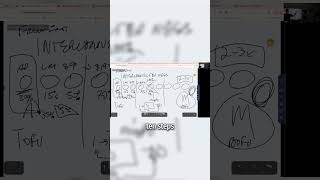
And just very briefly to touch on that, if you're getting wonky responses or they feel like it's skipping steps, or it feels like it's just hallucinating, that probably means you're asking it to do too much. So, for example, I talked about the different bots I made earlier. One was a sales bot, and one was a pitch bot. So why not have one that does both? Well, the reason being is because, you know, a sales conversation is really three phases. It was framing and discovery and pitch. And when I tried to do all three, it was hallucinating and going off the rails. But if I checked it down to just the framing and discovery for one bot and the pitch for the other bot, I was getting much better results. So that's an example of that. So when in doubt, just chunk it down. You can string these bots together and just do them in a sequence. Again, just make sure your, your prompting is tight and make sure that your, your instructions are tight for the user as well. So they're not expecting too much from one bot. Okay, so there's that. We talked about training, dialogue, creativity. This is another thing to really pay attention to how random you make the results. This is the default setting. You can also make it very predictable, but it's prone to repetition. But it's only going to follow exactly what you said. Then you can get it to be really creative where it's going to go off into la la land a little bit. But that can be really helpful sometimes for different things too. So just play around with this, see how it affects it and see what's right for your particular use case. And then if it's using a lot of the same words, you can, you can change that. You can add words, you can change the word bias. And this can become like a, a copy paste dialog box. If you just want to make it sound like you over time you can continue to add to this. Like if you don't love that it uses M dashes or you don't love that it says in a world where if you don't says you don't love when it says, you know, all the tropes that AI says all the time, you can begin to build a hey, I don't talk like this document, which is basically just this word bias document. And this is just helpful across all AI and it's one of the things we do for Omnisocial when we have people come on is we build their vocabulary into the bot so it sounds like them and we make sure that doesn't come out like every other piece of AI Drac out there. All right, so now at any time we can kind of play around with this and you know, extract some of the call bots. And it's not specifically about this bot, but you can be testing and tweaking these things. You don't have to actually leave the window to test it. You can see exactly what's changed and then finally you have the knowledge base. So I'll go to one that actually has some. So you can see the examples of the knowledge bases. Where did I go here? Pickaxes. Let's go over here. Manage. So if I go and edit this one, there'll be a lot in the knowledge base. So let's go over here. Oh, here we Are all right. So I put a ton of content in here and I wasn't even aware of that context window limitation. So I might be burning too many things, but it seems to be getting decent outputs. So I'm not going to mess mess with it. And I've been tweaking it, but essentially I gave it this many chunks. Do we know how big a chunk.
Is, JJ not off the top of my head.
Yeah. So it's probably limited in some way. Like I could probably get rid of my book. It probably isn't adding that much value and see if it did better. I'm not going to mess with it right now because I just don't want to change any of the variables because it seems to be working really well. But essentially, like, I don't need all this stuff. I just thought I would give it as much as I could because I didn't realize there was limitations. So if you're running into issues where you're just not getting the results, this is another variable that you might want to tweak is how much of the actual knowledge you do. And then remember in the prompt we want to circle back and say, hey, for each step, review this specific thing, right? So this is a great example. When reviewing the 100M offers, valuation, whatever, this corresponds exactly to the thing I want it to look at before it does that second section, right? So if I go to this, it'll tell me, okay, cool, and it'll go back and forth and just reference the very specific thing that I uploaded into that. How relevant does a knowledge chunk need to be to get included in the query? You can kind of tweak that how much information should be pulled per query. You can tweak that this is all stuff that you can set it and forget it, or play around with it and mess with it. You can give it more context here. And then finally, the last thing that, that you need to know for pickaxe is actions. So we strung together some of these different connected actions so that we can create the, the workflow that we want to create, right? So if people start with a pickaxe and other things can happen after that, and it gives you a bunch of different options for MCP servers, which we're going to go to in another video. Google searches, PDF generators, summaries, image generators, Zapier, web hooks, make web hooks. We can get really, really sophisticated with this and you start to build stuff that's really awesome. So for example, if we go over to, let's pull this up real fast, So this can get pretty wild. So if you like want to get really crazy and build some really sophisticated stuff and use for example, make like you can build an entire workflow though that each one of these little bubbles is a different GPT doing a different thing. So if, if you think about the arc of these videos we're training you on, like what does GPT do? And then some of the tools and each one of these becomes a building block that you can begin to design and think about the bigger workflows that happen in your business, they don't need to be nearly as complex as this. Most workflows are 10 steps or less. But this particular one's like a content creation factory that creates, you know, five to 35 pieces of content in five minutes. Like a really tremendous amount of content content very, very quickly. Because the offer is we put everybody on social media every single day and every single format, you know, Facebook, LinkedIn, whatever platform they want to be on. YouTube videos, audios, long form, short form, text, all that great stuff. So we're able to, to pump out really cool videos, something along the line of this in less time and do multiple as we go. So I won't play the whole video, but just to give you a sample of how it might look. Offers, sales leads and operations is a step by step guide for prioritizing what to work on in your business, ensuring maximum efficiency and growth. So just to get your wheels turning, we could have a pickaxe or a series of pickaxes that creates scripts based on a rag database of all of my content and data that can then go to 11 labs, that can then go to hey gen, that can then go to any of these different tools that we use to create this video and create these types of videos that are 100% AI. And we'd use a make scenario that would kind of connect all this stuff together and then repeat it, make different formats and, and on and on and so on and so forth. Right? So we don't need to get this hairy for your use case. I just want you to see how this can play into the bigger picture as we go forward through these videos and as you begin to learn and master these little chunks and tools. Basically anything that a human can do will eventually be able to be replicated by an AI in digital space or a robot in physical space. So if you get good at these tools now, you can continue to build on them as they gain more capability and you'll be more of an expert on them and you'll get better at Getting the outputs that you want so that you can affect both virtual and physical reality. Okay, now, last thing that we want to share, anything on Pickaxe before we go on to the next thing. Going once, going twice. Okay, cool. So this is just one more tool in your toolkit that's very similar, but not exactly the same. So if you were to kind of take a hybrid of GPT, which is pretty simple, straightforward, lives in the app, you can share them, and that's about it. And Pickaxe, which is way more custom and a lot of different features that you may or may not need, allows you to embed, allows you to get the data back. PO would kind of be right in the middle. So this is actually an app that was created by Quora.com if you remember Quora. It's kind of like an answer to Reddit for smart people. People like Evan would probably read Quora. This is a tool that allows you to connect multimodal LLMs. What does that mean? That means, like, all the different APIs into one place and then get different outputs based on different things. So if I want to ask gbt, Perplexity Claude, all these different things at one time, I can do that. But I can also make bots similar to Pickaxe that then other people can use. So I don't use it so much. So I'm not as super familiar with it, but I can give you the basics. I would just kind of share this as an example. And I have, like, other friends that use PO quite a bit because it allows them to essentially do what we just talked about. It allows them to create bots for them, their clients that are trained by them, that they know are going to get a great output. It's a really simple user interface. And then you can essentially have a profile of all the different bots that you create that allow you to do that. So if we just want to create a very specific bot, we can do a prompt bot, image generation bot, video generation bot, roleplay bot. So this is like if you wanted to, you know, bounce something off of somebody or, you know, practice your skills. Server bot, a canvas app, any of those things. You can change the picture, you can make the name, what you want, the description, all the things that you'd be used to. You can also explore other bots on po. You know, use a bot as a base, you know, grab a different one, play around with the different styles of prompts, the greeting messages, the settings, and even monetize your bots and then just quickly publish. So I made. I made one here that was based on some of the different PO models and I haven't used this one a while, but I was working on the split screen, I was working on simultaneous bots. I made like an AI business images bot just to mess around with some stuff and see what I could come up with and then so on and so forth. And then they have different token lengths and different systems that you can use on that. So, you know, I don't think there's much that's, you know, super specific to PO that we really need to get into. I can make sure I check my notes because I was going through it earlier, make sure I didn't miss anything. Where did PO go? Here we go. So here's like kind of a quick summary for everybody. I'll just zoom in so you can see it. What to use, when. So you're going to use PO for quick multimodal experimentation and light prompt based bots. Right? So this is like really simple, quick and dirty. I got a prompt that works great. I want to share with my clients. There we go. And this is great for sharing fun and social prompts with minimal setup. If you are using a custom GPT that's better for a detailed, consistent workflows, they're requiring files, memory coding and other tools. You want it to live in the GPT app or on the GPT desktop instance and you want people to have privacy. That's a really good way to do it. And with Pickaxe you're creating external branded AI tools that you can embed on websites or monetize. And this is great for businesses and entrepreneurs that are building client facing AI assistance or workflows. So very, very important. If you are looking for experimentation, exposure, get it out quick on po.com. if you want deep workflows and powerful tools and privacy, try custom GPT. If you want productized AI tools similar to stuff that we use a lot for with branding and monetization, you can check out Pickaxe and then I think that is it. So I would love to have the team check if there's any good YouTube comments or YouTube questions. This is our first time going live in a while, so I have no idea. We just sent out an email to the list a few minutes before we started, so hopefully some people jumped in and left a comment. If you're watching this replay, please do leave a comment below and let us know we can make future videos because all the content is driven by your questions. This is questions from people in the Build a mastermind Group and the Optimist Mastermind. You can check those out@buildamastermind.com or buildwithoptimus.com if you want to check out my AI book, you can go and do so at buildwithoptimus.com playbook and that's the quick and dirty 42 page playbook that'll get you up and running in AI. And then finally if you want the training from last week where we train you how to do how to use custom GPTs and or sorry just chatgpt Basic as a pro like hey okay, this is a little bit too, too advanced for me. I want to go to the beginner basics. We give you the prompt library and everything like that. You can go and check it out on Facebook. I posted it last week week and we'll be just sharing around my different socials but YouTube specifically going forward because I feel like this is a great place to go long form and really dive deep into a topic. Next week we're going to be going into some other topics. This is what we covered today. We have custom GPTs, PO and other aggregators. Let's just go ahead and X these out while we're talking about them. The pickaxe we did that next week we probably should go through either Mind Pal would be a good one to go to Next or Hey Giant 11 Labs and the the video creation. I'm pretty sure JJ made videos on these already and maybe we could just post those but if not he can tell me so yeah. Any questions from the audience right now or we'll just end this video. Any questions or comments? The first time using YouTube in a long time so I won't take it personally if they're and please looks like.
Oh sorry. Looks like we had one question looking at the the chat from the live stream here on YouTube was how do we do the custom domain? Was the question I believe that was referring to when we were looking at the pickaxe prompt.
Yeah, great question. Straight up in the actual custom domain you have here in settings and you can pick your domain and then you just white label it on the specific pickaxe where you want it to live. It's pretty straightforward and there's instructions once you go in there there that was the. That's a great question and you know, if you're having trouble feel free to reach out but it's pretty straightforward in the settings and that's basically what we did and made ours there. Any other questions from you guys?
I have a question which I think is More just like, might be helpful. People in general, as they're watching this now and later. Where would you recommend Brad after using all these tools? I mean, obviously you're. You've done a ton of these. You've been in AI now for a while. Let's say someone is starting off. I'm new to AI, I have a business, I'm super into using it. Which one should I jump into first just to get my feet wet and start kind of building the process? Would you recommend like a pickaxe or GPT or, you know, where. Where would you direct me if I was new to this?
Yeah, I would say brand new. First starting. Check out our training on GPTs. Just ChatGPT specifically. It's the one that I've gone deepest down the rabbit hole on. I downloaded Claude. I deleted it in 20 minutes. I've used others, they just weren't as good. And the more you use it, the better it gets. So I would just try to find the one that fits you best. And Gemini is good too, by the way, if you like Gemini, if you're a Google person, they're all pretty good. If I had to rank them. My favorite is ChatGPT, followed by Gemini. And I would say stuff that was supposed to be AI, but it never really came to fruition is like Siri and. And Claude is probably above Siri, but it's not great for what I try to do with it. So, yeah, I would really go deep down the rabbit hole with ChatGPT. And then like we talked about in the other video, which is linked below, once you're good at that, you can use it to prompt other things. So it's not. You have to relearn every single tool. You can just basically start with that and then it knows you and you can start to get prompts for the others as well. And that saves you a lot of time and aggravation. So if I'm going to use Gamma or if I'm going to use, you know, some other tool or napkin or whatever, I can just. I can use the GPT that knows me in the prompt in my project folder. It makes the prompt and I go get the output easily from the others. Cool. Yeah. Any other questions before we wrap up? All right, going once, twice. That was exactly an hour. Thank you so much for being here. Again, if you. If you got value from this, please like and subscribe. Let us know how we can help. Check out the links in the description and we'll see you next week. Have a beautiful rest of your day. Stay blessed. Blessed. And good luck out there building the future of business. It's really fun stuff. Talk soon. Cheers.
More from Brad

The #1 Reason AI Isn’t Working for You (Yet) #AI #businessowner #founderenergy


What tasks would the best assistant ever be able to do for you? #BusinessSystems #BusinessOperations

Nobody expects you to use a harder way when there's a better way. #AI #businessowner

Which side of the table will you be on in 2026? #AI #Mastermind #BusinessOwner