It's A Big Wide Opensea For NFT's
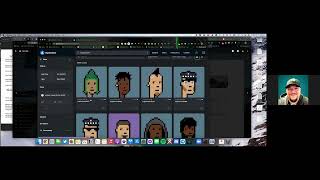
Brad Hart walks through OpenSea basics: connecting MetaMask, listing NFTs for sale, bundling items, and converting ETH to wrapped ETH for offers. He covers hardware wallet setup, gas-cost strategies like batching transactions, and how to spot scams by verifying collections on Etherscan.
Chapters
Sa. All right, first of all, with OpenSea, this is your biggest main platform other than Rari, that you can do transactions with Ethereum based NFTs. We're gonna go to OpenSea IO, As you can see here, Once you connect your wallet. Let me disconnect mine, just kind of show you what that looks like. So I'm gonna log out and you see I have my MetaMask wallet up here. I'm just gonna go in, click on the profile picture, it's gonna ask us to sign the contract and everything else so we can look at it, which I've already done, of course.
Would that show up on the screen if it was or would it not?
No, just because I've already signed it.
Okay, so now we're on here on OpenSea. You've got all your NFTs listed that are in this wallet, right. So this is your way to interact with it in a way that's like, you know, it's not just zeros and ones you can actually see. Oh, I've got two of these lizards, I've got this basement dweller, I've got some llamas. These are all things. And you can make these private or you can make them public. So let's just show them the privacy piece, just to get started. So let's say we wanted to hide all these. You click on any one of them and you can go to more. Actually, no, actually, you go back out to the. To the first page.
Sir?
Yeah, go down, click on the three dots there.
Yep. Hide, hide. There it is.
You can hide multiple if you want to. So let's say you want to hide all your J Corp heroes and your basement dweller. So let's just do that first for now. All right, now you hit hide, it's going to ask you to sign a transaction. For some reason, it's not showing up on our screen. It's just showing up on your screen. Right?
The signing, the transaction.
Yeah, exactly. No, I'm not.
Oh, that's not convenient.
I wonder how we can get it to do that.
I know how we can do it. I just got to do this.
You just got to share your whole screen.
Yep. And edit that out. So let me share my desktop. All right, So now if I hit.
Hide, MetaMask shows up with a signature. Now, stuff like this, where it says, okay, this is the right site, HTTPs, it shows the right balance in your wallet, the profile matches. These are all indicators of trust, Right? It says, welcome to OpenSea. Click Sign to sign in. There's no transaction happening, your wallet address is correct, the nonce is usually random and you hit. So that allows you to hide your nft. So all you're doing, you aren't transacting, you were just signing a contract essentially saying, hey, listen, I'd like to hide these NFTs from my profile. And now you just go to hidden on this and you're good to go. So now if you want to unhide same deal, this just gives you a little more privacy. But people can still see if you go to Etherscan on your address, which we'll do just next, they'll be able to see that you have these tokens in your wallet regardless. But this will keep the casual observer from digging in too deeply and looking at what you actually have. So if you want to take your wallet address real quick and go over to Etherscan and just search it.
Yep. Either on MetaMask, you can do this on MetaMask, or you can do it here on OpenSea. See where it says copy? I can just copy it straight from there. But I was in Metamask, I'm going to open my MetaMask and just click on where whatever wallet I'm in at the time and hit copy it. Now I have several wallets in here because as Brad mentioned earlier, we have burner wallets. These are wallets that we hold very little crypto in so that we can mint safely. And in case there is an issue of a scam, we don't get scammed. Right.
Or at least it lowers our risk. I mean there's always a risk, but at the end of the day you do your best to limit the risk. So Etherscan is your best friend when it comes to the blockchain. Anything on Ethereum or Solana, they all have different scanning addresses because they have different blockchains that we're reading. So essentially we go to your wallet and now in order to see these NFTs, even if they're hidden on OpenSea, you just click on the token tab and it'll show you everything that it has. Now I won't go too deep into the pictures and all that stuff, but you can look at basically everything it has, whether it's hidden on OpenSea or not. And that's how you can check. This is also how you can check if something not showing up in Metamask, you can verify if it's actually there. So this is a common question that people have on Metamask, on Coinbase Wallet, on all the different wallets, if you haven't updated it with the right parameters, if you haven't imported the token or imported the NFT into your metamask, it may not show up. So the way you verify if it's there is you go to Etherscan, you look it up from there. So if you actually click into one of these, so click into the dwellers, for example, you can go and see that you have two dwellers and you can see what the token IDs are and when they were put there. So it looks like you minted these from the black hole and you got seven five, seven one, you got those other three and then you sent a few to me because we minted them together. So that worked out really well. So yeah, there you go. So now you can tell which ones you have where they went and forever you could audit this blockchain and it'll tell you exactly what happened on into perpetuity. All this information again is stored on hundreds of millions of computers around the world. So it's the most accurate and non hackable public ledger in the world. Because if there were ever a issue with a difference in the information, they would just revert back to another computer that had it stored. So pretty cool. All right, so opensea, let's talk about that for a minute. How would we transfer an NFT from one wallet to another? So there are probably other ways to do it. The way I'm most familiar with is by utilizing NativeSeas open platform. So if we wanted to move this J Corp over, we'd simply need the address we want to transfer to click the little gift button and then we just put the destination in there. We want to double check because we want to make sure that's good to go. So we're not going to actually do the transaction. But yeah, you could put in mine for now, just as an example, and then that will be sent to my wallet. That's my public address that's linked to the bradheart eth domain. And that's a whole nother story for another day. But this is essentially just a domain that transfers. It represents the string of numbers and letters that's actually in my wallet. So you don't have to remember all those numbers and letters or copy it every time you can just type it in. So now you hit transfer and it'll ask you to sign a transaction. So we're not going to do it right now, but it'll tell you how much gas it's going to cost to send this and transfer to my wallet. So gas is a little on the high side right now. And you're going to be paying about $66 to move these. So pretty quickly you realize that interacting on the Ethereum blockchain can become very expensive because every time you have to mint or transfer, interact with the contract or move it into cold storage, you have to pay gas. So you'll want to wait to batch your transactions and gas is low. That's thing one. And you'll want to set up an alert to know when gas transactions are low. And you'll want to make sure that if you move something, you're moving into a place where it's going to stay ideally. And then if it's in a hard wallet, it's going to stay in a hard wallet. If you're just looking to flip something, maybe leave it in your wallet that is ready to go. But you know, be mindful of how much you have in a burn wallet versus a cold wallet. I think that pretty much covers all the main things on OpenSea. Buying is pretty straightforward, but we can show you that too.
One thing on one thing. If you're listening in nft, you will have to create one transaction first. So if you ever want to sell, I'm gonna show that first before we go into buying, I wanted to sell this J Core Hero here, big blue button that says sell. Now if you'll notice, because this account I have not sold anything on yet. And so this is a perfect account. I want to sell it for 1 eth duration, 6 months, see if somebody buys it, complete the listing and you see the fees down here, service fee, that's what OpenSea is going to get. Create a royalty. The person who created this NFT is going to get that 5% fee.
That's right.
So I'm gonna complete listing and if you notice now, it's gonna want me to pay $340. And that is in essential a gas fee for one time. You only ever have to pay this once, one year listing on OpenSea. After that there is no more fees. It's kind of like a, you're depositing, you know, non refundable deposit to say that you're gonna do this kind of stuff.
Yeah, so, so really essentially what's happening and we started off talking about hard wallets. So if you had a hardware wallet every time you go to sign one of these transactions, when it's going to make you. Is this, this is a burn wallet, right?
This is the burn wallet.
Yeah. We can't do it to show you now, but if you had this in a hardware wallet, the only Difference would be there'd be an extra step where MetaMask would open your hard wallet and ask for you to sign the transaction on the physical key. So it would either open Trezor Suite or it opened Ledger Live and it would show up on your hard wallet. If nothing's attached to your computer or it doesn't have authorization, nothing would happen. It would just reject the transaction. But if you want to approve the transaction, you'd have to go into Ledger, you'd have to enter your pin, you'd have to click Accept. You'd. You have to verify on there that it's sending the right amount of gas and everything lines up to the right address and all that, and then you would sign it. Where the issues come in is when you're trying to use a Trezor or a Ledger and you're getting errors or it's not opening. You want to make sure that you have the most up to date software. You want to make sure that on Ledger the blind signing is off. You want to make sure that there's a couple of ways you could do that. You could look up how to do that. You want to make sure that you go into the settings. So just show me on MetaMask real quick. I'll show you where the setting is. So click on metamask, go to the three dots. Actually, no, the picture on the top. I'm sorry, on the right. Yeah. And then go to Settings and then go to Security and Privacy, I believe. Or go down to see what's there. I think it's Security and Privacy. Yeah, go down, go down.
That's it.
Okay, go back. I think it's in one of these. Go down Alerts, networks, experimental. There's one of these that has a Ledger button on it that you have to turn off or turn on. Auto lock, sync data, IFPs. Yeah, here we go. Use Ledger Live. So if you want to use a ledger, you have to turn that setting on because otherwise it won't interact with Ledger. Every time you go to connect ledger to MetaMask, you'll just get an error. This took me weeks to figure out. Hopefully this saves you a lot of time and I think we want to probably pull this out as a separate video and just title that as well, because that's just such a pain in the butt to figure out. It took me a long, long time to figure that out. So basically the steps are make sure everything's up to date on all your ledger on the device. You got to make sure your Ethereum app is Open and the device is unlocked on the ledger. You got to make sure that the MetaMask Ledger live setting is turned on. You got to make sure Ledger Live is closed. You probably have to sacrifice a goat to whatever God you believe in. And, and then you have to click the transaction. And then it will open. Yeah, and then it will make you open Leverage. It'll open Ledger Live, it'll ask you to sign, and you'll have to make sure that blind signing is turned on because that's off by default on the device itself. So you're basically like allowing MetaMask to use your ledger as a signing device. So as long as those things are all true, minus the goat sacrifice, I'm pretty sure you'll be able to use it. But it took me a long time to figure that out. I was having so many problems. So I wanted to make a video specifically just for that, because that's going to save somebody two weeks of their life and they're going to be very grateful.
Perfect. All right, now, selling on OpenSea. I'm sorry, purchasing on OpenSea. Depending on how you're, how you want to purchase and if you're looking for something specific, one warning and disclaimer I want to give you is when you are looking for a certain product on OpenSea, there you are going to find a lot of fakes. Please either go to their discord Twitter, find the official link before you purchase from a certain collection, find the official.
Contract too, because every OpenSea NFT collection has a contract associated with it and you can look on the blockchain and see what contract is actually being represented by that collection. So let's just show them how to do that really fast. So just click on that monolana or whatever you want. So if you go into this collection and you go into any one of these NFTs, you click in, it goes down to the bottom and on the left hand side there says details. Now you can click into the contract on Etherscan and it'll take you right to Etherscan and it'll tell you what the contract is, it'll tell you all the transactions that have happened, et cetera, et cetera, et cetera. So if you see like not a lot of volume or there's a scam warning or there's a phishing attempt, like it'll be in big red letters, that'll be very obvious. But it looks like this one's legit because it has a ton of volume and you'll notice that if you go to Open she shared Storefront. It's a verified token as well.
Not just that, you can always get the contract creators address. You can check that with some NFTs. We'll share that. Just so you can verify that it is legit as well.
Yeah, so you always want to verify in multiple ways. You want to verify on the blockchain, you want to verify on OpenSea, you want to verify on. And not all these will be available. The Discord Twitter, not all of these will be available at all times, especially with newer things. But over time, with collections getting more notoriety, you'll Get Verified by OpenSea for example, you get more transactional volume on the contract. As long as nobody's reported it to Etherscan, they won't have any problems listed. Like if it has contract overview and then like phishing attempt, that's a problem. You want to pay attention to that.
And as we stated in our previous video, if all else fails, go to Discord. Talk to the people in Discord. That's right, they will be helpful.
Don't make any transactions out of fomo. It's better to miss out on a mint and be safe than ape into something without paying attention and lose your money. Right? Because you really need to get good at being able to spot what's legit and what isn't. And these spammers and scammers and fishers, they're getting better and better at faking it all the time. And I want to circle back to just talk about Trezor for a minute. Ledger is probably the harder hardware wallet to use with NFTs. We showed you how to find NFTs on the blockchain, we showed you how to transfer them. The only thing you really need to know about Trezor is that it's a little bit easier to use than Ledger Live or Ledger Nano in my opinion, for NFTs, and it's a little more intuitive. But you just got to realize they don't live on the ledger, they live on the blockchain. The ledger or the Trezor signs the transactions and keeps the private keys safe so that nobody else besides you can move them. But when you understand that it lives on the blockchain and not in the wallet, that actually helps you understand what that device is actually doing. Because if you use MetaMask without a wallet, it's actually pretty seamless. This is just adding an additional layer of security and keeping people from just hacking you without having that physical address or the physical device or the keys. Trezor's pretty straightforward for removing NFTS it's just a quick sign. If it's not working on one computer, you can set it up on another computer and it'll work just fine. Or you can delete it and start over. That tends to work. You're not going to mess it up unless you completely wipe and reformat the Trezor. And I believe even then you could just take the seed phrase and set it up on a new Trezor. Is that right, jj?
I believe so, yes.
Yeah. So they're set up with multiple redundancies, but the key is never lose the seed phrase and never give away the PIN or the device to anybody else.
On any wallet you create. Never lose or give away that seed phrase.
Correct? Yeah. That's your fallback for all situations. If that is lost, you're done. You're never getting those assets back. Okay, so selling or buying, sorry, on OpenSea.
Yes. So as you can see on this Monolana, there's no buy now button. So I can't not. I am unable to just buy this Monolana. I have to make an offer in which I'm going to need wrapped Ethereum for this. Now, thankfully, OpenSea will do that conversion for me. Some other markets will not. And you have to do it inside Metamask to do that.
Or open source. You can use others too. You can use like Uniswap, Sushi Swap. There's a bunch of places you can swap Ether for wrapped ether.
Exactly. And we'll get in that later down the road. It's more advanced methods. Thankfully, OpenSea does it for us. Now, if I wanted to make an offer on this one, I'd offer right now. It's basis point five five. Maybe I want to do zero point five six. It's not high enough. They have a limit to what they're allowed to do, so.
No, there's not a limit. It's just you don't have any Ether, you don't have any wrapped ether, so your balance is zero. So you have to convert ETH first.
Yeah, I'm not converting ETH right now. Right.
But I'm just walking through what it would look like. So hit the Convert Eth button. So this basically just brings up uniswap. So you could either go to Uniswap directly and do this, which is just uniswap.org or you can use their native API here and do it through OpenSea. Either way, I've done and they both work. But essentially you would just select the token as weth.
There it is.
Or just type it in. Yep. Okay. There you go. And then let's say you put one eth in, it'll give you one eth out, but it's wrapped and all. Wrapped eth means is that locked in a contract, meaning they can spend it without you having to approve it again. You approve it once, and then it's ready to go later if somebody buys it. Here's another cool thing about bids versus buying outright. So if you buy something outright at the price that it's set, you pay the gas as the buyer. If you buy on offer, they pay the gas. So if they accept your offer, they have to pay the gas to take down the transaction and to complete the and get their eth. So you can actually save money not only by bidding lower than the price, but if somebody's willing to come to your price, they have to pay the gas as well. So you save twice.
Perfect. And I think that's all there is, really, for OpenSea.
Yeah, just show them a verified collection, too. I think that's important. So let's go to Neo Tokyo, for example. Like, there's a lot of scams in Neo Tokyo. Not that Neo Tokyo's a scam. There's a lot of people trying to pretend they're Neo Tokyo. So if you just start typing in Neo Tokyo, you're going to see a whole bunch of things that aren't Neo Tokyo, like that and this and this. So if we go to the one with the blue check mark, we know that at least that one is the verified collection, because it has this blue check mark, and you want to hover over it to make sure it's not just part of their profile picture. They didn't like Jack around somehow. And then when you go to created by Neo Tokyo Citadel, that'll also show you where the. Where the thing lives on the blockchain. So if you scroll down a little bit, you'll start to see all the different things that are available for this whole collection. And if it's in the collection, it's verified under the creator, if that makes sense. So I won't go into this project on this video. It's a long story, but I'm involved with this one. It's been pretty good to us, and I'm pretty excited about the future here. But it's definitely difficult to get into, and it's definitely made for nerdy, geeky people, for sure. But, yeah, I just wanted to show you a verified collection that. That people can buy with more confidence than just any other collection on OpenSea. And when there's something that's not verified, a pop up will come up that says, hey, we don't verify this collection, we don't know if this is legit. It'll give you a legitimacy score. And then if you see that, you want to just verify from some other source, whether it be discord, Twitter, something official, that that is in fact the right link. Because if you buy from a link that's not right, there's no way for you to get your money back.
I was thinking CryptoPunk would add a lot of non verified, but it doesn't.
Yeah, you can't actually buy a CryptoPunk on OpenSea. You have to buy them from Larvalab. Is there not actually a ERC721 token? There's something else. Yes, the listing.
Yeah, cool. I think we got that covered.
Okay, cool. So yeah, we talked about in this video, hardware wallets. We talked about some of the common issues that are going to come up with hardware wallets. I wish I could recreate some of the issues that you'll come up against. But just remember this video and come back if you, if you experience any issues with hardware wallets or feel free to ask us and we'll help you troubleshoot the issue that you're having. We also talked about OpenSea, how to buy, sell, list, hide and transfer assets on OpenSea. Let's just talk about before we wrap up bundles on OpenSea, because I had a lot of questions about bundles. So when you create a bundle, which means multiple NFTs that you sell at once, you're going to actually pay gas one time to create the bundle and then the purchaser is going to, when they complete it, is going to pay gas one time to receive it. So that's actually a more efficient way to buy a collection. If you just transfer a bunch of NFTs in one shot, like 3, 5, 10 NFTs, you end up paying a proxy fee and then multiple gas fees for different parts of the collection to actually move it over because OpenSea is bundling it for you. So the most effective way to buy a lot of NFTs if you're going to do that, is to have somebody bundle them up into one. Otherwise you're going to pay individual gas fees. So if you have a collection you're going to buy from one person, then have them bundle it. That's the most efficient. If you're going to transfer, you're going to have to bite the bullet and you're going to have to pay gas multiple times to do a bundle at one time. I think that pretty much covers that. But I was concerned because there were multiple gas fees coming up each and every time, and I wasn't sure why. And that's why is because I was essentially bundling them with a proxy as opposed to buying them outright. So you get a gas fee for each transaction. Otherwise, you bundle them together, you get one big one and a few small ones.
There we go.
Okay. Right on. That's it for this video. Sa.
More from Brad
The #1 Reason AI Isn’t Working for You (Yet) #AI #businessowner #founderenergy


What tasks would the best assistant ever be able to do for you? #BusinessSystems #BusinessOperations

Nobody expects you to use a harder way when there's a better way. #AI #businessowner

Which side of the table will you be on in 2026? #AI #Mastermind #BusinessOwner