Lawyering or Laboring

Maddie Martin of SmithAI outlines seven ways solo and small-firm lawyers can cut administrative work and reclaim billable time. The framework covers phone and email routing, lead capture, intake automation, and payment collection. SmithAI has handled over one million client conversations and offers tools like virtual receptionists and AI-assisted email to help firms measure both financial and well-being outcomes.
Chapters
So welcome everyone to today's CPR webinar series. The learning objectives: Are You Lawyering or Laboring? 7 Steps to Reduce Interruptions and Chores for a Highly Productive Law Firm. This was a very popular topic, and of course one of the reasons is because we have Maddie Martin joining us today from SmithAI, who's going to go through kind of helping you figure out how to manage your time most effectively. So I'm going to jump into Maddie's slides. And Maddie, can you flip through these okay?
Uh, let me confirm that. I think that I can. Yes, I can.
All right, then take it away.
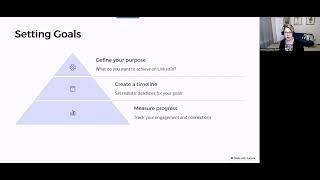
All right, wonderful. Thanks, Katherine. And, uh, hi everyone. I'm really glad to be here. Um, I have given this presentation a lot of times over the last few years and really the most important thing to, to be focused on over the next hour, or maybe a little bit less, is really just how it applies to your own firm and keeping in mind your practice area. So there may be a couple things that don't apply to you. For example, if I talk about charging for consultations and screening techniques, there may be some things where if you're in a, you know, PI or bankruptcy practice that it may not apply to you, but almost everything here should be pretty broadly applicable regardless of your practice area. Just one housekeeping note, the deck link, I know that Catherine will send over the recording, but the deck link is also available to you to view at any time, so you don't have to like try and find the place in the video if you wanna grab some more information or if you wanna look at specific links that I provide in here. The URL for that is bit.ly/7-steps-ncba-pm. So, let me see if I can move this over. Trying to move the slide, there we go. Okay, so I'm Maddie Martin, I'm the head of growth and education for Smith AI. We are a virtual receptionist service for live calls and website chat. We've added text answering, and we're about to add Facebook message answering. Basically, the reason that I give this presentation is because we've handled actually over 1 million conversations, and our clients are primarily solo and small businesses, and most of those businesses are law firms. So we really understand the, you know, issues plaguing the solo and small firm attorney. And what we see is, I'll share some data with you, with you from the Clio Legal Trends Report. There is a lot of research that shows that people who are in small firms have unique challenges, and we sort of have some best practices for addressing those. I'm having a little bit of trouble moving between the slides. There we go. Okay, so the learning goals today, identify distractions and time-consuming tasks. So the most important thing is to identify the problem, and then understand the communication systems that can help solve these problems with a focus on phone services and software, email, text messaging, and website chat. We'll talk about the basics if you haven't yet gotten started with any of these software or services and how it can apply specifically to law firms and especially those in solo and small practices, and then also advanced techniques. So if you're already doing this, how do you sort of level up and get more out of these programs and think about, just better screening and intake, more streamlined workflows, things like that. We will also talk about your game plan. So taking this advice and really kind of identifying next steps that feel actionable and tangible and reasonable so that you're not feeling like super overwhelmed. I will tell you that this is like a meaty slide deck, so I'm probably not going to get through every single thing on every slide, but I try and have it be a guide for you so that if there's something that you're interested in, you can kind of pull that thread and say, you know, I want to learn more about this subject. I also provide my email at the end, so you're welcome to reach out to me. Obviously, Catherine is an amazing resource and knows way more than I do on everything related to streamlining law firms and practice management. So if you would like to get in touch with me, you are more than welcome to, but you do have a lot of great resources at your disposal too. So the topics really focus on today on, um, the solutions, which I've honed in on about 7. So routing inbound phone and email communications is number 1. Then limiting them with web chat and texting is number 2. We're then going to go into automating lead capture and qualification, handing off new client intake, streamlining appointment scheduling and reminders, integrating payment collection into your workflows, and then systematically referring bad leads and frankly also generating better leads for your law firm. Okay, so who cares? Sorry about the delay here, just sometimes it doesn't like it when I try and click to the next slide. So If you have not read the Clio Legal Trends Reports, I really encourage you to do so. The data contained in these reports is not just from within Clio, but now they're doing independent research surveys, and it is really a good barometer for what's going on in the industry, especially with solo and small firms. So what we see here is that there are some trends that— sorry, Catherine, I'm having a little bit of trouble. Um, okay. So what we see here is that the average attorney is spending, um, less time on billable work per day than on admin tasks, right? So 2.5 hours a day is spent on billable work according to the 2019 report. It was about 1.8 hours last year. So it's going up, which is good. And then 2.9 hours is spent on admin tasks, which are mostly comprised of office administration, invoicing, configuring technology. So what we see is that there are all these tasks that are on the shoulders of the solo small firm attorney because there are not resources in the firm to take on these specialized tasks. And there's oftentimes not the wherewithal or the budget to have someone dedicated as like an IT resource in your firm. I mean, there's barely often resources for a staff member, let let alone someone who specializes to that degree. So the burden on the solo or small firm is high, but we also know that a lot of time is dedicated towards business development. We see about 2 hours a day on average spent on generating new clients. But the cost of all of that work is really high. What we see is that there's 23 minutes Maybe I'm doing something wrong here, but I can't move to the next slide. All right, let's try that. Oh, sorry, Katherine. Okay, I think I've got it. So, 23 minutes is the amount of time it takes to recover from an interruption. So, that's really significant if you consider that attorneys are on average interrupted about 6 times a day. So, that's a 2-hour loss. I mean, right there with all this information, we already see that's about an 8-hour workday. Now, there are a couple things that happen and this is why we're gonna talk a lot about intake, 2 out of 3 potential clients say their decision to hire is most influenced by an attorney's responsiveness to their first call or email. That is an astounding statistic. That means that basically people don't know what they don't know. They don't know to wait for someone to get back to them if they're, you know, potentially a better lawyer, so to speak, or better suited for them. If you're busy, and it's not your fault because you might be at court, you might be in meetings, you might be busy doing case research during the day, but there is a dilemma here, right? I mean, you can't be in two places at once, and if potential clients who may be great clients or may not be great clients are demanding a quick response, and that is the single biggest determining factor of whether or not they will hire the law firm, there is a huge detriment to the solo attorney who is not in a position to be able to be that responsive. So that's what we're going to talk about today. How do you get that responsiveness? Then how are you also very protective of your time for these consultations? Because what we don't want to see is just opening up the floodgates. 59% of people on average who are looking for an attorney didn't hire one after a consult. And what that says to me is the majority are not getting properly screened or getting the information that they need in order to only have a consult with those attorneys who they are most likely to hire or best suited to handle their, their case or matter. What we also see is that 86% on average is the amount of attorneys' earnings that is ever collected. So if you're billing work, then you're invoicing a certain amount of work, and of the amount of work that you've invoiced for, on average, 86% goes into your actual revenue stream, your bank account, right? And what we see, even from the billable work to the invoiced work, it's about 85%, 86% too. So we're seeing 70% really build work to revenue, and then we're really seeing a loss in potential revenue stream from that. So we'll talk about ways to improve the revenue capture. The number one thing, honestly, is to take credit card payments. That is such a no-brainer. It is something that we see incredible and immediate success with. Um, so, you know, speaking again about this, like, you know, the first dilemma is really the interruptions kill your productivity and you want to minimize them, but potential clients demand a quick response time and you want to maximize that. So how do we balance that? Um, really it has to do with automation and outsourcing. Um, the second dilemma is around invoicing and chasing down late payments. So we know that these are really time-consuming tasks. And they drain your time and that frankly, it's not even your favorite thing to do, even though revenue is important to be captured. But you need and deserve to get paid. Right. So collections agencies taking 30 to 50% of the cut does not maximize your revenue. It also is a really terrible experience for clients who may have a variety of reasons why they haven't paid the bill. It may be a communication error. It may be an issue with automated reminders for bills. And what can be done is basically outsourcing that task and also automating with software so that you don't have to take that burden on as a revenue cut or as a, a time suck. So the third dilemma is around technology and basically in a solo or small firm, there is a huge advantage to adopting technology because it allows you to scale out your efforts and to be more efficient to compete with other larger firms while having the significant competitive advantage of the personalized attention that people want and seek out in a solo or small firm. So you're able to deliver that customized, personalized service and attention, but with technology you can scale that personalization, and that's really what it comes down to. It's not about depersonalizing things, it's about improving access to case status updates, to being able to communicate and share documents without a lot of back and forth, to calendar without email back and forth, to have communications go through securely, right? These are all things that are benefits to big firms that now small firms, because the technology cost has come down, have access to. Now, we know you don't have that, you know, IT technologist support sitting next to you in the office. And frankly, if you're using a consultant, they can get expensive. So it's not something that you can turn to and just say, oh, I need a little help here. The cost for that can really add up. So when we're looking at solutions, we really want to focus on simple and affordable tools that can give you access to this technology without making a huge dent in your budget. So If we keep moving forward, the fourth dilemma is really around control. And this is more of like a soft quality rather than some of the hard revenue, you know, time constraints that I've discussed previously. This is really about like looking inward and saying, why did you start the solo or small firm in the first place? And what work-life balance are you looking to achieve? What was the motivating factor to be in this firm that gives you more control? Oftentimes that's a huge motivating factor, but as the firm begins to grow, one of the biggest challenges that we see is actually a mental hurdle where you're trying to still maintain control because obviously you have a responsibility to do so and also probably a deep interest in doing so for the greatest work satisfaction and feeling responsible for the outcome in a way that it is, adhering to your methods of practice and the work and the life that you want to carry out. Now, the problem is when you have all this control, if you don't let some things that are reasonable off your plate, it's just totally unsustainable. So how do we identify ways to more reasonably hand off control and then within your comfort zone, expanding that range so that more and more things are off your plate that are not lawyering work, and that you're able to tap into resources that say, look, I'm going to— the risk here of me letting go control and automating or streamlining this process is, is, you know, less than the potential benefit of streamlining this area of my law firm. And that's really what it comes down to. So the solutions that we'll look at are really about cost-effective ness and efficiency. And when I look at these systems, and I'm sure that, you know, Catherine, you know, thinks about these qualities as well, the systems have some qualities in common, right? So if we're looking at a case or practice management software, if we're looking at a phone system, if we're looking at adding website chat, for example, what we're looking for is generally the same across the systems. They should be affordable and without commitment, because if you're in a solo or small firm, it is not advisable that you're signing up for multi-year contracts. You know, that is an, an age in a solo or small firm, and it's very hard to predict out that far what your budget is going to look like, and if even that software is going to be the right software for you based on that point in your firm's evolution in a few years down the road. So thankfully, software and technology now, and any services, are much more like pay-per-instance or pay-per-month. We're seeing a reduction in the duration of contracts, which makes it more flexible and accessible to you, the solo or small firm attorney. What we're also seeing is that there's more customization with less, like, paid hands-on work by a specialist who's going to implement it for you. So if you're using Calendly for online calendaring, it's really easy to customize your time that you allow people to, you know, book appointments with you, what your buffer time is. How you're going to collect information before the appointment. These are all solutions that are just like button clicks. You don't need to be a technologist in order to set Calendly up the way that you want to. It's like any form online. You just set your, your settings and then it's customized for you. No sort of IT computer science knowledge required, which is fantastic. Now it should be easy to use and monitor, and that goes into the next point also, which is that it should be comprehensive. So imagine a solution that is both a CRM and practice or case management system where you take in the new leads and you have this database of new potential clients, and then if you convert them, they become a case and it's related to the entire history of contacting that client. Having that information in there and then being able to turn that that record basically of a contact into a client, and then even later on tie in email messaging or case status updates or requests for reviews and exit interviews. These are all things that we are starting to see comprehensively built into business and practice management software. And what that means is that you're not constantly having to manage and pay for multiple software systems to have all these different logins. You can have different permissions that are set up, and you can also have the communications that are going out very closely tied to the actual status of that client or that lead. One big trend that we're seeing is in intake software like Lawmatics and things like LeadDocket, they are connecting up that CRM, that intake, to communication channels. So you can make a call or send an email or add someone to an email nurturing drip who you want to convert to a new client, you can text them from within these systems. And if not, you can connect them with software like Zapier that basically tells one software that another is doing something and it should record the information. What's really nice is that this means you're probably going to get more bang for your buck fewer bills to review, less management. You have one program open, not three, and it just allows you to run a business more easily because there is so much burden on the shoulders of the solo or small firm to not only practice law, you know, ethically and as well as you possibly can with as many clients as you're able to serve or within your wherewithal, but to also run a business. There is a really high burden to being in the business of law. Now, when we talk about processes, you know, we'd be remiss to not also talk about the human element here. So if you are not just automating, but if you're also outsourcing, just as you would monitor and manage the systems you're using and the security and the software, there is also a responsibility to managing any sort of freelancer help for attorneys if you're working with anyone who is, you know, on Run the Call or Lawyer Exchange or Law Clerk, some of these freelance networks, as well as freelance, you know, paralegals or receptionists, it's important that you know what they are signing onto for you with an NDA. It's important that they have the ability to take payments and have disclosed they won't share that financial information. And it's really important that they are just properly representing your business. So I see really often that people who are outsourcing to services like, you know, you know, call answering, receptionist, chat, whatever the case may be, and even paralegal services that are being repurposed or admin assistant services like that. If you're in a shared office space or regis, there's not a lot of skin in the game sometimes with these services, especially where the resources are individual and shared, like a regis shared office space. We find that like the adherence to your personal directions is not is not as high as it should be. And if someone is answering your calls and pronouncing your name or your law firm name wrong, or misrepresenting your availability or your practice areas, that is really problematic for the growth and for the, you know, ethics adherence to your law firm. I would really encourage that if you are using or you're considering using any sort of human services like that that you are sharing, that you are very careful to first review terms and conditions, their non-disclosures, and then also that you do secret shop them from time to time. But with that said, the most benefit from these services is to get out of them what they are capable of doing and not what you're comfortable handing off. So imagine that you're using a virtual paralegal and treating them like an assistant. You could probably be spending less money and not paying premium paralegal fees in order to have that help from an assistant and let the paralegal focus on paralegal work. And that goes for in-house too. We see that very often, that just as you are switching tasks between lawyering work and these laboring tasks, so too are your staff members. And that can be a huge challenge to staff retention and work satisfaction, um, to productivity and profitability. So if you haven't yet taken a look at the efficient use of the human resources that you have, I really encourage you to do so. It's very important and it does have a big impact on the firm. So let's talk about the human and machine intelligence here because this is important as we go forward to see where can the sort of artificial and machine intelligence and software help and what are the biggest opportunities for that and then what are the areas where really it has to be the attorney, you, doing the, the work required, even if it's not specifically lawyering work. So one of the best examples that I will share here is with email. If you have potential clients who are contacting your firm, maybe you're using a few emails that go out in sequence. If they don't convert to a retained client, but you still feel like they are a really good potential fit, what we find is that if you call them and email them and follow up, that can be a very effective method to converting them to a client. It just may be the case that at the first call or email they weren't ready and had to have a discussion with someone else who's a stakeholder, um, or an influencer in that decision. The email itself, that content is going to be written by you, right? We're not at the point yet where you are going to automate that with AI. I don't think that's too far in the future to have basically machines writing emails. You'll already see if you have Gmail that it can complete your sentences for you, right? And actually, for me, I find that it does so very well. But what we find is that especially with lawyering work, especially with explaining ethically how you're able to serve clients and proving your reputation and testimonials and things like that, You have to be very careful, and that does require at least your oversight if someone's drafting those emails, and it's probably not an AI task. Right now, with the machine intelligence, what you can do is you can load these emails into a system. Let's say you're going to send the potential client an email a couple days after you had a call, and then maybe a week later, and a week after that. We've got a sequence of 3 emails. Else. What you can do is leverage the machine intelligence in a system like Mailchimp, where it knows based on its vast data that it probably has that email contact or someone who has very similar characteristics in its database, and it knows when that person or people like them open emails and it will actually optimize the send time and even the day based on when they are most likely to open the email and send it at that time. That is extremely powerful. That is a way for you to get the most out of that email you spent time crafting to get them to open it and read it. And then they are much more likely to convert to a client if they've seen your case or value proposition, so to speak, about why they should hire your law firm. So that's just one example. Another is instant translation. We're seeing a huge increase in immigration cases and requests to immigration law firms. So imagine if you have English-speaking staff, if they can actually be on website chat as our receptionist can and someone who speaks Spanish visits the website, they can actually have a real-time conversation thanks to instant translation with Google's, like, basically neural network that allows a Spanish chat to come in, an English-speaking receptionist, like, it could be me, I don't speak Spanish, but I can type in English and have it automatically translate, and we have a natural, easy conversation between us, that is in the preferred language of the client despite the fact that I don't speak Spanish. That is outrageously cool to me, and it allows you to serve a client base that, let's say the attorney, you speak Spanish, but your assistant doesn't. It allows you to be responsive in a way that also doesn't require you to be there on-site in person to deliver that fast response. So this is just an example of the lead conversion funnel. And as we think about the, um, generation and capture and conversion period, we know that referrals and reviews are extremely important to generating new clients for a law firm, and that paid search and organic search and lead magnets and things like that DUI calculators will go into different ways to capture potential clients' information. These all lead to someone hopefully contacting you, and then from there, no matter how they contact you, whether it's phone, email, text message, website chat, you know, speaking about immigration attorneys, they're all using WhatsApp now because that's how clients contact them. The response method is where you start to regain control. Right? So it doesn't have to be the attorney. It can be the in-house assistant or paralegal. It could be a receptionist or AI service for automated responses. And one thing that I will say here is that people are increasingly preferring to communicate with text-based communications. So whether that's chat or text message, um, maybe even voice-to-text, they are often preferring the level of discretion that that, you know, typing with your thumbs rather than talking allows. You don't have to have a coworker in your office overhear why you're calling a lawyer, right? It's extremely discreet. Oftentimes, if you're on your computer, you can just be typing without anyone hearing your conversation or noticing that you are on a lawyer's website. This is an extreme convenience to your potential clients. And there is a preference to have that sort of back and forth that allows time for pauses and doesn't put people on the spot the way that a real-time voice conversation does. So, when it comes then to, is this person a good fit for the law firm or not, that's where we sort of split the screen and we say, okay, for the clients who are not a good fit, let's educate them about what the firm actually does so that they're informed if they have a future need that is a match. Or let's refer them out to a firm you recommend so that you can build goodwill in the community that way and potentially even accept a referral fee, which we'll talk about later. Then for the clients who are a good fit, how do we handle that intake and scheduling? So there's sort of the basic capture information so that we can screen out those people who are, you know, the 59% that don't hire an attorney after a consult. And then there are going to be some who say, yep, here's my information, I'm interested, and then they fall off the face of the earth and you have really a a lot of trouble getting back in touch with them, we then follow up and follow up and follow up. Or they're the people who are really instantly ready, they wanna schedule an appointment, they wanna sign the agreement, and then they become a new client. So if it's delayed or if it's instant, the end goal obviously is to have that agreement signed. What we find is that the number one thing that you can do is to route inbound phone and email communication so it's not interrupting your day but you're able to have an instant response. And one of the most important things is to not be using your personal cell phone number. That's, that's a no-brainer. But you can have a VoIP phone number that allows you to have an app on your personal phone to use your business phone number to receive and make calls with that number. So when you use your personal cell phone as a device, your personal number is not showing up on people's caller ID. It's your business number because you're calling through the app. And what we're seeing is that when that leverages Wi-Fi or data LTE, right, you're able to have stronger connections than ever. So where we had before call connectivity issues, we're seeing a lot of those issues sort of resolved. So if that was a concern of yours, it's not a huge concern these days anymore. And that allows you to also expand your firm as you need to. Because if you have a personal cell phone number and then you hire someone or you want to have someone answer your calls, you have an assistant paralegal, whatever the case may be, it's very hard to untether your personal cell phone number from your business and have people contact the right person at your firm or have calls routed appropriately. It's also really hard to set expectations. So you want to have a voicemail set up as a backup that says, well, you have one for during business hours and one for after hours. And after hours, it should clearly state, you've reached us after hours, so that someone who reaches your voicemail at, let's say, 5:30 in the evening understands that they're calling you after hours. If that that's the case, right? And then you can set an expectation that we get back to any voicemails within whatever the case may be. Let's say it's like within 3 hours of the next business day. They are more likely to wait for your callback if that's a solution that you've implemented. If you just— it's very simple— tell them when to wait for you and for how long and how you'll get in touch and ask for the information that you need so that you're informed when call them back. Now, if you have staff, you also can use them to have yourself and the staff called on blast or in sequence, which basically means, does your phone ring and theirs at the same time, one after the other? How are you handling the potential for interruption? Are you at least having a gatekeeper before you where someone is available to pick up the phone, or if you're rung first, do you have an overflow solution in place where if you don't pick up the phone within 1 to 2 rings, because maybe that's your preference, which is totally reasonable, then you have the ability to have it be picked up. I would also say that, like, if you have concerns about So using a phone tree, what we really find is that it's not a bad experience to have a very simple phone tree that directs people to the right contact at your firm. So let's say that you have phones set up where it says press 1 for new clients, 2 for existing clients. If you press 1, maybe you have that go to you or to an assistant. You could also say press 1 for Attorney Joe, 2 for Attorney Jane, whatever the case may be. It will immediately allow you to not have interruptions that are not meant for you. Now, one of the things that we do see that is something to be aware of with these VoIP phone systems is we see ring delays and we see latency. Basically, if someone is calling your law firm and you haven't done a secret shopper audit— I really, really encourage you to do this at least quarterly— call your firm and make sure that the number of rings that you hear is the same number of rings that you hear when, when your business phone rings. Right. So have someone, a friend, family member, colleague, have them call your business number. And let's say that they hear 5 rings before you pick up. How many rings do you hear? Because I can't tell you how often it happens that someone will tell me, I can't believe it. I just audited my phone and I heard 6 rings when I called, and when I was the one who received the call, I only heard 1. I can't imagine how many people are actually hanging up before I even pick up, and maybe that's why sometimes when I pick up, there's nobody there because they've already hung up, right? So that is one of the easiest things to fix. You get in touch with the cloud phone system or the VoIP phone, whatever you're phone provider is and you tell them what's going on and you troubleshoot it. And if you can't troubleshoot it, then you switch because that's totally unacceptable. And it's something that you shouldn't tolerate as a business owner. So one of the other things is that with email communications, we're seeing a huge cost reduction. We have Mailshake now and Yet Another Mail Merge for bulk email sends. Let's say you go to an event where you host a seminar or you have contacts that you need to potentially alert, like it's the holidays, right? I mean, you're probably taking a day or two out of the office, I would hope. And if that's the case, you want to let your clients know, again, setting expectations. I'm not going to be available. You're going to set your out of office and then you're going to let them know ahead of time, if you want to schedule time with me, please use this calendar link. Otherwise I'm not going to be available on this day, which may be a day that you otherwise would have wanted to talk to me. If we see the Calendly and Doodle links here, those are there because we have enormous efficiency now with online calendaring. Calendly is totally free. And it allows you not only to have a link to a web page that people can use to book your calendar, it works for almost every single calendar type, whether you use a PC or Mac. And it also can be embedded in your email system. Like this is an example of Gmail that I show here, where Calendly actually has an in-email widget where people can click a button and book time with me. And this is based on my preference for the times that I've selected that I want to go in the email. That means that there's no email back and forth. Someone just clicks the time, they book it, and it's done. There's no discussion to be had. And that immediately will reduce the amount of time that you spend on scheduling appointments. Now, the really nice thing is that if you have multiple people that you need to coordinate, you can use Doodle for free and people can vote on the times and let you know when they're available. And then you just simply pick the time that's best for everyone or when everyone is available, depending on if everyone has to be there or only the majority. Now, when we're trying to limit calls and emails, we look to two different solutions. One is website chat and the other is really texting. And we can talk about Facebook Messenger as well. But when we think about website chats, any an online platform for chat. It doesn't have to be on your website. So if you just have a Facebook page or if you have, you know, not text messages, but you have Zipwhip, which allows you to have texting for your landline, you can use any of these solutions because, as I mentioned, people are very comfortable sharing information via text message that they may not disclose to you by phone. People are sensitive about call recording, and they oftentimes are also preferring the discretion of a text-based communication that allows for pauses and delays and them to think about the response. So the really nice thing is that chatbots are very low cost or free. Like, you know, at Smith AI, there's a free chatbot and you pay for optional upgrades, right? So you see at no cost to you, just like with Calendly, is this something that has the potential to have an impact on my law firm, right? So is it something that actually allows you to grow the firm that seems effective, that seems like clients prefer it. Because what we see from the Clio Legal Trends Report from this year— actually, sorry, from last year— is that 33% of clients are saying that urgency is a major driver for why they are contacting a law firm. That is a strong emotion and sentiment that they experience, whereas only 15% of lawyers reported sensing the client's sense of urgency. Urgency, right? So the clients are saying, I really feel, like, anxious and there's urgency to this matter to me. And if you are in a law practice and you're able to offer communication channels that enable faster, more responsive communications, then you not only are able to more likely win that client over, but also deliver an experience that they expect and desire which is excellent customer service and immediately aligns you and your and their needs with that level of responsiveness that they expect and that you are now able to deliver. And that is extremely powerful. So what we see with chat is that if you have a website and you put it up, not only can you get these potential clients to get to where they want to go and steer them to scheduling an appointment with you, right? It's really good for getting them through that funnel that we just talked about, the conversion funnel, but it's also amazing for content. So everyone has been hearing about the importance of keywords and organic search traffic being determined by what information is on your website and the authority through which it's said. It is powerful to have website chat and any texting solutions that give you the content from the potential client in their own words about the questions that they have. You can turn those into FAQ. You can have those keywords be present on your homepage. If you are doing work on car accidents, then, and your homepage says car wreck, but everyone in your web chat or text message or phone calls even says car accidents, that would be a point where you say, what keywords am I using? What terms am I using that best resonate with and are familiar to my potential clients? Because anything you do there can help you grow your business. Now, really importantly, if you have chat, I encourage you to have a disclaimer that says it doesn't constitute an attorney-client relationship and it's not legal advice, right? Some of our clients even will say, and I think this is a best practice, this, you know, this chat is not staffed by a lawyer. It is either a bot or it is a receptionist. Do not expect that this is legal advice. It's not. It doesn't establish an attorney-client relationship. Now, I will also say that if you don't have text messaging enabled and you don't want to switch your phone system, one of my favorite tools that I've seen is Zipwhip. There are some CRM and intake software like LeadDocket that allow you to text without adding adding in an independent service like Zipwhip. But the really nice thing is that you don't have to change your phone system to use text messaging anymore. So it can sit on top of your phone. It can be a provisioned text-enabled number so that you're not switching all your systems at once. You're trying this out and then you can go from there. You can have automatic responses so you're not— I am not advocating for you being stuck to your phone all the time or assigning someone the task of responding to text messages all the time. You can automate a ton of this, right? If someone has a keyword where they mentioned consult, you can immediately share the link to your online calendar, which first gives them a few questions that they have to answer to make sure they're a good potential client. Now, one thing that I will say is if clients are texting you, Time Miner is a fantastic tool that allows you to bill time for texting if you're actually doing billable work. Work with a client via text. That will also roll up into your invoice. It works with QuickBooks, I believe, Clio, and RingCentral. So when we talk about lead capture and qualification, it is really important to set your parameters, your criteria. And one of the best ways to do that is with exit interviews. So after a client has completed their work with you, you can ask them, you know, how did it go? You can self-evaluate if you would want that client again. And look back to those marketing channels that are generating the best potential clients for you, and also the clients who you really don't want to be working with anymore, and let that refine your criteria. So you're asking people, you know, 5 to 10 questions, or you have a service that's doing this for you, and you can basically screen out those leads who are not a good fit so that your consults are converting at a higher rate than, you know, the 41% that we're seeing from Clio. And they can be via video chat. They don't have to incur a lot of drive time, for example. Clients are more and more willing to have conversations by phone, at least initially. I would say one benefit with the initial screening is if you do charge for consultations, you can reduce the penalty of that because I often advocate for charging for consults to make sure that people have skin in the game, they don't no-show on you, they do a little bit of a self-gut check to say, am I really sincere enough about hiring an attorney where I'm willing to pay for it? The other option is to make your initial form a little bit longer so that even if they don't have the money for a consultation or you're talking to people about workers' comp or people who may be lower income, you at least have them put skin in the game them with effort if they don't have the budget for it, right? So, whatever sort of input you need to screen potential clients, whether it's energy or whether it's money. Now, if you choose to have a free consultation, that's totally up to you, but one of the things that you can do is if you charge for it, you can have that credited also to their first bill. So, for the best potential clients, it's not actually a penalty, it's just again indicating that they're serious. Now, this example is from Emily Cooper at Cooper Law in Minnesota. I've presented with her on CLEs many times, and she has done a ton of work in refining her intake process. She has people complete this form, and I will tell you, at its simplest, it does some things very, very well, which is it does screening. She has required fields here, and she also asks questions that she knows are specific to determining whether or not they're a good potential client because it says, what is your legal issue? Family law, Social Security disability, or other. Now Emily has a very strong referral network. If you do not want to be taking in leads that are outside of your practice areas, I would advocate for eliminating other so that someone can't submit this form unless they actually are within one of your practice areas, which the two of hers are family law and Social Security disability. Now one of the things she does is she says, is there a court hearing scheduled in your case? Says yes, no, I don't know. One of the improvements to this that I would recommend is actually if there is a yes response to a court hearing scheduled, to get the actual date so you have a good sense of urgency there. A lot of criminal defense attorneys who we work with will ask for that date, and if you have a streamlined process, we find that it gives a competitive advantage to being able to show up for dates that would otherwise be way too soon, but because you're automating this, you have the ability to actually get to work faster and actually show up in court potentially for that person as soon as the next day, actually, in one particular client's case. So that is, that is an optimized solution that you can use Typeform or Gravityform. There are so many forms online that easily embed with whatever website you're using, and then you get to the online calendar. Now, an example of a basic intake that is a lead magnet is this eviction notice that Tri-City Legal does. Connor Malloy, Katherine, you probably know him, I'm sure. He's in Chicago and he is a landlord attorney who helps people with, among other things, eviction notices and tenant issues. So what they've done is they've taken this PDF form and they've actually automated completing it with Gravity Forms. And as soon as the person searches for eviction notice Chicago, or, you know, how do I evict a tenant, or rent past due, what do I do, they get this form on Tri-City Legal's website. They complete it based on the notice type, 5 days or whatever, maybe 19 days, and it's sent to them via email with directions for submitting it themselves. Now, what's amazing is that their law firm actually is currently using this as their number one marketing channel. To me, that is absolutely, absolutely remarkable. And basically what it says is that they are following up after, you know, let's say 2 or 3 days and saying, hi, you know, I noticed that you used that form. I hope it was helpful to you. Did you submit it yet? Do you need any help? And oftentimes the landlord will say, I do need help. Thank you so much for reaching out, already expressing gratitude for the service that was given by providing this form to them so easily to try and handle it themselves. So you're generating really goodwill and you have someone who is very likely to pick up the phone or respond to the email. And you also have a potential client that's already been qualified. Someone who's completing this form has to be a landlord or working for a landlord company, right? So you know that you're reaching the best potential clients. Now in terms of streamlining appointment scheduling, if you haven't used online calendaring, Calendly is free. You can add multiple appointment types for clients and leads. You can also require payment based on the system. Um, but Calendly as the free tool allows you one calendar type, again, dipping your toe in to see if it works for you and not opening the entire world up to book your appointments on your calendar, but to have it after a gatekeeper, after someone completes a form or calls in and make sure that like they have been screened first before they just book an appointment. Now, one of the really nice things about a tool like ScheduleOnce, if your comfort zone is a little bit beyond what we're talking about here, is to be able to have booking with approval. So even the tools that are paid are about $10, $15 a month. It's not going to be a huge dent in your budget. And what we see is that that allows you the ability to say, you know what, out of these 3 times that someone requested that I schedule with them. This one is best for me because my calendar doesn't reflect my personal calendar, which has a soccer match for my kid at that time during the day for the others. So that allows you the level of control while also outsourcing and delegating and automating a lot of this work that you don't need to be consuming your time. Now, collecting payments, what we see is that as soon as you take credit cards, your collection rate will go from maybe in the 70s or 80s to to, you know, 97, 98%. The nice thing is as soon as you accept a credit card payment, you also have the ability to automate payments and reminders. It is really helpful to not have to have someone tasked with that, but for the computer, for the machinery to actually do it yourself, right? That is the benefit of technology, is not having to keep everything on this to-do list or a reminder, but to set it up once, to have a system in place for that workflow where if they don't pay their bill or their bill is coming due, they get a reminder. And then you can even outsource those uncomfortable conversations where people haven't paid their bill to an assistant in-house or to a receptionist to say, I'm going to make an outbound call to these 10 people who owe me money, but I'm not going to do it personally myself. I want to capture the money, but I also want to preserve my personal relationship with these clients, not talking about financial matters that can make them and me uncomfortable. Uncomfortable, right? So outsourcing those conversations and having them take payment on the phone is a really nice client service to deliver where you don't erode the relationship. Now with referrals in North Carolina, it does appear that based on the Opinion 205 that referral fees are allowed. This is the information that I was able to find online as of today. So Hopefully that is most up to date. Obviously, whenever there is a referral fee paid out, we're talking about to another lawyer in this case, and that it should be disclosed. It must be disclosed to the client, but the exact amount, like the percentage or the dollar value, is not required to be told to the client or consented to by the client. Just informing them that that referral fee has been made, and that is a huge benefit to being able to build your network, which has a huge impact on your net worth. And it will allow you also to kind of implement the golden rule, right? So if you have people who are contacting your firm, which always happens, you know, they don't know that there are certain practice areas for law firms or a referral wasn't quite clear on what you do from maybe a past client. Then you refer out, but also you let that person know, like, I just referred this client to you and you're going to really follow up on it. And you can add this to your website and add this to your, your team's to-dos so that the onus is not on you. So if they're on the phone with a potential client, it's a really great customer service to say, you know what, I'm not going to punt you back to Google search. I'm actually going to help you based on the other law firms that the firm recommends for this type of matter. I'm going to put you in touch with someone who I believe can help you and who would be a better person to reach out to than my firm. But just FYI, I do these things. So you are informing, or your team is informing, the potential client about how you can serve them, or maybe someone they're in contact with in the future, so that you are potentially building up your book of business for future client work. You can add this also to your website. So common, you know, firms that you recommend within a certain geographic area or practice area, or even across the US— this is a great way to build goodwill. It's also a great way to build reciprocation. So what is the homework? So basically, the only way to know what the opportunities are to streamline is to identify where where the time goes right now. So for one week, track your billable time and non-billable time and identify from the non-billable time what you can outsource, automate, streamline, or that you just have to keep doing yourself. And I would really encourage you to question whether or not you're going to keep doing it yourself because you're not comfortable outsourcing it or because you actually can't. Right. So, so it's a, it's a process. But if there are things that you can offload or at least explore offloading, turn to groups like, you know, Catherine's Practice Management Center. And there are so many other groups online beyond, you know, the bar associations are an incredible resource. There's Maximum Lawyer, which has a podcast and Facebook group. There's a Law Firm Growth Summit going on right now online. And there are just so many resources that are out there that can help you through peer advice, through other lawyers explaining what they're doing and how to streamline your firm and the successes and the challenges that they're having with it. That. Keep in mind you're not alone. And then also through the Eisenhower decision matrix, basically identify importance and urgency and what needs to be done first. So keep in mind that scheduling and payments are most often, you know, the time-consuming things and most easily automated. Data entry and lead follow-up are at this point really easily automated, right? So if a call comes through and there is a call summary note or there's a chat transcript, that should automatically be logged in your, in your software in your CRM, your case management, tied to that context— phone number, name, email, whatever defines the record, right? That data entry chore is not something that we're seeing a lot of people doing anymore. It can be automated. I would really encourage you that if you're doing a lot of data entry to not spend time doing it. Also, Dragon for dictation is incredibly powerful. Anything that allows you to reduce your time on routine tasks. And then change, you know, 1 or 2 things at once and see the impact that it has before making sweeping anything changes, allow yourself a month or two to restabilize and then assess the impacts by, you know, qualitative and quantitative impact. So not just how many new clients or revenue or a percent of your revenue that you're receiving, but also what's your sleep quality, your stress levels, your work-life balance. Is that closer to the targets that you set for yourself? And, you know, 2020 is a great time to be coming into setting new goals and make sure that they are measurable, achievable, reasonable. We have a couple resources for you. There's a law firm communication playbook and library that are linked to in this deck that have templates for, you know, email, phone communication scripts, text message, website chat, disclaimers, you name it. That's all here. The playbook is a workbook for you to work through. So if you have any questions, I would be happy to chat with you more. My email is maddie@smith.ai. And if there are any questions, I would be happy to answer them. But I think we have just about a minute left.
Thanks so much, Maddie. I can unmute everybody's lines. And so if anybody who wants to proffer a question, feel free, or you can chat the question and I'll relay it to Maddie. And now we're hearing all sorts of funny feedback, so I will mute them all again. Okay, so hearing no questions, thank you so much. And I'll unmute Maddie again. Thanks everybody for participating, and we will get this recording over to you and the link with the slide deck. And the nice thing is the slide deck has links within it, so you can click on it for even more information. Thanks Maddie for your time, and everybody have a safe and wonderful holiday. Next week or whenever you happen to celebrate.
All right, thanks so much. Thanks all. Have a great week.