Learning Objectives: Electronic Discovery For Small Cases (May 20, 2020 at 12pm)
In this CPM webinar, moderator Catherine Sanders Reach introduces Tom O'Connor, director of the Gulf Coast Legal Tech Services Center, to discuss electronic discovery (e‑discovery) challenges and solutions for small law firms and solo practitioners. O'Connor outlines the rapid growth of digital data, explains storage units from bits to zettabytes, and highlights how the sheer volume of electronic information strains traditional e‑discovery approaches. He reviews the evolution of the Federal Rules of Civil Procedure (2006 and 2015 amendments), emphasizing proportionality, spoliation, and the meet‑and‑confer requirement, and notes that many states have adopted similar rules. The Sedona Cooperation Proclamation and the Electronic Discovery Reference Model (EDRM) are presented as guiding frameworks. Various search and review techniques are compared, from manual and keyword/Boolean searches to technology‑assisted review (TAR), clustering, and concept searching, with a note that advanced analytics are still costly. The cloud, especially Microsoft 365, is described as a cost‑lowering “leveler,” offering built‑in e‑discovery, litigation holds, and document processing. Affordable e‑discovery platforms for small firms (Everlaw, Digital War Room, Logical) are recommended, with pricing models based on flat or per‑case fees rather than per‑gigabyte. Practical advice covers assessing document volume, processing native files, preserving metadata, and handling Bates labeling—suggesting hashing or file‑name renaming as solutions. O'Connor stresses the importance of checklists, budget awareness, early case assessment, and clear protocols to avoid disputes. The session ends with audience questions about native‑file production and Bates labeling, and a promise to return for deeper discussions on social‑media and voice‑assistant evidence.
Chapters
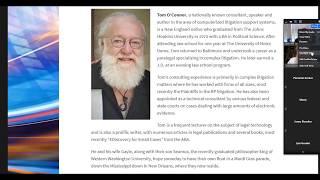
Okay, fantastic. Welcome everybody to the CPM webinar series learning objectives. And today our guest speaker is Tom O'Connor, who's the director of Gulf Coast Legal Tech Services Center, and talking about electronic discovery for small cases. So I had enough people sign up for this to where I know it is a topic of interest for a lot of people. You know, when you just got something that is not worth probably outsourcing at great expense to your firm, kind of what can you DIY, what are some of the tools on the market that are affordable. So I'm gonna turn off my camera and I'm gonna let Tom take it away. Tom, do you wanna flip to the slide where they find out a little bit more about you?
Sure. Thanks, Katherine. Basically, my background is in complex litigation. I've been doing this for much longer than I care to admit. Oh, I just got the internet connection is unstable message too. That's great. We're all unstable. It's a— the overriding issue that we have is, and this is where I have seen this develop is we started in the big case, large document population arena, and then as technology got less expensive and documents exploded, we didn't necessarily get the same type of availability for programs in the small case arena. So we're going to talk about that a little bit. But that's basically where I'm coming from is starting off years and years ago in the asbestos litigation, worked in the tobacco litigation on behalf of the Attorney General of the State of Texas, so on and so on. I should say at the beginning, though, that we'll be talking about some legal issues here, although I do have a law degree, I'm retired. And am not now nor have I ever been a member of the North Carolina Bar, so nothing I say should be construed as legal advice. Basically our agenda, so we're going to talk about the problem that I just mentioned and then some solutions, some potential solutions, the tools that we have, the tools that are coming, what's next or what's developing, and some strategy recommendations at the end. As Katherine said, if you have questions, please tee them up with her or hold them to the end and we'll leave some time to try to get to those. And I'm going to flash at the very end my email address also. So you can feel free to send me questions at your convenience. So what's the problem? The problem really for many of us is that this is the way we feel with our computers. We feel trapped. We feel like we don't have control over the situation. If you're my age, you weren't given any computer training in law school. For younger people graduating now, you still may not have much. There may be a course or two, but the number one technology training you're probably getting is, not unlike mine, how to use Lexis or Westlaw. And so we find ourselves a little bit behind the 8-ball in our profession because our clients tend to be way ahead of us in this regard. Our children tend to be way ahead of us in this regard. So it can be very problematic. So specifically, what's the problem? Well, the picture on the left, it tells you what the problem we've always had is, that We've got too much paper, paper, paper. We've always had too much paper. That renowned legal technologist George Carlin was fond of saying, "We just have too much stuff. The purpose, the real purpose of life is to find out where to keep all our stuff." And the reality is these days that that means electronic stuff. So here's some interesting statistics that we generate from all sorts of different sources. Every 2 days we create as much new information as we did from the beginning of civilization to 2003. That sounds like one of those Facebook memes, but I don't know if anybody's got a real site for that. We know we're creating a lot of information though. It is easier to calculate that the amount of data we're creating in the last several years has really ramped up in that The vast majority of all the electronic data we've created, or that exists now, was created in the last several years. Currently, and these next two points are interesting, and it's— I left these in order to show the cumulative effect of what's going on. This slide says currently there's 4.4 zettabytes of information in the world. And I'll get to that point about what's a zettabyte in a second. And then the next one says that by 2020, it will be 44 zettabytes, an enormous number. That original line was generated in 2016. So the concept was that in 4 years, we go from 4.5 zettabytes to 44 zettabytes, an enormous ongoing increase. And so we're increasing what's happening in terms of data storage at just an almost unfathomable amount. Now let's just stop for a second. We're going to talk a little math, so we have to give a disclaimer. This is where the stuff we also didn't learn in law school. In fact, some of us probably, I'm certainly one, went to law school to avoid talking about mathematics altogether. But what is a zettabyte? What's a byte? What are we talking about in terms of the information that we have here? What does this mean in terms of our usage? So the single basic unit, electronic unit of storage on a computer is called a bit. And a bit is just a registration when you're creating information. That's being stored magnetically for most purposes on the hard drive. And in our world, in the digital world that we use, those bits are either a 0 or a 1. OK, it's binary. And so you're using electromagnetic storage with a signal that's interpreted as either a 0 or a 1.. And combinations of those zeros and ones become built up into what we actually use. And the way they're built up is that 4 bits becomes what's called a nibble. And 8 bits, which is what we're interested in, becomes a byte. Those underlying characters, those bits and nibbles, those underlying signals are the basis for different types of computer languages. You may have heard the phrases ASCII or ANSI or Unicode. These are all just computer underlying computer languages that we use in our binary world for creating documents. And really the building block for us is a byte, B-Y-T-E. Now, how do we get from a byte to a zettabyte, you may ask? Well, as I mentioned, 8 bits is a byte. 1,000 bytes becomes a kilobyte. And 1,000 kilobytes becomes a megabyte. Everything is in multiple of thousands from here on in. And anybody, again, who might remember the old floppy disks, especially the big floppy disks, those were measured in kilobytes because it was such an early stage of the process. So we get up to megabytes and Remember, 1,000 kilobytes is a megabyte. 1,000 megabytes is a gigabyte. Gigabyte is a phrase you may hear a lot because most modern computers have in the neighborhood of 300 to 600 gigabytes of storage on their hard drive. Even your phone, your smartphone, has multiple gigabytes of storage space on it. That's why you can store pictures and songs and email, different types of file types. 1,000 gigabytes becomes a terabyte. Then the next one up is a petabyte and an exabyte and then a zettabyte. You can see we're moving in multiples of 1,000. And it's amazing. That's great. What does that mean in the real world? OK. So 5 megabytes. And remember we talked about that being down at the bottom end of the scale of magnitude. The entire works of William Shakespeare in plain text with about a 10 or 12 point font and no illustrations, nothing fancy. All the works of Shakespeare can be stored in a 5 megabyte file. So imagine then, if you will, the multiples of thousands we got to build up to a to a zettabyte, multiplying that by millions of complete works of Shakespeare. An enormous amount of written material. Some of you may be wondering why there's a picture of a very young Jimmy Buffett on the screen, and we'll now reveal the reason for that. The reason is because 5 megabytes, remember all the works of Shakespeare, is also just about the size of the live recording of Cheeseburger in Paradise at Fenway Park by Mr. James Buffett. So the size of the file does not tell you anything about the type of the file or what's being stored there. 5 megabytes, all of Shakespeare, Cheeseburger in Paradise. Okay, so just knowing that you have X amount of storage space does, or in a production for our purposes, produced documents, doesn't really tell you much about what it is you're getting until you start to investigate it more and more. So remember what we're saying, we thought was that by 2020 we'd have 44 zettabytes of information worldwide on the internet. What we do know is that by 2020 this is what Jimmy Buffett looks like. So cautionary tale, I guess. What's really bumped things up for us also is not just regular business documents, but something that I think a number of you have come across, which is documents stored on the internet, documents created and stored on the internet. This has exploded in the last several years. This is a chart that talks about everything that goes on on the internet in one minute. Okay, one simple minute. 4.1 million Google searches. 59 million messages sent. And these are text messages just within the social media world. Facebook text messaging, instant messaging within Facebook or Instagram or other programs. 59 million messages just inside these programs. 1.2 million views on Twitch, 190 million emails sent every minute. 194,000 people tweeting. The one that's really taken off is up there about 1 o'clock, YouTube. 4.7 million videos viewed on YouTube every minute. That's not just an incredible number, but it's an incredible amount of bandwidth, and it's become much more of a common means of transmitting information. Many, many companies now routinely record business meetings. Catherine is recording our Zoom meeting right now. And then those are distributed somehow through YouTube or another posting on a website someplace. And those become methods and means of disseminating business information. This is all really, really important to us because this is all information that becomes relevant in litigation. And it's something that we'll talk about a little bit more in a second, but the point being, when it comes to relevant evidence in cases, this is enormous, especially if any of you happen to be family law practitioners. The National Center for State Courts, which is a think tank in Virginia that was established, I think, in the late '60s, been around for a long time. And as the name implies, they study trends in state courts throughout the country. The last 3 years in a row, the number one case type for e-discovery requests, according to the National Center for State Courts, has been e-discovery in family law. E-discovery in family law is an enormous bump in information sought, and a lot of that has to do with things like Facebook and Snapchat and YouTube, information that's being stored on social media sites that may be relevant to a family law situation. Coming right up behind that, of course, is employment law. I'm sure we've all heard the stories about an individual who files for some sort of disability and then is seen on a Facebook page playing volleyball at the beach or golfing. Engaging in some other physical activity. So all very important. We'll circle back to this in a little bit. But second part of all that is, for our purposes, for small cases, small firms, and by small, I think we're talking generally— Katherine can always correct me on this if I'm wrong, but I think the standard ABA definition for a long time of a small firm has been firms of under 50 attorneys. That's bent a little bit depending upon your geographic location. The largest firm here in New Orleans, I think, has about 200 lawyers. That would probably be a pretty small firm in New York or Chicago or LA. But the point being, for purposes of solos or people in a firm of under 10, Most of this newfangled e-discovery that's come up is too expensive. One of my favorite movies in the world is, as you can guess from this slide, Mystic River, which is set in a working-class neighborhood of Boston, written by a gentleman who was a reporter for the Boston Globe for years. It's an area where I grew up, and I loved it because it was very true to the neighborhood and the and the people who live there. But one of the great scenes for our purposes was the two gentlemen on the screen, Laurence Fishburne and Kevin Bacon, are the two police, state police officers investigating a murder in the movie. And they're just having a conversation about the case, but the scene is shot with them coming out of a coffee shop with the big logo on the side that looks somewhat like the logo on the left. And Laurence Fishburne is turning to Bacon and saying, "What is it, $4 for a cup of coffee? What's going on here? I can get this same cup of coffee, it's just coffee. I can get the same cup at Dunkin' for a buck." And we're starting to get into that situation now with eDiscovery. We're starting to wonder why are we paying very high prices. The standard in our world for a long time has to has been to pay per user and per gigabyte of storage per month. And much like a Beacon's, if you will, storage system. And that starts to add up very quickly if you have a case with, let's just say, 100 gigabytes in it, which is not uncommon. So we've gotten to be very, very expensive, and that often puts more often than not puts e-discovery solutions outside of our reach. So what's the solution? What are the solutions? We've got multiple solutions. This is one that IT people throughout the legal landscape really favor. Judges, not so much. It would be very nice if we could simply say a virus ate everything and sort of the computer version of the dog ate my homework. But that that obviously isn't going to cut it. What is a better solution? Well, the first one that came up in our world was new rules. Not the Bill Maher New Rules, but new first federal rules of civil procedure. That happened in 2006, initially in 2006. Before that, of course, there were multiple cases in multiple courts around the country. A very well-known one from I think 2000, '05 was the Zubelay case in New York, and Judge Shira Schindlin set forth a series of standards, especially with regards to preservation of documents and spoliation of evidence and what was required in the electronic world. But of course, much like the old Pace-Picante salsa commercial, the reaction was, New York City? That's not the way we do things out here. Texas or Oklahoma, the standard that the judge set was very good within the Southern District of New York, but had really only advisory weight in other jurisdictions. And of course, as you had other judges chime in around the country, standard situation, you had a variability of standards. So in 2006, the Rules Committee of the Administrative Office of the Court decided to change what the rules were. That was about a 2-year process, actually. It started well ahead of the, obviously, the implementation of the rules. The Rules Committee has meetings. It takes public comments. In this case, it took public comments in several public locations. It had hearings in several locations. Releases a proposed set of rules and takes more comments, comes back with a final, which it has to actually go through both Congress and eventually the US Supreme Court before it could be signed off on. So in 2006, that happened, and the rules were changed to reflect electronic documents. The phrase ESI was coined. Electronically stored information. A new meet and confer was required specifically to discuss electronic documents and what formats they were in and how people intended to produce them. The issue of spoliation and duty to preserve was addressed, as well as under the sort of a subset of that, questions of proportionality when it's something too expensive When does a judge get to say this is not worth the cost? If the cost of doing this is more than the cost of the case, of course that's an issue. And what items, item or items in a particular case are what came to be called reasonably accessible. The issue back then in 2006 especially was backup tapes, which existed in a number of especially large corporations, they had been designed to work for disaster recovery, not for data recovery in a very quick turnaround time. As such, they were expensive and often outmoded. So to address those rules, there was another round of changes or amendments in 2015, and those specifically addressed The issues of proportionality. Proportionality had been talked about throughout the rules in a number of locations in 2015. Those are sort of combined into one general area. And the issue of sanctions, spoliation and sanctions and what the standard was, was actually raised substantially. And in essence had to be some sort of deliberate spoliation, had to be designed to prevent discovery and the information could not be available anyplace else. If there was a reasonable way that the information could be obtained from somebody else, then you couldn't impose sanctions. So that's the most recent, still very contentious. In addition to that, there were rules then, of course, once the states looked at these, states of course tried to keep up. With the federal rules. About two-thirds, 75% of the states now have some sort of a rule that mirrors the federal rules in one way or another. Many of them do not have, including my home state of Louisiana, do not have a specific e-discovery meet and confer. That's just sort of rolled into status or settlement conferences. Without its own specific meeting. In addition, the issues of proportionality and sanctions are still being looked at by some states. A number of states did not change their rule to conform to that higher sanction standard that the federal— the feds did in 2015. So you're seeing an interesting choice of jurisdiction going on in certain types of cases depending upon what the sanctions or sanctions availability are. It's also important to note a few other things with regards to the rules. One of those is local rules. A number of judges, not just at the federal level but also in state court, have imposed some sort of federal rule— local rules that affect their status. And if you want to plead e-discovery matters in front of a specific judge, it behooves you to check and see if there are, A, some local rules in that court, but also local rules specific to that judge. Judge Grimm in Baltimore, federal judge, is best known for these, but there are a number throughout the country, and it's a very common practice on the part of federal judges. Now, one of the things that they did, and this is being taken over a bit by the last point I want to make, is require some sort of self-certification or even an affidavit of understanding of what the issues are, what the technical issues are with regards to arguing e-discovery matters. We'll talk about some of those in a moment, but it's important to understand the judges are demanding a little bit more technical understanding, and this has gone hand in hand with rulings by the state bars that follow an ABA model rule regarding technical competence. It is becoming much more common to see a state bar, either an official rule, or in some cases like the state of California, an opinion which deals with technical competence in e-discovery matters regarding what the level of technical competence is, but it's becoming an ethical requirement. I would again defer to Katherine for you to find out what that is in your state because it does of course vary from state to state. The last thing to mention is what's called the Sedona Cooperation Proclamation. Right after the 2006 rule changes, a think tank called the Sedona Conference came out with this cooperation proclamation, which basically said everybody should play nice even within the boundaries of vigorous representation of their clients. Everybody, the initial reaction was that's a nice thought, but you know, doesn't really have much teeth. Except that then, as you can see on the left, a number of judges began to endorse it. Judges all over the country, Judge Grimm in Maryland, Judge Facciola in D.C. Again, it became coast to coast and then became such a prominent part of thinking in this matter that it was incorporated into some of the notes in the 2015 rule changes. The other thing that happened was the EDRM, the Electronic Discovery Reference Model, was an attempt by several people. George Socia, an attorney in Minneapolis, and his partner, Tom Gelbman, came up with a way of thinking about how to handle e-discovery. The point being, well, we'll take it in stages. The stages themselves may not be so important, but on the EDRM site, you can click on any of them and drill down to a much more detailed discussion of each of these issues. We'll talk about a couple of them with the tools in a second, but the point being this is a great resource. The model, this chart, is referred to by judges constantly, and it's a great help. I actually did a second one that is instead of a linear model, and George Socia was always eager to point out that He didn't envision his model as being linear as this one looks, but it was designed to be an iterative process. But I built one for this company. You can see the URL down below, Digital War Room. And we took some of those steps and put them into a wheel and made it— obviously it is more iterative, or you can jump back and forth between some of these. This checklist manifesto is on the website listed here. You can again click on any of those individual sections that mirror the EDRM section and get a checklist of tasks that you might want to use to consider how to work there. So what are these tools that we talk about? What are the things we're really using? Well, this is where things get very interesting. So of course the first and foremost is the the well-renowned, and I'm sure some of you have seen document archives that look exactly like this and maybe had the misfortune of working in them. Manual search, the tried and true manual search. I say this because I am still told by some attorneys who are not comfortable with technology that, well, I can search a box of documents faster than any computer system, and I know what I'm looking for. Just give me the box. Just give me the beacons box. Well, first of all, that's just not true. The fact is, if the documents were produced digitally, obviously a search for a specific word in one box worth of documents, which is about 2,500 pages roughly, would take about half a second on a computer system. Even if you are very good, and I get it, you want to look at the documents documents. You want that hands-on assessment of what it is you're looking at. Speed is something that computers are better at. Attorneys are smarter, people are smarter, don't get me wrong, I truly believe that. But obviously the other thing is if you've got this many documents, you can't do a manual search. Unless you've got 10,000 people you can put on it. You're going to have to use computers to try to get through digital versions of some of that.. So one of the things we learned early on was keyword search. How do we search for Tom or Tom and O'Connor? The next slide, of course, is Boolean searching, combinations of keyword searching. And this is the one we get used to in law school with our online searches. And this is, believe it or not, still the most common method of technology searching by attorneys. Every speech I give, every survey I see, even law firms and businesses that have some of the more advanced tools, keyword search is what attorneys know, what they trust, what they do when push comes to shove. There are a number of studies out there that show that this is not as effective as some of the other tools I'll mention. However, there are several studies out there that have been done by some corporations and the Electronic Discovery Institute, the EDI, which show that a keyword search by a subject matter expert, a senior attorney who understands the case and the ins and outs of the case, the keyword search by that person can be within 10% as effective as a completely computerized search. So it depends on what you're looking for, depends on the documents, it depends on time, how soon you need to get things. Remember, computers are fast, people are slow. But computers are dumb. They only search for specifically what they're told for. Variations are a problem. Nicknames, slang words, interspersing uses of foreign languages, mixed in with English. Spanglish is a good example, a mixture of Spanish and English that's common in Southern California. Those sorts of things can be confounding to a computer. Boolean searching, of course, we mentioned. And then what we now call natural searching. Siri, Alexa, you know, these are all things that both West and Alexis were using in what they call natural language for a number of years. So this is nothing new. What is new is what you're going to hear referred to as TAR, technology-assisted review. This can be a number of different types of programs. It's most often something that's called predictive coding, and the idea behind predictive coding is to somehow start with your large group of preliminary documents and be able to cut them down, okay? And the idea is that you take a number of key documents, a seed set, and run those against the larger set and use that to classify the documents and have expert reviewers look at those results as they're coming in and check them off and say, yes, okay, that's— I want more like that one. This one you can ignore. Here's the results. So you're winnowing the process down. But using the computers to do that. There's a newer way of handling that called continuous active learning, which is to let the computer do everything, to set the original settings and basically let the computer loop on that. I'm not going to get into the ins and outs of those, or the wheres and whys. They are, again, depending upon the type of documents, especially in large document sets, large firms, people who are doing SEC second reviews, often timeframe, time crunch is an issue, and you're being asked to look through an inordinately large number of documents in an extremely short period of time. Sometimes using some form of computer coding is something that you want to do. It's a subject matter that would take much more time than we have now. Suffice it to say it's becoming more prominent, but it is still not, especially in our area, surpassed keyword search. A couple of types of these tools that I'll mention real quick though. One is clustering. Clustering is actually a reliance on mathematical probabilities or algorithms. Okay, these are not word searches. They don't depend on any sort of linguistic analysis. They're depending on mathematical probabilities. I mentioned a company called Digital War Room earlier. The gentleman who started that company had started years and years ago in the— they worked in Seattle for the firm representing Microsoft in the antitrust case and eventually developed a product called TenX. Anybody who saw TenX would recognize this type of clustering diagram that you're looking at here. The point being clustering is completely mathematical. It's based on principles of linguistic, non-linguistic analysis. Similar to that is concept searching, which is based on some sort of linguistic analysis. Concept searching depends on finding things that seem to go together and then weighing those mathematically.. If you're seeing the words Eskimos and igloos repeated over and over again, especially in the old Boolean word search phraseology within 25 words of each other or within a certain phrase, and you can set the parameters, then you may in fact be finding documents that have something to do with Alaska. You obviously have to be careful in what the keywords are and how they are how the parameters are set. But this can be an also a very good way of working quickly to look at things. You can see these, again, these clusters of documents in a program that uses this. You could click on them and start seeing what it's saying. And the arrows going between them are, well, all of these seem to go together. And again, that can be very useful. Both clustering and concept searching, extremely expensive. So that's great. What about what's next for us? What can we use? Well, the cloud has been the great leveler. Of course, documents and programs are now residing in the cloud. We're storing documents in the cloud. Document retention programs are living in the cloud. If you buy a new computer now, whether it be a Dell, whatever, they will offer you cloud storage. Your your phone systems. Your AT&T will offer you cloud storage if you buy a new phone. Amazon, Google, Apple, everybody offers cloud storage. This doesn't mean it's an amorphous area. There's still some confusion about this. The cloud simply means that the documents are not stored on your desktop or locally. Within your computer system at your office or firm. Alright, you're connecting in the internet, via the internet, to documents that are being stored on another location. They may be distributed. Now this is nothing alien to us. In fact, lawyers used some of the very first cloud technologies. Again, Lexis and Westlaw. Those document databases that you research were sitting on database computer systems in Eagan, Minnesota or Dayton, Ohio and you were using a computer terminal originally, a computer terminal in your library to access those, to do the searches and then a print job would be sent back down. Now you can use your computer of course to do that over the internet. That's all cloud technology is. Using a cable system if you will, a set of connectivity over phone systems that is basically a large network that we refer to as the cloud. And it allows people to talk to computers in different areas. Microsoft and Google, of course, both offer, in addition to operating systems, they offer applications. Gmail and Outlook, for example, are now offered in the cloud. So you can access your documents from any— and/or your email from any computer anywhere. So this is the big push that's lowered prices for us. Because no longer do you have to buy single set or instances of a software and then load it up yourself. The software company takes care of that. You pay a subscription price and updates happen automatically. It just relieves that entire burden from you. The next thing that's happening is what we call analytics. Okay. Analytics are a combination of that TAR that we talked about and many times computer— continuous active learning, excuse me, as well as a lot of these other things like near duping and dear duping ways of caching out or clearing out duplicate documents, similar documents. You can see the different categorizations here. They're all being kind of combined and put into a term called analytics. And you'll see that some computer systems will start to use these. Microsoft 365, the latest iteration of Office 365, does an extremely good job of combining all of that. I'm not selling Office 365. I'm just saying it's a wave of the future. Litigation support programs like Relativity, like iConnect, like Digital War Room, they are using these types of analytics and building them into the system. And AI, of course, is the catchphrase that's used for a lot of this. The problem with AI and robots is you never know if you got a bad robot or a good robot. In the cinema world, of course, we can tell the Skynet robots from Robbie the robot. Although every now and then we've got a Klaatu who sometimes is a good robot, sometimes it's a bad robot. You've got to be careful how you handle them. The problem is that algorithms that run artificial intelligence are the same way. Algorithms are written by people and they can give you different results and you're not always aware of that. Something is artificial intelligence, that doesn't mean it's A, consistent, or B, standardized. An eye-breaking, eye-popping study was done by a law librarian that was released at the AALL, the American Association of Law Libraries conference, 2 summers ago, where the same search was done on 5 or 6 different computer legal search systems including Westlaw, Lexis, Fastcase, and astonishingly the results were different in every one of them. The same exact search got different results, and that's because the algorithms for each were not written the same. So hearing that something has AI is not necessarily the same as saying it's foolproof and standardized across the board. You have to drill down to find out what that means. So what tools are we talking about? If you're a small firm or a solo firm, what do you, what do you want to look at? I've thrown the names of some products up here. I don't sell any of these. I'll mention several more that aren't up on the screen. I've mentioned Everlaw, Digital Worm, and Logical because they tend to have the most effective pricing for small firms. They don't do that per gigabyte, per user, per month. They will give you some sort of flat fee or per case fee based on what your anticipated usage is. They will also offer you in some cases the ability to load locally or in the cloud. Mostly where we want to talk about. Local for small amounts of documents and cloud for larger amounts of documents. Much like large firm, small firm, what do I mean by large amounts of documents? Remember I said a box is about 2,500 pages. My rule of thumb is if you have more than 5 boxes of documents, you probably want a digital version. And you should ask for the digital version. In many cases you don't have to ask, that's what you're going to get. You're going to get a thumb drive or a DVD or even a file download. And again, you have to look at what you have. Remember our discussion about 5 megabytes. You need to look at how many gigabytes, because it's probably going to be gigabytes that you're going to get, and what type of documents. Is it email? Is it Word files? Is it spreadsheets? Is it something off the internet? Is it pictures? The ability to look at, review, and search each of those is handled differently. You have to have a program that will standardize that. And they call that processing, document processing. These programs will tend to give you a way to do that automatically, to drag and drop the documents into the program and they will process them. In the past, we had to give those documents either to another vendor or to use another program which meant you moved documents around, a dicey proposition, and it upped the cost. Now we're getting that all built in as one. The game changer in all of this is Office 365. Office 365 is the new name, and by new I mean within the last several months, for what you probably know as Office 365. They have upped the backend and the use of what they call AI and document sharing using their Azure platform, their version of OneDrive from Microsoft or AWS from Amazon. And they've made that entire system much more cohesive. They also are introducing, or have introduced, it's been around for a while, a product called Teams, which is going to be their version of not only Zoom, But also conference calling. Remember they bought Skype several years ago. Skype's going to go away and be assimilated into Teams, which will be blended in with Office 365. You can get it now as part of some of the corporate versions that are available. For our purposes, there's also eDiscovery built in. Mostly for our importance or for our consideration is the ability to put a litigation hold on documents that are generated in an Office 365 environment. Remember we talked about sanctions and spoliation. You can now do that inside the operating system. You can absolutely positively identify documents by a custodian, say put these on hold, these don't go anywhere, they are reserved within the system. That meets your obligation to preserve under the federal and state rules. In addition, if somebody opens one of those documents to work on it, it will automatically create a new version. The original that you put on hold, the original that you preserve, will not be changed. It will stay there from the minute you did it, and that central area known as the compliance center inside of Office 365 in the proper versions of this will, will control all that and let you look at that and produce them if you want. It is not a review tool. Microsoft makes that very clear. It will do some simple note-taking and culling, and in the processing stage will dedupe, take duplicate documents out. It will ready things for you to produce, but they envision that if you're going to, you need to do any sort of a lengthy document review that you export the results of your work in the eDiscovery component out to another review tool like a digital war room, an Everlaw, a Logical. I should say Microsoft has a working relationship with Relativity. That's a big case situation that small firms are going to find really pretty much too expensive for them in this stage. Of the game. The point is it's not designed as much for you, the attorney, as it is for your client to work with his or her documents and cull them out or sort them down, but you can help them, advise them in that procedure, and then they can send them to you. The other thing for you to either look at or put into a review tool if you have one. The idea is that It's what we used to call an early case assessment situation, but again, it's built into the system. Office 365, or now Microsoft 365, will come with most new computers, and it'll be in a home version. To get this electronic discovery capability, you need to have what are called the enterprise versions. There's E3, E3+, and E5. I won't get into them, but you're talking basically between either— for each of the versions, no less than $20 a month per user, per license. And for the top end, which is really a corporate one, $35. You would pay for the features you need either $20 or $30 a month for that version. You'll be paying probably $5 to $10 a month for the standard home version. Anyways. So it's really an incremental, a small incremental price. What do we do when we have all these tools? What are you supposed to do? Well, there's one solution, of course. Take all the computers out and kill them. But no. First thing to do is what you're doing now. Attend learning sessions. This rather motley-looking group is actually myself and some other speakers. From left to right, that's Craig Baer, who's a a well-known office system speaker and consultant. Craig Ball next to him is a big-time eDiscovery consultant, and then between Craig Ball and myself is Ernie Svensson, former big firm attorney here in New Orleans. The four of us were actually giving a speech presentation up at the law school at the University of Mississippi. This is not the University of Mississippi where we are at the moment. It's a It's a bar called the Ground Zero Blues Club in Clarksdale, Mississippi, the home of the crossroads where Robert Johnson went down to meet the devil to become a great blues guitarist. But I digress. The other thing you can do is read. You may remember that early ad in the middle there, read the rule book, Shankapotamus. Read the rules. Read cases by the men and women you're seeing pictured here. Judge Facciola from lower left going counterclockwise, Judge Facciola, Judge Schindlin, Judge Peck, Judge Grimm, Judge Waxey, all of whom have had great, great decisions which set the tone for understanding, which are very educational. But then find out what cases are coming out each week. There's a great blog done daily, eDiscovery Today, by Doug Austin, which will give you the latest and greatest cases on a daily basis. When you're talking to your client, your opponent, and most especially the court, remember Denzel Washington in the movie Philadelphia. Explain this to me like I'm a 6-year-old. Don't lose jargon, because when you start using jargon, this is what happens. You get a lot of blah, blah, blah that people don't understand. And finally, use checklists. I mentioned this— oh, I dropped my notes. Now I'm winging it. I mentioned the checklist manifesto before. Checklists will help you, especially in areas like the ones on the screen. Budget awareness. Using native files. You want to use the files in the format in which they're created. Controlling the data yourself. You want to get the data. And when I say host your own data, I mean use it and control it yourself. Host it on a web system if you want to, or use programs installed locally. Get the collections to be smaller. Use systems like Office 365 or other ECA tools to cull down to where you have a manageable amount of documents. And at that meet and confer that I mentioned, cooperate to get a data exchange or a protocol in place for exchanging documents. It's where I spend a major amount of my time and is the area that's probably most problematic in terms of disagreements amongst attorneys in this arena. Better solutions, technology is not the key to successful management of eDiscovery. What is? Well, one way of looking at it is Bruce The human touch in our world. Judge Rosenthal, who was the chair of the Rules Committee back in 2006, said this is it. We have to adjust. We have to change the way we work. We have to understand this technology, the duty of technical competence. We have to understand the tools and think about that in terms of how we retrieve documents, review documents, produce documents and eventually use them in a hearing, a deposition, or a trial. John F. Kennedy said it, "Man is still the most remarkable computer of all." Actual quote from him at the NASA Space Center when they were releasing some of the plans for what eventually became the travel to the moon. So I think we're probably about, what, 10 minutes left, 8 or 10 minutes? Katherine, we have any questions?
Anybody have any burning desires they need addressed? So if everybody, um, you feel, feel free to, uh, use the chat or you can unmute your mic. Um, Tom, I have a question. Well, actually two questions. One is the production of native files versus— so I had to go there.
Yes, I did. I was trying to avoid For our listeners, this is an area of huge controversy in our field right now.
So I'm sorry, go ahead, Kathy. No, I mean, I think you probably know where I'm going. Basically, you know, when you're at the meet and confer, you're discussing things and, you know, you don't specify that you want native files. And so what you get is, you know, ginormous thumb drive stuffed with these, you know, where someone took the documents, printed them out, scanned them back in, completely eliminated the metadata, and then you've got to go back.
Yes, so a common occurrence. You said the magic words, which is you didn't agree on anything at the meet and confer. So first let me ask, is there a state rule in North Carolina that mirrors the federal rule?
Is there a meet and confer?
Hopefully someone on the call can chat at me whether that's the case or not. About half the states— about half the states don't require an ESI-specific meet and confer. Well, let's just discuss the federal rule. So the federal rule says that the requesting party gets to ask for a specific format. The responding party gets to object to that if they have a reason. In other words, a blanket objection, no, we don't want to give you native— and let me stop. By native, we mean the files in the condition or the format, and this is the wording in the rules, in which they are created and stored in the ordinary course of business. As Katherine just mentioned, that generally means, let's just say it's a Word file, that generally means that you saved a document and the document is sitting there with its metadata intact. The metadata, the data about data that the computer system creates, is often important because it shows the author, the date created, the date modified. It may, in fact, have track changes in there. Track changes are really not metadata, but they're commonly included in this discussion. The point being, those are uniformly considered to be part of the document. That is not up for discussion. The rule contemplates, the rules contemplate, and decisions have made it clear that the document in the way it was created and stored in the ordinary course of business is a native file. Again, the requesting party can request that. The producing party can object but they have to have a reasonable objection. The reasonable objection is not, I prefer this way better, okay? The reasonable objection is, oh no, we don't store in native file. We, in fact, we're an insurance company and we convert everything to a PDF when documents come in, whether those are handwritten documents or Word documents, notes that we're taking in the field. Everything is converted to PDF stored in our file system. And some insurance companies do do this. Okay, that's a valid objection. We don't keep native files. And so that's one objection. The rule says if neither party stipulates the— well, I shouldn't— let me stop. In addition to the responding party can offer an alternative, Even if they offer an alternative, it has to be something that is quote unquote reasonably usable. And typically, and by court decision, that means searchable. So, for example, a flat file image, a TIFF image of a document, is not searchable, therefore is not under the rules as they're contemplated. Contemplated a reasonable alternative to production. Alright, you degraded the original searchable version, electronic version of the document, into something that is not searchable, therefore that's not considered reasonably useful by the courts. To your specific question, Katherine, if neither side specifies a format, the rule specifically says the format shall be the manner in which they're stored in the ordinary course of business. One of the objections that comes up here a lot is the rule does not use the phrase native file format or native files. It does, however, say if no format is agreed upon or requested, if it's not even discussed, the default is the way the documents are stored in the ordinary course of business. That is native file. I don't know why we're still arguing about this, quite frankly. The rule seems quite clear. It's a semantic argument and one that wastes a lot of time. So I'm sorry if I rambled a little bit.
I hope that answered your question. It does, and it's just something I feel like everybody should be specifying just in case. Oh, you've got to.
Yeah. It is an area where I spend, I would say, 60% of my consulting business is spent in protocol arguments. It happens all the time, and judges are getting more and more frustrated with it because it eats up a lot of court time.
Right. So a question from the audience that's a kind of follow-up to this: What's the protocol or advice for Bates labeling native files?
Oh, so this is also one of the objections that's already raised. Well, I can't give you native files because I can't Bates label them. So there's two things. First of all, why do you need a Bates label on it? I mean, are you assuming the documents that you're producing are being changed somehow? That's more of a rhetorical question. Nobody needs to answer that. There's two ways to handle this. The more technical way, although for technicians, and this is— I don't like to speak for him, but I'm sure Craig Ball would say this, is to do what's called hashing. Create a hash value of the documents. And a hash value is when you have a set of electronic documents, you run them through a piece of software which creates a hash value, which is a unique electronic ID. It is, in effect, a digital fingerprint. If somebody tries to change the documents down the road, the hash value will not match. If you're given back a copy of a document that has been altered, the hash value will have been altered as well. And it's commonly used by forensics folks worldwide as a means of identification. However, if you really are wedded to Bates labeling, the simple answer to that is to change the file name of the document to a numbering system. So every electronic document, let's just say, Kathryn, you give me 10 documents and they're called something bizarre like as computer files will be, you know, ABC 47 QRX doc. Okay, but you're giving me 10 of those. You change those file names when you generate those 10 into their own folder to abc00001.doc.abc00012doc. 2.doc, you use a Bates format as the file name when you do the production.
So those are the two alternatives. Perfect. So right now we're out of time. I think I'm gonna have to have you back because I think a topic that I'm interested in digging into a little bit, you know, we were talking about family law and eDiscovery. I think one thing that comes up a lot is how do you get evidentiary or discovery information from Facebook and Google and, you know, all the cloud stuff, and now even contemplating recordings from Siri or Alexa. But that, I think, you know, you've given us a great background to get started with, and then we're just going to have to have you come back and talk about those things. And hopefully the participants today will let me know through the little survey that I will send them other topics of interest and But for the sake of time, I will let everybody go back to their day. Tom, thank you so much. And I will get the PowerPoint if you will share it with us, and I will send everybody the recording with the slides, and we'll hope to see you back.
I will send you that this afternoon and be happy to come back anytime. You know, as you can tell, I love talking just generally, but I love talking about this and I love educating folks in our profession. So happy to come back anytime.
Thanks, guys.
Thanks, Tom.