In this live presentation, a lawyer‑well‑being specialist (formerly of a state lawyer assistance and practice‑management program) argues that technology, when managed well, can reduce stress for solo and small‑firm attorneys. She advocates the Mac as a user‑friendly, cloud‑ready platform capable of handling all practice needs, countering the myth that Macs require extra software to run PC‑only applications. She then demonstrates three core built‑in Mac features that boost efficiency: Spotlight search (Cmd + Space) for instant file, app, calculation, and currency look‑ups; native screenshot shortcuts (Cmd + Shift + 3/4 and Cmd + Shift + 4 + Space) for full‑screen, selection, or window captures; and the Markup toolbar’s electronic signature capability, which lets users insert signatures captured via iPhone or drawn directly. Throughout, she emphasizes simplicity, productivity, and stress reduction, using a real‑time demo with a third‑party utility (Mouse Posé) to visualize keyboard inputs.
Chapters
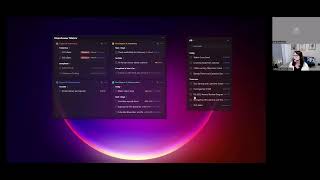
So I, as Katherine said, so I'm actually, I'm currently, I currently do a lot of work around lawyer well-being. Transitioned into that role from a number of years at our state's lawyer assistance program, which actually housed our state's practice management program. So You know, one of the things that we would find in our work is that oftentimes there's sort of a relation to the practice management and sort of life and personal management, right? Especially if you're a solo practitioner or small firm, right? It's all intertwined. If you're stressed in your practice life, it's going to sort of roll over, spill over into your personal life as well and vice versa. So it sort of made sense for that all to be together. And my take on technology is that I actually do think it can be a useful tool in sort of helping reduce stress. I know that it also creates stress, but I think that, you know, programs like this that can help you sort of better manage your technology can help reduce some of that stress, make you more efficient and more productive in your practice. So like Katherine said, I am a Mac user. I have been a Mac user for some time now. I am sort of fully on Apple. I have a couple iPads and an iPhone and probably more devices than I would care to share with you all, but I love them. And one of the reasons why I like Macs is because I think they're very user-friendly, and if any of you are on a Mac, I suspect that may be one reason why you chose the Mac. I was telling our breakout group is that I used to work with a lot of practitioners that were starting their own, own practices, and I would almost across the board find when someone was leaving a large firm and they were familiar with the Microsoft PC environment, they typically had a Mac that they were using at home. And when they would leave their practice, they would say, well, can I just use my Mac to run my practice? And I said, yeah, of course you can use your Mac to run your practice. And so that, you know, it used to be much more difficult to run your practice on a Mac because when we weren't using programs and software that were in the cloud, you'd have to actually run a program that would allow you to sort of make your Mac mimic a PC so that you could run those PC programs on your Mac. But now that everything is cloud-based, and I'm hoping that folks have moved to the cloud, you basically can do everything on your Mac that you could do on a PC. There are probably some like IT folks, especially in the larger firms, who would still say the PC is the, is the best environment because it has sort of better security for like enterprise-grade practices, which may be true. But especially for solo and small firms, there is no question that you can be using a Mac very effectively. So that is my pitch about Macs. So what I'm going to do here is I am going to— I'm going to talk to you a little bit about some of the features on your Mac that can help you be a little bit more efficient and effective. And also, I'm going to do a couple of demos here. So you're— I'm not showing my slideshow right now because I want you to actually see my desktop. And I'm doing a little bit of an experiment as well because I actually just downloaded some new software to use for this presentation. And so you are going to see this in real time as I sort of work through the sort of learning experience of of new software. So let's get started. So the first here is one of the most basic shortcuts on the Mac. And this is to pull up your Spotlight search. And I have had numerous conversations with people who are using a Mac and have been using a Mac for years and have never used this feature. This will be life-changing if you don't know— yet know about this feature. This is the— again, this feature that pulls up Spotlight. And what Spotlight does, it allows you to find basically anything on your app, on your computer. Also allows you to pull up applications very, very quickly, okay? So instead of sort of navigating around, opening up files, and trying to find something, you can just pull something up with a click of a button. So I'm going to show you how this works. It's Command Spacebar. And so the second thing that I'm going to do here is I am going to attempt to turn on this new software program. And let's see if it actually works here. Not working at this moment, of course. Mouse. All right. Let's see. So this is a new— it has something to do with me sharing my screen, likely. Oh, here we go. So this is a new program. It's actually called Mouse Posé. It is amazing what different software programs you can find out there. And this particular program actually allows me to share on my screen the, my keyboard clicks. So I can actually show you when I do Command and Spacebar here, you're gonna see Command and Space, it's gonna pull up this Spotlight Search, which you can see in the middle of my screen. Let's see here. So there's my Spotlight Search. So it pulls up this bar and let's say I wanna find something. Catherine and I worked on the ABA Tech Show last year, so I can pull up Tech Show and let's see here. Hopefully it doesn't pull up anything embarrassing about me. But you'll see here there's a word ABA Tech Show. I've got some presentations. It's pulling from mail messages. It's got some bookmarks in history. It's got some contacts, PDF documents, events and reminders, folders, anything that includes the words Tech Show. So really helpful if you want to pull something up quickly. If I want to actually open up an application, let's say, let's say I want to open up Word. Okay, I'm going to hit Word. And, and there you go. You've got Word right here and I can just open that up. So a really easy way. This is probably one of the, the, the easiest things that you can do to get started with automation on your Mac. The other things that I put in this slide that Spotlight can also do— it can do a bunch of different things. But it can also do— it can also do— it can do calculations. So I could do 98 times 8, and it's going to give me a quick calculation. Instead of having to open up a calculator, I can do calculations right there in Spotlight. I can also do currency conversions. So if I put in a dollar sign and then a dollar, or, you know, so we can see what, what, how much is the US dollar currently in, in other currency, and we'll get that right up there. So that is, so that is Spotlight. So that, that's number one, probably one of the most easy, easiest automation tools you can use on your Mac. The second one here is screenshots. And I always love this feature because it's a feature that's actually baked into the Mac operating system. So you don't actually have to download something, download any software to use this. All you need to do is, and I'm going to show you how we do this, is Command+Shift+3. And what Command+Shift+3, so I hit Command+Shift, 3, it takes a picture of my entire screen. So here we go. Now I've got my screenshot. So you see that opened up. It looks exactly like my screen here. I've got my, my screenshot. I can also take a screenshot from a selection by using Command+Shift+4. So if I use Command+Shift+4, you'll see that there's this little— it's very very small. It's what I can use to actually drag here and create my screenshot. So I hold it down. I'm still holding down my Command-Shift-4. And I let go of it. And here I've got this nice little screenshot just of whatever selection I wanted. And then the last one is I can use Command-Shift- 4 plus the spacebar, and it's going to grab whichever window is active. And then what I'm going to do is hit return, and it's going to take a screenshot of only that application, only the window that is active. So, you know, again, this is, this is a really, again, really simple, simple tool that, that you can use. All right, next on my list here is signatures. Hopefully you are using some sort of electronic signature tool. If you haven't played around with this one that again is baked into Apple's, the Mac operating system, you should definitely test it out. And this is— it is so easy. And again, what I'm going to do is I'm going to use that Spotlight here to actually pull up the signature demo. So we got our signature demo. There we go. Quickly pull that up. Okay, I don't remember where I put it, right? And so what I'm going to do here is, here's a W-4 form and I want to sign this. So all I've got to do here— and I'm going to do something else. And we're going to get rid of that off. And I'm going to highlight here where I'm clicking for you. So here, I'm going to click right here, which is the Markup toolbar. And I'm going to go over here to Signatures. And you'll see I have a couple of signatures here because I sign things for my partner. I don't know if that's legal or not, but I do it. You can let me know. But, and I can drop my signature in. And the way I created this signature is I used my iPhone to take a picture of my signature on a piece of paper. I can also create a signature in here. And you'll see here I have the options of using my camera. I can use my iPhone, or I can actually sign it right in there. And it's doing something strange right at the moment, 'cause I, and now it's going to,