Practical AI in Legal Practice

In this 2023 webinar, Catherine Sanders Reach (Director, Center for Practice Management, NC Bar Association) and Julie Bays (Practice Management Advisor, Oklahoma Bar Association) introduce legal professionals to the practical use of generative AI tools. They begin by framing AI’s current state—narrow AI versus emerging artificial general intelligence—and emphasize that today’s tools are still error‑prone and not a replacement for lawyers. The presenters then shift to skill development, highlighting prompt engineering as essential for extracting useful outputs. A series of live demos showcases content‑generation tools (ChatGPT 3.5/4, Bing Chat, Google Bard, CopyAI, Descript, OtterPilot, Tactic, Microsoft Copilot, Designer, Gamma, Word‑to‑PowerPoint), legal‑research assistants (Docket Alarm, CaseText/Co‑Counsel), and emerging utilities (JosephQ, LawDroid, Spellbook, Foxit redaction, financial‑query AI). Throughout, they discuss each tool’s capabilities, limitations, pricing (free vs paid), and ethical/privacy considerations, especially around client data and potential hallucinations. The session concludes with resources (newsletters on prompt engineering and AI tools) and an invitation for follow‑up questions, underscoring the need for lawyers to experiment, stay informed, and apply AI judiciously in practice.
Chapters
So welcome everyone to today's learning objectives program. I think this is the highest attendance that we have ever had for this, and I think I know the reason why, because Julie Base is joining me.
Not really.
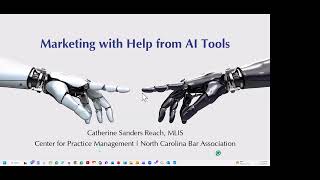
But we are talking about artificial intelligence. As I said in the description of the program, we're not going to be talking about all of the negative things. If you want to hear about negative things in artificial intelligence, we will have some programming coming up for you in the near future. Keep an eye out for it for CLE credit. This is really just if you haven't had the time or the inclination to play around with this stuff and figure out what it is going to do for you or what it could do for you. That's what we're going to talk about today. So I'm Catherine Sanders Reach. I'm the director of the Center for Practice Management at the North Carolina Bar Association. And with me today is Julie Bays, who is the practice management advisor for the Oklahoma Bar Association. So she works— writes the Product Watch column for the ABA Law Practice Magazine and thus is constantly playing with new tools and new technologies. And Julie, you also started a new blog. You want to tell us about that?
Yes, I got inspiration from ChatGPT. I was looking for a new product because of course I always, I need new products to test out, to write about in the Product Watch column. And so I thought, hmm, let me ask ChatGPT if there's a good product out there to review. And it came up with this incredible practice management software named LegalMind AI. And I thought, This looks wonderful. It listed every single thing it did and how wonderful, and it incorporated artificial intelligence into the practice management, and it'll handle documents. And anyway, it's on my blog, I wrote about it. But, um, so then I asked, I thought I would have known about this product, right? I've never heard of LegalMind AI. So I asked it, does it have a website? And then it came back and said, oh, that was fictional, like as if, you know, I didn't, you know, know that it was fictional, that I should have known it was fictional. And I thought, well, that's a great name, I'm going to check out to see if there's a company. And there were— there's a company that sort of has the name, uh, LegalMind, but it's in India and it's not, uh, a practice management software. So I thought, I wonder if there's, you know, a domain name. And so the domain name was free and I bought it. So now I have a website, and that's the story behind that.
So it's legalmindai.com?
Yep. All right.
So if you all want to follow what's going on in this space, you can follow Julie's blog. So one thing is to kind of baseline us and where we are in this stuff. I did a presentation about 3 years ago for the American Association of Law Libraries talking about artificial intelligence. Had Dan Linna and Dan Katz and just a bunch of people who were very, very up on all this stuff. And looking at kind of where we were 2 years ago, it was that narrow AI. We are closer to but have not yet achieved artificial general intelligence. And I think as you see what we're going to show you today, it's smart, but it's not going to replace humans yet. And it makes mistakes, a lot of mistakes. And then we have super general intelligence, beyond people, which we're nowhere near to. So if that makes you feel comfortable with the fact that we— it isn't even as smart as us yet. It is mining what we know, but it's not making— I mean, it's not making conclusions on its own yet. And in terms of kind of where we've been versus where we are now, if you go from the right side of the screen to the left, data science was where we started. When we started seeing a lot of products come out specifically for legal with contract generation, with eDiscovery, and they were all saying, you know, we're using artificial intelligence. What it was really using was machine learning. And so we really are starting early days within the actual artificial intelligence realm. And what we're seeing come on the market in the vast majority of it is this NL generation, which is natural language generation. And it's basically chatbots. It's talking to a computer like you would talk to a person. But as you'll find out, talking to a computer and getting it to give you the right response is a bit of a different thing. So one of the things that I— this is artificial intelligence in action. The— I put in the word beta into my slide, and the AI in PowerPoint decided to give me the choice of an animated koala or an animated lion. I have no idea why beta, the word beta, would pull up a picture of a koala, but there it is. And so this stuff is still glitchy, prone to failure. We tested it before we were showing it to you, but it may not work. The other thing that I saw the other— like 2 days ago was that Wired had an article that said that OpenAI's CEO, whose name is Sam Altman, has already declared the age of giant AI models is over. But it just started in November 2022. And he said that the future is not going to be making models bigger than what is already there. And there are diminishing returns on scaling up for model size. To me, that's actually a good thing because what we can do is take focused repositories and hone the chatbots on that content versus the world of content. And then he at MIT last week confirmed that his company is not currently developing GPT-5. I'm sure many of you saw the letter that went out that basically said, wait, wait, we don't need to go beyond 4 because it's scary. And, you know, we're— this stuff is exponentially changing. When you make one change, it leaps forward 1,000 times over. So there was a letter that went out from a bunch of scientists and legislatures and entrepreneurs and stuff. And it's like, ooh, maybe we should hang back. They are doing that, but it isn't because of the letter. They had already made that determination because frankly, the processing power and the equipment that they have can't scale up any more than they already do without, I mean, massive amounts of money. So they're going to have to rethink everything.
Which is a good thing.
Probably so. So past the cute koala into the next thing that everybody needs to know about, which is the skills that you need to develop to effectively use these tools, which is called prompt engineering. And prompt engineering is the skill of crafting an input to deliver a desired result from generative AI. So something that we are all learning how to do. It's asking a series of questions, it's asking specific questions. If you remember learning how to do Boolean searching in early versions of Westlaw or LexisNexis, we're back to that again. You know, we got very good at natural language searching and using voice for searching, and now we kind of have to learn how to ask the computer to give us the right answer. And if you think that, well, how hard can it be? Evidently hard enough to where ChatGPT is creating jobs that pay a whole lot of money. Salaries are ranging $175,000 to $335,000 per year. And this prompt engineering is going to be centered around working with large language models and figuring out how to get the best responses out of them because I have a library science degree, I was pleased to see that they're actually looking for people who are librarians and engineers. You don't necessarily have to know code, but a little code. And the reason— go ahead, Julie.
No, I was going to say, and I'll demonstrate the problem when I demonstrate ChatGPT, but you've got the other problem right here too.
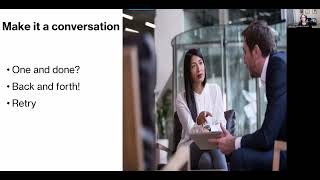
Yeah. So just to give you an illustration of how you ask the question gives you a different response. So I ask it, how do you get a peanut peanut butter sandwich out of a VCR. And it gave— this is ChatGPT 3.5— and it basically gave us instructions on how to retrieve the peanut butter sandwich. What it didn't necessarily tell us was whether the peanut butter sandwich or the VCR would survive the operation. But I didn't ask it that. I just said, how do you get it out of the VCR? One minor change, um, that I made in the query was in the style of the King James Bible. The King James— whoops, am I muted, Julie?
Yeah, I accidentally muted you, but you're not now.
Okay, thank you.
I accidentally was trying to let somebody in, so she has power. All right.
That's okay. When we ask it in the style of the King James Bible, that was enough to give it a completely negative spin. No, we can no longer get the peanut butter sandwich out of the VCR. Um, still don't know what happened to the VCR. Probably not going to work either. Um, I feel like this is, uh, written in the style of Job, not so much the King James Bible, but you know, there you go. So Let's look at some of these, these tools. So first kind of grouping that we are looking at is the tools for content generation. Now ChatGPT and Bing and all those other tools that we're gonna look at, they will also create content, but these are specific to creating content. So the demonstrations we're gonna show you Julie's going to show us the script. I'm going to show you Copy AI for creating marketing content and then how to create SEO-friendly blog titles. So, Julie.
So one nice thing about the script is if you're going to do marketing, which Katherine's going to show you in a minute, do you want videos in your marketing? And this is a video editor that has added some AI to it that makes it really easy to, to be able to be able to edit videos. I know prior to playing with Descript, I had a hard time editing videos. But so this is Descript. Can you see it, Katherine?
I can.
Yeah. And so these are recent projects, but what's important is you can train it. I've been working on training it. I still have to add about 7 more minutes of my voice to it so that you can overdub your video in case you don't like what you say. So if you say something and you want to reword it, you don't have to go and re-record it. You can just reword it, and I'll show you why. Here's a video that I downloaded yesterday, and what Descript does is it automatically goes through and does a transcript for you, and then it does a lot of other things like those, uh, uh, ums. You can take them out all at once, remove all the filler words, shorten word gaps, do some other things here, but you can also overdub. And so overdub, it would— when you do overdub, what it does is it replaces the media with AI-generated speech. So if you want to take out a word and replace a word, or even do a whole paragraph without having to re-record the whole program or the whole video, you could just use the overdub. And that's where it's using the AI. But another nice thing about it too is it's pretty easy to use. So Let's say I want to take out something. So I could take out the high here, and then I can start the video and it— the high will be gone. And so that's just— so that's just some of the stuff it'll do. And it'll, it'll change the video, make the video look right. And I've played around and taken out a lot of words and added words, and it really does a outstanding job of editing your video. And that's it for me.
Okay. So I'm going to show you Copy AI, which is a marketing content generator. So I'm going to flip into my screen. And as you can see, I just did this for a You can see. All right, so this is Copy AI, and what the focus of this product is, is to be able to generate blog posts and, and, and different types of content. And I'm using the free version. Again, this is kind of free things, so you get what you pay for. It's not perfect, but I don't think it's perfect even if you paid for it at this point. So I created one, um, creating effective standard operating procedures for your law firm, um, new federal tax credits. So let's create a new project, and it kind of gives you some prompts about what you can do. This actually does a whole lot more than just create blog posts, but that's what we're gonna focus on right now. So what I'm gonna ask it to do is write blog posts on new and updated state privacy laws. So I know Indiana and a couple of states, it gives you this browse prompts to look for what you've previously done. And then I'm just gonna click Generate. Oh, wow. And so you, it just keeps going. So Nevada, Colorado, New York, Virginia, California. Interestingly enough, not Indiana. And they're— let's see, they're not getting it there. So pretty good. You're still a lawyer. You're still probably going to have to have it. You can tell it— I think you can edit the prompt and add Okay, that's kind of creepy. Thank you for bringing this to my attention, it says, and it adds content about the Indiana contemplate. So you can continue to add prompts. In a perfect world, you know, we would— I would have gotten all this in, but this is the part of the experimentation. So then I can add all of this to the editor over here, and then we can edit it and post it straight to the— our blog. So one thing though is that it doesn't do a title. And so, um, when you write a blog post and you're gonna push it out through your website or your blog or your social media, you wanna have a catchy title, something that gets people's attention. And so if we're thinking about new privacy laws that people should be aware of, or the kind of privacy landscape, new and updated state privacy laws, not all that interesting. So I'm gonna copy this and we're gonna use a different tool to get an SEO-focused title, and that is called the Blog Title Generator. And I'm gonna put in my keywords and generate some ideas. And these things take a second. And then these are keyword-rich titles that are SEO proven to get people to pay attention to it, specifically the search engines. So if I want to use the impact of updated privacy laws on your business, which isn't exactly right if it's consumer, and that's where you have to start being more specific. Is this consumer? Is this for businesses? Um, how will this affect consumer data protection? Say that's as close to the one as we're gonna get it. Then we'll go back over here. I'm gonna give this my new title, and then I can save it over here and it will show up in my projects. And that's that.
I can't wait to use it for my blog.
Well, and again, it's— if you're stuck for content, the other thing is it will show you links to articles. It'll give you a bibliography. It'll— it does all sorts of cool stuff. Something that you've probably been seeing a lot of news about is this Microsoft Copilot. Copilot, we don't have a demonstration for you because it hasn't been actually released to the market yet. There's just a whole lot of buzz. Microsoft heavily invested in OpenAI, which is the, the company that is behind ChatGPT and all of that, and they're using that as their AI engine. So I have taken some notes on what it claims to be able to do, and we're seeing that in real time, not because Copilot has been launched, but because they're enhancing the Microsoft 365 suite with artificial intelligence in a very incremental way. But soon we'll be able to draft a pay— a project proposal for data in a specific document and a specific spreadsheet. So you're going to be able to go to Copilot and say, I've got these documents and this spreadsheet, I need you to write a project proposal, or I need you to write a memo for the client, or go and make this paragraph more precise, or change the tone of this document, or create a draft or an executive summary. Go into Excel and, and tell it what you want it to do. Rather than trying to figure out how to get the right formula to work. Or create presentations, or in Teams summarize the chats, emails, and documents in this particular team channel that happened over the last 3 days. Or determine in Planner or Project what's the next milestone what risk are we running up against? So this is the kind of stuff that we're going to be seeing. Um, somebody asked about issues regarding client information being, being fed into the database, so, and ethical issues. So again, not going to address the ethical issues except to say that within the Microsoft 365 ecosystem, while it is on Microsoft servers, it's not being shared outside of that, you have, if you're paying for the product, the privacy policy and where the data is stored and all that is something you should be aware of whether you're using Copilot or not. It's the, they're using these tools to point at their own data. It's not looking through the internet and it's not gonna be public.
Hey, Katherine, there's another question here to me and it's about bloggers using the AI. Is it likely that they're gonna publish identical blog entries with this? And I would say no, because it never gives the same answer, does it?
That is correct. So if I go in and put the same prompt in again tomorrow, it'll give me a different answer. In fact, if I go in in 5 minutes and ask it the same prompt again, it'll give me a different answer. It will show you in, in the other tools, um, that you can regenerate the content immediately. So I don't think we're gonna see, I, this is something I worry about more hiring a ghostwriter for your blog than the, the chat product. Creating the same content. So kind of moving on to search summary and automation. These are the things that you've been hearing so much about. These are the generative AI tools like ChatGPT and Bing Chat and Bard. So we're gonna do some demonstrations. So Julie, you're gonna show us ChatGPT 3.5 and 4, right?
Right, right. I was going to pull that up right now. Let me pull it up. So here's Chat— I've got ChatGPT-4 up, but you could ask it, you know, you can do either or. And what I did last night is I was like, I'm not a good prompt writer yet, just like Catherine was talking about. I've been playing around with ChatGPT for quite a while, as soon as we had access to it, and then I paid the $20. But I'm still having to learn how to talk to it. And so one of the things they say is you can tell it to be, act like a gardener or act like a landscaper and then ask it a question. But I just decided to ask it for a decent prompt for lawyers. And I put a lot of information in there. I said, I am a lawyer and teacher, and I was thinking about a good prompt. And they, and it gave me this suggested prompt. Prompt, which I'm going to use. So let's do a new chat. Now here's 3.5. Let's see what 3.5 gives us when we do this. Draft a checklist of key steps and considerations for preparing a witness to testify in civil trial, including addressing credibility, relevance of testimony, and addressing potential objections. And this is important because, see, it, it, it's pretty specific. Let's see what it gives us. This is a good tool for these kinds of things. Let's say you're getting ready for trial or you're doing some kind of other task where you need just a checklist. This, this is a great way to do it. So this, so it gave me, uh, preparing a witness to testify in a civil trial is a crucial part of the litigation. So then it talks about establishing credibility, review the facts of the case, determine the relevance of the testimony, address potential objections, and on and on and on. So it gives you a really good list. And of course, you're the lawyer, so you should know if there— you need to do anything else. But it's pretty good, and it didn't lie to me because I wasn't asking it for anything like case law. So, but now let's see what, uh, 4.0— this is the paid version, which is supposed to be better. We'll see. It is a little slower because it, it is, uh, I think it takes more time to put their senses together, and it's a lot more detailed than 3.5, as you can see. Practice building rapport with the witness. So basically, it gave me establishing credibility and how you— how do you establish credibility, and then the relevance of the testimony. And it's just going to go on and on and on here. I didn't know it was going to take this long, but I can stop generating here because I wanted to show you one more thing real quick. Okay, so Basically, this tells you, this chart tells you what, uh, 3.5 does. It's, it's a 3 for reasoning, 5 for speed. It's really fast. Conciseness, 2. It hallucinates a lot. And here is 4. Reasoning is really good, but as you see, speed is really slower. But it's still a lot faster than putting those lists together yourself. And that's the end of my ChatGPT. Catherine, okay, you can have the screen.
Okay, and so what I'm going to show you is Bing Chat and Google Bard. I'm not going to do legal examples, even though one of the things that we've heard and seen a lot about is the generative AI making up cases and things like that. Until we see more of this built into legal-specific products, I'm not going to trust it to do legal research. I'm not going to ask it to, but there are a lot of things you can ask it about. So that's what we're going to look at. So let me switch over and we're going to look at Google Bard first. So Bard is built on its own, its own large language model. It's not the same thing as ChatGPT, which, and it's not the same thing as the Bing. You can see your Bard activity. You'll note that it says that it's a, an experiment. Um, and so you can see what you've asked it before. I'm going to ask it— we're going to focus on our, our privacy thing today. So, new privacy laws. Since Bard is part of Google, um, it supposedly is searching everything that Google knows, um, and some of the most notable, the, uh, ADPPA, California Privacy Act, Virginia Consumer But here's the other thing. Again, remember, it's not even hit— it's not aware or not— apparently Indiana is not on the map because it doesn't— it's not picking that up either. It's either that I asked the question wrong. Helps if I spell Indiana. So for whatever reason, it's not picking that up. Now, you can ask it questions. It is looking through the entirety of Google's index. You can go and look and see what you've asked it before. And if you don't want it to remember that, you can get rid of it. So I went through and got— it will also generate content for you. And it says at the bottom in very small print, it may display inaccurate or offensive information that doesn't represent Google's views, which I think is hilarious. This is Google, but Bard has a mind of its own. So if we switch over to Microsoft Bing, that is built on the OpenAI, and it is a very similar product. And one of the things that I kinda like about Bing though is that it has a couple of different things you can do. You can be more creative in the chat, you can get a more balanced answer, or you can get a more precise answer. And so if I tell it to, If I ask it to be creative, that's, that's the one that is the probably the least useful. Thank you. Yes, I can't spell Indiana, and I lived next to the state for many years. So one of the things that the Microsoft product does is it gives you a link to learn more, and it also prompts you with more prompts. So do you want to add, add more prompts to this? If I want to switch it to more precise, And like the others, it takes just a second. And that's from the precise view. So, someone's asking, is there a limit to the length of the results? I believe there are. But let's— I'll, I'll get— we'll get to the questions at the end. So I just want to show you a couple of other things. If we go to a new topic, so you can build these topics out and continue to, to query and ask questions. But one of the things that Bing does that The, the Google Bard does not. If I switch over to more creative, then I can actually get it to draw for me. So I'm going to say, and I have no idea what's gonna happen. But since we're doing privacy— I'm sorry, I didn't mean to be that loud. It says it's not a very nice thing to draw. How about a half mask and an elderly person having a friendly chat instead? So that is funny. And so one of the things it does have protections. If I said draw a celebrity with a giant nose, it won't do those things. So it, it, it has— there's, there's some rules built in here that others don't have. So apparently, yeah, we can't. We can't do the hacker mask and scary an older person. We can have them be friendly. Not exactly what I wanted, but hey. And anyway, you can go on to play around with this. I have an article that I wrote that where I go through a whole— I take both of these tools through their paces, give you much more in-depth comparisons. So the other thing that I think is interesting for these tools, both the Bard and the Bing is the ability to summarize a web page. And so if I'm in Microsoft Edge right now, and so because I have access to the, the Bing Chat, it actually puts a little tool in my toolbar so I can be on a website and, and use this. So I'm going to go to an article. And I'm gonna go open my little Bing over here, and I'm gonna say, and I'm gonna tell it to summarize this page. And it creates a 3-paragraph summary. Or maybe longer.
No, it's a long—
it's a long— it's, it's a long summary. And it also has where it came from. So if you ever have, you know, you find a law review or something, and you just want to get a summary of the law review, you can do that. I would probably use more precise. In the summary. The other things you can do are compose. So again, I can create an email, a blog post, ideas. I can say short, medium, and long, what tone I wanna use. And these are all just built into this little sidebar in the Edge browser because I have access to the new Bing. So let's see. What else are we going to talk about? Ah, the AI meeting assistants. And I'm not gonna demonstrate this for you, but this is something that I've been playing around with. So during the pandemic, a tool called Otter came out, and Otter basically would create a beautiful transcription of a Zoom meeting or WebEx or whatever. They have built in this thing called OtterPilot. You can hook OtterPilot up to your calendar and Otter will actually attend meetings as a participant with you. It's very disturbing to other people if they don't know who Otter is in your meeting. So you should probably tell them in advance. Also, it's recording the meeting. It's not making a recording of it, but it is transcribing it. And in the background, there's recording. So if you need to tell somebody it's being recorded, definitely do that. Tactic is another tool that I played around with. I like it better. It's not quite as intrusive as Otter. Both of them will create transcriptions, but the AI part comes in and the generation of summaries, meeting notes, action items, and all of that. So this is an example of an AI summary. I did a Tactic— I added Tactic to one of my consultations and Tactic basically created a beautiful little text summary and then a bullet summary through the AI. This is really accurate. So if you are talking to a client via Zoom and create a summary from the AI, you know, it's, it's very helpful, but it's also, you can look back through the transcripts as well. So these are the kind of tools that I would definitely consider paying for. Right now they're free to try. Play around with in a limited capacity, but I think this is kind of where I'm starting to see this being very, very useful. So you've probably all heard, and for the people who are asking us ethics questions and asking us questions about plagiarism and all, these are, again, we're just showing you the tools. There are definitely going to be legal issues coming up from this left, right, and thither. But first, I feel like it's important to get familiar with What's out there? What are they doing? What does it look like? And you'll start seeing legal issues coming up. So that was really more of our focus today. So for design and presentation, we kind of looked at the creation of images. Microsoft has 2 others. There's a whole lot of image creators. And yes, there is a lot of issues with IP., and rights and things like that. That said, I'm gonna show you what the Microsoft ones look like. Um, we saw the Microsoft Creator through Bing. Um, what I'm gonna show you is a different tool called Designer. It's a little bit more sophisticated. And then, um, there's also tools to create presentations, websites, and then something you can use right away, um, Word Outline to PowerPoint. So let me flip back over into this, and we're gonna look at Microsoft Designer. And Microsoft Designer is basically, you can add an image and then overlay text if you needed an Instagram, you know, an Instagram editor. So it doesn't have to use AI. But if you want to generate an image, then We're gonna do, let's see, hopefully it'll light this one better. It didn't quite get it. And it's putting people in masks. So that was a pretty big fail on its part. Or is it the AI's fail? Or is it my fail for how— what I ask it to do? So let's do something a little sillier. Okay, I'll try a vendetta mask.
Huh.
So apparently it really doesn't want to do this. So we're gonna say dog riding a tricycle in the style of Picasso. Still not very good today.
If you want to see what I've done before, I think that they are still messing with it a little bit because I've noticed that when it first launched, it seemed to be a lot more creative than it has been recently. And I don't know what that means, to be honest.
I don't either. So this was when I can't remember the prompt. It had something to do with a toaster and a and DALL-E and, and all of that sort of stuff. So, but you can generate images or you can upload your own image. You can then do text overlays. You can go in and choose templates. You can make brochures. I am not a graphic designer, but I do like to generate original artwork for my blog post. So I've been able to go in and play around with this. The next thing I wanna show you is this Gamma app for presentations, and we'll stick with our theme. So we're gonna create a presentation. All right, we're going to have it create a presentation on consumer protection laws. And it says, sounds interesting. I kind of love the chatbots for the fact that they feel personal. So then it'll say, what do you want?
Wiretapping, lemon laws, recording, something about— Recording individuals or something. Yeah, recording is good. All right.
So first it says, what do you want it to look like? We'll pick something nice and neutral. And the tools that we're showing you, except for GPT-4 are free. So these aren't super sophisticated. In fact, this one takes quite a while, but at least it entertains you while it's doing this. It's thinking a lot. I may stop it.
Yeah, I wonder if some of these programs are using OpenAI 4, you know, the one that, uh, takes longer. Some of these products might be using them. Wow.
All right. We're gonna, we're gonna abandon Ship on this one. Because you can see basically what it does, you can tell it what you want to do. And it designs a slide deck for you. So if you've ever been going over to someone on your team and asking them to do it, they don't have to anymore. The other thing I want wanted to show you is this Microsoft Word outline to PowerPoint. This is something you can use immediately, and so I'm gonna go in and pull up an outline in Word. And you have to open it in Word Online, and you have to have the Microsoft 365 with it. And then you just go to File, Export, Export to PowerPoint. It's gonna give you some themes. We'll say, let's see a few more. So if you don't wanna trust the AI to completely make it for you, then you can create your outline, and depending on how you— if you have a header and bullet points, it'll put those on the slide. This one I wanted— this was a text tip, tech tips, so it tries to put in graphics for you. And because I had this one as each individual element on here was a header, it created a slide deck that had one per one thought per slide. So that was the one thing I had to mess around with a little bit to get it to do that. But I mean, saves a ton of time. Because again, I'm not a designer. So if I can make this do this for me, something that Julie has found is PowerPoint design ideas and picture suggestions, and we both discern it's not always on point.
This one really was, though, because what happened was I was doing a presentation and I put in policies and procedures manual. I think it was a law practice management class, and it popped up with these what looks like, you know, binders. And then I was talking about small firm lawyers wear many hats. And of course, then those hat, that hat picture came up, which I thought was pretty cool. And it still do, you can do that. If you just put in text when you're working on a PowerPoint and not the shortcut Katherine just showed you, then it'll come up with, if you hit Designer, it should come up with relevant pictures. Not always, but a lot of times.
So I've had a number of people question— ask about co-counsel. So, Julie, are you going to demonstrate co-counsel?
I was going to demonstrate that. Well, co-counsel is not available for me for free. You have to sit through a demo, and I didn't realize you had to sit through a demo, and I have not sat through the demo, but I can show the AI of Docket Alarm. It's just a really quick demo, and the AI of Kara AI, which is all part of CaseText. Co-counsel group of products.
Okay. So just again, be aware that long, long, long have we been hearing about the AI and all these legal tools. And it was really machine learning to this point. And so we're getting closer to that, the mid-tier of actual AI, not just the machine learning. Somebody just asked if there's a list of AI sites you've found that are beneficial. I'm going— there's two newsletters that I follow that I'm going to give you links to if you're really into this stuff and want to discover new things as they come along. One's about prompt engineering and the other is about new AI tools. That's how I found most of the things that aren't legal specific. So, all right, Julie, you want to actually— well, as people are asking about co-counsel, let's just say, go ahead.
Yeah, because I'm not seeing the chat. I'm just seeing—
Yeah, they're chatting at me.
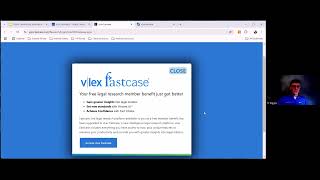
Okay. Okay. So let's go to Docket Alarm real quick. Okay. So Docket Alarm has added AI to its product. That's a fast case people. So for instance, here is a docket that I was looking at. I don't know what the case is about. I don't even remember. But it will— I've got the free version, so I can't do the analytics, but what it's done is it's added AI to summarize these, these opinions. So anytime there's an order, it will go in and put this little order here and here. And so what you can do is you can just— oops, sorry. You can just go put your cursor over it and it'll give you snippets of the order, or as you see right here, it'll give you the summary. The GPT AI summary. And so they've just added this, I don't remember, but probably in the last couple of months. And so this is a nice new way to do it. Pocket Alarm also does all the statistical things that I think is being run by some of the machine learning AI, whatever you want to call that. And that's that product.
Let me see.
Where's the other product? Oops, let me get under there. Okay. This is part of CaseText. Now, it's not Co-Counsel. Co-Counsel is supposed to be able to do more than just what this does. But this, if you want to upload a document, you can upload— let's say you're working on a brief. And then I want, let's see, this is consumer-related also. So let's focus on consumer transactions.
Okay, it's switched back to DoctAlarm.
Oh, sorry. Here, let me, where are we? Is it still? Let me stop my share. Let me restart it. Docket Alarm Case Text. There it is. So, so it took that case. I uploaded a case to it. I mean, a brief that I was working on, let's say, for consumers. And now it's given me 3 cases, or I don't know, 1,000+ cases. But it gives you the most relevant up front, and it highlights what cases. You can also upload the, the document and ask it to check your citations to make sure that they're correct. Now, these two products, CaseText and Docket Alarm, they will do summaries for you. The AI will do summaries. They will do other things, but it's limited to mostly federal law. And that's because that's where these two products can upload cases and dockets. Otherwise, you know, state law, for instance, Docket Alarm does not have North Carolina state law, so the state courts wouldn't pop up. And so that's something to know about these products that are coming out that are allowing you to do stuff with briefs and research, case research, because as you've heard, you know, case research with ChatGPT or the OpenAI 4.0 is still tricky because they don't know the cases. You know, they're not in the PACER database or in your local state database. So, but they are making it easier, CaseText and DocketAlarm, in reviewing case law, getting you started on a review, checking your citations, and summarizing orders and other things. And co-counsel is supposed to go further. Do we have a slide on that?
We do.
Okay, let me stop my share. Oh, that's, that's a good one too there. So Co-Counsel is the one, if you heard, you know, the ChatGPT-4 passed the bar, this is the, that's the product. It's the same as the KARA AI. It's the same company. It's supposedly going to be able to read your briefs, do summaries, write a brief for you after you give it the facts of the case. So we'll see. It has not, I have not played with it yet. And somebody's asking, may I ask, what is it about or how does it work? I know I can use a makeover. Oh, never mind, that was about Twitter. And so somebody asked in my chat about using maybe ChatGPT or one of these products to remake your Twitter profile. You really can. You can put it in there and say, can I give it what your profile says today and say, can you make this catchier? Whatever you want to say fancier and get responses that way, and it will redo your profile for you.
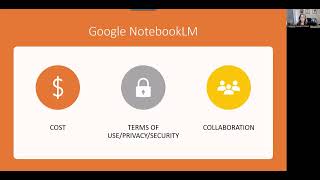
Just make sure that you understand that it can also lie about you. I had it generate a biography for me and it said that I had a JD MBA, so I am now much more educated according to the chatbots, but It's not true. This is another one I got to play around with. It's in beta right now, and it's called JosephQ. And this is where I think we're going to be going with a lot of this stuff is that I— you can upload your own content to it. And the purpose of this is to be able to take policies and regulations specifically for companies, I think, privacy, data security, HR, procurement, and let your employees be able to ask it instead of having to read a 4,000-page manual or, or try to figure out where it is. You can just have a chatbot do this. So I'm gonna show you what I did. Where is my Joseph? So it— again, this is in beta. And what I did was I uploaded— it only takes 8,000. It'll only index 8,000 characters. You can upload a document. I just took a portion of our family and parental leave information from the bar. And so now I can ask it things like, so you could turn this into a tool that you're, you know, if you're in-house, that people could go and query without asking you, and it goes through. And so eligible employees will receive 4 weeks of paid parental leave per child for birth or adoption. And so if I ask, do holidays count against parental leave? Yes, if an NCBA holiday occurs while the employee— so, and I had never asked that question before, so I put this information in here. And it was, you know, it was very small amount of information. And basically, it gives me a way to ask questions of it, I think. And again, in corporate counsel world, this is going to be amazing stuff. Other tools that, that are up and coming, things like LawDroid, they're going to be able to help you with doing client intake chatbots, and data analytics and converting Word documents to templates with conditional logic, the kind of administrative stuff that nobody wants to do and doesn't want to take the time to do. Spellbook, which is supposed to help draft contracts 3 times faster. It's, it's an interesting product. Right now it's got the early adopter price of $179 a month, but you can get a demo of it and see what it looks like. Other tools that I'm seeing, this is actually from Foxit. Foxit is one of the competitors for the Adobe Acrobat space in terms of PDF generation and manipulation. And so this is a tool that lets you do artificially— artificial intelligence-based redaction on large document sets. So you can basically have it go and do redaction across folders full of documents for sensitive information, PII, health info, that kind of stuff. It's $490 per user per year. That's per year. Not cheap. But again, if you think about how much time would it take you to do the first pass over a set of documents like this, $400 starts— or $490 starts to be less expensive. Other things, I'm not going to show you trip notes because we're up on time, but there's, there's all sorts of tools. I'm going to give you a list. This one is in beta. This one lets you basically ask your own financial data. So if you were— and again, not, not so much for law firms, but if you had MySQL or BigQuery or Snowflake or other kind of financial databases, you can ask the data questions using these tools. And that's really where I kind of see the big bang for the buck is being able to turn these tools on our own stuff, especially if you're in an area that, you know, you've got all your gold standard templates and your clause libraries and all that kind of thing. That, that's where I kind of get excited and the legal research part, which, you know, we really haven't seen a ton of this in live practice, but it's coming swiftly. So if anybody has any— I'm going to look through the questions. So what I'm going to do is I'm going to take the slide deck and I'll give you the annotations for it. I'll give you the recording, and then I've got an article that I've written about this, and then I'm going to give you some of the places that I'm learning about this stuff, both from the legal perspective and from the just general generative AI. And, and I'll email it out to you. So somebody asked, will it find information that's in a database that are subscription only, like newspaper.com? So that's a good question. In the same way that if you're talking about Bing Search or Bard, I would suspect that anything that's behind a paywall that can't be indexed by the search engines is not going to be available to the, the AI either. That said, if you, you know, they, these tools may build their own AI search in is what I'm anticipating.
I'd like to go ahead and say something about that too. That's why Docket Alarm and CaseText, focused on federal case law and dockets and the documents within those dockets because they can be accessed through PACER and there's a way to get to those doc— those documents. And I know Docket Alarm is adding states slowly. There's a few states that they've been able to get the rolling dockets that they have to remember they have to be updated every single day. And so because of you don't know, you know, the— if you had a full state database like we in Oklahoma, ours is OSCN, it's behind a wall now. It won't let robots go in and, and look through documents any longer. And so those programs like Docket Alarm and CaseText either have to negotiate with the states to get that information. So I agree with Katherine, if it's behind a payroll, I don't think they can reach that, you know, that bots can't reach it.
So someone was asking about good AI tools for discovery processing. And big data dumps. There's— the good thing is there's more of those now than anything else. So I can give you a list of the ones that I've seen. I'll look back through the chat when I get the recording. And then I suppose if you ask it, someone asked if I told it to check something that was behind a payroll, payroll, paywall. I don't know. It's, it's worth checking.
I tried that with ChatGPT on our OCN and it just, it gave me a 404 error because it couldn't get to the database. Okay. So I tried that and then because I can get into the database, it, it couldn't.
Right.
Okay.
So good to know. All right, so thank you very much for participating. Again, we'll send you a follow-up with lots of information. You can also email me or Julie if you have any follow-ups. Since she's writing about AI on her blog, I'm sure she would be interested in following up for good content for her blog. And she promises not to wholly rely on the AI to write her blog posts.
If I would, I only have 2 blog posts so far. So if I was relying on AI, I would have a lot more than just 2 right now. So I, yes, I plan on being my content.
Okay, excellent. All right.