Should I move to the Cloud?
Daniel Cohn of Dynamic Quest breaks down cloud migration for law firms without the jargon. He maps specific legal software like Tabs3 and WorldDocs to cloud options, explains why nothing works out-of-the-box without expert help, and recommends starting with SaaS applications before moving the rest.
Chapters
Okay, so welcome everyone to today's Learning in Justice program, and this one is on moving your practice to the cloud and the, the remarkable complexities therein. Our guest speaker today is Daniel Cohn. He is a Solutions Architect with Dynamic Quest, which is a managed IT services provider, and Daniel acts as a— and I love this part about his bio because it says that he acts as a translator between the clients, sales, support, and management. And if you've ever had to translate between all those different groups, you know that that's challenging because everybody speaks a slightly different language. So he's exactly the right person to talk to us today about this somewhat complex topic. He's been working on computers since the 7th grade, and when I read that in his bio, it kind of cracked me up because I was the kid who, given the choice between computer science and a foreign language, chose foreign language every time and avoided avoided technology at all costs, thinking that it wasn't interesting. So anyway, Daniel, take it away.
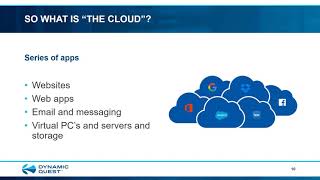
Very much, Catherine. I appreciate it. I appreciate the opportunity to be able to impart some knowledge, part of the learning series, and share this dynamic. Quest is always thrilled with its partnership and relationship with the North Carolina Bar Association. So thank you. For this opportunity. And I know this topic is of a lot of interest to a lot of people. Everyone's talking about going to the cloud, and the question always comes down to, should I move my practice to the cloud? And a lot of this was— this presentation was designed for people who are not techies to be able to provide a pretty easy-to-understand guide to a very complex question. All right, so I'm going to keep it at a very high level. So if you're looking for a lot of geek speak, you're only going to get minimal amounts of that. We can always take this at another time to discuss that for anyone in particular on the more technical levels. But this is really designed for the partners who may not be technical, who have to make some of these decisions when it comes to their books. So again, I'm a Solutions Architect. I am the universal translator, if you like Hitchhiker's Guide to the Galaxy. I am the Babel fish that you put in your ear and can instantly understand everybody. And I make sure that what you under— what you ask for is what our salespeople and the project people do. So my job is to keep this at a very high level for people who don't necessarily understand technology. So we are going to talk about should we move to the cloud? And the way we do that is the first thing is from 50,000 feet. We need to talk about how applications work. And from there we can say, what is the cloud really? And then 3 models, 3 universal truths, et cetera. We will be talking about some specific legal applications and we will be alluding to cost. Unfortunately, I can't give you a number today, sorry. In today's world, practices have multiple offices, but a lot of people are using remote workers because of COVID So we talk about that. We talk about backup and security, which are paramount even in the cloud. Some other services you may need that are often overlooked. And then we will have a summary and a Q&A session. So first part is just applications. And everyone has their IT, everyone runs their apps, but they all, for a lot of people, seem kind of mysterious. But pretty much they all work the same way. You have a presentation layer. That's what you see, right? It's getting— putting your data in with your keyboard and your mouse or into a microphone or whatever, getting your data out on the display or printer. You have some logic which massages data, does all the things that make that application specific to itself, all right? And then lastly, you have data access. You got to store that data someplace. You got to move it around. Every application, whether it's QuickBooks, Tabs 3, Word, doesn't matter. They all have the same idea. So how did that look in the past? You had some really old computers. Here's an example of old IBMs. But essentially the presentation was essentially a teletype. And that was pretty much an IBM typewriter converted for the purpose to type stuff out. You had business logic that was handled by a computer itself, and you had stuff stored on big spinning discs and tape, and that was how applications were done back then. And I have nice, nice gray hair. I actually worked on systems like that way back when. In the present though, this could be an iPhone. Your presentation is a screen, could be your earbuds, that's presentation of music. You have logic that's built in, all the different apps and the CPUs and everything that run inside that phone. Data access is the memory that's stored in that phone. But it's the exact same thing. The apps work the same way. They present, they massage the data, and they store it someplace. Whether it's producing music or producing some piece of code or running a transaction system doesn't matter. Some stuff you're probably a little bit more familiar with. Everyone has a PC. Again, the apps on it work the same way. The presentation goes to the screen or maybe to a printer. You bring it in with a mouse and a keyboard. The business logic or the software and the CPU and everything massaging that data. The data access is on a spinning disk or maybe a solid-state disk that's inside of it. And with a local area network, most people have those in their practices. You have servers, they have the data, they often run a business logic piece of it, might be a server component. And then you have the clients, those are PCs, and they've actually presented, and they have business logic and data access. And you say, wait a minute, I see data access in two places, business logic in two places. The point is you can split that load amongst different things, right? But the applications still work the same. It's just presentation with business logic and data access. Even surfing the web, which sounds like the cloud, it's just another app. You just put all the business logic and the data access up in the cloud, and you do the presentation in some sort of browser like Microsoft Edge or Google Chrome or Firefox or Apple Safari if you're a Mac user, and you're just presenting it there. But it's still just an app that does business logic and data access and presentation. So the cloud suddenly becomes a little bit less mysterious here. One thing you will hear about oftentimes when people are talking about the cloud are virtual PCs and virtual servers. Just understand those are just another app. It's an easy concept. It's just an app on a real device, and it uses presentation and business logic and data access. So that's all happening here on, let's say, this laptop that creates something that looks just like a real PC or a real server. And then that real virtual server uses presentation and business logic and data access to present apps that appear to be on a PC or a server. And that's this little window in here that you might see on it. So those become part of the cloud when we talk about it. But again, they're just another app. So now what is the cloud? It is a horribly complex and mysterious thing, and it's complicated and it's expensive and it's impossible for anyone to understand. It's a pain to set up, right? Everyone knows that. That's why people like me are in business. But no, that's not it at all. It is easy. It's just a series of apps that are delivered over a network, usually using someone else's stuff, not yours, but to display on your devices. That's all the cloud is. It's just apps somewhere else delivered across a network that you see on your device, whether your device is a PC or whatever. So let's break that down. Just a series of apps. Those apps could be websites, they could be web apps that you might be familiar with like Office 365 or QuickBooks Online or something like that. Could be email and messaging, Google Suite, Office 365 again, etc. Could be those virtual PCs and servers and storage we talked about, so stuff like Dropbox and Box and things of that nature, Facebook. These are all just apps that are sitting, quote unquote, in the cloud, right? They are delivered over a network. It's going to be your local network, and it's going to be the internet that your network connects to, and it could be over cellular surface. And to be kind of honest, this part is really complex. It's a lot of boxes that blink and whir in the closets that most people don't understand. And a lot of people do get help for this piece. I'm not going to lie to you on this part. This part can be a little complex, but there's lots of people out there who can help with how you connect all this stuff up. But when you think about the cloud, a lot of people get lost in the network. The network's about the most well-understood piece of this, and there's lots of people who do it so you don't have to. Whoops, excuse me, a little fast. You are using someone else's resources. The cloud is actually run by a series of vendors, everyone from telecommunication vendors to people who make routers to people who provide software to people who have servers and data centers. They're all making huge investments in those data centers and providing virtual servers and PCs and lots and lots of storage. It's in multiple countries. Networks all over the world, but you don't have to own them. You just pay for them when you buy the cloud software. So there's someone else's stuff that you're probably paying for. And the interesting thing is a lot of the internet is free. So people are invested in doing it because they're hoping to make money by somebody else— advertisements, this sort of stuff. So you don't have to make the investment when you're using the cloud. Someone else does. They show it on your devices. You use the cloud to get data on eventually your PC, your laptop. Maybe you have an iPad or an Android tablet, smartphones, iPhones. They're all just apps through the cloud, someone else's stuff delivered to your stuff. So that's all the cloud is. It's easy. So let's shift gears here. We now have talked a little bit about what is an app, and like I say, app is just the same thing no matter whether it was written 50 years ago or 5 days ago. It uses the same technology and the same ideas. We just implement it on different stuff. The cloud is somebody else's stuff running some really interesting apps, all right, but still the same sort of thing that they always did, being delivered out to your stuff so you can see them. So how do I use the cloud? Well, let's start with where we have been first, on-premise. That's one model. First of all, everything's in your office, you have PCs, you have servers, etc. Very common. Most people have this sort of setup today. All right, so I hope people are kind of familiar with that. You at least have some PCs or Macs you're using. You probably have some servers, you probably have an internet connection, etc. Here's our first really good technical term: infrastructure as a service, or IaaS. These are virtual servers and maybe virtual PCs. They're up in the cloud, but just the way I explained it before. And you're using your local stuff to display them. So instead of having the stuff physically in your office, you may have part of it in your office and the rest of it in the cloud, but it looks just like the stuff you had in your office. It's just that virtual. And then you have something called software as a service, or SaaS. This is where a vendor provides everything and all the resources, and you just run it on your local PC through a browser or maybe a specialized app. That, but everything else is out there, quote unquote, in the cloud, right? So that's a model, and people are kind of used to that. So I'm going to dive into those in a little bit more detail here. For on-prem, again, this is something that you're used— most people are already used to. This is usually when people say, should I go to the cloud? They have this, and they usually have to start making another investment in what they have, and they say Maybe I should look at the cloud first before I buy more. So you have local servers, PCs on your own network with that internet connection, and this does file sharing. And maybe you have your own Exchange or SQL, which does database email. And maybe you're running apps like Tabs3 or SoftPro or WorldDocs or QuickBooks. Most people have what that is, and that's, again, that's just an on-prem system. For the IaaS model, infrastructure as a service, I have local PCs that are on a network. That's this lower right-hand part of this thing. I then have some virtual servers and PCs and storage that are up in the cloud. Again, just apps being delivered, but as far as I'm concerned, they're servers, they're desktops, they're storage. They're up there. So examples of that, if anyone's ever used remote desktop or Citrix, or if you've heard of Azure or AWS or even Dynamic West, because we do this, these are all examples of putting what appear to be physical resources up in the cloud and using them without having them physically in your office. But they still look like something that you're familiar with. Work with, and you just bring them down through the internet to your local network to use them. And then you have software as a service. Software as a service, essentially you have local PCs on a network with the internet, but everything is delivered through a browser or maybe an app that kind of acts like a browser. And things like this, QuickBooks Online, Office 365 through the web, Zoom is an example. LogMeIn, Facebook, just about anything you've ever accessed through a browser, that's software as a service. And so you can have really nothing in your office, nothing even virtual up there. You just use someone's application delivered to you through a browser. That's software as a service. So which one do you do? Well, really, you mix and match. There is no one-size-fits-all. You can mix these models all you want. Most people have on-prem and they add in, let's say, SaaS, the, you know, software as a service. So this is like a typical environment you have today where you might have a file server and you're running Tabs3, but you also use Office 365, which is a SaaS application. So you don't have the email part locally, That's out there in the cloud. Or maybe you want to do IaaS and SaaS. This is for the people who say, I want nothing but the bare bones minimum. All right. But I have applications where I can't really do that, so I'm going to recreate it in the cloud. So that's local PCs, but everything else is like a virtual PC and server in the cloud. And maybe I still use something like Office 365. And then I might do on-prem with IaaS and SaaS. I kind of mix it all up. All right, so there's a lot of different ways we can do it, and we'll get into that kind of in more detail. All right, so let's talk about some universal truths, because before you say, oh great, I'm going to the cloud, you need to understand a couple of things about it, and these universal truths help you do that. The application that you run defines which technology you use and not vice versa. You shouldn't say, I want to be in the cloud, let me redo everything to make it such possible. Really, you should say, this is what I use, can I go to the cloud with it? It's a better way to look at the question. Secondly, the internet is slower than you think. Doesn't matter if AT&T and Spectrum and Comcast and all the rest say they'll give you gig, that's not what you get. It's always slower than you think, and they are dramatically slower than anything you can wire into your own office. And that has real-world repercussions for your software, and we'll get into that in more detail. And also, nothing works out of the box. Doesn't matter what the marketing literature says, It's never just deploy it and everything runs. Doesn't matter if it's an iPhone or whether it's a huge legal case management software. Nothing works out of the box. That's what keeps me in business. You always need some help. So the takeaways from that are the application defines technology, not vice versa. Your applications will determine if when and how you go to the cloud, because you have to take into account whether they can work in a cloud environment, and if so, under what model. The internet is slower than you think means that some applications that need speed may not be suitable for the cloud. All right, I'm going to talk about that in the next slide. And because nothing works out of the box, all that means is just it's worth it to get some help. From someone with experience, whether that's someone internal, whether that's a company like ours, whether that's a trusted advisor, whether it's a consulting firm. When you want to go to the cloud, it's usually helpful to have an expert to help get you there. So that's what the upshot of those universal truths come down to. Okay, in terms of the internet is slower than you think, there are some apps that require that the PC that you use and the server have to be on the same fast physical network. There are some applications that say I won't even let you go wireless in your own office. You have to be connected by wires. So if you want to, let's say, excuse me, put the server in the cloud but keep your PC local, it won't work. Your applications may actually corrupt your data. You may have, you know, world of hurt. Stuff like QuickBooks and Tabs 3 work that way. We'll go into those. So in those cases, you might need to do that IaaS where you have virtual PCs and virtual servers that now appear to be on the same network in the cloud, and then you just bring their displays, their presentation, down to your own. So the fact that the internet is slower than you think has real-world repercussions. Based upon the applications that you use. So for example, let's talk about some stuff that people on this meeting probably know about. Tab3, I've talked a lot about. SoftPro, WorldDocs, TrialWorks, QuickBooks. These are all typical on-prem applications. They were— they call them client-server, but they were designed to work with a server that's on-premise. Talking to a PC that's on-premise, and there's a piece of code that runs on both of them that makes them work. They have to be on the same physical network. So if you wanted to go to the cloud, that means you need to go to IaaS for those where you have virtual PCs and virtual servers doing exactly what was happening on-prem. Or going to the cloud means you have to switch to a software as a service model or a vendor-provided hosted model. So specifically, and many thanks to Catherine on this, I used actually some of her research that she has done for members of the NC BAR Association to come up with some of this because she has done a lot of this and she can help when you have these pieces of software where to go. So something like Tabs3. CosmoLex, which is written by the same company, is a software as a service that can absorb all your Tabs3 and convert it to a software as a service model. So it's just delivered through a browser, no servers, you know, involved. SoftPro, they don't really have a software as a service, but they do host SoftPro for you and allow you to work with it and then allow you to maybe integrate it with some stuff. So theirs is more of that IaaS model, infrastructure as a service model. WorldDocs has both. They have WorldDocs being hosted for you, or they have a web version, so you can kind of take your pick whether you want to do IaaS or SaaS. TrialWorks also, they have a hosted version of TrialWorks. They can host all your software there. So they can do an IaaS. So, and QuickBooks has QuickBooks Online, which is software as a service. So for them, going to the cloud is easy if you're willing to migrate to their offering for it, which is a different model and all of using it in a different way. But it's available. So there's a way to get your specific software, software that's very common in your industry, do that. There's lots of other stuff out there though. NetDocuments, Clio, PracticePanther, LexisNexis— these are already SaaS offerings. All they require is a browser. Occasionally they want a local app for some added function, maybe like for Office integration, but for the most part, going to the cloud is easy because you're already there. So if you're using one of those, you're in the cloud already, all right? So then it becomes, what else do I use that might be on-prem? That needs to go up to the cloud. There's a program out there called LawTrust, helps, you know, handle trust stuff. It's easy, you know, lots of people love it. Turns out that runs only on a PC, can't even be networked together, can't even share it. Everyone gets their own copy. So if you like LawTrust and you're, you're a, you know, a state practice, I— you might be using that. That means if you want to go to the cloud, you have to have virtual PCs in the cloud. That's the only way you can make it work. Or you stick with regular PCs on-prem and you just don't go. And then when people say go to the cloud, sometimes cloud is just the business model. It's a way of essentially, instead of letting you buy it, you have to get it on subscription. Adobe works that way now. It runs local, all right, so on-prem or at— under an IaaS, under a virtual PC. It requires a lot of computing resources to work. But I used to be able to just purchase it. So if you wanted Acrobat Pro and do Bates numbering and all that sort of stuff, you know, OCR to text, the whole bit, all right, you could purchase it. That was great. Now it's subscription-based. You have to go up through Adobe Creative Cloud and then you still install it locally, but you pay for it like it's cloud. All right. So going to the cloud is easy for them. Something like that, but it's pricier because now you have to pay on a monthly basis. So going to the cloud might just be a business model for some folks. All right, so what's this going to cost everyone? A lot of times when they see the cloud, they either think it's super cheap or they think it's super expensive. But really what this is going to cost depends on more on you and your style than the technology. CapEx and OpEx, capital expenditures and operational expenditures, they have taxes. I don't have to explain to any of you folks, they have tax implications, right? Accounting implications, etc. If you happen to be a CapEx preferred sort of business or practice where you like to buy it All right, cloud may not be the right answer because that's mostly OpEx. On the flip side, if you don't ever like want to buy stuff, you want to quote unquote rent it or pay for a subscription, whatever, cloud is OpEx. It'll be great. There's some people who like to see it. They want to own it and see it and touch it. They like going into the closet and seeing that it's there and it's safe. It doesn't matter what the technology does, that's just who they are. There's other people who say, I don't want anything in the closet, right? I want a switch, I want a connection to the internet, and I want PCs, and I don't want anything else. I want nothing in here. Depends on who you are, which way you want to go. And there's some folks who say, you know what, I've been working this way for years, I want to stay with what I know. And there's other folks who say, I want to be the first person who's out there working in the modern. Depends on your style, that helps you decide. So if you're an on-prem, usually that's a very high capital expenditure with a very low operational expenditure. Yeah, you can lease and stuff like that, turn it into OpEx, but most people buy in that stuff. So that means you have this stuff, you know, in a closet someplace or sitting out in the break room or whatever. You're going to have some variable IT spending with some big one-time purchases for the hardware and all that stuff. Usually you buy your software and then you're paying for annual support agreements. All right, and then you have to have— make sure you have power and you have backup and people to run it and touch it and all that. But if you're a CapEx person, you like that where you have a big spend and then not a lot as you go along. That's a great model. On-prem is a great model. If you're going to do infrastructure as a service, software as a service, that's high OpEx and very low CapEx. Oftentimes there's no CapEx. You really don't have to spend anything up front, you just pay by the month. So it's a very predictable monthly IT spend based upon the quantities. Essentially, you pay for what you use. That never ends. And that's one of the things about OpEx and about the cloud is these are subscriptions. As long as you use it, you pay for it. You're never done. And some people like that, some people don't. But the support is often included. If you're buying it on a monthly basis, you get that. And you don't need as much power and backup and staff at your local office because all the resources are owned by somebody else, right? So all you need is somebody to really take care of the PCs, make sure that however you connect to the internet stays up, and that's about it. The cloud really can save you money, and we see a lot of clients who were in an on-prem CapEx posture who, when they move to the cloud, do save money. And there's People go to the cloud for a reason. One of them is saving money. You do have a predictable monthly spend that you can figure out. You might flex, you know, but you can add and delete capacity as you need it, as opposed to once you buy it, you have it. Even if you have to reduce your force, your workforce, or whatever, you know, if you've bought it, you can't make it any smaller. Um, or if you need to add to it, it might be a big cost. On the cloud, it's incremental. There's often some reduced support requirements, so that's staffing and trouble tickets and all that. And it does allow you to work from anywhere, so you can save on things like office space. So the cloud can save money. So how much is it going to cost? Can't really answer that, but I can tell you about the considerations that then go into your return on investment calculations as you go. All right, so here are some considerations here. If you have multiple offices, if you have an on-prem setup, your main location where all that stuff is set up, now you're the cloud. So how do your other offices handle that? Are they going to have to do some sort of IaaS? Are they going to have to do some software as a service just to get to your stuff? Are they gonna have to use specialized technology or etc.? You're gonna have to duplicate some of your resources and keep them all in sync so that the file seems to exist everywhere. These are the— some of the issues. We have multiple offices. They're all solvable, and people have been doing it for years, both in on-prem and other, right? But it's things to consider. So for instance, if you're a practice that is based in Raleigh but let's say has an office in Charlotte and another office in, let's say, the Outer Banks. All right, how do those offices get in? Are they going to have the same experience? All right, so you have to consider that, uh, when you're using everything that's either in IaaS, infrastructure service, virtual PCs and servers in the cloud, or software as a service, the locations don't matter. Everyone sees it the same. All right, so in that case, as long as you've designed it correctly, etc., doesn't matter how many locations you have. It makes it very easy to open new offices, all right, because you're not location dependent at all. Another consideration for the cloud is remote workers. We all had to send people home for COVID. Some places were closed, some places have reopened. Some people said, wow, I really like this, I don't ever want to go back. If you have an on-prem setup, again, your main office is like the cloud. So how do people get to it from home? They may need some virtualization technology like IaaS or SaaS. You might need some special technology like— forgive the geek speak, but VPNs or log me in or whatever to connect in securely to the main office. And maybe their experience won't be as good as someone sitting in the office. So you have to deal with all of that. With IaaS and SaaS, again, the cloud, so to speak, location independent. So again, they shouldn't have a problem. But for both of those, the remote internet speed and the reliability is a big issue, right? Because when you have offices, multiple locations, usually have made an investment with a carrier to make sure your internet is reliable. Or maybe you've actually made an investment with two carriers to make sure your, your internet is really reliable so that you can fail over if one of them goes out. But when people work from home, internet goes out in the neighborhood, power goes out at their house, can't work. So these are considerations you have to worry about, and what are you going to do to set them up. Other things too that you have to remember with the cloud is backup and security. Just because it's in the cloud, let's say you move everything up there, doesn't mean it's backed up. Never assume anything, and for all the reasons we all know, right? You have to ensure that your cloud apps are backed up. She always asks the vendor, do they back up the data somewhere? But more importantly, and this is the question a lot of people don't ask, can they restore it? A lot of people say, oh yeah, we have backups. You say, great, if I call you up and say, can you restore it? They go, no, no, we can't do that. We only back up our platform and restore it. But if you have a problem, we can't restore for you. So you need to ask them, can they restore? And then you want to ask them, how long do they keep it? And how do they— how these backups roll up? Can I restore back to any point in time or only last week or what? So these are questions you need to ask if when you move to the cloud. You can always though add third-party backup if needed because a lot of cloud apps don't actually provide backup. There's a whole industry that, that grows up to provide backup for those apps. All right, so for example, well, actually, uh, it's on the next slide. Yeah, for example, Microsoft 365, it doesn't back up. People don't know that. You need a third-party backup. You have something called retention that says you can kind of get it back if you know what you're doing for up to 14 days, or actually all the way up to 90 days. You have to kind of know what you're doing. You can't really call Microsoft and say, hey, I erased a whole bunch of stuff by mistake, can you put it back for me? They don't do that. You need a third-party piece. Or QuickBooks Online, for instance, the basic version doesn't include backup, but the advanced version does, right? So you need to know what you're buying. Key takeaway there: ask the vendor or a trusted advisor about backup. And then to go backwards to a slide Some people may say, don't worry, we have geo-redundancy. We keep our data spread out amongst data centers all over the world, so you don't need backup. That's not backup, that's redundancy. They are exactly correct. If something goes wrong, they can probably get the data back because they have it in multiple data centers. But if you corrupt your data, that just means you have corrupted data spread over multiple data centers doesn't mean they can get it back. So what you need again is a backup system, third party or integrated in what they give you. And for stuff in the cloud, we always recommend that the backup should be stored in a different part of the cloud than where it starts. So for something like Office 365, that's based in part of the cloud called Azure. Your backup solution for Office 365 shouldn't store its data in Azure. Because if Azure has a problem, both your Office 365 and your backup might be impacted. So you want to make sure it goes out someplace different. So these are the sorts of questions. Again, ask a vendor, ask a trusted advisor about backup, because it's just as important in the cloud whether you stay on-prem, whether you mix and match, or when you go completely into an IaaS or SaaS. Make sure you understand how backup works, because backup is your ultimate defense. Anything goes wrong, backup, it gives you the ability to— with apologies to SurfPro— make it like it never even happened. So security, that's the hot button for everybody these days. Cybersecurity. Everyone's got cybersecurity insurance that they got to do. Everyone is worried about the latest ransomware, etc. It's all over the the news. When you move to the cloud, you need more security, not less. Even though the cloud is secure, even though vendors take lots of proactive steps, you are ultimately responsible for the security of your data no matter where it lives, number one. And two, you gotta understand cloud apps being on the cloud, they're a target. They're accessible from anywhere. And they often create— contain some very lucrative data that people want. So rogues, criminals, script kiddies, hackers, disgruntled employees, whatever, they may be trying to get into this stuff. But you can mitigate your risk. That's what all the stuff is always about— how do you mitigate risk? If you do solid cybersecurity policies training and technology, you can take care of a lot of that. Part of that is fostering a culture of security within your organization, within your practice, and making reasonable investments. I have a bunch of slides here. I'm not going to go through all of them in great detail because I did a lot of these for the Carolina Credit Union League. That was an hour in and of itself, but I've digested down some of the more salient points into a couple of slides here. But with cybersecurity, there are a lot of technologies that will make you secure, and in a perfect world, you would have all of them, but you can't— you can't afford it. But you should always make sure you have the basics and then simply add more where you can. And there's a list here: firewalls and anti-malware and DNS filtering and dark web monitoring and patching and monitoring and security awareness all sorts of stuff that you should be doing. These 8 things are what we call basics. If you get a copy of this presentation, you'll have the list and can always talk to folks about it, your trusted advisors. But I will give you some practical advice when it comes to cybersecurity. Keep your business and your personal world separate. Don't use your corporate email for personal services. That's a huge one. And don't use unmanaged personal devices for business purposes, because your business stuff might be well protected but your personal devices might not be. And don't use your business devices to do personal tasks, because when you mix them, it's possible for your personal stuff to get compromised, and then that becomes an entry point to compromise your business. Passwords. Everyone hates passwords, but don't reuse them. Don't make minor changes. Password 1, password 2, password 3, my anniversary 123, QWERTY, which are the top 6 letters and first letters of the top row of the keyboard. All right. Instead, just make them long but easy to remember for you. Song lyrics. Unusual substitutions. So, you know, maybe your favorite band was America and you love the song Horse with No Name. That's a lot of characters. And if you change a couple of Os to zeros or throw in a pound sign someplace, that becomes a very effective password that's easy for you to remember, hard for a computer to guess. And don't write them down or keep them in spreadsheets. Password manager apps are awesome. I can't tell you how many offices I've walked into where the passwords are on a sheet of paper tacked next to the computer, so any person who comes in could potentially take a quick snap on their cell phone and have all the passwords. People are able to hack systems mostly through email and phone calls. Phishing and vishing, they're called. Couple of basic things to think about. If something makes you fearful, if you get an email that says there's something wrong, I gotta act on it right away— fear equals fake. Just stop. Or if it has a link, stop and think. Okay, they're cute and they're cheesy, but they work. Doesn't— and most importantly, it doesn't matter who it's from. If it involves money or passwords, or identity, verify it without using the reply button. Call the person. Don't call the number they give you, call the number that you know. I tell this to corporations, I tell this to my mother, I tell this to my mother-in-law. All right, doesn't matter if they say the police, sheriff, the courts, doesn't matter. If it involves that, verify it. Uh, conduct security tests all the time. There's ways to do that, but essentially you want to get your staff to expect fake things so they'll always be looking at it. And then test. And then for those people who do a great job of it, reward them. Part of that culture of security. All right, and educate the people who don't. Don't punish them, but just get them up to speed. And then remember the basics: multi-factor authentication. That— there's too much to talk about in all of this, but that is your biggest, biggest way to thwart the hackers. It's your best cybersecurity defense besides backup. Multi-factor authentication— we can talk about that another time. Keep your systems up to date. DNS filtering— that's your primary way of stopping ransomware. Train your people. So cybersecurity— the point is, when you're in the cloud, security is more important A lot of people think it's less, but it's more. And just some other stuff that you should keep in mind that you might need. All right, even in the cloud, you're usually accessing this stuff with local devices, local PCs. Maybe you still have some servers. You need to keep all that stuff up to date, monitored, and patched, and alerted, and tuned, and stuff like that. That should be happening whether it's through your own people or through someone who provides those services. If you go into the infrastructure as a service model where you have virtual PCs and virtual servers, they still need to be monitored and patched and alerted on and tuned. So same thing, um, you're not allowed to fix Facebook or QuickBooks Online, so you can't do anything about those. But if you have a virtual server, yeah, you got to take care of it. Users will always need support. I'm— I call them stupid user tricks. Sometimes they're very clever user tricks, all right? But users always need support. Doesn't matter how easy you make the systems, everyone needs some help, all right? If you have on-prem, even if it's just on-prem PCs and you store data on those PCs, you want to make sure you have backup for that stuff. So those are services that even though we've gone to the cloud, you still need backup. And so you want to make sure your local backups are handled. A lot of people do need help with this stuff. There's nothing wrong with that, and that's why industries like mine exist. So there, you might want some consulting, or maybe a virtual chief information officer who can help you manage and navigate all these. So these are services you want. And lastly, something that not a lot of people figure out, but at least in the legal world you guys are aware of it: IT governance. You got to make sure you have all the policies and things in place. So if something goes wrong, you know what to do. Your people know what to expect and what's private and not, because a lot of people are used to using the cloud for free, doing their own stuff. So they think when they use the cloud for their business, they can act the same way, and they can't. And so you need some IT governance to help your people only do what they're supposed to and understand what what the practice is allowed to do in terms of looking at their stuff, as well as how do I handle if something goes wrong from the cyber incident, or how do I get my data back if something goes wrong, etc. That's all part of IT governance. So to sum up, should you move your practice to the cloud? Yes, no question about it. The real question is how fast and how How far do you move to the cloud? Do it in steps. Take advantage of software as a service, essentially cloud apps, wherever you can. They do make life easy, and it's a— if you're into an OpEx model, it's great. Review your local systems and decide what you can and cannot do. And you have a tremendous resource available to you with Katherine Sanders-Reid, and she helps all of you decide what to do with this stuff. So take advantage of it. It's part of your membership. I hope I'm right about that, Katherine. All right. Take a look at your costs. Look at what you're paying for on-prem and include everything from support to power to the extra stuff like UPS units and all that sort of stuff. And then compare that to what the subscription costs might be. That'll give you a truer picture. Consider the implications of what happens when you use multiple offices and remote workers. Those sometimes are the reason people move from on-prem to the cloud, purely because they've expanded their practice to multiple locations. And you don't want one practice, one office that gets great service, great IT experience, and the other office feels like the redheaded stepchild and their IT just doesn't seem to work as well because everything's based in one That's why a lot of people can move to the cloud. And then take advantage of expert help. It's out there to help you move through the steps. And there's no wrong answer. If you want to do on-prem with SaaS, that's fine. That is still going to the cloud. Or you're not going to the cloud at all. That's a perfectly fine answer. Mix and match to your heart's delight. A lot of people move to the cloud in steps. Application by application till they get there with certain goals. Mix and match is how you're going to do that. So you take your key applications, figure out what needs to stay, what can go, what can be consolidated, what makes more sense to pay on subscription, put it together. Or maybe you ready to go complete to the cloud. New practices especially can do that. They can start off in the cloud with SaaS enabled. You know, software as a service from the get-go and never have an infrastructure except for a firewall, a switch, and local PCs or Macs or whatever. Okay, so there's no right or wrong answer here. Get to the cloud as fast as you want. I can— that leaves me with about 10 minutes here, um, questions and answers. Uh, can open it up, Catherine, however you do that.
Thanks so much, Daniel. What I'm going to do is I'm going to stop the recording so that we can have y'all feel free to ask questions. You can open up your mics or not.
Now you can see me.
And you can see Daniel. So let me, let me stop the recording. And then I've got one question in chat. You can chat the questions to me and I'll ask for you. I have a couple of questions. So, Daniel, thanks so much. And I will send you all the recording to watch later and share in his PowerPoint as well.