Using Public and Private Records for Case Research
Josh Taylor and Wendy Nestrad walk through how lawyers use public records and investigative databases to locate witnesses, verify backgrounds, and uncover assets. They cover the legal landscape: FOIL, FOIA, Sunshine Laws, and privacy rules like CCPA and GDPR that constrain what you can access and how you can use it.
Chapters
Welcome everyone to today's Learning Objectives webinar from the Center for Practice Management at the North Carolina Bar Association. With me today are Josh Taylor and Wendy Nestrad, and they are going to walk you through how to use public and private records research and compliance in your law practice.
Great, and thanks so much, Catherine. It's, it's a real pleasure to to work with Wendy again. Good to see you, Wendy, and to be with you, Katherine, and the group at North Carolina Bar. Hope you guys are having some nice warm weather down there this spring. We're finally out of the woods in winter, so very nice to be with you guys today, and, and thanks so much for having us. So as Katherine said, we're going to talk a little bit about public records and privacy and sort of the fine line that we walk as lawyers in that world. We're going to talk about the benefits of using public records, and obviously Wendy's on board as our Tracers expert, our sponsor expert, to really show you how that particular platform, though there are several, works to ensure, you know, compliance, number one, but also gives you a great result for using records in your law practice. A couple of just bullet points about me here. My name is Josh Taylor. I'm a practicing lawyer based in Connecticut. Katherine and I know each other from her days in Chicago and my days in Chicago, where I did a lot in the legal technology world. So good to be with Katherine again. And I write— you'll see a link to a certain article that I have at Attorney at Work, but I've written extensively for that platform and others on legal writing, which is a passion of mine. I was at the John Marshall Law School instructing on legal writing, and I still tutor in legal writing in all of my free time as a practicing lawyer. And then there's Wendy, who is our expert on the platform. Wendy, you want to take it away for a minute?
Sure. I'm just the product specialist here at Tracers, and I do a lot of CLE trainings. On the slide here it says I'm the all-around investigative data guru, which is hilarious to me. I never introduced myself like that before, but I will forever introduce myself going forward. So it's a pleasure to be back with you presenting again, Josh.
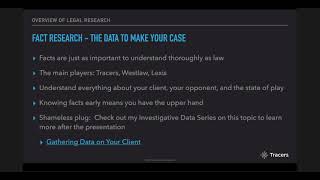
Thanks, Wendy. And I'm always thrilled to present with Wendy because as I talk through some of these legal concepts and just thoughts to keep in mind in using public records, and thinking about privacy, Wendy is really going to put the rubber to the road here and tell us what that means and what she's seen from her extensive experience with her lawyer clients. So thank you, Wendy, for that. I sort of gave you a little bit of an overview so far, folks, but I think the general theme that Wendy and I are going to put forth here today, overarching all of this, is that facts matter in your law practice. And that may be kind of a dumb thing to say out loud, but we really need to think about that, that theme during this presentation. If you think about today's world with all of these sources of facts, quote unquote, and I put that in quotes purposefully in this overview slide, it's really important for us as lawyers to understand the differences and the ethics of how we're searching for facts, quote unquote, and using factual data, you know, for your client's advantage or about your client. We're going to explore as a preliminary matter public records and privacy laws. As I said, that's kind of a razor's edge that we walk, especially nowadays where privacy laws are becoming more prominent. I imagine that many more states will start implementing certain privacy laws. We really want to be sure that we're understanding what's— what the state of play is for use of records and ensure ethical use. One thing that Wendy is going to talk us through, too, is in platforms like Tracers, there's a certain process to be sure that we as lawyers are using the data that Tracers or other platforms provides ethically. And like I said, rubber meets the road. Wendy is going to show us some sample searches and how all of this works. In practice. So we're going to start with an overview of legal research. This may be a little redundant, but I really want to highlight this because there is a difference between legal research and fact research. And like I said, if you come away with anything today, I want us to sort of untangle those two things because they are very different in practice. We'll talk, as I said, about public records and privacy. We'll talk about some use cases that Wendy has seen in her practice and in the practices of her clients. And we're going to conclude with a demonstration of what Tracers can do for you and then some live Q&A. So let's get to it. So legal research versus fact research. As I said, this is a very important distinction in my mind, and we can all— I'm a litigator by training. We all can picture sort of the facts section of our briefs that we write every day, if you are a litigator. And I'm sorry if I speak mostly to the litigators today. We will have some transactional examples too, I promise. Wendy will give us some of those. But if we kind of break this down in a brief, you're obviously going to have your undisputed facts section, and you're going to have your argument section. Argument being mostly, you know, where you're going to put forth case law. And then the facts section is really something separate. Separate and something that actually informs your argument section. And as I said, some of this may be a little bit redundant or pedantic for you listening, but really think about that because there are different tools we need for each of those sections. And some people don't really believe that. Oh, we're just going to get our facts from the discovery of the other side. We're just going to sort of piece together the documents that we need and tell our story. There may be pieces out there that you're not going to get from the other side or that you can't simply pull from a Redweld. And it could plug a big hole in your facts section and really make your case. So let's think about that as we move forward today. Obviously, legal research is— I think of it as a case research tool that we need to help make our argument, as I said. And there are the usual players, the usual suspects here. I'm a West user myself. Lexis is right on par up there with the two big guys. But there are some excellent, excellent research tools, as I'm sure Katherine has spoken about that, that are out there that are not quite as expensive as those tools, number one, and really have some amazing features. And there are free, free services as well where if you, if you get good at those, man, you can save yourself a lot of money in the case research world. CaseText, Casemaker, Fastcase, some examples that, you know, are a little bit less expensive, I would think, than Westlaw and Lexis. A few examples, and here's one that I don't have listed on the other slide, but Google Scholar is a great free resource. You don't have all the bells and whistles that you would as far as key citing or, you know, checking, you know, case histories as you might on a West or a Lexis. However, like I said, if you know how to use Google Scholar and you look up case law, They have a wonderful feature where you can see how the particular case you're looking at is cited, which is, you know, it takes maybe a couple extra steps than it being spoon-fed to you on the other platforms. But if you're good at it, man, like I said, that can save quite a bit of money. I think the case section is pretty comprehensive at this point on Google. They might be missing some, and I'm sure their turnaround time for newly published cases is not as quick as some of the more expensive platforms, but it's what a great tool. If you need to poke around for some case law. I think the screenshot all the way to the right is a CaseText screenshot. CaseText has really been coming on strong, a really great tool. I like— there's a feature where you can sort of plop your whole brief in and it will tell you, you know, what case law you might be missing to fill some holes in your argument section. Just an awesome, very, very smart feature. Fastcase, again, another one coming on very strong for case research. And this is the tools for our argument. As I said, we're going to focus today, obviously, on fact research and the tools to make your fact section and ultimately inform your argument section. And I think, you know, these are just as— facts are just as important to understand as thoroughly as the law. We go to law school, we read cases. There's not a whole lot of training at least I didn't get it, on how to really use facts and tell a story. And that's why this should be right up there with understanding the law. And here's some more main players: Westlaw, Lexis, familiar names that have realized this dichotomy or this duality and needing to supplement their facts research portions. And Tracers is right up there with those big guys. So happy to be presenting on their behalf. Behalf today. I mean, a few things that we want to think about with fact research, and it's not just about brief writing. We want to actually understand everything about our own client. Number one, Katherine, I think at the end of the presentation when this is, you know, linked, we'll have an article that I wrote and another article just about this very thing. We really want to vet our clients. And if you work in a larger law firm, it's somebody's job usually to do that research and find out about your client. We don't want to be in a position where we're taking cases that, you know, somebody's a serial litigant that just cannot back up, you know, what they're claiming. We really want to be cautious in, in, in who we take on as clients. You obviously want to know about your opponent. You want to be educating yourself as to discovery. You don't want to rely on, on back and forth document requests and, and standard objections and people not producing what they should or claiming privilege. If that stuff is out there to be had, you want to know the holes that the opponent is leaving. You want to know as much as you can about your opponent and the overall state of play. I mean, it goes without saying, but knowing the facts as early as possible means you have the upper hand, whether that's through settlement discussions, whether that's through knowing what documents to ask for. Knowing the facts early really gives you the one-up. And as I said, shameless plug, LinkedIn here, there is an article on Attorney at Work that I wrote a while ago now almost pre-pandemic, oh my gosh, on gathering data on your client and how different platforms help you do that and how it's a good idea. So some of the tools here for fact research, the Dun Bradstreet reports, excellent as a transactional attorney, excellent as a litigator if you're doing business litigation, just a no-brainer there to get as much information as you can about companies. There are wonderful free tools too. I'm just going to again be a little pedantic. You all may already know this, but over here in Connecticut where I practice, I use Concord a lot, which is the Secretary of State's searches for business information. Use that all the time, even as a litigator. My practice is mainly business defense litigation. So very important to know who owns what, who's listed as a manager of a company. It just, it makes life very easy and it's and it's free if you're using the Secretary of State information. PACER, I love. Obviously, we all know PACER if we practice in the federal courts. The state courts have their own versions of that as well. But PACER is wonderful. I did a little bit of PACER research actually yesterday for a quick opposition brief. So very, very helpful to know what attorneys have done in the past in other cases, what litigants have done in the past in other cases. Facebook is just a treasure trove. And Wendy's smiling. You just know, and we're going to talk later about social media reports through tracers. It is just, it still baffles me how much, and I'm guilty of this too, how much personal information we publicize to the world. And Facebook is very, very wealthy and Mark Zuckerberg is laughing in one of his mansions because we do this. Tracers is another great fact research tool. I'm not going to beat that dead horse. I'm going to let Wendy really, really take us through what that means. But what a wonderful platform to pull all of this stuff into one place to make sure that you have all the information on a certain person or a certain business in one fell swoop instead of piecing a lot of this stuff together yourself. So I think I've been talking a lot here. So I want— I would love it if Wendy can kind of talk us through the benefits that— some of the benefits that we have listed here. And I don't know, Wendy, if you can sort of think of some examples as you've seen from some of your clients in these benefits. But some of these things go without saying, but it's kind of nice to hear again the real-life examples examples of where some of this stuff has benefited, you know, your lawyer clients?
Oh, absolutely. I mean, just right off the bat, the witnesses, locating them in general. I can't tell you how many times I have attorneys say they haven't been able to locate a witness. We won't be able to either. They just fell off the face of the earth. And then they run a search and they get that new address or that phone number and boom, found them. Or use public records for finding criminal history that could be used for possible witness impeachment. Any felonies, perjury, crimes of dishonesty within the last 10 years, you need to see that. As far as relationships, finding those possible spouses— somebody says they've never been married. There's a lot of talk shows out there that, that are always like, "This is a lie!" I actually had a client working with the concerned family of an elderly lady who was in a relationship with a much younger man, and through the public records they found out he was already very much married. So this is nice to see also. Associates, custody cases is the one that sticks out the most for me there. If your ex-spouse is associating with felons or sex offenders, you need to know that. Also assets for the family law, divorce, bankruptcies, and enforcing judgments. You want to make sure that you can find all the assets, whether it's vehicles, boats, aircraft, property, maybe even a vacation home on Lake Tahoe, you, you want to know about things that maybe they forgot to tell you about. And then the last part there, the due diligence, we want to make sure that it's the most efficient, effective, and affordable way. It's really about getting the best results in the fastest, most affordable way and giving you a possible edge on that opposing counsel.
Just to throw in my two cents as a former law librarian, we use the public records research database databases when we onboarded new clients, both for conflicts and also for financial viability. Even if you're not using it for investigative research or litigation purposes, just, just to investigate a new client and make sure you don't have a conflict is huge. And it's, it's, you know, these, these databases that are put together so that you're not Googling all over the place and then, you know, running into to brick walls when you can't find the information you need or behind a paywall, this stuff is invaluable.
Absolutely. It's a great point, Katherine. And the Googling thing is a risky thing too, as Wendy is going to talk us through. These are vetted records. This is not let's get— let's put together a Google, because who knows? As I said in the overview, there are so many sources of facts, quote unquote. Google is one of them. They run an algorithm for what you search for. Doesn't always mean that that's going to be an authenticatable, if that is even a word, or an authentic record that you'll be able to use. So we really want to, to, to use something like a Tracers, a Westlaw People, that kind of Lexis People for this type of important work. And, you know, besides social media, like we talked about, there's just tons of public records data out there. 5 billion assessor records. I know Catherine and I both— I bought a house in Connecticut, Catherine bought a house over in North Carolina in this crazy market. But there's 5 billion, you know, real estate records out there. Obviously, there's probably more during the pandemic now, everybody fleeing their rentals. Bankruptcy records, 125 million, really important to know that kind of thing. I just think this is such, like I said, a staggering number. 70% of the United States population has a social media account. That is just unreal to me. And I've, you know, as I guess sort of a spring chicken here, I'm not super young, but I'm almost 33. So I've seen this start from where Facebook, you needed an invitation and you had to be going to college And just now it is everywhere. My mom has an account. It's terrifying. State criminal records, 100 million when last checked. Professional licenses. This is another one that you wouldn't think right off the bat. I have one. Katherine has one. 660 million of those in the United States. Doctors, lawyers, clinical psychologists. We want to know, you know, what is the history behind certain folks, especially if you're in a legal battle or trying to, you know, fix something through the legal system with someone with a professional license. I also thought this one was amazing. It rings true in my own life, but I didn't think it would be the average residential locations for folks. Almost 12 per person in the course of however old they are. Very important to have the most up-to-date, as Wendy said, looking for witnesses. I mean, if you have 12 different things you have to try to figure out on average, you're going to want the most recent and valid data for where someone lives. Email addresses, I think, kind of make sense to me too. You probably have your personal and your work email. Phones is actually, I would like to see the historical data on this because I would imagine it was much closer to 2 when cell phones first came out. But now, if you're like me, you do not have a landline, so you're ticking back towards 1 phone line. And then this is why I always say no when I'm in, you know, Banana Republic and they want my email address, 175 million consumer records where you have given out your email in some fashion. Just say no, folks. I shouldn't say that as a marketer, but, you know, so some use cases. And Wendy, you were touching on this a little bit, but why don't you take us through a few of these? And I know you have— I think for trusts and estates especially, I seem to remember there was some— somebody found a boat that was hidden or an apartment that was hidden somewhere. Why don't you walk us through a few of those?
Oh sure, and the trust and estates, you know, it's even helping find the children of heirs or beneficiaries too, but we've found cabins, all kinds of things. The, a great one here to point out is the personal injury. You know, of course, social media, we've all heard the stories of people who are supposedly injured and they're posting pictures of themselves rock climbing or bungee jumping. No matter what side you're on, you, you want to know that. Also, the criminal litigation, you know, there's instant searches, there's on-site state and county searches, there's incarceration records, there's all kinds of criminal record searches. So you can see if there's a history of the criminal activity, if somebody was booked over the weekend, if they have cases pending in court right now. Also reverse telephone searches to find out who the owner of a phone number was, what carrier you might need to subpoena records from. And again, the social media for criminal litigation. It's just amazing how some people will flaunt their drug use online. Family law, there you can find any, any vehicles that they may be trying to hide. Maybe they recently sold to a friend. If they sold the property to a business that maybe they actually own as well, or you can find again that secret condo in Palm Springs where they're hiding their girlfriend. And then collections is a great one. Finding phone numbers and addresses for right-party contact and serving process. Maybe find property that they own and attach a lien, or those more exotic assets like aircraft or boats that might be subject to a writ of execution. And then finally, the bankruptcy. Just make sure you have the comprehensive list of all their assets when they're filing, because people do tend to forget things. Whether it's innocent or intentional is another matter, but You can also check for prior filings and see if it was closed or use those docket searches to get case numbers or on anything that might still be in court.
It's just a huge world of things that we can do with public records. Awesome. And that's why I want to kind of now transition into, you know, we have all these tools at our fingertips, we have all this information that is usable. What do we have to kind of consider? And this is not meant to be a perfect how-to guide, but I do I do want to make all the folks listening aware of, you know, this push towards privacy in the face of public records, in the face of how much we ourselves have made public through social media. There is the counterbalance coming into focus. That's not altogether new, but there is sort of a balancing act to play here. And we as lawyers, numero uno, we have to be ethical in what we do. So, you know, as Wendy will talk about in a little bit, just because I say have tracers on my computer doesn't mean I can go searching for my buddies or, you know, my personal enemies without a good reason. So let's just keep ethics in mind. And I want to walk through a few, a few interesting developments in the law in that regard. I won't read through this. You know, we as lawyers have a right to use certain data, but we do need to use it responsibly. Responsibly, as I just alluded to. And I just think that public records kept in the course of the government's work, which is a lot of what the, you know, public records access law, as we'll see in a moment, those themes resonate. But that versus what is private, you know, you might have personal disagreements with what the government thinks is a public record and what you want to keep private. And I think that's it. Like I said, I'll keep using the, you know, you're walking a razor's edge with some of this stuff. You have to just be careful and aware of the state of play as it comes to, you know, legal work. And obviously we have evidentiary rules as lawyers. We have our own ethical rules that are informed by some of this. We can't just willy-nilly use whatever we want in court. You know, these things have to be admissible. So we really need to make sure that what we're doing is not, you know, a shot in the dark. We're doing these things intentionally and with the right credentialing and with the right, you know, business records authentication to back it up. So a few just highlights from some major jurisdictions. Maybe I'm partial here. New York is down the street from me here in Connecticut, but I do love this public records law in particular. This is their Freedom of Information Law. It's very similar to the FOIA law. You'll see they call it FOIL, Freedom of Information Law, Freedom of Information Act if you're on the federal level. And this is codified at the Public Officers Law. And I just like the way that this is broken down and it really highlights why public information laws came into existence. Um, the people's right to know the process of governmental decision-making, uh, documents and statistics leading to determinations is basic to our society. Access to this information should not be thwarted by shrouding it in a cloak of secrecy or confidentiality. Love that last sentence, uh, really, uh, evocative to say the least. And then obviously their definition of records within that law is very broad. Just look at all the things that would count as a public record. And then we go to the most extreme example. And Wendy actually lives in the great state of Florida. So Florida is very interesting because they've made a very conscious effort to open up everything that the state does to the public's eyes. Like I said, probably the most extreme state in the 50 states when it comes to public records access. And they're called the Sunshine Laws. You know, it's the policy of the state that all state, county, municipal records are open for personal inspection and copying by any person. Providing access to public records is a duty of each agency. It rings true throughout their codes, criminal, civil codes. It is access to everything anytime. Court records are not exempt, additionally, unless they are closed by the court or sealed by the court, which, you know, you can run into minor cases with minors, all that kind of thing. So, but not automatically exempt. Texas is a little bit down the middle, also pretty open as well. And they, you know, they really got serious about public information in reaction to this Sharpstown stock fraud scandal, government officials using information that was closed to the public, just terrible ordeal. A lot of politicians went down there. And the people in delegating authority do not give their public servants the right to— and I'm sorry, I'm going to move my little bubble of a screen here— decide what is good for the people to know and what is not good for them to know. Again, government's not going to dictate what we can and cannot know. However, the Texas government has more leeway than in Florida to oppose a records request And the judiciary is actually excluded, unlike Florida, from the definition of governmental bodies that are covered by this Access Act. So on the other hand, we've now gone over a few of the, you know, public has a right to know everything the government does types laws. And I want to talk a little bit about the other side of the coin, which is this data privacy push. It's a recent phenomenon in the way that data now is more focused on— some of these laws are more focused on, you know, computers and that kind of thing. But it's not a super new concept to protect the public from, you know, the evils of anybody accessing your data anytime you want. Data breaches, obviously, some of the famous ones, Target, so on and so forth, are pushing, you know, states and countries around the world to punish improper data uses and improper, you know, protection implementation. And so, well, you know, like I said, a recent phenomenon as it applies to computers, but if we think about the concept, you can look just to sort of the '90s and the Telephone Consumer Protection Act. You know, access to phone numbers means, you know, uh, dinnertime calls again and again. We're going to stop that. We're going to prevent that from happening. HIPAA and HITECH have been around for a while now, obviously wanting to protect personal health information. That's probably the biggest omnibus example of data protection, however it's stored, computerized or written. I mean, the most recent example that is probably the most comprehensive and based quite a bit on some of the European laws, and I think Europe has been on the forefront and the EU has been on the forefront of data protection, but California jumped on board really soon after in 2018 with the CCPA. And this is, like I said, probably the most famous recent example. And other states have been trying to get through copies of this law to no avail. I actually think North Carolina had something of the sort on the books to strengthen their public information or their privacy laws, but some of them are getting stuck, and we'll talk about, you know, where some of those stand when I last looked at that. But California is leading the way in this regard. There's a right to know, there's a right to delete, there's a right to opt out, and there's a right to non-discrimination. They really want to open up the books for how private companies are using your data to the consumers and the data, the people whose data is being used. And it requires businesses that do use private data to provide notices about how that data is going to be used. One that we're going to talk about in credentialing here through tracers is GLBA, the Gramm-Leach-Bliley Act, all the way back in 1999. And this is codified actually in two places in the US Code, which is interesting, Banks and Banking and Commerce and Trade. This is really targeted to financial institutions, but, you know, data aggregators like tracers and public records obviously rely on financial institutions to provide certain data, or their data concerns financial institutions. And so this is through the FTC. They describe it as the GLBA requiring financial institutions and companies that offer customers financial products or services, loans, et cetera, insurance, big one, to explain their information sharing practices to their customers. And there is an opt-out provision as well. The DPPA is another really interesting one. And it, you know, whether the story is true or not, this particular act supposedly came about where somebody went to the DMV found information on, on where someone lived and drove over and killed them. And, you know, this is, this is back when you could go to the DMV, get all the information that's on somebody's license, and not have a reason to do it. Um, so this particular 18 USC section prohibits the disclosure of personal information, and that's defined as information that identifies an individual, including an individual's photograph, Social Security, driver identification number, so on and so forth. If we do want to go to the DMV though and find out if somebody's been, you know, has an accident, driving violations, status, we can do that, but it's going to exclude personal information. And it's actually a very interesting statute because it creates a civil cause of action for any victims of that disclosure, that improper disclosure. As I said, some states have been trying to meet up with California in what they're doing as far as privacy laws go. Texas had a push, didn't get very far. What Texas did instead is they created their Privacy Protection Advisory Council. This is, you know, I don't know if it's just nominal, but they may be tracking how other jurisdictions are handling privacy laws in this advisory capacity. So not quite ready to go all the way as California did with data protection. Illinois, New York, and Florida have introduced certain bills. Florida, imagine that, your Sunshine State, Wendy, killed their privacy law. Sunshine State. Sorry, everybody should know everything. How would we have a data protection law in Florida? And I, in all honesty, I don't know if over, over the course of the— since we've done this in the past, Wendy, if any of these have changed substantially. I would imagine not with how slow legislation moves, but I think Florida would be not a huge, a top candidate for implementing more privacy laws. And obviously I alluded to this earlier, Europe kind of led the way and everybody's heard now about the GDPR and we have all of these accept cookies on your computer and this website collects cookies, right? That's all sort of part of this. And those of us that need websites have to be GDPR compliant, so on and so forth. Very, very broad when it comes to personal data. It means any information relating to an identified or identifiable natural person. I think that's as broadly as you can word personal data. So with all of these types of regulations that we've talked about, how do I use investigative data in my practice is the question, right? So I'm going to kick it over to Wendy a little bit. We're going to talk through two of the legal schemes that, that Tracers especially, and any, any platform that does what Tracers does, if it's worth its weight, is going to ensure you are compliant with these two legal regimes on the federal level and be credentialed to use information in your practice. So the data provider itself is going to need to be GLB or GLBA compliant. And so the users need a certification of use. You need to explain your permissible uses. And Wendy will kind of walk us through this so that folks in your firm can be properly credentialed to use what they're searching for or to search in the first instance— instance, excuse me. So, Wendy, I don't know if we can kind of— I'll kick it to you and we can sort of walk through credentialing. And just, just let me know when you want me to change the slide and I'm happy to move us along through some of the screenshots of what this actually looks like.
Sure, thanks. And I just want to let everybody know, you know, we're talking about Tracer specifically here, but any data provider that you use, you're going to have to go through some kind of credentialing process. There's serious consequences for abuse or misuse of GLB or DPBA protected data. So that's why we do this, just to make sure, maintain compliance across the board. So what does that mean? You're going to need a valid bar card, you're going to need a business license, you have to provide up-to-date professional contact information, you have to be in the US. It's a short list, but that's very important. Joe Schmo off the street who's looking for his high school, high school sweetheart. He's not going to have a valid business use. He can't have access to TRACERS. And you can go ahead and flip that slide there, Josh. And then the onboarding process— this is where that CYA portion that you talked about, Josh, that's where that comes into play. TRACERS is going to walk you through the credentialing process and beyond, showing you how to add and maintain users on your account with appropriate roles for each product, access for for each. It's customizable, and we offer free training and ongoing support, so you can be assured that your team knows how to effectively and ethically use the site. And if you have questions, you can always call, talk to a real live person, which is something that's hard to come by these days. Absolutely. And so who can use—
oh, I'm sorry, Wendy. I know.
No, go right ahead.
I'm a lawyer. I'm used to asking questions. Um, as a lawyer though, I, I can search, but that doesn't mean I'm the only person that can be credentialed to do this. Is that correct?
Absolutely, because most of the time you're going to be too busy, so you're going to have a support staff, and that's what we help you go through. Anybody within the firm that has a need to access client or case-related research, because a lot of the times the attorneys will put themselves down on the application, which is fine if you're a sole prop and you are going to do all the searches yourself, but if you're like most attorneys, you're busy, and the support is going to do the work. We help you set up the staff logins with whatever customized access you need them to have.
And so here's what a little of this is going to look like in person for the credentialing process, correct, Wendy?
Right, this is just showing an example of the type of information you need to submit to get access to TRACERS. This is going to be a similar process no matter what data provider you use, though. You need to provide your business name, FEIN, phone number, email— just basic information so we can verify, make make sure that only the good guys are getting access to the data. And then at the bottom here, there's security questions. Just because you need to have a login to access even your application data, there's going to be a membership dashboard where you can securely upload your documents just so that your, your driver's license and your bar card information, all of that is protected too while you're doing the application. And then this is the GLB certification of use page. So before I talk about that, just for the sake of brevity during this PowerPoint, we skipped a couple tabs on the left, but to point out that third tab, that's where you would add those additional users for your support staff or office managers. The rest of this page is about the certificate— certification of use. I cannot talk this morning, but Why you need access to non-public GLB-protected records. This is to access information like those phone numbers or the addresses that are reported from financial institutions. This is also the DPPA, the Driver's Protection Act. Do you need access to the motor vehicle records, any vehicle registrations information to see who that plate's registered, any state driving records to see infractions or even if that license is valid? You need to read through these descriptions carefully and select any and all that might ever apply to your business because GRC, when you are getting credentialed, they're not going to give you access to anything that doesn't fit your industry need. But you want to make sure that you select anything that might apply. And then this final page, this is just finishing out that application, making sure you're not a robot. That's pretty important. And then you just hit submit. Okay, so once you submit your application, It does ask you to answer those security questions, and then you get into your membership dashboard. So this is what it looks like. This is where you can securely upload your documents because we'd like to protect your information just as much as we protect our own site's information. And then the last thing, this is just checking your email, returning that DocuSign, and you're done. It's quick and easy. The credentialing is now reviewing your application, and then you'll get an email as soon as you're approved and you're ready to start running services. Searches.
And this is so important to highlight, I think, Wendy, because that's extensive. And when we, when we go on Google and we run our searches, Google isn't sending us a contract to sign to make sure that we're using the information in a way that is suitable and appropriate. Really an important distinction that this is not just, oh, I'm going to sign up for Tracers and I'm going to have access to all this stuff I can use whenever I want. Oh, I'm going to get on Westlaw People Search and see what, you know, my ex was doing last year. Just not how it works, folks. And we need a company behind us that ensures that anyone is— that no one, I should say, is using their services for those purposes and not that loosely.
All right. And just to talk about this screen here, Josh, these are the permission settings. So once you are approved, there's tools available in the administration dashboard for the account administrators to add or maintain their users. And you can see the different roles here. A regular user would only have access to run and view their own searches. An AP or billing role could view the invoices. They could update the payment methods. And admins can add users or make them inactive immediately, and then also see the search history for the entire account. Through this admin dashboard. Awesome. And then this is just a screen. Mm-hmm. This is just the view inside the user to show how that search access and the products are completely customizable. As an account admin, you can assign them all the products or you can select specific ones. There's also a reference tag required. So you can make it required if you like for internal auditing to make sure that everybody's working on what they should be working on. And then not to mention that reference reference tag also helps track, um, it tracks the cost for your own bookkeeping. So anything that can make that pre-bill process easier for you, if you pass the cost on your client, that'll make your life easier.
Absolutely. And now I'm truly going to pass it to Wendy because, uh, she's going to take us through some of the sample searches, um, that you can run on Tracers. We're going to be using fake people, I think, and, and we, we can, uh, you have some test accounts that we can be working. But this is really my favorite part of the presentation. Let's see what some of this data use and data aggregation can actually do. So thanks, Wendy.
No problem. Now this is just the Tracers home search dashboard, so you can see all the different types of searches that are available for attorneys or for other industries that have those permissible uses. But whether you are trying to locate the witnesses, the defendants, or debtors, or you're just trying to vet your own clients, the go-to search to start with for finding people is the premium people search. So we're going to actually start by looking at a sample of what can be returned when you run a people search. And just to go up to the top here, you can run this search with whatever information you happen to have. If you have the social, you can just run it by social. If not, I normally do a name and state, even just a phone number or an address. Less is more as far as that search criteria is concerned. You can actually get better results and save a lot of time just by entering those essential items. Looking at this search, each person on Tracers is going to be separated by a summary line. So it lists out their full name, if they're deceased or not, which is nice to know if you're trying to locate them, the states they've lived in, and then their currently reported address along with a time period of when they've been reporting things.. This first column, this is just all the identifying information. Any other observed names they've gone by, are they using multiple last names, maybe they have 4 different maiden names. Sometimes you'll come across people that have a criminal record under one name, so they start using a different name. They're all going to be listed out here for you, as well as email addresses for your subject that you might not have had. And jumping over to the third and fourth columns here, These are current addresses and phone numbers for that right party contact to aid in enforcing judgments. The address history to see where they were reported when, it's going to list the date ranges out there. It also tells you where that information is coming from. One, one really great thing about Tracers is we also include the utility information in with the people search, so that source itself adds contact information for an extra 35 million consumers. That's not found in the traditional credit header data. And again, these are the other sources: CH1, 2, or 3. That would be from a credit header. There's also property, other sources like proprietary, proprietary sources, and then unbanked sources. Unbanked data might be from— it's any kind of non-traditional credit reporting source. Think about like a buy here pay here or a payday loan source. But that utility information, that's, that's important. You can see if they maybe still pay the electric at an older address. Maybe that's a hidden vacation home, or did they just sign up for internet service or cable at a new address that maybe you hadn't known about yet? And then for those extra difficult-to-find subjects, you know, maybe they're not putting anything in their name, they were just evicted, maybe they don't pay their phone bill so that's shut off and you're trying to find them. That's when you can jump back to the second column because we give you the relatives and the associates associates in with the people search. You can use those, you know, to assist in identifying and locating witnesses for depositions or trial, for doing relationship analysis. This is actually great for professional couch surfers. That's my technical term for it, and we all know the type. You can open up each one and get their information, their phone number, email, their address, so that you can time try and track down that witness. When I actually run myself, my ex-in-laws all come up underneath my relatives, but that's a helpful thing because if you were looking for me, my ex-mother-in-law would gladly tell you where I was. And then lastly, this indicator section. This is just a section to give you a quick view of additional records that could potentially impact your case so that you're not just running searches blindly. And that actually leads me into the second search that I'm going to show you today, the comp report. So if you have somebody with a bunch of indicators, you can always run those individual searches. If you want to see everything though, just run that comp report. And I'm going to click on this just so you can see what all is included. This is a great kind of all-in-one time-saving report. You can locate assets, whether you want to see those property records associated businesses, even vehicle ownership. These are self-reported and historical vehicle information. Also criminal records— you want to see criminal, sex offender, arrest warrants, all of it. Hit all criminal records and that way it's going to load for you. And there's a save options button down at the bottom, again as a time saver. If you don't need certain information, uncheck it. If you think you're going to forget to click all criminal records, check check it, and then save your options. It's going to preload that report the exact same way every single time. Just for the sake of time today, again, here's a report that I ran a little earlier. And you can see, if you can see that scroll bar on the right side, it is a comprehensive report. It's, it's fairly lengthy, but you can— you don't have to scroll through the whole thing. You can click on the table of contents and it'll take you right there if you want to see that utility. Maybe there's extra properties that they failed to mention for that bank bankruptcy, or if there's a pattern of criminal history, maybe there's, um, a bunch of judgments that they forgot to tell you about. This is going to include everything and the kitchen sink. And then up at the top here, there's multiple exporting options, so you can have all of this information that you need in a format that's going to work for you. And then jumping to this third report, I know that there's a ton of information that we have on tracers, but this search is another one to help you get all the information you need. This is an example of a social media record search, and this is actually one of my favorites. That's why I was smiling when you mentioned Facebook, Josh, because this really helps ensure that you have everything you need for your best case. So it gives you all the names, all the work history and school Going down here, all the address information. This is a sample, of course, so they all say Main Street, but this would be all of the address history just like from that people search, but the map's interactive so you can zoom in on the live report. And then the, again, that relationship analysis. If you're looking at relatives, if you want all the emails, all the websites that they're tied to, maybe there's more businesses out there that you weren't aware of. And then the profile section. This is where it's going to save you hours from researching manually. You can find all the profiles. Now you could spend hours searching on Google, pulling up individual platforms one at a time, or you could just run the search and you have a beautiful jumping-off point. These are all hyperlinked in a live report. And then underneath that, there's web results. This section doesn't just return the, the profiles that they themselves themselves put out, but also any articles or web mentions about them. I've seen Court Listener reports. This one client was working with a boy who was accused of murdering his parents. The obituary showed up, his voter registration showed up. This was actually from another live report too. A client was working this, and it actually had the FBI APB pull up on his social media search. Again, we've changed it to John Doe, but this is the type of information that you are going to need. You know, it's just crucial for monitoring your own clients' activity on social media, and it might even be helpful for potential juror profiling. You know, those personal injury firms, again, we always talk— we laugh about this actually, but you definitely want to know if your spinal injury client is posting pictures of themselves bungee jumping, or if you are family law and somebody says that they can't afford to pay child support, but then they're posting pictures of their brand-new new fully loaded Jag. Then the last search, talking about cars, and one of the most impressive in my opinion, one of the new searches that we have is the license plate recognition search. So this is actually powered by a direct gateway through DRN. It contains over 9 billion nationwide vehicle sightings with over 160 million new sightings captured and added monthly. So it provides Yeah, those are huge numbers. Like, you just underestimate. I say 9 billion like it's nothing, but that is just a ton of information and growing daily. You know, as soon as, as soon as they scan a vehicle, it's uploaded into their— into this database. But it provides the ability to search by address if you're trying to find out what vehicles were around a particular address at what date and time. Time, or you can search by VIN or plate if you know the vehicle's— maybe you know the witness's vehicle information and you're trying to find out where they frequent or where you might actually find them. And actually, let's take a look at that. That was an example of the address search, but let's look at this vehicle one. So I'm just going to type in a random plate number here to get to this preview page. And again, you can filter by the states if you want want. But I just wanted to show you guys this preview page because this shows the total number of scans that it has had for all time. It shows the number of scans in the last 30 days and then also the number of scans in the last 90 days. So if you are looking for a plate and there's no scans, just hit cancel and get out of here, or you can come back and check as often as you like to see if there's new scans that have been captured out there for your vehicle. Vehicle. Let me go ahead and get over to this sample though so you can see what a license plate recognition vehicle search looks like. And just to give you guys more information on or more insight on where these scans come from, DRN has vehicles all over the country that are equipped with infrared cameras. And as these vehicles drive around all day or night, they're continually scanning and capturing images of all the vehicles around them. So when you're looking for your witness and you search their plate or VIN, you can get the most recent sighting, the most popular sighting, pictures of all the sightings. And when you hover over your mouse on the live reports, these would give you a larger view so you could see it better. It'll also list out the address of where that, that vehicle was spotted, whether it's residential, place, maybe even a retail or public location, how often it was seen, just a ton of information, whether it was more during the day or the night, so that you are armed with as much information as possible to increase your odds of successfully tracking down that, that witness or whatever you might be trying to do there. And then I know we're coming back up to the hour, but the last thing that I wanted to show you guys is the billing history. I know that we touched on that earlier when we were doing the slides, but we didn't show the account search history. So up here in the corner, this is the search history that you yourself have run. As an admin on the account though, there is an administration dashboard, and through this you can see not only the users that we spoke about before but also the whole account search history. And this is where you can filter the results. If you have your, your staff using that reference tag, just have them type in to filter the results so you can see everything that everybody's run for that case. And then also you can view the totals so that you can see how much you're spending, what they're running, all kinds of details that are going to help you even if you're just allocating expenses during that pre-bill process. And then Josh, I'm going to stop talking. I think I've talked long enough. And just hand it back to you.
Okay, and let me— I'm going to pull back up our slides here. Bear with me, Wendy.
Oh, no problem. I should have warned you.
That's okay. I'm all over the place with my Apple computer, as I was telling folks before we started the recording. That's just some amazing stuff. The license plate recognition is new, and how cool is that?
That's amazing, right?
Right. I know that, Wendy, you're gonna be around to do some questions and answers, especially focused on tracers. If anyone has questions for me for any reason, please let Catherine know. She can pass along anything to me as well.. But, you know, the key takeaway is here, guys, facts and data are, if not more important, they're at least as important as the law in your cases. If you're a litigator, facts are very important transactionally as well. Gives you the upper hand. Certain privacy laws have made gathering data a little bit difficult to do on your own. And just the nature of today's world, it's very difficult to trust your sources. You need a place that that'll hand-deliver you trusted sources ethically. There's folks that can help, folks like Wendy in this new realm of gathering facts. So thank you so much, Kathryn. Thanks to the Bar in North Carolina. All of your programming is always informative and awesome. And thank you, Wendy, for helping us see this in action.
Always, always. Thank you. So thanks, Josh and Wendy. And this concludes the recorded portion of the programming today, and then we're gonna open it up for Wendy to answer questions.