A short YouTube video transcript by Caitlin Sarian demonstrating a PayPal-themed phone scam (an automated call asking for a 6-digit security code) and providing concise guidance to avoid such scams. Sarian warns that legitimate companies will not request passwords or security codes over calls/messages, advises hanging up and reporting suspicious calls, and gives three concrete protections: use unique strong passwords (offers password manager link on comment), enable two-factor authentication, and never share authentication codes; also recommends verifying company contact information independently. The clip closes with a CTA to follow for more cybersecurity tips.
Chapters
Hello, John Smith. This is the PayPal Fraud Prevention Line. We have sent this automated call because of an attempt to change the password on your PayPal account. If this was not you, please press 1 to verify your identity. Please enter the 6 digit security code that we have sent to your mobile device.
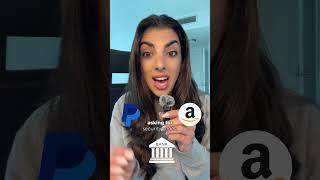
I'm Kaitlyn, a global cybersecurity leader and influencer, and I want to help you protect yourself from scammers. Let's go. Here's what's happening. Scammers pretend to be legitimate companies like PayPal, Amazon, or even your bank, asking for security codes, passwords or personal details to verify or reset your account. Never share this information if you didn't initiate their request. It's a scam. Legitimate companies will never ask you for your password or security code over the phone or in a message. If you get a call like this, hang up immediately and report it. Also, if an unknown number calls you, just don't answer it. If it's important, they'll leave a message to protect your account. One, use strong and unique passwords for each account. Comment Password manager and I'll send you my link to my recommendation. Two, enable two factor authentication wherever possible because it adds an extra layer of security that scammers can't bypass. And three, never share authentication codes, even if the call looks like it's coming from your bank or a trusted company. Scammers can spoof phone numbers to make it look real. If you're unsure, look up the company's official number yourself and visit a local branch to verify. Want to protect your accounts from scams? Follow for more cybersecurity tips to keep your personal data safe.