0:02
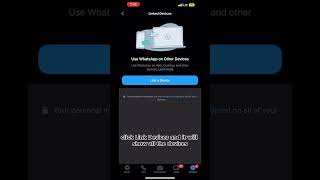
Short YouTube clip (Caitlin Sarian) giving a quick cybersecurity tip: open WhatsApp Settings → Link Devices to view all devices currently linked to your account. Ends with a standard social-media call-to-action to like/follow and share.
Short YouTube clip (Caitlin Sarian) giving a quick cybersecurity tip: open WhatsApp Settings → Link Devices to view all devices currently linked to your account. Ends with a standard social-media call-to-action to like/follow and share.
How to tell if someone's spying on your WhatsApp.
All you have to do is go to your WhatsApp and click on Settings in the bottom right hand corner. From Settings, click Link Devices and it will show all the devices that are currently linked to your WhatsApp.
Like and follow for more cybersecurity tips and be sure to share this with a friend.

White House scraps a rule to block data brokers from selling your personal data









