Day #2 (Five Short Days)
Danny Walsh builds a lead-generation funnel from scratch in one hour, sourcing products from Zendrop, creating assets in Canva, and setting up automation in ClickFunnels. He uses ChatGPT for logos and ad copy, then launches on Facebook.
Chapters
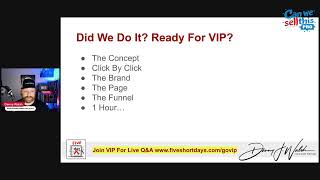
Sam. Sa. Sa. Hey. We are live. Welcome to day two of my five short days towards being successful online with E commerce. I can see Pam and Kim in the chat already, other people joining quite quickly behind wherever you are. Let me know in the chat if you can hear, if you can see if everything's working. I should be live in the group and on a couple of other channels as well. And I've spent a lot of time today getting ready for this, this show. So I've got some special stuff lined up for you. I'm going to show you exactly how to go from absolutely nothing online to generating leads pretty much in the next 60 minutes, which might seem insane, but I'm gonna try, I'm gonna do my best and hopefully you guys will be able to follow along and if anything, if all this does is, is just show you how uncomplicated this needs to be. And now you can, you can test that at the end but I've got a plan and I'm sticking to it and hopefully I do get the chance to over deliver Palm. Kim, everybody. There's quite a few people in the, in the chat right now, I think with the looks of it. Let me know where you logged in from. Let me know if you're excited. Have you done your homework? Have you posted your homework up in the group? If you want to share this, it is on my Facebook wall as well. It's also on YouTube. You can share this with your friends if they're interested. Tony says it was delayed. Maybe there's Internet trouble. We do. We have had some thunderstorms but it is recorded and we will get down to business very, very soon. I'm gonna bring on the slides. So this is day two. Homework's done. Let me know if you've got your homework done. I know a few people have been messaging me, a few people have been sharing some things in the group, some things in email. Fantastic job with the homework. We have run into quite a few similarities in the homework. People saying, you know, they get in their own way. It's a mindset thing. And listening to Rex, I've had quite a lot of feedback from what we did with Rex yesterday, how amazing that was, how awesome that was and how people are kind of shifting their mindset from stuck to free. Let me know where you are in terms of what's going on in your mind and are you feeling stuck, you feeling free? Are you feeling different? Let me know in, in the comments. Nelson is here as well. He's on one of my other lives they just don't get mixed up with the lives. There's hundreds of them. Rex does bring the solid wisdom every time, but looking at the homework, it seems that quite a few people are ready for this. Let me know if you're ready for this. You're ready for actually getting something, like, done and out of the the gate. So it's actually working. And I've not got many slides. I'm literally going to share screens. I'm gonna go into a few different software. I'm gonna move pretty quick. But you will at least, even if you're not in the vip, be able to watch the replay at least until morning. VIPs will get permanent access to the replays and some other helpful guides as well, and things that I'm going to share with you in a little while. So a big shout to Nelson in the chat. Chico are our good friend. You guys are awesome. Right? So let me know if you're ready to get started. Let me know where you logged in from, whether you live or on the replay, all of that stuff. Tony is in the place all the way from Australia, Brighton, early 1am So I want to get into this respectful of everybody's time apart from me. Turn off any distractions, make sure you take notes and write down questions. If you're in the vip, you can come along to ask questions as soon as we finish. I might go a little bit longer in this session and might go past the hour, but we will be on that VIP Google link as soon as I'm done. Most homework done says Peter, just got in, ready to go live. Everybody's here, right? So we're going to get into this, we're going to get started, turn off those distractions. By the end of today, if you follow along with what I do, you might not be able to do this as fast as I'm gonna show you, but if you follow along and you ask questions, you take notes and you take, you know, make the most of what we're doing here. You should have a concept, a brand, a page, a funnel and some ad copy. And you should be able to do that in an hour. Am I insane? And time's ticking, right? It's five past the hour, so 55 minutes. I want to kind of show you where, like, my mind goes with this stuff, because this is. Let me know. Is this scary? It's like in the next hour, if, if you can go as fast as I can, but maybe in three hours or four hours, whatever it takes for you and ask questions and with notes it is insane. But you could have a concept, a brand, a page, a funnel, ad copy, and possibly more as well. By the end of the week, all this stuff should be working for you, right? An hour, Right. So if you're. If you're certified funnel builder and you're thinking, man, that's impossible. I'm. I'm kind of like, testing. Is this a challenge for me, or is this a challenge for you? Right? So I'm gonna try and do all this in an hour. But it all comes down to the speed of execution, right? It's like there's people who are still waiting to launch something because it's not perfect, right? You're never gonna get perfect. I had this conversation recently. You're never gonna have perfect. Right? If you don't pull the trigger on something, you're never gonna launch it. Rex talked about this yesterday. Right. So before we get started, is it okay with you if I play a video that I've created for you today that's a little bit different to anything that I've. I've done before, But I've put together a little video for you, and I just want to see if this resonates before we get into the content. Right. So I'm going to cut down the time a little bit, even shorter, because this video is about three minutes. Let me know if I could do that. It's like likes and hearts and. Yes. Or video. Or just play the film. So we're going to share this. I've made this literally from scratch today, and I've done that as well as all the other stuff I'm going to show you. And it all comes down to this speed of execution. I've also had, like, five meetings and a big bunch of other stuff, and I want you to be able to operate as close to that as possible, maybe even more. Jeff says perfecto, right? So we're gonna do this. You've not missed much. I'm gonna play this video, see if it resonates with you, and then we'll get back into it and we'll build a big bunch of stuff. In an hour, in 40 minutes. Sound like a plan? Everyone ready? Let's go.
Another year slips by, and there you are, deep in your lab, or what others might call an office, surrounded by the remnants of experiments gone awry. You've always been the visionary, the one with the groundbreaking ideas, ideas that could change the world, concocting schemes that, in your mind, could revolutionize industries. But something's always holding you back, isn't it? You've tried everything to bring your ideas to life. Courses, books, high value programs, challenges, the latest shiny objects, and software that promise to simplify the complex. Each new solution felt like the missing ingredient in your master plan, the one that would finally unleash your potential. But instead of the explosion of success you envisioned, there's always been a fizzle, a frustrating anticlimax. The technology was too tricky. The process is too convoluted. And soon enough, your confidence started to evaporate. You find yourself flitting from one experiment to another, telling yourself it's all part of the process, that you're getting closer. But deep down, you know the truth. Launching your business means stepping out of the safety of your lab and into the public light. And that terrifies you. What if they don't see the genius in your madness? What if you fail? You're not oblivious to the world outside your lab. You see your peers, those who were once your equals, now basking in their success. You can't help but feel a twinge of resentment when you see rich kids flaunting their wins, while you, the one with the real groundbreaking ideas, remain in the shadow. Shadows. It's maddening, isn't it? And then there's the embarrassment, the shame that gnaws at you when you think of all the time, money, and effort you've poured into your projects, only to end up with nothing to show for it. The world starts to feel like it's conspiring against you, and you begin to wonder if you're destined to retire with nothing but a head full of unrealized dreams and untested theories. But what if I told you that in just five short days, you could finally bring your vision to life? Imagine stepping out of your lab and into the world with your head held high, confident that this time your experiment will succeed. You don't need another complex formula or a new piece of software. Just simple tools, simple systems, and a mindset boost that will ignite the spark you've been waiting for. This is your moment. Don't let another year of mad experiments pass you by. In just five days, everything could change. It's time to stop hiding in your lab, to stop making excuses, and finally unleash your genius on the world.
So what do you think? Let me know in. In the comments. I made that in, like, 15 minutes. So it's, you know, give me the. The honest feedback. But there's a point in that, right? He's like, are you going to remain in the lab, like, feeling sorry for yourself some of the stuff that I read in the homework or are you going to go out there and do something? So you've got a choice, right? Everything. Everything comes down to a choice. Rex said it comes down to a choice. Please make the right choice. What I'm going to show you, you're going to have questions, right? You're going to watch this. You're going to go, oh, my gosh, I can't do this stuff. Don't fall into that trap. You can do it. Anyone can do it. And I want you to do it right. So I'm going to help you do it. We've still got days to go, but this is if you apply yourself, you can go out there and you can pretty much do anything, right? So we, we're going to build an ecosystem that's going to generate some leads and I'm going to show you how we're going to do that. So this is the kind of the map, this is the game plan, right? So there's people on the left hand side of the screen. They're on the Internet and we're going to run some Facebook ads to get these guys. And we're going to spend as least amount of possible on. On the Facebook ads, right? Does it sound like a plan? I'm going to send them to a page. On that page, we're going to get them to give us the name, email and phone number as cheaply as possible. We're going to add them to a mailing list so we can follow up with them. And then we're going to redirect them onto a Facebook page and a group so they can like and they can share and they can get involved. And then we're going to email them and make them offers. That's the plan. There's other things we can add as well, but that is the plan. We're not going to go in there and try and sell them a bunch of stuff from start. We're going to get them onto the list first and then we're going to email them, like until they unsubscribe or they buy. Right. And if it's the shampoo funnel for the lady in the video, it is what it is. But I want to show you how you can leverage some simple ingredients. So you've probably got access to these. If you've done your homework, you should have to pretty much replicate what we did with the, the cosmetics and the skincare and all the other stuff, the fishing and all the rest of it, right. To get the leads as cheap as possible to fill the list, to email them and then sell them stuff. Does everybody following that, it's like, it's not overly difficult, right? And we've got some ingredients. So we're going to bake this cake. We're going to do it and we're going to do it live. Now I've also know that we've got Austin who's going to lend his expertise in terms of funnel building as well. So I've got like two angles to go out today, but I want to do my piece first and then I'll explain what's going to happen next. Right. We've got 45 minutes to build a brand from scratch and the funnel and the page and everything else, right? So we're gonna bake a cake and if you think I'm crazy, I'm just gonna kind of get into this and talk to you as I do it. But we need one ClickFunnels account, one Zendrop account, access to chat, GPT and a sprinkling of Facebook, maybe a little bit of Photoshop as well, or Canva. And then there's a method to it, right. Is everybody kind of like ready for this? I was like, am I ready for this? I'm not even sure if I'm ready for this. Right? So I'm going to share my screen and I'm going to kind of talk you through the, the motions and talk you through the, the, the process, right? So first thing I want to do is I actually want to go to Zendrop. So I'm going to bring up Zendrop.com and, and I asked you to kind of think about like an idea, a concept, right? Somewhere where you want to kind of be what kind of products do you want to sell and see if they're on Zen Drop, see if you can do it. So it might be fishing or skincare or cosmetics or fashion or, or whatever, right? Let me know in the chat if you already had a think about the kind of products that you called sell or that you could deliver or some of the stuff that you would be able to go out there and offer. What kind of brands, what, what kind of things have you guys thought of? Let me know in the comments what you kind of came up with and let me know real quick because I need to move fast. Right? So I'm going to share the screen. Let me know if you're ready for this as well. So this is, this is Zendrop, right? So it's loading up. So Zen Drop is that simple. If you go to www.5shortdays.com forward/homework. There's a link to get there, right? So you don't have to worry about that. And the way that Zen Drop works is you can go on there and you can find products and you can search by categories, right? So to make this simple, I've been thinking, well, I've got fishing, I've got all these different brands. I'm gonna do camping and hiking, right? Camping and hiking, that's going to be my brand for this example. But there's a ton of stuff on here that you could sell to campers, hikers. And all of this stuff is pretty cool, right? And what I'm looking for is some stuff that I can use to entice my campers and my hikers. Is that making sense? So some people's like books and notebooks, educational toys, all of this stuff ready to back. It could be food, it could be. There's everything on there, right? Notebooks and journals. You've got your products selected in zendrop. Some of you guys have been messing around with us this already. So what I want to do, it's just real quick. You can kind of go around and think, hey, you know, could I use this as a lead magnet? Could I use this as a product? Is there enough profit in it? These rucksacks look pretty cool, right? So what I want to do is just add myself. You add to product, right? You go, you go and find it. You add some products. I want to add one of those. I'm looking for things on here that got a white background, right? So I'm gonna have added a rucksack. Maybe I'll have one of these $50 tripods. We'll have one of those. We're going to scroll through here and they say, what, what would hikers and, and campers actually want that. That's valuable. All this. And this, this torch looks amazing. We're gonna add one of those. I'm not overthinking this. This is the point, right? So I'm kind of going through, but I'm looking for stuff with a white background that isn't overly expensive that I know will be useful. Look at these. 33 cents. That's. That's a good product, right? So it's like 33 cents. I don't know what the shipping is. I'm not. I don't care. USB Power bank will have one of those. I'm looking for about six or seven products, right? So I'm scrolling through here and I'm thinking, well, you Know, I want to do this camping brand. Maybe it's going off a little bit weird here. So I'm gonna type in camping and maybe there's some survival stuff. You know, it's all up the pots and pans, $10. We'll add one of those. What else? I'm thinking, was it portable, something that people with like little camping stove that's pretty cheap. It kind of ties into the fishing as well. So look, I've got a few things. Oh, there's this shower. We'll add that, right? So we've kind of got this bunch of stuff and we've just gone through Zendrop. You can do this on the free account and you add to your product. So you click in there now and you can see all of this stuff lined up in your products. What I want to do is I want to click each one and go and have a look at the actual prices and stuff. But more importantly, I want these pictures with the white background, right? So I'm gonna come over here and I'm gonna save these pictures, right? I want to screenshot or save these pictures to my computer, right? So I'm looking for, you know, five or six of these, but they've got to have a white background. Is there everyone following? Do you see where I'm going with this? So real quick, you know, maybe I can save the image. You can get the. Hopefully you get a big enough image. But I'm looking to just very quickly come through here and screenshot and save these images. So let me know if this is kind of making sense, right? So you find a bunch of stuff, you go in there. And what we're going to do real quick is that I'm literally screenshotting these from the. The product pages as we speak, right? So I'm going down there, I'm going to get the cookware set, I'm going to share this back on the screen, the share screen, because we make sure you see this. I am going to try and like, avoid having a panic attack, which is important in, in when you're doing this stuff because you think, man, I'm trying to do this in like an hour to demonstrate all this stuff, right? So I'm a crazy. Am I insane? You know, there's thoughts that are going to be running through your mind when you're doing this kind of thing because you're thinking, man, screenshotting, you know, copying, finding things in reality. This is taking us a minute, right? And it's nothing to be afraid of. So all I'm Doing is just grabbing these images. Dead simple, you know, it keeps go. It keeps going off. I'm like, oh, we're gonna have a panic attack. No, we just take it nice and easy. Everything's cool and it's a stage, you know. So I'm doing a live as well as like doing the thing, right? So surely if I can do a live and do the thing, then you guys can just do the thing, right? So what I'm going to do is I'm going to grab these products and I've got them all in a folder now, right? Now, let me know in the chat who can use Photoshop or Canva, right? Just let me know you for. Yeah, the Photoshop or Canva. Just let me know in, in the comments down below. Do you understand how that stuff works? Dead easy stuff, not complicated, not, you know, we're doing filters or any of that crazy stuff. Just let me know in the comments if you use a Photoshop or Canva, right? So some people use Canva, some people use Photoshop, right? So what I want to do is I want to share another screen with you now I'm just going to share my Photoshop, right? So it's exactly the same as convert in a sense. It's an you can do this on apps on your phone, right? So what I've done is I've gone over there and I've grabbed a bunch of these pictures with a white background, right? It makes sense. Dead easy from Zendrop that I know they're in stock, I could probably sell them. And what I'm going to do is I'm going to use these as bet, right? I'm going to use these as bets. Whether it's conver or Photoshop, I want to say, hey, give me your name and email and I'll show you how this is going to work, right? So what I've done is I've, you know, grabbed five of these things and I'm going to drag them into my Photoshop like that. So I've got the shower, I've got the rucksack and what I'm going to do is I'm just going to spread these out on this page like this, right? I'm going to make the rucksack a little bit bigger. So it was kind of cool that like literally dragged the things in and I made some of them a little bit bigger. Is there anybody struggling with the, the technical jargon or what I've done? Can you see why I use the white background, right? Anybody like struggle with what We've done there, you've gone to Zendrop, you found a bunch of products and then you've come and pasted them on a white background. Now some of these you got might have a bit of a grass. You can remove the background there and you kind of looks good, right, so we've got the shower, we've got the stove, we've got the pans, we've got the, the little thing, you know, the charger, and we've got a rucksack, right? Everybody could do that. So what I'm going to do is I'm going to export this thing, right? And now you can go to Amazon and you can do this as well. It doesn't necessarily have to be Zendrop, you could use Amazon affiliate products. But I'm going to go over here and I'm just going to export this thing as a JPEG file, right? So JPEG is an image with a, with a background and I'm going to export it. And it's going to be a hundred kilobytes, not megabytes, 100 kilobytes, right? So I'm going to call this package 11 or whatever I've called it and I put that onto my computer. That's it, right? So just to recap that and we, we've got loads of time. I'm like, oh man, this, this is going to be easy. So to recap what we've done is we've been to Zendrop and we've grabbed ourselves some products. So we grabbed a bunch of products and we've taken four or five or six or ten, however many you want, and we've taken those products and, and like took a screenshot and then gone thrown them all and laid them out in a Canva or a Photoshop document. Document. Everyone following this, right? Next thing we need to go to ClickFunnels, right? And inside of Clickfunnels, I'm not going to show you how to connect to domain and how to set up your payments. We'll do that. I'll put a video. I've got videos how to do that, right? But inside of Clickfunnels you can do this thing we call the Builder Funnel. It's dead easy. So you're gonna go into funnels and you're going to press Create Funnel, right? When you press Create Funnel, you press Start from Scratch and inside of here you type the name Hiking and Camping, right? That's whatever it is, that's whatever you want to call it. You can call it fish, call it whatever you want, right? So it's hiking and camping. Make sure it's spelled right. And this will create you a little URL so you can connect your own domain to this. Right? So I said, buy a domain. It's dead easy. I'll give you a video, show you how to do that. But this is going to be. Can we sell this.com forward/hiking and camping with the dashes. I'm going to take the dashes out like that so it's easy to remember. I'm going to press create funnel. Does everybody think they can do that? It's like you could do that. Right? I'm now coming in here and I'm going to press settings. I'm going to press no on this test mode thing. Take notes. You watch the replay. I'm gonna scroll down, I'm gonna press. Make sure my payment methods are switched on. And I press update funnel. Is there anybody in this room right now who can't do that? Got it. Danny's always fishing. Canva can become. Let me know if you. If you're following so far, right, you'd be amazed what we can do in the next 20 minutes. Right. So now I've got this page. I'm going to press this plus I'm going to press page. I'm gonna press new page. I'm gonna put hiking and camping. Welcome. Make sure it's about right. And I press create page. Then it is like you're following this. Is everyone still on? You're still here. There's loads of people on you. Got it. Give me a sign. Give me a signal, let me know. Rock sim. Yes, Peter. Got it, Got it, Got it. Everyone's got it, right? So dead easy. So we do that bit and all I do is I copy that and paste it in there. Done. Press create page. Right. So we created the page. Excuse me. And I'm gonna press edit. I now get a blank canvas inside of clickfunnels. I'm gonna press this big green button that says new section. I'm going to press blank section. I'm gonna press one column. I'm going to press headline, sub headline. I'm then going to click back on the white page. I've clicked five times, right? So I added a section, a raw, a headline, a sub headline. I'm now going to hover over a bit so you can see this, like this blue and this orange. I want the blue bit to appear and then it says add a raw and press this and press two column. In this one over here, I'm going to add an element. I'm going to put an image. And in this one I'm going to click. On this one I'm going to add sub headline, bullet, list a button, right? Do you think you can do anybody can't do that. It's like I've not even typed anything, right? I'm clicking, right? So everyone's got thumbs up. It's all good, right? It's making sense. Everyone's got it. So you've all got this, right? So what I'm going to do at the bottom of here is I'm also going to click on the button and press add element. And in here I'm going to type time and I'm going to add a countdown, right? See what we've done on the countdown and press the little gear and I'm going to give some margin at the top to move that down 20 pixels. It's moved it down a bit, right? You see how you just move it up and down, up and down, right? So we moved it down. I'm now going to go and choose an end date, maybe, I don't know, 30th of September. I'm gonna say, we'll do this 8pm Eastern time. That's enough. And then down here I'm gonna say, sure, there's. So it doesn't look weird. So I've got 48 days, 3 hours, 33 minutes, 43 seconds. I'm gonna click this image. I'm gonna click on this thing. I'm gonna upload the picture that I did just now in my Photoshop. So I'm just gonna go over here and get that. I'm uploading my, my picture. Everyone following us need to come back and check on you guys in the chat because I'm on different scenes. It's making sense, right? Everything's making sense. You can see how it's working. Everybody's getting it. So the image is uploaded. We click that. Can you see why I use the white background? And what I'm going to do is grab this thing and move it across, right? Press save. I'm now going to press the button. I'm going to change this thing here to open pop up, right? So it says open pop up. So you press the button and the pop up opens. You go up to the top, you can see you've got pop up, press that, click that, click that, click that and click that. And then in here you put step one and then underneath there you put another one and you put, put a sub headline. You put Three inputs and another button, right? This says sign up here. This one, you click it and you change it to full name. You leave the middle on email and that one you change to form and then in brackets you put optional. That's it. So I've typed about three words, right? So the idea is press save. They come to this page, they click the button, the pop up opens, they put the name, email and phone number. Why are they going to do that? That's the next question. It's like, why would somebody come and do that? This is everybody following. Like we're literally like 12 minutes since I started showing you how to do this stuff, right? Is this making sense? Do you think you could do this? Dead easy, right? Click, drag, drop, simple. Let me know. Everyone says making sense, right? So at the top of here I'm going to type some. Something interesting. We call this copy right win. You see where I'm going with this? This awesome hiking and camping bundle worth. Now what's that worth? The 30, 40, 50 worth worth $70. 75 plus, right? I could add it up. I'm going to add it up. It's 75 plus. In our amazing free now. We call it a giveaway in the uk. You might call it a drawing. There's certain laws and regulations that surround these, but it's free. You can go and look those up and you can make some terms and conditions and put them at the bottom. Easy, right? This one, you put enter now and follow the instructions on the next page carefully. You go over here, you type step. So there's like enter here, we'll put enter here, enter below. You can put whatever you want, right? And you can click on this and you can make this bigger. Maybe we're going to say this could be red. And then if you go up here to layout, you come over here, you'll find that you've got these things where you can get to columns. If you click on the column and you make these things like 10, 10. I don't even know what this is called, right? I work for clickfunnels. It's like padding or whatever it is. And then you put a board around it and then you go and click background and maybe make that yellow, right? You just press save. Excuse me, we're live, right? You see how like cool that is? And then, you know, if you want to come down here and you want to add, you know, another thing over here, you know, enter for free now and you can click on the end of this and you can go down here and you could say icon after and you could say arrow. You put an arrow there. Like that was kind of cool, right? So you do that and then you've pretty much got what we call a fishbowl funnel. And we've still got half an hour to build all the rest of this stuff, right? So at the bottom add section, you can add another section. I've got some saved sections. So what I want to do is come down to my saved sections and add one of these main footers. I'm going to do that. What it's going to do is it's going to populate angle if I choose the right one. Save sections, universal sections. This footer, right? And this is going to add like my terms and conditions and all of that stuff. And we call these universal footers. So I've put like copyright, I put terms and conditions, I've put a disclaimer. I went and did some research. You can copy all that and just put it in there, right? And then I put my logos and stuff. Or make your own lot, in fact. Should we make a logo for this thing? Right, Press save. That's done. Is that like that? Cool Was that? You make it look so easy. Don't worry because I'll give you this at the end, you can just go and edit it, right? There's no like stopping you once you've got this. So once we've done that, I might move this down a little bit and then press save again. I'm gonna come over here to the left hand side. Click on this white bar. And all I need to know is when somebody signs up that they're going to get an email, right? They're also going to get some instructions of what I want them to do. So real quick, I'm gonna go to the bottom and press the plus. The next plus down, I'm gonna create another page. Press new page. I'm gonna pull this H and C T Y. Hi, hiking and camping. Ty. Thank you. Copy that into there. At the end of here I'm just going to put a big bunch of numbers so nobody can guess it and press create page. Right? This is doing its thing. Once it's done its thing, we've now got a second page in our funnel and I click edit. And would you believe it's the same thing all over again, right? Things going to open up. You press the section, you press the blank section, you want column, you add the headline, sub headline and you come down here, you can add your universal sam section at the bottom. So you footer so everything's in there. And then what I'm going to do is say, your entry is not yet complete. Please follow the instructions so you know if you have one, right? And then over here, in fact, I don't just want like crappy text, right? So what I'm going to do is I'm going to come down here and I'm going to add a raw, another two column raw, and I'm going to click this thing, I'm going to move it down a little bit. I'm going to add a border like that. I'm gonna move this over and I'm gonna get this headline and move it over here. I'm gonna say to this one, step one. And then in here I'm going to have a paragraph and a button, right like that. So step one is to know if you have one. You must be in our Facebook group. Click the button below to join, right? And then we'll make that prominent so we can make that like extra large. And then there's a button there for the Facebook group. You click that and what we'll do is we'll go and grab our group. Excuse me, and come down here and we'll choose on click go to go to group, open a new window, right? And press save. We've still got 25 minutes. And then what we can do is clone this step two. And I'm going to say in this one, for an extra chance of winning like and share our Facebook page. And then over here we've got a button for the Facebook page. And then you could have step three. Hey, got a coupon. You know, check out this deal, whatever you want. And as we move through the week, I'll show you some amendments. But this is the basic thing. Check your email and delete the button because we don't need a button for checking email. Done. Right, that's enough. It's like people look at this on the marble and. And they don't care about backgrounds and all the rest of it. They just want to know what's in it for them. Not making sense. Now you can make it look pretty, you can, you know, add fancy images and design all the rest of that stuff. But that's the crux of it, right? So inside of here, now you click this little thing at the side and it says add a workflow. And you put camping or whatever it was, hiking and camping. Welcome. You choose opt in. Down here, press create workflow. And what this is going to do is send you an email. Send them an email. Dead simple. Right. So it's another thing, opens, you turn it on at the top, press Enable and then what you do is you say first thing press the plus what I want to do is tag them. So I'm going to put a tag which is like a badge that we stick on them. I, I king opt in. So anybody who opts in gets this badge stuck to them. Right. Create step. Done. Next thing I want to do is come down here and notify me that somebody's opted in. So select Danny. Woohoo. We have a new opt in on the hiking and camping funnel and then you can do this merge type thing. First name, last name. And this is great because you can like email address, you can actually put the number in and stuff if they leave it. And then you can call the lead and just get it to email you. Right, that making sense? Is everyone getting this? You like you're seeing where I'm going with this, right? Is it easy? Does it look easy, do you think? Like I'm not really exerting myself. Everyone's saying it's amazing. There's quite a lot of people watching this as well. Like, ah. And how long have we got? We've still got 20 minutes, right? And I took 12 minutes introducing this thing. So we've got this stuff in the workflow. Next thing I want to do is send an email to them, right? So I'm gonna click send email. I'm gonna choose one of these templates. Choose. I'm gonna put, you know, from, From Danny or email 1. Email. The blow 1. Your entry has been counted and then from your email address will just appear in there. So you can put your email addresses and you press create. And now we've got a little email where we can go and we can add some copy to this. We'll do that in a second and we press the little plus and all I'm going to do is add a delay at the end. I'm just going to put one year so people just hold there and then we can add more and we can change the delay. Does that all make sense? Does everyone like you following this? Right, Let me know if you're following it. Super easy. Amazing, amazing, amazing, amazing. You've built a funnel, right? So now we've got a concept. We're going to do hiking and camping. We know all those products exist on Zendrop, so we found them and we plugged them all in. We've used them as a prize and we've made them in Photoshop on a nice little white background. So we can use this. If we go and preview this thing over here, you can see kind of like what it looks like. And look, this is the basics. So under here you could might have some like Q A or you know, frequently asked questions or terms and conditions, whatever you want. But only they press the button, they put the name, they put their email, the phone number option, they press the button, it adds them to contacts inside of clickfunnels, it fires the workflow, it sends them the email. Thanks for coming. So now what we need is we need an actual brand for this thing. So what I want to do is head on over to my buddy Chat GPT and what I'm gonna do in Chat GPT is gonna come down here to my little friend. He's a logo designer, right? So what I do is I press make your logo and then you, you could just ask it to make your logo. What are you selling? So hiking and camping equipment in the usa, for example, and what they call it recreational hiker campus. And then press the button as I've like typed sentence, right? So it's now gonna go in there and hopefully so something pro saw modern. I'll just give it modern answer its question, right? It's a bit. There's like he's hard work this thing, right? It's going to make me a modern logo. Chat GPT does this. Ah, would you believe it? So it's now doing its thing and making me a logo inside of Chat gbt. So who knows what it's going to look like, but to be perfectly honest, I don't care. So it's like, oh, if you don't like it, you can make a new one. But that, that's kind of all right. So it's like, it's got like the camping is kind of spelled wrong, but you know, you can tidy that up in Photoshop, right? But it looks all right. So I'm just going to copy this and I take it over to my Photoshop and what I'll do in Photoshop is I'll just like, I'll do this cool little thing, right? So what I can do, stop this screen, I'm going to share this other screen. I'm going to share the Photoshop so you can sort of see how this works. What I'm going to do in Photoshop real quick is throw that logo in there and then I'm gonna resize this thing. I'm just going to draw a box in Photoshop around the words and a little thing pops up and I'm just Going to type remove text. You see how I. This is like, you don't even have to be a designer, right? So we're removing the text from this thing. So here we go. It's just doing its stuff, right? The text is pretty much gone, right? So I can, like, choose one of these other ones. That'll do. And what I'm going to do is grab my text tool and set this to, like, white text, right? How long have I got? 20 minutes. White text I'm gonna put on there. I'm gonna put Danny's hiking supplies like that. And maybe I could just put a little, like, some blending around that or something, right? You can get a template for this. You do whatever. I'm gonna put some, like, black around it like that so it kind of stands out. So we've now got Danny's hiking supplies, the other log or the rest of it. What I'm gonna do is if that works and it's. It's all working. Come down here. That's all good. The rest of it, I'm like, man, we don't really need this stuff. So I'm just gonna use the little thing there and sort of get rid of all of that. You see what I like the. The eraser. I don't even know what some of this stuff's called. Like, you think I'm, like, a genius. I'm just like, I'll click stuff, and if it doesn't break, we know we're good. And then I found out that you could use this cropping thing. And what we can do, we can crop that like this to make a perfect logo. So now we've got a logo, right? So I'm gonna save this. Everyone excited. It's like, you got a concept, got a brand. So it's a brand, right? Who cares what it's called? It's like, no one cares. They just want to know if they're gonna get the stuff right. So Danny's hiking brand, that's done, right? So now I've got a logo. Do you like this? Insane. It was like, oh, it's crazy. What does the. What does the delay do? Just remind me, right? So the delay at the bottom of the workflow will stop them falling out of the end of the workflow. So it'll hold them until you add another step. Then you change the delay to a day, put another year at the end so you don't have to build your whole workflow at once. Everyone. Ah, right now I get it. So I'm gonna stop that screen I'm gonna share another screen and I'm gonna go up here and this time we're going to head on over to Facebook. So I'm going to go on over to Facebook and if you realize now we've got like a concept to brand and the funnel and all we need now is go to Facebook. Click the little four, six dots at the top. Press page, right? And this is Danny's. We got Danny's hiking supplies category. Camping high outdoor, right? So it's gonna be like outdoor sporting goods. We have the best hiking and camping equipment, prizes and goodies. Press create page. And now it's getting serious, right? Like we got like now 15 minutes. So let's see. You can put our website. So what was it? HTTPs can. Oh, sorry. Www.can we sell this.com forward/hiking and camping. That's why I made it so I could remember it. I don't want to put my phone number in there. Don't want to put my email. There's no hours available. Press next. And so I'm gonna add my profile picture which would you believe it is my logo that I've just created. And I'm like, oh, so I need like a cover picture for this. So I've got my, like, that's a logo, right? So now I just go back to chat GPT and then be like, create a Facebook header for camping, right? And I play with it, see what it gives you, right? No, it's going to try and do. It's like any specific. Make it fun, right? Come on. It's like letting me down, right? So it's going to go make as an image and we can save it and we can put it on the top of the page and then all we really need is like the link, the copy and like we're done. Hey, would you believe that's even put like the Facebook logo and stuff. I'm like, is that going to get me in trouble? I don't care. It looks pretty cool. I'm gonna save the image and you can just press that download thing. So you press the download off over here and it'll save this thing and then you come back to to here and you press your cover picture and then we're going to throw in our image. Like this should hopefully work and should upload. So now we've got this like pretty cool thing going on, right? You can add an action button if you want or you can put like a link, but I don't want that. Let's press next. And then what I'M going to do is once I've done that, it's dead simple is where for Facebook to catch up. I'm gonna skip the WhatsApp thing because I don't want people whatsapping me and adding me to WhatsApp groups. So that's done. I can invite friends if I want. I'm just going to press next and press done and we're done. So that is that and hopefully we've not broken this. So it switched over to our new page. Going to switch back to Danny and make sure that we've not lost the stream which is kind of important. But you can kind of see hey and everybody's still here, right? So we've got the bright colors, we've got the thing and you can go to Facebook right now and, and check that out, right? So that's, that's pretty cool. So I can actually post the link up into the chat and you guys can go and like, like and comment and get involved because it's real like we've done it. There's the thing in the chat. You can go and be my first ever customers and that the coolest thing. So now we've got the Facebook page and what we want to do now just to kind of finish this off is create a some like copy to put on there. Right. So we're not going to run the ad just yet, but we might as well get started. So what I do is come back to clickfunnels and I press the link at the top of the thing that we created earlier and then I'm going to go back to chat GPT and I'm going to use my other little buddy who's down here which is giveaway ads Genie. I'm going to show you this. It's kind of cool. Similar to what we did with the logo. We just press I need ad copy for a giveaway and it goes great. What do you need? What's the prize? We are giving away 75 hiking and camping bundle clauses on Sept 30th of September. I think I put URL and at recreational campus press that. And this is trained to go on like write me a little ad real quick and with the hashtags and stuff. So I'm now going to copy all of this like this. I'm gonna copy it. I'm gonna go to my Facebook page which is Danny's hiking supplies over here. So we're going to switch back over to the, the hiking page. We're going to click there. I'm going to Press past and I'm just going to overwrite the. Can we sell this image with the picture of the stuff that we're giving away? And I press post and we're in business. That's it. Right. Cup of tea. And I'll switch back. You go to that page now. You can go and enter my giveaway. You can go and be my lead and you get your. We need to do the email, right? So just quickly go back to this before. Oh, man, before we forget. Right. Thank you. Email for when people enter and then it's kind of like it's going to write as a bunch of stuff. So we'll just copy this real quick. Like I don't want to miss a step. Right. Thanks again. Good luck. Copy that. Go back to clickfunnels real quick. Click on the thing. Click on the thing like we're in business. Go and click the page. I was like, is it working? Let me know in the chat. I see you don't click it just yet, though. You won't get the email. I need to just correct the email. Right? So we go down to this email. I'm working faster than this is working, right? I'll work faster than this is working. Can you work because can you do this? We did this in 54 minutes. 59. This is 55 minutes exactly. Right? These things are like speed up like this like clickfunnels is. Is slow because I'm on the live. There's the email and press edit email. And then I'm just going to paste in that stuff. Right? Check it. You're like, hey, there's. There's the thing I was going to press in. That's the thing. So we need to just add some spaces like this. You can visit our store. Would you believe it? So all success, Danny. And then we can put the thing at the front is like, hey. And then we use merge tags again. Hey, first name publish. You go and sign up. You get that email, you'll add. Added to my list. And we're ready then to pick with products what we're going to sell and learn how to do that tomorrow. And we're ready to run traffic on the next day. And then we're ready to do a big bunch of other cool stuff. But like, is. Is that making sense? Is that all making sense? You guys excited? Like, it's like multiple business pages on one profile. Yes, you can. So, yeah, we've got a fishing one, a camping one, a skincare one, a dog one, whatever. This is exactly the same way we did $3 million in fishing tackle sales. And to kind of show you that this is what like it. It looks like after, you know, you've done it for a few years. We've got 16, 000 members in a fishing group, right? Right now you've got no one. Now if you need a group as well to go with it, it's the same process, right? So you come up in here, we need to add a group. So it's like, hey, make a group. And we're going to call it Danny's Hiking Store or whatever we called it. Privacy is private, visible. You can invite a friend if you want. She want to kill me because I'm inviting it to like a million groups. And then it's literally going to create a group and then remember, we need to connect these things up to the thank you page as well. Right? So we're nearly finished. We'll go up in here, we upload a photo and we put our thing up there. So now we've actually got a group to go with it. And also we need to copy our group link, go back over to clickfunnels over here. So people, you don't want to leave. People like, oh, crap, I press this thing and it didn't work. So we'll go back over to clickfunnels and we're just going to edit the actual thank you page where they land, right? This is like super important. So they've actually got the page in the group. So we click back on the funnel over here and scroll down a second. When this loads, it's like, man, if it loads, it takes me over the hour. Still got seven minutes, you guys. I am like, worried. We've just invented a concept, a brand, and Zendrop's got the products for us to sell, right? So edit this and I'm just going to fill in these buttons. It'll take us two minutes and we're done. Right, so this is X chance Facebook page. So this is the group. So we're gonna put our real group in there. And then what we're going to do is go and get the actual page over here and we're going to come and put the page in this one like that. We've got the group and the page. Press save. Now, of course, you know, you can add an element over here. You can add the image. You can make it look good now so you can start like going through it and, you know, adding some nice things. You to put your logo on there. You want to make it look good. So we'd upload our logo. Like, man, this is like 50 minutes, right? What do you want me to do? We're live, we've launched. People spent five years trying to do this stuff. We did it in 50 minutes and you guys are sat there. I don't know what to do. It's like now you know what to do. I'm gonna actually give you the whole funnel, right? So you can just drop the whole thing into clickfunnels. You can go and edit it and change it. All you need to do is make that Facebook image and do some stuff in chat GPT and you're in business, right? And if you think this is insane, let me bring my slides back up. Let me just see what you guys think in the chat. Where have you gone? Where's everybody gone? Where have you gone? Come back to you in the chat here. You should obviously still there. Is everyone still there? If you could have multiple pages under one profile. Making sense. Very exciting. That's great. Everyone's loving it. Nice, nice, nice. Just somebody just signed up. So now we should get an email saying woohoo. We've got a new opt in the hiking and camping funnel. Kim Irwin has just signed up so we've actually got a lead in the first hour. I know it's one of you guys, but ain't that like the coolest thing ever? Like we literally, we're in business and it's emailed me and it should have emailed Kim. Just let us know in the, in the chat, Kim, if it's, if it's emailed you. Right, You've got the email, right? This is crazy. And you can, you can go make this look, look pretty or whatever, but when you start running the ads, traffic to this on the next show, right? So let me just remind you what we said, the speed of execution, right? So you're going to have a concept. We got a concept. You're gonna have a brand. We've got a brand. It's Danny's hiking thing. We're gonna have a page, we're gonna have a funnel, we're gonna add copy. We've done it in an hour and we had a group as well as a bonus. Plus we found the products on Zendrop and like we've still got five minutes to spare. Plus there was all the intro on the video and all the rest and she's received the email. When we run ads to the fishing one and the cosmetic one and all the rest of it. Let me just kind of like show you. We were getting results at an insane, like, rare 80 opt in rates and leads for between 24 pence and 70 pence, right? So if you was to spend 7 pounds and get 10 leads or $7 and get 10 leads, or even better, you know, you spend $10 and get 40 leads or however it pans out, do you think you could email them and possibly twist their arm to buy some stuff from you? If they're in your community and if they're like proactive on your page, do you think you could do that? Like, and if I, if I give you the funnel, I'll draw, I'll figure out, I'll make a share link and I'll put it in the, in the group, you needed a clickfunnels account, sender up account access, chat GPT, a sprinkling of Facebook, a little bit of Photoshop, and do what I did. Now we have a guest and he's recorded as a video because I was like, austin, I need all this stuff from you and I need share funnels, I need videos. I need all these things. But it's going to take me exactly one hour to show what I need to do. And we need to go to VIP. So if you go to www.after VIP, if you go to www.fiveshotdeads.com forward/homework. Austin's page prepared as a video. He's, excuse me, done a walkthrough of another e commerce funnel that you can use, and he's giving you the share funnel for that as well. So not only are you going to get my training and my share funnel and all that stuff we've just done, you're also going to get the same from Austin. And he's put like a monster energy funnel together that he did for his certification program. Austin's amazing. I want you to watch the training because I, I'm going to test you on that. It's like everyone, everyone's like, excited about this, right? So this is one of the coolest things, and this is how Siobhan and I, we did all this crazy stuff in the fishing. Austin's training's ready. I'm gonna put that in the group as well. So you go to www.fiveshortdays.com forward/homework. Watch the replay. Watch Austin's training. You can build your Facebook page and I'll give you the funnel in the group. Right? So write down any questions if you're excited. We're gonna go to VIP in a second. But before we do, let me know if you want some more. Right? Let me know if you want some more in, in the comments right now? Because what I did earlier is I actually, I've got this thing called Scribe and it's one of the coolest things ever, right? So let me just show you Scribe. Let me show you this thing, right? So this is real cool. And what Scribe lets me do is it lets me do a step by step process, being able to pretty much go into any software and record the screen. So for example, there's this Scribe shows you step by step, click click Funnels, click Create Funnel, click Start from Scratch, click the name field, click this button. So everything I've just done is recorded in the Scribe where you can follow along step by step. And I've made like 10 scribes and the other video, I'm done all that and like I've done this for you, right? So I've put all of that stuff together and I've also put another four fishbowl funnels and GPT logo thing and the copywriting thing all together. And the total value of that, if I was going to go and sell that, right, I'm sure you might agree is like 1000, who knows? It's an insane amount of money, right? So this is the over delivered part. We're bang on the hour. We're going to go to VIP perfectly on time if you want to learn how to do presentations perfectly on time. But let me know in the comments if you want all of this stuff. And here's the deal, right? This is, this is the plan. Stan, if you want the stuff, I need a signal. I need a like, I need hearts. Need a yes, yes, yes. I need like one more hashtag, all of that. So I want to give you the step by steps. There's a bunch of them. I want to give you the four extra fishbowl funnels which we, you know, you could take these and sell them. And I want to give you the GPT suite unlocked as well, right? Everybody wants it. It's like you're dropping the gold. It's light it up, you want it, Carl wants it, Kim wants it. Everybody wants it, right? This is the deal. If you're vip, you get it for free. I'm gonna unlock it in your members area in a second. If you're not VIP, you can go to www.fiveshotdeads.com forward/, go VIP, you can sign up, you can get all of that stuff, all the other stuff, all the replays, the Q A, you've still got like days of Q A. You get the extra bonuses from the Extra bonuses from the guest and, and everything else that goes with it, right? So I said, it's a two thousand dollar course and we're doing it all for free. But the VIP was like the caveat. Hey, sign up for VIP, I might look after you. Like, that was 47. It's now 197. Are you crazy if you didn't sign up? But it is what it is. Everything on that screen alone is like four fishbowl funnels. You can drop them in, you can put your man. Do you want that? You let me know. That's it. Did we do it? One hour exactly. We got a concept with the click by click. We've got the brand, we've got the page, we've got the funnel, we've got the group, we got everything ready. We've even made the post on Facebook and I've got a lead slides done. Going to the Q A for VIPs. If you want to be a VIP, you want to unlock all of that stuff. As soon as I finish on the Q A, I'll, I'll go and make all that happen. It's www.5shortdeads.com forward slash, go VIP. You guys are amazing. That was pretty. That was fun, right? Is everyone like, is that fun? Let me know. Spread the word and share it. And these links are all active and they all work, but that is how fast you can move if you want. So you should all have like fishbowl funnels crunching out leads like by. Surely by Friday, right? If you can't do it by Friday, there's a problem. You've got the step by steps, you've got the videos, you've got the training, you've got Austin, you've got Rex, you've got all the other people I've got to come and you've got the structure, the strategy, the fishbowl, the Zen drop and all these things. It's like my work here is done. I'm gonna go hit the zoom link. The Google link will be over there in, in literally five minutes time. We'll, we'll play you out with that video one more time. In fact, no, we won't. I'll just put it in the group, right? So I'm out of here. I'm go over to the VIP session now. But look, if you want to be vip, it's dead simple. I'll put it on the screen again. Www.fiveshotdears.com forward/, go VIP. You get all of that stuff in there and you can keep it forever and you can do it step by step and all the rest of it. There's. I think there's by the end of this week, there's like six funnels in there that you can just drop into. Click funnels you can use. Everybody excited, right? I'll see Everybody in the VIP. If I don't see in VIP, I'll see you tomorrow. Don't forget. Www.5shotdaz.com forward/homework. You can go on there and watch Austin's and get his share funnel as well. All of that's there to help you be successful. I will see you on the next video in the VIP in like five minutes time. You guys are awesome.









