facebook pixel help - danny walsh
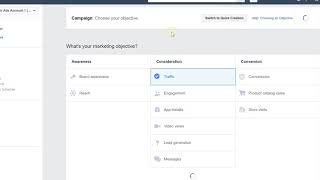
A step-by-step walkthrough showing how to set up and use the Facebook Pixel with ClickFunnels to build custom audiences and retarget visitors. Danny Walsh demonstrates locating Ads Manager inside Business Manager, creating website-traffic custom audiences by matching URL keywords (e.g., 'clickfunnels') and setting the lookback window to 180 days, creating lookalike audiences, installing the pixel code in ClickFunnels (body tracking code), adding conversion event code on thank-you pages (change page_view to 'lead' or 'purchase'), and testing installation with the Facebook Pixel Helper extension. Practical tips include using customer file uploads and engagement/video audiences.
Questions this video answers
180 days
One pixel per account
Into the funnel Settings → Tracking Codes → Body (body tracking code)
Use 'lead' after opt-in and 'purchase' after a sale
Facebook Pixel Helper (Chrome extension)
Chapters
Okay, in this video, I just want to show you how to set up your Facebook pixel so that you can quickly add it to your funnel and be able to retarget people by adding them to a custom audience. So I'm just loading up the Ads Manager, which lives inside Business Manager. So you go to business.facebook.com and you should find your ads accounts in there. And you should find your pages in there. Should have a bunch of pages doing different things. And what you need to do is click on the ads account that you want to use for your ads. I've got four. So they do different things and then open up in the new tab, the Ads Manager itself. Now, if you come to the top of the Ads Manager, you press this little down arrow. What you'll notice is you've got these audiences if you press audiences. And let's just wait for this to load. Audiences allow you to create little lists of people who have visited your pages, your website, your funnel, whatever, right? So you need to create an audience for each different page that you want to retarget from. Does that make sense? So in this case, you'll see I've got a bunch of different audiences that have got a different size numbers of people on there. So these go on and on and on. There's all sorts of different ones. I'll see if we can scroll down just to show you a little bit. See, there's all sorts of different size audiences. Now you can create audiences in different ways. One way is from your pixel. So you'll see at the top, there's my principals webinar. 400 people have been to that page. I've got my Danny Walsh live page, which had 800. I've got my affiliate stuff, which you got 2,600. I've got main funnel retargeting audience, who's got 1100. I've got something to do with videos. 300. I've got different things. Right, click. Funnel sign ups is at 200, and this goes back 180 days. So these numbers will fluctuate as time passes by, especially if you stop running traffic. So you see there's some there, 5,000, 3,200, 9,800, all different numbers of people that I can retarget, all on different lists, but they're all on the same pixel, right? So this is how it works. You go to create an audience, you press custom audience, right? A little thing will open in a minute in the middle, and in there you can make some selections of things that you want to actually target and hopefully you'll see that in a second. So here we go, the things loaded up and you can do, you can create an audience or, you know, set up an audience from many different sources, right? So you can do customer files, which means you can upload lists of phone numbers or email addresses. Just copy and paste them in and it will create an audience from that. So if you've got a bunch of email addresses that you've already got, maybe leads in your funnel or whatever, upload them as a customer file and you will have retargeting audience to go at. Pretty cool, right? Next one is website traffic, which we will concentrate on in a second app activity, the online activity thing, which is relatively new. And you can create lists of people who've interacted with your business in store, on phone or through other offline channels, literally by uploading your database. So go and have a look at that. And then there's this one called engagement. And this is great for engagement. If you're running videos, video ads, videos on your page, you can target people by the amount of time they've spent watching your video. Does that make sense? So check these options out. But in this instance, we're going to look at website traffic. So we click this and a little box opens and you'll see your pixel has been selected. And this is how we do it, right? So people who meet any of the following criteria. You then choose people who visit specific web pages. And all you need to do is Change this to 180 so it goes back six months. And then here you go. In this little box you can type in a keyword that's in your URL. So you know, when we set up a ClickFunnels URL, it might be clickfunnels or forward slash special offer or webinar or forward slash ebook or download or.com secrets, whatever it is. You will have your yourdomain.com forward/something, right? So you can put that, dash that slash something in this box. So say I want to pull an audience together of anyone that's landed on any page that includes the word clickfunnels, right? Type the word clickfunnels, press space and it'll put that in there, right? You can refine that even more by adding additional sort of like frequency and what device they've been on. So maybe you want people who've been on a desktop that have landed on a page that includes the word clickfunnels, right? And then so this, in this case, I'll call this clickfunnels and I just do RTG for retargeting. And that's it pretty much you press Create audience, which is just underneath. And what it'll do is it will go into this. I'm not sure what this is, but it should work on yours. It'll find the audience and it'll populate the list. That might just be a glitch at Facebook because I'm on WI fi, different things. And then what you can do from there is either create an ad straightaway or find similar people, which is called a look alike audience. So you can then come in here and you can find, you know, your custom audience. So click Funnels rtg. You can look in different locations. So you look in like America uk. You can choose how big you want the custom audience to be, press that and it will create a lookalike audience based on your requirements. Right. So if I come in here and I refresh the page, I should have a new audience in there. That's what I've just created. Move this down and refresh. There should be a new one called ClickFunnels in there. And then that allows me to run ads straightaway to that audience. So you can change the little forward slash to whatever you want. There it is at the top. And you can see that it's populating now. So it takes a while for this to come into life, to come to fruition. And basically all it does is it goes through all of your sites that contain your pixel and any website URL that includes the word that you typed in the box. It will add those people who visited to the audience and they could have visited anytime in the last 180 days. You can click this little button and you can go straight away and create an ad. So in this instance, I can click there and I can create an ad because this one's been populated. So you press Create ad to that audience and you can retarget people. So you might want to use any page that includes the word thank you. So that means that people who've been on a thank you page, any page that includes the word order, that means they've been on an order page. And then you can just come in here and create your ad, in which case I would do a conversion ad. And then you could send people with a different message to that page or whatever page you want, seeking conversions. I hope that makes sense. Real quick video. Now, you can also switch to Quick creation, which allows you to do these things a lot faster. But this is kind of like the old power editor. Ads Manager view, which some of you may be familiar with, but it's dead simple. Just tell it what you want and click next at the bottom. So I think conversions or engagement are the best two for you guys. And then once you go through, you choose the custom audience, which should already be pre populated. And then you know that you're targeting a finite bunch of people who've already hit that page. And every time somebody lands on that pa, they get added to the pixel and they start to see your ad. Does that make sense now to actually include the pixel on a page? What you need to do, I'll show you now real quick, is you've got to get your pixel out of your account. So the first time you create an audience, it will allow you to get your pixel. But if you've already done that, like I have come up to the top here, go to all tools and you'll see in here you've got pixels. Now, every account has got just one pixel. You define who gets added to what audience by choosing the little parameter that we just put in there then. So whatever you type in that custom audience box, whether it's clickfunnels or.com secrets or webinar or thank you or order, whatever you want, you can have combinations of words. You will add them to the audience as long as your pixels on the page. So the pixel's real easy to find. It's just a piece of code that lives inside your clickfunnels, inside your Facebook account. And what you do is you come up here to the top, you've got a few different bits and pieces that you can do, shows you all of this different stuff. You can click this main pixel and it will show you, you know your data, show you all these different bits and pieces. And you go to setup at the top and you install the cord yourself. You scroll down in this thing, copy all of this stuff here, it's pretty cool. And you go over to clickfunnels into your funnel. So wherever your funnel may be, you bounce off a funnel and you paste that into the settings, into the body tracking code. So say Sky Cache is one of my funnels. You go over, you go to Settings, and what you do is you paste it in here and that pixel will track every person that lands on that page, right? And if you change your custom audience settings like we just looked at, so to like download or thank you or clickfunnels or whatever it is, it will separate the audiences. So you can have as many audiences as you want, but just one pixel. You literally paste that same code in the body of every single funnel you create. Now, to track conversions, you need to paste the code again, but you do that on your thank you page after they've opted in or after they've made a sale. So you go into your editor this time, dead simple to do. And what you need to do is go into your editor, go to settings, go to tracking codes, and in the footer you paste that code in there and instead of it saying page view here on line 12, you change that to lead or in this case because it's a thank you after a sale purchase. So I've not even done that because I've not been running any ads to this. But that's how you do it. It's either lead if it comes after an opt in or purchase if it comes after a sale. Save that. And you can test that your pixel is installed just by installing a little thing called the Facebook Pixel Helper. That which is free. Just Google it. Facebook Pixel Helper for Google Chrome. And then when you go to your funnel, you will notice that the Pixel Helper lights up at the top with a little green number. Usually get two. One is microdata and one is the actual page view. Whereas if you went through to the thank you page, you would get microdata and purchase. Or if you went to some page after they've opted in, you would get microdata, which is just Facebook's information and and the word purchase. So install your pixels on your page. First, go and click on the page to fire the pixel. Then you can select that pixel every time you run a conversion ad. You can also create these custom audiences in your business manager using any parameter or combination of parameter you want. And once you refresh it a few times, it should have populated, you should get a number in there and you can start running ads to that audience straight away. That's the Pixel in 11 minutes with ClickFunnels. Go do it. Install it in your site, install it in your funnel. Give it 20, 30 minutes to populate. I'm going to go and enjoy the sun over here in Portugal where I am, but I hope this helps you guys and I hope you can get started.









