How to Build An Optin Funnel in ClickFunnels 2.0 in 50 minutes | Danny Walsh Funnel Training Demo
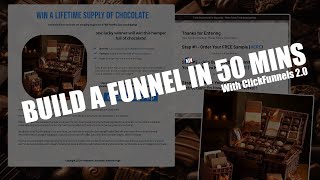
Danny Walsh builds a complete opt-in funnel in ClickFunnels 2.0 in real time, showing how to create pages, add email capture forms, style for mobile, and set up email workflows. He uses a chocolate giveaway example to demonstrate headlines, images, and fulfillment through PayPal and Facebook group access.
Chapters
Hey, it's Danny Walsh in this video. We are inside of ClickFunnels 2.0 and there are a big bunch of myths online that I keep seeing that 2.0 doesn't work and there's no templates and you can't build a funnel and just. It's useless, right? And I've been using this and clients have been using this and we've actually built some amazing funnels that are live, that are generating leads and making sales. I'm speaking at a AI conference very, very soon. The whole funnel is powered by 2.0. I've got clients who are selling real estate and a big bunch of stuff who are using 2.0 and I'm using it myself. If we delve in on the screen, you will see that we are inside one of my workspaces and we are in the Site and Funnels dashboard. And this dashboard is where I do demos and build test funnels and different bits and pieces. The Good thing with ClickFunnels 2.0, developments are happening all the time and any bugs are being fixed. And at the moment it's quite stable and there are lots and lots of possibilities and it is very, very possible to build a funnel real quick, get it live and start generating leads or sales in your business, right? Which. That's what it's all about. Nobody wants to be sat messing around with technology. And if you know me and you follow my training, three principles. Technology must work. You put the right offer in front of the right people and you build and maintain a relationship. This is the technology must work part. And I've set my workspace up in this case just for demos, but we've got other workspaces where we've got, like I said, funnels for me, funnels for clients, and there's a big bunch of stuff that's live right now. So what I want to do in less than an hour is show you how to build your first funnel. Click by click, step by step. We're not going to get into the email side of things, but we are just going to build the design. But I will show you how you can connect an email and, and be able to send basic emails out, right? So lots and lots of stuff available within ClickFunnels 2.0. We can't get into all of these menus. There are other videos for that and I will do other trainings, but this is literally step by step. Let's build a funnel inside of clickfunnels, right? And what you need to do is come to Site come to Funnels. This is presuming that you've already set your domain up, but this is been set up in a way where you register your domain with wherever you're registering it and then you come into clickfunnels, you go into settings, go into demands and you literally one click it authorizes with your domain provider and it does all the setup for you. Very, very rarely will that not work and you don't need to go to Cloud Floor Flare or do any, anything complicated, right? So we're two minutes in, I want to build a funnel and we're going to try and do this in like 50 minutes, right? So imagine if you could have a funnel in 50 minutes or less. So press Create Funnel and what we're going to do is call this Danny's Demo Funnel and you see it gives a link there for us so we can send people to Walsh Marketing, forward slash, Danny's Dash Demo Funnel. Make this as memorable as you like. You could call it ebook or free guide or download or whatever it is. And we're going to build an opt in in funnel so people can come, they can put their email in, they get something of value and they will be on our mailing list reading our emails and you get the lead and then you can direct people off to buy some stuff or whatever it is, right? So a funnel is a fundamental process in any business that gets leads, gets sales, basically puts more people onto your mailing list or gets more people to buy stuff from you, right? So we've set the name, it's done the URL, we press Create Funnel and would you believe it, it's working. And 2.0 starts to spin up and it gives you this dashboard, this screen, this canvas where you can create your funnel steps, right? You'll notice it's in test mode. You turn that off at the top, there's some settings, some statistics and analytics and stuff. But to actually build a funnel, I think people over complicate this stuff and you can go into groups or forums and you'll get lots and lots of people dming you and be like, oh, I'll charge ten grand. Don't worry about that. Just, just come into Clickfunnels and follow these steps, right? So you press the little plus in the middle and you've got a choice. So you're either going to create a split path, a split test or a page. Well, in this case we need to create a page, right? So we're going to press this and you will notice, contrary to the myths that are online that there are, there are pages of pre built templates ready for use. Right. So if you want to come in here and just use one of these templates, you can. In this case we're building an opt in funnel. So we want the opt in pages. Each page template has got slightly different functionality. The sales page is order forms, upsell pages and order confirmations. Right. So all of those pages are available, they've all got templates, they all work. You can dig into this and check it out. We are going to start from scratch and build something amazing. So what we're going to do is press new page and, and this is Danny's Demo Funnel Page 1 and you will see that it's going to give us a link for that. Right. So you keep all your links separate and it will actually warn you if you duplicate the URL. Right. So we're just going to copy Danny's demo funnel page one, paste that into there. We don't want to put this in the search engines. We're going to create the page, right? So now we're going to, we've got a blank canvas to edit and we are now going to build a thank you page. Right. Because people are going to come to this page. We send people to this page. They put the name, they put their email and we capture that information. We then send them to a thank you page. That's not overly difficult and we've done this in like a few minutes. In this instance we want the thank you page. We choose that on the left hand side and for this one I am going to use one of the templates. So I'll choose this one. We're just going to paste that again and we're going to put page two and I just put ty for thank you copy that and paste it into the description. It's not going in the search engine. There's the template press create page and we've now got in a few seconds an opt in page, a thank you page. When they opt in, we want to attach our customers to what's called a workflow. Right. And a workflow is a way to send emails to our customer. To do that we click on this little lightning icon at the side and what that'll will enable us to do is add a workflow. Right. We're not going to get into that right now. We're just going to concentrate on building the funnel. But when you want to actually send somebody an email, you do that and it works and it's dead simple and dead intuitive and hopefully we've got time to show you that as we move. But I want to focus on the design, right? So look, if you've never generated a lead in your business, in your life, one of the best ways to do this is by offering something of insane value to your customer, right? And you can come up with all sorts of weird and wonderful ideas, ebooks, downloads, guides, free videos, free training, all sorts of different things. But one thing that works sort of better than anything is a giveaway, right? It's something that these people can either win or a gift that they can receive. And you can deliver the the gift digitally or you can deliver it actually physically in the post. We are going to do a competition with a chance to win some stuff. And even if they don't win, they are going to get access to a download and we're going to try and do all that in the Next sort of 45 minutes, right? So we're going to press edit on the page 2.0 super fast. It loads up the blank canvas and you'll see at the top we've got a thing that says new section. We can't build anything without a section. And you press add new section. You see where I'm going with this, right? You've got full page sections, wide sections, small sections, medium sections. Just put a full page section, right? So now you've got your section, it turns blue and it wants you to add a raw, right? So the rows go inside the sections and then the bits of content, the elements go inside the rows. Does that kind of make sense? I'll show you, right, so you're going to put a one column raw inside of your section and you can see as you move your mouse, the outside sections are green, the rows are blue. And then would you believe it if you go to add an element like a video or some text, in this case, we're going to press headline that appears inside an orange box. So your elements, rows and sections. That's simple, right? And people, you know, they want to go and hire a designer. A designer is going to give you a template and the template is going to need changing anyway, right? So you can hand all of your graphics and images and stuff to a designer and they'll make it look nice for you. But look, people will talk about the ugly funnels will convert and there are some dead easy ways to to make an ugly funnel that will convert and people need to just have a simple choice. Sometimes an opt in page is called a squeeze page because it literally gives them two choices. You Stay or you go. And that's what we're trying to achieve with the funnel, right? We don't want stuff all over the place. We don't want menus, we don't want lots of complicated options or things to click. We just want to send them to this page. They figure out what it is like super fast and they have a choice. If they decide no, they leave and you maybe follow up with retargeting ads. If they say yes, they press a button and put the name and email him, right? So what is something of super high value that we can give away and something that we can then also have a competition to support to try and squeeze a few more extra opt ins and boost the conversion rate, right? One thing that people want a lot of is to get clients, right? So they might want to get clients. So what we're going to do is put my super easy client script that I use to close high ticket clients in 30 minutes or less. And that might be tempting to some people, right? So it's super easy. It's a client generating script, let's call it a generating script that I use. So it's something that's real and we use this to clause high ticket clients in 30 minutes or less. If you are appealing to coaches or somebody that wants clients, this is going to be right up their street, right? You might not be appealing to coaches and clients, right? You might be appealing to something in the physical goods market, right? So you could change this, my super effective fishing bait that catches me fish every time I go fishing without having to spend lots of money. You see where I'm going with this, right? All you need is a headline that says what it is, what the benefits are and that it's, it's something that desirable. We could do different things, right? Win a lifetime supply of chocolate, right? You see where I'm going with this? So I'm going to put that as the headline, right? Who doesn't want a lifetime supply of chocolate, right? Most folks want a lifetime supply of chocolate, right? So you can see there with those examples whether you're in coaching physical goods, whether you, you're in the chocolate business, the coffee business, whatever, the supplement business, right? You can entice people with a catchy headline that explains what it is. Something desirable, something exciting, right? Win a lifetime supply of chocolate. And now we're going to add another element, a small sub headline and underneath we're going to put, if you click on here you see how everything's kind of click and drag and drop and Even if you don't win, we are going to give you a free sample and you can put, just pay shipping like that, right? Does that kind of make sense? And then underneath, we might want to put a picture of some chocolate. Does that sort of make sense? It's like dead easy. And you don't have to hire a designer to do that, right? And if you're stuck and if you're struggling and you think, well, I don't have a picture of the chocolate, I don't have a picture of fishing bear, I don't have a picture of, you know, anything. I've got absolutely nothing at all. Find something that's super desirable. Cosmetics, it's a massive industry, right? You think about this, right? You can go down to the local, you know, drugstore or, or boots or whatever it is and go in there and you can buy, you know, the latest perfume or the latest cosmetic product, take a photograph of that and say, win this. People will put their name and email in. And all you've done is bought this thing once, right? You give it away and then somebody gets super excited. I'm going to show you how to do that, right? But look, I haven't got any, any chocolate in the house. I've eaten it all. And what we need to do is actually come up with an image, right? So we need some, some sort of image. So what I'm going to do is head on over to artificial intelligence and we're going to use a thing called Mid Journey, right? This is inside of Mid Journey and I've got separate demos and separate videos and the stuff on the Internet how to set this up. But watch how cool this is, right? In this little thing at the bottom. Going to type Imagine, right? And then I'm going to type the sweetest chocolate bar ever. And I'm going to press that. And artificial intelligence is now going to create me an image that I can use in my funnel. And I didn't even have to go and buy any chocolate, right? And this is working. It's like a couple of seconds to work. You see, now Mid Journey is doing its thing. So if you've never started a business before and you're like, oh, man, I don't even know where to start. You need a free trial of click funnels. There's a link around this video. In fact, I've put a link where you click it and you can actually download the funnel that we're using right now. So you could just edit it. You go and sign up for Mid Journey for free. Or you use the Google version of AI or the Microsoft version of AI. There's loads of different ways that you can use artificial intelligence to generate images, right? And would you believe it, you're getting images appearing down below. And this is like 93. Now he's gonna. It's 100. There you go. And we've now got some images, right? But that doesn't look too exciting, right? So let's just change that up. Imagine this. This is kind of cool. You could you just spend all day messing around with mid journey, right? Don't get tied up in this stuff. The ultimate. It's harder to actually spell the words chocolate hamper prize. And then you can put things like photograph, boom, boom, boom and press that, right? So I didn't just want a boring chocolate bar, we want the ultimate chocolate hamper. Now obviously you've got to be able to give away this prize, but you've said you're giving away a lifetime supply of chocolate, right? People don't necessarily care what you, what it looks like. And we'll put a little disclaimer picture for illustration. It's better if you have a picture of you or a video with the actual thing that you're giving away. But if you are going direct to consumer in any niche, chances are there's already a product that is desirable. You could do this with hair straighteners, you could do this with DJ equipment, you could do it with fishing tackle, you could do this with beauty products, hair care, you could do this with sports equipment. You can do it with anything. Go and get yourself something or use AI to generate it. Now look at these images right? Now I'm sure that we could put together a hamper like this just by going down to the local supermarket. You get yourself a little hamper, you get yourself a big bunch of chocolates and you, you can replicate this to some extent, right? But imagine if you're a chocolate lover and you saw this, wouldn't you be inclined to put your name and email in for a chance of winning? And even if you didn't, when you're going to get a sample? Now obviously this would be for a business that's setting up to sell their own chocolate. So the idea is you've kind of already got a product, you can use your own picture, you can use the AI, whatever it is, this is dead simple, right? So look, I've got these images now and what I'm going to do is look at these and think, number one, looks good. I'm going to press the little U1 which upscales number one for me. And now in the, in like minutes, I've got an image that looks amazing and wouldn't you want to win that? Who doesn't want to win that? Right, so you've got this amazing chocolate hamper. I'm going to save that image and I'm going to put this in my little funnel folder. We'll save that there for a minute and then we'll go back into clickfunnels. Right? So now we've got an image, right? So people is like, oh my, I'm going to win this lifetime supply of chocolate or I'm going to win this signed football or I'm going to win this, you know, cosmetic products or her product or sports equipment or whatever it is, right? There's so many different things. If you said, you know, you can win this thing, people are going to either put their email in or they're not. Does that kind of make sense? There's companies out there that do this with houses. You know, they advertise on the TV. Win this 3 million pound house, you could get mid journey to create you a picture of a house, but you're in danger then of not actually having the ability to give it away. So you've got to kind of be true to what you're doing. We could replicate that hamper and I'm going to show you how to put this in clickfunnels, right? You have got opportunities to pretty much give away anything that you want, right? But it's the principles that I'm going to try to show you. You put the headline, you've put a strap line and now what we're going to do is create another row, but this time two columns, right? We're going to make one a little bit wider and would you believe it, you click there, you're going to add an image element. We're going to click the image, we're going to go here and you see where I'm clicking and we're going to upload an image and we're going to find in our folder, oh, we've got that one. We don't want that one, we want a different one. Where's our chocolate? We're going to upload our chocolate and boom, boom, boom, boom, boom. Clickfunnels is doing its thing. I've obviously, I'm uploading two images at once. You can see there, I've got all sorts of different images for different funnels, different examples that I've done and depending on the Internet, I'm Recording the video. So this might be a little bit slower than normal. The images will start to appear. That one was actually quite big. So I think that that's slowed it down. I wasn't meant to do that. But this is my chocolate, right? So now I've added the chocolate. You see how insane that is? And if you can use these little settings, you can change the orientation and things like that. But look, we're just going to keep it as it is. And if you scroll down here, there's things like the corners, you can round the corners. If you want to round the corners, you can do. See how cool that is? Just turn this little slider, you can make it into a circle. You can, you, you can have it like that. All of this stuff works, right? You can put a board around this as you want to put a board around it. You could press these little bits and pieces to choose your own styles. We're not going to cover styles in this video, but you can come in here and just have your own border. I don't want a border on here, I just want it like that. Looks cool. And I'm gonna kind of keep it in the middle, right? I've decided to keep it in the middle. And then on this side, this is where it gets slightly. The bit where you're actually going to generate the lead. What we're going to do is we're going to have some inputs, right? But in, in my mind, if you've got an email box on the screen to put email in, people land on the page, they don't read it, they see the box and they leave. So what we're going to do is put a button, right, the button. And then when we click the button, what we're going to do is actually ask it to open the pop up, right? So you click, just leave it, click to sign up for now. And then if you go up to the top, you'll see pop ups. You press show pop up. And this is where we're going to have the fields, the actual places where folks can put their name, the email, phone number, whatever, right? So look, this is adding for a section, you want a full page section, it's asking for a raw, you want a one column raw, it's asking for an element. You're going to come down here and you're going to have an input for email. Then you're going to just clone that and then you're going to add another element at the bottom for a button, right? We're 20 minutes in and we've got the bones of something to generate leads. Right. So email we don't want twice this one. We're going to change to full name and you'll see that it's changed to full name and email. And then we've got this click to sign up button which then is set to submit the page. Right. And what we're going to do here is we're just going to get rid of the padding at the sides and we are going to nip down here and we are just gonna have a quick look at what this looks like without the thing popping out of the side. So show the pop up. That's all right to start with. Right. Important to save your work, press save. And what we need now is a little bit of text. So we're going to add another element. We're going to have a bullet list and we're going to have a look down here. Is there anything else cool? There's lots and lots of cool stuff inside of clickfunnels. Want a little text area? No, that's actually part of the form. What I want, I think I'm just going to use is the paragraph and a another sub headline. Right. So what we need to do is just rearrange this stuff. All you do is drag and drop. You see how easy that is? It's like, oh man, we're 20 minutes in and we've got the bones of a page. Now, when I say the bones, it's important that you add the meat to the bones. Right? So we need to make some fonts smaller, we need to adjust some stuff and you'll notice that you've got the main page and the mobile page and it's important that you check what this looks like on mobile. So if you click here, you'll see it doesn't look too bad on mobile either. Right. So it's not overly difficult to lay out the skeleton for you to put the meat on the bones. I'm going to make this headline bigger. I'm just going to come down here and check this out. You can edit the style and you can increase sizes all in one place so the style stays current across every funnel that you do, every single page that you do. You can also do it here large and Excel, which is relevant to the style. Or, or you can override this stuff and actually put a value in. Right. I like it in large. I like the sub headline as it is. And then I've got this bullet list which I want to kind of make a little bit smaller by reducing the the font size down and the style to small. Right. Does that kind of make sense? Maybe we have the icons a little bit bigger and then again with this, just so it's nice and congruent. I want that small as well. And we also want, you see, everything's just click and drop. It's like, oh, if you're following this, I want all of that aligned to the left and that's kind of it. But what we're going to do is just put some white space in between the elements by giving a margin at the top. So you see what I did, I smoothed the slider, made that 25. And what I want to do for consistency is just make each one 25. So every element has got 25 pixels between it itself and the one above and the same for the one at the top. And we'll do it like that. And then what we'll do is we'll literally, we're going to clone this little headline, put that up there and we've now got the bones and the picture of the chocolate for our opt in page. Now you might be thinking, well, it looks a little bit. I'm just going to save this. It looks a little bit simpler. That would make you put your email in if you was a chocolate lover. Right now people will mess around with backgrounds and all sorts of different things. You can do that. You can, you can add a background, for example, go to Settings and you click the background, but don't do anything complicated in the background. So if you come into your images, you'll notice you've got access to built in like icon finder, funnel images, Pixabay and unsplash. Always better to upload your own images. And just for the sake of it, what we'll do is we'll go back to Discord, back to mid journey and we will imagine again a shock or let lovers background. And then what we're going to do is go like that and then put ar, which means aspect ratio. And then we're going to put 69 with two dots in the middle. That just means it's going to fit the. The screen lack of most web pages. So you can change the aspect ratio. That's a square, the, the one on the screen. Right. So that's the square. An aspect ratio of 16, 9 is more like a rectangle. And you'll see what I mean in a second. Right, But I've just put a chocolate lover's background. I have no idea what it's going to give me. I'm sure it's going to be cool. And it knows that you're asking for a background. You'll see what it throws up. Right? So this is on 15 right now. And you know, you can see these images starting to emerge and that kind of cool what's happening. We are getting now a unique background for our website and we're only 25 minutes in. I said we could do a funnel in less than 50 minutes. We're probably on target for that. And people get hung up on this stuff, right? They got the, oh, man, you've got to hire a designer. I've got to take weeks and months and years to do this. You see how awesome these images are? Are at like 93 now, right? And ClickFunnels 2.0 is more than working, right? I've got live funnels. I've got clients with live funnels. Like I said, you may have seen the AI image that I accidentally uploaded just a second ago. That's for the conference that I'm speaking at. Look how good these are. I think I'm gonna go for number two. I'm gonna press that. It's instantly sized, upscaled, and he's got the love heart in the second in the center with the. With the chocolate. All these different chocolates. I'm just gonna save this image. Same way. You can see what I mean about the aspect ratio. I've actually got a guide and I'll put the link below the video of where you can download Mid Journey Guide and how to set it up and all the rest of it. We're going to save this, we're going to throw it into that folder and then we're going to come back to ClickFunnels, upload the image. It's in that same folder. So scroll right down. We get the background. It's going to take a little second. 23, 70, 100. There you go. And we're just going to wait for this to process successfully uploaded. So far so good, right? Everything seems to be working. And this will actually become a live funnel. So what clickfunnels does is it just processes your image and it'll just take a second to do that. Recording the video. Obviously, depending on your Internet, depending on the size of the image. I didn't actually do anything to make the image smaller. This could be 5 meg for all I know. And what you would want to do is use some kind of software or a Photoshop shop or Canva to make sure that you're not uploading 5, 10, 20 megabyte images. You want them to Be super small so they don't use up everybody's data. Now you'll notice that the background is in the background, but I can't see it. And that's because the settings of the section, if you look down here, we seem to have a solid background and what we can do is we can just fade. You see how cool that is? So we can fade just to make our background appear subliminally, but we don't lose the, the text underneath. And you can see that it's kind of hanging off at the bottom there a little bit. We'll go back to settings and background and what we're going to do is make sure that it's a full center so you've not got lots and lots of bits cutting off. And you make sure here that we've all saw in fact leave that one. We want the foreground to be white and we want to kind of make that to match or indeed just fade that off. But you see what we've done there and what we need to do is just go back and adjust here again, there's two separate places to do this. What we don't want to do is conflict with it, with the, with the settings. So you can see what I've done there and you see how now we can see through to the background loads of chocolate. And what I'm going to do down here is add one more section, full page section. I'm going to add a row in the sec in the center one page. We're all I'm going to put here sub headline. And in there I'm going to put copyright 2023 + awesome chocolate give away page, right? And whatever your website is and you can put your terms and conditions and all the rest of it, we'll click save. But if we go and press preview now, you'll see that we've actually got something pretty cool, right? That's pretty decent. And it's taken us like if I wasn't speaking and demonstrating this, I could have done this in five minutes, right? When they press click to sign up, the pop up appears. They put the name, they put their email, press sign up and it'll catch their email and take them to the next page. That is enough to get people into your funnel, right? What you would obviously do is just edit these different bits and pieces. So just to give you an idea of how to configure your giveaway, one lucky winner will win this hamper full of chocolate. Then you can give some benefits and different things and you know in this text, even if you don't win, you are also going to get a free sample if you can cover. We're in the UK so we'll put something nominal. £1 67 postage and packing. Your sample choice can be selected on the next page. Right, and then you're going to put here in this one, chalk or hamper may be slightly different to the image. And then you put something like depending on stock and put season and then press the button below to sign up. Right, so we could make that a little bit bigger. You sort of see where I'm going with this, right? But the point is it works. And the point is you can do it. And you don't need to hire a designer, you don't need to spend loads of money, you don't need to spend loads of time and you can very, you know, quite quickly have, you know, you can move this up a little bit as well. You can quite quickly have a design that's quite effective even if you don't have your own images. We've got a background, we've got a product image and look, the, the image generator mid journey and these AI things will generate pretty much whatever you want. And you could also use what's called chat GPT, which everybody kind of knows about, to write your copy. Right? And you see down the left hand side, I've done this for lead generation, opt ins, garden centers, winning offers and more. And you could put right a compelling description for a free chocolate sample and prize draw. And you press that and you stand back and oh man, that's like better than you could write in two seconds. Right, so you copy this stuff and you take this back over into clickfunnels and what we'll do is we'll add another raw down here. We'll have another one column raw and we'll click that, we'll click that, we'll highlight this and we'll pass this stuff in. We'll get rid of the unnecessary spaces in the center and we'll make sure it's not all bold. You know, that's pretty cool, right? And an idiot could do this, right? A child could do this. Anybody could do this. All I want to do is make sure that's aligned to the left. But what's stopping you launching a funnel, right? Indulge in the velvety smoothness of the finest chocolate with our free chocolate sample and prize draw. And then the hardest bit is just editing it. We are giving away a delectable assortment of premium chocolates. Lucky winners are put to Participate in our giveaway. That kind of makes sense. You, you didn't have to be clever to use this stuff. All you need to do is actually fulfill it, make sure somebody wins. That looks pretty good, right? All I'm going to do here is just make the background of this. Just like we did before. It's going to the background and we're just going to make that transparent so it kind of matches the theme of the page. We'll press save, we go back to a preview, we refresh the preview. Thanks for coming. Right. What is wrong with that? Right. What is wrong with it? And you can play around with this stuff. You know, I wanted to do this in 50 minutes. I would say that that is enough to make people put their email in. And it's no different to what you would see. Big companies running. And if you put this in Facebook groups and local buying cell groups and you're like, hey, we're giving away this, this thing. If you want, you could have a video on there. If you're explaining whatever it is. If you want to do a video, for example, you could do a one column raw and you're just going to press the up arrow and move this to the top. You add an element. What do you think you're going to do? Put a video. And would you believe it? You've got a video. Now if you're having a video on your page, right? What is a good idea to make people. You kind of got to tell people what to do when they get to your page, right? So a good idea, right, is to have another element just above your video and put. Make sure your sound is on and watch this video now, right? And you could underline that or you could put it in a bold font or whatever. Now you notice when I Click in sections. ClickFunnels has also got its own built in AI which is kind of cool. And you press things like rewrite headline and it will rewrite stuff for you. And then you can press this and it'll change it for you. That's like AI built into ClickFunnels, which is super amazing, right? But make sure it's relevant to what you want it to do. In this case, we don't want a video, right? But if you did, that's how you do it. And then you record a video, you put it on YouTube, you put it on Vimeo, or you even upload it in clickfunnels 2.0 and your video comes on, it starts to play, People know what to do. They know about your product. They know they could win it. And even if they don't win, they're gonna get a free sample. They just pay a shipping, they click to sign up. You can put the features, you can put the benefits, you can get Chat GPT to write your text, you can get AI to do your images. And we're only 30 minutes in and if I wasn't talking I could probably have done this in about seven minutes, right? So you're seven minutes away from having a page that people will give you their details. Now look, if it's not chocolate, you could do a free ebook or a free guide and you could use mid journey images and chat GPT text to create yourself a free ebook, right? So on my shelves behind me, behind my ClickFunnels Avengers comic, which is kind of priceless, you'll see I've made guides and I've made documents and I've made downloads and I've made all sorts of cool stuff using AI. So it's like, if I can do it, why can't you do it? And anybody can do it, right? It's like super easy. There's like, ah, there's things everywhere that you can use and you can sell and, and they will make you money. There's another one that we've done on that, there's loads of stuff, right? So look, here's another one. This is a metal detecting guide and we said, hey, download this guide for £9. And in there there's loads of pictures and there's loads of secrets about metal detecting. Then we bundle this up and we did it for 21 pounds, right? This thing that we've built in a very similar way to this on ClickFunnels has made us like a considerable amount of money in a short period of time. And this is the process to follow. So it's not something that you're just doing to mess around. This is real. And if you've never had a business, don't be wasting time spending ages, just get something together and test it. That's the important point, right? Because people are going to do one of two things. They're either going to, oh man, I want to win that chocolate and they're going to sign up or they're going to leave. Now if you run this and you get loads and loads of people clicking and you'll see in the analytics that you've had lots and lots of clicks. If nobody signs up, then you know it's not a very good offer, right? So technology must work. It's working, right? Offer in front of the right people. Don't put meat in the vegan group. Does that kind of make sense? So look, we've got an opt in page. We've got the ability to collect the name and the email in the pop up. We know that it probably looks decent on mobile. You might want to adjust the text and a few different things. Maybe adjust the text size for mobile there below. What more do you need? Right, you've probably signed up and given your email in worse pages than that. And we're less than an hour in, right, so I've got 10 minutes left. We're going to go now on the left hand side to the thank you page, right? And this is already one of the templates from clickfunnels, right? So look, you can edit everything, right? So at the top. Thank you so much for signing up. This is important on your thank you page. Please follow please steps carefully. It's harder to type than it is to ask GPT to do it. Now we don't want this stuff so we're going to delete this stuff and delete this section. Thanks for. We didn't download in this case entering, but if you had a recipe book or a metal detecting guide or a fishing comic or I don't know, whatever it is. Right, thanks for entering. What we want to do is we want to click here. I think I've accidentally deleted that. Just pray if you accidentally delete anything you could just undo. You see how powerful that is. So if you do make a mistake, there's an undo button at the top. We'll get rid of that section. So we're going to put thanks for entering here and then a little bit more details. Right, so what we want to do here is boom, boom, boom, boom, boom. Your entry is counted. Please follow these steps steps and make it consistent. I don't want that image there. I'm just going to bring these down below this image. I'm going to get rid of this section al together. I just want it to be simple. Step one, step two, step three, right? And what we're going to do down here is get rid of this stuff as well. So if you've got the template, you're probably going to hack it to bits anyway. That's what I said at the beginning. And you can put your terms and conditions and, and company name or whatever it is. Amazing Chocolate Draw limited or whatever company you are. Put that at the bottom right, and you could have a disclaimer or, or whatever you need. Now kind of makes sense to be Consistent. So we're going to use our background from earlier, which is now stored in the gallery. Dead simple. And remember that you might need to just make that see through. So by adjusting the background or the foreground or indeed doing it on here so that, you know, people can actually see the chocolate behind. And if you can't see the chocolate behind you, thinking what's going on? There's probably a section or something in the way. So just have a look. Have a mooch round. See what? See what I've done there? You soon figure it out, right? It's got to be one of those background settings. We don't want that too transparent so people can actually see through. And we're just going to make that a little bit less transparent so your text has got some contrast. Right now I'm not sure about the purple at the top. We're just going to click there and you see it's a colored background. We'll probably, we'll make that black at the top as it's kind of more in keeping with the page. That's kind of like a sticky banner when they, they land on the page. Thanks for entering. Your entry is counted. Please follow these steps. Right, Watch step one. Make this a move to the left. It's harder to type. I promise you. Step one, right? And then we're just gonna duplicate this little section, this little, this little raw. So if you move your mouse wiggle around a bit, you get over the blue clone that. You see what I've done there and it's good to have three or four steps, right? So look, step one, step two, step three. And if you want, you can put spacing in between these. So step one, order your free sample. And then you could have something dead simple, link to your PayPal. Or you could use clickfunnels. Or you could build a sales funnel and you could put, you put a link. So we put here. And then what we're going to do is highlight that, put the link to our PayPal using this little link thing and make sure it opens in a new window. We need to tell people that it opens in a nude window. So what we're going to do is we're going to add an element, we're going to add a sub headline and put underneath here, just highlight this link opens in a new window. Now if you send people an email when they opt in and send them the link back to this page, even if they accidentally close it, they can go to their email and they can come back. You're kind of Looping them back. So one audio free sample. Now they're going to go there and give you money, right? Does that kind of make sense? So that's the process of a funnel. We've got the name with the email, it's on the list. They forget that they've even entered the competition now, right? They want to want the free sample. It looks so good. If you press this and actually move it to the next stage in the funnel, you could have an order form, right? But for this, if you never run a business in your life, just have a link to your PayPal or a PayPal button, or use the basic order form in ClickFunnels. You can keep them on the same page. You could have this order form instead of this page if you want. But that's the sort of principle behind it. Right? Next one, what we're going to do is we're going to copy this and we're going to put this here like this. Step two, join our Facebook community. So, you know, if you have one, see how powerful that is. And then you can copy this again. Move that down. Like if you put your link to your Facebook group, there, there's a little link, then people want to know if they've won, so they're going to join your group. So you've got a list of people that you can email with affiliate offers, chocolate offers, more offers, your offers, whatever it is. But you've also added them now to your community where you don't let any competitors in. You keep this to you, to your brand and you build a big group of people. Does that make sense? And then the third and most important thing, check your email for further instructions on how the draw works. That's it, right? And people spend years, if not longer, trying to launch a funnel. And we'll get caught upon on pretty designs and, you know, going from one software to another and moving around all sorts of different places on the Internet and chasing shiny objects. You need people to take action and you need them to tell them what steps it is that you want them to do. We've created nice images, we've created nice backgrounds, we've created a structure. All that is up and running in ClickFunnels 2.0. And if we refresh our demo page and we go to Sign up, you put your name, put your email, click Sign up, it's then going to take them to this page and on this page it's going to say, thanks for entering. That's all people need. Right? So it's a simple choice. Yes. Or no, they enter the details and then you can email them with the download or you can email them instructions or confirmation or whatever it is, but then you can say, get the next logical thing in the process. So in this case, a free sample, they're going to pay a shipping and now you've got a customer, you've got their address, you send them a sample, they love it, they come back, you can get them to leave you a trustpilot review. You could email them after a few days and be like, hey, did your sample arrive? Do you want more of this stuff? Here's a coupon called Download and before you know it, you built a business. You've got these people in your Facebook community. If you then go away and give away the actual prize and you make a big example of somebody and they're like, oh, man, this is awesome, and I've won this stuff. Imagine what happens when you run your next competition. And the main thing is having tangible steps people can follow in a few minutes without over burdening them and overwhelming them. Does that kind of make sense? So if you want now to add an email, come back into clickfunnels, we make sure we saved our pages. You can leave the editor because we're pretty much done, right? I don't know what else you're going to need, right? You want a video on there, Go and record your video. Don't leave it like forever. Does that kind of make sense? So you don't want to leave this for forever in a day. You want to get something out there, right? So what we're going to do is go back out of here, into the, the main section. Let's go back out. Is this, is this opening, is this closing where we're going back into, into this bit? And if you now want to add an email to that front page, you just click here. You're going to create a workflow. You're going to call this chalk alert or, or whatever. It's the event types. Important is when they opted in, you create the workflow and another little similar builder enters. When somebody signs up on that page, it does a trigger which is activated when they opt in. You press the plus, you go up here, you press send email and you've got, guess what, a big bunch of templates and things that you can use that you. When this loads up, there's all sorts of templates and different things. You can make your own templates. And what you do then is literally fill in the blanks, fill in the email, and you're ready to send. Now, this workspace doesn't actually have an email address associated with it right now. So that's why the templates are not showing up. But once they show up, it's dead simple. So when people opt in, you just create one email that says, hey, go back to that thank you page and complete the steps. And after, like, you've got your email, you put email, you fill all this in, you create your email and then what you do is you add another thing, you have a delay of one day or one hour or whatever it is, and then you send them another email and another email, another email, another email. That's how the marketers do it. I'm going to do another video on setting up the emails and the workflow. Once this email address, I'll set one up in this, in this workspace and then I can show you exactly how that works. We've got it working in other funnels. Don't panic, don't think, ah, we've caught you. It's not working. It works. It's just because I've not got the email address configured in this workspace. It's just for building funnels in. But think about it, right? In exactly 50 minutes. And I said a funnel in 50 minutes. I've done a funnel in 50 minutes. Your vision of what a perfect design looks like is irrelevant. Right. The only thing that's going to help you to understand if it's working or not is when you come up and look in the stats and the analytics and see, I've sent 100 people. You should get at least five people sign up at the very worst, three. Right. Sometimes you might get 50. It's a percentages game. So if you send 100 people and 50 sign up, that's a 50 opt in rate. That's amazing. The industry average is between 2 and 5%. Right. It's very, very small because people get bombarded with this stuff all the time. But you're never going to get anybody opting in at all if you don't launch something. So get out there, just start, launch a funnel. You can build it in like half an hour in ClickFunnels 2.0. There's the templates in there to help you. You can use the AI to help you as all you need is an idea. And whether you're going to design your own book and you're going to spend a little bit of time doing that, you can build that in Google Documents. It doesn't cost you anything. All you need is a trial of clickfunnels There's a link below this video and I've also put a link. Another lunk. So you can download this chocolate funnel and you can edit it and do what you want with it and maybe you'll become the next chocolate guru. I don't know. But this is Danny Walsh. I've done this in 50 minutes exactly, and I can't wait to see what you do with this information. Did you need to go and spend ages or hire a designer or do anything crazy to make this happen? It's literally follow where I've clicked. You might want to slow the video down a little bit because I talk really fast. But ain't that cool? Ain't that amazing? This is ClickFunnels. Is ClickFunnels 2.0. There's more videos on my channel. Subscribe and share and do what you need to do with it. I'll see you on the next video. I'll walk you through the email stuff as well. But you can build a funnel in 50 minutes or less and you could be running a business. Stanley Walsh. I'll see you on the next one. Bye. Bye.









