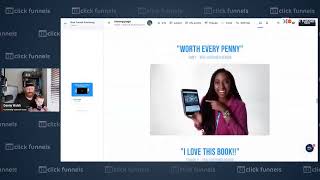
Danny Walsh shows how to set up buttons that scroll to specific sections in ClickFunnels 2.0. Name a section in the code, set the button's On Click action to Scroll To, then test it in preview. Duplicate buttons at the bottom to send users back to the order form.
Chapters
Hey, it's Danny Walsh from Community Outreach and I'm joined by Mabel, and she's got a clickfunnels top on and look as a busy parent, as a funnel hacker, sometimes you need things to be easy and you need to get them done. Right, so we've had some questions come in about how can you make a section inside of have a button so when you press that button, you scroll to that section. So. So maybe you've got a really long page and you want people to scroll back to the top, or you've got a button at the top that makes people scroll down to the order form at the bottom. And I want to show you how this works in practice. So if we share my screen, this is one of the templates that's available inside of ClickFunnels 2.0. And if we preview this template, you will see that we've got a button here that says, grab your copy now. And when you press the button, see how we scroll right down to the order form at the bottom. That's exactly what I'm talking about. Right, so if we go back to our editor, you will see how this works. So inside of click Funnels, you know that we've got sections and we've got rows that live inside of sections, and we've got elements that live inside of rows, right? So if you go to any of your sections and you press this little code icon, the little sort of like chord thing there, you see down here, you can give your sections names, right? So you could go in here and you could rename this anything and press Update. You can then click on your buttons, and in your buttons, you notice that on click, you can choose a big bunch of stuff. And in this case, we've selected scroll two and then we have chosen either the element or the relevant raw or section that we want to scroll to when that button is pressed. So you can use this in a number of ways, right? So in this case, when they click the button scrolls down the page to the bottom and they get to the order form, you could also make a button. You can clone this thing. You can drag it right down to the bottom of the page and. And this. This might take a while, right? So here we go. Drag the button right to the bottom. Or you could just go to the bottom and create a button. Whichever way you want to do that. You can still use your scroll to section or, or scroll to content command or, or instruction that we've got there on any of the buttons. You can even use this on highlighted Text as well. That's a little bit different. We'll show you that in another video. But you could drag your button right to the bottom and and you could change the text on the button, scroll to the top of the edge. Doing this one handed because obviously we've got Mabel here who's joining us on, on this video. Put the E scroll to the top of the page and then we go scroll to. And then in here if you look, we would choose header section because we've renamed that. And then we go and press Save and hopefully when they press the button they're going to go back to the top. And you'll notice if you press the code of the actual button that in here you can also rename buttons and you can also do some other stuff that we're going to look at in other videos. Right? So you can get really technical with css. You can get real technical with what your buttons do when you press them. But this is a great way of showing you exactly how you can just use that simple built in function to move things up and down on the page. So if we press Save, then we go back to our page preview and we refresh this on this tab you will then see hopefully right at the bottom we've got a new button that's appeared that we've just added. You press that and off you go back to the top. So you can now go to the bottom and then you can go back to the top. And that could be really helpful on a long page. But what I would recommend is that when people get to the bottom and maybe they've read all of this stuff, you would just duplicate that button so that they go back to the order form. So it's like, hey, get this thing back to the order form. But if you really wanted to send people back to the top of the page, that's how you do that inside of ClickFunnels 2.0 and you do that by naming your section whatever you want using the little code thing. So you go in there and change the name so you can find it easily. Then you go into the button and inside of your button you would go in Settings, you change the on click to scroll to and then in that box you select where you want it to go. Does that make sense? It's kind of cool, right? So go and practice that instead of ClickFunnels 2.0. I've got some more videos coming soon. You may see them around in the group. But for now, for me from Mabel, we will see you on the next video.