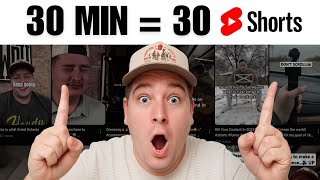
Creator shows how to turn a 53-minute podcast into 39 YouTube Shorts in 30 minutes using Opus Clips. The platform auto-generates clips with captions and face tracking, costs 1 credit per minute of source video, and includes a built-in editor for tweaks. You can offer the service to clients and charge a markup for minimal work.
Chapters
Today I'm going to show you how to make 30 YouTube Shorts, and guess what, only 30 minutes. Let's get right into it. So I'm hopped into Opus Clips or Opus.pro, and so the first thing we're going to do is open this up. We're going to go ahead and sign in. If you don't have an account, make sure to get an account created or logged in with Google. Once you're in, it's going to take you to this page here. Okay, so this is where you can put a link to any video. So whether it's like a YouTube video, a Zoom link, if you have a Twitch link, all the above, you can put a link directly in here, or you can upload a file like an MP4 file off of your computer. And so that option is going to be right here. You have a maximum amount of 10 gigabytes, um, in one video, or 10 hours, whatever comes first. So the first thing we're going to go is go to youtube.com because this is the fastest way for all of our YouTube videos to get cut up. And this is what we do for our clients too. If you run a studio, if you do video editing, like, do this for your clients and add it as a service, as an add-on. And it's something that can provide them with a lot of value, but you can also upcharge with minimal time spent editing these short-form videos. And so let's just grab— we'll grab a— we'll grab a longer episode because you have to have a lot of content. I mean, at least 30 minutes to 45 minutes of content to get 30 reels or shorts out of the AI bot. So let's go, let's go here to videos. We'll pick one of my longer podcast videos. This is Subs to Next My Business. That's about 53 minutes. We'll go down. Okay, hour 14. So we'll click on the video, highlight and copy and paste the link from YouTube, drop it directly into here. That might honestly be too long with the plan that I'm on. Okay, so, so here you can see a couple options. You have the basic clipping option, then you have a clip anything option. And this is for if you have any vlogs or like sports videos, anything that isn't necessarily a talking head video with somebody talking on camera. This is what you're going to use. But for now, since we have the podcast video, we're just going to hit basic. We've, we've got the video here. It pulled it up from YouTube. It's going to use 74 credits. Each credit is 1 minute. And so make sure whenever you're signing up for your plan, I think I'm buying 600 credits per month for like $30 or something. It's not crazy, but we also produce like a lot of videos every single month. So if it's just you using it get the lowest package. It should be plenty. So what we'll do here, this little slider here is— they call it the credit saver, and you can save credits, and you can see them going down as I lower this slide. So since we have 60 credits available, we'll do 59 credits here. And then down here at the bottom, we will choose auto length. We'll go ahead and do 30 seconds to 30— 59 seconds. We'll just let it populate the auto genre. Uh, if there's any keywords, you can put it right here. And then you go down here and you can either pick a template that you've made or do these quick templates. Um, so for now we'll just do this one here and you can choose the aspect ratio. So if you're wanting to create multiple clips, um, that are horizontal to separate your podcast, you can do that as well here. So we want vertical reels. So what we're going to do is click vertical and then hit get clips in one click. Now we'll come back as soon as— yeah, I don't want to do that. We'll come back as soon as this 14 minutes is up. And right now we're probably going to get done within under that 30-minute mark and you're going to have tons of content to post. Throughout the next couple weeks off of this long-form video. So, um, I'll see you here in a second whenever this is done. All right, so now that it's done, about 14 minutes later, let's go ahead and open the file and see what we have. Now we have 1, 2, 3, 4, 5, 6, 12, 18, 24, 30, 36, 39 videos within 15 minutes because you copy and pasted the YouTube video link into Opus Clips. And these are pretty much ready to go. And so it also— it ranks somewhere. I don't know where the ranking is, but this is what the videos look like. Really? So it cuts it up for you, it puts captions, it tracks your face, all of this. And then if you want to go even further, there's an edit clip button. That you can go in and it kind of looks like CapCut, CapCut, or any normal video editor. And you can edit by deleting text, you can manually cut out things. Um, it's super handy. And then you download it and it's ready to post. The reason this little watermark is there is because this is a free account. I do have a paid account, but I wanted to keep all that private. Um, so yeah, that's it. Like, that's 39 shorts in less than 30 minutes, which is mind-blowing to me. Have you ever heard of this tool, or what tool do you use that's similar? Leave it in the comments below. I'm genuinely curious. Um, yeah, if you are a business owner looking to do more of this and go all in on content, that's one of the things we do here at Howdy Media. There's going to be a link in the description to book a call directly with me. Let's talk about your goals and let's talk about how we can get you from point A to point B, um, in a smooth way. But yeah, thanks for watching. Make sure to hit the subscribe button, and we'll see you guys in the next one. Peace.