LIVESTREAM - Tips On Social Media, Personal Brand, & Content Strategy
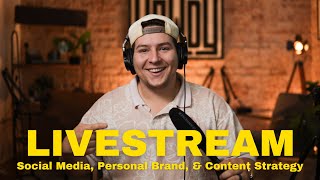
In this 45‑minute live stream, Darin Pacheco (Howdy Media) launches a daily Q&A series for the Howdy Media Insiders community, offering practical advice on building a personal brand, creating content, and growing a small business online. He covers the "7‑hour rule" for content volume, audience targeting, and a step‑by‑step content strategy. The session dives deep into recording fundamentals—audio (Rode Wireless Go, Hollyland mics), lighting (softbox, ring lights), and camera settings (resolution, frame rate, aperture, ISO) for both phones and dedicated cameras. Darin recommends affordable equipment, explains cinematic vs. standard settings, and demonstrates lighting setups (key, fill, backlight). He answers audience questions about podcast workflow, editing tools (CapCut, Adobe Podcast, Premiere Pro), repurposing video clips with AI tools, and how to streamline podcast ideas through research. The livestream also promotes upcoming free and paid workshops, discusses pricing for video projects, and offers guidance on nonprofit grant considerations. Throughout, Darin emphasizes consistency, planning, and community engagement, inviting viewers to join the Insiders group, suggest livestream times, and reach out for personalized help.
Chapters
Yo, hope everybody's doing good. Can everybody hear me okay? We're about— y'all are about to witness something super cool. Hey, I'm about to transition. I'm about to transition into the next scene. Okay, it's behind me. Give me like a few seconds, I'm gonna switch it over. Hope y'all are having a good Wednesday so far. Thanks for hopping on the live stream today. All right, here we go. Boom! Oh my goodness, oh my goodness, this is— ladies and gentlemen, oh, let's get centered here. This, ladies and gentlemen, is the livestream today. Let me know if you can hear me, let me know in the chat. It's a little different setup today, so let me get it Man, what a day, what a day. Let's see if we— I'm testing here. Ah, hold up. All right, now we're good. Now we should be live and lit, ladies and gentlemen. Thanks for sticking around. You should be able to hear me a little bit better. Let me know if you can't. We had some questions sent in by some of our members here in the group. Yeah, yeah, we're good. Check that out, check that out. We had some questions come in. Um, yeah, I'm gonna start going live like this, like, I'm gonna try to do it every day. I'm gonna try to do it every day at the same time, helping you guys out, giving you some advice, some tips. For the people who are part of the Insiders Group, if you're watching on YouTube make sure to click the link in the description and go join the Howdy Media Insiders group. If you can hear a train, it's because we're located right next to some train tracks. Is there background music? I think so. Is it too loud? Yeah, we're just hanging out. Located right next to some— there is music just kind of looping in the background. If it's too loud, let me know. This is the first— this is the first way I'm doing it this way, folks. If you are— if you were on the last live stream, I think I did one a couple days ago, thanks for hopping on that one. Um, we're about to hit 100 members in the Howdy Media Insiders group, which is awesome. I want this to be a tool. I want it to be a resource for you guys, for you small business owners, for you creators who are wanting to get more into content and recording yourself, putting out video. There's actually a cool stat if you haven't heard it before. Google put out every person that's watching your content, it takes about 7 hours before they feel comfortable enough to buy something from you, book your service, whatever it is. It takes about 7 hours of content. That comes directly from Google. You can look it up. So like, my first question to you is, do you have 7 hours of content online? And if you're trying to grow this thing, if you're trying to grow your personal brand, then this, this is exactly what you need to do. I don't hear the train. It's not too loud. Good. I need all your recording tips. So whenever it comes to recording, what— it depends what type of content that you're wanting to put out there. So are you wanting to put out podcasts? Are you wanting to make purely short-form content? Yelly, I know you do a lot of short-form content. And honestly, You should be teaching me, to be honest. Let's go! Shout out Yelly, she has over 100K on Instagram doing brand deals and all the fun stuff that creators do. We focus primarily on helping people. Um, we've learned a lot over the last 2 years and or I guess it's been almost 2 and a half years at this point. But a little backstory on how we got here to where we are today. We started what was called Flights and Sights Media back in 2022. It was a one-man show for about like a year and a half, and then we decided it was a good move to switch to Howdy Media because of that sign right there. Honestly, everybody was calling it the Howdy Studio. Like, if you're new here, this— you can film podcasts here. Like, if you don't want to buy the equipment, if you don't want to worry about anything, finding space, this is a space for you to come make content, to take pictures. And we'll do it all for you, edit it. But recording tips in general, I would say You can use your phone, obviously. Yelly, it's a testament you've used just your iPhone, but make sure the audio sounds good. I think audio and lighting are just important, just as important if not more important, as your, like, the, the actual content that you're putting out. So like, for example, I have some Rode Wireless GoTo's microphones. They're just little squares. Um, there's a transmitter which you stick on your camera, or you can plug it into your phone if you have a dongle, or you can plug it directly into your camera if you're using a camera setup. That's what we've used. Like, we use it for weddings, we use it for our own content. For more in-studio stuff, we use these, uh, podcast mics back here. This is not a podcast mic, this is a shotgun mic, but I thought it— I thought it was fun to use. I thought it was fun to use. But yeah, you need to make sure you— every situation is different, honestly. So like frame rates, you need to learn what frame rates are. You need to learn what shutter speed is. You need to learn what your ISO is. And once you learn these three— and the aperture— and that's whenever you're using a camera. Um, whenever you're using your phone, a lot of these are already like base set to be at automatic, um, setting. So for example, if you go into your camera app, um, and I know you're watching this right now, but if you go in your camera app in the top right corner, there are two buttons, I think, on every— at least for iPhones, this is for iPhones. There are two buttons. One says either HD or 4K depending on what your phone's set to, and then the other number right next to it says either 24 or 30. And so 4K is your resolution. Um, usually if you're just filming on your phone and it's just gonna go on Instagram or social media like normal, uh, if it's not like a big video project or anything where you need a little higher production level and resolution, um, you can get away with HD. Like, leave it on HD because that makes your file sizes smaller. And so like your you're not going to fill up your camera roll. It's 4 times smaller than a 4K file, if that makes sense. So make sure to have it set— I would say for like regular content, HD— and do 30 frames per second. That's a good baseline for pretty much everything. Um, and if you're wanting to get cinematic, or if you want to get this vibe this setup right now, we're filming at 24 frames per second in 4K. It gives it more of a quote unquote movie look, cinematic, like higher quality. That's what we do for our higher production clients. We'll film everything. If it's a talking head, we'll film in 24 frames per second. If it's slow motion, we'll film in 60 frames per second. Um, but that's a whole other lesson for a whole other day. I don't want to bore you guys with camera, um, resolutions. All right, so lighting for YouTube videos. I actually also just made a YouTube video that, uh, covers like the basics of what your lighting should look like. And I actually forgot on a light over here. I'll show you that here in a second. So the room in here right now behind me is dark. So like right here, I'm trying to separate myself from the background. So if I remove myself from the image, it's going to be exposed for the room. If I— I have a light right here in front of me. It's a big— there's a big softbox. I don't know if you guys have seen them, if you've ever been around a photographer or anything, you'll usually see some sort of big box with like a white screen. This is a way to diffuse the light. And this is how it looks soft. So like, there's a few shadows on me right now. Because it's a little bit close, we're in the studio, and I don't have a ton of room. But in an ideal world, I'd either scoot it back or put a sheet in front of it or something to diffuse it even further. But for your stuff, I would just say get a ring light. If you're making very basic content, get a tripod for your phone, get a regular ring light, and you'll be good. And some microphones that hook up to your phone. Um, there's also another set of microphones that are a little bit cheaper. They're called Hollyland microphones. I think it's like Mark II or something. But they're little microphones, they're like this big, like the size of a quarter, and you can take a magnet and attach it to your shirt. Sorry, I'm reading comments here. But anyways, the microphones you can clip onto your shirt, they're magnetic. You can clip it onto a hat, you can clip it on to literally anything. If you're outside and there's like a metal pole, you can just stick it up there while you're recording yourself and it'll pick it up. A lot of people, if you do wear hats, for guys most of the time, you can clip it right here on your hat. And you don't have to necessarily be wearing something where you can physically clip on a microphone. These, since you'll just drop it down, the magnet will attach. To itself. All right, let's get to another comment. Thanks for being here again, guys. Thanks for being here. Here's my blog if you see anything that may be good to use or have advice on how to organize for a podcast, let me know. Let's pull it up. Let's pull it up right now. Can y'all still hear me okay? All right, so blogs, 2024 Olympics using the deep pocket social. Um, are you getting a lot of, uh, engagement on this stuff on the blogs, Stephanie? Okay, here we go. Uh, okay, so does the cinematic give the bokeh background? So the bokeh background, in other words, we like to simplify it and just say a blurry background, which is what you're seeing behind me. This is, um, completely up to your lens, like the lens that you're using if you're using a regular camera, there's— or even on an iPhone, if you download, there's a Blackmagic app, camera remote app. It's free. It lets you control all of that stuff on your iPhone. Like, it lets you control— and if you're in like cinematic mode on your phone, if you go into the camera app, go into video, there's a cinematic mode where it artificially puts bokeh, and you can choose what's called an f-stop. So this is what creates this blurry background. So you're going to see a little f, and if it's like f/1.8, that's what we're at. We're in— we're at f/1.4 right now, and so it looks very blurry. If you move it up, the less blurry it gets and the less, the less difference there is between the subject and the background. So if you're at f/4, f/8, it gets less and less and less. I need to make a video on that, honestly. So, um, but the cinematic image comes from having blurry backgrounds most of the time, um, and shooting in 24 frames per second and using lighting. There's a lot that goes into video. Um, all right, let's get to the the next one. Yeah, ring lights. Ring lights are awesome. Uh, we use— so I work at our church in Anson as well. Shout out Bethel Assembly. I do some of their media stuff. We have a ring light. That's all we have for all our social media stuff. Like, we'll just set it up. I'll either bring one of my cameras or just use my phone, honestly. Um, and that's all we use, and it looks great. And nobody ever says anything about the quality. Like, it sounds good. The, the whole point of it is to communicate the message that you want to communicate. So video and photography are very similar. Yes. When it comes, when it comes to the lens, yes, lens matters in both photography and videography. Um, I know some of y'all do photography. Stephanie, do you do photography, or ever— have you ever ventured off into that realm of things? Because the lens, it 100% makes or breaks a photographer, videographer. Because like, you could have the best camera body in the world, but if you put a $50 Amazon lens that is no name, like it's not Sony, it's not Sigma, it's not Tamron, one of the better ones, the chances of it looking the best that it can go way down. So it's the same, it's the same principle, same principle. Um, the only difference between photos and videos, or not the only, but the biggest thing is you're not able to be as flexible with your shutter speed. So if you're outside, normally if you're a photographer, you can just up your shutter speed to like 1/500, 1/800, a higher and faster one. But for video, you, you can do that, but it doesn't look as good, if that makes sense. I just didn't venture to videography. Oh, I missed the previous comments. Here we go. I did for 12 years. Yeah, so it's, it's, it's similar. It's similar. Didn't venture— videography is honestly like a whole other animal. The amount of money you have to spend to get into videography and time learning about this stuff is huge. It's massive, man. Good questions, man. Keep it, keep it coming, keep it coming. There's lots of photographers, there's lots of photographers out there, and especially like where we're at, which is in Abilene, there's lots of photographers and One of the reasons that I chose to kind of push more towards video is not only like you can tell more of an in-depth story where you can add like emotions through music, you can add emotions through audio, like talking just like this. Because if I were to just post a picture of me like this doing a thumbnail or something, and just putting a caption, it's a little different. But the other hand, the other side of that is it does cost a lot more and it does take way more time to get into. But yeah, that's just a personal preference. A lot of people don't want to mess with buying the gear, don't want to mess with learning how to run Adobe Premiere Pro. On their computer. Then you have to think about buying a better computer to actually run that stuff and like hold all the storage. There's a lot that goes into it that you probably wouldn't normally think about, if that makes sense. You are reinspiring me, LOL. Yeah, we'll just, just get out there and do it, you know. I'm going to turn on this. Okay, so before Before I do it, I set up a little miniature light over here to my left, which is, I guess, yeah, might be your left, I don't know, my left. And it's gonna be what's called a, so we have a fill light, or no, no, no, sorry, key light, we have a fill light, and we have our backlight. So this fill light is gonna light the side of my head that there's shadows on. So check it out. All right, it's on. Now you can kind of see there's some light going on over here, and it just kind of completes the image. Now if I had tons of time to dial it in, dial in the color, dial in the brightness, That's what I would do. That is what I would do. What are some dos and don'ts for beginners wanting to start their personal or business branding on social media? Shout out to Aaron Pacheco. I like your name. If you don't know, that is my padre. What are some dos and don'ts for beginners wanting to start their personal or business branding on social media? It's a very broad, broad question. So do find your target audience before you start. Do research what you're getting into. Do, do have a game plan as far as like your schedule goes, like how many you're going to be posting a week, how are you going to promote it, like if you plan on monetizing off of it, how are you going to plan on doing that, um, what's it going to be about, like is it a trending topic, is there other people who are creating this type of stuff. Think about that stuff, um, especially when it comes to a podcast, things to a avoid, uh, would be just, I guess, the opposite. Don't just go into it randomly with no plan. If you're taking this seriously, like, sit down and, and create a strategy. And that's one of the things we help with. Like, if you need help, this is why we're here. This is why we're offering what we do. Is to be a resource for you and to serve and to teach people how to utilize this stuff. Because there's, like I always say, there's 5 billion people on YouTube alone every single month. It's probably over that if you combine all of the platforms. But there's 5 billion people. Recently bought the Rode microphone and I'm so confused about it. Have you used those? It came with an RX and a TX, and one goes on my phone and the other goes on my shirt. I'm not having a ton of luck with the sound, but this is a good— is this a good one, or should I invest in a different brand? So Rode is— it's a great brand. That's what we use for a lot of things, the Rode Wireless Go 2s. That's— those are the exact ones that we use. Um, RX and TX, I'm not 100% sure the biggest difference. It might have to do with, uh, either like stereo or mono, or either, either that or like, uh, what do you call it, grounding. One of them is for headphones and one of them is— okay, okay, wait, well, timeout. It's probably— it probably has to do— one of them goes— is sending signal to your phone, and one of them is sending signal like from the microphone. It's getting the signal from the microphone. I don't know if that even makes sense at all, but Rode mics are good. Watch the interview video I did with Darren. Talks about— yeah, yeah, you can watch our podcast. Shout out to Yelly, she was one of the previous episodes that came out. Um, yeah, she wasn't the last one, but 2 episodes ago we got to talk about her journey, um, how to create some great content in her situation, how we met, which we met through social media. Like, every single person Like, I would say probably 90% of my leads come from social media. The rest come from word of mouth. Um, and it may be more of like an 80/20, but like, that, that right there alone is a testament to why you should be investing in video type thing. Like, we are posting constantly. And every time somebody new calls us or messages us, I'm like, how did you find out about us? They're like, Facebook or Instagram or YouTube. We're pushing YouTube hard these next 6 months. So if you're not subscribed there, make sure to go subscribe. It's just Darren Pacheco. But yeah, like video itself is, is huge. It's huge right now. Uh, met through giveaway, social media. Yes, yeah, so what we actually did, we try to remember, I think we gave away a Yeti cooler and, uh, we did a few giveaways, one with Carly Cooper with Espresso. We did another giveaway of a Yeti cooler and one of the people that, uh, that Yelly follows. I think she met through Trike, the company. She— Yelly saw the story that she won, and so she ended up following me. I ended up following her, and then I was like, what the heck, I didn't know you're here in Abilene. So she's now part of the Insiders group. Shout out to Yelly. Awesome. RX, receive signal. TX, transfer signal. Yeah, yeah, yeah. So I got it on the third try. Got it on third try. We have some— do you know of grants to apply for so we can use you if we are using it for a nonprofit? I don't know of any grants. I haven't dove that deep into— usually what happens, I don't usually see any side of that. They'll usually come to me after, I guess, they have budgeted out what they can. And then what happens for nonprofits especially, I'll quote something like if it's a video project, I'll quote the video project. And if they're like, well, we, we don't have X amount of dollars. Like if you come to me and I'm like, okay, it's going to be $5,000 for X, X, like 4 videos or whatever, whatever the job entails. And then for nonprofits specifically, I work with budgets. Like if there's something that you want to get done, we will figure out a way to get it done together, if that makes sense. But no, I, I don't know a ton about where to get grants like that, unfortunately. What's up, Katie Grace Pacheco? My lovely wife is in the live stream. Everybody say what up to Katie Grace Pacheco. If you've been watching this whole time, thanks for hopping on today. Hope you're finding some value from this. Like I said, we're going to be doing this, um, hopefully every single day during the week, and I'm going to try to nail down a time. I'm still trying to figure out— I have some shoots during the days around 11 o'clock. Um, what would be the best time if you were to get on every single day? What would be the best time for you to get on if you're watching right now? And if you're watching this after, leave in the comments because I want to get a gauge on what the best times are for people. I was thinking either 11 o'clock in the morning or 1 PM in the afternoon, right after lunch, or we could do it through lunch. But I want to be— I want to be on and doing this more often, being more engaged. With the people, the Insiders Group. It's just cool to have community, cool to have people to like connect with and ask these questions, building your personal brand online, figuring out how this whole video thing works. I'm reaching down to get my iPad here. Stephanie sent in some questions earlier, and I'm going to take a look at them real quick. 10 or 11, maybe one. Okay, so yeah. Either one of those will work. We're good for you. Sweet. 1 PM after lunch. Okay, so there's two 1 PMers. All right, let's get to this question Stephanie sent me earlier. Good programs for podcasters to look at. Whenever you say programs, what, what are you meaning by that? Are you talking about distribution platforms for your own show, or are you talking about things that you should be watching to learn? What is a clear step for making a great podcast? Brand, content, programs, editing options. Okay, I think that was— I think that was one question right there. A clear step to making a great podcast. Like I mentioned earlier, have an, a goal. Have a goal in mind of who you're wanting to reach, why you're wanting to reach them, and how you plan on doing so. Like, before you hit record, make sure you have that figured out, and it's going to save you a lot of headache, and you're not going to feel like you're just spinning your wheels making this stuff because I've been there. I've been making content for the last 2 and a half years because I wanted to grow the business. I'm personally not trying to gain any traction for my personal name, like, I'm strictly doing this for the business. And so whenever I started making content, I didn't really know at first it was realtors for me, and then I was like venturing off into some other things like weddings. Wedding videography, uh, social media management. And I was like, who in the heck am I reaching? And so now I've discovered, and this is mainly through trial and error, honestly, for me it's business owners and creators who want to up their personal brand, elevate their personal brand online, get more attention. How do you do that? Through strategy. Sometimes specific scenarios, it's quality. That's how you do that. So make sure to have a game plan. And if you need help with a game plan, just message me, let me know. We could set up a meeting. Um, brand content programs, editing options. Okay, let's talk about editing options for a second. Uh, what do you currently use, if anything? What do you currently use to edit your stuff, pictures and videos? I want to know. I asked previously if you have any workshops for planning and outlining. I don't know if you— I actually missed that. Okay, now I've seen it. Do you have workshops or just planning and outlining that if we can't afford the recording at the moment? So we are going to start doing workshops, um, for this stuff. Uh, we'll probably do a couple free ones, or at least the first one completely for free. Uh, we're still trying to get nailed down like where we're gonna do it, how many people we want to let in. Because I know if it gets too crowded, like, it doesn't feel personal anymore. Some people get afraid to ask questions in front of, in front of the class. But we are doing workshops pretty soon. We'll probably end up doing some of them at Grain Theory in their event space. They got like a projector and all that jazz. We can bring whiteboards and we can, we can nail down strategies for you. Um, we will be doing that. One or two of them will be free, and then if it goes well, we'll start doing them ticketed. We'll also— there is always going to be a free event that we do, by the way. We're going to have one free option and one paid option. So, so either way, you're going to be getting value, if that makes sense. But yes, we will be doing that. And if there is, if you do end up getting grants or end up needing a video project that needs to be more hands-on where we bring the equipment and everything, then yeah, we're a resource for that too. We are a resource for that. I currently use Podcasters. Yeah, that's great. There's, when it comes to recording, If you're doing audio, you can, you can do just audio. I'm going to encourage you to at least attempt doing a video with it, because here's the thing, you can repurpose that content way more if you have a video with it than if you just do audio. So you're already recording the podcast, might as well go ahead and get the video too. Because then you're only speaking one time. And this is how I— this— everything that we do is trying to be more efficient and more, um, manage— like managing our time better. So if you're recording, if you're sitting down to record a podcast, you might as well set up a camera too. And it could be just your phone. And get the video. Um, then what does that mean? You can get that clip and you can cut it up into captions and everything using tools like Opus Clips, which if you haven't heard of Opus Clips, it's an AI editing software tool. It's great. It— you just throw it up, long-form clip, and it cuts it up, puts captions for you. Um, yeah, editing GarageBand or iPhone and CapCut. So if you're gonna be editing a podcast, I would say CapCut is a great option because it has a lot, a lot of tools that honestly a lot of people pay for on Adobe. and CapCut does it for free. So utilize CapCut, and you can also— it's also browser-based, so you can do it from wherever, um, like on any computer. You can just log in, but all you got to do is set up your camera, and it— this is where it gets a little bit weird. If you're using your phone as your microphone, then you might not be able to do this as easy. Um, but if you have a microphone like this and you're recording it, like if you plug it in to your camera, you can do that, uh, with those Rode microphones. Even if you clipped on the Rode microphone, plugged it into your phone, set it up, um, and just talk to it, like that's perfect. Then you can promote the show, you can promote the things that you're doing on Instagram and Facebook and TikTok. And just with those short clips, people start to realize, because a lot of people are watching Reels and a lot of people are looking at your stories on Instagram. So like, don't forget about those people. And this cool thing about Instagram stories, this is a cool, a cool way to think about it. It's, it's kind of like an email list, if that makes sense. So every single time you post on a story as soon as you post it, it goes to the very front of that person's feed, on the very top. And I don't know about you, but I usually click the first one and I just tap through all the stories. So it's a good way to like nudge— it's a good way to remind people that you're doing what you're doing. Um, so yeah, get that long-form video, get that podcast, record it, video and audio. And the simpler the better too, don't overcomplicate it. Uh, and honestly, at that point you could just throw it into CapCut, throw some like vocal enhancer on it, export it, and upload it. And there's a few different ways to upload it. You can upload it on YouTube. Also, you need to be doing it on YouTube, unfortunately. That's just— that's where the big money's at. Upload it to Spotify and Apple Podcasts. You can either do that by going to Spotify's podcaster resource website where you can upload everything on your own there. There's another one called redcircle.com. You can upload as many things as you want. It's just audio, but— mate, my flight is about to board, so I may have to rewatch later. Sounds good, Stephanie. Hey, thanks for joining, for real. Thanks for all of the questions, um, and conversation. We'll be wrapping up this live stream soon anyways, so, uh, yeah, come back and watch it whenever you land. I have the Adobe products. What do you use for— what do you use Adobe for recording podcasts and editing? Okay, so personally we use Premiere Pro because we have the video involved. If you don't have the video involved, Adobe has a, a podcaster's like application. Let me see what it's called. I can't remember. I haven't used it. I think it's Studio, maybe Adobe Studio. Let me check it out. Adobe It may be called Adobe Podcast. Adobe Podcast. Yeah, it's— I think it's free too. So yeah, go check it out. Um, yeah, there's a lot of things, and we'll be breaking this stuff down, uh, throughout these next few weeks. Just like, even if it's the basics, if you're wanting to learn how to use a camera, like just message me and we can talk about it on the live stream. We usually try to go live for about 30 to 45 minutes. Sometimes we'll go an hour if there's— if it's popping, if there's a lot of people on. One last thing, this will be the last thing that I answer. It says, how do I streamline my podcast ideas? So this goes back to the whole research part. So don't be afraid to look up other people's stuff. Like, what is the content that you are consuming? What is the content that you like to see that you need to take that into account? And then you need to see out of those which, which videos, which podcasts are performing better. And it's easier to gauge this on YouTube. So if there's an account with 5,000 subscribers, but their podcast got 100,000 views in a week, or in a month even, there was something about that topic, something about the title and the thumbnail that was good. So why would you reinvent the wheel and reinvent the idea? Don't try to be 100% original all the time. Just copy what they're doing. Like, take that idea that you know works and apply it to your own situation. That's what I would say for, for streamlining. And go through and find 5 to 10 podcasts or videos, um, that you want— you're thinking about making and research. Like, research how they title it. Like, make sure how— like, pay attention to how they word it in the title. Pay attention to what kind of thumbnails they're using and what the topic is. And if they're getting a lot of views, if they're getting a lot of people listening and watching, then more than likely the algorithm is going to see what you put out and it's gonna be like, oh, people like this, so it's going to push it. Gerardo Sandoval, thanks for hopping on, brother, at the very end. We're actually about to end the live stream. If you have questions, if you're watching this after it's over, um, feel free to leave questions in the comments. Be watching for these events, uh, we'll be setting them up daily, hopefully. Maybe these first 2 weeks it might be every other day. We'll see. But we're going to try to get on a schedule where we're coming in. And as far as it looks like, it looks like we're going to be going live around 1:00. If you're watching this after, what would be a good time for you? Thanks for— thanks for sticking to the end, by the way. If you haven't followed our YouTube channel, if you don't— if you don't subscribe, follow— I sound like such a boomer saying that. If you don't subscribe to our YouTube channel, go check it out. Darin Pacheco. Go check out our website howdy-media.com. If you have any questions, don't be afraid to message me, uh, don't be afraid to reach out, email me, call me, whatever. If you want to be on a live stream, let me know and we can get that arranged. Uh, if you have something to promote, if you have some ideas that you want to talk about with me on the live stream, we can get you on a Zoom call, or you can come to the studio. Um, whatever, whatever you want to do. But I think that's it for the day. I think that's it. Thanks for joining. Um, it was a great livestream today. We'll see you on the next one. And I gotta stand up and go turn this thing off and stop streaming, so there's gonna be a few awkward moments. Just bear with me. Thanks, guys.
More from Daron



Entitled Woman Tries Suing Man For LEAVING Her Mid Date, Instantly Regrets It

This Is Why More People REGRET Buying Their Electric Vehicle Than Ever Before