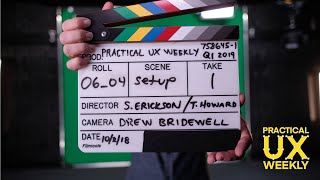
Drew Bridewell shows what's coming in Season 2 of Practical UX Weekly: 12 new episodes covering design systems, project kickoffs, UX roles, and component workflows. He walks through his storyboarding template and explains how each episode connects practical concepts to real work.
Chapters
Foreign. Hey everybody, drew here your friendly, your friendly design educator from Practical ux weekly on lydit.com and LinkedIn learning. So this week we just finished an amazing 12 episodes of Practical UX Weekly that are going to be rolling out over the coming months. And I'm so excited to to bring you this content. So we have everything from the workflows of designing a component. We have a whole new design system section where you're going to understand from start to finish how to execute on a design system. You know, like doing a design on it. The setup essentials. We also have some other things around. Kicking off your projects. I wanted to show you a few things about this and one huge shout out to to the Lynda and LinkedIn learning team for like the production the stud that we're in to be able to film some of these things and just the way the team executes on this learning videos is pretty awesome. So what I wanted to show you was for each one of my videos I actually used the storyboard template that I created for each one of my episodes. So I wanted to show you real quick. So here is one of the sketches for storyboarding and I'm going to show this in one of the videos, but it's actually in this worksheet. What it is, it has the title what is this about? Why is this important? How will we use it? The outline, the outcomes. I have a whole video all about using this template and how to apply this template to your day to day with presentations and your workshops and your meetings and a lot of other things. So this is coming and it's going to be a part of the UX series. So check that out when it comes and I'll probably do some more videos to kind of let you know when it comes out. So I thought you might like that. There's other ones. Look, some other ones. Boom. Let me grab some more from my, you know, I'm using these like plastic sheets to kind of keep these things organized. Let's see, here's one on design systems, Setup essentials. Boom. Another one. There's some like more worksheets. There's some that I'm saving for special occasion. So setup essentials. Boom. Look at all my crazy notes, all my crazy post its. Here's one on project kickoffs and how I marked it up here. It's going to focus pretty cool. Here's another one on the roles in user experience design. That that one's going to be pretty epic for you all to see. You know, if you're switching over into UX or if you're trying to just understand what are the different roles in user experience design and the different levels of them. I have a course or video on that too. Oh yeah, here's a fun one. Design on it. So I usually put a post it because I know I need to do it. So hey Drew, you need to do this. And then I create content, then I write it, then I create the slides and the story to bring it all to life. So I just wanted to show you a little bit behind the scenes because I don't know, just felt like it today. So hope you kind of like this show and tell type of thing. It's super rough, you know, nothing too fancy about it. But I hope you all have an amazing rest of your week and I'll see you later. So see you later. Bye. Oh yeah, and one more thing, One more thing. Alright, and everybody, if you haven't yet checked out my weekly series on Lynda.com and LinkedIn Learning, it's called Practical UX Weekly. Couple ways you can get there, you can go to lynda.com drewb that goes to my author page and then you can click the link to get to it. Or you can go to LinkedIn learning, go to LinkedIn.com learning and then you can search for Practical UX weekly and you'll find me. Check it out. There's 40 episodes in there and it's great content. Spent a ton of time putting together. They're short, micro bite sized content, so if you only got five minutes, you can just go in there, watch some five minutes with Hangout with Drew and then be on your way back to work. So I'm creating all this content for you just to give you other perspectives around design and other perspectives around working with teams and establishing expectations and working with product managers and engineers. And the list goes on and on and on. But it's awesome stuff. So check it out. And that's it. So we'll see you later. All right, Bye, Sam.