Unlock Your Full Potential with GrowthDay: A Masterclass with Drew Bridewell
Drew Bridewell walks through GrowthDay's app features, from journaling and habit tracking to the Life Scores assessment tool and Brendan AI coaching assistant. He outlines a daily growth loop: journal for awareness, plan your actions, score your life, then learn new skills. The masterclass covers growth groups, challenges, and subscription tiers.
Chapters
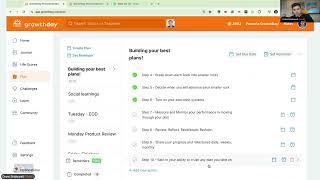
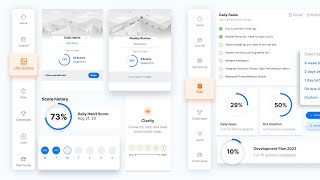
Good morning everyone. Hope you're doing amazing as we get started here. Just go ahead and let me know in the chat if this is your very first growth group. Oh, thanks, thanks. Almost appreciate that. If this is your very first growth group, let us know in the chat. Also, if there's anything that you've been really curious about with the Growth Day app and something you want to dive deep in today, we can make sure that we cover it. Just put it in the chat and we'll work through it today. If we haven't met yet. Hello, nice to meet you. My name is Drew Bridewell. I'm head of product and design here at Growth Day and I'm just here to also just work through and teach you everything. Everything you maybe don't know or everything you're trying to learn with using the Growth Day app. So welcome. Awesome. Awesome. So we got a couple of first timers here, which is amazing. This is a great place to start speaking, especially if you're just trying to learn how to get the most out of the app or what you can do with the app, how you can tap into the journal, how you can tap into life scores, how you can tap into the plan tool, the challenges, the learn experience. There's quite a bit that we're going to dive in today, so why don't we just kick it off? Let's do this. And one just want to thank you so much for taking the time out of your Thursday to be here with me today. I also have one of my teammates in the chat that's going to be supporting us as well. Lauren's here to support us as well. And then also today I can also answer any questions you have about the search experience we just released recently and the Brendan AI that we also just recently released for Mastery members. So if you haven't yet been a part of a growth group, you're in one right now. Growth groups are a way for you to come together with other strivers. Or you can attend one of our official growth groups, which is what this is. And inside of these sessions you'll notice that want to get yourself oriented. You'll have a chat on your right sidebar, you'll have your notes and then you'll have the agenda. Beautiful. Awesome. Today's going to probably be about 40 to 50 minute long session, so if you do need to leave or if you have to go and do something, I am recording the sessions and I will be posting it inside the community section once it's through editing and through post production. So if you wanted to be able to search for any of my past replays, a part of how to use Grove Day. Then you can just go to the community and search for Drew Bridewell and then you will see all my past posts. And I typically just embed the videos, these video replays right in line inside the community. So you can just watch any of the historic sessions that I've ever done. All right, today I'm going to share my screen. We're going to dive into a keynote. It's going to dive into the foundations of Growth Day, and then we'll do a live demo. We'll work through the entire app. So as we go through, if you have questions, just write them down, your notes and we'll make sure we cover them pretty straightforward. Today, Growth Day is a place to practice your personal development. Right? So we're going to teach you how to do that and how to just get started into the game. The first area that I want to cover is just letting what is accessible in this experience. So I, I know you're looking at this screen. You're like, this is a lot of things, but let me just slow it down and work through these with you. Right? We have, inside of Growth Day, there's a growth system. These growth systems are all connected to each other. So you'll have a journal that you'll now have access to where you can journal with our high performance prompts. You'll have growth groups that you'll have access to where you can attend topics that you're interested in. Or if you wanted to host even the growth group, you could do that. There are five day challenges. There's five of these challenges. Three of them are led by Brendan Burchard, our CEO and founder. Two of them are managed by other coaches like Mel Robbins, who wrote the High Five Habit, and then you have Anthony Trucks, who wrote the Identity Shift. So they really go deep into their training programs. Inside of those five day challenges, you also have a life score assessment training tool. And life scores are really cool because you'll have daily assessment, you have a weekly assessment, and then you have a whole life assessment like a monthly assessment. These assessments give you targeted recommendations based on your lower scores. So let's just say you're scoring your first time on a one to five on Clarity, one of the high performance habits, and you score, say a two or a one or a lower number. You will get recommended videos for that lower clarity score so that you can improve it over time. And we have a lot of things to help you keep on track, like little habit trackers, which I'll show you over in the right sidebar. So that's your Life scores. All of these Life Score questions are aligned with our research from the High Performance Habits Book book. So if you haven't yet checked out Brendan's High Performance Habit book, you can listen to it on audio or literally watch his Deep Dive course in the Habit Builder course. Inside of the Learn Pillar, if you want to dive deep into it, then you'll have a dashboard which is basically all of your aggregated data. When you go back to the dashboard and you start seeing like everything fill up there, that's just pulling in the content and the activity of the things that you're doing. As I keep going through the list here, we have a plan tool. So we learned that through high performance planning is an essential ingredient to helping you move things forward, helping you decide what are your top two to three needle moving actions that you can take on and move forward throughout your days, your weeks, your months. But you'll learn that the plan tool is actually a deeper system builder, that you can create a lot of better habits and you can set reminders and due dates. But we'll dive into that in just a second. So then we also have the Daily Fire. Now the Daily Fire is really targeted around keeping you motivated. And that's where Brendan will talk about a motivational topic or any topic. And it's released every single day. It's only up for 24 hours. It doesn't continue to the next day, just every day there's a new one. And I think you're also going to really enjoy that. If this is your first time coming into the ecosystem, then there's the course experiences. So if you've ever experienced a course on like YouTube or Udemy or Skillshare Masterclass, all of the companies that provide online learning, we have an online learning ecosystem as well, where we have about 50 plus courses and over hundreds of replays from over the past few years of the topics that we teach about. So you'll be able to search for those and access those inside the platform. And to finish up, we have the Learn Pillar that has your growth groups, which is like a community of growth groups and official growth groups that we host, or you can host them or you can go in, tap into some of our courses. So that's your growth system, right? I'm just trying to give it all to you right up front. And, and now we'll slow down, we'll work through because sometimes where do I start? Drew, this is a lot of things that I have now I've access to. And it's good to know too that all of those experiences are on the mobile app as well. So most of our members really tend to use the mobile app and then they'll use the web experience as like a companion experience. So if you really having more space to journal or to course watch and to learn, then you can always have the web experience there for you. But when people are on the go, they really prefer to have the mobile app installed. All right, so if you don't know where to start, like I was just telling you a bunch of examples, I want to give you a very simple framework that you can follow to help you anchor in on what are the four things that you can do to get the most out of growth day. And that's where growth loops come in. Now you can design your own growth loops, but I'm going to give you one just so you can follow. And if you want another follow up for this, you can always go to our Sunday growth notes that Brendan shares every Sunday. And in that email that he sends, he has a growth loop section where he talks about the four things that you could do to help encourage that growth loop. Now connecting to a growth loop requires four elements and the first one is gaining awareness. So to gain awareness inside the app, inside the experience, you can do two things. You can journal or you can do life scores. These are going to help unlock a deeper level of intention, a deeper level of awareness. And this will help you with your feelings, your observations and the things that you appreciate, like showing gratitude. So we have hundreds and hundreds of growth prompts and such side of the journal that you can just tap until you're. And tap, tap as many times as you want. And you can start journaling about different topics. The second area of a growth loop is we really want to help you achieve your goals while you're here at Growth Day. Whenever you start your membership, it's incredibly important to us that we help you grow. We help you achieve the things that you're trying to achieve. So to do that, we need to be able to write them down, we need to be able to list them out. We, we need to be able to move those things forward, like whether they're actions or milestones or whatever you want to call them, we need to be able to document the things that we're trying to work towards. And that's where the plan comes in. But you can, you can add your goals to the plan. You can create, checklists you can create deadlines and due dates and that's how you can, we can help keep track of you achieving your goals. There is inside of the growth profile in the app you can, in growth profiles, just whenever you see your avatar, you can go to your profile and, and that's where all of your notes, your achievements, your certificates of completion and all the other details about your growth profile will be listed there. So you can check those out for measuring progress. Another big important part of the growth loop and measuring progress is about just putting a stake in the sand about where you're currently at. And life scores are a great opportunity for you to be able to do that by scoring your habits and your high performance habits to help you improve over the long term. Now the cool thing that we have in the tool in life scores is you can actually see your trend line of how you've been progressing on any of the different topics throughout the whole year. Now, for some of you, if it's your first week inside the app, then you're not going to see that trend line right away. You have to do it every day, every week, every month. And, and you'll start to see how you're progressing throughout the year to keep you on track. And then the last one that we want to do is we're in a personal development app. So we really want to help you maintain and stay motivated. So we have a lot of different levers that be able to help you do that. With the daily fire, with the teachers that show up every Wednesday to coach, and also our big seminars that we do on the first of the month that set the tone for the whole entire month. So we do that every single month. And I think you'll find that those are incredibly inspiring, but also very informative. They're very structured frameworks being taught and these are great ways to keep the momentum building. Now this is your growth loop. You can build and design your own growth loops in the app. It's just really about tapping into these four things is what we recommend. Now to dive a little bit deeper into that, we're trying to help you gain awareness. Right. And I was just calling out the journal is a great opportunity to do that. With the journal prompts, the morning mindset, the evening review, just tap those buttons at the bottom of your journal and you can start writing those out. Now the journal does auto save and it is completely private. So when you're going through and you're wondering like, who can see this? It's only you. Unless you're sharing your screen and you're in a growth group, nobody's going to see your journal and it's incredibly in private to you. There's also a sidebar inside of the journal that allows you to see your habit tracking on web when I'll show you that a little bit later. And then you have your life scores. Also, if we keep the party going here for achieving your goals, right, we have the plan tool and I'll give you examples of what you can put in your plan tool just to get you started. But I think it's really important for you just to think about when you're planning something out, like whether it's a, a to do list for a party that you're hosting or whether it's a list of your morning routine, your evening routine, whatever it is. The idea is like you can create a system or a list of these things inside the tool and get reminded about them just by saying a reminder. And then that's how you can create a better habit or reform your habits based on what you put in there. So it's really up to you. And as we keep going through, we also are talking about measuring progress with life scores, where I'll show you more about that in the tool today too. And then the last one about staying motivated. So there's multiple ways to stay motivated with growth groups, with courses with the challenges, the daily fire, and also the community. And we still have a podcast network that if you want to be able to tap into this content outside of the platform, you can, you can subscribe to Brandon's Motivation with Brandon Burchard, Lori Harder's Earn your happy and even Trent Shelton's Straight up with Trent Shelton. So each of these coaches also coach in the platform, but they're a part of our bigger podcast network where they do talk about other things. And it's free content inside of their podcast. Now, last year, if this is also new to you, we released 15 master classes last year. So there's plenty of content to go around if you're wanting to work on building relationships, working on setting better boundaries, or even just like really trying to nail in your mindset and resilience. This year there's so many topics. And then cool thing about these master classes is you will see about seven to eight different perspectives, diverse perspectives about how to approach these different subjects. So you're not going to get the same, you're not hearing the same thing over and over. You're getting a very wide array of different points of view and different perspectives, which is really helpful. To in this space because there's so many different ways and different methods for approaching your personal development. So one coach might speak to you, a way that you really resonates with you, and then another coach, it might not resonate with you. So it's great to have these different points of view when you're tackling these big giant topics. So I think those are also something that you want to dive into as a Mastery member. And if you do miss any of our Wednesday workshops, no worries, no sweat. We record these and we post them into the replay. So we have a. A vault of about six months of your past replay. So you can come back in, search the content or go and sort by topic or by coach when you go into these replays in the learn section of growth groups. So you'll be able to access these at a later time. Now, we've had topics on managing at work with others. We've had time management, master classes and replays. The, the content is so vast, like even starting your own dreams. It's been so much fun over the years producing these. So just feel free to check them out. So all along in your growth system, right, you have all these coaches that we've brought into the system to support you. We have the podcast network. We have a community where you can post anything and ask questions or post your aha's, post your wow moments, post your achievements inside of the community. And you can also tap into the platform. And then we have other growth systems like a referral program. So if you do share or set up your growth referral program, then you can get a 25% referral and of the total amount and start earning when people come into the platform. And I'll show you how to do that in the tool as well. Yeah. So right out the gate, there's a question and I'll, I'll actually tackle these right now. It's perfect timing, Kim. Great question. And I'm going to come out of screen sharing this presentation. And the first question was, I have a growth group on Sunday. Will I be able to share my screen as Drew's doing? Absolutely. So in the bottom bar in the growth group, you see a purple bar and you have your controls. Now, if you're a host, then you'll have the ability to share your screen and walk through anything that you're doing. And you can also bring people up on stage just by clicking on their avatar down at the bottom. And if I wanted to bring, say, Kim, if I wanted to bring you up on stage, I would Just click you and then make you a speaker or make you a co host and then you would come up to the the stage and be able to join the discussion. So right now I'm presenting to all of you. So there's nobody else on stage but you can see your avatars and see yourselves over in the right chat. So that's how that works. So what I'm going to do now, because I haven't seen any other questions rolling in, which is totally fine, I'm going to start at the, I'm going to start at the dashboard and work my way through the app. And I know that we're about 20 minutes in, so I want to encourage you to just be thinking about your questions. Thinking about. All right, today I was coming into this, I, I, I saw this title, how to Use Growth Day. And I'm like thinking, what are all the bells and whistles inside of Growth Day? And I just want you to start thinking about the things that I really want to learn and get the most out of this tool so we can start that conversation. So I'm gonna go over into sharing my window and you'll see my dashboard experience right now. And in this experience, this, what you're seeing on the far bottom of my screen is what we call the mini player. Now, the mini player is this cool feature that allows you to be in a growth group and be browsing the site. So let's say you're doing a growth group and you're working through a specific plan or specific series of questions for all the people in your growth group. Then you could be browsing and go to the plan tool and the people in your growth group will be able to see all the things that you are doing. And the thing is, you cannot listen or watch content together quite yet. We are working on a feature to be able to unlock that so that you could have more of a watch party together while you're in the app. We do have watch parties on Wednesday, which they're not in a growth group, so they're just replaying certain pieces of content and we're learning and social learning together. But I just want to let you know that's something that we are focusing and working on. So on the dashboard, let's just first break down what is in front of us and what we can do. Now, I do want to also say that some of you might be watching this on a phone. So the real estate on a phone is obviously just the size of your phone. It's not as big as we have here on the desktop. So the UI of what we have on the web and the mobile is pretty consistent as far as what's going to show up on the page. And the first things that we have on the page is we do have the new search pillar. So if you want to search anything like confidence or I was even searching like the letter A yesterday and just getting everything that was showing up in the platform and product, which is really fun, or if you just wanted to search like confidence and you could hit return and then you would see all the pieces of content that are all about confidence and it just will keep scrolling continuously until you run through the entire list of confidence results. And this was a recent release too, so you all should be able to see that now in your browser to get access to just knowing what in the content. Now I do want to restate that you do have to have a Mastery membership or a pro membership to access some of the old content. So Mastery unlocks all of the vault, like all of the courses in the entire platform and all the replays. If you're a pro member, then that unlocks our Wednesday, like our Wednesday workshops and our past replays of our growth group. So if you're curious about what the difference of those are, that's the big thing. Also, if you're a master, remember you unlock the Monday motivation, which shows up in this featured section every single Monday. So on Mondays, this entire big content area right here where it says join us for growth ala this whole thing will change to just a Monday motivation with Ed Mylett on Mondays, which is pretty fun. And then the Daily Fire is always persistent and, and it's always showing up the top of the page. And today Brandon's talking about his success formula and it's a 10 minute daily fire. And you can also like journal and take notes inside your journal while that's on. All right, cool. So let's keep working on the page. So we have the search and then we also released this new feature called the Brendan, it's Brendon AI, where if I tap into Brendan AI, then I get a, a list of potential prompts that Brendan was just done. I just exit out. And then you can have questions and I could ask Brendan, hey, Brendan, what's one thing I can do today to set my day up for success? So I just asked the question and then what's going to happen behind the scenes is Brendan's going to check this out. So he says, absolutely, let's dive into this one powerful action you can take. And I'm not going to read that entire thing, but let me actually play the audio here and see if you can also hear. Might not come through because my other audio might be picking up me. So let's just see. Okay, it's not coming through, but it's picking up my audio. So this is exactly what he said back to me. I'm just going to put it in the chat for you all to see. But the really exciting part of this new capability inside the app is this is getting better every single day. It's improving every single day. And when we come into these questions, you can actually get timestamped notes of what and when he was saying at those specific times to go deeper into these sources. So it's almost like an index of everything that he's ever said, ever. And the coaching is just, it's just on point and it's getting better and better. Now if you don't know what to ask too, you can see the suggested questions down below. You can regenerate those as many times as you want to get new questions cycling through. And this is just something that we're really proud of, we're really excited about and I think you'll love it. It does require a mastering membership because it does take time and energy to put this out there. I'd encourage you all to check that out as well. I think it's really cool. So thanks for calling that out, Elvis, and let's just keep going. We'll start back at the dashboard, so just right out the gate. Search in Brennan AI dropped this past week, so I think you're all going to have a lot of room to play with that and see how it improves your overall experience in the platform. So as we keep working our way through and I don't see any other questions coming, but keep them coming if there's any questions. Want to make sure we answer all your questions before we shut down the session for today. But inside the product too, there's opportunities right now because we are planning for in May our CHPC Certification Week, where you can become a Certified High Performance Coach. We also have our next upcoming fitness Mindset workshop. So if I wanted to RSVP to that, all I have to do is click on this link and come over here and rsvp and I've already RSVP to it. So I you guys can do this while you're on the call and make sure that you RSVP to this so you can get all the reminders and notifications for when it's going to Start It'll be a 10 to 1pm session and yeah, it's just going to be really fun session with Brandon. All right. Yeah, great. And good luck in your growth group this upcoming weekend. If it's your first one that you're going to be doing, I think you're going to love it. So we have these elements. We also have a replay up from the Advanced Human Behavioral Change workshop that Ed did in the GROWTH at LA State. And then we also have a way. If you haven't yet claimed your free group coaching session, I want to encourage you to do this as well because you have the ability to just claim a free session. You follow this link, you pick a time for what time you want to actually join the call and you'll actually get to listen and be a part of one of our group coaching sessions from one of our high performance coaches or certified high performance coaches. If you haven't yet been through one of these coaches, like I went through this before I actually joined Growth Day. I was over at Facebook and I was just wanting to get additional high performance coaching and I went through this program, I tried it out. Not only did I do the group coaching, I actually hired a one on one coach. And this coach helped help me transform over a 12 to 16 week time period. And it was just incredible to have somebody working for you, have somebody really there to support you week after week going through very structured certified program that Brendan designed himself. It's. It's incredible. So we went through that and it was a high impact for me and my life, not only for my career but also it just was great for me to understand more about myself and I did it through this program. And then the last thing that you should know is if you do want to check out and if you find a lot of value from Growth date, then you can set up your referral link. You have to follow this link to go set it up and then you can create a link and then you can share with your friends. So if you're hosting a growth group or if you're just wanting to share a link to drive people back into the growth day, you can get paid to do that, which is really nice. Down the page here you'll see that I have my growth groups, I have video courses, I have audio courses, I have my journal which I can click through as many times as I want to see different prompts that I could write about. For today. I have my life scores that I've done over the entirety of my subscription at Growth Day, I have My plans that I'm working on and I also have challenges that I can dive back into. This is your dashboard. You can also move these things up and down. So if I wanted to move up my journal for the day, so it's going to save my journal for the day up here and I can just go in and be able to tap through and have access to my journal and other elements. So these are little ways to move these up or down, depending on where you're at. All right, fantastic. Great. So I think that's a great, great question about how do you create your own growth loops? How does that work? Is it official part of the platform or is it manual organization thing that has to be done outside the platform? Right now it's, well, it's a little abstract in a way because your growth loop is literally tapping into these four things every day. And the product, it'd be like journaling life scoring, planning and learning. Okay, I'll say it again, like journaling life scoring, planning and like Lauren just put it right there. He's amazing, Lauren, great job. Like what Lauren just put in the chat is exactly like the simple, the simplicity of building a growth loop. But I think this is a high performing community and you can totally just follow this recipe and do this. But I think it's important to be able to create your own growth loop. I'm going to journal, I'm going to plan, I'm going to benchmark by life scoring and then I'm going to learn something. I want you to be really strategic where I would recommend you be strategic about when you do this and say when you design your morning routines and when you're going to actually complete a growth loop. Because once you complete a growth loop, that's what the behavior is that we want to encourage every single day. Because that's the formula for growth. Being able to reflect, being able to plan, being able to take action, being able to learn. That's this the common. If we were to think of it as a figure eight, those are the things that we want to do on a recurring basis. You can also design your growth loop, say in the plan. So all the things that Lauren just put in the chat, you could go over to the plan tool and create a growth loop. So for example, I think I have one. Yeah, right here. So I'll move it up. So inside of the tool I have a growth loop that I get reminded about. I had it due on the 14th because that's when I created it. But let's just say I'm going to clear the due date and I'm going to set a reminder on this plan inside the web experience that I want to get reminded about this weekly on Thursdays, but I could literally change it to every day of the week. I want to get reminded about this specific growth loop just so I can build the practice to do this. So if I hit save here, I'm going to get reminded about this plan every Monday, Tuesday, Wednesday, Thursday, Friday at 8am and it's going to tell me, drew reflect, journal, and life score. It's going to say, drew plan. Top three things I need to do today to win the day. Number three, practice. Do the work of what you're learning and striving for. Number four, learn. Watch two, three videos that are going to support your development plan. So these are like, it's a very simple list or a very simple plan, but it's also, to me, a system, an intention that I want to be able to practice these things. So when I'm learning something new, I like to create plans for the practice because it helps me reinforce the regimen that I'm trying to create. Now, you can do it any way you want, but I'm just showing you this is an example of how you can use the plan tool. It's very powerful in that regard. And I've even used the plan tool for other things, like for Friday Finishers. For Friday Finishers, I have three that I already am circling, and then I keep adding this every day, but I have three things that I need to finish by the end of day Friday. And we talk about this a lot, actually, in the community. So if you have things that you want to be able to finish every, like, by the end of day Friday to make your week awesome and successful for in your mind, you can create those Friday finisher lists inside the tool. I also am teaching a session also today about design impact. So there's three core elements that I'm going to be teaching in this. So I just, I put these in here. So I know, okay, these are the things that I'm going to be talking about today. And that's going to be around the training. Awesome, awesome, awesome. Another thing that you can also do is we even had. I was using this for the last couple weekends when my son is training in soccer. So he's playing competitive soccer. And there are some things that we notice in the game. So my wife and I were taking notes during the game, but instead of taking notes, like in our journal, we were like talking about, okay, what are some things that we can do in the game to be re encourage these practices that we want to teach our kid. And he's learning, he's 14, he's growing, he's doing. It's very competitive but we want to make sure that, that we're looking in a, in a reflecting about how to make this better. So you can create a plan for that and you can just basically come in and check these off the list when you work through them or you can reprioritize them if you wanted to do that in the web experience. And it's a pretty simple like endless capability. There's so many different ways that you can approach this. And I've used these things for all sorts of things. Like one on ones, I've done them for training programs that I'm going to teach or work through. I've even done these for like product reviews and one on ones that I'm going to have with the team here at Growth Day. When I'm trying to work through a very specific, specific list of things, I will create that list of things and I'll just work through the list and I'll just mark it complete. So it's a very simple way to do that when you're trying to create some high intention inside the platform. Now, on the plan tool, as much as you can create any plans that you want, you can also set reminders. So if I have a series of a ton of reminders that I've tested and used over the years, but like I even have a reminder for, I want to just get a standalone message that says create harmony, model. These are my three words that I'm focused on this year where these are the words that I'm just trying to embody. So what I could do is, and we come over here, I'm going to delete one of them and then I'm going to create a reminder so I can go to the very top here and I can hit set reminder. And today there isn't a way to export your plans outside of the platform. But Elvis, while we have you thinking about that, let us know what you would do if you could do that and where would you export them. And are you just talking about exporting a PDF or are you talking about exporting it for another purpose? So as we set a reminder, you can just add in any text you want to. You can set up when you're going to get reminded about it, whether it's a weekly thing, like the days of the week, a bi weekly thing or a monthly thing. Or it does not repeat. It's just one time only. So I can say I'm going to get reminded about this at 10:30am every day and that's going to help me set that intention. So as long as you have your push notifications turned on, you're going to get notified about this and you'll be good to go. Another cool way to use the plan tool. So I'm going to move this back up and then my Friday Finishers Growth Help Center. Got it, got it, got it. And cool. Awesome. So that's your plan tool and I saw that question coming in so I wanted to make sure I covered it. But let's head up. Actually let's head over to the journal section. So what I want to do now is I actually want to tap into a journal entry just to show you and I'm going to open up my sidebar. Now the sidebar is pretty cool, which you might have already seen this. So you have these journal prompts. So if you click any of the journal prompts, it will load a new prompt up in the top you can click, keep clicking this until you get to a prompt that you want to write about. But you can also go into any of these. Morning mindset, Evening review, Weekly review, Monthly Review. These are mapped back to the high performance planner that Brennan created. It's sold on Amazon. But these questions are highly researched. They're highly backed back to the research that we did for high performance habits. And these questions really help, really aim and direct yourself. High intention, high levels of awareness and keep you moving forward in a positive way. Moving through your thoughts. Not necessarily. They'll help you work those thoughts out. And then over here on the right side we have our kind of like a habit tracker of all the things that you accomplished over the entire month. So I'm working towards a 60 day journal streak. And as I'm working through this, I can see that I have all these days that I've journaled, but I can also see the plans that I created and edited on Wednesday, March 27th. I can also see the journals that I had for this day. And if I hover over these, I'll see the little the tool tips of the journal that I did for that day. And then I can click back through previous months even and go back to certain days and how I was feeling, what I was writing about, what I was doing. And you can come back here and do that, which is really nice. Thanks Lauren for the awesome prompts there. And then. So that's your journal you can always go back in and search for a previous journal. You can search for viewers searching like just confidence if, or I'm just using the word confidence for a test. But you could type in the word confidence and then I could see all the confidence results in there. But it's my private journal, so I don't want to scroll down and show you that. But it's a really easy way. And I can see how many results I had. I have 54 results where I've talked about the words confidence in my journal. And to get this sidebar open, you just have to click the calendar on the right there. So if we go through life scores and we're almost about to wrap things up, so I just want to make sure if you do have questions that you keep them coming here. I hope this is great. Yeah, thanks, Elvis, for that feedback. That's really good feedback. We're in the process of actually looking at new experiences for plan life scores and journal. So it's great, timely feedback. So we'll take that into account. Keep it coming. Great. All right, so with life scores, like I was saying earlier, your daily, weekly and monthly life scores, these are your assessments. And you can come in and do an assessment every day. And you basically answer from a 1 to 5. And as you go through these, you just read and then you can just answer the question. So you can just go through and if you make a mistake, you can click back to the one on the page and then maybe you Change it to a 4 or 5 and you can go this. I'm going to do this at the end of the day because I have a ritual that I do around seven, eight o' clock at night where I'll do my live score, I'll journal and then I'll put my phone away. But I do this and then in the coming days I can keep my momentum going, keep working through that content. Now, just so you know, as you go back through, you're probably going to see recommendations that you want to watch, but maybe you don't have time to watch them right away, you can always come back to the tool and hit this blue suggestions button that's going to give you recommendation that you can listen to about increasing your energy or whatever the topic is, developing your energy vision or what was this other one that I got? So each one of these I'm getting a different recommendation. But guess what, there's even more recommendations below. And you can hit this recommendations button on the specific card that you scored and look, rejuvenate your mental health because I had a, let's say I had a movement, productivity and my energy was low. But it's recommending this video. I can go in another one and see another recommended video. So you're always going to get new recommended videos inside this pillar, which I think you'll love. But guess what? Over the year, when you have a lot of scores in the bank in the growth, in your growth system here, what you could do is see how you're trending over the long haul. So I'm seeing just from yesterday I was down 2%, 1% which it doesn't hurt my feelings. It's just like a, a benchmark. It's just a way to track and the cool thing about this is you can see over the full year how I was tracking across different topics. Whether it's nutrition, whether it's my mood. I can see how I'm doing across the board. Like I think I was saying, even my, my nutrition was lower in November and it's probably the month that I ate a bunch of birthday cake. It's my birthday in November. So there's different things that happen in your life that are going to allow, that are going to cause your trend lines to go up or down. But it's not about beating yourself up over it. It's about having a benchmark to have awareness of why it's happening so that you can make the proper course corrections that meet you where you're at and then you can improve. And that's really what it's all about. So we have our challenges as well. Like I'm not going to dive deep into the challenges today, but I would encourage you to check those out which I think you will absolutely, just absolutely love. These are five day challenges, very deep, detailed. Then you have your learn pillar where you can tap into your growth groups or your courses and your growth groups or your courses are also ways that you can just continue learning in the platform and see all the rest of the content. Your community is another section where you can tap into all the cool things that are happening in community. You can search my previous past names. If you haven't logged in, you just have to log in one more time because we're using another tool to be able to serve the community here. So we are working on making this all like super native in the future. Just bear with us on that. But I think you'll enjoy seeing what the community has to do. One of my favorite posts that Sheri from our team does every day is she posts the daily Fire Notes. And it's just a really great summary of what was discussed in the Daily Fire. And she does this every day and it's some. It's a really special thing. So you can check that out from our team member, Sherry. And then the last thing that I'll show you is the settings, just in case you have questions. And you can always take a tour from the Settings page. If you wanted to be able to take another tour to walk you through the tool, you can change your plan, but depending on if you signed up through Apple or signed up through Web, there's different places to manage your subscription. So let us know if you have any questions there. If you want to be able to gift this to a friend or even set up your referral program, you can do that in your settings page. And the instructions are all here for you. But we're here for you if you got questions. No sweat. You can always email us supportday.com and we'll help you out. And there's also a really cool growth profile that you can set up. Kind of your foundations of your big why, your notes from everything that you've taken into the tool, your goals for the year, you can put your goals into the platform and then you can see your achievements throughout the product. So we really brought the growth system to you, your front door, to be able to help you across the full gamut of personal development. And I just really appreciate you all being here today to walk through it, to learn about it and to just be awesome strivers. So I'm going to come back to this, come back to the group and just see if there's any final questions before we end the session today. What's the difference between referring an app versus sharing a cart? When you talk about sharing a cart, are you talking about the referral program? A referral link is just saying that the person that signs up through that link, you will get a little cut for that, a 25% cut of that. If you signed up through Bodi, which we have a partnership with Bodi, then their subscription is managed with BODI subscription and it's giving you access to the tool. So you can buy through bodi, but then you would come to the tool to use it. If you end up wanting to change your subscription while you're a BODI member, then you need to go back to BODI and update your subscription there and then come back to Growth Day. I'd love to know if there was one thing that you learned today that you didn't know that you appreciate or that you. I would love to get your feedback for that. You can share the feedback in the chat or after the session ends. There's gonna be a feedback button on the page if you can give me some feedback or me and Lauren some feedback about maybe what are some things that you wish you knew more about or if you captured everything that you wanted to learn today and we nailed it, I would love to know that as well so that we can improve through this session. We host these every single Thursday unless we're traveling or unless we have a company event. And we're really here and Lauren's on the product team as well. And we're striving so hard to make sure that we can deliver a world class experience for you, both web and both mobile so that you have a great place to work on your personal development with the tools, the community and the live coaching. It is our premium offer that we're really excited to give to you. Yeah, appreciate you all so much. And I'll, I'll stick around just for another couple minutes, but if any questions inside the chat and. Oh, yes. Yeah, yeah, yeah. Totally, totally. Yeah. So we will. I'll post this back in the community at a later time. And just to send off the crew, I'm gonna go ahead and just, I don't know, play some more fun tunes as we end this session today. And let's see, here we go. Have a great rest of your day. I appreciate you all so much. I got this feeling. And we'll see y' all in the next one. It goes electric, baby when I turn it on all through my city off of my home.