Deep Look Inside of the Growth Day App!
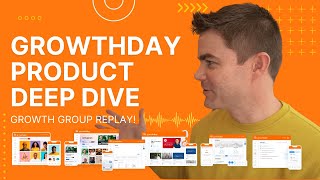
Recording of a Growthday product deep-dive led by Drew Bridewell (Head of Product & Design). Drew demonstrates the Growth Day app live (screen share) and walks through the homepage/dashboard (responsive two-column layout with a mini-player), Life Scores (10 measured categories: clarity, energy, necessity, productivity, influence, courage, movement, mood, sleep, nutrition; daily/weekly/monthly), the Journal (research-backed prompts: morning mindset, evening review, growth prompts, weekly and monthly reviews; private; supports images; >1M impressions), Plans (theme-based plans, tasks, due dates, reminders; exploring recurring plans, duplication and habit-tracking), Challenges (time-limited interactive courses with video tasks, journaling, social posts, gamified milestones; currently several active challenges), and the Learn & Growth Groups features (live events, replays, community interaction). The session is interactive with live chat Q&A and product-feedback notes; Drew mentions roadmap cadence (quarterly planning) and expected releases before Dec 29.
Chapters
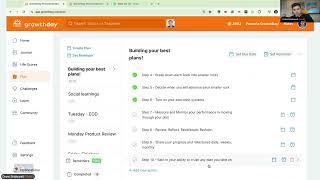
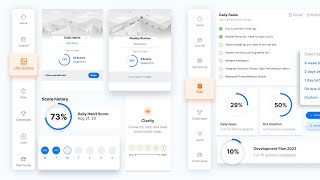
Oh, look at that. You see? Hey, what's up, everybody? Let's go. All right, I just want to. Really quick as everybody's coming in, I want you to please, if you want to be up on. In the speakers, I want to just bring you up here throughout the entire call. If you want to be up here, no worries. If not, we're doing a deep dive product review of Grote. I'm going to talk about every area of the app. I'm super excited about this because, like, literally over the last two weeks, I've been in what you would call. I've been a little offline. I've had the flu. I've had a cold. I'm still kind of working through the cold, but I'm so pumped to be back. Actually had an awesome workshop last week in person. Right on, right on, right on. I had an awesome workshop last week where I was teaching high performance product in design, which is something I'm super passionate about. But today what I want to do is, is to spend a lot of time talking about the full. The full app experience. And I'm. Yes. I'm not in my RV trailer anymore. I've retired that. I'm actually in one of my new studio spaces and which I absolutely love and adore being back in an actual, like, office space of this whole loft, which is cool. But yeah, yeah, it's good stuff. And then we're actually, like, looking at some land, which is going to be some super fun stuff here in North Carolina, you know, just to build some really fun things. Hey, Kevin. Hey, Kelly. Hey, Steph, Stephan. Who else is here? We got Bray here. We got Candace, Aleyah, Jane, some new faces. If you're very. If you're new to growth day, can you put in the chat that you're new? What's up, Don? What's up? Can you put in the chat that you're new and. Yeah, and then we're just going to get off to it. So what's going to make this growth group a success? Carrie? Yes. Welcome. If this is your. This is your first week new, awesome. Okay, cool. So my name is Drew Bridewell. I'm head of product and design here at Growthday. So the app that you're using, it's my responsibility to make sure that this is top notch for you, to make sure that this experience is world class. You know, from all the pillars that you use to the community that you get to interact with, to the courses you get to learn from all in that this is just something I absolutely love. And adore. I've been here since the very beginning of the company and yeah, it's my job to make it amazing for you. So you can always ping me or come to my growth groups and let me know what you wish there was here in the app. No problem. Awesome. New as Wednesday. Welcome. Cool. Sweet. I'm just letting more people in. Yes. Oh, Kelly, miss you too. Miss you too. This is just my favorite thing. So hopefully the mic sound. Oh, I was just muted for a second, but can you all hear me? Okay, cool. Alright, so what we're gonna do first is I'm gonna give you a little overview and remember that you are inside of a growth group. And what that means is that you can actually travel around the app with me while working in this growth group. And I think that's important to know because I'm going to share my screen but I'm also going to just walk through each of the individual pillars. But you could like literally just browse away and follow along. You could go to the homepage, you could go to the journal, you could go to the life scores to plan to challenges to learn section to the community and still be inside this growth group, which is a really cool thing. And we called that the growth group mini player. All right, sweet. And I think you're all going to love it because it's going to allow you to keep learning and growing even if you're in another growth group outside of this one. So we're going to do that today. But also if you got questions about the app, I really would appreciate if you could put those questions in the chat just so we can make sure that we're answering them anytime. Like there's no, there's no wrong times to do that. And then also probably towards the halfway marker, I would love to hear if anybody is new and you want to come up on the stage or you know, just raise your hand or just say, hey, Drew, I'd love to be a speaker and I'll bring you up on the stage and we can talk about the things that you're trying to get kick started inside of the Growth Day app. Because we're going to go through this stuff pretty quick and you'll see how easy it is for you to travel through it and all that stuff. It's going to be super fun. All right, so I'm going to share my screen and I'm going to share my entire screen. Alright, cool. And you can see Inception. There we go. So just right off the gate, welcome to my dashboard. Welcome to my homepage. You can see the chat in the very bottom, or you can actually see the mini player and you can see the timer and everything else that's going on. I can still see the chat in here. I can still see what y' all are writing. I can still see my agenda and my notes. I just love the mini player because it allows us to keep moving while we're in a growth group. So let's just keep going. All right, so the first thing that I want to orient yourself, orient you to the application. Because we're working so hard on this and we're going to be updating every area of the app, you know, throughout each quarter. So we really do quarterly planning, we do Q1, Q2, Q3, Q4 planning. And if you ever heard about Brennan's battle boards, I think you would probably how he ends up going through and just really structuring his planning for the year. We do something very similar inside of the product organization. And as of right now, we have some really cool new things coming that we're really pushing for the end of December. So literally up till December 29, we're gonna have some really cool releases coming that are gonna just make the product so really exciting and great. So the first thing that I wanna orient yourself to on the homepage, we have two columns. And the two columns are, you know, this is application, which means if you are making your screen size a little bit smaller or making it wider, the screen will adapt to your screen size. So like if you're on an iPad in the mobile web browser, or if you're on a, you know, small 17 inch or 15 inch or 13 inch computer, it's going to resize down. That's what we would call like, responsive design or responsive implementation. So inside of that, these two columns, we have one column that is all about you. It's all about your growth, all about the things that you're learning and growing and doing. And then we have the right column, which is all about the new discovery content, the Daily Fire. For today, we have the next upcoming live event with Koya and Jenna. And this month's all about how to learn faster, which is like one of my favorite topics so far. If you haven't yet checked it out. The replays are in the learn section. And then we have, like, if you were watching something and you were like trying to pick up where you left off, you have a continue watching component over here on the right side too. And then right underneath that is a life score based on your. Your lowest Life Scores, how can you increase, you know, those Life Score recommendations? So we have videos there. We're constantly iterating and making and adding more videos for the Life Score recommendations and inside of the product for the courses. So if you're cur curious about how to upgrade to that, you can go to your settings and you know, upgrade settings is just basically like the settings in the bottom left and you can go and upgrade and if you don't have access to certain things, you'll see a lock button on it. And that lock button is kind of like your entry path into upgrading as you want. So I'm not seeing anything in the comments. Oh, here we go. So can I show an example of a battleboard? You know what, I actually have an example which I can share, but it would take me outside of the app. But I will share it as a special thing for you, Katrina, towards the end of the call. So just remind me towards the end I'll write it down, I'll remember this. But then I'm teaching about a battle, like another version of doing a battle board this weekend. So I'll be sure to, if you follow me, you'll see it coming out and I'll post about it or something. All right, cool. No problem. Alright, so again, just reorient yourself. You have all the tools on the left and all the discovery of the content on the right and we are going to be continuing adding more content to the right sidebar. So this is how, you know, we organize it. If you want to be able to move your content up and down, you can just grab the little handle once you hover over the title. And this little handle that shows up will give you a little bar that you can move these things up and down depending on where you want them. So just as you're trying to organize your space, there we go. And you have this little really cool little area to do that. So we have the journal. And if you want to click through your journals, you can just click through different journal prompts to write through. You can also go into your daily, weekly or monthly Life Score. Now the big thing for the new strivers here today, the Life Scores are how you build better habits. These are questions that we have done an incredible amount of research on. And if you were to go into these, you're going to get asked a series of questions. So I've already taken my assessment, so I'm not seeing to take this assessment, but these are the questions or these topics that you get to measure benchmark from a 1 to 5 where you're at. And there's really no wrong way of doing this. The only wrong way of doing it is to not actually do it. So if you get into a habit every day, maybe even the mornings or the evenings, to do your life score daily habits, it allows you just to check in with yourself around these 10. Clarity, energy, necessity, productivity, influence, courage, movement, mood, sleep, nutrition. There's usually a sub line, a little subtext that's there that allows you to kind of just do a little bit of self reflection. They take probably about 90 seconds to do, especially if you start to learn the questions and you can start to just like really answer them and go through them pretty quickly. Thank you so much, Don, for adding the link. That's a really great, a really great practice. If you are running a business, if you're trying to step up your game with scheduling and really working through a bunch of priorities and a bunch of initiatives, Battleboard can be a really great way to give you a full picture of your full year so that you have confidence about how you're entering into each month so you can spend more time about, you know, how you're going to feel, how you're going to interact, what success looks like and less time actually putting in the big giant priorities that you have every single month. But obviously those things can always change. But it's a really great training. Yeah. So, Stefan, if you're in a challenge, if you miss the deadline to finish all the tasks, can you still go through the content and do the journal exercises 1,000%. We only, we only do have the timer there so that you, you know, as far as your bronze, silver and gold achievements that you can do, we gamified that just so you feel like a sense of like, oh, I'm going to come back and do the work. But you can always take these challenges as many times as you want. So you go through a challenge, you're like, I missed day five and I want to go back through so I can do all the challenge together. You can totally do that just after you finish the challenge. It's no big deal. Sweet. All right, cool. So back to the Back to the Daily Life scores and we're just keeping this show rolling. You can come in here and when you click on any of these recommendations, you can come, hey, my friends, it's Brendan. You can come through and actually listen and look at some, some of these different recommendations for each one of these topics. If you go down even a little bit more and as you start to build up your history you can start to see how you're progressing across different things across the entire year. I think this is important to know because like, you know, sometimes we have off months, sometimes we have really strong months and it's just good to know where you sit, where you play. That way you can just get 1% better week over week, month over month. Or you just have a really good regulation of knowing, oh yeah, this is how I'm currently feeling, this is how I'm currently doing. And if you mit, if you match this with a journal entry or even, you know, clicking in and seeing the recommendation video, then you're just compounding a little bit more like, okay, I'm doing a life score but I'm also doing a little training and then I'm going to do a little bit of a reflection and then I could potentially have a really clear window of okay, tonight my sleep is low. I'm just going to go to bed like 30 minutes earlier, I'm going to go to bed 10 minutes earlier. I'm going to not put my phone by my desk where I go to sleep so that it doesn't distract me when I want to go to bed. You know, little things like that can go a long way and I think that life scores is just a way for you to create those better habits and just be a little bit more intentional and mindful about how you're approaching those things. Alright, cool. So we looked at live scores. Let's go back over to the dashboard because I just showed you how to get there from here. But let's look at the journal. Journal is one of my favorite things. I literally have the journal open just all the time. If I'm in a meeting, I'll have the journal open and I'll just literally be taking notes from that. But let me just dive into these different prompts that you have to be able to use. These are all research backed. Again, I'm saying because when we first created the journal we were like, well, we got to make sure that this is time well spent, but we also got to make sure that we're asking motivating and encouraging questions that really help you think that help you kind of self redirect and help you stay on track. So we have morning mindset, we have the evening review, we have the growth prompts, we have weekly review and we have the monthly review. Now each one of these is going to give you a series of really good questions. You don't have to answer all of these, but you can. And as you do that, they'll all be saved inside your journal history. And you can also add an image if you'd like. And we, you know, you can just attach the images or you can take a screenshot and just drag them in. Boop. And then you'll be good to go from a growth prompt perspective. You can click this growth prompt every as much as you want and it's going to cycle through different questions that you can answer or that you can respond to. Same thing. For weekly review, it's a list of five questions. These are really good to do on Fridays, Saturdays or Sundays. And then the monthly reviews at the end of the month. Really great reflections to be like, what did I even do this month? And then you have that ability now. Journal is one of our most popular features. Like, we have had over a million impressions inside of the journal. Like people are journaling every single day and they're getting tons of value at it. I think that they really like the power move inside of Growth Day is to marry the journal with the Life Score. So if you are doing like a Life score in the day or at the evening, it's really nice to marry that with like a little journal reflection. So if you did score a couple low points in your life scores, or if you just had a really great week or a great day, you can write about that and quickly reflect on it. Because if you don't write it, then it's just almost like it didn't really exist. And it's like your brain, your brain captures and processes so much information throughout the days, but just taking the time to think about, like, what did I do today, how do I feel and what am I going to do tomorrow to even have just as a even better day? A lot of those things can really help. And that's what the journal, we love it because of that. All right, cool. Are there any questions about the journal or the Life Score so far? If there are, please put them in the chat. If you. And then also, just as a heads up, you can filter down your types of journal entries down below. And we are investigating some really cool features that would allow you to organize your journal even better and also be able to search some of your journal entries. So we're in discovery mode for that, which is a little bit behind the scenes. But if you have feedback or questions or comments or desires about how to make the journal even better, would love to hear your feedback. And just as a caveat, like, the journal is a hundred percent private, so anything that you create inside of here is your private data I'm obviously sharing my screen and you might have read some of my, my journal entries which. There it is, you saw it. But this is a hundred percent private so you don't have to worry about somebody else having access to it unless you end up sharing your screen like I'm doing. Cool. Any questions so far? Can the journal entries be downloaded today? The journal entries could be downloaded if you copy and pasted all your content, but there isn't like an actual like download PDF. We just haven't, we just haven't really gotten enough requests for something like that. And, and I'd be curious to know stuff on like too. Like what would you do if you could download it? Like what would you do with it versus having it stored? Because you'd have, you know, if you, if you just want to be able to download your book, you know, you could probably, you know, see all your journal entries and it's going to take for me a kind of a quick beat to load it. And then you could, there it is. I have all my journal entries from the beginning of time and, and then I could just, you know, I could probably save this file as a PDF. I could probably do something like that. But right now we don't have an actual function that allows you to do that. Hope that helps. Alright, let's keep going. Alright, so another really important thing because if you kind of already notice that just by having a journal, just by having a benchmark with your life scores and your habit forming, now we have the way to take action like a lot of people will do in a part of growth and personal development, right? It's not just about like being super reflective. It's about taking meaningful needle moving action that's going to help you achieve the things that you want to achieve. Whether it's your, you know, your personal goals, whether it's your passion goals, whether it's your career goals or whether it's just like your project goals, the things you want to complete in your projects at work. So the plan is a really good way to create those habits and those routines and those rituals that are going to really help you drive it home with those projects. So the way that I have really set up my plans is, is I really like having a theme based plan system. So I have obviously you can see over here I have like a November intention plan, I have an October intention plan, I have daily planner which are the rituals and habits and things that I want to do here I'm going to zoom in just a tad bit so you can See it a little bit closer. Hopefully you can see it a little bit closer. Just thought it would be really neat to be suggested so let me just take a note of that. Candice, I'm going to drop it in my notes. So you said just a thought, but it would be really neat if there were suggested journal prompts based off of the daily life scores. Okay. Just so you can tie them together. That's really in smart. I think we could probably do something like that. Little machine learning, little AI bring together. Great suggestion. You guys are so awesome. All right, let me come back down. Cool, we'll keep that informed. That's possible. Connecting the dots. There is stuff I love to do too by the way. Back to this daily planner. This is an example. I have a daily plan that I tend to do every single day. And this is like, okay, I'm going to know my top three priorities of the day. I'm going to know the people that I or persons that I need to reach out to. I'm going to know what kind of mindset I need to win the day. And these are self talk, this is self affirmations. I know the answers of these things. I write them down on a piece of paper. Like I have my sketchbook and then I also just have systems in place for Monday through Friday on the meetings that I have. And I've created this really, you know, this schedule that really works for me to be able to accomplish all these things now. Something that I'm grateful for, you know, I'm grateful for this growth group, I'm grateful for this experience. But like again like when are the times throughout the day where you bring a little bit of gratitude into your life, into your heart, into your soul and you're just like, all right, I love my family, love my friends, love my co workers, you know, what is it for you? It could be anything but it's just really fun to do that. I love it. Awesome. Alright, so this is an example, another really cool thing that you can do with this. You can set due dates and you can also set reminders. Something that we are exploring just for all of you growth day strivers. We love that you're here. We're also exploring how we can make these plans more of a, more of a recurring plan or in a way that you could literally set this daily plan that I have right here to go every day. I have to get a reminder every day, but I want to accomplish this every day and I want to keep track of how many times I finish this every single day so you can create little, excuse me, miniature habits and little things that, you know, really create better routines and habits for you. So we're exploring a lot of that. I think you're going to love it. Yeah. Oh, duplicate plan. Yep. The only challenge that I've been so far learning about, and Kelly, definitely chime in on this, is if you're duplicating a plan, then you're going to end up getting a lot of completed plans. And right now we don't. I mean, we have some work to do around how to. We already designed some better experiences for this. But my only concern is, like, having too many of the same plan, like duplicated versus reusing the one that you have, but keeping track of how many times you reuse it. So I think there's two ways to think about it. But because there's so many things inside of Grote, I'm really sensitive to, like, trying to make sure that it stays, like, clean and tidy and organized. So I think that's something that we want. We want to be really mindful of. And maybe we can also do some research with y' all on that. Yes, Katrina. So Katrina had a question around. Do reminders notify us on the iPhone app. Yeah, you. You will get push notifications on your phone. And if you actually tap in to. In the very top right of the app, there's a little notification bell. If you tap it, it takes you to all your notifications. If you tap the little dot that's up in the very top left corner or top right corner, when you're inside of your notification center, there'll be a thing that says manage notification center settings. These are for these Manage notification settings are for all the notifications across the app. So when we go live for the coaching, when we have challenges, when we have growth groups or reminders, you can get push notifications. You can turn them off there. And then we also have email notifications for growth, like this growth day app updates and live events. So you have ways to do that. And you can also do that down below here, your settings. And then if you go to notification preferences, where you can manage all these things, this is the same thing for mobile and web. So you have access to both of those things. Alright, let's go back to plan. Alright, Cool, cool, cool. So again with plan, we're talking about, like, actions that you want to take on a recurring basis. Like, if you have other things. Like, I have people that I'm mentoring. Like, I just have a list of their names and then I Have a subtask list for. For the top three things that I'm trying to help them with with what I'm mentoring. I also, like, had a finding strength plan because when I was watching a course, I wanted to create a plan for this framework for finding strength in the things that I do. So I was taking notes literally inside the plan because I wanted to come back to the plan and actually take action and do that. I had another plan for this school that I'm helping with my son. And I'm trying to figure out. You know, it's not trying to figure out, but I have a curriculum that I'm teaching about product and design at a school. So I have things that I'm doing from advancement. I also have things that I'm learning about in North Carolina because I'm a new North Carolina native. So I'm learning about things, and I'm just keeping these plans, like, active because I want to be able to go back to them. I have different rocks, different things that I'm working on, relationships, my talk lineup. I have, like, 21 items of things that I do talks about, and I can just store these lists in how I want to. I also have, like, different plans for the days of the week where I'm like, I know, okay, it's Friday. I have my upcoming week and things that I still need to do by the end of the week. So you can use your plans for anything that you want. You can create the reminders, you can set the due dates. And just know that we are highly, highly focused on improving this in 2023. I think you're going to love all the new things that are coming. Oh, to duplicate a task or duplicate a plan. I think that's something that duplicating a plas. Okay, I'm just writing that down. Kelly. We'll explore that as well. Cool. Yes. As far as. Yeah, Kevin, great idea. The habit tracker is something also that we're exploring with the plan, like, how you can do that. But it's more of like when you think about a habit. Habit tracker in general, because I built one of these over@lynda.com as well. It's like you're wanting to establish the pattern that the user, the striver, the. The, you know, the player of the game and what they're doing every day. So we want to create better habits, but we also want to keep track of the things that you're doing. So in the plan section, the things that you're doing is you're completing tasks and you're also, if you're creating a daily, weekly or monthly recurring plan for this, like, as far as wanting to do this every day, every week, every month, then we want to keep track of how many times you're doing it. That way you're building a ritual of habits for the things that you do, but you're also keeping track of how many times you've done it. So I think exposing some of those things back is like how we think of Habit Tracker. Even, like in the Life scores, we're keeping track of the daily, weekly and monthly scorecards that you're taking. There's a little count of how many you do, and then we also have a countdown of the trend lines and stuff. So we're trying to really build an awareness around how you're using these things. Things. Awesome. Hope that's helpful. Hope that's helpful. I'm just going to add this other note, just like weekly only, like on our. Yeah, sure. Got it, got it, got it. Cool. All right, cool. So we went through Life scores, we went to journal, and if you just joined, we were just doing a deep dive. So if you have questions or if you're new to Growth day, please feel free to ask your questions. And we'll just keep jamming, y'. All. Alright, so challenges. Another really exciting interactive video journal and planning experience. So right now, I did join this challenge. I've already taken this challenge, but I'm just gonna show you what this looks like. So I'm diving into the High five challenge with Mel Robbins. And the way that these challenges work is, is there's a video, typically task or activity to do, and then there's more like posting a comment and doing social interaction. And then there's the social, like publicly. So if you've ever been to a workshop or one of our live training seminars, it's a typical framework where, and it's just the same way that I ran my workshop last week. You really want to teach the lesson, give context about what it is. And that's what this first video is going to do. Then you come into the action, the activity, the thing that's going to help you really think about the thing that you need to push forward, advance, reflect on. And that's what the second task is. And you can do it right in line inside the challenge. Then you can post a comment about this inside of it, inside of the community. So if I minimize this down, you can see, like this individual right here is doing a high five and he's doing the first bit of the challenge and then you can invite a friend and do it. And if you do, you can just check these things off. Now for these embedded actions, we just automatically do it once you hit submit because we know that you actually did it. So I want to encourage you, if you haven't done a challenge to go try them out. They're super fun and they are time based. And just for this one, I have 20 hours remaining for this first task and every day you come back and you can do another one. Now let me go to a challenge that I already completed and show you what that looks like. So here's a challenge that I already completed. Yay, I got a little celebration because we like to have fun like that. So I can still always go back to the challenge. I can see what I've completed. And if you miss a task, like, don't sweat it. You can always take the challenge again. But you can always go through and still participate in the activities. You just won't be able to mark it as complete because the time was already passed. So here again, we got a really funny video of Brendan, but it's a really great video where he's in his, you know, in Puerto Rico talking about, we're talking about confidence here and. And then he gives you four actions to journal about and then you can come in and set some goals. So I've already had my goals, like literally like five things that I wrote. Grit, dedication, passion, commitment and empathy. And then I had my actions that I did during that time and then I shared it in the community. And then down very below, you can see like the different milestones that we have for each of the props. This is super cool because it gamifies our growth. And when you're doing it with other people, it makes it so much more fun to build a network and build other people that are going through the same thing that you're going through and just coming together. Because when we learn together and we have that social learning aspect together, like it feels like we're not alone, but it also gives us the encouragement to keep going and striving together. So I just absolutely love that. And plus, you still have your notes where you can take notes in that experience as well. Cool. So I know that some people are new to that and they're taking the challenges. So definitely want to encourage you to have some fun with that. And I know, Stephan, you're new, you're taking a challenge like have at it's Brendan and welcome to date. And it's really good quality content and it's really good quality embedded experiences here. So that's the challenges and there's. There's four challenges. Let me come back to the active. There's four challenges right now. There's the Clarity challenge, the confidence challenge and the identity Shift challenge, which was our latest one from. From Anthony Trucks. This is one of great coaches and so a lot of great experiences to go through there and really get a lot out of the learning experience. All right, now let's upgrade over to the learn experience. So just like today, you found this growth group through the learn section and I really appreciate it that you experienced. I'm really excited that you're here experiencing this growth. Katrina, great question. So if you take a challenge again, does it bring in what you've already completed? No. It is literally like a whole new. You get to take it fresh. All new, separate journal entries. The content's the same from what the instructor is giving you, but all of your responses are going to be completely unique. We did that because when we were doing research on this, we learned that if you went through a challenge one time and then you go through it another time, you're actually experiencing it as a whole new person. Like, you might have had a complete transformation in the whole, like, month time period from all the activities and actions that you're taking inside the app. And then you want to have a really fresh go because your journal is going to be different, your plan might be different, your perspective of how you listen and learn in that video might be different. So we kept it really separate. Cool. Awesome. I'm glad you like that. Alright, so really quick growth groups is one of those big, giant things that we've built this year. It's essentially like what you're getting experience right now. And obviously, like, I'm in a. I'm kind of lecturing about the app right now. But let's just imagine we. And I know Kevin's hosted some growth groups, which are awesome, but the idea is like, you can use these growth groups for anything that is going to serve you and your mission and what you're trying to achieve. Now. I love having these growth groups with my team. I love having.