Design With US - E1 - The starting line
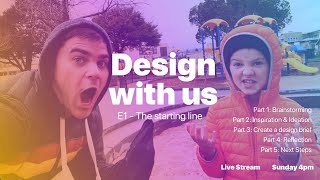
Drew Bridewell and his 10-year-old son Jude brainstorm a Roblox game from scratch. They sketch out core features like rollerblading, pets with rarities, and multiple worlds, then study three existing games (Bloxburg, Adopt Me, Fishing Simulator) for inspiration and build a Figma moodboard to guide their design.
Chapters
All right.
We'Re going.
And.
Let'S see here. There's us.
SA10 Sam.
We were muted. Can you hear us now? How does the audio sound now? Jude is. This is Jude and he is 10 years old. But you can obviously to tell them how old you are. Can you hear us now?
That's so sad.
Can you hear us now? Testing, testing, testing. Let's.
Hey.
Hey, you guys. Can you hear us now? The audio is just causing the app that I'm using to kind of crash. Can you hear me now? Sorry about this. Maybe we're back now.
Are we?
I know because I'm so excited to get started and we, we, we were crashing. So I think we're back now, Jude. I think everything might be sounding okay because it hasn't crashed and we're here. Shake out those first, those first live streams. Alright, cool. So if you can hear us and you're still here and you can hear us, just say hello and maybe where you're from right now, where you're living right now, be fine. Oh, sweet.
Let's go.
Let's go. All right, so just wait another second. Now we can hear you. And I'm going to. Awesome. Just to triple check that it's on. Welcome to our little design studio. This is Jude. I'm. Yeah, and I'm Drew. And we are going to be kicking off our very first series episode today for design with us. And the cool thing about this is if you haven't yet met myself. Oh, we just had our. We just had our time timer just went off to basically let us know to get the show going. But sorry about the. The mic just working at all. Oh, Seattle. Awesome. Rebecca, Sweet. Hopefully the weather's nice right. Here we are in Alameda and the weather is actually quite beautiful. Oh, in Austria. That's pretty sick. Yeah, that's really cool. So what we're gonna do today is. I mean, typically the, the outline of the show is going to have a lot of different things mixed into it. But today we're going to introduce a new game idea that we are going to create. And that game is a Roblox game. And Jude and I. Well, Jude plays a lot more Roblox than me, right?
Yes.
Yeah, probably like every day him and his friends are playing Roblox and then for me, I love playing games more so Fortnite and some other games with Jude. But what we've been wanting to do is we're really passionate about learning the skills of what it takes to actually design a game inside of Roblox. Studio. But right now. Oh, cool, cool. You just moved the sf. That's awesome. But right now we are essentially trying to just build the foundations for this game first. And so the first half of the season is going to be around brainstorming and ideation and creation. And a lot of these ideas you can apply to just about anything. And I think it's really important as a designer to kind of like to try these different types of explorations and ideas so you can continue to build those skills. So what we're going to do first is we're going to just kick off the kind of a little. A little story of what we're going to have in the show and the outline. So I'm going to go ahead and flip to my screen cap here. Oh, the camera. What happened to the camera? Let's see what's going on there. We can fix that pretty quick. Jude, that wasn't there a second ago. Here, I got an idea. We'll do command four, command five. And let's see here. So that is that screen cap.
And.
So the screen, it will move that. It is odd, right? That's our. That's our camera. And the view looks like it's. There's nothing on it.
Nothing on it.
I think it's actually pulling from our imac that we don't actually use. So what we're gonna do here, we're gonna come back this. Just for a second and fix that. Sujid, do you want to just tell them about Roblox for a second? Okay, so what is Roblox and what's the whole purpose of it?
So Roblox is basically. It's a game platform that creators, I mean, they make like, they make games and then you play them and then you get maybe like them. You get to play them with your friends. And it's all around just like a fun time. And we want to try and make one of those games so people all around the world can enjoy it.
Oh, thanks, Rebecca. Thanks for the support. We're gonna get this figured out and it's gonna be awesome. So a few different states of this, of this show. We're gonna have like three different cameras. One is a camera, like overview camera like this. So when we have basically drawings and things that we want to create, we can basically put them over here and then start drawing them out so you can kind of come along. And then I'm gonna be producing a lot of these, these planning worksheets that you can use for your projects and your daily activities. Because these really help you get focused and to basically come in and tackle some big projects and big ideas. So I'll share those as well as we go. And thanks for the explanation about Roblox. It's awesome. And the cool thing about Roblox, the thing that is so expansive is the games are not like super high fidelity. And what I mean by that is, like, they're not super duper polished. And there's a lot of room for improving those designs and those interfaces. And we'll show you in a second what that. What we're talking about for there. All right, so let me switch back to the camera. So we have camera screen cap. And I know you have to get shorter. I don't want you to. I don't want you to. So that is the, the thing there. That was scene two. And scene two needs essentially like to change the videos. But I'll do that later. We don't have to worry about it right now. So let me just move this up a little bit.
Boom.
All right. All right, so let's look at this. So what is this about? So we talked a little bit about what design with us is why we decided into show. Well, we decided to make the show because we love the art of creation and art of bringing people together and forming community. And also we believe that, like, we can do this with each other, like father, son, or like if you have kids or friends or if you want to be able to create something together, you could even bring your work to this session. And, you know, at the end of the session, we can also answer Q and A. And I also have other businesses and other things that I can help you outside of this show because I know the show is all about the making, creating the Roblox game and then the framework for the show. So we'll always have kind of an intro about what we've been up to for the week. We'll talk about the activities as far as the designs. We're going to do brainstorming, ideation, and then we're going to write a design design brief today. And then the last thing we'll do is a reflection. So, like, what we could have done better. And I'm already thinking of a few things we could have done better as far as the setup and figuring out why the mic wasn't working and crashing the computer and all that fun stuff. So it's all good. And then, and then also, if you want to support the show, what you're doing right now, just by showing up and watching this and hanging out with us. That's, that's the support that right now I think that just feels really good and it's kind of what we're looking for. So thanks for that. What is DWU about? So we talked about that. Sharing creative process, demonstrating tactics, methods and collaboration and then basically showing our live learning journey of, you know, we know design really, really well. But as far as taking that and applying it to a completely different field, like designing a video game, we think there's so many things that we can carry over into that, but we got to like kind of take it for a spin. All right, so the outline of the first show, we talked about this a little bit. So how we came up with it and the challenge opportunity. So what we're going to do and then let's just jump actually into it, kind of went through these things.
Great.
Let's just get back to. Let's get back to what. Yeah, so what we're going to do first is if you haven't downloaded figma, like Figma right now, I got some comments. So if you haven't, we're going to use figma for this because A, it's a live collaboration tool and B, it's incredibly powerful right now. And you know, I did previously work at Envision, I definitely support the Envision products, but the figma has been a really powerful thing and I would absolutely suggest like jumping in and using that. So create an account, get in there. And what we're going to do first is we are going to see what we got. So yeah. So, Jude, this is figma. Have you ever heard of figma?
No.
No. So figma is a design tool, like I was just saying. But basically what we're going to do is start with the brainstorming, you know, what kind of things that we can create for the game and what kind of things we can bring in from an inspiration from other Roblox games. So right off the bat, let's get a piece of paper because we have lots of paper. And I'm going to pull some paper here and so I have Figma open. If you have Figma open, like definitely pull it open and then we're going to go back to our drawing mode. Drawing mode engaged. And I was thinking, like, I think for the next couple of shows when I turn on drawing mode, I want to have some like music come in, do some fun stuff. So I always come prepared with lots of markers and things because markers are like, it's just fun to play with markers. So what we're going to do first is we need to start thinking about. So this is all about the Roblox game, right?
Yeah.
So we have this Roblox game, and sometimes when we're starting off the design, we need to start thinking, like, big thinking, you know, about all the exciting things that. That we have. And sometimes those exciting ideas can come when we're rollerblading, when we're going on walks with. With each other, when we're doing a lot of other things. And, you know, it just ends up, you know, needing to have some fun things. So. So what? Before we actually go in and look at the Roblox thing, let's just start throwing out some ideas as well. Far as, like, you know, what kind of game do we want to have? Like, what. What kind of game sparked your interest and sparked our interest when we were talking about this new Roblox game.
So, yeah.
I remember. I remember us talking about the. Thinking about.
It's like a game about rollerblading.
Yeah, like rollerblading. Like, it's so much fun to rollerblade in real life. Like, what if we could bring that experience to the Roblox game?
Right? Yeah.
Okay, cool. So there we go. So let's just talk about. So that's rollerblading. And we talked about, you know, like, point systems, like point systems in the game and how you keep track of, like, Robux. So robux are kind of like a currency.
Currency. Yeah.
So we have the currency. We have point systems, rollerblading. And then we talked about, like, what are other things? Like outfits.
Outfits. Yeah, definitely outfits.
If I can spell outfits. Rollerblading, point systems.
And then usually a big part of games like this is like pets.
Pets.
Yes, pets. Okay. They give you, like, a doubler on your points. Makes your points do, like, double the. You get double the points if you get a certain pet. And the pets can have, like, rarities.
Oh, that's so that has, like, a whole different ecosystem upon it.
So, like, the better rarity. The. The better it. I mean, the better stuff that it gets you, like, more points. Like a legendary pet situation. 16 multipliers.
So there's like, like a lot of different levels. And then that has. Can you upgrade to those things, too?
Yeah.
Okay, so these have the ability to upgrade upgrades. And then so we have pets, outfits, currency, point systems, rollerblading. So there's probably gonna be worlds.
Worlds. Yeah, yeah. And then.
And then what are some types of worlds that we could have?
Space. That could be the first world.
Ooh, I like that.
Second could be, like, Mars Well, Mars isn't.
Well, just like planets.
Yeah, like planets. And then we could do. What could we do? Could do, like, what do you think?
I think space planets. And then I think something along the rounds of nature would be kind of fun. Like if you get to go through the woods or if you get to go through, like, big caves.
Yeah.
Has anything like that ever been in Roblox?
I mean, I'm trying to think, like, we can make one that's. Yeah, caves. Caves. Or we can make it where, like, you travel back in time. There's like, the third one could be. Yeah, travel back in time. And then for the very last planet, the sun.
Oh, snap.
So much power. Like, godson.
Okay, I like that.
I think your roller skates are so powerful.
Right? That sounds cool. I like that idea. So we have rollerblading, and then are there like, we talked other things about, like weapons.
Yeah, weapons.
Like, weapons. In a lot of the games, there's first player shooter games where they have, like, weapons. You could upgrade them.
Yeah. Or we can make it like where, like, you're on your roller blades and like, you're. They're like jutsus.
Yeah.
They're like quirks.
Explain what those are real quick in case. Which one. What a jitsu is and then what a quirk is.
Okay, so there's an anime called My Hero Academia. Probably most of you know about it, but if you don't, My Hero Academia is basically. I mean, how should we say? It's.
They're like superpowers.
Yeah, it's basically a quirk is a super. Superpower. And they're pretty unique, but there's a lot of them. Yeah, so you get quirks, then you fight the evil God. So we can make it where. Yeah, you use the quirks and. Yeah, you fight other people.
Awesome. Perfect. So, dude, that's cool. So there were quirks in this game. I think that would be really cool. So we have the worlds. We have currencies. We have, like, outfits. And then outfits would. You could change your blades. You could change your, like, maybe color. Like, re. Like design the style of the rollerblades.
Yeah. Okay. Or like, you go into a system and you're like, you pick the color, and then you click on the part of the rollerblade that you want to change.
Right, got it. And then what about. What about the uniforms of people? Like, when they're like, if there's teams or if there's other ways for people to. Like. Like if you're in a group or server with somebody, you all have, like, specific colors or is there anything like that?
I mean, we could. Like, right when you get into the game, it shows. Like, do you want to be a. Like, we can make it where, like, what color do you. Do you want to be, like, what you can customize? Rollerblades, stuff like that. And, like, what starter quirk do you want to have? Cool. What?
I'm just gonna put game customizations, and then. Because we can expand that over time. But that's really cool. I like that a lot. It kind of has a lot of different webs and ideas that could go off of. And then for outfits, I'm thinking, like, just clothing, right? Yeah, like just clothing.
Or we could. Because it's kind of adding the anime aspect of it or anime into it. We could make, like, Naruto clothing or, like, clothing from all animes.
So that's really.
Could be your favorite little character.
Okay, that works. So, Jude, I'm gonna put three more minutes on the clock here. And then, you know, if anybody who's tuning in right now, if you have ideas about what other things could be inside the game, just comment. And we could also add them to our little cheat sheet. But really, just what we're doing right here is just forming a basis of our ideas, forming a basis of where this could potentially go, and that will help us prioritize at a later stage. But what we're doing, this is like an initial starting point for a brainstorm, and this is considered like a mind map. But you can also do this by just writing out a list of all your ideas. That's perfectly fine as well. So if you just had a long list and you just started naming them off, writing them totally fine to do that. Or if you did it digitally and you just wanted to write them out on screen. So if I jump over back over into Figma, if I just wanted to here what I'll do. If I just wanted to write them out, I could do that as well. So I'm gonna take a quick photo of this, bring it over into.
Figma.
Bring it over into Figma.
Big mall. Okay.
So, yeah, so it's gonna come through Just one second. It's being sent over.
Okay. When you have questions, you can chat. Chat him in the chat.
That's right. Chat him in the chat. All right, cool. So let's just drag this in. All right now.
Yeah.
Right. It needs to be flipped.
There we go.
So he's rotated at 90 degrees. And so we have, like, initial, like, part of our brainstorm. So that is not Inspiration, that's more like a quick little brainstorm. And just for the sake of the video, like in keeping this, the show moving, what we're gonna do is I'm gonna resize this up, move this down, select it, paste it in, and there we go. So we have like initial, like thought, and then we could take this as a starting point and then start going in and doing a ton of other things, thanks to you. And so now what we want to do is we want to gather some inspiration. And what we're doing, we're going to time box this to 15 minutes. So we're going to do this for 15 minutes. And the important part of timeboxing here, I'm going to switch here so you can see we're going to set this to 15 minutes. But I'm going to keep my. I'm going to keep my screen cap on you. Because now what we're going to do is jump over into Roblox and start taking some screenshots and getting them into basically a mood board inside of Figma. And now the important reason why we do this is because you want to draw from inspiration. You don't want to necessarily copy everything that you see, but you want to gain a perspective about and basically do some self editing as far as like what you like and what you don't like. And that is our next thing that we're going to do. So Jude, I'm going to let you kind of drive this. And if you remember, Control Shift option four is our magical keyboard shortcut for taking a screenshot and dragging it.
So I'm not remembering that.
Control Shift option four. I'll show you again when we get through it.
Okay, so what game should we do? Should we start out with Bloxburg?
Yeah, I think Bloxburg is the thing I like about Bloxburg. And the reason why I know about what Bloxburg is, is because when I'm working with Jude and editing some of these videos, some of his videos for his YouTube channel, which is Jude Gamer TV, I basically learn a lot about these games and how they're designed and like why they are certain ways. So as you can see, you know, it's. It's not like highly polished, but the functionality of what you can do is incredibly complex. So right off the way, when you. So like for this, this is like a welcome screen, right?
Yeah. You get a little look of the town that you're gonna be going into. Get some food over here and there's pizza over there. Okay.
Let's take a screenshot of just this right here. So control. Command shift.
Hold on.
Okay, there's the cursor. You see the cursor?
Nope.
Oh, did it not let my mouse. Okay, hold on. It might not let us. Okay, well, I just took a screenshot. That's fine. Yeah, we can just do command shift three. There we go. You could hear it. Maybe you could hear it, maybe you couldn't. So let's just actually go in here really quick, Jude, and grab some, because we only have 12 minutes left to start taking screenshots.
Okay. So you get to pick your house that you want to be in.
Okay. We need to screenshot this.
Yeah.
Why do you. Why do you choose different houses like this?
Like, say you want. Say you want to make a hotel. I named it Jude Hotel. Because you get to go into the hotel. You know, you can actually invite customers in. And then, you know, you could. They could pay you money, like in game money to give them food, stuff like that.
Okay, let's proceed.
Okay, this is the house that I've been working on, Jude. Tv. So then you get a, like, you know, pick, like, where you want to place it. But there's no. You need a game pass for this. And in the game pass, you basically spend robux to get the game pass. And the. And so it's like money used, like, say you want, like, 400 robux. That's like around $5. And then you can use it on whatever you want. You could use it on this game. Different game. Anything you want. Okay, so Logan in. This is a little loading screen.
So we had. So if we were to map this flow out while it's doing that. I'm doing that while you're doing.
This is a really smart thing. This is a daily reward. So say, like, you come today and then you play, and then say you join in again tomorrow, then you'll get $200 and gain money. And then you join another day and another, and it gives you, like, a streak.
Okay, so these daily rewards are like triggers to get you back into this.
Yeah. So it's really smart.
What would you call those? Like, if we were categorizing those when we build it?
I don't know, like, daily stuff.
Okay. Daily rewards.
Yeah, daily rewards. Okay.
And Jude, so real quick, so let's look at this interface. So right now there's a walking mode. So there's like, playing mode. And then what about the design mode? Can we get into the design mode?
Okay. Okay. So then you go to your mailbox and you press E to interact. Then you press Build mode.
So there's Build mode.
This is the house that I was working.
So, like, you won't believe this, but Jude built this entire house. Like, he built this entire house out of this game. And I think that's just showing some of the. The incredible power that Roblox has that you can build these sorts of environments and then you can play with your friends in this. In this world, this virtual world.
Right?
Yeah. So where's all the. So you have. Where are all the. Similar to, like, Minecraft. Where are all the pieces?
Okay, so you press Build.
Okay.
And then there's like all these little things. You want. You want walls. You can, you know, place walls. And it costs $8. And then down here, if you want to delete it, you press the trash can button and click on it.
So there's 20 categories.
No, there's more because there's another thing for decorating.
Okay, now there's 40. Now there's 39 categories.
Whoa.
There's even more, actually.
This is like inventory of stuff that you have. Have. Okay. Costs like Robux, there's Build, and then at the very bottom, there's a thing that shows inventory. Yeah, the money shows the money that you've earned.
Okay.
By spending Robux or just grinding. And there's B bucks. B bucks. You can only get it from either doing the daily reward or you can get it. The only other way is through using Robux.
Okay. Okay. All right, cool. So this is like. Let's. Let's do, like a recap of this and then choose another game because we're running out of our little quick time. So what would you. Well, you can leave it open just for. Let's take a screenshot of this, bro.
And then there's a chat up here.
And then let's do a quick screenshot.
Of build.
Of decorate.
What's going on.
Bruh?
You kidding?
Okay, and then inventory. Can you do one screenshot of the inventory?
Okay, inventory, this is.
And then actually, I think I might have a little.
So it's Command Control, or is it Control Shift four? Control. Command Shift four.
Okay, cool. So we got screenshots. We'll definitely get those into Figma. But this is just an example just to get inspiration and to go through that process. But you can see how Jude was talking about the functionality and the logic that goes into the game and building. Those are all things that we're going to need to know about when we're architecting and designing the architecture in ia of how we want our gamers to interact with it.
But it.
But I noticed that they put it in the very bottom left of screen. I do personally think that the, like, the visual aesthetic of this could be a little bit improved, a little bit more futuristic, a little bit more modern, and I feel like the tap stay could be a little bit bigger as well. Now, one thing to keep in mind is this game's also. You can play it on an iPad, right?
Yes.
So it needs to be touch friendly, like, for your fingers.
Yeah, some games don't do that. Some games just make it, like, locked, where, like, only computer players can play. Only, like, Xbox controllers can play. Yeah, you get.
But I think it'd be better to also be able to play this on iPad.
Yeah, we could. Yeah, that's like, when you're done with the game, you could press, like, who you want to join if you just wanted these players or.
Yeah, all right, perfect. Got it. So, okay, I'm pumped about Bloxburg and what it can do, and I think the architect in the game is pretty. Pretty rad. So let's actually jump out of this, Jude. All right, so we have five minutes to pick another game. And because, like, we were thinking about our. Let me just actually show real quick on my. The drawing side. So what Jude was doing is. And I was a little bit behind, but if I would have done that again, what I could have done was while he was going through the app and explaining it, I know that there's, like a welcome. There's a choose. Was it choose your world?
No, choose your house.
Choose house. So you choose the house from a list. You know, you get a welcome message. Welcome message. You choose your house and then you get dropped into the world. Yeah, the world. And then you have, like, this build mode where you have the little bars at the bottom, and then you're now selecting what you need. So this is just kind of getting us an idea of the flow of things. And then let's just jump back into another inspiration.
What game should we do?
You know that game that has the. What's a game that has similar traits to the ideas that you had that we had around outfits and pets and in different worlds?
Okay, so I mean. I mean, there's two other things. Just not like different world worlds, but, like. Wait, so there's this game called Adopt Me. Pretty weird. Okay, so this is the most popular game on Roblox with visits. Well, not visits. I mean. Yeah, visits and, like, players. Mainly players.
Okay, so while. While this. While this loads yeah, here, let's just. So this is the most. How many, how many viewers have played this game before?
I'm pretty sure 6. 6.6 billion.
Oh my gosh. 6.6 billion. I mean like with a B.
With the B.
With a B.
With a B.
All right, that's crazy good. All right, so. All right, I'm gonna grab one more sheet of paper. This time I'm gonna switch to a smaller sheet just to mix it up a little bit. Alright, so tell me about this gene.
So you get in, you get in and then you see that your house behind you, like in the camera view behind you. And then you see the updates and like adopt me updates, New pirate ship house. Da da da da. And then you get to pick that. Alright, Then you press play, you get to pick which one and then you're in your house. Bam. And then it always like tricks you like. Oh, do you want to use this? It's 200 robux. And then. Yeah, this isn't. See they always do like daily things.
So they're trying to upsell you right now.
Yeah.
Okay. Do you like that or does it annoy you?
No, I think, I mean it's smart. Yeah, it's smart. Definitely. Okay.
Okay, well maybe, maybe that's something we could do. But we could have a value in our game. A principle that's always like, we will not manipulate you or try to get you to buy additional things unless they have like a ton of value. So looks like Jude's doing an emote.
Okay, so you want to know the biggest, one of the biggest parts of this game? Okay, so pets. Look, I have pets. I named this little guy Blooper. He's my little pet. I love him. He's so cute. And then pets. So yeah, they give you very addicted because, you know, I mean, this thing is so cute.
Yes. Okay, so they're pulling on our heartstrings.
Here and then so up here it shows like what your pet needs. And my. My penguin needs some. Needs a drink. So you press feed and then it gets your backpack up and I'm going to click on water and then it's drinking the water. Bam. And then you get money from, from doing that.
Okay, well, so there, there's pretty advanced. Let's take a screenshot of just like the interface G.
Let's.
And you can see like even when you're doing brainstorming on any of your projects or at home or for anything, like I know that we time boxed it. You know, we time boxed it to like this Second one, the five minutes. But you can just, you know, pick up a time timer on Amazon. I think they're like, like 20, 30 bucks or something really cheap. Don't quote me on that. But they're. They're not expensive. But these things just help to kind of keep you focused. And people use them a lot, too, for design sprints. And we use these a lot for my teams when we've done design sprints.
But.
So that's another game. What happens if you click Edit House? And I know we're running out of time on our time timer. We need to stay on track.
Edit House. It's basically kind of the same with Bloxburg, except it's a worse interface because look at this. Like, you have to, like, look through every single one to find the thing that you like, and you don't even know if it's gonna be there.
Oh, wow.
That's like, sleek. What is in sleek supposed to be like, I don't really like it because, like, I'm looking for one thing and I don't like. This could take like 10 minutes. And there's another page.
How would you prefer to look for it?
Like, where you could just see all the stuff and, like, kind of like the same thing in Bloxford.
Okay, so select. Okay, so let's definitely not use that as inspiration. Okay, cool. All right, cool. So let's do. Okay, I'm gonna give us an extra three minutes to do a final game. So we've looked at Bloxburg. We looked at. What's this one called?
Adopt Me.
Adopt Me. And let's do one more and another one. Let's go back to our inspiration drawing here. And so what we have, we have. We've looked at outfits, pets, rollerblading, point system. All of them have point systems. What about the space, the weapons, the going back in time, planets, Anything that has different worlds that we could look at?
Yeah, I gotta, like. I know there's games. I just forget.
Okay, what about, like, movement? Like, games that have a lot of movement where you're in that. I know you've played some games where they're. They're more like tower games where you go in these different orders. Like, here, let me. Where they're like. They're squares and then you're on aerial view, dude. And then there's little maps and then you go. You know what I'm talking about?
Wait. Okay, I have an idea. We could do fishing soon.
Okay, great. Let's do that.
Okay. Fish Song for short. Okay. Here.
All right, cool.
Fishing simulator.
So last part of our inspiration right now. And then you can always. We can always do more of this later. But these things. You see how this is kind of helping us get the juices flowing?
Okay, cool. So then you have this loading.
All right, so. So loading screens are important.
Then bam.
It shows you, like, again, man, these games.
And then it shows, like, don't forget to follow us on.
Okay, so throwing a little social media at you. We have.
And then it shows the updates. So, like, what's new? Then there's the credits to see who's made it, who's helped, and then play. Okay, so you're in. Bam.
Okay, well. Okay, so how would you rate this from, like, in it, like, the design compared to the other games that we were just looking at? Is this more advanced?
Yeah, definitely. Okay, what is the camera?
And it looks like they've actually have created icons for. What are these three things on the left? Can you. Can you actually give us a really quick overview? And I'm gonna take a screenshot. Just a really quick overview of the left, top, right, and bottom actions that you can take.
Okay, so this thing right here, it's the game pass store. And all of this. Dad, you see this?
Yeah.
All of this is robux. Yeah, you get the robux, and then you can, you know, use it on these, like, double spread and make.
Okay, we'll finish your. Finish your thought, and then we'll kind of push forward.
So double sprint makes you go faster if you have. Yeah, shows makes you go faster. Double catch. Double catch Chance basically makes you catch two fish at a time. Neon colors. You can paint your boat neon colors, which is.
Okay, so. So there's all of these Mad. Can I jump in real quick? Can I jump in?
Yes.
So this interface, do these actions always show up throughout the entire game?
Yeah.
Okay, so those are like your. Basically your tool. Your tool. Tools that you can use to go fishing. And. And then there are different worlds that you go to fish at.
Yes. So if you press M on the keyboard, it shows your entire map. So there's four. Five. Five different. Five different islands. The first one is you Eruption island. The second is Shadow Isles. Third. Oh, God.
Okay.
First it's Monster zero. Ancient shores. And then I haven't even got this.
How did you learn that M was the key. Press to go into your map. Oh, into a larger map. Okay, gotcha.
Gotcha. Okay.
All right, cool. So let's do. You're commenting with your crew. All right, awesome. So let's come out of this. And we're going to head back over into Figma and we're going to compile a lot of this work. So I'm going to take the keyboard back and. All right, cool. So we are still. All right, so let's go to Design with us. Stay hydrated. Yeah, let's do that.
Yeah, dad, if you.
If you are staying hydrated and you have a water sitting at your desk, or if you don't have one, it's time to go get one.
Water break.
Water break. All right, cool. When you are workshopping, it's good to have water, right?
Bam.
All right.
Okay.
So we took a ton of screenshots, and they're going to be on my desktop.
And.
But I don't see them.
That's sad.
I wonder where they went. Downloads.
You can search that red thing. All right.
I cannot find them at the moment. I'm not going to. I know that we are taking screenshots. So. Yeah, so what we're gonna do is, like, during a commercial break. Just joking. During another time, what we'll want to do is I'll just show you the framework of how we can organize these things. So we looked at three games. We looked at Robloo. That's really small, type of. So, Jude, what I'm gonna do right now is just create a framework that we're gonna add all of our screenshots in there. And what we'll do is on our website, Design With Us. Oh, the site went down.
Just kidding.
It didn't go down? No, it was like, logged in. So on Design With Us Website, what I promised to do, design. So on this website, I'll have a link to our finished material and items. So right now, this is our first episode, but I'm creating a page right now where I'm gonna have a key, some key takeaways. And obviously this is a work in progress, but I will put our notes and links to some of these things so you can see the notes. And then if you want specific templates, I can just send you a file to the Figma experience.
Oh, yeah.
All right, so I have two Figma files. Okay, there we go. So the first one, Roblox Games.
So small.
Should we make it bigger?
Yes, yes, yes. Bigger and larger.
All right, so let's go from 40 to say 200.
200.
And we're gonna use instead of Roboto, I think a nice font for our screens right now is sf. Is SF Pro Display. All right, so we have that. And so essentially, Jude, for all the Games. We're gonna put our. Our screenshots in place here. And I'll make this look way bigger.
Way bigger.
So I'm gonna say like 8,000, 8,000. And then make this. These white backgrounds. And then I'll give it like a little. Just stroke for now, just to know that we're going to go fill these in later. And one cool keyboard shortcut. If you select an item and do Option Command C, Option command C, and then select another thing. Option Command V, it pastes the layer style of what you created so you don't have to re.
That's cool.
It's pretty cool. Do you want to try it?
Sure.
Okay, I'm going to undo. Okay, there it is. So select this one first. Command option C. Bam. Oh. First we got to copy the layer style that we want. Command option C.
Command option C. Yeah.
And then go over the one that you want to. There you go. And then command option V.
Boom.
Did it.
Yeah.
So these will be where we'll have screenshots. And then what we can do is we can hit C, a hefty C on our keyboard and go into comment mode and leave a comment about what we like and what we don't like. Does that make sense? Cool. So we'll do that, and then we'll have three versions of that. I'm gonna move our design brief down here. And I know that we're getting tight on time. It's 4:50, and we kind of. We're going where our goal is to kind of go an hour, but we might go a little bit over just to be able to finish the first episode. And we know that we're gonna have Bloxburg.
Bloxburg.
Adopt me, Adopt me.
And then fishing sim, Fishing simulator for shorts.
All right, cool. So then that's just like, you know, we're doing an audit. We're doing a little index of what we like, what we don't like, getting inspiration. If you're building a specific product and you're trying to do that, you would want to pick the product industry that you're in, but you would also want to pick analogous industries. Like if you're in the car industry and you're trying to design a software driving car, you might want to look at other types of interfaces and maybe movies that have really fun, futuristic technology interfaces and. And really all those things, and you can just have fun with. With that. All right, cool. So that's that. We'll get those screenshots in there. That's some homework to figure out why there are screenshots. Didn't take. And now the last. So we did some. Some like, kind of brainstorming. Very basic brainstorming. Very basic screenshots and things that we can do inside of there. And the last thing that we want to do is kind of create a design brief. And the design brief is basically going to help guide us for the next coming weeks as far as what we're going to do. All right, so in a design brief, typically, like, you have, like. Well, the what. The what.
What is the what?
The what is basically what is the thing that we're going to be building. We have the why, right? We'll fill it in. Don't worry the how. And. And I know, like, I have. I have templates and things for this, Jude, which I'll end up creating, but this is a. This is a kind of a something that would. We need to just get started, right?
Oh, yeah, yeah. So.
So the what. So our goal is to build a functioning game. The build and design a functioning game. And I think even beyond, like a functioning game, like, that's like a good goal. But you know, what's. Even, like, like, what kind of impact are we wanting to have?
You know, I mean, what do you mean, impact?
Well, impact. Like, do we want, like, of course we want people to play this game. We want people to have fun with this game. But, like, like, do we want to bring joy to their life? Do we want it to, like, be hilarious? Do we want it to be, like, help them think beyond the screen? We wanted to help them create good habits. Do we want to come back? We want them to come back. Yeah.
So.
So those would be more of, like, our design. Our. Our basically design and our design. We'd have design principles which we can work on that. We'll just know that we need to fill that in another. Another time. So we're going to have design principles. I'm going to put that in here.
Princip.
There's only principles. Yeah, we'll make it. We'll make it bigger. We can always zoom in, right?
Look at that.
Now it's bigger the Y. So pull together our favorite spell, our favorite games, our favorite activities. We're pulling together our favorite games, our favorite activities, and a framework. The framework is basically how the game is going to function. So we'll figure that out in another additional episode. But we want to pull together our favorite games, our favorite activities. Oops, I missed the T.
He missed the T. Yeah.
Our favorite activity, Tease. And a framework that kids and even Adults can love to play. And that's really cool because I noticed that tons of kids are playing. Yeah, we want to challenge them. Yes. We want a challenging game. Oh, I like that. Definitely add that to us. Let's add that to how we want.
A challenging, valiant, challenging game when a.
Challenging, exciting and surprising game. And I gotta say, Jude and I, the other day we were rollerblading and we were like, how we were talking and brainstorming along and I have some video footage of this and I'll probably end up posting this another time with some of this content. But we were also thinking about like, how we could make this incredibly like, story. Like, like what's the story? A part of this story, A part of this content.
Right?
Like, what could the story be? And that's something that we should also keep investigating because we don't want the.
Game to be like crazy hard. No. Yeah.
So we need a storyline, we need design principles where our goal is to. It needs to be functioning. I mean, that's like a, you know, it has to be able to do that. We have to be able to. So this is like, you know, this isn't necessarily a why, but it's an important thought. We'll figure it out. We, we actually, we do want a better designed game. Right? Better, like it needs like.
Go ahead.
I was thinking like some of the interfaces we were looking at were kind of like, like the design aesthetic wasn't so like clean and like super easy to use. Like you said in that one game where you had to go and search, search for everything. Like the usability of that is not so good.
You can't even like search for stuff.
Right. So in product design, right, we get to design those interfaces so we can make sure that it's easy to use and fun and engaging.
Yeah.
Fun and engaging game. Okay, so these are all rough notes, right? We can do this. Sometimes you might just have this inside of a. Like, like a Google Doc and then you can just be filling this out and working all together. But since Jude, this is a live Figma file, we can all be kind of using this together and just add to it. So we know that we have a lot more work to do on this. So this is a draft. We'll call this a draft. A draft. And we'll add some more to that over the week. So next week you'll be able to see some progress we've made on the draft. You'll be able to see some more thinking around the brainstorming and then you'll be able to see our notes and examples of what we thought about each of these things. And then the next following week, what we're going to do is kind of clean this up and break out the top things that we want to start with. Because when you get a ginormous idea, like a ginormous idea ginormous, you can't build everything right off the bat. Right. We have to start with what is the. The most important features and important things to start with. We need enough contrast. One quick question here. We need enough contrast between the screen and the controllers of the game. Oh, that's a great point. That's a great point. If you want to elaborate too on that, we can talk about that for a second. That's really, really interesting. So what I'm thinking is, like, how often are you using the controls of the game versus how often are you playing the game? Is there like a happy balance between those things? And I think that's a really, really fun thing that you can test and we can iterate to learning about what feels good in those sense. Very, very good idea. So with the next steps, as far as what we're going to do in the next episode of Design with us is we're going to take these ideas, we're going to consolidate all the great thinking that Jude and you and our community has done, and then what we're going to do is polish those ideas up so we have a very clean, actionable next step to start. Some concepting. And the concepting for this might consist of, you know what, what would the big idea of the game like? What is the narrative of the game? We'll be able to talk a little bit about the narrative. We'll also be able to talk a little bit about where we want to start first.
Oh, yeah.
Does that sound fun?
Yes.
Does it sound hard or what do you think?
Both.
It sounds a little hard. It might be a little hard, but we're just going to keep jamming and keep doing this and just kind of have fun with it. So if you had fun and you just enjoyed hanging out with June, we want to thank you for coming out and hanging out with us on the Sunday afternoon. We're going to do it again next following week. We have 12 episodes lined up for this, so definitely thanks for. For tuning in and doing that. And we're going to kind of shift over into our reflection period now. All right, so let's go back to our camera mode.
Camera mode.
Camera mode. All right, so we have a little aerial thing here.
Stand up.
You want to stand up.
Yeah.
Okay.
Power.
You need some water?
Sure. Water break.
All right, so let's talk about the first show.
Okay.
First show. One thing. Even with, like, meetings and with other activities, you know, you do during the. During. During the week, Monday through Friday, or even when you're playing with a. Playing a game or playing any game after you're done with it, there's an opportunity to kind of reflect and think about what you could have done better, what went well, and kind of like celebrate the completion of what you did. So one thing you can. Like a framework you can do that is like, something like, what went well, what didn't go so well, and what's something you can improve on for the next time?
Yeah.
So do you wanna. Do you have anything off the top of your mind? What went well today?
I mean, I don't know. I mean, you know, I feel like this was just a lot of fun.
Okay, so you had fun?
Had fun.
All right. Had fun. Did you learn anything?
I learned this whole thing. The mind maps, the why's and the hows. Okay. And the commands.
And the commands. What about, like, taking screenshots to basically be able to visualize all the different pieces of the games?
Yeah.
Does that help?
Oh, yeah. Okay.
Okay. And then what's something that you think could be better for the next show?
I mean, I don't know. I think we did pretty good. I think we did pretty good. Yeah.
Okay. Cool, man. Hey, dude.
Dude.
I like the energy. I like the energy. So great. And. And then what's something you're looking forward to for the next show?
I mean, I'm looking forward to, like, you know, doing the. The things, you know, I don't know, the. The blocks, you know, the. The screenshots.
Okay. Taking the screenshots. We'll do some of that work beforehand, but so you just enjoy the process. Sounds like. All right, I'll kind of take a stab at this. So something I think that went well was I think we showed up and we had a great team to show up as well with us, and we were so excited to do this and get this thing started and bring this. So I felt like it's a huge achievement for us to kind of get this going, so thanks for all the support. Something that I think could have gone better is earlier on in the show, we had some technical difficulties with the microphone, and that was kind of a. That's something that I could make sure that I test, test, test, even though I thought I test, test, tested it, and it didn't work. So. Ah, cool. Oh cool, cool, cool. Yeah. And so that we can use the same tool. So one big, one big learning lesson from, from. I'm so sorry, I don't want to mispronounce your name. Abdahad. I need to practice it. Maybe we can take a call and so I can say your name better in the next time. But like, what we learned was that you can use Figma to basically document, write your design brief and do your inspiration all in one space. And then the cool thing about this is you could just share it with your team or with an individual who you want to collaborate with and they can immediately have access to all, all of this work, which is really powerful. So Jude, if you had five year friends that wanted to collaborate on a design, you could send them the link and all of them could be working on the same thing. Yes. Really. So that's really cool. Something that I think could have. So the microphone setup could have gone better. And then also actually earlier today I was, I was shooting a video to basically do an introduction to what the show is about and I just ran out of time. So I need to continue kind of bringing, bringing, getting that in order so I can, you know, just, just show you some more content and some things of why this show is so important to us. Other than that, I'm super pumped for next week, what we're going to do again, we're going to take our polished versions of all this work and we're going to take this to the next level with thinking about where we want to focus first and what kind of interface and narrative do we want to design the game around because we have a little bit enough inspiration to start a narrative.
Oh yeah.
And the narrative is the story, which we love so much. We love the story. So. So is there anything else we're missing here? Let me just quickly check before we sign off. And if anybody has.
We could do.
A little Q and A. Yeah, let's, let's do five minutes of Q and A.
Sure.
If anybody has any questions, we'll stick around for five minutes and just talk shop. And if you have a comment or question, just put it in the chat and we'll kind of go from there. So we talked about next steps. Retro sweet.
Yeah.
All right, we'll just leave this open and yeah, design with us. So yeah, any questions, please feel free to jump in there.
Five minutes of fun.
Anybody have a question? Maybe. What are we gonna do after this? After this call, we're probably gonna go for a walk.
Yes. Yeah.
And drink some more water.
Hydration.
All right, if there's no other questions, then we'll kind of leave it at that. We'll see you next Sunday for another show of design with us with Jude and Drew. And again, if you haven't yet checked out Jude's, which you probably haven't because just getting to know Jude, but his YouTube channel is Jude Gamer TV. So go check it out and subscribe. And then. And then you're here on here on my YouTube channel, Drew Bridewell. And if you have any other additional questions or need support on any other things, then please feel free to reach out to us.
Okay.
Can we try to work together? Ah, we might be able to do that. So let's just. We'll as far as, like, opening up the program that we are working on, definitely, if you want to participate and collaborate on some of these ideas, then definitely reach out to me on LinkedIn @ABridwell, and then we'll figure out ways to collaborate even more. That sounds fun and we'll kind of work it out. But other than that, have a great rest of your day, great rest of your Sunday, and we'll see you next time. All right, bye.
That was fun.