Design With US E11 Interaction Design Continued...
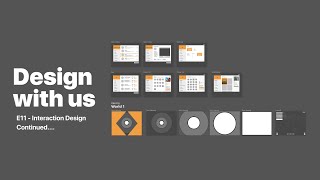
Drew and Jude Bridewell continue building Roller World, their game concept. They prototype UI in Figma, test animation tools like After Effects and Principle, and sketch out an onboarding sequence together.
Chapters
Sa.
Sa.
Hello everybody. Welcome back to another episode of Design with us. Booyah. Booyah. So hope you're having an amazing Sunday. It is, it is already the 12th of July and we are on episode 11 and you know what, we actually came into this episode thinking that this, this could potentially be the 12th episode. But then we went and looked at it and it was actually the 11th. So booyah. This is the 11th episode and we're, we're super pumped because we're going to continue on our exploration and design interaction for the Wilder world. Is that the game?
Yes.
Oh, cool. So G just opened up a game inside of Roblox which I asked him to do because we want to start while we're designing today, we want to be looking at references, reference material in games, which is also another good thing to do when you're designing anything to have reference material so you can be looking and get more inspiration and kind of be going through those things. So cool. So thanks for tuning in and if you have questions, comments or anything for me and you just feel free to put in the chat down below and we'll be happy to answer for you. And Jude, you have any questions before we get started?
I do not.
Alright, fantastic. So just real quick, just in case this is your first episode, making it to, making it to the channel to see it, seeing this, all this good stuff. My name is Drew Bridewell and this is Jude Bridewell and we're your hosts for the show. And really the whole purpose of this show is to basically merge game design, which is one of Jude's passions, with one of my passions, which is product design and blending these two things together so we can create a video game together, which has been a lot of fun. We've been doing a lot of learning. We've had weeks and weeks of, of work that we've been doing all the way from, you know, when we first start off, we did a whole mapping exercise to understand how games work. Going through Bloxburg and Adopt Me and Fishing simulator and so on and so forth. We did that. We also went through and started building a game document. So working through what the concept was, what the line was, the key features and all that fun jazz, that is what is also what we've been doing. And in the show we even went down the road of character development and how we are going to break down the story and the narrative of this magical game which will bring to life and, and you know what, it's gonna take some time, but one day it will make its way to the world.
It will be a real thing.
It'll be a real thing that you can play. And then we also like show artwork. That's basically just what you are seeing right here. So if you're kind of curious, we use a tool called eCamm Live. And eCamm Live is how we host this entire show and it's a Mac based app and we've been using it. And the third thing is we're using figma F I G M A to design all this magical fun stuff. So if you have any questions about figma, about the tools we use, comment, ask questions.
Because Happy.
Yeah, we like comments. We like engaging with people, especially during COVID because we miss people. So this is another way for us to engage with y'.
All.
We then went through a player experience exploration where we had drawn out the roller world. And if you haven't, if you like, literally if this is your first episode or if you've seen this quite a bit, then you'll know and this map will look familiar with you. So you come into the world of Roller World and then you get to get help if you need it. And then in the middle, we have our levels and community and challenges and the boards that you can see. We have a locker room where you can see your pets, your outfits and your rollerblades. And then we also have a wishing well and a wishing fountain where you can throw in your coins and maybe something, you'll get something that day, which I think that could be pretty cool. We also have a store where you can do rentals and pets and blades. And again, the whole thesis of the game is to have a ton of fun rollerblading and leveling up your power ups, getting new pets and getting new outfits and just like having fun rollerblading and fighting your friends and doing competitions in a lot of different worlds. Okay, epic. And then we'll have a testing strategy once we get to that point. And then the last few weeks we are exploring around like our interactions and how we wanted to handle our passes and just different things that we would do as far as the, the events and games inside the game. So we did that, we did a couple explorations there. We worked on some logos and you know, that's just. We did a lot more logos than that, but that was some of the logos. And then we come back to our pages and then we started playing and really exploring with the interaction design of a lot of different things here. So what we're going to do is continue on this mission. Today we have a good 40 minutes where we're gonna be doing this. And then.
I thought it was Fig.
Well, if you look at the clock where it's 4:06 right now, we'll do this for 40 minutes. And then at the very end, I want to do a sneak peek. I want to jump over into what we call Fig or not figma. This is Studio. Studio is another product that's made by InVision, which was one of my old companies before joining Facebook. This company is pretty cool because they allow you to do animated screens. So if, like. And I'll just show you a really quick thing here because I'm pretty. So we. In. In one of our concepts, we have a door opening. Okay. So if we have. Here, Jude, you want to watch this for a second? So I'm going to make two. I basically have two little slides. So I'm going to duplicate that, then I'm gonna bring it in. Bring it in. And all I want to do is animate this real quick. So I'm going to select Artboard 1, hit C on my keyboard, go to Artboard 2, hit Motion. All right, I'm going to slow the duration down, and then I'm going to come over here and hit play.
And.
Then I'm going to click. And did you see that, Jude? You kind of missed it. Let me. Let me try to pull you back in. Okay? All right, so here, let's do that again. All right, here we go. Here we go. Ready? So if you're watching this right now, let me know if you can see this. So I'm going to hit command P and now I have my board. I'm going to have it open and then close. So basically, when you open a level, when you open a level, it's going to come up and open. So that's one thing I'm gonna jump into later. We'll finesse that. So do you see these graphics down here at the bottom, Jude?
That's actually.
Jude's decided to play a game of Roblox while we doing the show. So we'll try to reel him in. And if you want Jude to be reeled back into comment down below. So essentially, it's fine, Jude. It's fine. So what we're going to do is we're going to build this little opening of this world where you have these different states of what's happening as you get into a level, and then you end up in this cool little level. So that's something we're going to do a little bit later. But before we do that. Let's kind of just jump back into the actual interaction design.
I love this part. It's my favorite part.
All right, cool. So what we were working on before is the like, kind of like the onboarding of the game. And when somebody comes into the game, we want them to be able to pick a team. We want them to be able to pick the pets, their outfits, the power ups, the blades and accessories. And even if they want to set up their keybinds, they don't have to do all this stuff up front. But this is a way that you can basically set all your. Set all your. Set all your things up ahead of time and then you can jump into the game and just be on your way. Good. So, yeah, good question. So what is the best animation tool I've used? Well, it's a great question. I think that depending on what the job is that you need to do, there's three animation tools that come to mind right away. The first one is After Effects. After Effects is Adobe product that is a really powerful tool, but very high level of learning that has to go into if you wanted to use it. But After Effects is a really powerful tool and if you are going to invest your career or life into being an animator, yeah, I would definitely encourage you to learn it. I haven't invested a ton of time to learn it because I'm an interaction and product designer and I've just learned that I want to level my skills up in business and, you know, running businesses and that sort of thing and animating is something that I'd rather just hire a specialist to do. So it's something to consider. A couple other things that you can do is Printable is another pretty decent design tool that you can use. But I actually prefer InVision's studio over principle because I worked at InVision for like a year and a half and I just got really immersed into the tool and it. It was a lot easier from a usability perspective than it was to use Principle. And plus it integrates with all of InVision's products, so that's something else that I would do. Jude's hand. Jude, you're cracking me up today, my friend.
Hello, Sebi.
Sebi, welcome. And so, yeah, so the first one, After Effects, the second one, Envision Studio, which is free, actually, that's a big benefit. Then the third one would be Principal. And then there's, you know, there's, Gosh, if you just googled it, there's also a ton more. But those are the three that I would That I would explore. Great question. Alright, so also let us know if you can hear us. Okay. Because sometimes the audio can be odd and sometimes it can be amazing or amazing. Alright, awesome. So you were going to say something when I started talking about the teams. Can you tell me what you're gonna say?
That is not how you spell my name. And I think pets should not be free.
Okay, so when we get the pets. When we get the pets, we'll make sure that they're not free. But I think you should be able to see the pets that are available. Okay, cool. Alright, so I'm gonna zoom in and just in case you. If you wanted to download Figma, all you need is an email. Put your email in there and go to figma.com and you could design along with us or you could design your own video game along with us or you could just. If you wanted to participate, you could do that. Alright, cool. So I'm gonna hit Z on my keyboard and I'm gonna zoom in. Now one other thing that if you haven't designed in this program before, like Command gives you this little hand, you see this little high five that comes in. So that's space bar. And if you want to be able to move the screen around, that's how you do. You know that? Okay, cool. All right. Is that how you spell your name?
No.
How do you spell it?
The TV is caps and the plays is caps.
The whole thing. Yep. Okay. Thank you for correcting me. Yes, like that.
Yes, that is my name and the G is cap.
Oh dang.
It looks cool.
Boom. Got it now. All right, cool. All right, so the purpose of this page is when you get to this page, you would see the teams, you would see like what team that you are and then basically you have the ability to select these or click in to view more details. If you decide to click more details, then what I was thinking is you get a little bit more bio about the team and then you get different maybe stats and scenes and information about what that team has done as you join it.
Agreed.
Okay, cool. So one other example, Jude, I was thinking was like if there's like how many people are part of that, that, that team a 2400. And then there's like 1.4 million coins have been earned by this team and then 1.2 billion XP earned from this team. So you know like the level of this team, that's. Is it weird?
Awesome.
Do you like that or no? Okay, we can always, we can always decide not to. This is a prototype and Then what we are also talking about is the key binds, which will also continue. Like this is the. This would be the workflow for if you wanted to create a keybind. You hit, you know, add keybind and you get to choose is it a power up? Is it for your blades or as accessories? And then you choose the letter on your keyboard or whatever it may be and then you can just type it in and you got it. Cool. D Vines. When we're talking about pets, these are the current names. Just joking. But Robert Fox, Leslie, these are just names that I pulled in. So there's a tool inside of this product called Content Reel. Content Reel is a way for you to get fake text and stuff inside of your experience. So if I wanted to color, like put these with the actual avatars, I could just come in here and now I have images for all these pets.
Dude, I don't think that man. Right there is a pet. Like a dog. Cats.
Yeah. These don't look like pets, but I just wanted to show you that that's possible. Okay, here, I'll undo it. Okay. So we don't offend anybody. So this is Pet one.
Pet one, what a name. Hey, mom, I'm gonna call this Pet Pet Walk.
So right now I don't want to get caught up in the naming and that sort of thing because pet2 loves hiking and long walks on the beach with donuts. Oh, man. All right, cool. So we have that. We have our pets and obviously there'd be more and you could scroll through these and they'd be kind of fun to look at.
Pets for cats.
I don't know what I was doing there. Okay, Pet four. Cool. So you got those then when we get to power ups, Jude's already filled out quite a bit of these. Different. Filled out quite a bit of them. And you basically can select these and then you can see what they are and you can add them. Or what I was also doing before you joined the chat or before you joined was I think each of these needs some sort of like, you need to know if you have it or if you don't have it. But in the very first experience, you're not going to have some of these things, right? No.
So you're not even going to start out with them.
Right, Right. So how on current games right now, how do they show? Like, is it like, you know, 300 XP? Is that how you know?
What do you mean?
Like, if you wanted to buy it?
Well, if you would want to buy it, I mean. Yeah, we can make like if you want this, you'll have to have a certain amount of xp. You're gonna have a. Have to have a certain amount of level, certain amount of money. It wouldn't be called xp.
It wouldn't. It would be level.
Yeah.
Okay, well that's something. If you have an example of that. Jude, if you want to bring that up for me on your, on your iPad, that would be awesome. Is that something easy you can do? If not, then let's just keep pushing forward. All right, cool. All right, fantastic. All right, so one other thing that I think we will need over here on the right side is we'll need to know if it's level 45. We'll need a way for them to know where they're at, but that's just something that we're gonna need to figure out. I'm gonna keep. Oh wow. You added a ton here, didn't ya? Yeah, and it looks like we lost a little image.
They're not spoilers.
They better not be spoilers. I'm like, so if you're a big fan of Naruto, just give, give Naruto some love here. Give him a little shout out.
Okay, so I mean, I got, I got one. You want them to see?
I want to see. No, I just want to see on your screen.
You got the shop. Continue.
Oh wow. That UI makes my eyes hurt.
Why?
It's just like not designed.
It's.
Yeah, oh yeah, oh yeah. Oh yeah. Don't you. Cuz don't you know?
Should we make it better?
We can make it definitely better. Yeah. So. Okay, cool. Well, we have this. This like works, but we're gonna need, we're gonna need a way for them to know what these things are. So we almost need like a. Like I know when you select this and you have the Rasengan over here, but what we need to do is if you have that strength, you have that speed, you have that cooldown, you have that level, like it almost. You need to purchase it before you can add it to your hot bar. So I almost think that this needs to be like buy now.
Buy now.
And then these are like. Well, yeah, it almost needs to be a buy now. And then I'm gonna delete this.
That looks a very nice button.
You like that button? You want to click that button? That button's gonna go bye bye.
Why?
Okay, it's back, it's back, it's back, it's back. Alright, cool. So we have the buy now. We'll figure out more of those details. We also were looking at the rollerblades and I had a Pinterest board of all these really neat roller blades. Because what we're going to do is we will redraw the different types of blades. And let me just. So yeah, here's our YouTube channel. If you haven't checked that out. Let me just move it over there and then I'm gonna go to my Pinterest board and bring it back. I just don't want you to see me logging into it. Alright, let me go. Let me go. Wow. Yeah, I didn't want that to be on there. Amazing. Amazing Roller world. Alright, cool. Here we go. So I did some research and I was looking at some of these other types of roller. This thing's with wheels because Roller world isn't. Isn't. It's a very diverse game. Right. We want different types of wheeled adventures. And I thought it was really fun to even see some of these old school ways that people were rollerblading back in the day. So one little quick way to bring this inside of Figma is just a right click copy image. And then we're gonna come over here and we're gonna paste it in. That way you can just see. Okay. We'll add that later. We'll figure that out. You know what, it might look. This thing might not look cool right now, but it's gonna be radical when it's in the game. You know, can you imagine like all these really cool hills that you'd be able to go off of and imagine they're electric. Imagine that they were graphic like these are the old school ones. But we'll revive them, June. We'll revive.
We better.
We better. We will.
If you don't, I will soon.
Yeah. And to be honest, if you think we can revive them, then let us know in the chat. Just be like, you know, give us a thumbs up if you think we can revive it. If you don't think we can revive it, then we're still going to push forward and revive it. All right. So I thought that was pretty cool. That'd be kind of a fun thing to rollerblade on this little water one. Oh my gosh. Can you imagine that?
What is that?
Dude, that's awesome. Look at this. Do you think that works? Is. It's gotta be. It's gotta be. Man, our world is so cool. Look at all this neat stuff that we people make. And then this girl is like just an epic skater. So we'll, we'll have to like bring in some of her. Her Movements and her graphics and just, like, how she does it.
I have, like, all. All, like, I have, like, all the mechanics in my head right now. How, like, the rollerblades are gonna move, how the moves are gonna work. I have it all in my head. Yeah, this brain is getting bigger.
I can't wait. Like, even this. Like this. Hey, maybe I'm gonna mute her for a second. But check out, like, some of these. So in the game, I'm, like, literally imagining, like, people being able to do some cool movements like this when they're in the skating game. Kind of like when you're thinking of.
You know, like, fighting games. Like combos. Yeah, like, you could be like, kind of like that. You get a skate combo.
Yes. Yeah, I do, dude. I think that would be cool. And even, like, when we talked about accessories and elbow pads and knee pads and other things that give you more armor and protection, I think that could be pretty cool. And then as she goes here, she's gonna do a couple other moves, and here we'll go right here. Okay. So in this park, she's skating. So imagine, like, going up and down, around and backwards and forwards. In this game, I think the mechanics, like you were saying, Jude, are gonna be really important. But doing flips, doing dance moves, having fun, playing music, I want to bring that. I want to bring that. So thank you, skater girl Michelle Steeline, and a.k.a. estrogen. That must be her code name. She could skate pretty good. Right. So there's just all kinds of cool things that we want to bring there. And then obviously they'll show up here, and then you can. Hey, you know what?
I think the human back supposed to be.
Oh, like, hunched over. It doesn't look very comfortable. Yeah, but. But imagine, like, futuristic, right? Yeah, I think it could work. It could work. All right, cool. All right, moving on. All right, so we have that. So, Jude, we did. We did blades. We have. We need to do accessories. So let's just copy this. And what I'm going to do is I'm going to rename this Accessories. Okay. Accessories. All right, cool. Now that we have accessories, I'm going to change this title.
This is great. It's not accessories.
I know. Watch this. I'm going to hold this. And we're going to. All right, and then we have. We still have, like, our framework for how this works. I'm just going to change this back to solid. And so what kind of accessories do we need? I. I'm just gonna. I'll explain to you. So we have, like, a diamond Sword.
No, no, no, no, no, no.
No. Is that not.
No.
Okay, go on, tell me. Go on, tell me. What. What you think about.
I mean, I know a ton of swords. A ton of swords.
They're all named Jane Cooper.
Jame Cooper.
All right, so lay me a. Lay me a name for a sword, because I can't imagine that many swords. So is there like a Star wars sword? Oh, lightsaber.
I don't know if it's like an anime game.
Okay, so we're gonna have swords, and, Jude, this is gonna be your homework to fill in these swords. Okay, I'm just gonna tell me what kind of parameters do we need to have on the swords? Like, are they. Is it the same? You don't need to worry about speed on a sword. Right? There's strength, damage.
Yeah. First sword. Wait, can you give me the. Oh, I'll unact.
Well, let's. If you tell me one, I'll. I'll Zabuzen Z.
Here, let me know.
So there's damage, there's level. What else is there for. Okay, I got you. Yeah. So, but we don't need to. Need to go through and spell out all these right now. I want you to probably do that as some homework. And so, boom, boom, boom. Got him. Good. Great. So, dude, what are some parameters that we need for the swords? There's damage, there's strength.
What is the difference between damage and strength?
Okay, damage is how much. How much damage it gives to somebody else when you hit them.
Yeah.
Strength is how long it lasts before it breaks.
I don't like that.
You think it should all last forever?
Yeah.
Okay.
In a game like this, people are gonna get really pet peeved.
Okay, so we have a damage meter. We have, like, level that it takes to get it. Is there anything else that needs to go in there?
I mean, I think so. Yeah.
Is there. Are there swords that match with certain power ups? No. Okay, Pretty simple. So we have a buy we've already in your backpack, or we'll have a buy button. So it. So there's in user experience design, there's certain, like, logic where some things you show certain buttons in certain scenarios, and then some scenarios you don't show buttons. So if you already have it in your backpack, then you would say, already in your backpack, you wouldn't show the buy now button because you would be seeing two buttons at the same time, which. That would get confusing. Right? Does that make sense? So this. There would be logic in the code where, you know, we would say if drude or sebi or Bruno or Eunice has something in there in their inventory, then don't show the buy now button. But if they do, then. Right already in your backpack. Okay.
No, wait. It should like if you try to press the buy button, it would be like. It would be like a red screen and you would be like, no.
Well, you could do that, Jude, but that would be an extra step. That is not necessary. So you want to try to reduce the amount of steps.
We have the buy button, but then when you click it it says nobody in your backpack.
That's true, you could do that, but it's also another step. So what we're doing for the user is we're saving them a click. Okay. And that saves people time, which we want to save them time so they can get back to playing the game.
True gamer style.
Alright, so I'm gonna move this down to accessories because this is the active state. And, and just for example, like when we get into a little bit more high fidelity, like for example, you might not need to see like if you're on accessories, you might want to do. I just. There we go. So this might be like 40%. Oh yeah. You know what I mean? Like this is the active state and then you might have like even like a background or something that shows that you have selected it. So now. So we. So you do this like over time. But you know, we're still starting out so we don't. We'll just keep making it better and better and better and better. Cool. So we have accessories. And so we did accessories, we did power ups, we did outfits. No, we didn't do outfits.
Didn't tell them we added modes.
Tell me more about the modes.
Remember, it's like modes, like sage mode because they're modes and other modes.
I actually you're gonna have to remind me about that, buddy.
Okay.
All right, cool. So I actually need to move this back up. I lost my. There it is. Sometimes when things get behind, you just gotta get it back. There we go. There we go. Alright, I'm gonna move this back up to outfits. Move this down behind. Let me check something real quick. My computer is kind of running a little loud. Let me just like close see what I have. Why am running some big programs. Let me close that stats. That's. That's that. Yeah, I slimmed it down. We'll see. We'll see what happens. All right, here we go. Jude. We're gonna do the access or do the outfits. So what are some things that people need to do with their outfits?
They need to wear them to look cool and show off to their friends.
Yep, right on. So. So I. I wonder if we can take a different approach than the other things with the outfits where you get more customization. Like so it's not just like these other ones. So like, let's just move. Delete this. We'll kind of do a little free, free form, free flow design so we have our outfits. And one thing that I really like about Fortnite. Yeah, one thing I really like. One thing I really like about Fortnite is the outfits. I think they've mastered the outfits of being able to customize the different things. And so I think outfits have colors. You have different color. Like if you wanted to wear like a big yellow suit, which I would definitely want to do that. Or if you wanted to be like. Yeah, I mean, like there's color, there's. There's probably like outfits that have like style. Maybe there's just like, you know, is it like. Well, I guess in. In Roblox everybody kind of wears the same thing. Right. But I mean, but when you, when you. What's it? Can you tell me about a game that allows you to really customize the outfits really well? Well, because I see you and your friends have a lot of different outfits in the games.
Yep, we bought those.
Where do you buy them?
Like not in the game.
So you buy them outside of the Roblox. Can you show me?
Gosh. Okay, so see here. Maybe one. I want a T shirt. T shirt. Wait, dude, no way does.
Maybe it doesn't have it on the iPad.
Okay. Yeah, I see here. Got your shot. Not bio, whatever you want. Robux.
So do. Is it even possible to buy outfits in a game?
I mean, yeah, it's possible to do, but just not a lot of people do it.
Okay, we might, we might want to. We might want to simplify this because there's clothing. Body clothes. Yeah. What does clothing do? Oh, that. See, that's accessories. Those are accessories. Like a face mask even. Oh my gosh. It's so, so bad. I want to be a face mask. Yeah. But.
Cuz I kind of. Yeah, I really. I want our like, our outfits to be good because like barely any games have good like outfit. Okay.
Well, if I was gonna be thinking about colors or styles, there's like a style would be like rock and roll maybe or. Or another style would be like almost. Almost like anime. Like an anime style.
Yes. Or we mean like anime clothing.
Well, just from like certain. Maybe certain shows. I don't know if you could bring us presets. Okay. All right. I'm. I'm actually. I'm not really sure what. What those. I think we're gonna have to do a little bit more research on that.
I know what it is. It's basically like a preset of color.
But here. Here's one thing that I'm thinking. Like, maybe you have a couple different toggles. Like, even if they're. If we came up with, like, one more, there could be three toggles, and you color it, and then you have. Let me just Roblox, and let's just say I'm just gonna click this one. Is it?
Yes. It's my favorite game.
This is your favorite game?
Yeah.
Nimble is this. Where is this where your footco is?
My foot. Feet Pirates.
Feet pirates. All right, we're jumping in.
What are you gonna do?
I'm gonna. I'm gonna surprise you.
No, don't do fast. You're not a minaret.
All right, so let me see if I can turn around. Okay, cool. So you see me? I'm gonna. I'm gonna take a screenshot.
Hey.
What'D you say? Hey. For.
Your character looks really fun.
My character is awesome.
No, he's not. Okay, I'm gonna translate here.
Watch this. And then I have this, like, fun, other fun design idea. What do you say?
Nothing.
Are you calling me pathetic?
No, I'm calling your clothes.
My clothing has. I've worked so hard on my clothing. Jode. All right, all right, so. So I'm gonna get that, and then I'm gonna blur it.
Okay, I'm just gonna.
Where's my blur? Oh, my effects.
Purchased. Bam.
What?
It didn't cost money. Calm down.
What? Calm down. Come down for what?
Nothing.
Oh, there. You know, in.
You're still in the game.
That's okay. I'm probably just gonna use it as research, my friend. Let's see here. So I, like, I'm totally drawing a blank here, but, like, I. I want to blur. I want to blur. I want to blur on a blur. It's a blur. I haven't used blur in forever. Blush. I mean, blush. I could use blush. That's fine. So I'm just gonna put. I'll figure that out later. So basically, Jude, what I'm thinking is, like, you could switch your colors, your outfits, and then you basically get to, like, color pick things and change things out. You know, maybe there's, like, you got your. Your colors, like, presets on this side when you're selecting, and then you select, and then you can change it, then.
You can see your character.
Exactly, exactly. So we'll figure that out. Powers Pets Team. So we did all of it so far. We have teams. But now what we need to do is even the steps before you get into the game. So what I want to. What I want to do, Jude, is I want you to help me think and I want everybody that's on the call right now. Yeah, on the call or on the live stream, like to think about when you first, if you can remember one of your favorite all time, like introductions to game, like, what happened? What was, what was it? What was it like? Do you remember me?
I don't remember, but I don't remember anything.
So what I'm thinking is like, when Roller World opens, I want you to really, really, like, get super creative with me right now. Gene, you are.
Yeah.
Okay, sweet. All right. So when Roller World opens, I'm just gonna draw another. Tell me like nothing.
I'm doing nothing.
Jude got sidetracked again. I feel like. I feel like the, the Roller World is slipping away.
I want to get this game up so I can just play it.
I know. Same here. So basically what I'm thinking, what I'm thinking is like when this thing comes in, it like almost opens up. That's kind of weird. So then it's like. And then when the animation comes open, you have this.
And then it's gotta look really good though, because I know some of my friends literally just judge the game exactly on one part.
Yeah, well, I'm thinking like cool music. I'm thinking like, like, you know, just like some cool like opening scene here. And then it's like. And then you jump into. Oh, shoot, that story mode that we had. So let's go grab the story that we had. Where's it? Okay. Yeah, so it's like. Okay, we're gonna draw this right now. So let me just show you real quick. So we had in our drawing mode, we had like, welcome to. Welcome to Roller World. And then it talks to you a little bit and then there's a storyline happening here. So this is the first part and then it gets you into what we were just talking about, what we've already just mocked up and I was walking you through a second ago. So Jude and I are going to do the story and guess what, Jude, we got nine minutes to do it. Can we do it? We're going to do it in nine minutes. All right, cool. I'm gonna plop this over here. Come back to our screen cap. Are you ready Man. All right, so I'm gonna clear my artboard here. So I have. So the first thing I'm gonna do is make a little like in like a chat boat. Chat. Like a chat screen. Okay. So I drew a rectangle. Going to hit R on my keyboard and draw another one. I'm holding shift. Okay. And then I'm going to rotate it so I got that there. And now I'm going to group it. Okay. So now it's like one little thing, but I'll make it a little bit smaller. All right, cool. I'm going to give this around a corners of 8 pixels, just so it's a little bit softer. Right, so we have eight pixels. There we go. Now we have a chat. Look, we already did a chat. And it's going to say welcome to. What's it gonna say, Jude?
Welcome to.
Railroad. And I think one thing that we can do, like over time is just figure out what kind of font would be the best to show inside there. And then one thing that I think would be kind of cool if we did have like. If these were mountains or something. I'll just do that. So mountains. And then. Oh, Jude. I'm gonna totally. So I just masked that to do this. And then I'm going to ask Jude what he thinks of this. All right, cool. So we have like a roller world. And. All right, let me bring the roller world.
Or you should call it dude.
I spelled roller world.
Dude, in the game, can we make like a Easter egg where it's like, where we call like a world like, like. But foot aisles, foot isles. And it's like a. And it's like. And it's like an Easter. It's like in the galaxy. And people gotta find it. And if they find it, then we give them $100,000.
Maybe, maybe, maybe.
I would like that. I'm gonna do it.
So this is like Baymax over here.
Baymax. Oh, my God. This is the most ugly.
Are you. Are you giving Baymax a hard time?
No, no, I would never.
I need to rotate that.
I am working.
Yeah. So basically, right, we have our car, our bot, and our bot's basically here.
That's cool. I like him. He's.
And he's gonna. Dude, we'll finesse him. Okay. He'll be pretty awesome. He's pretty thick. What? He's muscular. So he's like. He's totally flexing. He's like, welcome to roller world. And then he's like. He talks about the narrative of the story. So the narrative starts like Roller world. Start Roller world. And then basically we. We could have like that, the. The narration of like what happens.
You can make that like, like five minute story video. Like you make that like an actual video.
Yeah, it could be a video or click through.
Yeah. Or just like black screens opens up.
Oh, it's like.
Yeah.
Will you help? So, yeah, I mean, we.
Well, you help. Well, help.
Yeah, because in this, in this story that we had, we're like, you know, we will have to go back to that video where we were talking about this dude. We. Oh, okay. Well, this is what I wrote was like, we need your help in this real world adventure.
World. I don't like that. I mean, I don't know.
It could change.
I mean, I feel like it's like. It's like roller world is like, like because, I mean, what are we building? Are we building the main story or the. Or the story mode?
I think story mode would just automatically. So here's, here's. I think the story to the very first time you get in the game will. Will explain the narrative of the game. But you don't have to play in story mode. And story mode would be probably expensive because when we first get somebody in the game, we want them to start being able to rollerblade right away. But if they want to do story.
Mode, because I mean, with this, story mode's gotta be really, really good. It's gotta have like anime characters in it.
Oh, dang. Wait, you're bringing Naruto into the game?
Anyone? My hero, academia, character? Any. As long as it's not.
Will you help? And then you say like, yes or no. I was almost thinking it would be like, choose your own adventure.
Yeah, where you, like when someone's talking to you, you get say two options, like help or abandon the child. Yes, I'll help. No thanks. And if the person says no thanks, then we could just like do like a funny little Easter egg where it's like. Where it's like find it. Like the, the robot's like eyes turn like red. And then like it says, like it's like he says, fine, then we're gonna send you to foot isles.
I, your father be like.
Yeah, bro, to be honest, like, no thanks. We'd just be like, fine, then we'll. I'll send you to the aisles.
You know what? I don't know if that's where I want to.
Yeah, he's like staring into our souls. Oh God, that's even worse.
Yeah, he's looking.
Make it red.
Make his eyes red. Oh, My gosh, this is scary. What's his name?
His name is Timothy.
All right, cool. So basically he's there and he's like, I need your help with Roller World Adventure. Something has happened. Will you help? And then they say, yes.
I like Tim, actually.
Will you help? And then they say yes or no. Right? And then boom. Now. Awesome, thanks. And then it's like, oh, girl, thank you so much. First, we need you to pick a squad.
No, not a squad.
Okay. Okay, sure.
No, wait. And then instead, no, thanks. It would be like.
No, this, this. They. They've already probably picked first. And it's like, let's. I'm ready.
I want to.
Yeah, so I'm ready. So. So basically then, like, maybe there could be a couple more screens here where there's. Where they go through and maybe. Maybe where we can spin off this little narrative where we have. We talk with Timmy and this different scenes can change. Dude. And then the backgrounds could change of the game where they get kind of onboarded into it. Okay.
Make it say, like, not like another, another. And then like, I'm ready. Make like another button. Yeah, button.
What do you want it to say?
I want it to say. I want it to say. Oh, we could make like a team where it's like solo people, like, solo that don't like a team. Don't want no one Slow.
Okay. That's a spin off from what we. What we picked off. It's something like we choose four teams, but we could add that. But we'll have to reevaluate that what happens with other teams because. Yeah, Cuz. Cuz like when we. When we started off with. With that. And what was the game called? Pokemon Go. You tried to choose a team, right? Oh, we failed. No, but we did get. We basically had started a narrative, and that's totally cool.
Well, perfect.
We'll keep going. This is good. It's good progress, right? So we'll finish the narrative. This is something that we can work on over the week. And so. Okay, thank you so much. We need your help to pick a team. The team you pick, you'll be able. You'll be able to change your. I'm talking too fast. Change your team later. You'll be able to change your team later. But first it will help you find your tribe. Why change your team later? But first we want to help you find your tribe. Well, tribe is like your community, okay? Help you find your unit.
Your comrades.
Yeah, your comrades.
Why did I spell?
I don't know. I can't spell today. Hold on, let me look it up. It's not E. There's no E on it. Yeah, I had it right with an E comrade. A companion who shares one's activities or is a fellow member of an organization. Okay, I like it. Help you find your comrades. All right. And then, and then basically, Jude, what I think we need to do, we would do a storyboard. So if this is our like where we're picked up, we need to do like another, another like round of these things where we have like the story of what's happening.
Like it kind of just like text where. Because there was this one like Pokemon game on Roblox, but it sadly got deleted for copyright reasons. But like anytime you were gonna talk to someone, like it was literally so much text and literally all you could do is just skip it because it would be at least like five minutes. Just constantly.
Okay. Text, image and video. I think we should test all three of them and over time and we can see which one's the best.
I think I mean too much like text.
Okay, I complete. Jude. I completely agree. And I think that what we'll need to do anyway, if we're going to do illustrations or if we're going to like narrate this, we still need to copy because it's going to help us know what the. What the graphics need to be about. Yeah. So we still need to go through that exercise and we'll do that. And then I could. And then literally inside this, you know, graphics or whatever in the mountains and things, we can show like fun little graphics and things happening as the story unravels. Okay. And so that's something that is homework that we need to do.
I'm going to put it right there.
Not again. Okay, cool. So we have. We're gonna jump back over into Steve. What's that?
Should have stayed on today.
Yeah, you should have. I got disconnected. Alright, so what we're gonna do for this last little bit here and then we'll get into like a retro. Is we have our world, our roller world. And then we. I was just showing you earlier. So what I want to do is I want to design. I want to design this kind of like intro screen and just show you kind of like how you can do a little bit of a quick animation. Now, unfortunately you can't just copy and paste this into studio. I don't think it would work. Right. Let me see Command P. It's fine though. But what I can do is I can bring this in and I can take a screenshot of this Color. Because I want that color. I'm going to paste that in. Paste that in. Okay, well, I could actually, if I wanted to do this, I could just grab this color and then come back over color and then color, color. And I'm just holding command option V to cop to. Copy that. Okay, so again, when I had this before, what you saw open and close, but one thing I just noticed was the. Oops, there's a little bar at the top there. Oh, that's because the top. Okay, so we have open and close.
Wow, that looks clean.
So now you wanna see one more time?
Ew. Oh, that's.
Please let me refresh this. I kind of messed up the thing. Okay, you want to see it again? Click, I think. Hold on. Let me look at my layers. Rectangle, rectangle. And one thing, like. So if this is like rectangle one and rectangle one, these things need to be named the same. Now I'm gonna come up and play it again. Oh, it's a little laggy than what it was when I first did it.
Okay, well, anyways.
All right, cool. So. So then we have the circles that we need to add. So I'm gonna come back to my other thing that I sketched up. So let me come back up here. Okay, there it is. So what I did here was I had a circle, and what I wanted to do was it open up into the circle. Okay.
Okay. All right, so four minutes. Focus mode. Jude, you want to narrate in a world where roller bleeders can shoot fireballs out of their noses.
I'm just gonna add some motion here, and then I'm gonna make this go.
Back to the very beginning creator and you.
Yeah. So, Eunice, this. This is a lot of fun to design in because. Okay, I need to set it to automatically do it. So this is gonna go. Instead of it being click, it's gonna be on a timer. And this is gonna be on. Instead of time, it's going to be a timer. Zero seconds. This one's going to go, and it's going to transform to this one. Let me just check it. Okay, cool. A little bit of a delay, but we'll second and we can actually. Let's test in the timeline real quick. All right, cool. All right, let's test this command pull. Okay, so that kind of works. And then once it gets here, what we're going to do from here is let's go back to our Figma file. And then it's black. We're going to bring in a circle zero. I need to make it white. So the thing with studio is you need to kind of pick a couple steps ahead. Okay. So if I want this, if I have a circle and I want to make this circle like mask into the whole screen, I could either start this circle and I'm going to duplicate this and I want the circle to be like another full. I'm gonna stop it right there. Okay. And I want this between these two things. I want this to be invisible and so it's invisible now. And then I'm gonna go motion. Alright, G. Here we go. So we can see this. And it doesn't feel as smooth. Let me see what's going on here.
What happened?
Oh, there we go. So do you see how this opens up that little circle? But what I, what I want this to do is I want to kind of like have a little bounce. So that's like a bevy air. Do you see how it kind of shook a little bit?
Yes.
Let's make that even a little bit more dramatic. It's gonna be a little bit more dramatic.
Dramatic.
Awesome.
So much better. But we need more.
Let's come back.
One minute. Oh, shoot.
And then.
Time is up. Hands off keyboard.
That's right, it is up. But let me just finish that so it goes automatically and then we'll call it. So I'm just, I just wanted to show you like how easy this is to kind of do a quick little like animation. And then I could just export this out with a plugin to a video file or I could just hand it off to a video editor. Oh, you know what I did wrong? I did something wrong. This needs to go to Artboard.
They just look the same.
Artboard 4. This goes to Artboard 5.
I don't understand.
You don't understand?
I do not understand.
There we go. There we go. Oh, our little circles. Yeah, it's not as clean as like I want it, but basically, yeah, I mean it's progress and it's fun. So I'm gonna go ahead and come back to our, come back to our file. We, we did some storyboarding, we did some more design, we did some, some planning for the. How we want to intro people into the screen, which is kind of silly and fun. That was kind of fun. And, and then you guys, next week is our episode 12, which I think we're calling our finale. And then we have some other fun things that we're doing. For example, we're, we're going to work with a architecture architect who is a professional at building some of these worlds. And we're working with him as far as like getting these stories down so you can build a world for us. And then we basically can start building in the logic in the game. We'll work with engineers on building the functionality of these ui, this UI in the game. And then we'll work with a, you know, an architect to build the world. And then we'll start kind of piecing these things together and then over the time we'll, it'll come to life.
I cannot wait. I'm gonna grind this game. I'm gonna play it every game.
It's gonna be fine.
I'm gonna grind it, I'm gonna get a level.
But we need to keep, we need to keep building in the logic and keep finessing it. And that's just what we'll do over time. So, Jude, as we bring this to an end, what's something that you liked about the episode and something you think we could have done better?
What I liked about the episode, I like that we builded the bot. That little bot bot was kind of fun. Yeah, yeah, yeah. Because that's, that's a, that's a good build point. Good, good point. And what I thought we could have done better. Hmm. I mean, I don't know, we could have maybe done accessories better.
Okay.
Or okay. I mean, I thought it was really good.
Okay, cool.
Oh my God, bro. What is he doing?
He's got legs.
This is like a five year old mashing keyboard.
Who, me?
Yes.
I love, I love messing around. Okay. Anyway, I think, I think the show was a lot of fun. I've been having so much fun with this over the 11 weeks that we've been doing this every Sunday, 4pm I think it's just been a blast. We're doing a lot of other things. Like, you know, we started renting out rv, we started having a like side thing there. And another cool thing is building a UX like program to teach user experience design to other professionals that want to get to the next level of design. So that's been a lot of fun. But overall, like, I'm really grateful that we had this time today and it was just so much fun. Thank you for tuning in with us and hanging out with us. And you know, if you're, if you're a part of the Footco, Go Footco and Roblox Go Foot Company want to give FootCo and Jude Gamer TV a shout out. And then all the other, all the other Jute's friends, thanks for tuning in and thanks for hanging out with us. And other than that, we'll see you next week for the season finale of this. And you know, 4pm It'll just be crazy, but who knows, maybe we'll continue it. But we definitely have a lot of things that we also want to focus on and keep working on, so we'll keep doing that. Other than that, have amazing rest of your Sunday and we will see you later. We'll see you later. Have an amazing Sunday, an amazing week. Go crush it and hit the like button. Hit the like button. Subscribe if this is your first time and hit the bell. So you know when we're going to be releasing other videos. I'm going to be continuing releasing videos on UX every week. And other than that, we'll see you next time. Bye. Bye.