Design Withs Us - Episode 7 - Let's design a presentation
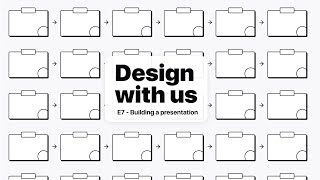
Drew Bridewell and Jude design a 15-minute presentation for their game Roller World, building a 27-slide deck in Keynote that covers gameplay, store, levels, coin systems, and player experience. They sketch live, move between Figma and Keynote, and show how to structure a presentation so engineers understand what matters.
Chapters
Sa.
Sam.
All right. Hello. Hello, everybody. Hope you had an amazing week. Welcome to another episode of Design with Us. Design With Us. And today, in today's episode, Jude and I will be designing a presentation about Roller World because, well, we haven't yet designed a presentation. We've been getting asked quite a bit about what the game is, what it's about, and it's time to actually put it into a narrative. Yay. So oftentimes, you need to. Oh, my buzzer just went off. Oftentimes it's really important to share your ideas and to get your ideas. Where. Where would you get your ideas out of?
Onto this. You would get it out of the screen. Boom.
Yeah. Yes, exactly. You got to get it out of your head, out of the screen, into a presentation so you can talk and tell that story. And we are starting to bring more people into this project. So, you know, we're. A couple weeks ago, we started looking into working with some engineers and starting to build out the world, but to be honest, we were a little behind. We needed to actually. Yeah. Gotta be hard on ourselves, you know, all this stuff going on. But this is. This is supposed to be a fun project, so we're not, like, stressing or rushing or trying to even put a ton of pressure on us. What we're trying to do is just learn and trying to just make something cool. Make something cool. Yes. I totally agree. So what we're gonna do with this presentation is we're going to show you a couple things. We're gonna work through it. In keynote, we have a special treat. We have it on the iPad, which you can see right here. IPad, we have a aerial view where you'll be able to see our sketching template, where we're going to go through this presentation storyboard, which is awesome because this is what I use for all of my presentations. I made this specifically to execute presentations to get them started, and I'm going to show you how to do that and today. And then we have our friends here, Robin and Harry Potter, because they just kind of wanted to design with us today, so they're chilling. All right, so any questions? G. Before we begin.
My only question is hit the like button.
Hit the what?
Hit the like button.
Yeah, hit the like button.
Yeah, hit the like button.
If we're already a couple minutes in this stream and we need to make sure that it's everybody that watches, it gives us a like.
Yep.
Right. Power to the light. Power to the light. All right, cool. So let's go back to the screen cap. Here. So what we're doing is, if you haven't ever used Keynote before, and Jude and I are Mac users, we're not necessarily. We don't work on PCs. No offense to PCs. We just enjoy the Mac, the Mac better. And I think. I think over time, Jude wants a gaming computer for PC. So if you're an expert on building a gaming computer, then definitely reach out and give us some. Hit us, hit us up, give us some pointers. But Macs have been really. Have been really great to us from a design perspective. So. So we kind of stick with the time. So. All right, so really quick update. I'm just gonna do a little housekeeping. I know that we are four minutes in already, so we're on week seven of design with us. Week seven. We're already on week seven. We've done quite a bit and the progress has been really great. We've learned a lot of different things. We've also learned that if you're going to design a video game, you probably need to do it full time. If you want to have it done within a year, you probably want a big, giant team. But what we've learned is a lot of these different skills that you're going to need to execute it. So we decided to just keep. Keep grinding, keep doing it, but it's just going to take a little bit longer. So we're kind of pacing ourselves as far as the activities that we do.
Season two, maybe.
Absolutely. And yeah, so definitely cover that in today's episode. Again, I'll show you where to start with presentations. I'll show you how I like to think about presentations at the beginning and then how to jumpstart them. And then we'll do it, and it should be fun. And then I'm also going to share a little inspiration, Jude and I. And if Jude has one, Jude, you can start thinking about it now. And if you are watching and you can start thinking about this now, think about something that inspired you this week and that you'd like to share. I'm gonna share something a little bit later that inspired me and I'll talk about it a little bit. And Jude, if you want to noodle on that for the rest of the show and we'll kind of come back when there's about 10 minutes left.
But, like, inspired me of what?
Anything that inspired you. It could have been like a movie in, like a movie that you watched. Naruto. It could be a video game that you played. I think you might. I think I might have a hunch of what might have inspired you. But anyway, that's gonna be awesome. Some focus. Skills that we're gonna focus on today. So if you're like, what skills could I potentially learn from this episode? We're gonna talk about presenting, which is a really important thing. You're gonna have to present things for the rest of your life and you're gonna present things at work and you could always get better presenting, storytelling. So thinking about the narrative of a story and kind of the things that you want to do, I have a formula in my presentation storyboard that we will walk through and talk about. We're talking about execution. So Execution, dude, what do you think that means?
Execution. It's like you do one thing, you move to the next, you do it. Next. Next. We do it. We do it. We do it.
Yeah, that's. That's pretty. Pretty good description. So when you're thinking about execution, how do you prepare and set. Set the intentions to execute and to get through all the tasks that you need to do for a given project or a given exercise. And then planning. Planning kind of plays together with execution. I think if you're not. If you're not planning, then execution can be a little bit harder. But if you're planning, then you can move swiftly, fast, and just with ease. All right, cool. So we got our. Kind of what we're going to be doing today and anything else on your mind that you want to cover today for the. For the show?
Subscribe.
Cool. Alright, so let's just jump right in. So, you know, sometimes you might think that you want to jump to the screen when you just want to start doing a presentation, which you could, which is fine. But what I like to do is if I'm really feeling it, I can just write, get my. Get my favorite pencil and just start going through there. And so we're gonna switch to our drawing board and I'm gonna move my keyboard out of the way. I'll move it up here. Jude. And Jude's got his iPad Pro over here with the presentation. Just want to tilt it forward just so they can see what they were just seeing on the computer. Is also on the. On the iPad. So if you haven't ever used the two devices together, you can be editing content on your iPad. Say if we did that for the next hour and then we could shift later in the evening to the imac and it would just basically tell us. We get a little notification on the screen that would be like, hey, Drew, you should update your file. That way you can be working either with two people or you can be working in different places. Because sometimes maybe you want to get up or stand up or something when you're working on a task. Alright, so I know this might seem like it's really far away, but I'm gonna talk you through the framework of what this is. Okay? So at the very. And I'll just bring it actually closer so you can see it a little bit better. Okay. Alright, so the first thing here, I'm just gonna stand up for this too. Alright, so the first thing that I want to show you is this is the presentation storyboard. And Jude, if you want to stand up too with me, man.
Yes, I'm cool.
All right, cool. So we're all standing. So what you got here is you have a title, you have total time basically for this presentation. You want to think about how much time do you have in the presentation? Do you have 15 minutes? Do you have an hour? How many, how much time do you have to present? Okay, that's a really important thing. So let's do that. Jude, let's start with how much time do we got?
How much is how we got like right now?
15 minutes. We have 50 minutes. But if we were gonna present this, how long do we want it to be?
Maybe like five minutes. That's pretty good.
Five minutes.
Like 10, 10 at most.
Okay, I'm gonna, I'm gonna. Can we add five minutes to that? So it's a 15 minute presentation.
Okay, sure.
I think 15 minutes like a sweet spot. So we have 15 minutes. This is the roller world, Prezi. Okay, cool. So makes sense, right? We just have, we know how long it's going to be. And we have the second thing, which is story transitions. We won't use story transitions yet, but story transitions are what you're going to use down in these blocks. So as you create the narrative, there's going to be moments in our presentation where we shift gears and we change talking about topics. Because in a presentation you might not be talking about the same thing the entire time. Right. That would be kind of boring. You might kind of, you might have, like if you were talking about the same thing in Roller World the whole time, you might, you might lose your audience down here.
Okay, so just like tapping like, hey guys, you can roller skate or you can rollerblading.
Roller world.
Hey guys, did you know you can actually rollerblade? Yeah, right.
Yeah, exactly. So it's like, okay, I got it. Good stuff. Very good. Okay, we're gonna keep moving on. So we're gonna use these Later. The second most important thing that we need to do first is we need to know what is this presentation about? We need to know why it's important. And we also need to know what do we want out of this? What do we want out of this presentation? That's a really important thing too, because that helps you define your outcome. It helps you define what you want in return for this presentation. For example. Oh, yeah, you're. So you're on the iPad right now, Jude, so you probably should go back to the. Is that cool?
Yeah.
Okay, cool. It's actually hooked up to the thing, so we can actually be able to pull that. So Jude was just coming over and showing the Roller World. There we go. So we'll come back here. All good. Back to the drawing mode. So again, we have these three really important things we have. What is it about? Why is it important? And what do you want to get out of this? So in this scenario, what is this about? What is Roller World about? And to help us, what we're going to do is we're going to come over to our figma file and we're going to come back to the screencap and we're going to zoom in and just go back to our notes as far as what we are doing. And. And you know what? Sometimes you're going to be asked. Sometimes you're going to be asked in like a meeting or even at school to give a presentation. And you might not be very far with your thinking or your work. And that's okay. Like, you don't have to be like completely done with a project in order to present what. Where you're at with it. Does that make sense?
Yes.
Cool. Because it could be rough. It can be kind of loose and loosey goosey. And it doesn't need to be like, you don't need to be so rigid or strict with yourself. Sound good? And if they're. Just want to make sure. If anybody in the chat has any questions about anything as we go along, please feel free to leave a comment. And Judah, I will jump right on it like cat. All right, anyway, Water break, tea break. All right, cool. So let's go right into this. So what is this about? And remember, on my. On my other screen, I'm gonna start filling this in. So what is this about? Well, Roller World, it's about explaining, exciting the audience. So I'm going to write. It's explaining it's exciting the audience about what the object of Roller World is, does and how to have fun and why it's fun. And why?
How do you have fun?
It's fun. Okay, so basically just filled in a little block. So let me come back over here. So I just wrote. And it doesn't have to be super fancy, you know, I'm writing this on the fly, but you can always go back in and change it. Or, I mean, I use the pen because I just. I love working with pens. You like pens, too?
Of course.
I am a little bonkers when it comes to pens. And I have, like, four boxes of some. I. I'm not joking. So I'm explaining exciting the audience about the object of Roller World, what it does, and why it's fun. So I wrote that down. The next thing I want to do is talk about why this is important. Why do we think explaining this game to other people is important?
I mean, you're just gonna be put in a thing and you're gonna be like, so all you do is skate? Well, that's kind of boring. But no, if you get more detail, you get to see, oh, wow. Skating in this certain way. That's pretty amazing, right?
So it's not. Just let me actually bring in the. It's not just skating the pip Here, Gene. There we go. Now we're on screen. So it's not just about skating. It's about. So we want to express more than just that it's about skating. Right.
It's about playing different mini games with your friends. Yeah, you'd played, like, different games like soccer, tag soccer. We know. Not soccer. What am I saying? Rollerblade Tag. Rollerblade Soccer. Rollerblade. I don't know. There's just like million different, billion different, billion quadrillion ideas that I have for, like, minigames. So you guys have any chat?
Yeah, absolutely. So why is it important? We just don't want to have people think that when they see Roller World, that it's about an amusement park that has skating involved. We want them to get excited about all the mini games and about all the pets and about the uniforms and about the rollerblades that you can get and just how it's exciting to be able to play these different mini games inside of this amusement park world and how it can be more expansive and exciting for. For everyone to play. So we want to express that. That's why it's important. And that's another part of that. So what do we want to get out of this? Well, we want to get Robux.
No, we want to get the satisfaction of people loving our game.
Yeah. We want to build a lovable game. Yeah.
Where people are like, oh, gosh. Oh, golly no. Golly gee, I can't wait to get on Roller World again today.
I think that's a really good, like, it's kind of like a mission statement, almost. Like we really want for people to be able to love this game. Yeah, I love that. That just, like, really resonates with me. I think what we also want to do is we want to bring, bring and we want to hire engineers to be able to help us bring this to life. But we need to be able to. What were you saying?
We are not going to be able.
To build this game. Yeah, we're not going to build it, but not yet at least. We are wanting in. Our expertise is around the planning and around the design and around the story and the narrative and the idea. So we want to be able to architect that vision so we can sell it to an engineer to be able to help us build it. So we need to be able to have a presentation so we can walk them through what this story is all about. Does that make sense?
Yes. Big brains.
All right, so let's write that down. So we want to be able to share the narrative with a bigger team.
Yes.
Any questions so far, Jude?
My only question is. This is amazing.
Cool. Are you learning so far all about presentations?
Oh, yeah, bro. I'm getting those big brain cells.
Cool. If you're watching this right now and you've already learned something that you did not know before, definitely leave a comment about what it was and why. You think maybe it's going to help you in your next presentation. All right, cool. So we got that. We have the. What it is, why it's important, and what do you want to get out of this and if you don't have a template like this? Well, if you're watching this live stream live right now, I will send you this presentation template for free because this is also going to be a part of my. One of my UX programs, my coaching programs that I'm delivering. That is definitely a paid experience. But you'll get this for free if you're here today and you want this template. Okay, cool. Cool.
That is true. I agree. I really.
We want it to be for all ages, not just kids. Were you referring. And you can comment down below. Were you referring to the game you want to be for all ages, this Roller World game? I think that might be what you're thinking, but let us know. All right, cool. So now that we have our basic elements to this, now we get to kind of fill in our storyboards. Now, what I really like about these little templates is there is a box. A little box, and then a little circle in the corners. The circle in the corners are going to be our numbers. I'll show you how to use those in a second. But now what we get to do is a thought, a box. A thought, a box. Can you say that? A thought, a box. A thought, a box. I thought a box. I thought a box. We could probably even. We could probably even create a song about this. I thought a box. I thought a box. We're gonna make a presentation that makes no sense, but it's okay. All right, so each thought a box, and then what we get to do is we get to start putting these pieces together. So let's just start it. So. All right, so our primary purpose, right, we want to explain the game. So if we have our screen up and we're looking at our notes and everything else that we're gonna go here, we're going to come back to the screen cap. Can we come back? Yep. Click. Thanks, Jude. So let's just go over here. This will help us have all the inspiration that we have from all the ideas. That's a little too big. There we go. We'll get this in view. All right, so this is going to just be our, like, mood board. So as we write the. Write some of this stuff out. So I think the first thing that we want to do is we want to have, like, a cover page. So. And you're gonna see me here. I'm actually probably gonna add another camera to this so you can see the. And let me split it picture in picture. One second, One second. I think I'm allowed to in my. Because I want them to see both of the. The cameras.
But I don't think. I think. Are we muted?
No, I don't think we're muted.
I don't think we're muted either.
Yeah, we're not muted. So I'm just trying to see real quick. If I can also get the sketches out, I'll just transition back and forth. But you know what? The more that I think about it, I. I just want it to be in there really bad. Here, let me see. Oh, nope, that's not it. So maybe if I do this and. Nope, that's definitely not right. It's fine. I'm just gonna move on. We'll figure it out later. Oh, there we go. That's cool. So now we have these two things, and I'm gonna make it a little bit Bigger.
Oh, my Lord. I'm a big boy.
All right, we're just gonna go in savage with this screen sharing tool.
Oh, my gosh. So savage.
All right, there we go. So we have. We have lots of things going on. Just try to follow along. All right, so we have our things. What we want to do first is I think we want to have like a cover slide, like, kind of like what we have here on this thing. This is Roller World. And Jude, if you want, while I'm doing this, I want you to try to build it in the app. So we literally. So if Jude's over here, Jude's going to be building this as we go, and I'm going to. I'm going to help him, but I'm going to be drawing out. So we have multiple things kind of trickling in. Okay, I want you. I'm going to be sketching this out and then you're going to be creating it in there with. With slides. Okay, so every time I create a new slide, I want you to create a new slide inside of that dock. Okay, I'll teach you. And then there's a plus right there. So I'm going to show you. So Jude's gonna be working in this file. And then. So if you need to create, then you just. This is all the templates. So, so this is one of the slides. And then if you click this, you get to see all the other different slides. So I think the next one, you know, might be like a cover, like this one. And then look, it comes out. And then you can put the text in there. Say, you could say maybe about Roller World. And then we're gonna come back over into drawing. Okay, so Jude's gonna kind of create some of that. So the first COVID side is Roller World. Awesome. So we have a little, like, area of what it is. And then what we want to do next is we can have like a game about or a. What did I say up here. It's a. Roller World is a rollerblading adventure game that enables you to experience racing with friends for friendly competition fun that consists of outfits, rollerblades and pets. In this game, you can earn coins from challenges, races, and other mini games throughout the world. With each locker, you also get a scoreboard and a dashboard and. Okay, so I'm just. I'm just talking out loud because even. Even when you're starting to get creative and starting to do like, some of these. More of these brainstorming sessions, it's. It's okay to talk out loud. It's okay to like get kind of silly and just kind of get into your thoughts and start drawing and writing things out. So. Alright, so Ruler world. So we have like a tagline about what it is and then brought to you by. And then. And then we could have like maybe our two. Our two little like our team, me and Jude and Drew. So Jude and Drew are right here. And then so we have Roller world. It's a game about blah. And the object. We could just jump right into the object of the game. So g, we should have four slides now. So you could just write a game about on there. So a game about. And then just put dot, dot, dot. Cool. And then let's do a new slide. Yeah, we. And that's something we can talk over. And we actually don't even need to. There you go. So now our next slide is. We need to. Here, let's undo that real quick. And then we're going to have this like an image. This is where we're going to end up putting. Here, I'll show you guys. So Jude's got three slides so far. One, two and then three. And then we'll end up coming back in and replacing these images with us because that needs to match exactly what we have over here. So this screen right here with the two faces is going to match where Jude's zooming in and out right now of this photo. All right, cool. So now that we have that, then Jude, you're gonna need one more slide. And that next slide is going to be a list. So find something that has like a checklist maybe. Okay. Okay. You know, here I'll. So Jude found it. Okay. And then Jude, just go ahead and write in a couple things around. Like so the. This would say the object of the game is the title. Yep. And then you can just start typing it in. The object of the game. Yeah, the object of the game. The object of the game. Look at you, what Jude's doing. Jude's joking around with boys and ladies. All the little ladies. All boys and girls. All right, anyway, so we have the object of the game. And then we'll basically have a few slides to talk about where we have. You know, if I was to zoom in and I'm sorry, I'm jumping around because I want you to really see how there's a lot of. There can be a lot of different things going on when you're getting super creative and. And just, you know, for the sake of this show, I know that I'm talking and switching things back and forth quite A bit. But I just want you to be comfortable with your tools and your technology and the things that you get to work with. I mean, we're using analog, we're using a computer, we're using an iPad pro. But you wouldn't probably want to do all these things together. But I'm just showing you how they can work together at some point, because this. This worksheet that I have here, this should only probably take you, like, 10 to 15 minutes to draw this out. And then what you would do from there is you would go into, you know, you plop it up on your. You plop it up in your. On your desk with like a, you know, just something you could prop it up. And then you start just going to town with just filling out the thing. So in a world of rollerblades, what are we saying? These bladers.
These bladers.
These bladers are called dot, dot, dot. Yeah, I love what you're doing there. Okay, here. And actually, this needs. This needs to be B O Y s. Okay. Okay. So. All right, Jude. So I'm gonna keep kind of grinding on this. This notepad. So the object of the game is to. And then maybe we have a couple. A couple things about it. So we have a store. We have here. I'm gonna go full screen. So we're gonna talk about the store, we're gonna talk about the training room. So each slide is gonna have a big. A big cover thing here, Jude. So if we come in, we're gonna have these covers, these graphics where we have these. Okay? And then. So write store and then duplicate this and then hit. So command D. Command D will duplicate it. Here, come off. Do it again. Okay, do it like four times. Okay, now go to the second one and change the one from store to training room. And so we're gonna. All these right here, buddy. We're going to take these in, and these are going to be things that we're going to talk about as slides. Okay? So we have training room. We have the wishing fountain. Now when we go in and talk about these in the presentation, we can do this incredibly fast. We don't have to spend, like five minutes talking about. Talking about what it is and just making a lot of, you know, just taking a lot of time. Like, we can just go in and be like, oh, the wishing fountain. This is where you throw in coins and you actually get gifts or prizes from the game to help you have better, Better uniforms, better rollerblades, or special invites to different worlds or whatever it may be. So we have the wishing fountain. The other thing that we need is we need something to talk about all the levels and worlds that we have. So this is a. Levels and worlds. All right. So we have our levels and worlds, and I'm just going to show you that so you can already start to see this coming together. Okay. And you can kind of visualize what's going to be in my presentation. What. How am I going to put all these things together? And it's again, it's. It's kind of. It's kind of fun. It's like, super satisfying to fill in these templates because then when you go back through, you're like, oh, I remember what I was thinking during that time. Oh, yeah. I was thinking about the. I was thinking about this, I was thinking about that. And it helps you be able to, like, put your narrative and story together. Good job, Jude. That's really great. Do you want to show your work?
Sure.
All right, cool. So, so far, Jude has gone through and he's. If we talked about this is where we're gonna have our pictures of us. And then we talk about the object of the game and then we draw the store. Or actually do you want to present.
Store. You buy your rollerblades and, yeah, you buy your roller blades. You know, you do your stuff. You know, get the roller blade, you get the awesome upgrades, and then you go to your training room to test out them. Training room. At the training room, you can show your awesome blades to your friends and practice your.
There. There's an extra. An extra n got in there. So there we go. And then replace. Oh, it just didn't. There we go.
Bam.
Oh, we're on the iPad. So, like, maybe it's a little sensitive with the keyboard. And then. And then save training room. And then we need to replace this one with wishing fountain. And while you're doing that, Jude, I'm going to transition back to the presentation. So you got wishing fountain, you got levels and worlds. So Jude's filling these things in as we go. So then when we come back in for the last, we'll be ready to actually go and do that. And I'll show you how everything that he did on the iPad is going to transition right into the Mac. The imac. That what. Which is what we're working off of right here. So let's speed this up. So we've Coin system. We have challenges, we have community, we have the locker room. We have even our brand. We have. We want to talk about the player experience now. The player experience. I think is where we're going to end up going in and having an actual series of slides where we talk about getting into the game, like, first time experience. Then we have the first time experience. And then we have, like, game mode, like, what the game mode actually feels like in going through. We'll also talk about, like, the how to get, like, blades, outfits, accessories.
Okay, the wishing fountain is done.
Pets. Okay, then, Jude, as you see, I'm starting to fill this in. If you want to follow my. If you want to ask me which one. So you're left off on the wishing wells. We need levels. Coin System. So do levels and worlds. Pets, gear. And then. And then. And then celebrations.
Levels and what?
All right, so after level. Wait, after levels and worlds, we have Coin System level. Levels and worlds.
New worlds.
Good job, buddy. So Jude's filling this in. Really awesome. We're referencing all of our notes from our. From our experience. We're looking at character, our character development and some of the things that we are wanting to do. We can talk about, like, logic, like our game logic.
What's next.
Here? I'll come back. So what's next after Coin System is challenges. Oh, you need to do Coin System. Yeah, Coin System. Yeah. Oh, there you go. Take your time with the typing. I know, like, doing things live, like some, like, doing. What I've learned so far from trying to design live and like sketch live is sometimes you feel like you need to speed up because. Yeah, like, we're hanging. We're all hanging out and, like, doing stuff. Do you feel that? Yeah. But we try to do things fast so you can kind of get the idea. But we also, like, you know, human. Right. So so far we have almost our whole deck filled out. So what we're going to do now is I'm going to kind of try to put an ending on this bow, on this presentation. So we've talked about all the things in a game, and then what we're going to finish with is why this game matters. So we've kind of talked about the. What we've talked about, like, the. What is this game about? Now we need to hook in and talk about the why this matters. Like, why are people. Which one are you on after Coin System challenges?
Okay, I need a. How do I copy this?
So on this. So if you're off this and then you hit command D, that makes a duplicate. Oh, this should be actual E. And then here, let me just do this. Boom, boom, boom, boom, boom. There you go. So just command D when you want to do that. So after the COIN system is challenges. So I completely. What was I saying? Do you know?
You were talking number one.
Do you want to sit up a little bit so they can see you? Sorry. You were, like, sinking. You're like, all right, cool. So let's just see here where we're at. Okay, cool. We're 41 minutes in, so why does this matter now? We want to kind of close the loop. Like, why. Why should people play this game? Well, they should play because one community is important, and this game is going to enable kids to. And adults and whoever wants to play the game to play along. And I think it's gonna be fun for even parents to be able to download Roblox and play this with their kids. That'd be fun, too. Won't that be nice? Kids are probably like, no, get out of the room. No, no, no. Anyway. All right, here we go. It's fun, impactful, collaborative. It's enriched with community behaviors. It's enriched with community behaviors. And. And, you know, challenge is done. Okay, Your challenges go to community, command.
D. Oops.
Did you delete it? Yeah, you can undo in this game, too. All right, sorry. Not in this game.
We're playing a game right now. Okay.
And then command D. Oh, my God.
I'm pressing the button.
There you go.
Okay. Bam.
All right, cool. So I think I'm feeling pretty good about this, but now what I'm going to go back through is and do this number. So I'm going to do 1, 2, 3, 4, 5. So what this is these numbers. I'm going to start mapping them. So in one is like the first start where we talk about the game. The first part two, we're going to end up. And I'm going to need some color. Oh, sweets.
What's the next after challenges?
Community.
Community.
Yep.
Community. That's a funny word.
Community. And then you have. After community, you have locker room.
Should I do the little thing?
No, you can. Well, you can do that. We can do that later. Locker room. All right. Okay. Yeah. Back to the numbering system. So basically, like, I. My first dot would be the one. And I'll put one here. Okay. That's connected. Then I have this two, and I'm gonna connect it to. Okay. After the locker room, Judy, it's brand. Brand. Like the brand of the game. Brand. And then we have player experience after that. And the player experience. If you need a experience.
Player experience.
Oh, good job. And then first time experiences after that, the next slide. Yeah, so you're at first time experience after that. All Right. So what we're doing, these are maps. So then we go back to things third. The third one we're talking about. And these are just. Because I'm gonna. I might use a different template, I might use a different visual aesthetic to kind of carry over in through the different narratives. So I would basically map. Excuse me, I'll map right here. I'll map two and two. And then I'll do that throughout the system. Because like this middle start when I start talking about the store. The store. Training room. Wishing, wishing fountain levels and world coin system challenges. Community locker room, brand player experience. First time experience, which is what you're on right now. Oh, you did that. Okay, Game mode, gain modes. Then the next one is blades. Outfits. Blades. Blades. This needs a dead D E. Nice. And then we have blades, outfits, accessories, pets. These are going to use the same template as number three. So three would go from here all the way to right here. So these would all be threes. And I need another color. Let's see here. Sorry, I'm reaching over you, buddy. Got a blue.
So after blades, it's.
After blades, it's outfits. So now, now all these will go and it will end right here with that same aesthetic. And then I'll go into Game Logic, which, you know, I can design different like layouts for how I want to explain that. And then we'll shift into the font finale after offices, Accessories. Acc. Sorry, There we go. Accessories. And so we have Game Logic. I'm just gonna map that. So then it goes back to four. I need to come up four, five, six. And then it basically goes through all the other elements. And then I'm basically there. And then at the very end, what I do is before I start getting into the presentation, I start thinking about what could be a delightful user experience with this presentation. And what I'm thinking is it would be fun to have like some video examples. Some. Some other. Just some like bright, vibrant colors. So I'm just gonna write those notes down.
After accessories, it's pets. Pets, Bam.
And if there's other things that could help bring this delight, we'll figure it out. But those are just initial. Some initial thoughts. And then what are my desired next steps? Well, I need to design the deck.
Yeah, design it.
I need to design the deck. And I need to. So I need to get a draft. It's like there's a video that I have on Practical UX Weekly that talks about the race to the draft. And that's a really important video because it helps you kind of Reduce the anxiety and the. And the pressure of feeling like you can't share something that's. That's so new. It's. It has to be better, has to be more polished. And there. There's definitely times where you can share things too early, but there's also times where you kind of need to bring people along for the journey. Which one, Jude? Celebrations. So I need a present. The deck. And then when and where will you share it? Well, we have two engineers that we need to share this with, and we'll give ourselves to the end of the month to finish this Celebration.
That's not Celebration. What a. Learn spelling. Yes, I need to learn it. I need to replace. No pushback.
Oh, oh, okay. Celebrate good times. Come on. Celebrations. And then. So we have celebrations. Game logic.
Game logic.
And then what we're gonna do here is we're gonna turn off. And now, Jude, now we can kind of watch. Can I jump in here, Jude, help you finish this real quick? So what we're gonna do is we're gonna transition from here. So you're gonna watch this. This is gonna be so cool. So we're Jude's. Jude did all that work on the. He did all that work on the. The experience here. So what you see was the initial. The work that he done. And what we're going to do is we're going to come back out of the presentation. It's saved. And what we should see here in a second is a little notification that's going to be like, you know, you have mail, you have mail. So if we just do open and we're going to come here. Oh, oh, there it is. There it is. Here we move this. So what we're going to do is we want to use the one from 4:45. Oh, oh, they can't see it?
No.
Here.
Oh, it looks like everything.
Did it zoom in? Let's see. Oh, there we go. So there was a little notification at the top, but I promise you'll see it. So now what we're gonna do is just fill this in rapido. Okay. So we place that there. We have. We have. We have the presentation sketch that we just did, which is right here. Then we're gonna take this and we're gonna put it down on our table right there. You see it? Now we're gonna switch to our screen cap. Okay. Game logic. And then after the game logic, we have why this game? What. What does that say?
Why this game is hard to read.
Why this game matters. Yet Jude's already telling me that he can't read my handwriting. Fun. And pack.
Clean that up. Dad, we gotta bring you back in school, bro.
I know, I know, I know, I know. It's fine. I. I wrote a little small, so we have that one. And then we have Enriched with community.
Oops, I can't read that.
Enriched with community.
Did you just spell in Spanish? It's like a baby just took the pen and started making up words.
And teamwork. It's all right, team. And. And then we'll have like a thanks. Like a thank you for joining the game. All right, cool. So let me just zoom out here. So we have. So it looks like we've did. You did 27 slides for this. Okay. Now what we get to do is we get to. We're going to spend a couple minutes and kind of do a couple of them, and then we'll come in and restyle it and design it. Dude, give me. Give me a little booyah. That was awesome work. And you worked so good. I'm actually gonna take a drink of some tea. If you have a drink. This is a good time for a little drink break here. I'll play a little sound.
Stay hydrated. We did it.
Little cheer. Hip, hip, hooray.
I bet you underestimated me.
We got some music here playing too. What do we got? Oh, yeah. Okay, okay, okay. All right, all right, I'll stop it. I'll stop. Okay, here we go. Let's finish this up. So if I. If I stand corrected, we were gonna do the work. We're gonna fill out the template. We did that. We're design keynote. Jude already started that. But let's just. Let's just kind of play with this a little bit so we have the presentation zoom in there so you can see it. It's a game about. So we got it there. But I'm gonna toggle back over to my game design doc, and I'm gonna copy and paste the writing that we did before, because we can always come in here and change this. And if you haven't ever used Keynote, Keynote is amazing design tool. It's amazing, Jude. And what it is. What it is, is it allows you to create a presentation and then animate it and have all these things. We're gonna add our notes down here because we want to, you know, have our notes. And so I just pasted it in, and this is like, a lot of text, right? So we might kind of make it go a little lower. It's not.
No, I'm joking.
So Roller World. Roller World is a Rollerblading simulator game that enables fun, friendly collaboration, challenges and collections of meaningful items. I wonder if we could even have a voiceover that does that.
That's actually awesome.
Is it.
I mean, like, is this gonna be, like, the preview?
Well, this is something. Remember what our primary mission with this was? It was why. Why is this important? We. We wanted to make sure people understood what the game is. We wanted them and we wanted. We want to be able to share this with engineers and other people that can help us.
So just like a preview. Because you can actually, like, put. You know, you have to, like, on games. You have to put, like a little box screen. It's kind of like.
Yeah, the card. The thumbnail.
I mean, you can put videos in those thumbnails. And we could do. You could put. You could put like a recording in it.
Where's my Letting People can watch the.
Recording and see, like. Okay, so we're roller worlds about this. And bam. Okay, man. Yes.
Oh. So I think what I'm hearing is like, yeah, we could totally rock that.
It's not as easy as you think.
All right, so we're gonna go 80, and I just got a text message. It appears. There we go. So we might have that. We might have. And then Jude will have, like, a picture of us. So I'm gonna. I'm gonna remove that and say, that's me. We're gonna end up having photo of Jude. Photo me.
I'm darkness. What is.
Huh? Hold on. Let me. Let me force quit that. Sorry about that. So you have, like, a photo of Jude, and we'll have, like, Drew, Jude. Bio.
This is my bio. I'm Jude. My also bio.
What would your title be, Jude?
I'm Jude gamer, TV and Charlie, Chief kid officer. Yeah, I'm a chief kid officer.
Our chief design officer. Drew's a chief. All right, cool. And then let's see the object. The game. So the roller. Roller this in a roller. Or. Sorry. In a world of rollerblader. These bladers are called. In a game in a world of rollerblading. Of roller bladers.
Yeah, these bladers are called. Well, okay, we need a. Forget, like, we gotta donate, like, five. No, not donate. We have to.
We need just autocorrected blazers.
Just five minutes to find. These rollerbladers are called. What are they gonna be called? I'm thinking of, like, Pokemon. Like Pokemon. They're called trainers. These bladers. What are they called? What are the bladers called? They can't be called layers.
These.
These bladers are called.
What are they? Oh, you know what? I know that is. That was. It's actually. It's actually chrome. Let me see if I can here. I know what I'll do here. I'm gonna go to my camera real quick and then I'm gonna force quit. Sorry about that. We getting messaged? Probably family. It is Sunday, everybody. Hope you're enjoying your Sunday.
In a world.
Yeah.
Bladers go around the world and blade around with their friends. We call these Bladers. Dot, dot, dot. Okay, we need to know what the Bladers are called.
What are they called?
Original name.
What are we gonna call them?
I don't know.
We gotta know.
Yeah, we need one. We need.
What could they be called? I don't know. Captain.
No, we actually need to find like something. Okay.
All right, so we're back. All right, so in a world of rollerbladers, these. And then we'll. Let's just highlight this in a different color. We'll change this later. Okay. We don't. Let's not worry about it. I don't know if I think maybe that needs. That says bladders or. I don't. They're roller bladders. I don't. Oh my gosh. Where is this noise coming from? Is it maybe the iPad? Oh, it is, yeah.
Yeah.
Okay. Oh, man. All right, we can unplug this. Let's. There we go. All right, cool. So what we're gonna do, because we're running out of time. It's so much fun. The object of the game is. All right, so let's just write this. The object of the game is. Is to collect. Collect your favorites. Rollerblades. No, it's outfits. It's not about that. Okay, then feed me. I'll type. You can tell me. I'll type. It's to collect your favorite.
No, no, you gotta go all the way back. Okay, let me show you this. I got the big brains right here.
All right, lay it on me, Jude. I'm ready.
The best roller player. The bit. The be the best roller player in the world. No, in the universe. Because we're gonna be going to different in the universe.
I'm just thinking about universal. Universal art here. Space. So I'm gonna do images of space and then I'm gonna go to the NASA's website real quick and grab an image.
Yoink it, dad. You just take it out of the website and like, you're mine now. Yeet.
Yeah, so we'll just like mess around here. It's kind of pixelated, but we'll fix it later. We'll get One that's not pixelated and we can mess around. I mean that looks. That looked pretty bad. They looked horrible. Oh, we gotta find a good. This one.
That one looks cool. That one looks so good.
Okay, it just went away.
That's this odd. Will you do that one?
This one?
Yeah. That looks pretty neat, bro. That door.
Why do they keep going away when I do that? Here, let me see if I can drag it. Oh come on. It's not. Let me. All right, here we go. Finally. So we found this really cool image. So a little pro tip. If you're using keynote and you want to crop something, you know what I mean by crop? Like say you want this image to be a little bit lower in the height. You can just double click it and then you can drag it up. This is a really powerful thing. So like now, now I'm gonna send us the back. So we'll. We'll kind of restyle this, you know.
Yeah, we're gonna make.
Of course it's gonna be heck of better. Says to be the best rollerblader in the universe with your friends or join your friends. Play with your friends. What else? Collect your favorite blades, outfits.
Dad. Yeah, there's gonna be like.
And pets.
I just have.
Visits the worlds. Visit the worlds.
Minecraft.
Visit the world of Minecraft.
No, man.
Did you say Minecraft?
No, I never. I. Visit the world of. We need like an anime world.
Visit the world.
No, I got this.
I got this.
I got this on Namek.
Jud Rinia.
Jude Rinia. Yeah, dude. Jude Rinia.
Jude Rinia. Jude Rinia. Ladies and gentlemen, the Jude Rinia is here. Drinia. It's the game you want to play. Durinia, it's rollerblade. In your face. Okay, I'll stop. I'll stop. I'll stop. Alright dude, I think we're. I think we're just about it, man. So what we're gonna do. Let's just say we are having a ball. We're ready to present this. We're going to presentation mode. Hopefully you can see this. And we come through. Rollerblading is a rollerblading simulation game that enables fun, friendly collaboration and challenges and collections of meaningful items. Welcome to your host, Drew and Jude, Chief Kit Officer and Chief Design officer. Guess what? The object of this game is to.
To be the best rollerblader in the universe.
Dun dun dun dun. In a world of rollerbladers, these bladers are called Judahns. Yes. Jud Rhynia. So let's tell you a little bit about the store. The Store has all the magical blades that you could imagine. Some are big, some are small, some are fast and some are slow.
Okay, okay. My idea is. So this is like the Earth. This is the Earth, the Earth store. So when we get to Jourinia, that planet, bro, it's gonna be like some of the best rollerblades in the game.
Super fast. Too fast. Love it, love it, love it. It's the game. You wanna play Gerania. It's so much fun. You gotta do it in here. All right, anyway, so we have store, we have training room, we have the wishing fountain, we have levels, we have coin systems, challenges, community locker rooms, brand player experience, first time experience, game mode, blades, outfits, accessories, pets, gear, celebrations, game logic, why this game matters. Fun, impactful collaboration in your team, in your teams. Enriched with the community and teamwork. And we just want to thank you for joining today's show. Episode number seven, design with us. This was a lot of fun. Yeah, dude, we. Seven weeks, man, go. Let's just, let's just like do a quick reflection because it's five o'. Clock. So how do you think these seven weeks have gone, man?
This is like probably my favorite episode.
This is your favorite episode?
Yeah.
Awesome. Maybe, maybe, maybe next week will be even better. Even being better.
I think it will, honestly, I think.
It will be too. I think it'll be fun. So just want a big shout out to everyone that joined today and just want to thank you for just making a presentation with us, hanging out, having a good time and just remember, like, there's so many things going out in the world right now. So just stay safe, stay positive, keep wearing your mask, you know, keep showing compassion, empathy for others because this is a really hard time for everybody. But really just need to stay together, stick together, support one another and design together.
Hug your friends from six feet apart.
But in all seriousness, like, we love you guys, thanks for coming out and next week we're going to continue on this journey of designing with us. We're going to be working on real world and just having some fun. And one thing that you got inspired about this week?
Well, I got inspired by this really cool show. I'm not going to say say it, but it's a really cool show and it shows about like the key features to having a really cool gaming setup or like whatever. And what I found out and what I was trying to do today is make my cable management on my computer a little bit better. So that kind of inspired me and I'm gonna try and do better in those Parts, bro.
I'm so proud of you, man. That was so cool. Like, cable management is something that hella hard. It's hella hard. And there's a lot of. There's a lot of pieces and a lot of things that you have to get right. And we live in an older house, so we have to kind of. There's not as many outlets and plugs everywhere, so we have to get super creative with that. Something that inspired me that I wanted to share with you is yesterday I was watching a show on Netflix with Jamie, my wife, and Jude's mom. And it was. They were. There was this architect and they were building, remodeling this house. And I believe it was Ireland. And I'm sorry, I don't remember the show, what the show's name is, but they renovated a really high tower and they just, you know, it was like a multi million dollar project. And instead of like building a house, you know, super long, super wide, they designed every single piece of this stacked tower. And it was probably like over 20 stories high. And it overlooked London there in Ireland. But no, I think it was in London, now that I'm thinking about it, it was in London that there was a castle in Ireland. This thing was actually in London. And they could see like all the amazing, beautiful scenes from around in the city. So it just made me think, you know, even though you might not have a. Like any of the projects that you work on or any of the design experiences that you need to go and build, you might not have the layout or the system that you wanted to have, you might not be given the house that you wanted to have, you might not be given the project that you wanted. But the thing is, you can design an amazing experience with what you're given. You just need to see the beauty in it and work through that. And that really inspired me this week, so I just wanted to share that with you. Other than that, we learned about presenting, we learned about storytelling, execution, and planning. Because what we did today is a helpful way of planning a presentation. So you can go and present your next presentation with confidence, with clarity, and with a lot of fun. So hope you enjoyed this and I will see you next week, 4pm PT. And we'll see you later. Bye.
Enjoy it. And hit this. So good.
Yeah. Okay, let's do it. All right, later.