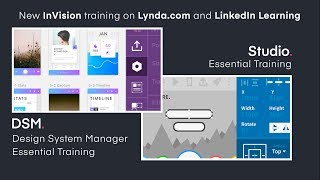
Drew Bridewell announces two new courses on LinkedIn Learning: InVision Studio, which is free and accessible, and Design System Manager, a tool with a Sketch plugin, web view, and design tokens API. He's also working on season two of Practical UX Weekly.
Questions this video answers
September 21, 2018.
About 1 hour and 15 minutes.
Lynda.com and LinkedIn Learning.
Yes — Studio is free (requires an InVision account).
A Sketch plugin.
Chapters
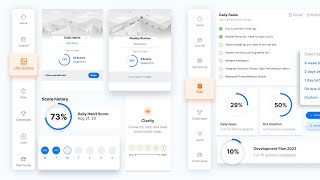
Hey everybody. Drew Bridewell here and just wanted to let you know I have some good news I wanted to share with you and thought, wow, this would be great to put in a video. Well, there's two things that I wanted to share with you. The first thing is I have two new courses that are coming to the Lynda.com and LinkedIn Learning Library. The first one is Envision Studio. It's out today in Envision Studio's essential training course. I have about an hour and 15 minutes of content where you can go in there and find the video that you want to learn. Or you could binge watch the entire course in an hour and 15 minutes and learn everything there is to know about it. Studio, there are tons of tips and tricks throughout the industry. Right now we have a great team of designers who are publishing content around. They're called Studio Jam, Studio Jams. And if you want to see how people are designing inside of Studio, you can do that. Or you can also download exercise files from the course and I'll have the link below so you can actually go check it out. And if you don't have time to watch it, that's totally fine, just bookmark it. So when you have time to watch it, you can totally do that. And the cool thing about Studio is it's free. You just need an Envision email address or account to be able to access and log in. The cool thing about that is your engineers, your product managers, marketing, everyone can actually go in and download Studio and check it out. It's pretty cool. So that's one thing. The second thing is dsm. DSM is Design System Manager. Now Design System Manager is a tool for design teams to be able to consolidate and to create a single source of truth for design. Not a single source of truth for engineers, but a single source of truth for design. Now this is going to allow you to have your components and your symbols and everything that makes up your visual language or your functional language inside of one tool, and that's dsm. It comes with a Sketch plugin. So if you're inside of Sketch and you want to drag from module or from a window, you can pull it out and be able to use your components. You can add artboards and see your layouts and settings and all that mumbo jumbo. The other thing is that it comes with a DSM web view. So everything that you create inside of Sketch you're going to also see in the cloud or in the website. So you can actually share it with product managers and engineers. So they know how to use it and how not to use it, and they can see that visual language. The third thing is they'll have access to design tokens so your engineers can tap into the colors, the fonts, the basic elements that make up your components, like your headers or your icons. They can actually pull from the DSM API and be able to leverage those resources. So those are three variables and that's a whole other, whole other piece of content. But check it out. That is DSM and that is now available in the library. So. And if you have more questions about this, you can always jump over to envisionapp.com or, or if you wanted to check out Studio, you can just do envisionhapp.com studio. Those two micro sites have a ton of content for you as well. But I'm just happy to provide some content for you so you can make the decision yourself and go check it out. So that's all I got. I hope you enjoy. This was a big, epic update for me. I'll see you. I'll see y' all next time. All right, bye. And one more thing. I'm working on season two of Practical UX Weekly. So if you haven't seen my weekly series yet on Lynda.com and LinkedIn learning, then you gotta check it out. There's a lot of cool stuff and I'm gonna be bringing a ton more content to you. And if you have topics and themes that you'd like to see me cover in this next season, then let me know. Give me a shout out. What do you want to see? What do you want to hear about? Some topics that I'm really excited about talking about in this season are gonna be about design. About setting up your libraries for success, talking about storyboarding and user experience design kickoff projects, how to set you, your team and your company up for success. When you are having kickoff projects team building exercises, it's gonna be a lot of fun stuff and you can kinda probably tell I'm pretty excited about it. So let's get to know each other, reach out, connect and let's share all this good design education stuff. Alright, well, hope you enjoyed this and I'll see you guys next time. Alright, peace. Bye. Cheers. Adios. I gotta get back to work. See you later. Alright, bye. Bye.