Learn about Friday Finishers, Status Updates and more!
Drew Bridewell shares how to write weekly status updates that actually work: set 4-5 priorities, ask leadership the same questions each week, and keep them in one place. He also covers Friday reflection routines to close out your week strong.
Questions this video answers
70 videos, two seasons.
12 career-defining pillars.
June 25, 2021.
Chapters
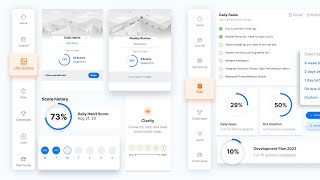
Foreign Happy Friday. Super super excited to share a couple tips with you to help you lead into your weekend, but also help you gear up for the next Friday to your next level when it comes to user experience design. So a couple things that I want to share with you today. The first one is I just wanted to show my gratitude and thankfulness for, for the community, for the network of designers and a network of people trying to build better products and you know, all the effort and the training. So all those educators out there, all those community enthusiasts that are trying to help evangelize product thinking, design thinking, best practices around user experience, all the platforms that are helping people learn. You know, you have Growth Day, which is the company that I'm working for where we build personal, personal growth and development app. You have, you got masterclass who's helping people around very specific niche masterclasses on specific topics. You have Coursera and udacity, all these LinkedIn learning and before it was Lynda.com so all of these platforms building products and services to really help people grow and learn. I just wanted to give you all a big shout out and just wanted to honor all the designers and the product teams working on those things and to help people grow and develop and even YouTube, that's a great one as well. And I'm sure I'm missing, you know, there's skillshare, there's just so many tools out there. So I just wanted to thank you all for putting that in. It's just Happy Friday for that and I'm just really grateful for all that, all the work that you've put into your products. So the second thing that I want to talk about is status updates. And status updates are really, really important to me and my teams, mainly because they help us make sure that we are moving projects forward. We have checkpoints and milestones in place to be able to make sure that we're moving things forward and we're feeling really good about it. And you know, status updates aren't meant to be stressful. They aren't meant to slow you down or you're not supposed to be writing those things for like three hours straight. It's just like a very calculated time to reflect on your week to make sure that you accomplish what you said you were going to accomplish. And there's a couple tips that I have for what you can include in those also. Also how you can kind of strategically write those things to really make sure that you're nailing it every single week. So here's what they are so tip number one is what I do on Mondays or the Sunday before the week is I'll write out the four or five things that I absolutely need to finish by the next week. This could be, I need to finish this landing page design, I need to finish this workflow, I need to map out this new experience. I need to connect with product engineering and content to make sure that we're preparing this new campaign that we're about to run. It's a combination of a lot of things, but if you just kind of can put that little bit of intention before you have to write your status update at the end of the week, it's going to help you and save you in so many ways. So right off the bat, I'm going to get set my intention. I'm going to make sure that I'm writing out what I need to accomplish this week and I'm going to just write out what that milestone is that's in a status update. Part of the status update. Another thing, tip number two is to find a consistent set of questions that you can ask yourself that are going to help prepare your directors, your CEOs, the people that you need guidance from and support from, and the people that are holding you accountable. What are the questions that they need to know on a weekly basis? They need to know what projects are moving forward. They need to know your priorities. They need to know what's something that you need help with or something that you're struggling with. They need to know what are things that you could be improving on to make the whole company better. Or it could be a lot of different things, but what are those questions that you can answer for your leadership team or for your manager or for whoever, or for even taking accountability to yourself? What are the questions that you can answer on a weekly basis to make sure that you're moving things forward? So that would be something that I would absolutely include. And the third tip is, where does all this stuff get stored? Right? So on a week to week basis, when you're writing these things, if you're just writing them in an email and sending it to yourself, it's harder to manage that email. It's harder to manage that long list because every week you know you're going to be doing this. So what I like to do is either have like a Google Doc or a private group. It could be a channel inside of Slack, it could be a channel inside workplace, wherever you're, or inside of teams. You know, it's a private, private feed of posts and content that you're going to put in there. And then what you do there is you just include that in your Google Doc and you have the dates from, you know, June 13 to June to another time. So you just take the dates of the start and end date of the week. And so you have the start and the end date. And when you have that, you just fill in the blanks of what it is that you're doing and you answer all four or five of your questions and then you do that on a weekly basis. And then by the end of three months, six months, you have a trail, all the things you've accomplished and you can scroll back through your work and see, okay, yeah, I see what I'm doing on a week to week basis. I see how I'm moving this forward. I see where this week I struggled a little bit more and this week I was on fire. And the cool thing about that is in our product, inside of Growth Day, you can actually see your life scores and how you are measuring and what you're doing that during that week. So you can see, oh yeah, I was off that week. That's when I was dealing with something really hard or it was when, you know, something happened in the family and I needed to take care of it. Whatever it is and what. Status updates are really great anchor for how you're doing on a week to week basis. And they're just a great way to come back and remember that like some days, some weeks are going to be stronger than others. But if you have a way to be able to measure that and look at that over a long period of time, it can really be impactful for how you show up and what you're doing and to be a little bit more intentional for the week ahead. So that's the second thing. Status updates are so important. Fridays are just the best because they're also a really good time for reflection. So if you spend that entire week, you're getting it done, you're, you're showing up, you're doing the work, whether it be on your design projects, your product projects, your engineering projects, whatever it is. But it's a really good reflection point to go into your journal and be like, what went well? What didn't go so well? What could I have done better? What could I have done better to prepare for this meeting? Probably gone better. Or how could I better prepare for that meeting? How could I better prepare for next week? I'm a big advocate for preparing because preparation is, is the entry point for just having immense design clarity and understanding, you know, what it is you need to learn, what it is you need to execute, why you need to do that, and then answering a whole plethora of questions, which is something that I'm just always constantly thinking about, like answering questions, getting prepared and trying to help be proactive about what things my team is going to need. But also how can I just best prepare for situations so I can show up, be ready, be energized and just get after it. So that's what I like to do on Fridays so I can prepare and have a great, nice, relaxing weekend and get ready for my Mondays where I'm just gonna do it again. But I'm gonna have fun. I'm gonna be energetic. I'm gonna know how I want to show up, how I want to interact in this moment. I'm gonna know how I want to show up as a role model for my team. I'm going to show up for how I want to interact with people and then I know what success looks like. So I want to work towards that. So that's it. That's my Friday, My Friday tips for this week. I hope you enjoyed this and I'm wishing you a really amazing weekend and a great next week. So if you haven't yet checked out any of my other content, I'm going to give you a little tip about some of the things that I've been working on behind the scenes. So one, if you haven't yet checked out LinkedIn learnings my course on LinkedIn learning which is called Practical UX Weekly and it's a 70 video series, two seasons of practical UX tips. Things that I've learned deep in the product trenches from working at companies like LinkedIn, Envision, Facebook and just many other companies and what I've learned from them. And I just share it, I just share it all in those videos and I also have a couple case studies in there as well. So definitely check that out LinkedIn learning and just search for Drew Bridewell or you can search for Practical UX Weekly Google and probably find it there. So that's one thing. The other thing is when I previous in my previous company I or I still run this company, it's called Next Level ux. And Next Level UX is a coaching and development program that was designed around these 12 career defining pillars around how you can get the most out of your career as a UX professional. So I have that series, it's up and also there's two courses or programs inside of that one's called Action planning and the other one's called Mapping to learn. So those two programs are like staples for me of things that I do every single week when it comes to action planning for design and when it comes to mapping to learn. So mapping out systems, mapping out new products, mapping out new experiences that need to get built. So all those things are collected inside of that community. So that's Next level UX me. If you want to check that out you can also google it or you can hit the link down below and check it out. I'll probably put something like right here, like right here that says Next level UX me. So check that out and other than that check out the content and reach out if you have any questions. Feel free to just DM me on LinkedIn or hit me up on these platforms. Alright that's it for today. Hope you have an amazing rest of your day. See you later. It.