Learn the Full potential of GrowthDay
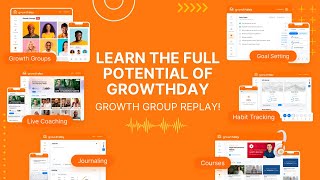
A recorded live product walkthrough by Drew Bridewell (Head of Product & Design) demonstrating the GrowthDay web app: how to use the dashboard, journal (150+ research-backed prompts, images, privacy), Life Scores (habit-tracking assessments, recommendations, trend history), Plans & reminders, interactive Challenges (gamified, coach-led), the Learn pillar (courses, notes, timestamps, certificates), Growth Groups (live rooms, mini-player), community search, profile/achievements, and admin/settings features (referrals, notifications, gifting). The session includes practical tips, keyboard shortcuts, examples, and Q&A.
Chapters
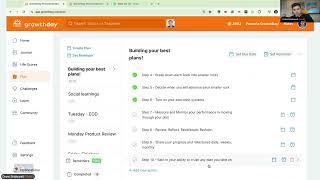
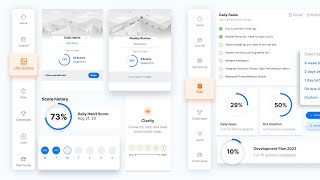
Welcome, welcome, welcome, everybody. Thank you for your patience. Just getting the. Getting a studio set up here and just wanted to say hello. Go ahead and say hello. In the chat, we're going to talk about the full potential of the Growth Day app today. I'm pretty pumped about this because it's just like something I use every single day and there's just so much potential and so many opportunities inside this app to help just raise your game in every area of your life. And, and also if you're starting something new this upcoming month, you know, we're almost done with October, but hey, November's right around the corner, so it's a great time to start planning, to start prepping, to start getting ready for this end of year energy and then lead into 2023 with a bang. So I'm just going to get the chat here and just see how everybody's doing. Welcome, welcome, welcome. Hey, Theresa. Hey, David. Hey, Breeda. Hey, Rita. Cheryl, Don. What's up? Trey, let's go. All right, so we're just going to wait for a couple more minutes. So what I would love, what I would just absolutely appreciate so much if you could put in the chat something that you have been using Growth Day for. Something maybe personal or something very universal, something that you just come to the app every day and you're using this one thing and it's helping you right now. If you haven't found that yet, then I would love for you to maybe change the prompt and write something that you're really wanting to learn inside the app. And then what I'm going to do throughout the conversation, I'll circle back to all these things, but we're going to go for a little roadshow across the entire app. It's going to be a lot of fun. And you know what? And if you have a friend or family member or somebody that is trying to maybe tap into Growth Day at another time, I'm going to be recording this session and I'll post it inside of the community a little bit later once it goes through, you know, that magical post production, all that fun stuff. But then we can use this video as a reference point for anybody new that's coming into the product because we have so many things that you can, you know, get after it here. All right, cool. So let me just check out and see what you're writing. Journal. Life scores. Journal, period. Let's go. Yeah. Oh, my gosh. The daily fire has been so fire lately. My goodness, I feel like Brennan's in the vortex right now. And When I say vortex, I mean, like, he is just on fire with what it, what he's doing and what he's talking about. Just makes so much sense in his messaging and his energy that he's bringing to the platform every single day. Super grateful for that. Life scores, David. Awesome. Okay, Rita, we'll talk about the Life score assessments and, and the value of how to leverage them and how to use them. The daily, weekly and monthly Life scores. Alright, cool, cool, cool. Yeah, yeah, yeah. So just as an FYI, I've been posting these, the replays in the community and I'll end up posting them like every week. I'll post the new replay. I have like 7 or 8 from the previous months and we'll just keep loading them into the community. So if you want to find some of the posts that I've already done inside the community, then you can just head over to the community and in the search box, search for Drew Bridewell. It's my first and last name. And then you can see all the posts and the comments and things that I've left in the platform. All right? Yes, yes, yes. Brandon. Yesterday we did have a whoop session with Danny Southwick. He's one of our leading scientists, research scientists here at growthday on the team, and he every single week does a whoop session. So the whoop session is a way for you to help set intention for the things that you're trying to achieve. You know, your goals. You can talk about the outcomes, the obstacles and the wishes for you to move into those and start knocking those goals down. So that's a really cool thing. If you need a quick little reset or if you need some support and just a growth group to kind of navigate those things, it's a really great session. And again, if this is your first growth group, welcome. My name is Drew Breibel. I'm head of product and design here at growthday. I love this tool. I love this platform because I've been here since the beginning. We're building it from zero to one. And I just want you all to know we are working on this. And every two weeks we have a new release coming out where we're improving the platform. We're trying to, you know, we're fixing bugs, we're making improvements. It's a constant. The art and harmony that we're trying to create here, we love it so much. But let's get, let's get into the, let's get into the content right now. So the first thing that I'm going to do is I'm going to share my screen and I want you to know I'm in full screen mode right now in the platform. I'm watching this on an imac. I'm with you live here. And what you can do first is to get oriented with the growth group. Now, growth groups, like I said, these are like zoom rooms inside of the tool, inside of the app. And what you're gonna see across the top right of the, of this screen that you're currently on is you have chat notes and agenda, you have share right to the left of your chat button and then you have this little icon that is for your, your layout options. Now in this growth group, if, if there was like multiple people that were up on a stage, which we can do it later, towards the end of the call, you can switch this to Spotlight mode or you can switch this to gallery mode, or you can switch this to full screen mode. Full screen mode is going to basically just do exactly. Well, I'm just gonna switch to full screen room right now. It removes the top banner of the app and it kind of gets you into this focus state where only thing that you're focused on is this growth group. I think that's something that I'm gonna tap into right now. Just so when I start sharing, it's gonna be super. It's just gonna be super easy for me to really show y' all the fun things. Let's go, let's go. Alright, cool. Let's do this, y'. All. Let's dive into the full potential of the app. Alright, so I'm just going to click share and I'm going to share my entire screen. And if you're in gallery mode, this is what's going to happen is you're going to get both states, you're going to see both elements on the screen. We got a couple more people coming in and just so you're wondering if. You're wondering if I got punched in the face. Like I literally woke up earlier this week and, and I felt like I had a fat lip. I felt like I might have gotten. I felt like I might have gotten elbowed in the middle of the night or something. And I've been healing it, but you know, things happen and you just gotta roll with it and that's the power of just going with the flow and that's what I really like to do. Alright, so what you're seeing right now is we're on the dashboard, we're gonna start here because this is where your growth starts. Your Growth journey starts on the dashboard. When you come into the app, you go to app.growthday.com and I typically have open 100% every single day. And I just leave it open because this is my intention starter. When I start the day, I'm starting with my plan and my intention for the day. I love to wake up. I'm a pretty early bird, but I like waking up early when it's quiet and I can come in here and the first thing that I like to do is I like to listen to the daily fire. I can either listen to the daily fire on the dashboard of the app, which is up here in the very top right and says outcome of growth, this growth model. You also have the luxury of being able to tap in on the just going to let people in here and you'll actually get to see what that looks like as a host because I'm sharing my screen. And then you have the luxury to view it on your dashboard. And just so you know, if this is your first week or first day inside of the Growth Day app, these daily fires are original first like daily motivational audios. They don't last for multiple days in a row. It's one day and then they're off to the new day, they're off the next day, and they're off the next day. So if you're kind of, like, curious, why don't we leave these up for multiple days in a row is because there's a new daily fire coming in tomorrow. They're super relevant and super fresh. So you can expect that from Brendan and he does it literally every single day and he's delivering that for us. And Today's audio was 20 minutes. So these are very unique and very special to the Growth Day platform. You have to have at least a starter plan to be able to access this and but Starter Pro and all Access, we'll talk about those today, too, just to kind of keep you in the flow. All right, hope this is helping. I'm just going to check in. All right. Just making sure. And if you all also notice that you can even follow along with me today by tapping over into the home icon and you can literally follow along with me and just listening and following exactly what I'm doing. Because we have now what we call the growth group miniplayer. The growth group miniplayer allows you to navigate the entire product while you're in a growth group. This means you could journal with a group, you could plan with a group, you could jump into communities, you could jump into Live scores, you could go in challenges with other strivers in the platform, which is so much fun. And that I think is just going to be a really helpful and supportive thing for y', all, which I think you'll love. Alright, so let's break down the homepage really quick. So homepage is, like I said, where you start your journey and when you're starting your journey, you have the ability to move what is most important to you. So if you wanted to move your growth groups down, you could just tap on the little handlebar, which is the six dots next to the title. Let me actually just zoom in. I'm going to go to about 120%. I hope that helps make the screen a little bit better. There we go. Yeah, I think that works. Alright, cool. And what we can do is if you find yourself like you want to journal a lot more, if you want to, you know, if you're in the middle of a couple courses and you want to be able to move those up, you can just literally click and then drag those elements up or down as you desire. Okay, so we'll keep going through and then we have our live scores, we have our plan, we have all the other little elements that we have that we've been participating in in the platform. We did this because we want to make sure that your growth pillars are at your fingertips and you can have a little glimpse and a little view of what those are from the dashboard. And every time you come to the product, the other really cool thing to know is that you can also, on the right sidebar, you can see your daily fire, your what's up next? Which is right now we have, if I just minimize this down a little bit, you can see Anthony Trucks is our next speaker up on Wednesday. In order to access these Wednesday workshops, you have to have a Pro license. That's 299A year. And just as a, as a caveat, these courses, like one individual course in the past, like before we even had growth, they were like $2.99 a pop. So the value that you're getting, and you're getting these all year long, plus you're also getting the replays for the last three months. And you're also having the ability to unlock hosting inside of Growth Day when you have a PRO account. So a lot of value, but it's also like, it kind of ignites your social learning abilities when you have pro because you get to engage and quick pick the topics that you're most interested in when you're hosting. But Right now, you know, I'll be hosting and there's a lot of other. There's a lot of other individuals that are hosting their own groups that they're really passionate about. And that's what Growth Day is all about, right? Diverse perspectives, diverse topics, hearing and growing together. Super fun. Then we also, on the far right, we'll have, if you've started any courses or any content, you'll see a little continue learning. This is your going to be just whatever the recent video or course course that you've been watching, it's going to show up here. And then we also show the recent Life Score recommendation that you maybe were getting recommended. And, you know, my productivity was lower for me as a 92%, so I'm getting a recommendation of that on the homepage. So this is your homepage. Hope you understand and the value of this. We'll be improving this over the years. But I got to say, this is our. This is your, you know, at your fingertips, this is your growth home. All right, let me just check the chat really quick to make sure we're all getting any questions answered here. Coming through, Coming through. Yeah. So the interface on the phone, Rita, is going to be different from the dashboard because we're talking about a web experience and we're talking about a mobile experience. So the mobile experience is going to have everything that you see on the dashboard on your web, but it's just going to be a lot more refined and a lot smaller because we have smaller real estate to work with now. You will see that evolve. But our goal in product and design is to really have these two platforms be very consistent. And we want you to not get confused around, like, oh, well, web has this feature and mobile has this feature. We really try to build things where they're cohesive across web and mobile. So if you start something on your desktop and you're going out on a run or you're going out for a family event, you can still access your plan, your journal, your notes, all those things from your mobile app. So would definitely encourage you to explore that mobile. The mobile app is kind of our. It's kind of our most popular thing. A lot more people use the mobile app than they use on the website. But I like to have the website always open because I love using my keyboard for journaling and I also like the space that it provides for your planning. All right, Cool, cool, cool. All right, all right. Sweet, sweet, sweet. Just checking the questions. Yep, yep, yep. Thank you all so much. Keep the questions coming in. In chat and we'll be on our way. All right, cool. Let's move in to the journal world. Like the journal world, one of our, one of the staples inside of the platform. When we first were conceiving this platform and product, the journal was something that we knew we had to have. But it wasn't enough to just have a text field where you can just start typing and answer. Because the problem with that is a lot of people don't know what to write about. And that could be a big challenge for journal even this week, my son, he's 12 years old and his school was working and they gave journals to every single student in the school this week. And they had a whole day or a couple hours where they were focused on the power and the benefits of journaling and the powers and benefits of journaling. And I just feel so grateful that he's at the school. But this, the power of journaling is to be able to reflect back your feelings, your emotions so that you cannot like hold all those things in, but you can actually release them out into your private. Nobody else has access to this journal but you. And I'm obviously sharing my journal, but you can only see a little bit of my activity down below, which I'm not too worried about, I'm not too concerned about. I'm an open book. But you want to keep these things private for yourself and just know that nobody else has access. You can tell by that too, if you click this little icon up in the top right. We take privacy very seriously, very seriously here. And we want to make sure that your content is just for your eyes only. And there you go. So we know the power of journaling, right? We even. We're hearing about it from my son's school. And Brendan talks about this so much in the Daily Fires, but the idea to be able to reflect and be able to get super intentional with your thoughts and emotions so that you're not holding it in, but you're actually being able to process your thoughts, process your feelings, process the things that are super important to you. And that's a great first step. But the next level of that and then what you're going to be getting in a high performance tool like this is you're going to be able to get high performance prompts. There's over 150 prompts inside this tool that are all evidence, research backed that are really going to help in, really going to help you kind of channel that next level performer where like what could help you perform at that next level? And let's just dive in and what those things could be. So the first one is the morning mindset. This is a series of prompts that if you had the High Performance Planner, which I have one over there because I still like having these things that I can touch and feel and draw. It's just nice to have. But these are questions that you can ask every morning to help set your day up for success. Also, the really cool thing about this is if you fill out one of these every single week or every single month, you can actually be able to go down and filter those in this drop down right here, which is across from Activity. And you can filter by the prompts that you've been doing. So if you just wanted to see all your monthly reviews for the whole year, you could tap that button and be able to dive into those filters. You can also come back here and as you fill these out in, which you don't have to fill out all the questions, but you can. And if you don't, if you end up tapping this button and you don't want it to be there anymore, you can clear the prompt up in the very top right, like so, and then it's gone. And then you can just be back to what you're doing now. One little quick little keyboard shortcut that I'm going to show you right now. So I'm on a Mac and if I DO Command Control Shift 4, I get this little cursor on my keyboard. So again, it's Command Control Shift four. And if you're on a PC, forgive me, you're going to have to learn what the copy keyboard shortcut is for an image. But let me just say I wanted to take a screenshot of my mini player over here on the right. So I'm going to draw a little image, hear the noise, and I could paste that in. But here, actually I'm going to do the other one because that copies it to my clipboard. So I could paste it somewhere, but I'm going to do Shift Command four. Shift. Yeah, Shift Command four. I'm going to do it again. And I see this little screenshot on my Mac and I can click it and I could come over here and drag it and then just plop it right into my journal. And now I have an image inside my journal. Now again, if you. And this is just like. So, you know, if you're somewhere else and you're wanting to take a screenshot of like a maybe a quote that you saw on social media or something that really touched you and you really, like, want to capture this screenshot of this moment? You can do that with, again, Command shift. Take a screenshot and then you can drag it over into this box where you can upload an image and then you can just type like, this growth group right now is amazing. I love the journal. There we go. Now I can hit command return, and it's just going to save that and be in my library. Now, what happens when you do a journal? You're going to get a little toast here that's celebrating your journal entry, but also giving you a growth coin and growth coins over time. I have 19, 1990 growth coins. And what these will do over time is we're building an inventory system where we will basically, at the end of a quarter, we will give out surprises and swag and other things for your achievements inside the tool. We're still identifying that and figuring out the best way to deliver that and distribute that. But by all means, keep growing, keep learning, keep building up your growth coins. We'll make sure they're valuable down the road. You know, with this whole. The whole tech industry and what we're trying to do here, we're just trying to help you gamify your journal and learning inside the tool. We'll make it really valuable for you over time. All right, cool. Keep the questions coming in, by the way, and if this is helpful for you, let us know in the chat. All right. Evening reviews. Another really great reflection of prompts, you know, a moment that I really appreciated today. You know, helping you reflect and get back into, like, what actually happened today. Because you know how easy it is to go through an entire day and just forget, like, what did I even do today? What did I even do yesterday? And one little pro tip that I do every single, every actually single meeting is I'll have my journal up in my meetings. I'll basically pull down the screen about halfway on the display, and I'll have my zoom call or my, you know, Google hangouts call above. And I'll be looking at the people near my camera, which is what I'm looking at you right now. But I really like having, you know, this, this document, this notes of what's happening in this moment. So I'll be like, oh, this, you know, what's happening in this meeting? What am I getting? What? Like, how am I showing up in this meeting? And just like, I'll just take notes and it's a really great way for me. And then I'll come back tomorrow and be like, okay, these were the four meetings I had yesterday. These were my journal. This is. And I have a really good capture of, of how I was feeling yesterday and what I was doing. Then I'll pair it with the life scores, which we'll go to right in a quick beat, in a second. But using the Growth Day journal can be a great way for you to stay intentional, stay focused and stay dedicated to yourself. That's it. Like stay dedicated to yourself and being honest and vulnerable and building that space for yourself to really just capture these reflections in a really positive way. So there's growth prompts. And one thing that you might not know is that you can keep tapping this growth prompt if you get tired of what you're reading. And it's always going to be channeling a new growth prompt, but you can just keep tapping it and get new ones every single time. It's pretty cool. And these are incredible prompts. Again, research backed, evidence based, really supportive to your growth. And you know, Brendan and Danny have put so much time, effort and dedication into these prompts. So I want to encourage you to try them and then see how you feel in the giving in the coming weeks. See how you feel at the end of the month from doing these things every day. Same thing with the weekly prompts. Another great series of weekly reflections. This is something that's really great to do even on Fridays like we're doing today, where you can just capture the week. How did you advance it? How did you move your biggest needle? Moving projects forward and how do you feel at the end of it? You know, are you going to come out of this session feeling just fantastic? I want that, I want the best for you. I want you to feel so encouraged coming out of this week and then maybe you could write about it and write about, oh, now I know how I'm going to get the most out of this tool because I know all these other things that I just had no idea that you could do all these things. All right, so we've gone through weekly and then there's also the monthly reflections. Three great things that happened to me this past month. Three things I learned about myself, three things I learned about others. These questions are helping you bring that level of intention and awareness up a notch. And that's what we want to do. We want to bring that level of intention and awareness up a notch so that we're just striving with excellence and striving with intentionality in everything that we do. Alright, cool. So we have those things again. I showed you that you can filter these prompts and then one of the other things here, let me move my. Move this out of the way. You can tap on your sidebar here where you have the calendar. Now I can unhide it, click on it. And the cool thing here is we have this little hover effect. These are called, like little popovers. And what you can do in your popovers, you can see all the times where you journal throughout the day and growth prompts or other elements. And. And then when you hover over it, it's going to show you a little tip of what you wrote. And you can see it really fast. I'm kind of hiding it just so you're not seeing all those things. And then you can actually go back in to the previous days and see what you were doing. You know, if you had a day where you maybe were off and you weren't feeling too good, you can go back to that day and look at your reflection. And then you can come back in and even like edit it or delete it or whatever else you choose to do here. Super helpful. And this is the journal. So I'm gonna move it back over. All right, I'm just kind of like checking out. Oh, thanks, Breeda Screengrass. Thank you so much for the, for the Windows team out there. All right, let's transition to the live scores now. Live scores. I think it was. It was. Who had the question around? Let me just see. Who had the question around the life scores. Let me just bring it up. I think it was. Let me see. Oh, Rita. Rita had this question. All right, Rita, let's dive into this. All right, Life scores. These are habit tracking assessments. Let me repeat. Habit tracking assessments. The whole reason why we have life scores is because you going through your days and going through your months and going through your years or without benchmarks and without really timestamped reflections you're going through and you're maybe not carrying. Not carrying that level of intentionality that really could help you make a change that you really want or transition or course correct or redirect the things that you really need to be able to like, you know, pursue the life that you want. And it's not all about like, oh, I have to be perfect. I have to go in and answer these things. And you got to answer them with an honest, with honest perspective of your feelings, your thoughts, your emotions. Like, don't feel like you have to answer them any certain way. There's no wrong way to take this assessment. The only wrong way to take this assessment is not taking the assessment. But if you can take the assessment. You can get super intentional about how you answer these things. You'll get better and better and better. And then when you do that, the great thing is you'll be able to go in and see your trend lines over the time period. So let's just do one of these quickly together. I'm just going to do a quick little time check. Okay. We're doing good on time. But if I was to go in and I was to go through my assessment here, let's wait for it to catch up. Clarity. I knew my why and lived intentionally today. Now, obviously, like, one is, like, so low, and it's like, I'm not even. I don't even know where I'm at right now. That would be maybe a one, A five would be like, I know what I'm doing throughout the day. I know why I'm doing it throughout the day. I am bringing the energy and love and spirit that I really care about. And it's all your definition of those things. It's not my definition of those things. It's your definition of those things. So feel free to answer them how you see fit. So right now I have a crazy clarity. I would call it crazy clarity because, like, I'm showing up in each of my meetings. I know how I want to show up. I know what I want to do. So for me, I feel like this week and today, I've been showing up as a five. Right. It's my. It's my response, my answer. It's not, I don't have to, you know, I don't have to think about what that is for. I don't have to overthink it. And I don't want you to overthink it because these can only take, like, a minute for you to do. So. Energy. I manage my mental and physical energy well today. Yeah, absolutely. I'm going to say a 4, because I think I can do a little bit better here. Necessity made today a must. Yep. I'm going to say yep. My productivity today, I want, like, in. In my. You know, it's one of those weirdest things, but from a productivity perspective, like my little mouse right here. And you might think this is goofy or funny, but this mouse right here is a game changer. I love looking at it, but I love how quickly I can design with this thing. I had knocked out a bunch of designs earlier for marketing, and I just really love this mouse. It makes. I love how it clicks. I love how it moves. And the little thing like this has increased my Productivity today because it's charged up, it's wireless and I can just get it done. And you know, from a design perspective those little things matter. So making sure that you have an operational space that allows you to be an absolute ninja in whatever it is that you love to do. If you love painting, if you love hanging, art, if you love being a fitness guru, whatever it is, like build the best environment for yourself to win and succeed in those areas. And this little mouse right here, I just love this mouse. So I'm just wanted to call that out. Influence. How are we doing? Influence. Treating others well, absolutely. Like you know, with social media and everything that I do on my daily basis, like boom. 5. Feeling really good about this. Courage. I feel like I'm really congruent today with how I'm feeling. 5. Okay. My movement, I think my movement could be better. So I'll give myself a three on this. I think I can do a little bit better today. I still have the rest of the day, so maybe I'll ramp it up towards the end of the day. Alright. Mood? Feeling happy? Yes, absolutely. Got seven, eight hours of sleep and nutrition. I was eating broccoli and carrots for lunch today. It was pretty good. Oatmeal for breakfast. Feeling nutritious. Let's see how I do for the rest of the evening. So I'll give myself a four. Alright, so I go through this and have some fun with it. Do your thing. But okay, now I can see that I have my scores and I have my two recommendations based on my productivity and based on how I rejuvenate my health. Now I want you to know that these recommendations, you can just tap on them and you get a little light box and you can go and listen and watch these things. We're constantly improving these recommendations and you'll see more and advanced recommendations over the over the coming months. But I gotta say these are good ways. And even if you watched it, you can re watch it and rewatch it again because you know, just because it's common sense, you know, it. Brennan would say it's did not come in practice. So even though you've watched something again, you can re watch it to really train the mind and spirit to be like, oh yeah, these are really good affirmations. I can continue doing this and I can continue getting better. So just wanted to call that out. Oh, thank you, thank you, thank you for joining. All right, let me just. Yeah, so I'm just going to pause real quick and look at some of the chat here. So let Me just see here. Okay. Yeah, yeah, yeah. So, uh, let's see. Who is it? Mayra, this is a great question. Let's talk about this at the end of the call. But I also just want to call out, like, when you're feeling the. The device distractions of like, we. Because we actually have this challenge with. With our kiddo. Like, you know, it's really easy to want to stay in the mode where if you open up the phone and then there's other things that you can do. I think it's like a self rule that you can create. And a self rule to me is like creating a boundary for yourself of like, what you will and what you won't do. It's kind of like a contract or an agreement with yourself, and that can take time and practice to really measure up. But you're the main person holding yourself accountable, so understanding, like, well, if I want to live the life that I want to live where I'm not doing those things, like, you make that self rule, it's up to you to make that self rule. And I think if you need support and you need another level to be able to help you not have that distraction, then it would be like, okay, well, before I enter my room, I won't have devices in my room. Or before I set my alarm at night. I won't before. When I set my alarm at night, then I will do my life scores in my nightly journal, and then I will put my phone away and I will not look at any other apps. You know, it's like the when then sort of scenarios of what we teach inside the whoop. The whoop framework that Danny teaches. So think about the trigger that's making you do the thing that you don't want to do. And then try to reverse engineer where the beginning part of the thing that you're doing. Just don't once when this happens, then you'll do this versus the thing that you maybe don't want to be doing. So I hope that helps you. But that's like one of the things that I would do to help gain a little bit more discipline. But it's also setting yourself, setting boundaries around yourself and the things that are most important to you, like, and just giving yourself some grace, like, it's gonna be okay. You might have a bad day, you might have a. You know, and you can just keep getting better and better and better as you go. But the thing is like, in growth day, every day is a good day to grow. It doesn't. It doesn't have to be like, if I don't do this then I'm worthless and I'm not good enough. You can get better at this every single day and know that you have a team here and a community that's gonna support you, the things that you really care about and the things you want to take on. Alright, so that's the daily habits. I hope that was helpful. I'm going to come back down here and I'm going to show you really quick the history. Because each one of these life scores, these are the ways that you can kind of get that course correction, that recalibration and make sure you're on the right track. So you can click Suggestions here and get the suggestions of the week or for that score where you're at, you can also click View History. If you click View History, then you could scroll down a little bit. And because I'm streaming and I'm showing my screen, it's loading a little bit slower. Here we go. So it's telling me like when I can score again. And we have timers and tickers on here so you know, like when you can come back and do it again. You can also click on any of these score histories and see the score, the recommendation for this. And if it's a course, then we have a little link that will take you to that course. You can continuously learn there. But then we have our trend line. So if you've already heard of the trend line, you can see how I'm performing over the long term. And then what I can do here is I can even filter by my sleep, by my nutrition, by my clarity, and I can see how I've been doing, like for example, in productivity. And I can see that my productivity over these months have been really good. But May, June were a little bit lower, a lot lower. And then I started to have a peak and then in September and then I'm back up. So it's okay that you're going up or down, but this is just a way for you to know, like, oh, well, I was a little bit lower this month. What can I do next month to be on my game? And it's just about giving you a benchmark so that you can slowly work and improve over time. Now for all the history as well, you have the ability to see recommendations. So you can tap recommendations and see what those are. You can also write journal entries about those days. So if you go back and you're like, oh, October 21st, that's when I did X, Y and Z. I can go back and write my journal about it because maybe I forgot to do it. And then when you do that, that's just going to show up in line here. So you'll have these little prompts and you can do that about that day in line so you don't have to go back to the journal and you can just do this all right here. Cool. Awesome. Awesome. Yes, yes, yes, yes, yes. Rita. So at the end of the month we will actually keep track of that for you so you don't have to like, oh, what day is it that I need to come back in? If you just come back in into the life scores or the dashboard, you'll see the date and the time that you need to do it. So it's going to tell me I need to score again in 26 days. So if you're kind of depends on where you started, but we just track every 30 days, you can do another one, you can do another one. And if you end up wanting to do one, you can just delete the last score that you did. Like for example, if I was to go into my monthly, I'll go to View History. If I wanted to do a monthly, but I already took my score and you just want to go back in and do it. You can come in here right click or not right click, but just click and delete this life score and then it will just allow you to take it. So you can kind of just go through the system, delete your old score and then retake it for the time for the monthly. If you do that for the dailies, you can't get it back. So if you delete the daily or the weekly, you can't get back that score. But you could retake it if you really want to just take it today, no problem. You just delete the old one. All right, hope that was helpful. I'm going to move over into plan and guess what? We have a good solid 20 minutes left to kind of keep going through this. Yeah, awesome. Yeah, it's gonna help remind you. Alright, let's switch over into the plan. Super powerful plan that you have at your fingertips. So right now I have a series of plans and I like to use my plans in a lot of variety of ways. Now I do theme planning. I also have other things where I'm like, I'm building a playbook, I'm building a daily planner. Like I have people that I'm mentoring. So I'll keep track of the people I'm mentoring or the, the things that I'm Trying to do. Like I have even a plan here for finding strength because one of the daily fires was talking about finding strength and I just was taking notes about things I wanted to do because I wanted to set reminders about each of those line items and the plan allows me to do that. So for example, if I and I have an October intention month where I had a growth group a couple weeks ago where I was talking about maintaining, advancing and starting, I have a replay that also posted inside the community if you want to check it out later. But the cool thing about this was I had things that I was maintaining, I had four things that I was maintaining, I had four things that I was advancing, I had four things that I was starting, I had a UX playbook that I'm really trying to finish. By the end of the month I have five nights of romance and then I have zigzag. And zigzag is, you know, these all mean something to me. Like I just, you know, I don't want to go into detail about each of these different things. But you can use your plan for anything that you desire. It could be themes, it can be checklists, it can be grocery lists, it could be things that you just want reminders on. Because what you can do is you can come in and get and click on the little time the clock and you can set a custom reminder about each of these things. You can do an hourly, a daily, weekly, bi weekly or monthly. Or you can say do is not replete. And then once you tap on that, it's going to ask you well, what days and what time start and end time. And you can do these for any of these items that you have. And the cool thing about this, you can also do it at the top level of your plan and you can also go down to the task level of your plan which is just really helpful when you're trying to really focus on a new skill or focus on a new intention. And I just want to encourage you to give it a try and give it and see what you can get out of it. Let's just see what I got here. Alright, let's come back down. Okay, so how do you see a replay of my growth groups? Rita is I just am posting them in the community and because some of the files are larger, I have to, you know, I upload and embed them inside the community. They're not in the Learn pillar. The Learn pillar is for like our super pro coaches and I'm just posting in the community and you can search for My name in the search box, which I'll get to, and I'll show you how to do it in a second. All right, cool. So again, you can use the plan. I'm going to show you a couple other examples. So another example is like this daily planner. So instead of me writing a plan for my daily plan and having to reset it every single day, I like having the intention of like, oh, what are my top three priorities of the day? Great. People or persons I need to reach out to? Great. Got it. What is the mindset I need to win the day? Great. Got it. What are things that I'm grateful for? I'm going to tap into that and feel grateful throughout my days. I'm going to have meditation throughout the day. I'm going to have fitness, and then I'm going to integrate my rituals, routines, and my high performance habits. These are my staples for what I'm going to do every day to be on my igame. These are. These are, like, really important to me. These are things that I've learned from Brendan. These are things that I've learned from just being coached. And I'm going to continuously have this. So this is always going to be a daily plan that I want to tap into. You know, be like, okay, well, do I know what these things are for my day and am I ready to go execute? Am I going to ready to go integrate these into my rituals that I have for my team, for myself, my family, you know, you name it. So there's a lot of examples here, and that's what I want to encourage you to check out. Also, if you see the reminders or the completed section, these are just your history. And I could go to my reminders, and these are going to be my reminders for everything that I've set up in the tool. So I'll come over here, I'll move this out of the way so you can see it, and then you can toggle these on or off as you choose. And you can also reset them anytime you want. So those are the reminders. You can also set custom reminders from the very top bar. I'm going to show you again. So you can create a plan or you can set a reminder. Now, setting a reminder could be like, I just want to get reminded of my top three intentions for the day. And I could get reminded about that every hour, every day, every week. And you can write anything you want. And that's going to remind you through a push notification and a little in app. Notification in the app. An in App notification is in the very bottom left. You can see the notification bell and that's gonna show like, you know what it is for you today. So I have a reminder that's set on a weekly basis to be consistent, passionate and courageous. These are things that I wanna follow and I wanna be reminded of. But that's how I want to interact. I wanna interact in a consistent, passionate and courageous way. And how I wanna show up again is I wanna, I'm gonna create. Like I have a bracelet on my hand that's like create. Cause it's like really important for me as a creator, content creator and as a product designer, as a product maker, as a, you know, head of product. I really care about creating harmony. I really care about modeling really, really positive behavior. I really care about uniting people. And I want to just help everybody grow in their own light, like in the pursuit that they want to have. So those are things that like I just, I think about all the time and I really want to encourage that so I get reminders about those things so that I'm congruent with how I'm showing up in my life now. Of course, you don't have to have anything like this. You can have anything you want. Just want you to try it so that you can bring in some more of that intention into your vibe, into your energy. I think you'll really appreciate it. Alright, so those are plans. Just checking in, make sure that we're all good on all that. Okay, now what are we going to do? Transition over into the plan. We have a good 15 minutes left. I hope the plan pace is okay for today. Please let me know if you have any other questions over in the chat. Okay. All right, so now let's talk about plant or their challenges. Challenges were whole. These were conceived and created because social learning is a really important part of our growth and development. How we grow individually is important, but how we grow together is a compound effect. So when we can grow with our friends, with our team, with our coworkers, with people that are also on the same journey as us, then we can have a compound growth effect where we're learning new things from each other. We're also being vulnerable with each other and we're able to really get on the same page about the things that we're learning together. Now there's five or there's four challenges and we're going to have many, many more challenges that we introduced into the platform over the years. But right now there's four. Clarity, confidence, high five, challenge with Mel and And the Identity Shift challenge. So these first two are with Brendan, the high five is with Mel Robbins, and the Identity shift is with one of our other coaches, Anthony Trucks. And now, the cool thing about these challenges are they're interactive, they're integrated with all of our tools in our features are integrated into these challenges. So if I wanted to go into which I'd encourage you all to check out the Identity Shift challenge, this is a really great challenge to kind of shift into the identity that you really want to embody, the identity that you really want to, like, really champion through. So we could go through this challenge, you watch a little intro from Anthony, and then you can get started with the first day of tasks. So the shift, fear, failure, and success. You, you can go watch the video and the training, then you can go do the task in the journal, then you can share your thoughts. And the cool thing also about this is we gamified it so that you have a bronze, silver and gold achievement as you knock out the task for the days. These also allow you to get growth coins, so as you go through and you'll get these achievements, and then you can even check those out in your growth profile. So let me just actually show you what that and I'll come right back to this. So if I click my top avatar on top and I click profile and I come into my growth profile, I can see all the achievements that I've been working on and striving for. I can see my daily streaks, I can see my weeklies, and I can even see the badges that I've earned from completing some of these challenges. So for the Identity Shift challenge right here, I can see that if I tap on this, it will take me right back to this challenge that I already completed, But I can also just retake it. I can relearn it, and that's a really fun way for you to kind of get into the platform, try some new things, really see what the community is talking about over in the right sidebar. And you can also take notes inside of these things for any of the courses that you're learning here, because that notes will also show up in your notes panel. So if you t notes up in the very top right corner, if you're following me along still in this growth group, then you have the notes at your fingertips, where you can see the live events, the learn, the challenges, and the growth groups that you've attended. Now, I have 206 notes, so it's taking a second to load. So while it's doing that, let Me see what everybody's saying in the chat. I hope this is also super helpful for you. It's just loading. Oh no, I want to wait. Okay, I'm just coming through. All right, so I'm seeing. So Norman had a question about how do you get back to a particular teaching video you watched from a suggestion? So you could go back in to the topic in the life scores and you could also, you could just tap on the subject and it will show the video down the road. We are working towards like the ability to save and bookmark these elements, but we're still working on those details and the design experience for those. But that will be really helpful for you. So as you see these notes, I can see I pinned my certain notes, but I can also see other notes that I've taken in the past and that's really helpful because any note that you take, you'll be able to see it in the notes section of the app. So I'll just show that to you really quick. I'll just go back to life scores because I love these interactive questions because I can just navigate anywhere in the tool to be able to show you. So let's just say you had a low score in a certain topic. You can tap on the suggestions and that will show your latest one for rethinking productivity, which is one I already had. But I can also go into my view history. View history and then I can see all the different topics that I did my assessment on right here and I can just tap on these and then I'll see the one for necessity, I'll see the one on productivity, same video, I'll see the one on clarity right in line. Now if you go back through again, Norman, on the individual ones, you can click recommendations here and it will also show you that video where I was trying to rethink productivity. It's all congruent with the score that you had where it's showing the recommendation and you know, you just tap around and find the one that meets where you're at. Alright, cool. Great question. Alright, so we talked about plan, we talked about the challenges. Once you do join a challenge, you'll see it in the active challenges and you can go to your completed ones as well and you can see how that looks right here and you can see like the score that you had and you know it's a, it's a gamified platform. Then let's go into the learn pillar. So I definitely want to encourage you to take some challenges and give them a shot. Try them out. And the same coach that I was just referring to in the Identity Shift challenge is Anthony Trucks right here, who's also going to be live next week talking about quitting the wrong thing. And these topics have been just absolutely outstanding this month. And here's all of y' all amazing people. And then what we're seeing here is our course library. So if you've started courses and courses are a part of our all access plan. And our all access plan allows you to to tap into all the courses, which is over 5,000, I think it might be more than that, but $5,000 value of courses from all of these teachers. Now you'll get all of these from, you know, Brennan's library, but also a lot of the other replays and courses that we're going to be delivering every month moving forward. Like we're working on those right now. So every month we're trying to deliver new courses to the platform on top of what you already see here. And the cool thing about this is if you go into a course, you're gonna love this. You have just like we had on challenges, just like we had on growth groups, just like you can right here, you can take notes. You also have notes and comments inside of your courses. So if you're engaging with the community around something that you're learning inside of a course, you can comment with your peers. You can comment and learn about those things. We also just recently updated our course player which allows you to have really rich and obviously right now we don't support being able to watch inside of a growth group while we're in a video because we're running video feed right now. But the cool thing about it is that you can come through here, watch all these, mark it as complete, you can share it with community and you can get all these frameworks and tips underneath the course videos, which is one of my favorite things. And if you've ever watched a course on like lynda.com, linkedIn, learning, masterclass.com, skillshare, we have the same high quality video watching experience here. But the power of what we have is we have the notes and where you can start taking notes and have video time stamps. So when you start taking notes, you can here I'll go to a course that actually has it for me that I've already taken because I can't watch this right now. Let me just come back here. I'm going to go to courses. This is our signature course that's going to show up here in the top right with the High Performance Habits Builder. This breaks down the High Performance habits book by Brendan and you're going to be able to see this. And this is just a master class on building high performance practices. And when you come in here, if I go to my notes and I'll minimize, you can see that I've already taken notes across this and I have the chapter and then I can just tap in on these videos timestamps and it will take me right back to the time of when I was taking that note. Very, very powerful way to learn and to reiterate because after you watch this this year you're gonna want to watch it next year you're gonna want to be able to like practice this thing and you can tap it and go right back to what you had already learned. You also have the community and the outline for for you after you finish course, you also get a certificate of completion. So if you want to show this to your employer or if you wanted to download this and share it on social media or to share it like easily through social media right here. This allows the community and the industry to see like how you're participating in your personal growth. And this is high performance training right here. So I think it has incredible value to expose this type of training with people that you maybe are trying to hire you or your employer to know that you're really taking care of your growth and your personal development, which is a really important thing right now, especially with where the economy is and where productivity is out in the industry. So really great stuff here. Courses, there's so many courses for you to watch. There's also our live events and then I'll get to growth groups in a second, which I love growth groups. So you have all the past live events and these are all like pretty much like hour long sessions, like 45 minutes to an hour long sessions about all these really impactful topics. You can go back through here and have the same rich learning experience that we just were showing you. And you can also jump over into the growth groups, which is what we're doing right now. And inside of growth groups they allow you to host up to 10, 30 or 100 people. And there's plans after you get through your free that we give you when you upgrade to pro, we give you 10 free. And then once you're done with the free ones in the first month, then you can upgrade to a plan where you can just host these every single week around 10, up to 30 and up to 100 people and all these Sessions right now are, you know, happening. You can kind of see where they're at in the time. And I just really appreciate you all joining this growth group because it's just so important that we're constantly learning how to get the most out of these tools that we have at our disposal. You know, tools, people and tactics are so important to me because it's not just like having a tool, but it's like, how do we use it to get the most out of it so that it's actually serving us. And I think that's an important thing to have in your wheelhouse. The other thing that we have is community. Community, where I was saying earlier about how you can go search my past replays once this loads, just let it load here for a second. And while it's doing that, I'm just gonna, like, come check y' all out and chat. Oh, and if you're, if you're any member, you can participate in as many growth groups as you want as a viewer, if you're hosting them, you have to get a plan to host them. But if you are just signing up to view and like, join my weekly growth groups, it's free. You can join as many as you want. And if you're not even a growth day striver with a starter, pro or all access plan, you can attend growth groups for free as part of your membership. You just have to have a growth day account to be able to watch them. But if you have a starter plan and you have a pro plan or an all access plan, we're going to start unlocking the ability to host over time. So be sure to have at least a plan so they can get more out of the tool. So in this community side here, you could search Drew Bridewell. And what this is going to allow you to do is find me. And then once you find me, then you can see my past post and things. But I'm an admin, so I don't want to search for that. But you could search for my name up here and then be able to see all my history of posts and the things that I've done. So what I'm going to do also really quick is I'm going to show you two other features and I know we only have two minutes left and I hope this has been really valuable for you. But if you want to learn about, like other things in the tool, like you, we have a referral program where you can actually invite people through a link and this link will allow you to sign up and get up to $100. When somebody signs up with your referral link. You can also come into your, which is really incredible by the way. It's super giving. So you can come in through here and fill all these things out and then you can share these assets and, and be able to do that. There's notification preferences where you can come in and really turn on or off your notifications. There's the ability and you know, gift giving is coming. It's November, it's almost November, December timeframe. You can come in and give a gift of learning to individuals and then you can also manage those individuals in your membership and billing. So if you bought like, you know, five or ten different starter plans for somebody, you can end up paying for that every year for them and then they can have the gift of growth and you can be learning together inside the tool. Alright, let me come back to the growth group and I know we only have like 52 seconds left and I'm gonna stop sharing my screen, so I just want to say like one, I'm just so grateful and appreciative that you all were here today and I would love it if you could go into the community after this and if you got something out of this, if you enjoyed it, then please feel free to let me know and we can continue doing growth groups like this. I just want to make sure that you're equipped to succeed. You have all the bells and whistles that you need to be able to get the most out of this tool. And please feel free to comment and question anything that you're trying to get out of this tool. My name is Drew Bridewell. I'm head of Product and design at Growth Day and I cannot wait to to see what you achieve inside of this tool. So have a beautiful rest of your day, a beautiful Friday, beautiful weekend, and I'll see you in the next session. All right, later y'. All.